Home › Music

 US
US
1 of 1 storefronts
Content in en-US
Content in en-US
Information
Preview 2 platforms
iPhone 8 images


iPad 10 images




What’s New Version 3.12.1
FIX
- Fixed wrong positioning when dragging and releasing a source
Description
SWAM Viola for iOS: Unmatched Realism and Expressive Power in Your Hands
Experience the cutting-edge Physical Modeling technology of SWAM Viola for iOS, now featuring the revolutionary Room Simulator "Ambiente"! Unlike sampled libraries, this virtual instrument doesn’t play pre-recorded sounds but generates authentic string performances in real-time, responding dynamically to your every nuance, just like a real violist.
These instruments are NOT sample libraries. Unlike sampling, which uses recordings to replicate the sound of an instrument, physical modeling doesn’t generate a sound as such but creates the conditions for the system to create it according to an external input (like someone playing on a keyboard). This means every note is unique, and the instrument responds dynamically to your playing style.
With SWAM Viola, you can unleash your creativity across any musical style—from classical to modern, film scoring to microtonal music. Whether you're performing live or producing music on the go, SWAM Viola is your ultimate companion.
New Features and Key Benefits:
Room Simulator "Ambiente": Take advantage of advanced spatial control with the built-in Room Simulator "Ambiente," which allows you to position the instrument in a realistic acoustic space, interact dynamically with other SWAM instruments in the same virtual room, and create truly immersive performances. Additionally, the legacy Reverb, EQ, and Compressor effects are available for fine-tuning your sound.
Standalone and AUv3 Plugin: Perform in real time or integrate SWAM Viola seamlessly into your mobile production workflow.
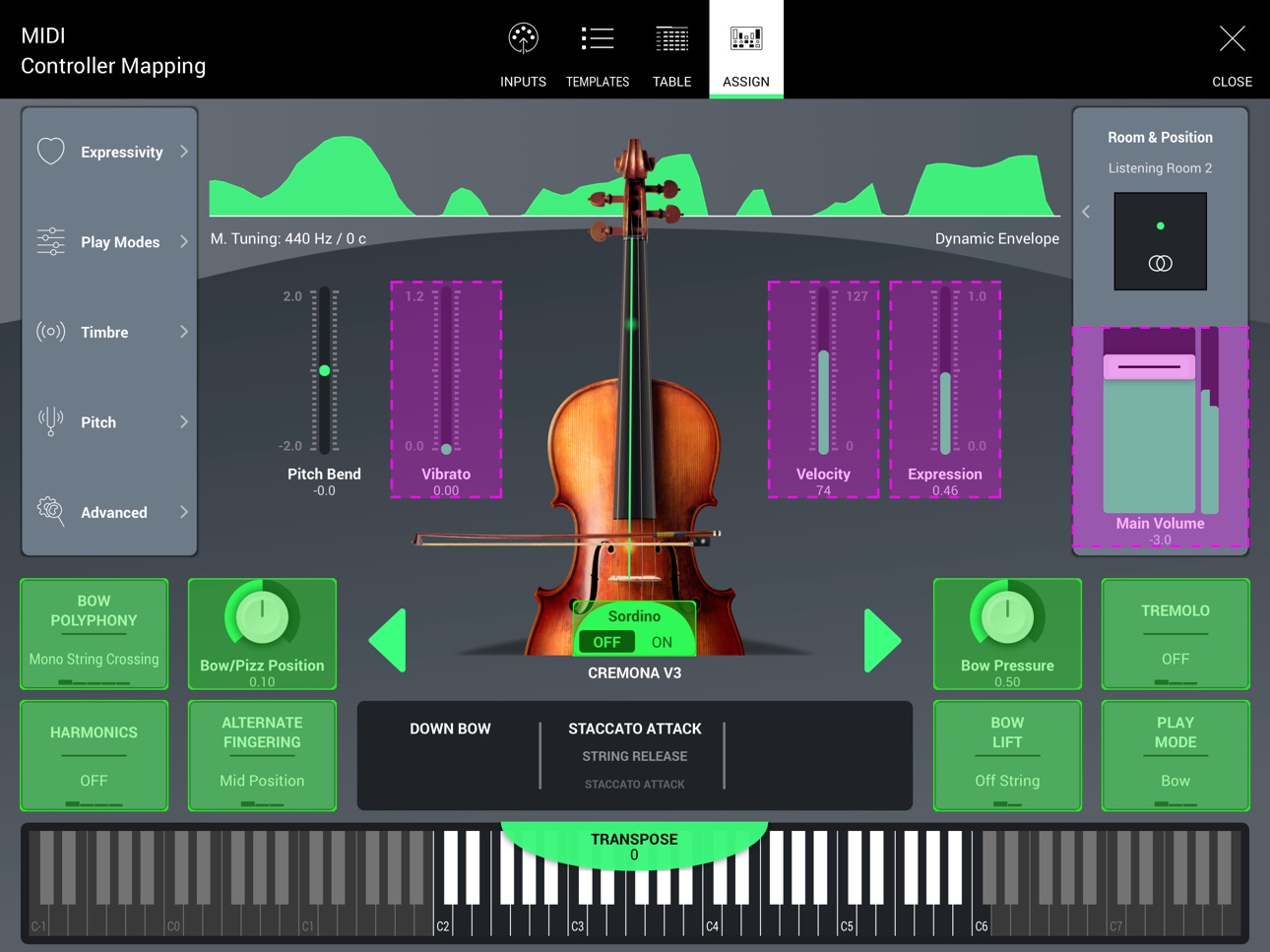
Intuitive, Inclusive Interface: Designed for everyone, including blind and visually impaired users.
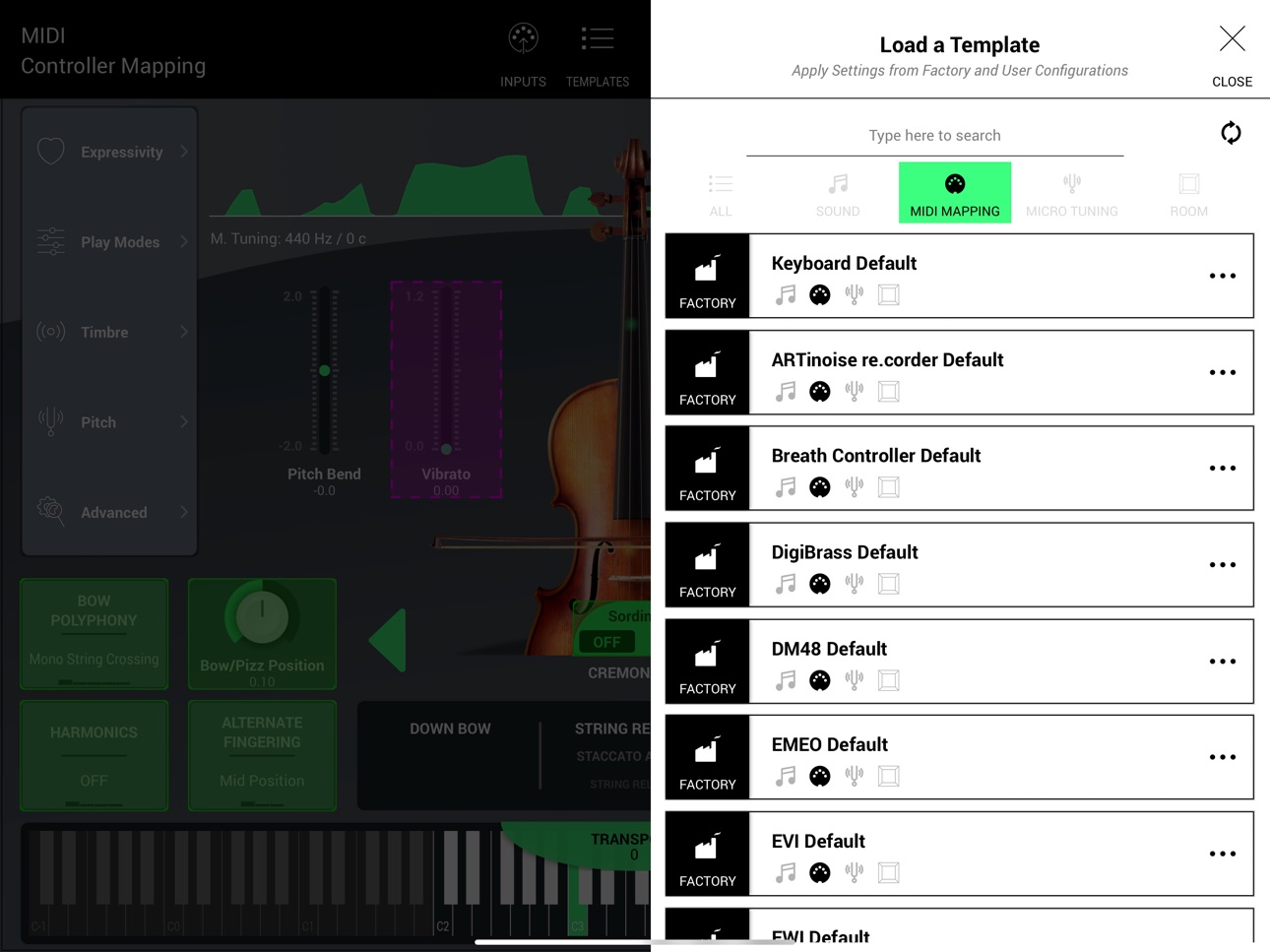
Expressive Control: Play with unmatched expressivity using the exclusive virtual bowing surface, MPE controllers, keyboards, breath controllers, or other MIDI devices.
Top Features at a Glance:
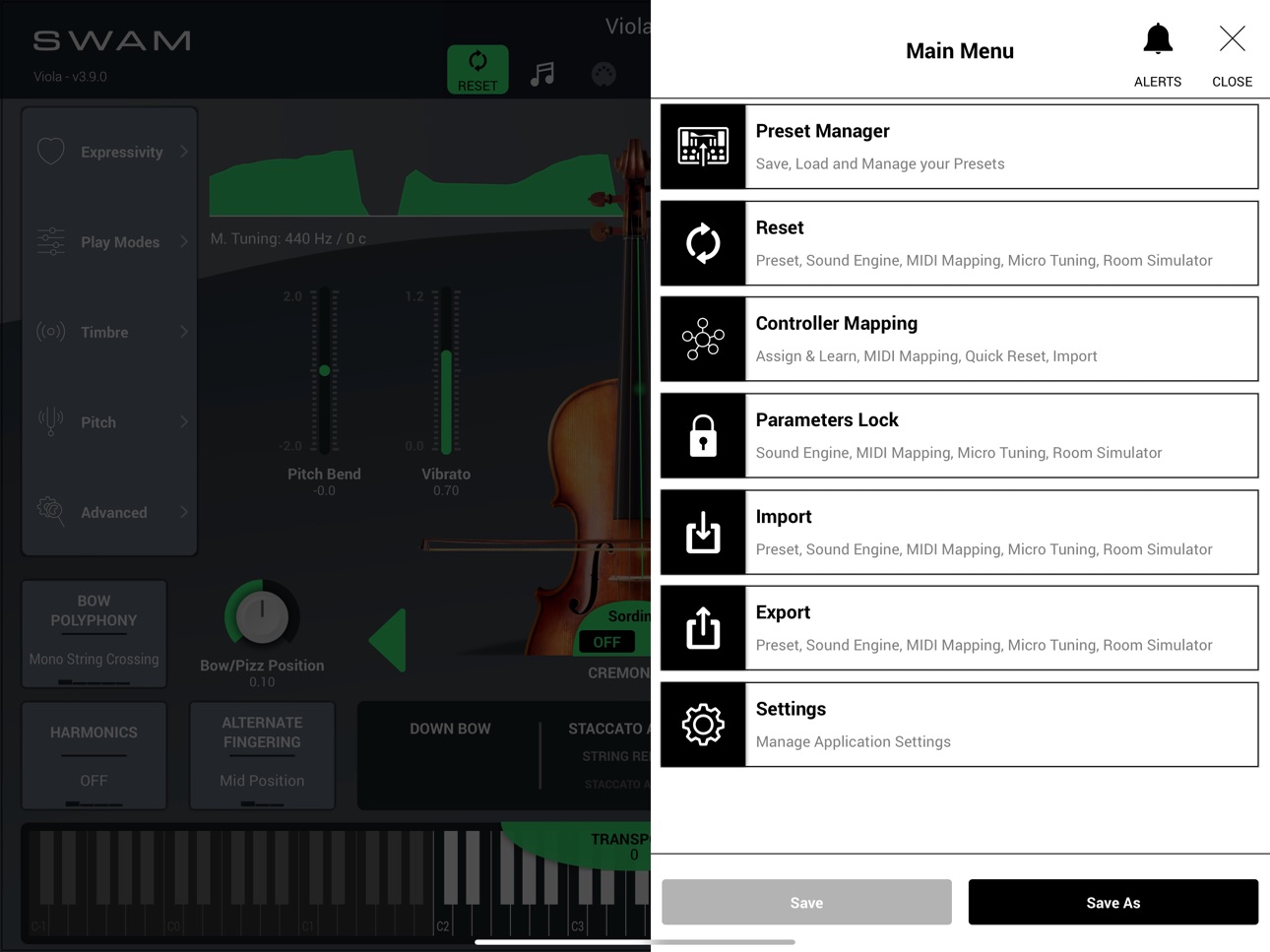
Access a library of presets, create your own, or import presets from the desktop version.
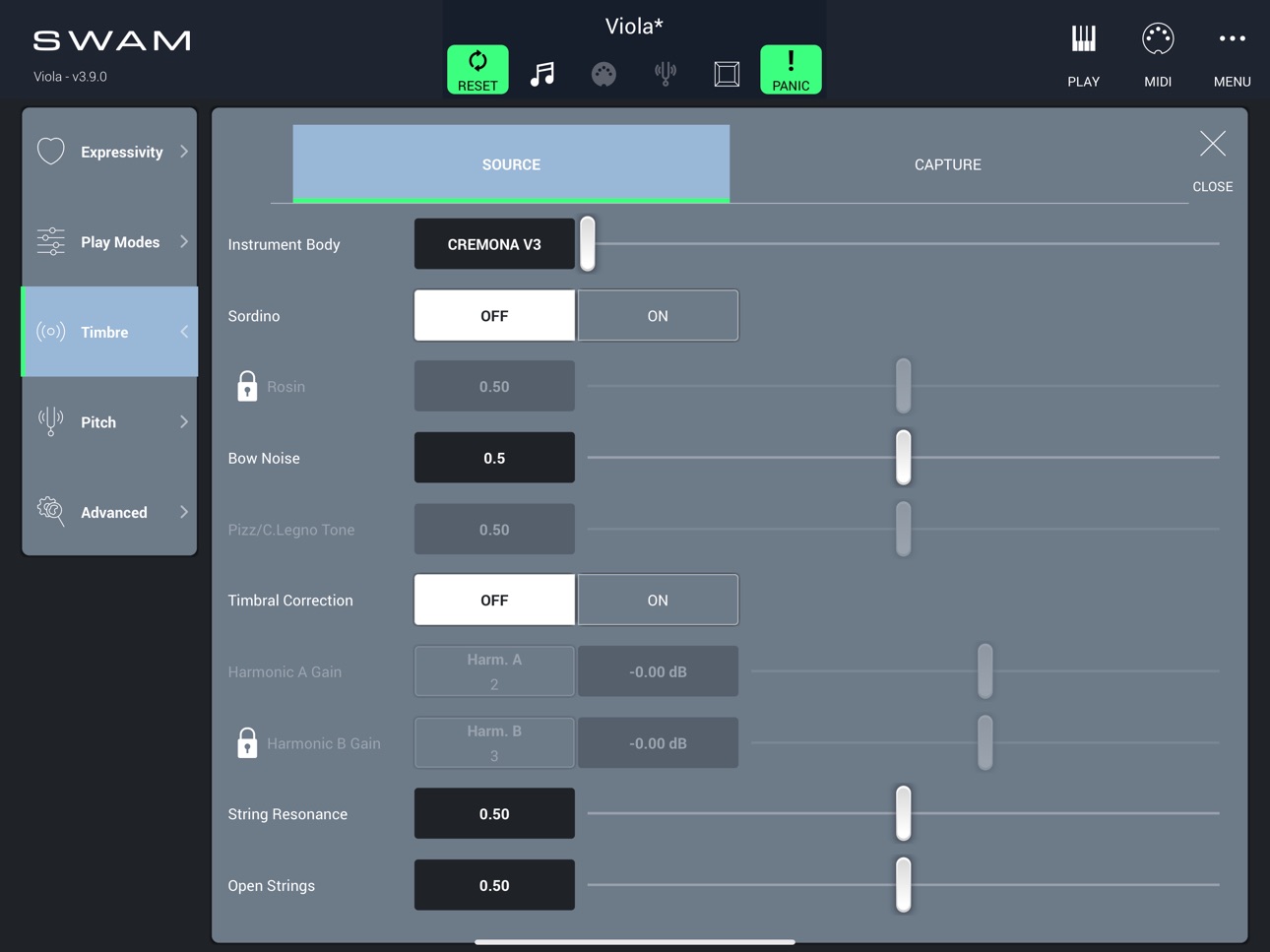
Customize every detail of your sound, including timbre, vibrato, and dynamics.
Micro-tune the instrument with the Pitch Manager, supporting devices like MAQAM for advanced tuning systems.
Add built-in effects like EQ, and Compressor.
Play with different viola bodies to explore unique tonal variations.
Use AUv3 to integrate with your mobile DAW (Logic, Cubasis, AUM) or apps like Camelot PRO for live performances.
Who is SWAM Viola for iOS Designed For?
Wind Controller Players: Looking for a mobile setup to perform live without needing a computer while still achieving an incredible sound.
Keyboard Players: Frustrated by the limited expressive capabilities of normal sample-based plugins? SWAM Viola unlocks the full range of expression.
Music Producers: Need a mobile setup to produce music from anywhere without carrying around expensive gear? SWAM Viola is the solution.
Musicians Seeking Expressivity: Looking for a virtual instrument that allows you to express the full range of your musicality easily on your iPhone or iPad.
IMPORTANT:
To fully harness the expressive power of SWAM Viola, a controller capable of continuous expression (such as a breath controller, expression pedal, MPE device, or wind controller) is required. Just like a bow is essential for a real violist, SWAM Viola needs expressive input for maximum realism.
With SWAM Viola for iOS, you have the freedom to create lifelike string performances on your iPhone or iPad. Redefine your music with unparalleled realism and expressive depth—anytime, anywhere.
Accessibility
ipadiphonemacrealityDevicetvoswatch
Version history 24 versions
Build 885318142v3.12.12026-05-14 08:15:06
FIX
- Fixed wrong positioning when dragging and releasing a source
Build 884329281v3.12.02026-04-29 07:21:52
NEW
- Performance optimizations
- Added new rooms
- Added new parameter: Ambience Amount
- Added support for sample rates > 48 kHz
- Added TOYO INYUES T97 MIDI preset
- Added Diosynth MIDI preset
FIX
- Incorrect behavior in MIDI Inputs sidebar
- Missing scrollbar in MIDI table
- GREATEN presets: changed default MIDI mapping from CC2 to CC11
Build 880606672v3.11.02025-12-16 09:09:13
NEW
– Added Greaten AP500 PRO MIDI template
– Added Greaten AP300 PRO MIDI template
FIX
– Fixed an issue where embedded videos failed to load
– Fixed an issue that prevented entering CC values from the keyboard when mapping parameters in DAWs
– Improved stability and resolved minor UI bugs
Build 878998524v3.10.22025-10-21 08:05:04
Fixes and Improvements
- Added default MIDI preset for ROBKOO Clarii PRO C20
- Added default MIDI preset for Erea 2
- Excluded presets from different instrument families (parameter names vary between products)
Build 878402349v3.10.12025-09-29 10:56:44
FIX
- Fixed sample rate detection on iOS 26
- Microtuning state not recalled at startup
- Fixed incorrect preset type
- Fixed "Reset Initialize" not resetting unmapped default parameters
- Cannot move unselected instances in the Ambiente room (bottom-left)
- Legacy Reverb instance does not sync when switching Ambiente on
- Fixed placeholder text colours in MIDI Input, Save Preset, and Accessibility menus
- Improved stability
Build 877965134v3.10.02025-09-16 10:15:42
NEW
- Introduction of various new bodies for every Solo instrument: Catania, Sirolo, Biella, Genova for Solo Violin; Ancona, Vicenza, Pisa, Bologna for Solo Viola; L’ Aquila, Trieste for Solo Cello; Perugia, Potenza for Solo Double Bass
- Introduction of “Dry” body for every Solo instrument
- New “Keep Bow Direction” mappable command and Key Switch
- Improved engine friction and phasing simulation
- Improved bow attack noise
- Improved transitions: More natural behavior during runs, fast passages, and legato transitions
- Moved instrument data to new folder: /AMData
- Displayed Portamento Time parameter in Advanced → MIDI page
FIX
- Fixed notification for auto remapping of keyswitch octave
- Ambiente Room Simulator: fixed graphical display of source position in Tech View
- Fixed other minor UI bugs
Build 875853336v3.9.42025-07-01 08:45:01
FIX
- Clarii mini template not working correctly
- General stability improvements and bug fixes
Build 874710488v3.9.32025-05-14 13:44:34
FIX
- iPhone: automatically switches to portrait mode during MIDI Mapping when in landscape orientation.
- Dorico: fixed a display issue in the Environment GUI where positions were not shown correctly.
Build 874046905v3.9.22025-04-16 15:36:19
FIX
- Added "Clarii mini Default" MIDI Templates for Clarii mini wind controller by Robkoo.
- The Close Mic Room advanced button is incorrect, causing DAW crashes and making the app unstable.
- Source position of other instances non stored correctly in LUNA and Bitwig Studio.
- Source position of other instances is updated only when releasing the mouse, thus improving the GUI performance.
- Search Page: inactive parameters are now grayed out.
- iOS: MIDI inputs are no more selected automatically at startup, thus avoiding MIDI loops when virtual MIDI output is enabled.
Build 872971042v3.9.12025-03-11 09:28:17
FIX
- Improved performance and overall stability, especially when multiple instances are loaded and running simultaneously.
- Enhanced accessibility for screen readers / VoiceOver in notifications and the notification center.
- Room Simulator: minor UI improvements.
- Room Simulator: fixed an issue that, in certain conditions, caused inconsistent delay in late reverb reflections.
- AUM: fixed a crash when used as an AUv3 plugin in the AUM host on iPhone.
- Presets: fixed import for presets created with older extensions.
- AUv3: minor UI improvements.
Build 871615212v3.9.02025-02-13 09:37:49
NEW
- Introduction of the Ambiente Room Simulator
A high-level mathematical simulator designed to recreate early reflections based on the spatial arrangement of instruments.
Provides superior reverberation compared to previous SWAM versions.
Enables seamless interaction between all SWAM instruments, allowing them to manage the environment by being aware of other instances and synchronizing accordingly.
Includes three different room types with 18 unique combinations of size and absorption materials for instrument placement.
Legacy reverb mode is available for backward compatibility.
UI/UX Improvements
- Improved preset management: saving and resetting are now handled through Templates (replacing Quick Reset and Preset for settings unrelated to the sound engine, such as MIDI mapping, microtuning, and room configurations).
- Improved transitions during runs, fast passages, and legato transitions .
- Introduction of Notification Center: Provides alerts and warnings without interrupting the workflow.
- Added OODI default MIDI preset.
FIX
- Preset list issue: Incorrect handling of uppercase and lowercase in alphabetical sorting.
- Incorrect pitch bend in MPE mode.
- AUv3: Instances were not receiving SysEx messages.
- Tremolo was not syncing with the host BPM.
Build 869531055v3.7.52024-10-08 13:55:58
FIX
- iOS 18 Compatibility: fixed stability issues
Build 869287888v3.7.42024-09-27 09:38:04
FIX
- iOS 18 Compatibility: fixed critical issue related to buffer size management
Build 864972246v3.7.32024-04-11 09:05:19
NEW
- Sound improvements (Accent Settings, Increased Attack Dynamic, ReTuned DynamicTransition, AutoExpression, Pitch Scaling Force, vibrato, alternate fingering)
- Yamaha XG arranger protocol: new device ID
- Added Yamaha YDS-120 Default MIDI Preset
- Added Jamstik Default MIDI Preset
- Added Exquis Default MIDI Preset
- Updated LinnStrument MIDI Preset to align with the new LinnStrument Firmware v2.3.3; Preset renamed to “LinnStrument MPE”
FIX
- Logic Pro for iPad: crash when read multiple automations for same parameter
Build 858190042v3.7.22023-07-11 14:32:29
FIX
- Audio Units plugin formats: plugin state doesn’t restore correctly
Build 857386105v3.7.12023-06-20 14:02:44
FIX
- iOS Standalone App crashes with some audio interfaces (e.g. Scarlett): list of sample rate values is now standardized
- Preset export: replacing existing file potentially creates corrupted preset
- Cross-Platform plugin state: save from iPadOS and restore on macOS doesn’t restore state
- Sound Model: distortion on mid-high dynamics
Build 855010971v3.7.02023-04-11 08:07:26
NEW
- AUv3 view improvement: removed header to increase controls space (only for iPad)
- Added latency compensation
- Added search bar for preset lists
- MIDI Preset list: improved sorting
- Micro Tuning control by KeySwitches
- iPhone: display of Transpose and Microtuning values in Home Page
- Note out of range warning
- Sound Engine: improved bow noise
- Sound Engine: improved Attack Noise for mid and low dynamics
- Sound Engine: improved NoteOff Release
FIX
- AUv3 plugin: crash when opening Settings pages in portrait mode
- Mapping header behaving erroneously
- iPhone: mapping curve view not updated after MIDI learn
- iPhone: missing warning messages
- SysEx messages: plugins receive F0 twice
- iPhone: MAQAM not working properly
- Microtuning - Yamaha XG SysEx protocol: note out of range wrong behavior
- Fixed Cavit Scale Ultimate SysEx protocol
Build 853929444v3.6.02022-12-20 11:14:30
NEW
- SWAM is now available on iPhone!
- SWAM SysEx Protocol for Transpose and Micro Tune
- Added “Cavit Scale Ultimate” support
- Added ARTinoise re.corder default MIDI preset
- Added Robkoo R1 default MIDI preset
- Renamed “Control Surface Default” MIDI preset to “SWAM On-Screen Keyboard”
- Renamed “Travel Sax Default” MIDI preset to “Travel Sax 2 Default”
- Solo Strings: improved bow noise
FIX
- Fixed crash when renaming preset on iOS 16
- Fixed reload of Current Program (in some DAWs plugin startup with default preset instead of saved one)
Build 852910467v3.5.22022-10-28 09:15:27
NEW
- Check if mapping is already used for other parameters
- Added support of Scala presets also for iPadOS
- Added escape key and return key shortcut to close / confirm
FIX
- MIDI Presets - Travel Sax Default: removed CC 7 from Main Volume, since CC 7 is assigned to Expression
- Improved CPU performance
- Improved “ricochet” / bow change calculation: now is independent from main volume
- Accessibility - Screen Reader: fixed Key Switch octave label
Build 850754155v3.5.12022-07-14 15:54:49
NEW
- Added DigiBrass Default MIDI Mapping Preset
- Added “update preset library” button
FIX
- Fixed Sordino button in main page
- Fixed “Expression” Attack Control (especially for Wind Controllers)
- Accessibility: improved navigation
- Improved stability when WiFi is turned off
- Fixed “MIDI Controller Mapping” label (Only for iPad 12.9'')
Build 847731582v3.5.02022-03-17 11:57:05
NEW
- Sound engine improvements
- UI fine tuning to improve visibility, readability and UX consistency (Virtual Keyboard and Arrow Buttons colors, flat dynamic envelope color )
- New application launch icons
- Added a color status to the main view buttons
- Added "red alert" warning on expression slider in main view
- Moved the position of Reset and Panic buttons from the keyboard to the “preset display area” on the top header
- Reduced size of the main view monitor sliders
FIXES
- Fixed Bipolar mode - Pizzicato / Col Legno and Bowing accent
Build 845946257v3.0.42021-12-16 07:52:25
NEW
- Added Note Off Velocity parameter: ON - get legato retrigger velocity from note off velocity (if supported), OFF - fixed velocity
- Improved MIDI Controller Mapping header and icons
FIX
- Improved Breath Controller mode
- Fixed some AUv3 view issues
- Wind controllers: prevent stuck notes under some circumstances
- Portamento time for Classic presets
- EMEO Default preset: pitch bend +/- 2
- Roland Aerophone Preset: linear remapping curve
Build 842723196v3.0.32021-06-25 16:37:44
FIXES
- fixed pitch bend for MPE controllers, added different pitch-bend smoothing frequency for MPE profile
- Improved tuning for single string model
- reduced 1dB mid-Hi frequency
- fixed memory leaks
- fixed MAQAM root
- prevent that double note-on or note-off pass trough (e.g. FIX for EMEO wind controller)
- Improved panic behavior
- All Sound Off and All Notes Off doesn't reset vibrato
Build 830800569v3.0.22021-04-30 12:58:10
Price history by region
Currency
Show
Columns
Search
Availability 1 of 1 storefronts
| Region | Language | Price | Ratings | Avg | Version |
|---|---|---|---|---|---|
| US | en-US | USD 29.99 | 6 | 4.3 | 3.12.1 |
Change log 28 changes · US
✎
releaseNotes updated
FIX
- Fixed wrong positioning when dragging and releasing a source
✎
description updated
SWAM Viola for iOS: Unmatched Realism and Expressive Power in Your Hands
Experience the cutting-edge Physical Modeling technology of SWAM Viola for iOS, now fe
✎
subtitle updated
Expressive modeled strings
✎
name updated
SWAM Viola
◆
Version 3.12.1 released
FIX
- Fixed wrong positioning when dragging and releasing a source
◆
Version 3.12.0 released
NEW
- Performance optimizations
- Added new rooms
- Added new parameter: Ambience Amount
- Added support for sample rates > 48 kHz
- Added TOYO INYUES T97 MIDI preset
- Added Diosynth MIDI preset
FIX
- Incorrect behavior in MIDI Inputs sid
◆
Version 3.11.0 released
NEW
– Added Greaten AP500 PRO MIDI template
– Added Greaten AP300 PRO MIDI template
FIX
– Fixed an issue where embedded videos failed to load
– Fixed an issue that prevented entering CC values from the keyboard when mapping parameters in
◆
Version 3.10.2 released
Fixes and Improvements
- Added default MIDI preset for ROBKOO Clarii PRO C20
- Added default MIDI preset for Erea 2
- Excluded presets from different instrument families (parameter names vary between products)
◆
Version 3.10.1 released
FIX
- Fixed sample rate detection on iOS 26
- Microtuning state not recalled at startup
- Fixed incorrect preset type
- Fixed "Reset Initialize" not resetting unmapped default parameters
- Cannot move unselected instances in the Ambiente r
◆
Version 3.10.0 released
NEW
- Introduction of various new bodies for every Solo instrument: Catania, Sirolo, Biella, Genova for Solo Violin; Ancona, Vicenza, Pisa, Bologna for Solo Viola; L’ Aquila, Trieste for Solo Cello; Perugia, Potenza for Solo Double Bass
-
◆
Version 3.9.4 released
FIX
- Clarii mini template not working correctly
- General stability improvements and bug fixes
◆
Version 3.9.3 released
FIX
- iPhone: automatically switches to portrait mode during MIDI Mapping when in landscape orientation.
- Dorico: fixed a display issue in the Environment GUI where positions were not shown correctly.
◆
Version 3.9.2 released
FIX
- Added "Clarii mini Default" MIDI Templates for Clarii mini wind controller by Robkoo.
- The Close Mic Room advanced button is incorrect, causing DAW crashes and making the app unstable.
- Source position of other instances non stored
◆
Version 3.9.1 released
FIX
- Improved performance and overall stability, especially when multiple instances are loaded and running simultaneously.
- Enhanced accessibility for screen readers / VoiceOver in notifications and the notification center.
- Room Simul
◆
Version 3.9.0 released
NEW
- Introduction of the Ambiente Room Simulator
A high-level mathematical simulator designed to recreate early reflections based on the spatial arrangement of instruments.
Provides superior reverberation compared to previous SWAM versio
◆
Version 3.7.5 released
FIX
- iOS 18 Compatibility: fixed stability issues
◆
Version 3.7.4 released
FIX
- iOS 18 Compatibility: fixed critical issue related to buffer size management
◆
Version 3.7.3 released
NEW
- Sound improvements (Accent Settings, Increased Attack Dynamic, ReTuned DynamicTransition, AutoExpression, Pitch Scaling Force, vibrato, alternate fingering)
- Yamaha XG arranger protocol: new device ID
- Added Yamaha YDS-120 Default M
◆
Version 3.7.2 released
FIX
- Audio Units plugin formats: plugin state doesn’t restore correctly
◆
Version 3.7.1 released
FIX
- iOS Standalone App crashes with some audio interfaces (e.g. Scarlett): list of sample rate values is now standardized
- Preset export: replacing existing file potentially creates corrupted preset
- Cross-Platform plugin state: save fr
◆
Version 3.7.0 released
NEW
- AUv3 view improvement: removed header to increase controls space (only for iPad)
- Added latency compensation
- Added search bar for preset lists
- MIDI Preset list: improved sorting
- Micro Tuning control by KeySwitches
- iPhone: dis
◆
Version 3.6.0 released
NEW
- SWAM is now available on iPhone!
- SWAM SysEx Protocol for Transpose and Micro Tune
- Added “Cavit Scale Ultimate” support
- Added ARTinoise re.corder default MIDI preset
- Added Robkoo R1 default MIDI preset
- Renamed “Control Surfac
◆
Version 3.5.2 released
NEW
- Check if mapping is already used for other parameters
- Added support of Scala presets also for iPadOS
- Added escape key and return key shortcut to close / confirm
FIX
- MIDI Presets - Travel Sax Default: removed CC 7 from Main Volu
◆
Version 3.5.1 released
NEW
- Added DigiBrass Default MIDI Mapping Preset
- Added “update preset library” button
FIX
- Fixed Sordino button in main page
- Fixed “Expression” Attack Control (especially for Wind Controllers)
- Accessibility: improved navigation
-
◆
Version 3.5.0 released
NEW
- Sound engine improvements
- UI fine tuning to improve visibility, readability and UX consistency (Virtual Keyboard and Arrow Buttons colors, flat dynamic envelope color )
- New application launch icons
- Added a color status to the m
◆
Version 3.0.4 released
NEW
- Added Note Off Velocity parameter: ON - get legato retrigger velocity from note off velocity (if supported), OFF - fixed velocity
- Improved MIDI Controller Mapping header and icons
FIX
- Improved Breath Controller mode
- Fixed some
◆
Version 3.0.3 released
FIXES
- fixed pitch bend for MPE controllers, added different pitch-bend smoothing frequency for MPE profile
- Improved tuning for single string model
- reduced 1dB mid-Hi frequency
- fixed memory leaks
- fixed MAQAM root
- prevent that do
◆
Version 3.0.2 released