Home › Photo & Video

 US
US
USen-US KRko
KRko GBen-GB
 CAen-CA
 DEde-DE
 JPja
JPja AUen-AU
 BRpt-BR
 NLnl
NLnl INen-GB
 HKzh-Hant-HK
 CHde-CH
 BEen-GB
 DKen-GB
 FRfr-FR
 SEsv
SEsv NOen-GB
 ESes-ES
 ILen-GB
 ITit
ITit CNzh-Hans-CN
 PHen-GB
 ATde-DE
 FIen-GB
 PLen-GB
 PTpt-PT
 TWzh-Hant-TW
 ZAen-GB
 IEen-GB
 MXes-MX
 NZen-AU
 SGen-GB
 CMfr-FR
 HUen-GB
 MYen-GB
 RUru
RUru BGen-GB
 COes-MX
 ROen-GB
 THen-GB
 VNen-GB
 ARes-MX
 EGen-GB
 GHen-GB
 GRen-GB
 HNes-MX
 ISen-GB
 KWen-GB
 LKen-GB
 LUen-GB
 MAen-GB
 SIen-GB
 TRen-GB
 AEen-GB
 AFen-GB
 BTen-GB
 BYen-GB
 CDen-GB
 CIfr-FR
 CLes-MX
 CZen-GB
 DOes-MX
 GAfr-FR
 GWen-GB
 IDen-GB
 KZen-GB
 MMen-GB
 MOzh-Hant-HK
 RSen-GB
 SKen-GB
 UAen-GB
 ZWen-GB
 AGen-GB
 AIen-GB
 ALen-GB
 AMen-GB
 AOen-GB
 AZen-GB
 BAen-GB
 BBen-GB
 BFen-GB
 BHen-GB
 BJen-GB
 BMen-GB
 BNen-GB
 BOes-MX
 BSen-GB
 BWen-GB
 BZen-GB
 CGen-GB
 CRes-MX
 CVen-GB
 CYen-GB
 DMen-GB
 DZen-GB
 ECes-MX
 EEen-GB
 FJen-GB
 FMen-GB
 GDen-GB
 GEen-GB
 GMen-GB
 GTes-MX
 GYen-GB
 HRen-GB
 IQen-GB
 JMen-GB
 JOen-GB
 KEen-GB
 KGen-GB
 KHen-GB
 KNen-GB
 KYen-GB
 LAen-GB
 LBen-GB
 LCen-GB
 LRen-GB
 LTen-GB
 LVen-GB
 LYen-GB
 MDen-GB
 MEen-GB
 MGen-GB
 MKen-GB
 MLen-GB
 MNen-GB
 MRen-GB
 MSen-GB
 MTen-GB
 MUen-GB
 MVen-GB
 MWen-GB
 MZen-GB
 NAen-GB
 NEen-GB
 NGen-GB
 NIes-MX
 NPen-GB
 NRen-GB
 OMen-GB
 PAes-MX
 PEes-MX
 PGen-GB
 PKen-GB
 PWen-GB
 PYes-MX
 QAen-GB
 RWen-GB
 SAen-GB
 SBen-GB
 SCen-GB
 SLen-GB
 SNen-GB
 SRen-GB
 STen-GB
 SVes-MX
 SZen-GB
 TCen-GB
 TDen-GB
 TJen-GB
 TMen-GB
 TNen-GB
 TOen-GB
 TTen-GB
 TZen-GB
 UGen-GB
 UYen-GB
 UZen-GB
 VCen-GB
 VEes-MX
 VGen-GB
 VUen-GB
 XKen-GB
 YEen-GB
 ZMen-GB
175 of 175 storefronts
Content in en-US
Content in en-US
Information
Preview 2 platforms
iPhone 5 images


iPad 5 images


What’s New Version 1.7.1
Minor changes requested by Google
Description
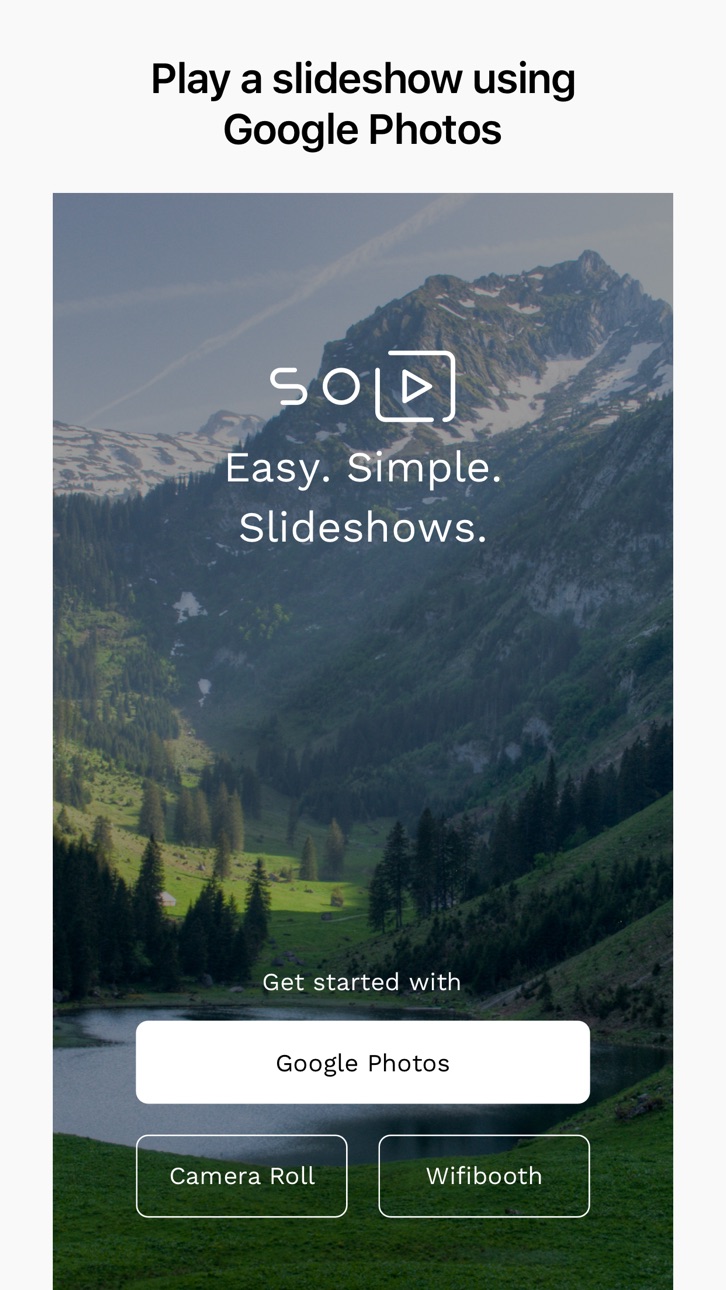
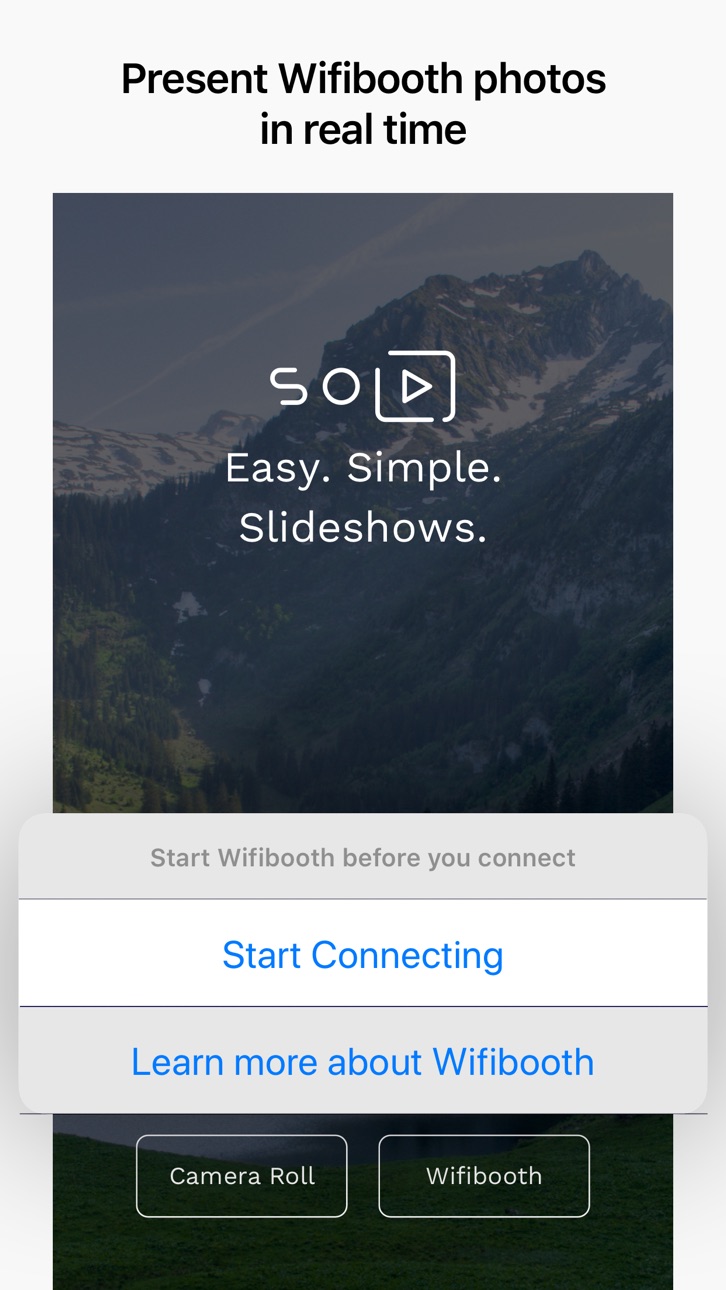
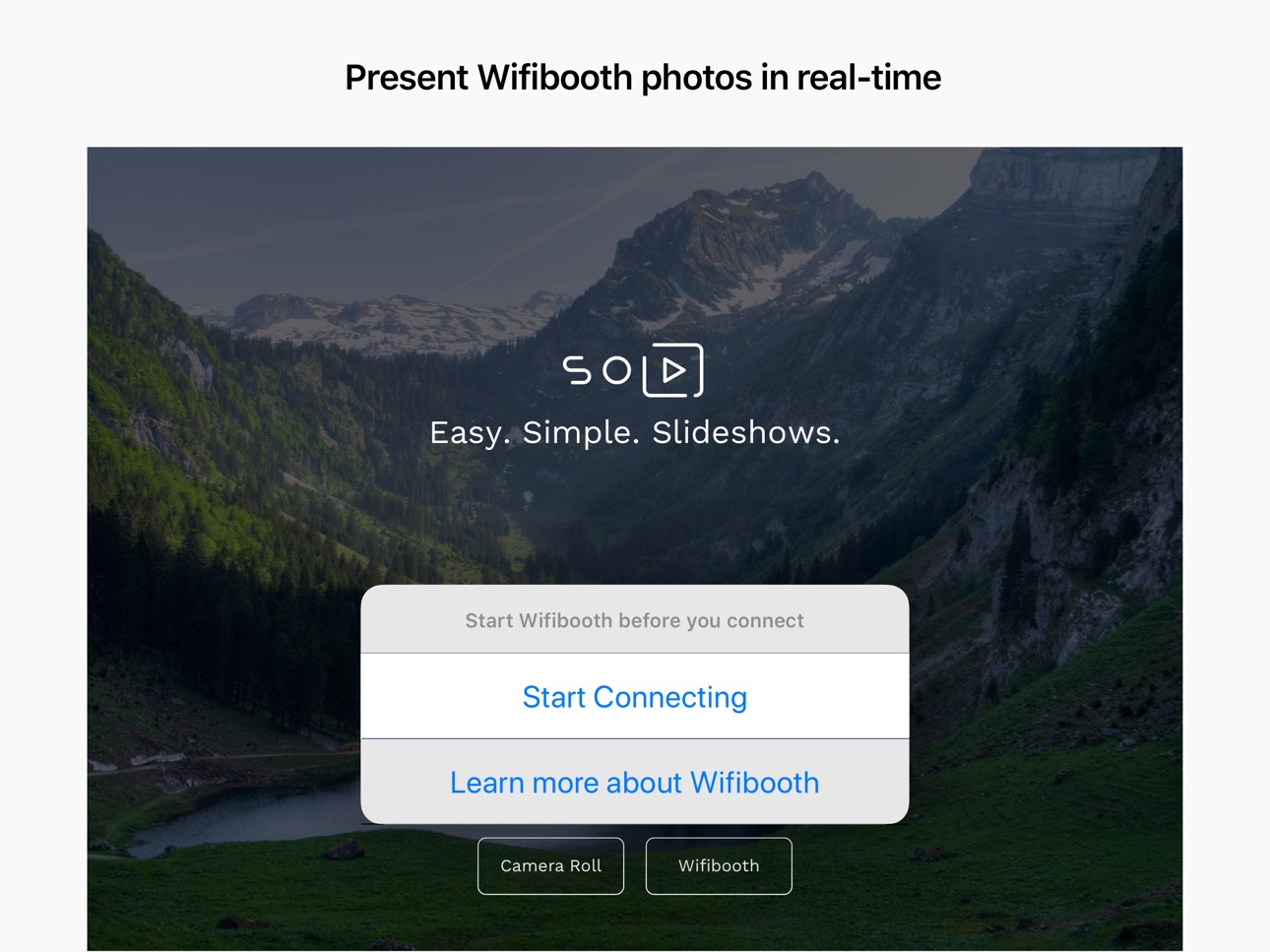
SoloSlides for Google Photos is perfect for that old iPad you have in your kitchen or living room: it plays a full-screen slideshow of your photos on your iOS device and your TV (Smart TV or Apple TV). Photos can be played from Google Photos directly, or your Camera Roll, or from Wifibooth (separate app).
There are NO ads in this app. This app is supported by Premium, an optional one-time in-app purchase that unlocks some features (see below). Many thanks for supporting our developers! There are NO subscriptions in this app.
This app handles gigantic Google Photo libraries with millions of photos without a hitch, because it doesn't try to discover all of your photos at once.
FREE features include:
- Automatically updates when photos are added to / removed from your Google Photos library or Camera Roll
- Display your photos on your Smart TV without installing an app on your TV (TV must support DLNA / UPNP)
- Display your photos on your Apple TV
- Hide photos so the app doesn't show them anymore, without deleting or modifying the photos in any way
- Filtering by album or date range
- Automatically filter out photos of documents, receipts, etc (Google Photos only)
- Share the currently showing photo to another app
Features unlocked with one-time purchase of Premium include:
- Shuffle (random order) or newest-to-oldest (requires Premium)
- Clock (requires Premium)
- Photo creation date (requires Premium)
- Nighttime mode can be turned on to automatically show a dim black screen during what you define as "nighttime" (requires Premium)
Privacy policy: https://soloslides.app/privacy/
Terms & conditions: https://soloslides.app/terms/
In-App Purchases US pricing
One-Time Purchases
Premium$0.00
Capabilities
In-App Purchases
Accessibility
ipadiphonemacrealityDevicetvoswatch
Version history 14 versions
Build 847484282v1.7.12022-03-03 14:50:11
Minor changes requested by Google
Build 840319759v1.7.02021-02-10 19:46:56
Loads of new features, most of which you asked for on our online community -- thanks for your feedback!
- NEW: Photos animated with a Ken Burns effect (this is turned off by default)
- NEW: Show only favorited Google Photos
- NEW: When showing the photo date, the name of the album or the date range selected will also be shown
- NEW: Setting to hide replay button after videos end
- NEW: Setting to hide loading spinner
- FIXED: if something interrupts the app such as an incoming Facetime call, the slideshow will resume when the app is back in the foreground
- FIXED: if you're using the Camera Roll (iCloud) to show photos, super short durations of 1-4 seconds are allowed
- FIXED: night-time mode works if the start time is later than the end time, and doesn't leave the photo date on the screen
Build 836322100v1.6.02020-06-10 13:14:06
- Camera roll: added option to play photos from oldest to newest. We'd love to support this for Google Photos but Google has not added support for this to their Photo Library API yet.
- Camera roll: added option to play videos. We'd love to support videos on Google Photos, but Google has not added streaming support to their Photo Library API yet.
- Increased photo date size
Build 835912127v1.5.32020-05-12 13:17:46
- Fixed an issue that caused crashes on older armv7 devices (with iOS 9)
- Fixed a bug that caused the filter selection to change itself back to Album after you changed it to something else
- Added URL schemes for automation: soloslides://google and soloslides://cameraroll
Build 835889537v1.5.22020-05-10 15:21:05
Google Photos albums that someone else shared to you will now show up in the album list. Please note that you need to accept the shared album ("Join" it, in Google parlance) before the app can see it: you can do this on the Google Photos website.
Build 834748195v1.5.12020-02-18 13:54:26
- FIXED: when coming out of night-time mode, brightness should be set back to what it was before (instead of always full brightness)
- FIXED: a crash when selecting an album
- CHANGED: setting the image timer to less than 5 minutes requires premium
Build 833013125v1.52019-10-07 19:36:56
- Fixed an issue that in rare cases could cause nighttime-mode to not work properly
- Introduced Premium, an in-app purchase that unlocks certain features. If you already paid for the app (when you downloaded it from the App Store) then you get Premium for free
Build 832149216v1.4.12019-09-10 23:53:19
Bugfixes
Build 832107624v1.42019-07-25 16:56:43
- Fixed: if internet access went down and was then restored, the app would still show the error screen
- Fixed: in Google Photos shuffle mode, if you added a photo to your library after the slideshow was started and the photo was the first in a given calendar month, then the app would not discover it
- Improved: made it easier to hit the previous/next/play/pause buttons, for when you're reaching across to a wall-mounted iPad
Build 831407073v1.32019-05-29 01:50:11
- NEW: nighttime mode. If you turn this on, the app will show a dim black screen during the time you define as "nighttime"
- NEW: show a photo's creation date over the photo (this setting is off by default)
- NEW: a button to hide the photo currently being shown. When you hide a photo, the app will not show it again. Photos are not deleted or modified in any way.
- IMPROVED: more settings like Shuffle and the Album that you choose are remembered across app restarts
- IMPROVED: when displaying Google Photos with Shuffle turned on, there's now much less chance you'll see a duplicate photo during the days, weeks or years while the app is still discovering the phenomenal breadth of your vast, unimaginably gigantic "I actually use the infinite part of the infinite storage" photo library.
Build 831169589v1.22019-05-08 21:28:44
- NEW: Connect to Wifibooth to show photos of your event live! Works with wifi and bluetooth too.
- FIXED: If you chose to display Google Photos, shuffled, with a date range filter that did not include the current year, the app would still display photos from the current year. This is now fixed.
Build 831067958v1.12019-04-24 14:08:02
- Albums are sorted, so if you have many albums you can actually find the one you want
- Fixed a crash when sharing a Google Photo if you never played any photos from your Camera Roll
Build 830978477v1.0.12019-04-16 21:20:59
- Added a clock (off by default)
- Faster start when loading Google Photos with Shuffle on
- Fixed an issue that could cause small albums to not show all their photos when Shuffle is on
Build 830727774v1.02019-04-14 03:16:23
Price history by region
Currency
Show
Columns
Search
Availability 175 of 175 storefronts
| Region | Language | Price | Ratings | Avg | Version |
|---|---|---|---|---|---|
| US | en-US | Free | 517 | 4.4 | 1.7.1 |
| KR | ko | Free | 163 | 4.7 | 1.7.1 |
| GB | en-GB | Free | 83 | 4.5 | 1.7.1 |
| CA | en-CA | Free | 73 | 4.2 | 1.7.1 |
| DE | de-DE | Free | 61 | 3.9 | 1.7.1 |
| JP | ja | Free | 57 | 4.1 | 1.7.1 |
| AU | en-AU | Free | 53 | 4.4 | 1.7.1 |
| BR | pt-BR | Free | 50 | 4.3 | 1.7.1 |
| NL | nl | Free | 30 | 4.1 | 1.7.1 |
| IN | en-GB | Free | 26 | 5.0 | 1.7.1 |
| HK | zh-Hant-HK | Free | 19 | 4.8 | 1.7.1 |
| CH | de-CH | Free | 15 | 4.2 | 1.7.1 |
| BE | en-GB | Free | 13 | 4.2 | 1.7.1 |
| DK | en-GB | Free | 13 | 4.2 | 1.7.1 |
| FR | fr-FR | Free | 13 | 4.5 | 1.7.1 |
| SE | sv | Free | 13 | 4.0 | 1.7.1 |
| NO | en-GB | Free | 12 | 4.7 | 1.7.1 |
| ES | es-ES | Free | 11 | 4.3 | 1.7.1 |
| IL | en-GB | Free | 9 | 4.8 | 1.7.1 |
| IT | it | Free | 8 | 4.8 | 1.7.1 |
| CN | zh-Hans-CN | Free | 7 | 5.0 | 1.7.1 |
| PH | en-GB | Free | 7 | 4.9 | 1.7.1 |
| AT | de-DE | Free | 6 | 4.7 | 1.7.1 |
| FI | en-GB | Free | 6 | 4.0 | 1.7.1 |
| PL | en-GB | Free | 6 | 3.8 | 1.7.1 |
| PT | pt-PT | Free | 6 | 5.0 | 1.7.1 |
| TW | zh-Hant-TW | Free | 6 | 4.8 | 1.7.1 |
| ZA | en-GB | Free | 6 | 4.0 | 1.7.1 |
| IE | en-GB | Free | 5 | 3.2 | 1.7.1 |
| MX | es-MX | Free | 5 | 5.0 | 1.7.1 |
| NZ | en-AU | Free | 5 | 4.6 | 1.7.1 |
| SG | en-GB | Free | 5 | 4.8 | 1.7.1 |
| CM | fr-FR | Free | 4 | 4.0 | 1.7.1 |
| HU | en-GB | Free | 4 | 5.0 | 1.7.1 |
| MY | en-GB | Free | 4 | 4.8 | 1.7.1 |
| RU | ru | Free | 4 | 4.8 | 1.7.1 |
| BG | en-GB | Free | 3 | 4.0 | 1.7.1 |
| CO | es-MX | Free | 3 | 5.0 | 1.7.1 |
| RO | en-GB | Free | 3 | 5.0 | 1.7.1 |
| TH | en-GB | Free | 3 | 3.7 | 1.7.1 |
| VN | en-GB | Free | 3 | 5.0 | 1.7.1 |
| AR | es-MX | Free | 2 | 5.0 | 1.7.1 |
| EG | en-GB | Free | 2 | 5.0 | 1.7.1 |
| GH | en-GB | Free | 2 | 3.5 | 1.7.1 |
| GR | en-GB | Free | 2 | 4.5 | 1.7.1 |
| HN | es-MX | Free | 2 | 5.0 | 1.7.1 |
| IS | en-GB | Free | 2 | 4.5 | 1.7.1 |
| KW | en-GB | Free | 2 | 5.0 | 1.7.1 |
| LK | en-GB | Free | 2 | 5.0 | 1.7.1 |
| LU | en-GB | Free | 2 | 4.5 | 1.7.1 |
| MA | en-GB | Free | 2 | 3.0 | 1.7.1 |
| SI | en-GB | Free | 2 | 5.0 | 1.7.1 |
| TR | en-GB | Free | 2 | 4.5 | 1.7.1 |
| AE | en-GB | Free | 1 | 5.0 | 1.7.1 |
| AF | en-GB | Free | 1 | 5.0 | 1.7.1 |
| BT | en-GB | Free | 1 | 5.0 | 1.7.1 |
| BY | en-GB | Free | 1 | 5.0 | 1.7.1 |
| CD | en-GB | Free | 1 | 1.0 | 1.7.1 |
| CI | fr-FR | Free | 1 | 1.0 | 1.7.1 |
| CL | es-MX | Free | 1 | 5.0 | 1.7.1 |
| CZ | en-GB | Free | 1 | 1.0 | 1.7.1 |
| DO | es-MX | Free | 1 | 5.0 | 1.7.1 |
| GA | fr-FR | Free | 1 | 1.0 | 1.7.1 |
| GW | en-GB | Free | 1 | 5.0 | 1.7.1 |
| ID | en-GB | Free | 1 | 5.0 | 1.7.1 |
| KZ | en-GB | Free | 1 | 5.0 | 1.7.1 |
| MM | en-GB | Free | 1 | 2.0 | 1.7.1 |
| MO | zh-Hant-HK | Free | 1 | 5.0 | 1.7.1 |
| RS | en-GB | Free | 1 | 5.0 | 1.7.1 |
| SK | en-GB | Free | 1 | 5.0 | 1.7.1 |
| UA | en-GB | Free | 1 | 1.0 | 1.7.1 |
| ZW | en-GB | Free | 1 | 2.0 | 1.7.1 |
| AG | en-GB | Free | 0 | — | 1.7.1 |
| AI | en-GB | Free | 0 | — | 1.7.1 |
| AL | en-GB | Free | 0 | — | 1.7.1 |
| AM | en-GB | Free | 0 | — | 1.7.1 |
| AO | en-GB | Free | 0 | — | 1.7.1 |
| AZ | en-GB | Free | 0 | — | 1.7.1 |
| BA | en-GB | Free | 0 | — | 1.7.1 |
| BB | en-GB | Free | 0 | — | 1.7.1 |
| BF | en-GB | Free | 0 | — | 1.7.1 |
| BH | en-GB | Free | 0 | — | 1.7.1 |
| BJ | en-GB | Free | 0 | — | 1.7.1 |
| BM | en-GB | Free | 0 | — | 1.7.1 |
| BN | en-GB | Free | 0 | — | 1.7.1 |
| BO | es-MX | Free | 0 | — | 1.7.1 |
| BS | en-GB | Free | 0 | — | 1.7.1 |
| BW | en-GB | Free | 0 | — | 1.7.1 |
| BZ | en-GB | Free | 0 | — | 1.7.1 |
| CG | en-GB | Free | 0 | — | 1.7.1 |
| CR | es-MX | Free | 0 | — | 1.7.1 |
| CV | en-GB | Free | 0 | — | 1.7.1 |
| CY | en-GB | Free | 0 | — | 1.7.1 |
| DM | en-GB | Free | 0 | — | 1.7.1 |
| DZ | en-GB | Free | 0 | — | 1.7.1 |
| EC | es-MX | Free | 0 | — | 1.7.1 |
| EE | en-GB | Free | 0 | — | 1.7.1 |
| FJ | en-GB | Free | 0 | — | 1.7.1 |
| FM | en-GB | Free | 0 | — | 1.7.1 |
| GD | en-GB | Free | 0 | — | 1.7.1 |
| GE | en-GB | Free | 0 | — | 1.7.1 |
| GM | en-GB | Free | 0 | — | 1.7.1 |
| GT | es-MX | Free | 0 | — | 1.7.1 |
| GY | en-GB | Free | 0 | — | 1.7.1 |
| HR | en-GB | Free | 0 | — | 1.7.1 |
| IQ | en-GB | Free | 0 | — | 1.7.1 |
| JM | en-GB | Free | 0 | — | 1.7.1 |
| JO | en-GB | Free | 0 | — | 1.7.1 |
| KE | en-GB | Free | 0 | — | 1.7.1 |
| KG | en-GB | Free | 0 | — | 1.7.1 |
| KH | en-GB | Free | 0 | — | 1.7.1 |
| KN | en-GB | Free | 0 | — | 1.7.1 |
| KY | en-GB | Free | 0 | — | 1.7.1 |
| LA | en-GB | Free | 0 | — | 1.7.1 |
| LB | en-GB | Free | 0 | — | 1.7.1 |
| LC | en-GB | Free | 0 | — | 1.7.1 |
| LR | en-GB | Free | 0 | — | 1.7.1 |
| LT | en-GB | Free | 0 | — | 1.7.1 |
| LV | en-GB | Free | 0 | — | 1.7.1 |
| LY | en-GB | Free | 0 | — | 1.7.1 |
| MD | en-GB | Free | 0 | — | 1.7.1 |
| ME | en-GB | Free | 0 | — | 1.7.1 |
| MG | en-GB | Free | 0 | — | 1.7.1 |
| MK | en-GB | Free | 0 | — | 1.7.1 |
| ML | en-GB | Free | 0 | — | 1.7.1 |
| MN | en-GB | Free | 0 | — | 1.7.1 |
| MR | en-GB | Free | 0 | — | 1.7.1 |
| MS | en-GB | Free | 0 | — | 1.7.1 |
| MT | en-GB | Free | 0 | — | 1.7.1 |
| MU | en-GB | Free | 0 | — | 1.7.1 |
| MV | en-GB | Free | 0 | — | 1.7.1 |
| MW | en-GB | Free | 0 | — | 1.7.1 |
| MZ | en-GB | Free | 0 | — | 1.7.1 |
| NA | en-GB | Free | 0 | — | 1.7.1 |
| NE | en-GB | Free | 0 | — | 1.7.1 |
| NG | en-GB | Free | 0 | — | 1.7.1 |
| NI | es-MX | Free | 0 | — | 1.7.1 |
| NP | en-GB | Free | 0 | — | 1.7.1 |
| NR | en-GB | Free | 0 | — | 1.7.1 |
| OM | en-GB | Free | 0 | — | 1.7.1 |
| PA | es-MX | Free | 0 | — | 1.7.1 |
| PE | es-MX | Free | 0 | — | 1.7.1 |
| PG | en-GB | Free | 0 | — | 1.7.1 |
| PK | en-GB | Free | 0 | — | 1.7.1 |
| PW | en-GB | Free | 0 | — | 1.7.1 |
| PY | es-MX | Free | 0 | — | 1.7.1 |
| QA | en-GB | Free | 0 | — | 1.7.1 |
| RW | en-GB | Free | 0 | — | 1.7.1 |
| SA | en-GB | Free | 0 | — | 1.7.1 |
| SB | en-GB | Free | 0 | — | 1.7.1 |
| SC | en-GB | Free | 0 | — | 1.7.1 |
| SL | en-GB | Free | 0 | — | 1.7.1 |
| SN | en-GB | Free | 0 | — | 1.7.1 |
| SR | en-GB | Free | 0 | — | 1.7.1 |
| ST | en-GB | Free | 0 | — | 1.7.1 |
| SV | es-MX | Free | 0 | — | 1.7.1 |
| SZ | en-GB | Free | 0 | — | 1.7.1 |
| TC | en-GB | Free | 0 | — | 1.7.1 |
| TD | en-GB | Free | 0 | — | 1.7.1 |
| TJ | en-GB | Free | 0 | — | 1.7.1 |
| TM | en-GB | Free | 0 | — | 1.7.1 |
| TN | en-GB | Free | 0 | — | 1.7.1 |
| TO | en-GB | Free | 0 | — | 1.7.1 |
| TT | en-GB | Free | 0 | — | 1.7.1 |
| TZ | en-GB | Free | 0 | — | 1.7.1 |
| UG | en-GB | Free | 0 | — | 1.7.1 |
| UY | en-GB | Free | 0 | — | 1.7.1 |
| UZ | en-GB | Free | 0 | — | 1.7.1 |
| VC | en-GB | Free | 0 | — | 1.7.1 |
| VE | es-MX | Free | 0 | — | 1.7.1 |
| VG | en-GB | Free | 0 | — | 1.7.1 |
| VU | en-GB | Free | 0 | — | 1.7.1 |
| XK | en-GB | Free | 0 | — | 1.7.1 |
| YE | en-GB | Free | 0 | — | 1.7.1 |
| ZM | en-GB | Free | 0 | — | 1.7.1 |
Reviews 20 reviews · US
★★★★★
Just Needs Weather!
This app turned an old iPad into a photo frame. Just save photos as 4:3 and you’re golden. I love that the day and time can be added, the only thing holding this back from being perfect is being able to display the temperature in my local area. Thank you for a great app!
TheVanceFamily2025-06-23
★★★★★
Very useful and practical app!
This is the perfect app for creating an automated slideshow. It has most of the features of other slideshow apps, but with very little memory usage and it’s fast! I have found it to be the most practical slideshow app on any of my devices. it works on Google Photos (a much needed feature) as well as camera roll, including shared albums. I can project any of these to my big screen TV, and let it run indefinitely. What a concept! Thank you!
RonYates2024-02-11
★★★★★
Works Great!
I investigated several options to use my old iPad for displaying photographs. I am so glad that I found solo slides, as it works very well! I love the time programming feature. Thank you for developing a program that works so smoothly!
LoveParallel2024-01-20
★★★★★
Vertical photos are cut off.
The setting choices in this are not super clear. Took some fidgeting to get my album to show up in the list. I wanted to shuffle the pics, had to pay to get that feature. Lame. Then it didn’t even work right. All the vertical shots are cut off. Sad when it is a nice profile picture with no head.
CyberBrina2023-12-15
★★★★★
Help please
Bought premium in 2020. Could no longer log on to Google Photos.
StPeteM2023-07-30
★★★★★
Perfect
This is a simple, well-designed app. The negative reviews appear to have been written prior to newer versions being released. I am very satisfied with the $5 we spent for the premium version. Seems silly not to pay $5 for an app to turn a several hundred dollar iPad into a beautiful picture frame rather than an unusable piece of junk
Jakkk 1122023-01-18
★★★★★
Crash’s every day or two and freezes
Great app except it freezes every day or two and need to turn off and on.
L91002022-07-25
★★★★★
Nice App - Revived my iPad2 - better transition please
Nice App. Able to do a full screen slide show on my iPad2. Great. Had to buy in app purchase for $5 (worth it) to be useful - else 5 min between transitions.
I like the Ken Burn effect - but not all pictures are framed properly - so would prefer other transitions. Glad it’s a soft transition instead of abrupt one as it’s in Google slide show.
Nice to include Clock, if someone wants a clock in addition to picture.
Over all very happy. Will go from 4 star to 5 star with more transitions.
Mettur6362022-01-08
★★★★★
Works as advertised across iPad & Mac Devices
Works great. Surprised by amount of available customization. Highly recommended.
Bobby.2022-01-02
★★★★★
Too limited
I wanted to like this but….
I’ve used similar apps on my old obsolete Nexus 7 tablet and this doesn’t have as much functionality. For reference, check out Fotoo. It has many more options for sources (as many Google Photos albums as you want, as long as each album has less than 1000 photos), internals, transitions, etc.
gp-madison2021-12-31
★★★★★
Great app
It’s a great app. One issue that I have is that when I rotate the device the picture seems to go off screen.
Hiyhiyhiyhiy2021-12-14
★★★★★
Requests
On the menu to select a Google Photos album. Is there a possibility to display the actual Google Photos album view that shows the album covers?
Whenever I’m done playing a slideshow and want to select another album I have to go out and select Google Photos. It takes 2 minutes to refresh and then I can select another album. Am I doing it right?
It would be really cool to play music from my music app while watching a slideshow 😀
Add slide transition times 3 & 4 seconds.
Add slide transition/animation options.
3 stars for now 5 if you consider my requests.
Keaopuni2020-06-08
★★★★★
The best way to use your iPad as a photo frame
We've tried all the other apps. They're clunky, with weird restrictions and confusing UIs. They also have less reliable Google API connections, needing to keep logging in again and again.
This app is so easy to use. Connects immediately and you just do it once. Has lots of settings including a reliable night mode and it can even broadcast to Apple TVs via Screen Mirroring (autocrops nicely). We love the "hide" photo feature, as sometimes our phone screenshots ended up in the vacation albums!
The UI is very easy, even for my not-tech-enthusiast parents.
A beautiful, simple way to reflect o
zipityzi2020-04-27
★★★★★
Slooooowwwww
It works but it’s soooo slow to start a slide show unless the pictures are on your phone or tablet. I linked my Google Photo account to it and tried doing a slideshow of a folder using a high speed WiFi connection in my house and it took well over a minute to start and the time between pics took forever.
DasHook Glock2020-03-16
★★★★★
App will stream Google photos on an iPad.
This app will stream Google photos to an iPad and not limit you to one or more selected pictures or albums. Works well, and will cast to a Samsung Smart TV directly. I can't find another app that has this ability.
Improvements request: ability to play videos in order or at random within the slide show, transition animation, zoom into photos (KenBurns effect), suppress notification on iPad to not interfer, show date of picture when casting to TV.
Thanks for the app.
Gomez5712019-12-21
★★★★★
Works well, except doesn’t run forever
I want to turn my old iPad into a great photo frame showing my google photos. This app comes so close. But it stops or crashes (can’t tell which) about once a day. I want it to run continuously forever. If the developer is concerned about that being unwanted, just add a setting for how long to run in slideshow mode.
Happy Dad2019-09-17
★★★★★
Works well with Google Photos!
Just installed this. Works well with Google photos! I would recommend this!
N.0.l.2019-09-11
★★★★★
So good so far
Purchased the app and testing out the features. Looks clean and is working smoothly. Only suggestion so far is multiple album selection, I know other apps similar to this allow for that feature but they don’t look as nice.
Andrewbell082019-07-16
★★★★★
Works well, could use minor improvements
Nice app. Works well to provide the slideshow feature that is oddly absent from the Google Photos iOS app. It works well for screen mirroring onto an AppleTV.
It could use improvements to make it more interactive-friendly:
- It needs an option to restart a slideshow. Currently you have to switch albums then back again as a workaround.
- The buttons are finicky. If you don’t press the forward advance button just right and missed, it thinks I wanted to hide the menus. I think the active area of the buttons need to be larger, or have clearly defined with borders.
Update -1 Star
The slideshow
Mammothx2019-06-30
★★★★★
Cannot find my google albums, that’s what I bought the app for
I bought the app to watch my google photo albums. It cannot find my albums, so I have to research the time frame for my particular album to view the pictures. Furthermore it plays ALL the pictures taken during that time including pictures from messages and what’s app. This is an absolutely worthless app!
schnabbeldiwauwau2019-06-15
Change log 18 changes · US
✎
releaseNotes updated
Minor changes requested by Google
✎
description updated
SoloSlides for Google Photos is perfect for that old iPad you have in your kitchen or living room: it plays a full-screen slideshow of your photos on your iOS d
✎
subtitle updated
Slideshows from iCloud, Google
✎
name updated
SoloSlides for Google Photos
◆
Version 1.7.1 released
Minor changes requested by Google
◆
Version 1.7.0 released
Loads of new features, most of which you asked for on our online community -- thanks for your feedback!
- NEW: Photos animated with a Ken Burns effect (this is turned off by default)
- NEW: Show only favorited Google Photos
- NEW: When show
◆
Version 1.6.0 released
- Camera roll: added option to play photos from oldest to newest. We'd love to support this for Google Photos but Google has not added support for this to their Photo Library API yet.
- Camera roll: added option to play videos. We'd love to
◆
Version 1.5.3 released
- Fixed an issue that caused crashes on older armv7 devices (with iOS 9)
- Fixed a bug that caused the filter selection to change itself back to Album after you changed it to something else
- Added URL schemes for automation: soloslides://g
◆
Version 1.5.2 released
Google Photos albums that someone else shared to you will now show up in the album list. Please note that you need to accept the shared album ("Join" it, in Google parlance) before the app can see it: you can do this on the Google Photos we
◆
Version 1.5.1 released
- FIXED: when coming out of night-time mode, brightness should be set back to what it was before (instead of always full brightness)
- FIXED: a crash when selecting an album
- CHANGED: setting the image timer to less than 5 minutes requires
◆
Version 1.5 released
- Fixed an issue that in rare cases could cause nighttime-mode to not work properly
- Introduced Premium, an in-app purchase that unlocks certain features. If you already paid for the app (when you downloaded it from the App Store) then you
◆
Version 1.4.1 released
Bugfixes
◆
Version 1.4 released
- Fixed: if internet access went down and was then restored, the app would still show the error screen
- Fixed: in Google Photos shuffle mode, if you added a photo to your library after the slideshow was started and the photo was the first
◆
Version 1.3 released
- NEW: nighttime mode. If you turn this on, the app will show a dim black screen during the time you define as "nighttime"
- NEW: show a photo's creation date over the photo (this setting is off by default)
- NEW: a button to hide the photo
◆
Version 1.2 released
- NEW: Connect to Wifibooth to show photos of your event live! Works with wifi and bluetooth too.
- FIXED: If you chose to display Google Photos, shuffled, with a date range filter that did not include the current year, the app would still
◆
Version 1.1 released
- Albums are sorted, so if you have many albums you can actually find the one you want
- Fixed a crash when sharing a Google Photo if you never played any photos from your Camera Roll
◆
Version 1.0.1 released
- Added a clock (off by default)
- Faster start when loading Google Photos with Shuffle on
- Fixed an issue that could cause small albums to not show all their photos when Shuffle is on
◆
Version 1.0 released