Home › Productivity

 US
US
1 of 1 storefronts
Content in en-US
Content in en-US
Information
Preview 2 platforms
iPhone 4 images



iPad 5 images


What’s New Version 4.6
General improvements
Camera shutter can now be activated using remote button or volume buttons
Description
Do your own property inspections, check-in, check-out by taking pictures and uploading to create a professionally formatted report.
Your tenants can also send you pictures they took which creates a professionally formatted inspection report - especially useful where visiting properties is not recommended or possible.
It is used with ease by private landlords and includes advanced features for property managers and student accommodation agents - our app allows tagging images and creating even more useful professional inspection / inventory reports.
Tagged images are listed in separate section on the report, giving quick access to any issues and the system allows automatic emailing of tagged images to customised email address as well as following up on the issues.
Follow through - tagged images can be emailed automatically as soon as uploaded to a maintenance department and each tag can be tracked and ticked of as resolved once maintenance on the item is complete.
Can't beat the ease and speed!
All that still with no need for internet at the property and uploading only when back on wifi!
Protect your property or your deposit in a rented property by creating your inspection report with photos and have it signed by electronic signature from the device or via email.
Do your midterm inspections fast and effectively. Record any issues that need addressing and send a professional report to relevant maintenance people, landlord or whoever it relates to.
Get your inventory report or midterm inspection signed there and then by your tenant to avoid claims of retaliatory eviction and negative consequences of the deregulation bill - our reports, especially when signed by tenants will help you prove that you fulfilled your duties and, should there be a problem caused by tenants that they didn't behave in tenant-like manner.
- Very easy and fast to use
- Utilises device's speech to text feature (if device allows it)
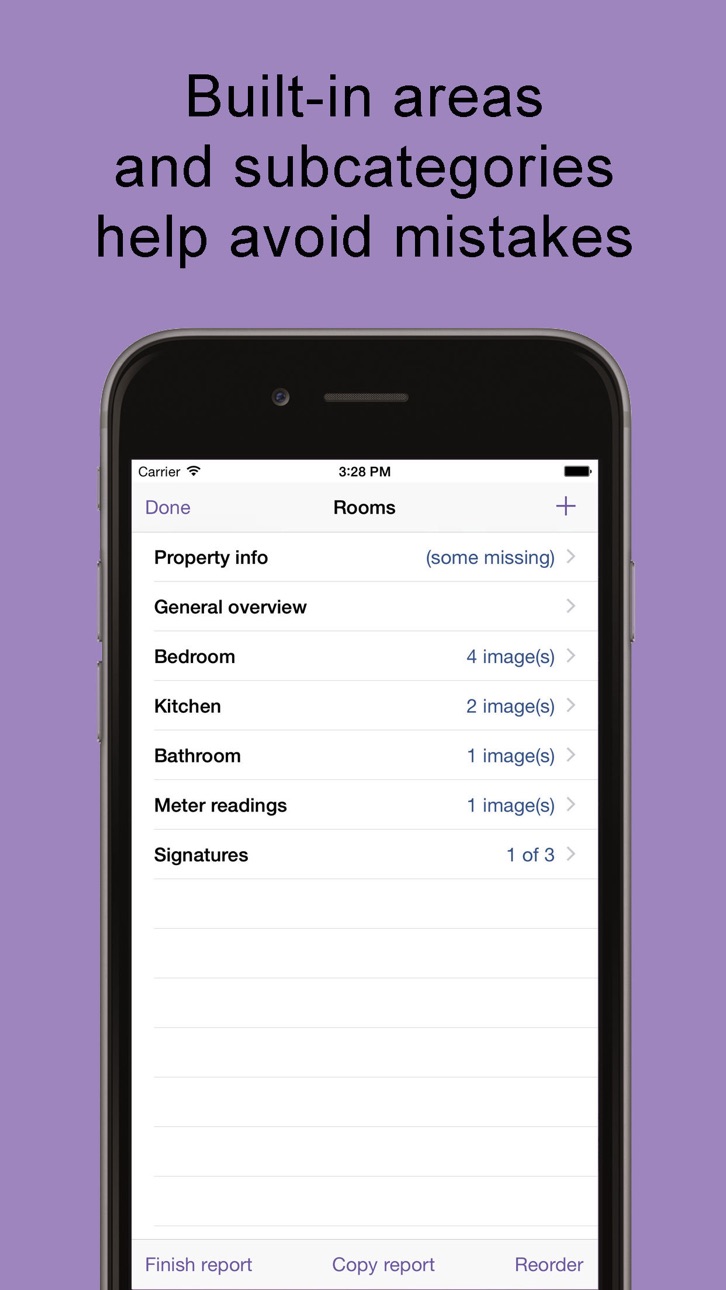
- Pre-set list of rooms and categories to guide the inventory clerk or inspector.
- Create template reports in control panel to load in future and save time
- Works off-line - no need to have internet connection when at the property.
- Do as many reports in a day and store them online when you get to Wifi connection in the office or at home at the end of the day.
- Electronic report with high quality images or PDF file.
- Completely free to thoroughly test - we only ask for payment once you're happy with the report.
- Do one-off report or use regularly.
- Reports stored and accessible online from anywhere at any time.
- Saves time, saves money, protects property and deposits
- Option to brand reports and customize text on reports.
- Free UK telephone and email support.
- Also suitable to be used for before and after reports.
- Once you've done a check-in just start from the existing report and add new images and comments. Previous picture will be shown to you.
- Ideal for midterm reports / interim inspections.
- Very effective for student accommodation where many reports need to be done in short time span.
Accessibility
ipadiphonemacrealityDevicetvoswatch
Version history 25 versions
Build 887864528v4.62026-07-06 19:06:06
General improvements
Camera shutter can now be activated using remote button or volume buttons
Build 887150544v4.52026-06-18 19:11:17
General improvements
Build 886725217v4.42026-06-09 18:22:37
Performance improvements
Signatures capturing improvements
Build 882873435v4.3.42026-02-28 04:20:14
Minor functionality improvements
Build 881789278v4.3.32026-01-25 22:22:52
Minor user interface and functionality improvements
Build 881473807v4.3.22026-01-14 14:35:36
General fixes and improvements
Build 881254988v4.3.12026-01-07 00:09:23
General improvements
Build 881056503v4.32025-12-29 21:18:54
Interface updates to work better on latest iOS update
New full screen image view when a taken image is tapped
Added multifactor authentication if activated on the account
Build 880122695v4.22025-11-26 21:23:47
General improvements
Build 878938717v4.12025-10-15 21:56:00
View online reports in the app for quick start of new report or downloading for offline amending.
Improvements of downloading images while already being able to work on the report.
General user interface improvements
Build 875090891v4.0.22025-05-27 13:05:51
General improvements
Build 875044656v4.0.12025-05-24 19:15:27
General improvements
Build 874909950v4.02025-05-22 15:58:43
General improvements and updates including:
Options for downloading existing online reports
Before and after reports
For devices with relevant camera, 0.5 zoom available on camera screen
Build 860452788v3.92023-10-06 11:48:57
General improvements for amending online report on device
Build 859104703v3.82023-08-11 23:22:20
Minor interface improvements
Improvements on showing dates in localized format
Build 858311775v3.72023-07-06 21:13:52
Fix a bug where sometimes the app would not start when trying to use without internet connection.
Build 857968191v3.62023-06-20 22:32:21
Option to move existing image to different room or subcategory using a popup menu at the bottom of image screen
Small interface improvements
Build 855921794v3.52023-04-12 09:52:13
User interface improvements and fixes
Shortcode functionality added to descriptions
More options when duplicating a report or room
Fixes for minor bugs
Build 851930305v3.42022-08-31 16:58:47
General improvements
Build 848495592v3.32022-04-23 01:56:34
Bug fixes and general improvements
Build 848353676v3.2.12022-04-15 13:45:31
Bug fixes and improvements
Build 848052627v3.22022-04-04 20:12:53
Changes to camera screen, including pinch to zoom on camera screen
UI improvements
Build 847837776v3.12022-03-27 13:01:04
Camera screen now can tap to focus
Copy checkout to check in now retains previous comment
Option to request account deletion from app
Extra checks and prompt regarding permissions for camera and photos where required by user app settings but not allowed in privacy settings
Date picker fix in property / report info screen
Fix for older devices to be able to start new report
Various user interface improvements
Build 838709090v3.02020-11-08 21:17:26
General improvements
Build 838265737v2.92020-10-19 04:20:14
Fix dark mode appearance
No pricing data captured yet — comparisons appear once the app has paid storefronts or in-app purchases.
Availability 1 of 1 storefronts
| Region | Language | Price | Ratings | Avg | Version |
|---|---|---|---|---|---|
| US | en-US | Free | 1 | 5.0 | 4.6 |
Change log 29 changes · US
✎
releaseNotes updated
General improvements
Camera shutter can now be activated using remote button or volume buttons
✎
description updated
Do your own property inspections, check-in, check-out by taking pictures and uploading to create a professionally formatted report.
Your tenants can also send
✎
subtitle updated
Property Inspection reports
✎
name updated
Smarter Inventories
◆
Version 4.6 released
General improvements
Camera shutter can now be activated using remote button or volume buttons
◆
Version 4.5 released
General improvements
◆
Version 4.4 released
Performance improvements
Signatures capturing improvements
◆
Version 4.3.4 released
Minor functionality improvements
◆
Version 4.3.3 released
Minor user interface and functionality improvements
◆
Version 4.3.2 released
General fixes and improvements
◆
Version 4.3.1 released
General improvements
◆
Version 4.3 released
Interface updates to work better on latest iOS update
New full screen image view when a taken image is tapped
Added multifactor authentication if activated on the account
◆
Version 4.2 released
General improvements
◆
Version 4.1 released
View online reports in the app for quick start of new report or downloading for offline amending.
Improvements of downloading images while already being able to work on the report.
General user interface improvements
◆
Version 4.0.2 released
General improvements
◆
Version 4.0.1 released
General improvements
◆
Version 4.0 released
General improvements and updates including:
Options for downloading existing online reports
Before and after reports
For devices with relevant camera, 0.5 zoom available on camera screen
◆
Version 3.9 released
General improvements for amending online report on device
◆
Version 3.8 released
Minor interface improvements
Improvements on showing dates in localized format
◆
Version 3.7 released
Fix a bug where sometimes the app would not start when trying to use without internet connection.
◆
Version 3.6 released
Option to move existing image to different room or subcategory using a popup menu at the bottom of image screen
Small interface improvements
◆
Version 3.5 released
User interface improvements and fixes
Shortcode functionality added to descriptions
More options when duplicating a report or room
Fixes for minor bugs
◆
Version 3.4 released
General improvements
◆
Version 3.3 released
Bug fixes and general improvements
◆
Version 3.2.1 released
Bug fixes and improvements
◆
Version 3.2 released
Changes to camera screen, including pinch to zoom on camera screen
UI improvements
◆
Version 3.1 released
Camera screen now can tap to focus
Copy checkout to check in now retains previous comment
Option to request account deletion from app
Extra checks and prompt regarding permissions for camera and photos where required by user app settings
◆
Version 3.0 released
General improvements
◆
Version 2.9 released
Fix dark mode appearance