Home › Productivity

 US
US
1 of 1 storefronts
Content in en-US
Content in en-US
Information
Preview 2 platforms
iPhone 5 images


iPad 5 images
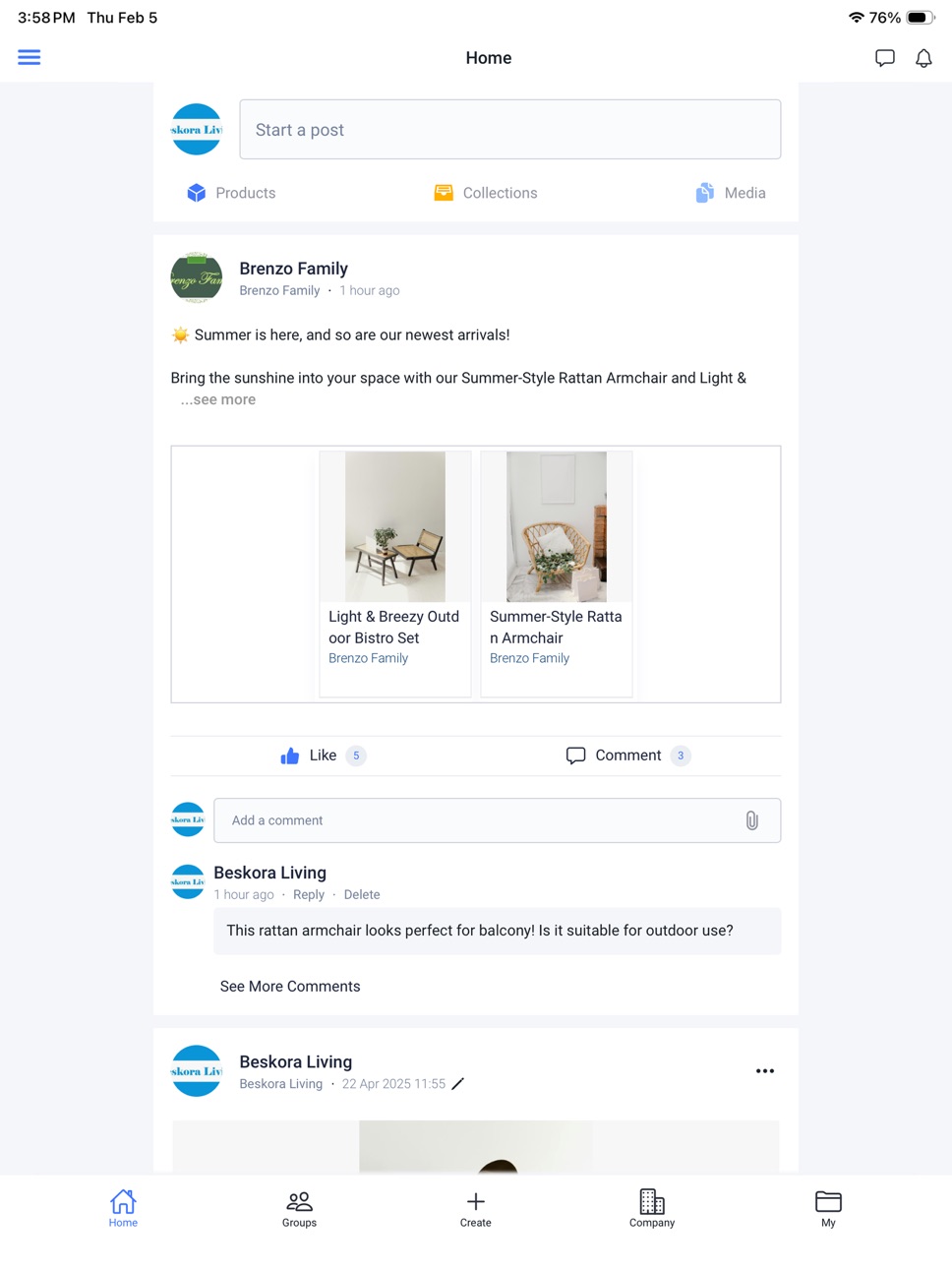


What’s New Version 26.05.100
• Added “QUOTE VALID TO” in Reference Price for price validity management
• Required key pricing fields in Reference Price for more complete data
• Updated “Channel” terminology for clearer understanding
• Bug fixes
Description
Explore allows retailers, brands, suppliers and factories to introduce, source and match products with retail mood boards, ranges and themes, in a digital showroom. Explore is home to thousands of validated suppliers and is designed to extend innovation, source and bring products to market faster. Explore, is the ultimate sourcing app, that not only makes connections but, provides an entire industry the tools to win.
Explore is not another finished goods online marketplace; but rather, it is the exclusive network in which retailers, brands and their suppliers and factories, can connect, source, extend innovation and bring private label products to market faster. Explore allows members to work “virtually”, in real time, side-by-side, seamlessly and will ultimately revolutionize how the retail industry manages product development and product sourcing for own brands.
For more information visit www.tradebeyond.com.
Capabilities
In-App Purchases
Accessibility
ipadiphonemacrealityDevicetvoswatch
Version history 25 versions
Build 886201178v26.05.1002026-05-30 06:52:10
• Added “QUOTE VALID TO” in Reference Price for price validity management
• Required key pricing fields in Reference Price for more complete data
• Updated “Channel” terminology for clearer understanding
• Bug fixes
Build 884575548v26.04.1002026-04-18 04:34:28
• Visual updates: logo and brand colors
• Support multi-product selection for Reply Products
• Added new product fields: Factory Name, Loading CBM
• Bug fixes
Build 882107843v25.08.2002026-02-08 07:56:51
• Visual updates: logo and brand colors
Build 877993784v25.08.1012025-09-10 11:48:22
• Bug fixes
Build 877794471v25.08.1002025-09-06 04:05:34
• Bug fixes
Build 877438415v25.03.2022025-08-23 13:36:35
• Bug fixes
Build 873918022v25.03.2012025-05-12 21:03:28
• Bug fixes
Build 873572639v25.03.1002025-03-29 04:06:55
Collection
• Intend to Buy - Retailer / Premium Seller
• Click "My Intent Quantity" to specify the quantity of the product you intend to purchase.
• View "Total Intent Quantity" to know how many quantities of the product are intended to be purchased.
• Upload Multiple Products - Retailer / Premium Seller
• Click "Upload Multiple Products" in the "+ Add Product" menu
• Add "Collection No." field after "Collection Name"
Bug fixes
Build 869582529v24.10.1002024-10-19 05:13:16
Mobile - Image
• Users can pinch the image with two fingers to zoom in and out, and swipe down on the image to close it.
Premium Suppliers - collection
• Suppliers can use the line board feature in shared collections.
• Suppliers can add product to collection from share with me/company.
Performance improvements and bug fixes
Build 866182564v24.05.1002024-05-24 17:39:36
24.05.100
Bug fixes
Build 860684620v23.10.3012023-10-16 16:57:42
23.10.300
Requests - Sending a request
Click on the "To" row to show connected people and companies
If User A sends a request to a company that is not connected, and User A's coworkers connect with the users in that unconnected company, the admins in the Customer Team of that company can automatically receive the connection invitation from User A.
Build 860117819v23.10.1002023-09-25 14:41:35
23.10.100
Products
Add "Remark" field in the Reference Price section
Bug fixes
Build 859582263v23.8.1012023-09-01 17:31:57
23.8.101
Bug fixes
Build 859405701v23.8.1002023-08-26 00:57:23
23.08.100
Line Board in Collections
Display more product information in desktop mode
Bug fixes
Build 858795924v23.7.2012023-07-28 14:05:48
23.07.201
Bug fixes
23.07.100
Line Board in Collections
Switch to Line Board mode to view the products in collections
View the product details and media files inside Line Board
Able to print it
Build 857759158v23.7.1012023-07-24 10:17:10
23.07.100
Line Board in Collections
Switch to Line Board mode to view the products in collections
View the product details and media files inside Line Board
Able to print it
Build 856883517v23.4.1012023-05-05 09:29:56
###
- My Things
- Users can see and edit the items that they are the Admin.
- Company
- Users can see the items that created by co-workers.
- If user is an Editor of an item, user can edit it.
- If user is an Audience of an item, user can view it.
- Company Folders in Company
- This function is for corporate accounts to categorize items by departments.
- They can create a company folder for each department, then putting the related items into this folder via "Show in" popup.
- One item can only assign to one company folder.
- Company Admin, Admin and Editor can assign items to a company folder.
- Only company admin can create and edit company folder.
- Groups
- Users can create groups and invite co-workers, connected people, not connected users, non-Explore users to join the groups.
- They can attach products, collections, media, documents in a post and discuss together.
- Wall
- This pages contains the posts that created by myself, connected people, and groups.
- My Network
- This is the home page for Network.
- Users can see the latest invitations and connected people.
- If users do not have invitations nor connected people, system shows them the premium users.
- Connections - People
- This page shows the connected people.
- Users are connecting in user-level in the new version of Explore.
- For the exiting company connections, the invitation senders are connected with invitation receivers.
- When connecting with a corporate user, user is connecting with this independent corporate user, but not the corporate company.
- Connections - Companies
- This page shows the connected companies for all the co-workers.
- They can know about the companies that co-workers are cooperating with.
- Invitations
- This page shows the invitations that received and sent from me.
- Customer Team
- After connecting with a user
1. If it is a basic account, the name of basic account shows in the Customer Team table
2. If it is a corporate user, the name of the corporate company shows in the Customer Team table
- Company admins and team admins can assign co-workers to the customer teams.
- If a team admin/ member shares an item to a specific company, all the team admins and members becomes the Editors of this item.
- Share popup
- For basic account, they can share items to connected people, email addresses, groups.
- For corporate account, they can share items to Market (Premium only), connected companies,connected people, email addresses, groups.
Build 856414359v23.4.1002023-04-17 13:18:46
My Things
Users can see and edit the items that they are the Admin.
Company
Users can see the items that created by co-workers.
If user is an Editor of an item, user can edit it.
If user is an Audience of an item, user can view it.
Company Folders in Company
This function is for corporate accounts to categorize items by departments.
They can create a company folder for each department, then putting the related items into this folder via "Show in" popup.
One item can only assign to one company folder.
Company Admin, Admin and Editor can assign items to a company folder.
Only company admin can create and edit company folder.
Groups
Users can create groups and invite co-workers, connected people, not connected users, non-Explore users to join the groups.
They can attach products, collections, media, documents in a post and discuss together.
Wall
This pages contains the posts that created by myself, connected people, and groups.
My Network
This is the home page for Network.
Users can see the latest invitations and connected people.
If users do not have invitations nor connected people, system shows them the premium users.
Connections - People
This page shows the connected people.
Users are connecting in user-level in the new version of Explore.
For the exiting company connections, the invitation senders are connected with invitation receivers.
When connecting with a corporate user, user is connecting with this independent corporate user, but not the corporate company.
Connections - Companies
This page shows the connected companies for all the co-workers.
They can know about the companies that co-workers are cooperating with.
Invitations
This page shows the invitations that received and sent from me.
Customer Team
After connecting with a user
If it is a basic account, the name of basic account shows in the Customer Team table
If it is a corporate user, the name of the corporate company shows in the Customer Team table
Company admins and team admins can assign co-workers to the customer teams.
If a team admin/ member shares an item to a specific company, all the team admins and members becomes the Editors of this item.
Share popup
For basic account, they can share items to connected people, email addresses, groups.
For corporate account, they can share items to Market (Premium only), connected companies,connected people, email addresses, groups.
Build 854922703v23.2.1002023-02-13 14:02:52
General bug fixes
Build 854481133v23.1.1002023-01-19 17:04:36
When creating multiple products in the excel template, no limitation on the size of the product images
Build 854153028v22.12.1002022-12-30 18:01:49
Enhancement of the login function
Build 851976746v22.10.1002022-12-06 22:27:42
Emails
Batch sending some types of emails every 12 hours
Send auto reminders for outstanding invitations
Network
Enhance ranking logic in Suggested Members
Images
Lower minimum pixels for product images and moodboard
Product
Display 3 decimal places in the fields of Details part
Show "<0.001" if Volume (CBM) is smaller than 0.001
Collection
Batch select products to change status, move to folder, add to collection
Supplier Account
Enable activate and deactivate function for each user
Build 851199010v22.7.3022022-07-29 17:09:17
Images
Show full sizes of uploaded images in all the image sections
Volume (CBM) on product detail page
Volume is calculated in meters even using centimeters, inches, feets
Search behavior
Search results are sorted by most relevant items based on the keywords
Search results display in different types of tenses
Build 850906252v22.7.2042022-07-18 15:07:00
Basic Accounts ~
Suggested Members section in Network
Basic, Supplier, and Retailer Accounts ~
Enhancements of Comment popup
Build 850549184v22.7.1022022-07-01 21:18:45
Enhancements on contents of email notifications
Requests
Suppliers can initiate chats with retailers in product requests
Upload Multiple Products
Support to upload 5 product images for a product in excel
Market
Retailers and basic accounts can see indicators and filter for products and collections that share to their companies
Comment popup
Show essential product or collection information when leaving a comment
Display media center when clicking on an image/ video/ 3D image in a comment
No pricing data captured yet — comparisons appear once the app has paid storefronts or in-app purchases.
Availability 1 of 1 storefronts
| Region | Language | Price | Ratings | Avg | Version |
|---|---|---|---|---|---|
| US | en-US | Free | 2 | 5.0 | 26.05.100 |
Change log 29 changes · US
✎
releaseNotes updated
• Added “QUOTE VALID TO” in Reference Price for price validity management
• Required key pricing fields in Reference Price for more complete data
• Updated “Cha
✎
description updated
Explore allows retailers, brands, suppliers and factories to introduce, source and match products with retail mood boards, ranges and themes, in a digital showr
✎
subtitle updated
CBX Software Limited
✎
name updated
TradeBeyond Explore
◆
Version 26.05.100 released
• Added “QUOTE VALID TO” in Reference Price for price validity management
• Required key pricing fields in Reference Price for more complete data
• Updated “Channel” terminology for clearer understanding
• Bug fixes
◆
Version 26.04.100 released
• Visual updates: logo and brand colors
• Support multi-product selection for Reply Products
• Added new product fields: Factory Name, Loading CBM
• Bug fixes
◆
Version 25.08.200 released
• Visual updates: logo and brand colors
◆
Version 25.08.101 released
• Bug fixes
◆
Version 25.08.100 released
• Bug fixes
◆
Version 25.03.202 released
• Bug fixes
◆
Version 25.03.201 released
• Bug fixes
◆
Version 25.03.100 released
Collection
• Intend to Buy - Retailer / Premium Seller
• Click "My Intent Quantity" to specify the quantity of the product you intend to purchase.
• View "Total Intent Quantity" to know how many quantities of the product are intended
◆
Version 24.10.100 released
Mobile - Image
• Users can pinch the image with two fingers to zoom in and out, and swipe down on the image to close it.
Premium Suppliers - collection
• Suppliers can use the line board feature in shared collections.
• Suppliers can add p
◆
Version 24.05.100 released
24.05.100
Bug fixes
◆
Version 23.10.301 released
23.10.300
Requests - Sending a request
Click on the "To" row to show connected people and companies
If User A sends a request to a company that is not connected, and User A's coworkers connect with the users in that unconnected company, the
◆
Version 23.10.100 released
23.10.100
Products
Add "Remark" field in the Reference Price section
Bug fixes
◆
Version 23.8.101 released
23.8.101
Bug fixes
◆
Version 23.8.100 released
23.08.100
Line Board in Collections
Display more product information in desktop mode
Bug fixes
◆
Version 23.7.201 released
23.07.201
Bug fixes
23.07.100
Line Board in Collections
Switch to Line Board mode to view the products in collections
View the product details and media files inside Line Board
Able to print it
◆
Version 23.7.101 released
23.07.100
Line Board in Collections
Switch to Line Board mode to view the products in collections
View the product details and media files inside Line Board
Able to print it
◆
Version 23.4.101 released
###
- My Things
- Users can see and edit the items that they are the Admin.
- Company
- Users can see the items that created by co-workers.
- If user is an Editor of an item, user can edit it.
- If user is an Audience of a
◆
Version 23.4.100 released
My Things
Users can see and edit the items that they are the Admin.
Company
Users can see the items that created by co-workers.
If user is an Editor of an item, user can edit it.
If user is an Audience of an item, user can view it.
Co
◆
Version 23.2.100 released
General bug fixes
◆
Version 23.1.100 released
When creating multiple products in the excel template, no limitation on the size of the product images
◆
Version 22.12.100 released
Enhancement of the login function
◆
Version 22.10.100 released
Emails
Batch sending some types of emails every 12 hours
Send auto reminders for outstanding invitations
Network
Enhance ranking logic in Suggested Members
Images
Lower minimum pixels for product images and moodboard
Product
Display 3 decim
◆
Version 22.7.302 released
Images
Show full sizes of uploaded images in all the image sections
Volume (CBM) on product detail page
Volume is calculated in meters even using centimeters, inches, feets
Search behavior
Search results are sorted by most relevant ite
◆
Version 22.7.204 released
Basic Accounts ~
Suggested Members section in Network
Basic, Supplier, and Retailer Accounts ~
Enhancements of Comment popup
◆
Version 22.7.102 released
Enhancements on contents of email notifications
Requests
Suppliers can initiate chats with retailers in product requests
Upload Multiple Products
Support to upload 5 product images for a product in excel
Market
Retailers and basic acc