Home › Utilities

 US
US
1 of 1 storefronts
Content in en-US
Content in en-US
Information
Apple ID1449628637
Bundle IDcom.OutWestSystems.RPiControl
SellerSeller
Min iOS11.0
Min macOS11.0
Device familiesiphone, ipad, ipod
Released2019-02-18
Copyright© 2019 OutWest Systems, Inc.
Privacy policyLink ↗
Preview 2 platforms
iPhone 8 images




iPad 6 images




What’s New Version 1.2
Names can now be assigned to pins on a per project basis.
Macro commands can now be rearranged by dragging them.
Position settings added to allow for fine tuning controls locations.
Description
Do you want to:
- control your Pi without having to write any code?
- or, do you have a program you wrote for your Pi and you want to interface to it with a phone app?
- or, you're an educator looking for a fun way to teach students the basics of programming?
If any of the above apply to you then you definitely need to give RPiControl a spin. Take control of your Raspberry Pi 3 A+/B+ from your phone or tablet via Bluetooth!
- Create multiple projects in the app
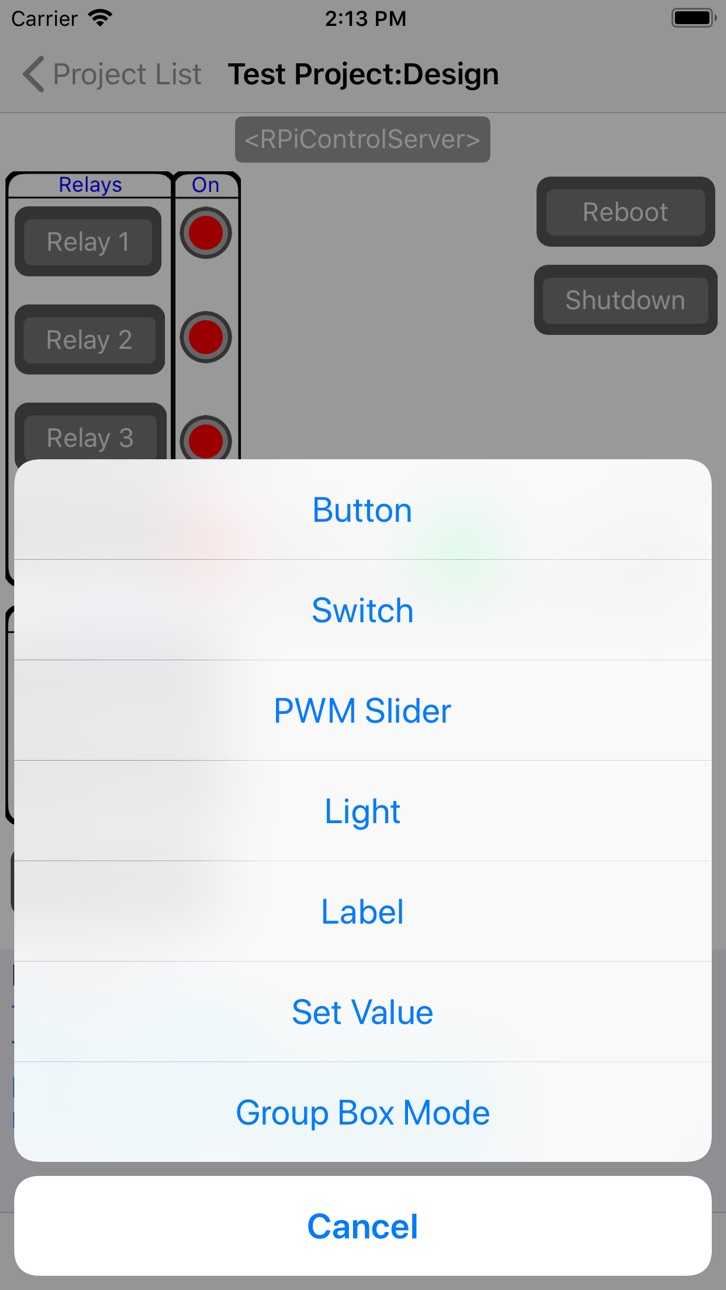
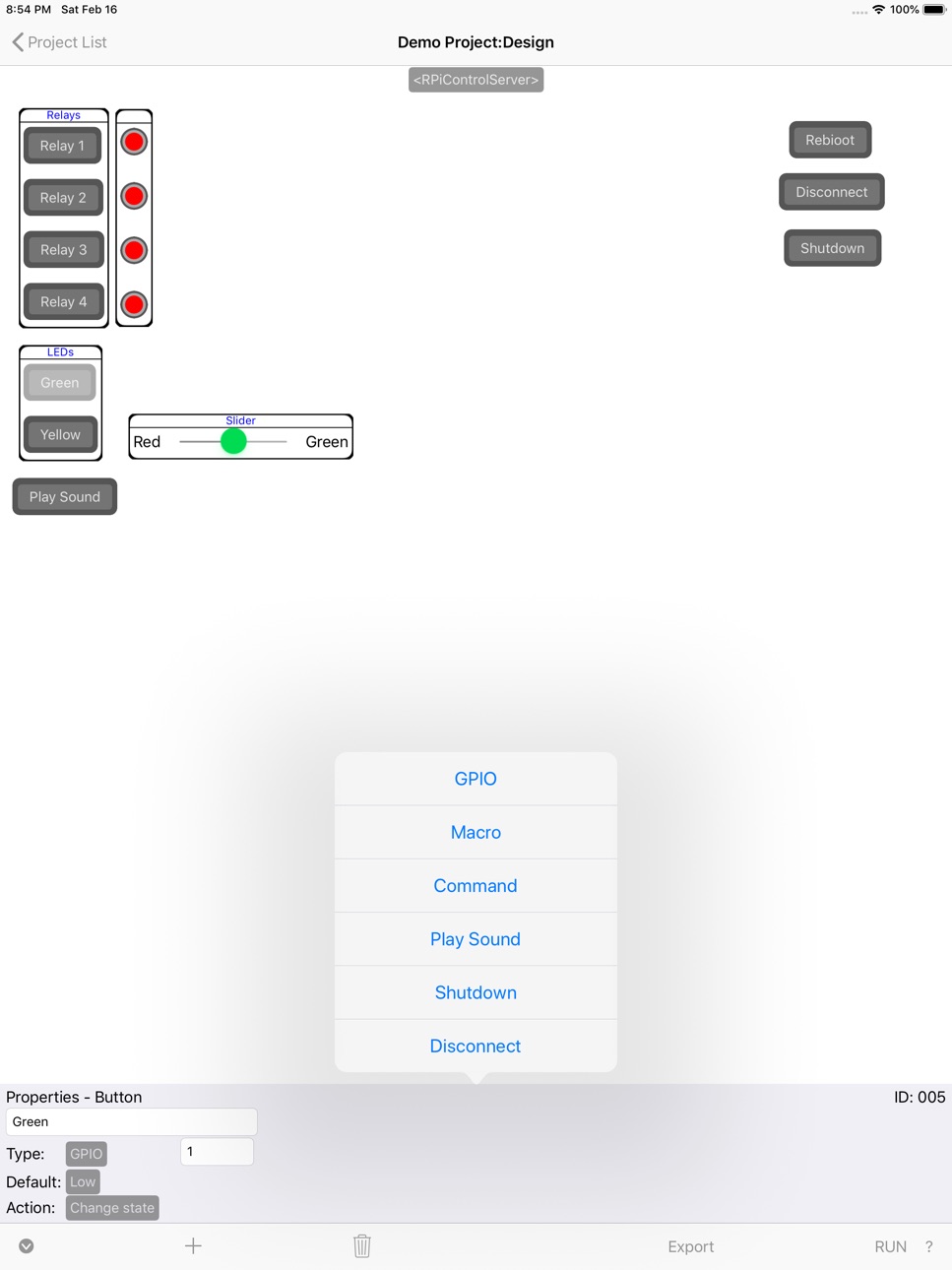
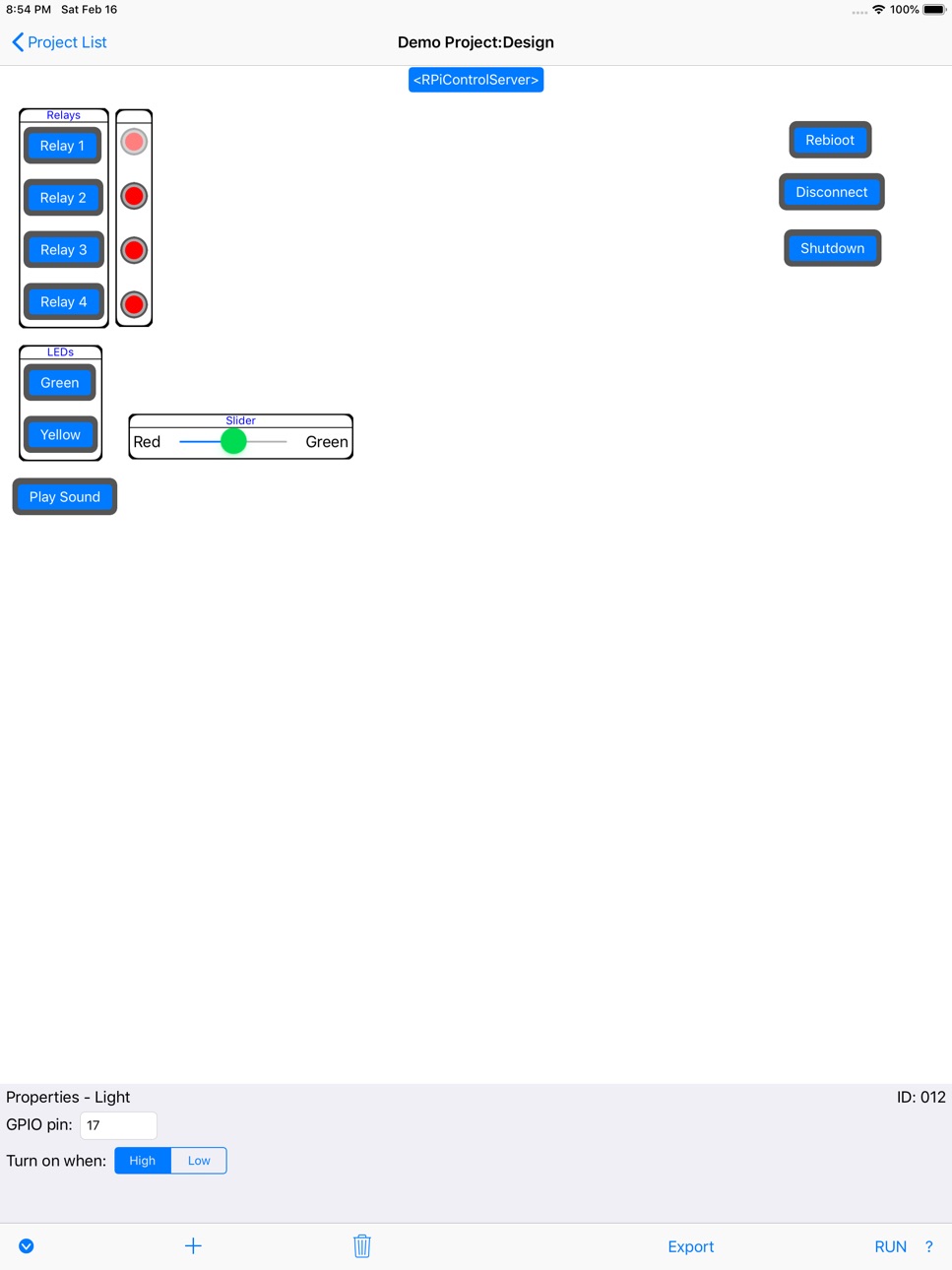
- In each project create a custom control layout using a drag/drop, fill in the blank, graphical interface. Add buttons, switches, lights, etc.
- Controls allow you to set GPIO pin state; run Pi commands; play sounds; run macros; display the state of pins plus more.
- Create macros to run multiple commands at a single button tap. Macros are written using the built-in, easy to use, scripting language.
Want to run a macro without having to connect to your phone? No problem, just upload the macro to your Pi. You'll be able to launch it from the phone and then disconnect. Or, have the macro run on the Pi automatically at startup. Run multiple macros at the same time from the phone or on the Pi!
- One of the most powerful features of the app is the ability to pass alphanumeric data from the app to your own programs and to receive data from your programs. Display data from your program in the app easily and just as easily send data back to your program and act on it.
Or, trigger actions of your program by just setting GPIO pins high or low. No need to spend valuable time writing your own phone app!
- Educators, use RPiControl and a Raspberry Pi to teach your students basic programming principles. Give different types of feedback by connecting hardware to the Pi and control the hardware from the app via its controls and scripts.
- Share your layouts with others by uploading them to our online layout library!
More controls and features coming soon!
Download and try it out for free!
Want a custom version for your product? Contact us.
Raspberry Pi is a trademark of the Raspberry Pi Foundation
In-App Purchases US pricing
One-Time Purchases
Unlimited Version$15.99
Capabilities
In-App Purchases
Accessibility
ipadiphonemacrealityDevicetvoswatch
Version history 2 versions
Build 830550866v1.22019-03-13 08:37:07
Names can now be assigned to pins on a per project basis.
Macro commands can now be rearranged by dragging them.
Position settings added to allow for fine tuning controls locations.
Build 829966093v1.02019-02-17 21:35:09
Price history by region
Currency
Show
Columns
Search
Availability 1 of 1 storefronts
| Region | Language | Price | Ratings | Avg | Version |
|---|---|---|---|---|---|
| US | en-US | Free | 2 | 5.0 | 1.2 |
Change log 6 changes · US
✎
releaseNotes updated
Names can now be assigned to pins on a per project basis.
Macro commands can now be rearranged by dragging them.
Position settings added to allow for fine tunin
✎
description updated
Do you want to:
- control your Pi without having to write any code?
- or, do you have a program you wrote for your Pi and you want to interface to it with a ph
✎
subtitle updated
Control App for Raspberry Pi 3
✎
name updated
RPiControl
◆
Version 1.2 released
Names can now be assigned to pins on a per project basis.
Macro commands can now be rearranged by dragging them.
Position settings added to allow for fine tuning controls locations.
◆
Version 1.0 released