Home › Simulation

 US
US
1 of 1 storefronts
Content in en-US
Content in en-US
Information
Preview 2 platforms
iPhone 3 images


iPad 3 images


Description
Ever finish a flight in Infinite Flight, only to wish you could have a more objective way to review how you did? Perhaps even an easier way to log this flight report with your Virtual Airline?
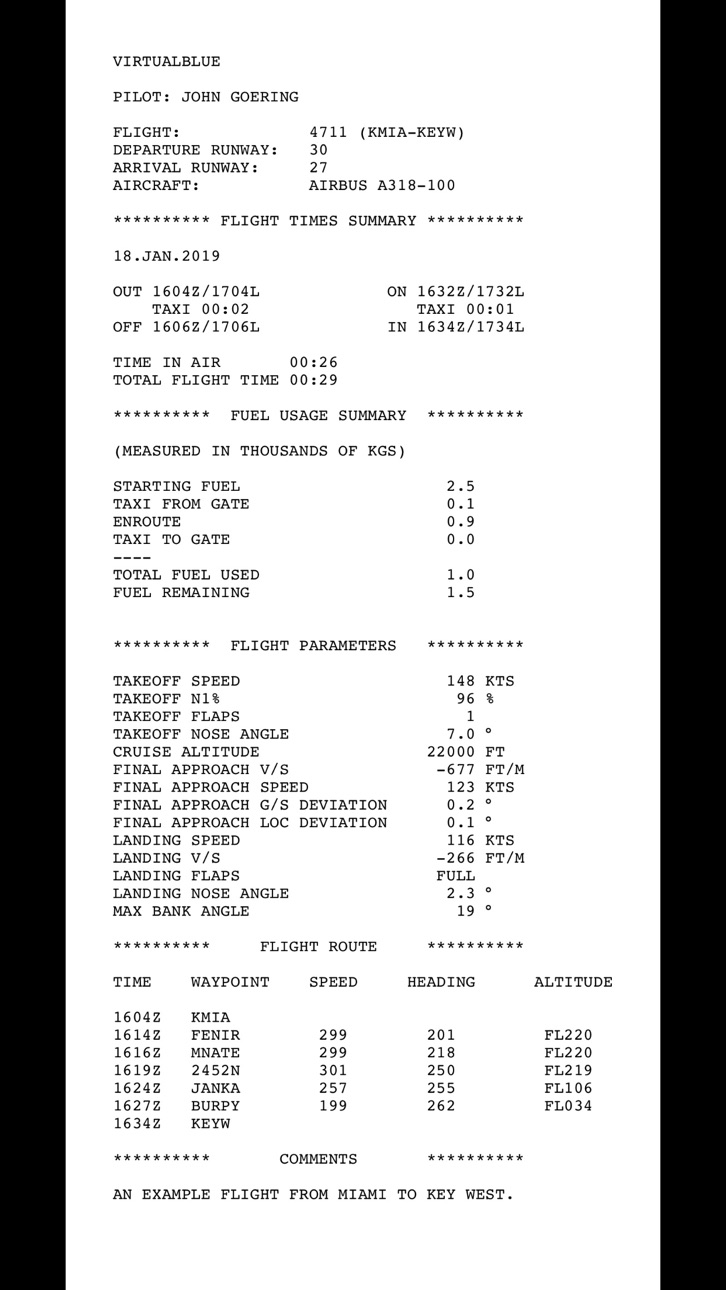
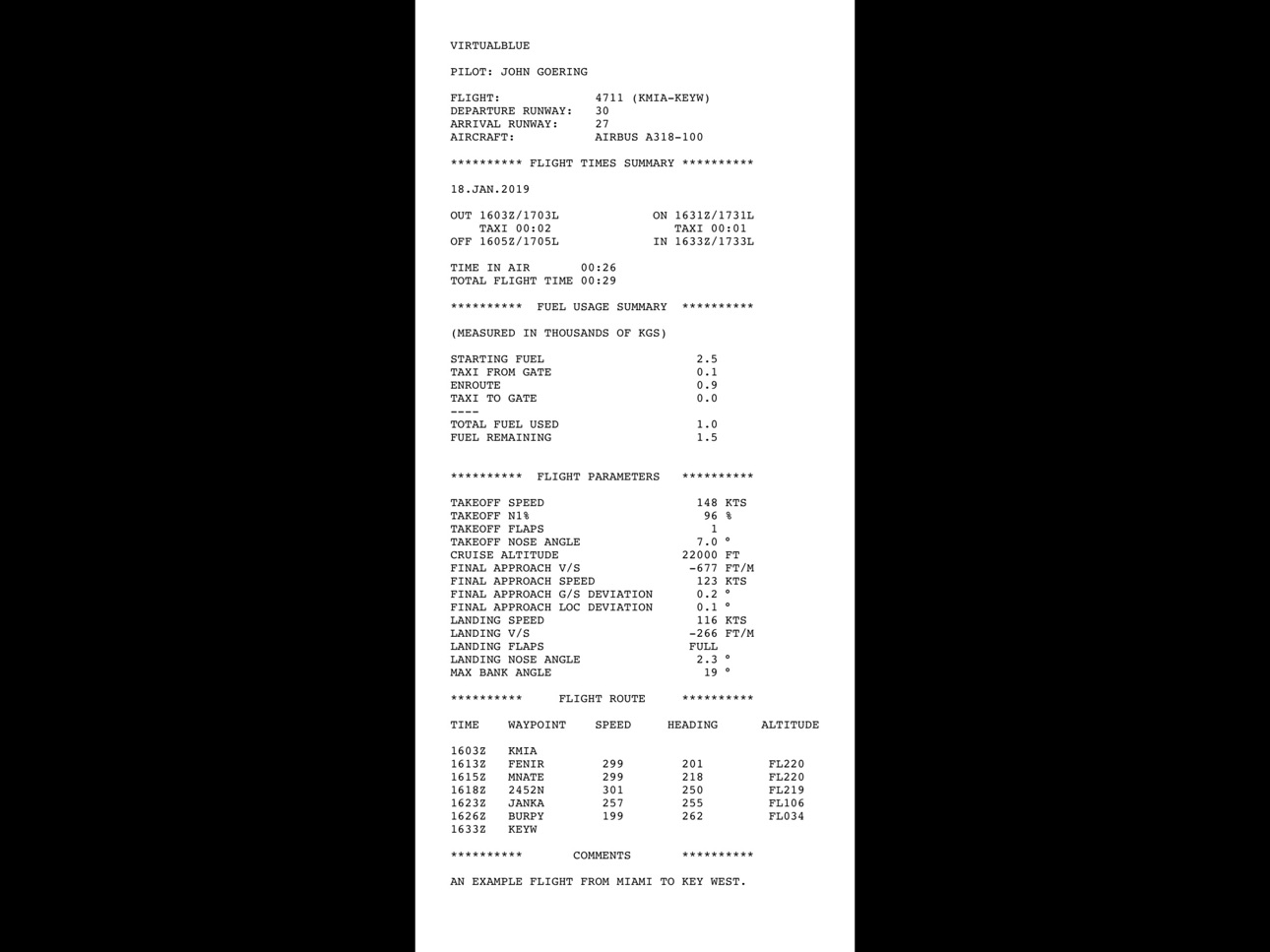
In-Flight Operations is a beautifully simple way to create ACARS-style flight reports of your Infinite Flight journeys. It is NOT a flight simulator itself but rather connects to Infinite Flight in the background to gather information about your flight.
As a bonus, In-Flight Operations will let you choose background music based on the current phase of flight you are in! Set "Danger Zone" as your takeoff anthem, or some soothing music as you cruise! It's up to you.
In-Flight Operations is the third In-Flight app by John Goering after In-Flight Assistant (soundscape for IF) and In-Flight Instruments (live instruments for IF)!
**** HOW TO USE ****
Simply start the app, then enter Infinite Flight, making sure "Infinite Flight Connect" is enabled in the General Settings of Infinite Flight.
Optionally, set up background music you'd like to play in the various flight phases of your flight.
Now start your flight report by activating seatbelt & "no smoking" signs while your engine is off (or by starting up your engines if your aircraft does not have seatbelt signs).
Then simply perform your flight from start to finish! Once you turn off your engines (and your seatbelt & "no smoking" signs if you have them), In-Flight Operations will play a pleasant chime to let you know you can now generate your report!
**** PARAMETERS IN THE REPORT ****
Here are the parameters included in your report:
- Departure/Arrival Airport & Runway
- Departure, Takeoff, Landing, Arrival Times in Zulu and local time
- Total Flight Time
- Fuel Usage in kg or lbs (from taxiing to enroute)
- Takeoff / Landing Speed
- Takeoff N1%
- Takeoff / Landing Flaps
- Cruise Altitude
- Final Approach V/S, Speed, Glideslope & Localizer Deviation
- Takeoff / Landing Nose Angle
- Max Bank Angle
- Flight Route, with Speed/Heading/Altitude per Waypoint
ALL OF THIS. COMPLETELY FOR FREE. Crazy, I know. You can "pay" me with a review in the App Store, how does that sound?
**** SPECIAL THANKS ****
Thanks to virtualBlue for approaching me with the original idea and concept!
Thanks to Jan, tester extraordinaire!
Thanks to the IF Community for testing and help!
Thanks to Laura and the Infinite Flight team for the awesome API making this app possible!
This is a third-party app and is not affiliated with Infinite Flight LLC.
Accessibility
ipadiphonemacrealityDevicetvoswatch
Version history 1 versions
Build 829813238v1.02019-02-07 06:14:26
No pricing data captured yet — comparisons appear once the app has paid storefronts or in-app purchases.
Availability 1 of 1 storefronts
| Region | Language | Price | Ratings | Avg | Version |
|---|---|---|---|---|---|
| US | en-US | Free | 40 | 4.2 | 1.0 |
Change log 4 changes · US
✎
description updated
Ever finish a flight in Infinite Flight, only to wish you could have a more objective way to review how you did? Perhaps even an easier way to log this flight r
✎
subtitle updated
Flight Reports for IF flights
✎
name updated
In-Flight Operations
◆
Version 1.0 released