Home › Graphics & Design

 US
US
1 of 1 storefronts
Content in en-US
Content in en-US
Information
Preview 2 platforms
iPhone 8 images


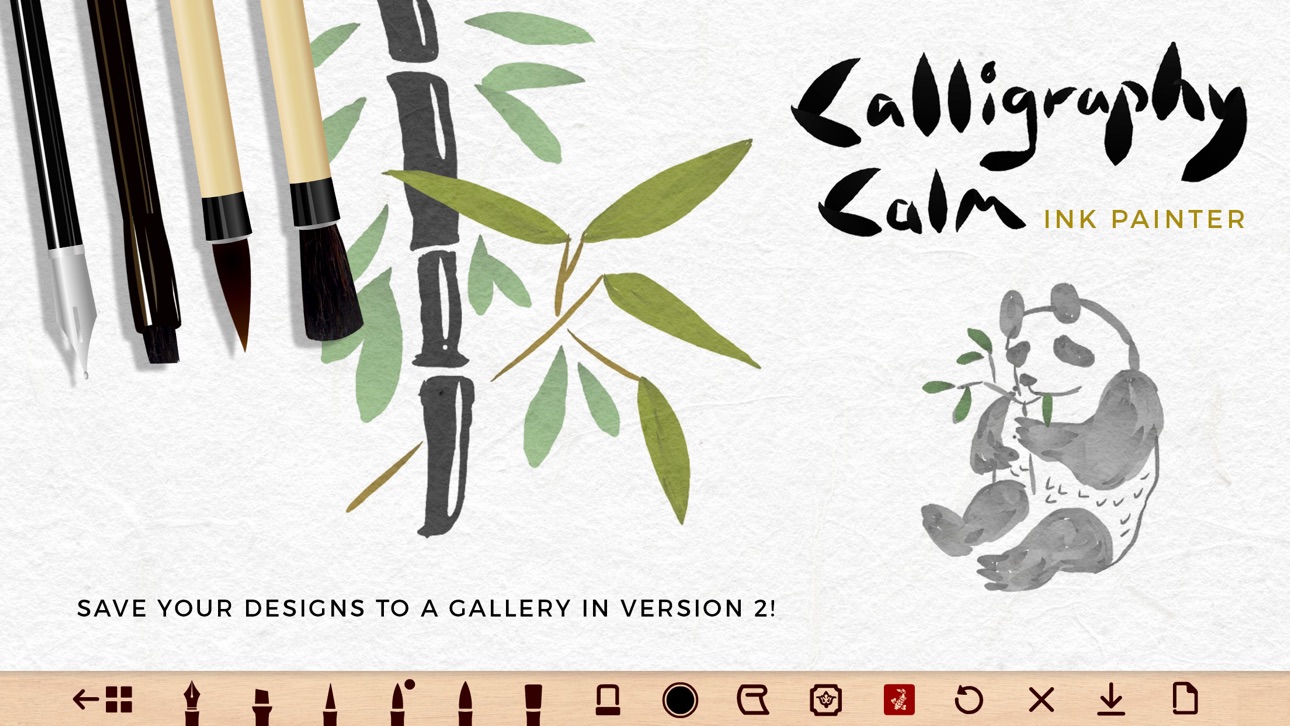
iPad 9 images


What’s New Version 2.2.8
- updated with new software
- the Upgrade button is now removed in Pro mode
Description
Calligraphy Calm - Ink Painter is a minimalist art app in the tradition of Chinese and Japanese painting and calligraphy.
Create a realistic, fluid ink painting effect on your iPhone and iPad with the swipe of your finger!
Practice the art of simplicity and capture the essence of your subject.
OUR BRUSHES
Our brushes create a dynamic 'tapered' line effect, which produces a beautifully organic feel for handwritten typography and drawing.
Try overlaying brush strokes and you will find the ink colors merge with the paper texture.
Move your finger QUICKLY to increase the thickness of the line and SLOWLY to get a really thin line. This is what makes our brushes unique.
Bigger brushes produce a rougher line texture.
SPECIAL FEATURES
To keep the app in line with Asian traditional painting you can add:
• Ornamental borders to frame your art or calligraphy
• Red stamps in the style of Chinese chops (choose from 22 designs)
HOW TO ENJOY CALLIGRAPHY CALM
1) Use the painting tools for calligraphy writing or art.
2) Get into the flow of minimalist painting and feel calm.
3) Save your progress to the gallery *
4) Download your best designs to your device Photos for safe keeping.
*Please note - Your paintings are saved to your device. Deleting the app will delete your saved artwork.
FREE version:
• 3 brushes
• 3 ink colors + black
• 4 paper textures
• Eraser tool
• Save 6 paintings to your Gallery screen
• Download images to your Camera Roll
To unlock all ink colors, all papers and tools please upgrade to the PRO version.
PRO upgrade:
• Save unlimited paintings to your device
• 34 inks colors (with gradient depth)
• 2 pens + 4 brushes
• All paper textures
• Eraser tool (use it in combination with the brushes)
• Remove the watermark logo on image downloads
• Remove Ads
Paint your way to calm :)
In-App Purchases US pricing
One-Time Purchases
Calligraphy Calm PRO$2.99
Capabilities
In-App Purchases
Accessibility
ipadiphonemacrealityDevicetvoswatch
Version history 25 versions
Build 862709580v2.2.82024-01-07 14:08:45
- updated with new software
- the Upgrade button is now removed in Pro mode
Build 856372204v2.2.72023-04-15 13:22:18
- fixed some small bugs
- updated with new software
Build 854591520v2.2.62023-01-25 22:47:40
- attempted to fix crashes on less powerful devices.
Build 854421172v2.2.52023-01-16 18:49:49
- fixed a bug when the ornaments appeared under the color palette
Build 854221616v2.2.42023-01-07 14:25:46
- fixed a bug on the upgrade page & help guide
Build 854175258v2.2.32023-01-03 23:14:39
BIG NEW YEAR UPDATE!
- We've doubled the ink colors for Pro users to 34 in total!
- Free users now have 3 trial colors to try + black ink
- The eraser tool is now available for Free users
- Simplified the eraser tool (it now works separately from the brushes)
- New year, new yellow app icon :)
Build 853618527v2.2.22022-11-30 19:21:19
- BIG update for iPhone users! Improved UI to avoid the navigation bar at the bottom of the screen.
- Updated In-App Purchase software to fix previous problems restoring the app.
Build 852631751v2.2.12022-10-06 23:50:33
- updated with new software
Build 842296218v2.22021-05-21 07:36:55
- added language support in more places (Japanese, Korean, Chinese)
- added a link to our latest app (Logo King - Vintage Logo Maker)
Build 842061749v2.12021-05-20 01:01:45
- More language support in much of the app (English, Japanese, Korean, Chinese)
- Free users can now save 6 artworks
- Added occasional Ads
Build 840209288v2.0.112021-01-26 19:23:15
- removed the loading screen
- updated the More Apps page with our latest app: Icon Designer
Build 838027685v2.0.102020-10-01 16:56:15
- Removed Ads on the free version
- Added an icon on the Guide (to show how the eraser colour changes on the colour picker when it's in erase mode)
- Fixed a bug on the borders menu (which meant it would not close)
Build 835669147v2.0.92020-04-24 00:50:55
- improved the ornament borders. Some of them are now in colour and the block print is now in both black and red with texture
- the fountain pen now produces a much thinner line
- added support for iPad 11
Build 834556863v2.0.82020-01-31 22:46:07
- Added language translation for the Guide Page (Japanese, Chinese, Korean).
Press (?) on the home screen to view the Tools Guide.
Build 834477967v2.0.72020-01-27 22:27:38
- Stamps can now be moved anywhere on the canvas.
- More stamps have been added and now look more like real prints.
- Improved the italic pen, which now gives a curved, flat line
Build 834132088v2.0.62020-01-09 01:07:22
- added 4 new stamps to the collection
- the app is now supported on some older devices
Build 834105399v2.0.52019-12-22 15:43:29
*** XMAS update!
- important bug fix on the image saving (ornaments showed on the downloaded image)
- big improvements to the brushes (especially the calligraphy pen for pro users - which is now much smoother)
- the ink now resets to black when opening a new canvas (this could be confusing for pro users who were previously using the eraser brush in an earlier painting)
Build 834080539v2.0.42019-12-19 14:38:53
- the shop now shows the live price in local currency
Build 833914216v2.0.32019-12-10 11:49:00
- made the 'grain' paper texture free
- added 'charcoal' paper texture (and removed pink)
- improved App Store video to show Calligraphy examples
Build 833884577v2.0.22019-12-05 18:26:38
- new app icon!
- fixed a bug on the stamps
Build 833826608v2.0.12019-12-04 00:30:03
- ornament borders and stamps now save and load correctly
- fixed a bug on the eye button (hide buttons to paint full screen)
- added a new brush for free users
- added new screenshots and a new App Store promo video
Build 833065479v2.02019-11-29 15:26:05
Calligraphy Calm V2.0 is here - HUGE UPDATE!
**Please feedback your thoughts in a review and help us iron out any new bugs :)
- Save your painting to a gallery
- Retina Display for iPad and iPhone
- New HD Paper textures
- Ornamental borders and stamps!
- Super slick new interface
Build 832874057v1.0.102019-09-23 18:15:45
- changed a button name from 'Upgrade' to 'Shop / Restore' - as this confused some users.
Build 831094839v1.0.92019-04-27 22:20:13
- updated with new software
- new screenshots added
Build 830172370v1.0.82019-02-02 01:21:30
- improved resolution for all iPhone devices
- app now complies with Apple text guidelines
Price history by region
Currency
Show
Columns
Search
Availability 1 of 1 storefronts
| Region | Language | Price | Ratings | Avg | Version |
|---|---|---|---|---|---|
| US | en-US | Free | 49 | 3.4 | 2.2.8 |
Change log 29 changes · US
✎
releaseNotes updated
- updated with new software
- the Upgrade button is now removed in Pro mode
✎
description updated
Calligraphy Calm - Ink Painter is a minimalist art app in the tradition of Chinese and Japanese painting and calligraphy.
Create a realistic, fluid ink paintin
✎
subtitle updated
Watercolor Painting & Drawing
✎
name updated
Calligraphy Calm - Ink Brush
◆
Version 2.2.8 released
- updated with new software
- the Upgrade button is now removed in Pro mode
◆
Version 2.2.7 released
- fixed some small bugs
- updated with new software
◆
Version 2.2.6 released
- attempted to fix crashes on less powerful devices.
◆
Version 2.2.5 released
- fixed a bug when the ornaments appeared under the color palette
◆
Version 2.2.4 released
- fixed a bug on the upgrade page & help guide
◆
Version 2.2.3 released
BIG NEW YEAR UPDATE!
- We've doubled the ink colors for Pro users to 34 in total!
- Free users now have 3 trial colors to try + black ink
- The eraser tool is now available for Free users
- Simplified the eraser tool (it now works separat
◆
Version 2.2.2 released
- BIG update for iPhone users! Improved UI to avoid the navigation bar at the bottom of the screen.
- Updated In-App Purchase software to fix previous problems restoring the app.
◆
Version 2.2.1 released
- updated with new software
◆
Version 2.2 released
- added language support in more places (Japanese, Korean, Chinese)
- added a link to our latest app (Logo King - Vintage Logo Maker)
◆
Version 2.1 released
- More language support in much of the app (English, Japanese, Korean, Chinese)
- Free users can now save 6 artworks
- Added occasional Ads
◆
Version 2.0.11 released
- removed the loading screen
- updated the More Apps page with our latest app: Icon Designer
◆
Version 2.0.10 released
- Removed Ads on the free version
- Added an icon on the Guide (to show how the eraser colour changes on the colour picker when it's in erase mode)
- Fixed a bug on the borders menu (which meant it would not close)
◆
Version 2.0.9 released
- improved the ornament borders. Some of them are now in colour and the block print is now in both black and red with texture
- the fountain pen now produces a much thinner line
- added support for iPad 11
◆
Version 2.0.8 released
- Added language translation for the Guide Page (Japanese, Chinese, Korean).
Press (?) on the home screen to view the Tools Guide.
◆
Version 2.0.7 released
- Stamps can now be moved anywhere on the canvas.
- More stamps have been added and now look more like real prints.
- Improved the italic pen, which now gives a curved, flat line
◆
Version 2.0.6 released
- added 4 new stamps to the collection
- the app is now supported on some older devices
◆
Version 2.0.5 released
*** XMAS update!
- important bug fix on the image saving (ornaments showed on the downloaded image)
- big improvements to the brushes (especially the calligraphy pen for pro users - which is now much smoother)
- the ink now resets to black
◆
Version 2.0.4 released
- the shop now shows the live price in local currency
◆
Version 2.0.3 released
- made the 'grain' paper texture free
- added 'charcoal' paper texture (and removed pink)
- improved App Store video to show Calligraphy examples
◆
Version 2.0.2 released
- new app icon!
- fixed a bug on the stamps
◆
Version 2.0.1 released
- ornament borders and stamps now save and load correctly
- fixed a bug on the eye button (hide buttons to paint full screen)
- added a new brush for free users
- added new screenshots and a new App Store promo video
◆
Version 2.0 released
Calligraphy Calm V2.0 is here - HUGE UPDATE!
**Please feedback your thoughts in a review and help us iron out any new bugs :)
- Save your painting to a gallery
- Retina Display for iPad and iPhone
- New HD Paper textures
- Ornamental bor
◆
Version 1.0.10 released
- changed a button name from 'Upgrade' to 'Shop / Restore' - as this confused some users.
◆
Version 1.0.9 released
- updated with new software
- new screenshots added
◆
Version 1.0.8 released
- improved resolution for all iPhone devices
- app now complies with Apple text guidelines