Home › Business

 US
US
1 of 1 storefronts
Content in en-US
Content in en-US
Information
Preview 2 platforms
iPhone 9 images


iPad 10 images




What’s New Version 6.2.1
A new design has been added to the category layout on the touch panel screen.
Description
“OFFICE RECEPTION” is the app of iPad or iPhone for visitor reception which can improve a corporate image and reduce labor cost.
If you put a installed “OFFICE RECEPTION” iPad or iPhone on a company reception desk or each floor, visitors can connect to a visit destination and person easily by telephone system using SIP technology.
“OFFICE RECEPTION” is the tool which lead to an image improvement of the company to visitors.
System Requirements : iPad,iPad pro,or iPhone: iOS13-
Language:English, Japanese
#Majaor fuction
VoIP telephone & support for SIP.
Telephone data link with the “Contacts” app.
3 types of screen layout design.
General receptionist button.
Calendar display.(On or Off)
Select the background picture and logos.
Easy operation.
#Notes
A SIP server and Wi-Fi or 4G connection environment are needed for using this application separately.
This application is specified for reception use. The application cannot receive incomming calls.
This application reads data from the standard “Contacts” application. To add data, please register data to the “Contacts” app.
In order to use as a reception telephone, please connect the cable to keep the battery being charged.
Any damages of the iPad, including theft, are out of warranty.
### OFFICE RECEPTION Operation ###
1. Touch the panel.
2. Choose “NAME.”
3. "CALL" it.
4. Talking
5. "CANCEL"
■ User interface
You can choose your preferred user interface from three layouts.
1. Graphical layout
2. Simple layout
3. Alphabet layout
4.Single tap mode
#FAQ and Setting.
@How to setting?
To set up, use THREE FINGERS. Please tap the screen of the iPad or iPhone.
@What settings are necessary to use this app?
Please set 6 values as follows:
– SIP Server IP address
– SIP Server port
– SIP Proxy Server IP address
– SIP Proxy Server port
– User name
– Password
※Please prepare SIP service or a SIP Server(ex.Asterisk etc..) on your own before using this app.
@What is a SIP server?
SIP servers accept SIP requests and respond to them. A SIP server is an application that may act on the behalf of a SIP client or user agent (UA) or may provide information or direction to a UA. There are several types of SIP servers including proxy, redirect, and registration.
Though I input the parameter “SIP server name” to “SIP Server IP” , I can’t use (connect) this app.
Please input the IP Address into parameter “SIP Server IP” or “Server name”.
“SIP Proxy Server IP” is similar, too.
@What is a SIP proxy server?
A proxy server acts on behalf of a UA or even another proxy. The proxy’s purpose is to facilitate a connection between UAs to establish a session for VoIP or other activity. A proxy does not originate SIP requests. It forwards requests and responses received from one UA or another proxy on to another proxy or UA.
@What should be put into User and Password?
Please set up the user name of the SIP account registered on the SIP server, and a password.
Please ask the SIP server administrator of use about the account.
@What is the Admin telephone number of a telephone setup?
The application has a button for the main phone number of the company. The Main phone number is the number called when this button is pressed.
@What is the representation Organization of a telephone setup?
When the Main phone number button is pressed, a Calling display will show up. The Representation Organization will be shown on that Calling display.
About a the telephone directory
@Where should the contacts be set up from?
Please register the information of the person you want to call from the "Contacts" app.
@What kind of data should be registered into a “contacts” application?
The following data of the “Contacts” app is used within this application:
First Name (#Required) (Don’t use Last name)
Phone number (#Required)
Department
Company
Photo or image
Accessibility
ipadiphonemacrealityDevicetvoswatch
Version history 25 versions
Build 875507187v6.2.12026-06-10 16:59:06
A new design has been added to the category layout on the touch panel screen.
Build 874130517v6.2.02025-06-10 23:08:40
Improving security related to SIP
Build 873631004v6.1.22025-04-18 05:45:30
Added design to simple layout.
Build 873279212v6.1.12025-03-29 06:43:38
Added new design to 3 button layout.
Build 872893067v6.1.02025-03-16 09:31:00
Changed cooperation with KITAYO app
Build 872193357v6.0.22025-02-03 20:04:16
Changed the photo management
Build 871305317v6.0.12024-12-23 08:04:05
Added error notification if there are abnormal values in the SIP account.
Build 870862122v6.0.02024-12-03 16:46:32
Version control of this application has been simplified.
Build 870438693v5.9.02024-11-28 06:20:12
Added display of update information so that the latest version of this application can be used.
Build 870092566v5.8.12024-11-01 06:37:56
Added the ability to switch between variable and fixed font sizes.
Build 867949949v5.8.02024-09-05 06:07:16
Added the ability to take photos and send emails.
Build 867751551v5.7.22024-07-26 04:42:54
Made minor corrections.
Build 867501555v5.7.12024-07-20 18:39:08
Added SIP account deletion function (clear button).
Build 866644373v5.7.02024-06-24 16:15:50
A simple layout with a logo display function added to the call button.
Build 864894724v5.6.02024-04-04 23:09:18
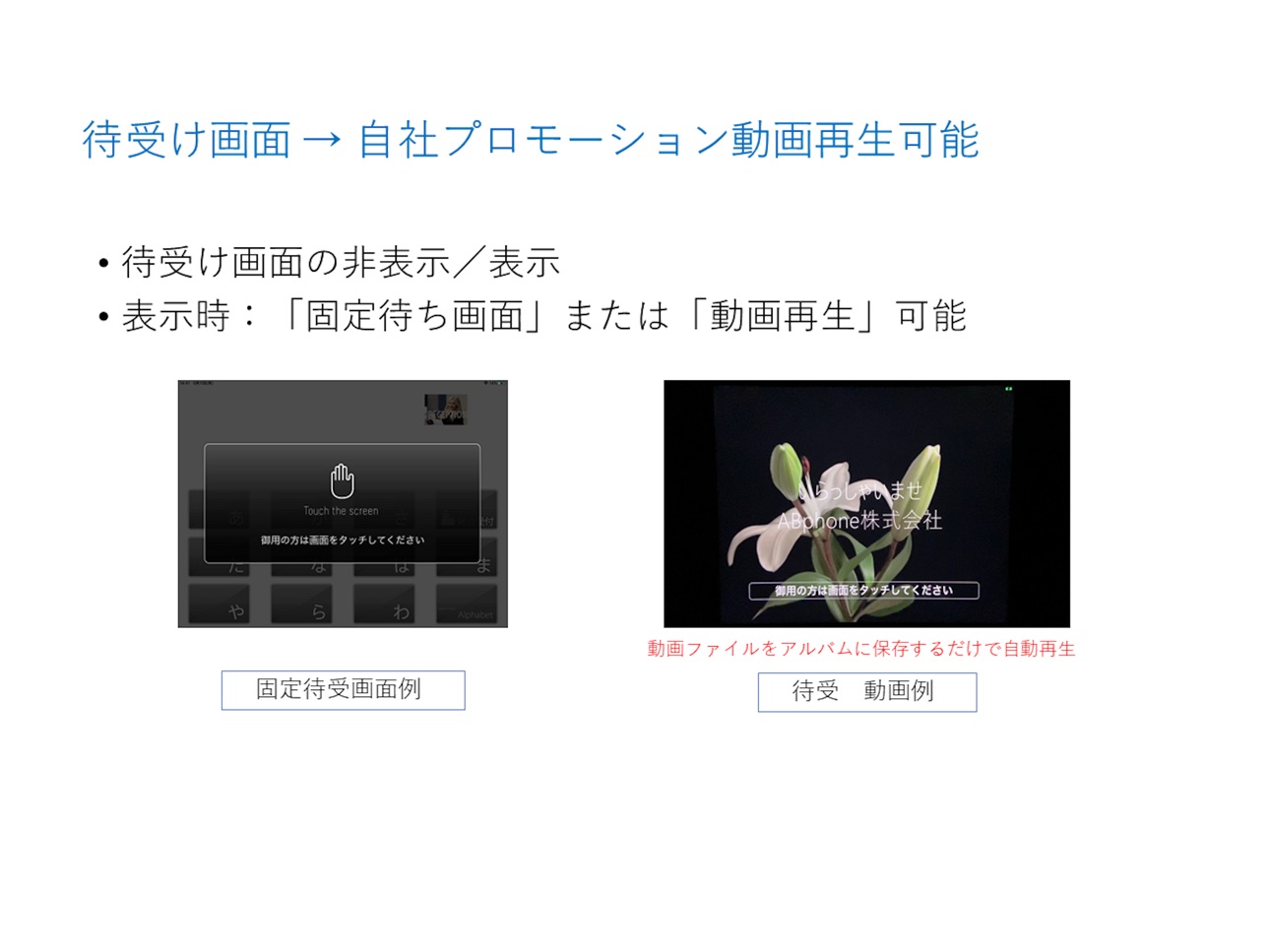
The standard "standby image" has been changed to a more understandable design.
Build 864633724v5.5.22024-03-27 02:12:47
Added functionality, button size doubled.
Build 864320777v5.5.12024-03-22 03:01:30
Add.Display Function
Build 862112266v5.5.02024-01-29 00:57:47
Added functionality to display only specific contacts.
Build 862011682v5.4.112023-12-06 23:00:31
Suportted iPadOS17.1
Build 861759444v5.4.102023-11-27 23:38:17
Some display issues have been corrected.
Build 859295557v5.4.92023-09-04 11:35:22
Added the ability to hide contact photos. You can choose to display (default) or hide photos.
Build 858302675v5.4.82023-08-12 18:33:08
Renaming of items in the settings screen and minor modifications
Build 857259085v5.4.72023-05-29 10:03:32
Added new interface.
Build 855028457v5.4.62023-02-21 13:51:03
Added a function to display furigana even if the number is at the beginning of the Japanese syllabary layout.
Build 854482079v5.4.52023-02-14 21:15:45
Changed the list display after switching between Japanese and English.
Added a function to notify the caller when receiving an incoming call.
No pricing data captured yet — comparisons appear once the app has paid storefronts or in-app purchases.
Availability 1 of 1 storefronts
| Region | Language | Price | Ratings | Avg | Version |
|---|---|---|---|---|---|
| US | en-US | Free | 0 | — | 6.2.1 |
Change log 29 changes · US
✎
releaseNotes updated
A new design has been added to the category layout on the touch panel screen.
✎
description updated
“OFFICE RECEPTION” is the app of iPad or iPhone for visitor reception which can improve a corporate image and reduce labor cost.
If you put a installed “OFFICE
✎
subtitle updated
Touch panel reception desk
✎
name updated
OFFICE RECEPTION
◆
Version 6.2.1 released
A new design has been added to the category layout on the touch panel screen.
◆
Version 6.2.0 released
Improving security related to SIP
◆
Version 6.1.2 released
Added design to simple layout.
◆
Version 6.1.1 released
Added new design to 3 button layout.
◆
Version 6.1.0 released
Changed cooperation with KITAYO app
◆
Version 6.0.2 released
Changed the photo management
◆
Version 6.0.1 released
Added error notification if there are abnormal values in the SIP account.
◆
Version 6.0.0 released
Version control of this application has been simplified.
◆
Version 5.9.0 released
Added display of update information so that the latest version of this application can be used.
◆
Version 5.8.1 released
Added the ability to switch between variable and fixed font sizes.
◆
Version 5.8.0 released
Added the ability to take photos and send emails.
◆
Version 5.7.2 released
Made minor corrections.
◆
Version 5.7.1 released
Added SIP account deletion function (clear button).
◆
Version 5.7.0 released
A simple layout with a logo display function added to the call button.
◆
Version 5.6.0 released
The standard "standby image" has been changed to a more understandable design.
◆
Version 5.5.2 released
Added functionality, button size doubled.
◆
Version 5.5.1 released
Add.Display Function
◆
Version 5.5.0 released
Added functionality to display only specific contacts.
◆
Version 5.4.11 released
Suportted iPadOS17.1
◆
Version 5.4.10 released
Some display issues have been corrected.
◆
Version 5.4.9 released
Added the ability to hide contact photos. You can choose to display (default) or hide photos.
◆
Version 5.4.8 released
Renaming of items in the settings screen and minor modifications
◆
Version 5.4.7 released
Added new interface.
◆
Version 5.4.6 released
Added a function to display furigana even if the number is at the beginning of the Japanese syllabary layout.
◆
Version 5.4.5 released
Changed the list display after switching between Japanese and English.
Added a function to notify the caller when receiving an incoming call.