Home › Travel

 US
US
1 of 1 storefronts
Content in en-US
Content in en-US
Information
Preview 1 platform
iPhone 6 images



What’s New Version 3.0.5
• Improved compatibility with the latest iOS versions
Description
With the official PRESTO app you can manage your card and tap your iPhone or Apple Watch to pay for transit.
Use the PRESTO app for iPhone:
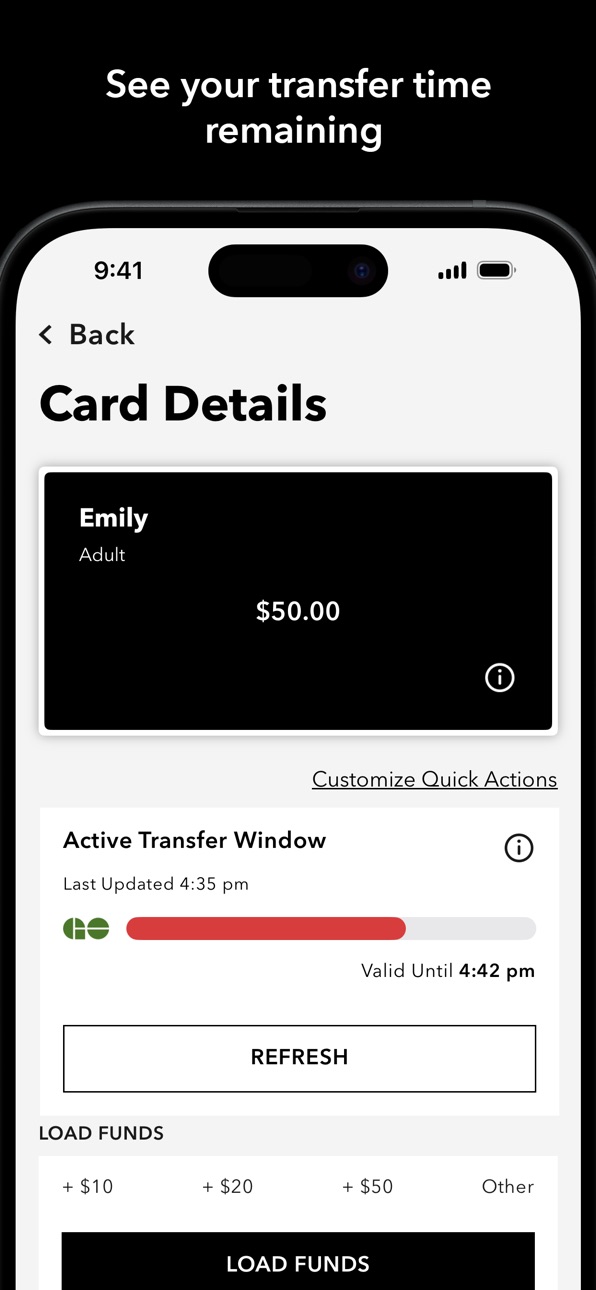
• Real-time loads, transactions and more
• Load funds instantly
• Load transit passes instantly
• Live transfer window tracking
• Move funds between PRESTO cards
• Lock or unlock your card if it's missing
• Buy and use e tickets for participating transit agencies
• Convert a physical PRESTO card to PRESTO in Apple Wallet and tap your iPhone or Apple Watch to pay for transit (not available on OC Transpo)
• Pay with Apple Pay, debit/credit cards, or saved payment method
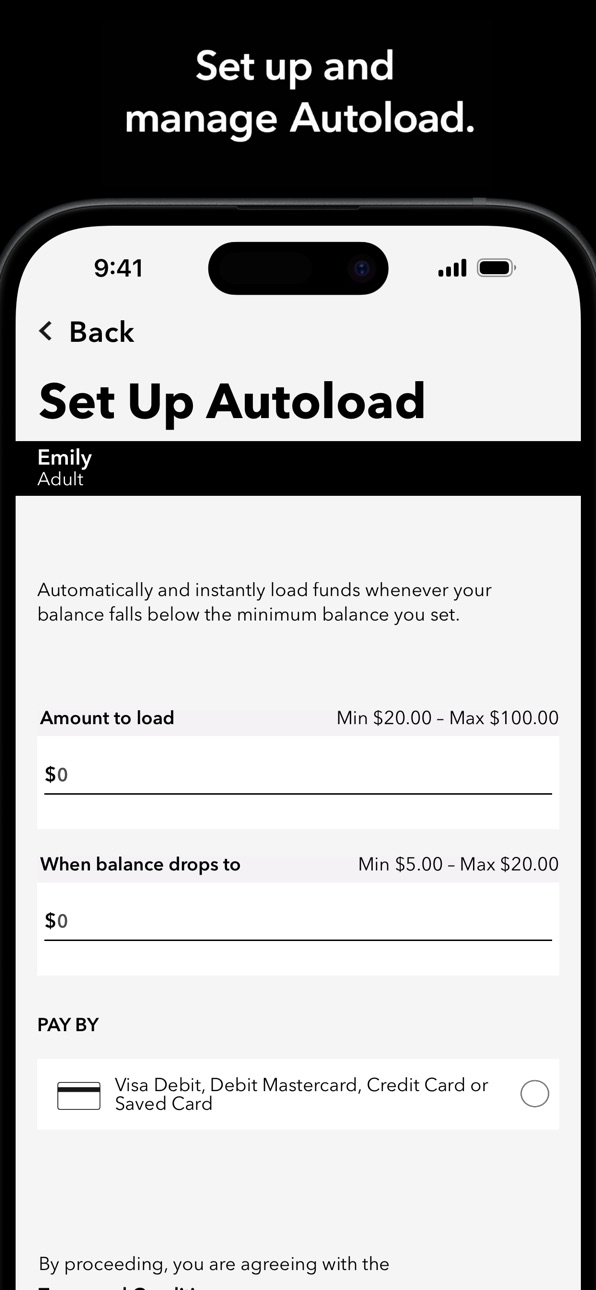
• Set up and manage Autoload and Autorenew
• Check your PRESTO card balances
• View transaction history
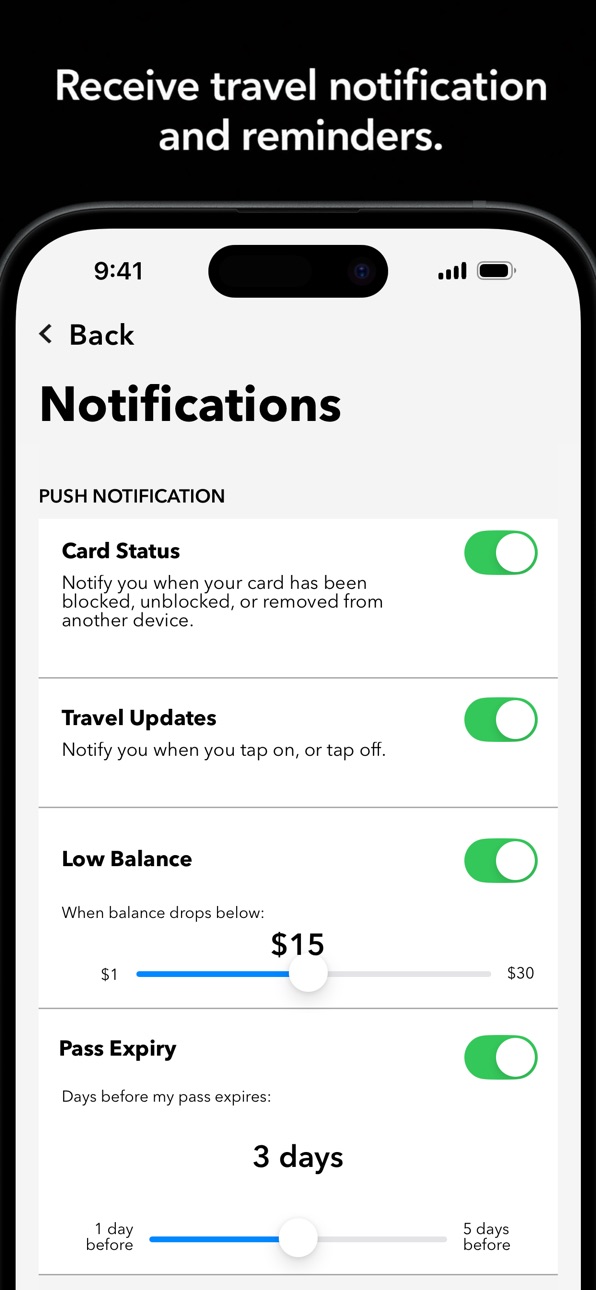
• Receive low balance/pass expiry reminders and email receipts for fare purchases
• Buy a PRESTO card and create a PRESTO account
• Set, modify or remove a default trip for GO Transit rail trips through the settings menu
PRESTO can be used on:
• Brampton Transit
• Burlington Transit
• Durham Region Transit (DRT)
• GO Transit
• Hamilton Street Railway (HSR)
• MiWay (Mississauga)
• Oakville Transit
• OC Transpo (Ottawa)
• TTC (Toronto)
• UP Express (Greater Toronto Area)
• York Region Transit/Viva (YRT/Viva)
For security reasons, the PRESTO app is not supported on jailbroken devices.
Capabilities
Wallet
Accessibility
ipadiphonemacrealityDevicetvoswatch
Version history 25 versions
Build 887899444v3.0.52026-07-07 12:44:07
• Improved compatibility with the latest iOS versions
Build 885994697v3.0.42026-05-23 15:07:33
• Bug fixes
• Accessibility enhancement
Build 885396086v3.0.32026-05-09 15:16:39
• Bug Fixes
Build 884826248v3.0.22026-04-25 18:58:20
• Security Update
• Bug Fixes
Build 884305436v3.0.02026-04-11 11:31:04
• Real-time loads, transactions and more
• Live transfer window tracking
• Move funds between PRESTO cards
• Lock or unlock your card if it's missing
• Buy and use e tickets for participating transit agencies
Build 881981401v2.1.122026-02-13 15:24:34
• Security Updates
Build 879268373v2.1.102025-10-28 17:59:28
• App stability improvement
Build 876115142v2.1.92025-07-05 13:43:27
• Resolved issues to reduce app crashes
• Stability improvements to keep the app running smoothly
Build 875967408v2.1.82025-07-02 13:10:14
• Resolved issues to reduce app crashes
• Stability improvements to keep the app running smoothly
Build 874364055v2.1.72025-05-01 13:47:33
• Updated instructions for mobile wallet setup
• Support for iOS 18
• Improved French language accessibility
• Fix for autorenew discrepancy issue
• Corrected French fare type and terms & conditions text
• Improved error handling for autoload setup, email ID, and terms & conditions
• Updated GO Default Trip information page
Build 873061693v2.1.62025-03-15 03:50:22
• Security update
Build 870133586v2.1.52024-11-04 14:28:33
• Fixed an issue where email notification text displayed in English instead of French when the device language was set to French.
• Resolved an issue where the app would get stuck on the loading screen.
• Fixed unresponsive email preferences pop-up
Build 869343246v2.1.42024-10-05 00:16:25
• Enhanced dashboard accessibility.
• Fixed unexpected logout issue.
• Improved visual for anonymous login.
Build 868073913v2.1.32024-08-10 06:34:38
• UI updates
• Bug fixes
Build 867726489v2.1.22024-07-27 10:08:39
• PRESTO in Apple Wallet UI updates
• French content updates
• Two-Step Verification defect fix for notifications
Build 867667249v2.1.12024-07-25 02:36:08
• Apple Pay fix for debit card
• Add anonymous PRESTO cards to Apple Wallet fix
Build 867358968v2.1.02024-07-16 10:34:47
• Convert a physical PRESTO card to PRESTO in Apple Wallet and tap your iPhone or Apple Watch to pay for transit (not available on OC Transpo)
• Buy a new PRESTO in Apple Wallet card (not available on OC Transpo)
• Get real-time updates with PRESTO in Apple Wallet using the PRESTO app
Build 867144473v2.0.442024-07-06 09:39:21
• Security Updates
• Updated menu selection
• Implementing Two-Step Verification
• Update to Contactless Transaction History for anonymous users
Build 865642962v2.0.432024-05-06 19:59:28
• Accessibility fixes
• UI fixes
• Code fixes
• Firebase updates
Build 864672912v2.0.422024-03-25 13:50:59
• Accessibility improvements
• French language fix
• Code improvements
• Update FAQ redirects
• Bug fixes
Build 863271575v2.0.412024-02-09 16:40:28
• Improvements to Biometric and Logout experience
• HMI fixes with accordions
• Nickname fix for space issue
• UI updates
Build 861075564v2.0.402023-10-30 18:02:26
• UI updates
Build 860361706v2.0.392023-10-03 14:26:40
• Error handling improvements• UI updates
• Firebase event added
• SDK update
• Sign in enhancement
Build 859599617v2.0.372023-09-15 18:11:06
• User Interface and error fixes
• Accessibility screen reader improvement
• NFC improvements during loading
• Security Updates
Build 858861267v2.0.362023-08-24 03:24:03
• Biometric login to the app
• Push notification for fare type expiration
• Updates to email preferences
• New landing page
• Accessibility enhancements
• New navigation
No pricing data captured yet — comparisons appear once the app has paid storefronts or in-app purchases.
Availability 1 of 1 storefronts
| Region | Language | Price | Ratings | Avg | Version |
|---|---|---|---|---|---|
| US | en-US | Free | 760 | 4.7 | 3.0.5 |
Change log 29 changes · US
✎
releaseNotes updated
• Improved compatibility with the latest iOS versions
✎
description updated
With the official PRESTO app you can manage your card and tap your iPhone or Apple Watch to pay for transit.
Use the PRESTO app for iPhone:
• Real-time loads,
✎
subtitle updated
Official app from Metrolinx
✎
name updated
PRESTO
◆
Version 3.0.5 released
• Improved compatibility with the latest iOS versions
◆
Version 3.0.4 released
• Bug fixes
• Accessibility enhancement
◆
Version 3.0.3 released
• Bug Fixes
◆
Version 3.0.2 released
• Security Update
• Bug Fixes
◆
Version 3.0.0 released
• Real-time loads, transactions and more
• Live transfer window tracking
• Move funds between PRESTO cards
• Lock or unlock your card if it's missing
• Buy and use e tickets for participating transit agencies
◆
Version 2.1.12 released
• Security Updates
◆
Version 2.1.10 released
• App stability improvement
◆
Version 2.1.9 released
• Resolved issues to reduce app crashes
• Stability improvements to keep the app running smoothly
◆
Version 2.1.8 released
• Resolved issues to reduce app crashes
• Stability improvements to keep the app running smoothly
◆
Version 2.1.7 released
• Updated instructions for mobile wallet setup
• Support for iOS 18
• Improved French language accessibility
• Fix for autorenew discrepancy issue
• Corrected French fare type and terms & conditions text
• Improved error handling for a
◆
Version 2.1.6 released
• Security update
◆
Version 2.1.5 released
• Fixed an issue where email notification text displayed in English instead of French when the device language was set to French.
• Resolved an issue where the app would get stuck on the loading screen.
• Fixed unresponsive email preferen
◆
Version 2.1.4 released
• Enhanced dashboard accessibility.
• Fixed unexpected logout issue.
• Improved visual for anonymous login.
◆
Version 2.1.3 released
• UI updates
• Bug fixes
◆
Version 2.1.2 released
• PRESTO in Apple Wallet UI updates
• French content updates
• Two-Step Verification defect fix for notifications
◆
Version 2.1.1 released
• Apple Pay fix for debit card
• Add anonymous PRESTO cards to Apple Wallet fix
◆
Version 2.1.0 released
• Convert a physical PRESTO card to PRESTO in Apple Wallet and tap your iPhone or Apple Watch to pay for transit (not available on OC Transpo)
• Buy a new PRESTO in Apple Wallet card (not available on OC Transpo)
• Get real-time updates w
◆
Version 2.0.44 released
• Security Updates
• Updated menu selection
• Implementing Two-Step Verification
• Update to Contactless Transaction History for anonymous users
◆
Version 2.0.43 released
• Accessibility fixes
• UI fixes
• Code fixes
• Firebase updates
◆
Version 2.0.42 released
• Accessibility improvements
• French language fix
• Code improvements
• Update FAQ redirects
• Bug fixes
◆
Version 2.0.41 released
• Improvements to Biometric and Logout experience
• HMI fixes with accordions
• Nickname fix for space issue
• UI updates
◆
Version 2.0.40 released
• UI updates
◆
Version 2.0.39 released
• Error handling improvements• UI updates
• Firebase event added
• SDK update
• Sign in enhancement
◆
Version 2.0.37 released
• User Interface and error fixes
• Accessibility screen reader improvement
• NFC improvements during loading
• Security Updates
◆
Version 2.0.36 released
• Biometric login to the app
• Push notification for fare type expiration
• Updates to email preferences
• New landing page
• Accessibility enhancements
• New navigation