Home › Business

 US
US
1 of 1 storefronts
Content in en-US
Content in en-US
Information
Preview 2 platforms
iPhone 8 images




iPad 8 images



What’s New Version 2.16.0
- Add new image filters with less saturation
- Update text recognition to be faster
- UI, Internal changes, and Bug fixes in favor of a better user experience.
Description
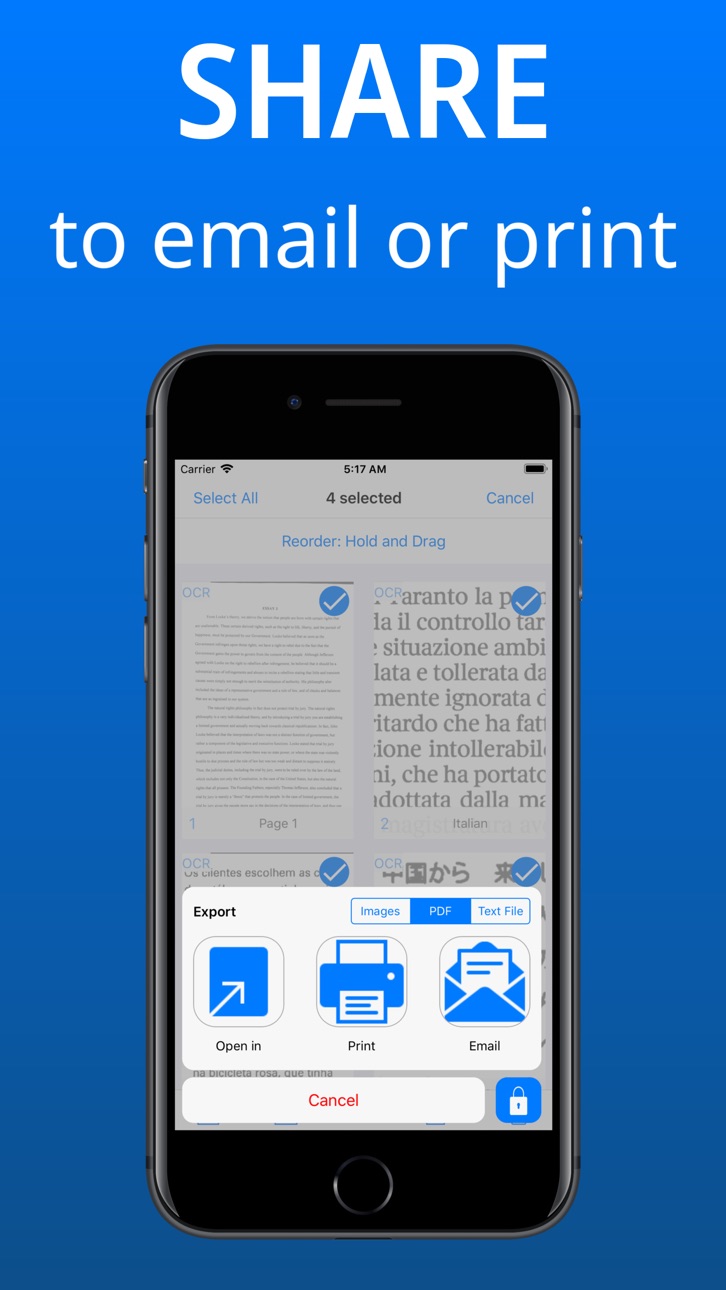
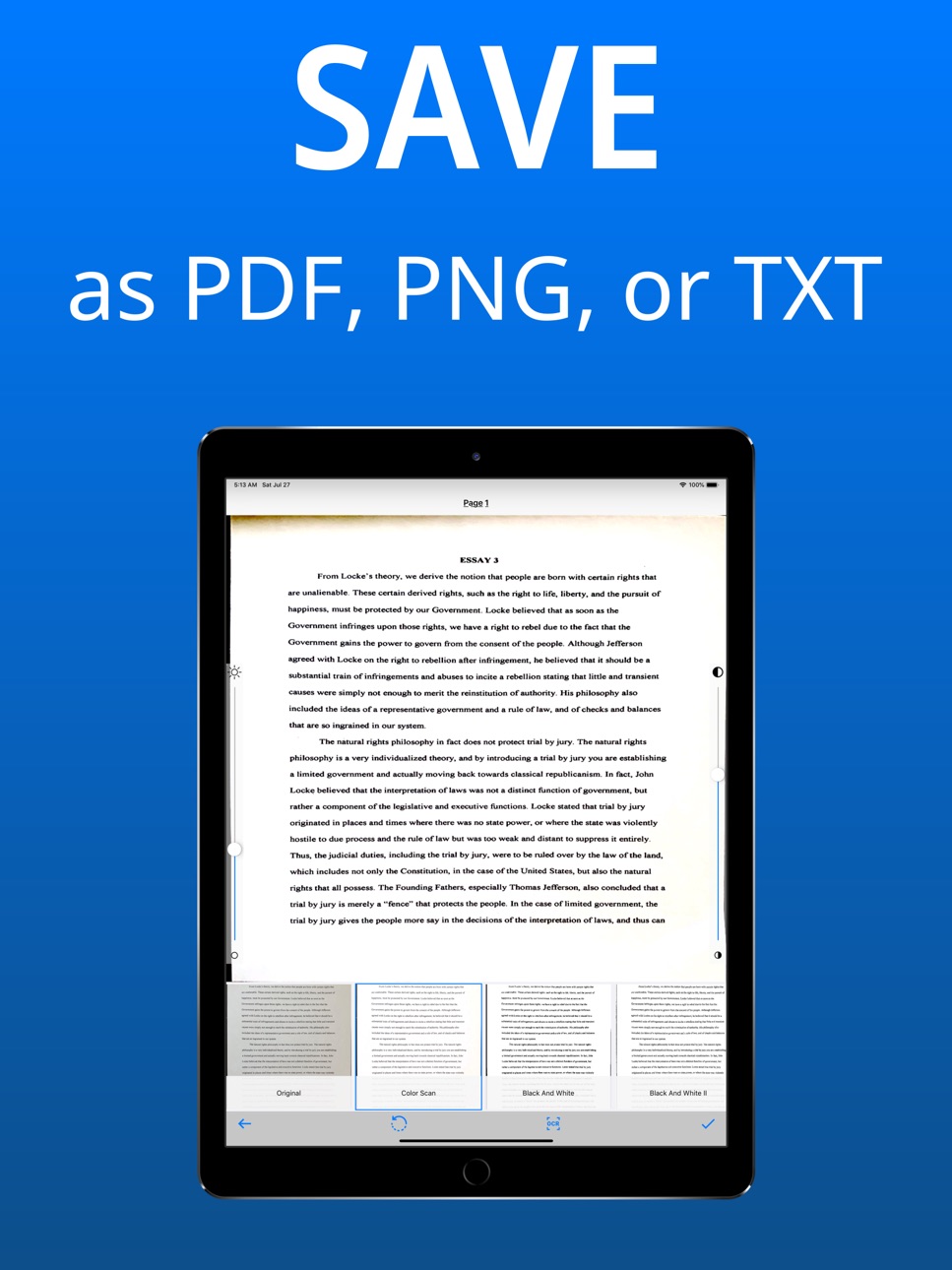
Basic Scan is a simple way to capture and share your documents, letters, notes, business cards, receipts, sketches, homework, and more. Easily convert pictures to scanner quality images or PDFs, and extract text using OCR (optical character recognition) to search the document. Export the results as .png, .pdf, or .txt - try it out now!
Use Basic Scan for:
* Edge detection of document corners and edit the corners to get the perfect image crop.
* Image filters to remove shadows and generate a readable result.
* OCR Text Recognition to extract text from image. Now including support for 20 languages!
* Sign pages with your signature in red, blue or black.
* Share selected documents or pages as images, PDFs, or OCR text.
* Add images by gallery or camera in batch mode or one-by-one
* Organize, reorder, copy, move or delete selected pages and documents.
* Search for keywords in the OCR results of all the documents and pages.
Choose from 3 subscription options:
- a 1-month subscription with a 3-day free trial period
- a 3-month subscription
- an annual subscription with a 7-day free trial period.
Your free trial subscription will automatically renew to a paid subscription unless auto-renew is turned off at least 24 hours before the end of the free trial period. You can cancel your subscription in the App Store account settings at least 24 hours before the end of the free trial period. Subscription payments will be charged to your App Store account at confirmation of your purchase and upon commencement of each renewal term.
Please note: any unused portion of a free trial period (if offered) will be forfeited when you purchase a premium subscription during the free trial period.
You can cancel a free trial or subscription anytime by turning off auto-renewal through your iTunes account settings. This must be done 24 hours before the end of a free trial or subscription period to avoid being charged. The cancellation will take effect the day after the last day of the current subscription period, and you will be downgraded to the free service.
Privacy Policy: https://sites.google.com/view/basic-scan-privacy-policy
Terms of Use: https://sites.google.com/view/basic-scan-terms-conditions
Got feedback? Please visit https://goo.gl/forms/8zLLRSSGQeB9hNXj1
In-App Purchases US pricing
اشتراك Premium سنوي Subscription
Yearly 7-day free trial$39.99
اشتراك ربع سنوي Subscription
3 months$11.99
اشتراك Premium شهري Subscription
Monthly 3-day free trial$4.99
Premium Subscriptions Subscription
Basic Scan Premium · Yearly 3-day free trial$59.99
Basic Scan Premium · 3 months$19.99
Basic Scan Premium · Monthly 3-day free trial$9.99
Capabilities
In-App Purchases
Accessibility
ipadiphonemacrealityDevicetvoswatch
Version history 25 versions
Build 844299125v2.16.02021-09-26 00:58:40
- Add new image filters with less saturation
- Update text recognition to be faster
- UI, Internal changes, and Bug fixes in favor of a better user experience.
Build 840474978v2.15.02021-02-13 16:39:37
- Fixed bug on iPad camera rotation.
- Update text recognition and syncing features.
- UI, Internal changes, and Bug fixes in favor of a better user experience.
Build 839255090v2.14.02020-11-18 17:57:00
- iOS 13 Update!
- UI, Internal changes, and Bug fixes in favor of a better user experience.
Build 836862251v2.13.02020-07-16 11:34:25
- iOS 13 Update!
- Fixed startup crash.
- UI, Internal changes, and Bug fixes in favor of a better user experience.
Build 835968916v2.12.02020-05-15 16:31:34
- Now support for iPad Split View and Slide Over! Multitask with other apps while viewing your documents!
- UI, Internal changes, and Bug fixes in favor of a better user experience.
Build 835561058v2.11.02020-04-20 13:26:58
- Arabic Language Support! Now localized to support Right to Left format.
- Fix filtering bug, adjust UI on camera batch documents.
- UI, Internal changes, and Bug fixes in favor of a better user experience.
Build 835420026v2.10.12020-04-06 20:17:50
- Supporting Landscape Mode! Now you can rotate your iPad or iPhone to get a better view of your wider documents!
- UI, Internal changes, and Bug fixes in favor of a better user experience.
Build 835407449v2.10.02020-04-04 15:18:43
- Supporting Landscape Mode! Now you can rotate your iPad or iPhone to get a better view of your wider documents!
- UI, Internal changes, and Bug fixes in favor of a better user experience.
Build 835124421v2.9.02020-03-17 13:02:12
- UI, Internal changes, and Bug fixes in favor of a better user experience.
- Cropping has brightness and contrast sliders that blend with background, instead of cover image.
Build 834902603v2.8.02020-02-28 15:11:52
- Drag and Drop to reorganize Documents.
- UI and UX adjustments and fixes.
- Premium: Signing with rotation and better cropping.
- Bug fixes and cleanup.
Build 834791356v2.7.02020-02-20 23:14:11
- UI/UX updates to change Documents List to a Grid, larger title, and hovering search bar.
- Date added to Documents and Pages titles when created.
- Internal updates to improve user experience.
Build 834425290v2.6.12020-01-20 19:40:17
- Small Bug Fix
Build 834413558v2.6.02020-01-19 01:28:17
- Faster image crop detection and cropping - process takes up less memory and is nearly instant, reduction in app file size!
- Bug fixes and updates to internal code for better user experience.
- Add app version number at bottom of Settings page.
Build 834074765v2.5.02019-12-19 20:02:23
- New Feature: Live Automatic Page Corners Detection in Camera! Can now adjust camera to see the detection on the document in realtime!
- UI changes to Camera and related functionalities
- Bug fixes
- Update old app icon and OCR icon to newer ones
Build 833770725v2.4.12019-11-27 00:14:44
- Minor bug fix
Build 833709602v2.4.02019-11-23 20:05:11
- Updated text recognition to be much faster and more accurate for English, Spanish, French, German, Italian, and other languages
- New full screen UI for text recognition (OCR)
- Internal fixes to improve user experience
- Bug fixes for iOS 13
Build 833131019v2.3.02019-10-11 23:19:12
- iOS 13 update: Dark Mode, Color Palette alteration to support.
- Faster PDF generation with smaller file sizes.
- Import image or PDF from other apps using "Copy to Basic Scan" option in share menu.
- Minimum support version updated to iOS 11.
- Internal improvements to improve experience.
- Bug fixes: missing search menu, status bar crash
Build 832688708v2.2.02019-09-09 15:54:55
- Premium feature: New faster and more accurate text recognition (OCR) model. Added 20+ more languages!
- Internal improvements to improve experience
- UI fixes: Camera capture button placement
- Bug fixes: iPad sharing, default database settings, etc.
Build 832458272v2.1.02019-08-21 19:30:38
- Premium feature: Add realistic and smooth signatures drawn by hand in signing menu
- Internal improvements to improve experience
- Bug fixes: Accessibility labels, url from pdf generation, etc.
Build 832174133v2.0.02019-07-30 12:32:40
- Added email and print options, with PDF password protection!
- New App icon and UI changes
- Fixed a bunch of bugs: out of range error, saving to gallery, signatures not migrating, etc.
Build 831926329v1.9.02019-07-09 00:43:07
- Cloud Document Syncing, now you can access your documents across iOS devices that are logged into the same account.
- Better compression of pages to upload and download in iCloud.
- Better Data Protection - User Data is automatically encrypted when device is locked and accessible to only the user on iCloud.
- Bug fixes and internal changes to improve scalability.
Build 831475259v1.8.02019-05-29 13:52:12
- Brightness/Contrast controls to adjust color and improve OCR results!
- Internal changes to improve scalability of app
- UI change: add OCR icon in pages label to see if page has OCR saved
- Bug fixes: rotate crash bug fix, signature color button matches now
Build 831289103v1.7.02019-05-14 13:47:59
- Internal changes to improve scalability of app
- UI change: black background when page view is single tapped
- Premium feature: Signatures (add a signature with color to a page)
- Bug fixes: fix display order when done taking pictures, empty text crash on OCR
Build 830811185v1.6.12019-03-31 19:47:41
Minor update:
- Added Terms of Use link
Build 830774309v1.6.02019-03-28 20:12:25
- New black and white filter, previous one moved to black and white 2.
- Camera UI adjusted to allow capture of full camera view.
- Smoother animations in general and update to selection indicators.
- Grayscale image before OCR to improve recognition.
- Bug fixes: zooming on page view, editing bar hiding
Price history by region
Currency
Show
Columns
Search
Availability 1 of 1 storefronts
| Region | Language | Price | Ratings | Avg | Version |
|---|---|---|---|---|---|
| US | en-US | Free | 294 | 4.6 | 2.16.0 |
Change log 29 changes · US
✎
releaseNotes updated
- Add new image filters with less saturation
- Update text recognition to be faster
- UI, Internal changes, and Bug fixes in favor of a better user experience.
✎
description updated
Basic Scan is a simple way to capture and share your documents, letters, notes, business cards, receipts, sketches, homework, and more. Easily convert pictures
✎
subtitle updated
Text Scanner, Sign & Scan PDF
✎
name updated
Basic Scan - PDF Scanner, OCR
◆
Version 2.16.0 released
- Add new image filters with less saturation
- Update text recognition to be faster
- UI, Internal changes, and Bug fixes in favor of a better user experience.
◆
Version 2.15.0 released
- Fixed bug on iPad camera rotation.
- Update text recognition and syncing features.
- UI, Internal changes, and Bug fixes in favor of a better user experience.
◆
Version 2.14.0 released
- iOS 13 Update!
- UI, Internal changes, and Bug fixes in favor of a better user experience.
◆
Version 2.13.0 released
- iOS 13 Update!
- Fixed startup crash.
- UI, Internal changes, and Bug fixes in favor of a better user experience.
◆
Version 2.12.0 released
- Now support for iPad Split View and Slide Over! Multitask with other apps while viewing your documents!
- UI, Internal changes, and Bug fixes in favor of a better user experience.
◆
Version 2.11.0 released
- Arabic Language Support! Now localized to support Right to Left format.
- Fix filtering bug, adjust UI on camera batch documents.
- UI, Internal changes, and Bug fixes in favor of a better user experience.
◆
Version 2.10.1 released
- Supporting Landscape Mode! Now you can rotate your iPad or iPhone to get a better view of your wider documents!
- UI, Internal changes, and Bug fixes in favor of a better user experience.
◆
Version 2.10.0 released
- Supporting Landscape Mode! Now you can rotate your iPad or iPhone to get a better view of your wider documents!
- UI, Internal changes, and Bug fixes in favor of a better user experience.
◆
Version 2.9.0 released
- UI, Internal changes, and Bug fixes in favor of a better user experience.
- Cropping has brightness and contrast sliders that blend with background, instead of cover image.
◆
Version 2.8.0 released
- Drag and Drop to reorganize Documents.
- UI and UX adjustments and fixes.
- Premium: Signing with rotation and better cropping.
- Bug fixes and cleanup.
◆
Version 2.7.0 released
- UI/UX updates to change Documents List to a Grid, larger title, and hovering search bar.
- Date added to Documents and Pages titles when created.
- Internal updates to improve user experience.
◆
Version 2.6.1 released
- Small Bug Fix
◆
Version 2.6.0 released
- Faster image crop detection and cropping - process takes up less memory and is nearly instant, reduction in app file size!
- Bug fixes and updates to internal code for better user experience.
- Add app version number at bottom of Settings
◆
Version 2.5.0 released
- New Feature: Live Automatic Page Corners Detection in Camera! Can now adjust camera to see the detection on the document in realtime!
- UI changes to Camera and related functionalities
- Bug fixes
- Update old app icon and OCR icon to new
◆
Version 2.4.1 released
- Minor bug fix
◆
Version 2.4.0 released
- Updated text recognition to be much faster and more accurate for English, Spanish, French, German, Italian, and other languages
- New full screen UI for text recognition (OCR)
- Internal fixes to improve user experience
- Bug fixes for iO
◆
Version 2.3.0 released
- iOS 13 update: Dark Mode, Color Palette alteration to support.
- Faster PDF generation with smaller file sizes.
- Import image or PDF from other apps using "Copy to Basic Scan" option in share menu.
- Minimum support version updated to iO
◆
Version 2.2.0 released
- Premium feature: New faster and more accurate text recognition (OCR) model. Added 20+ more languages!
- Internal improvements to improve experience
- UI fixes: Camera capture button placement
- Bug fixes: iPad sharing, default database se
◆
Version 2.1.0 released
- Premium feature: Add realistic and smooth signatures drawn by hand in signing menu
- Internal improvements to improve experience
- Bug fixes: Accessibility labels, url from pdf generation, etc.
◆
Version 2.0.0 released
- Added email and print options, with PDF password protection!
- New App icon and UI changes
- Fixed a bunch of bugs: out of range error, saving to gallery, signatures not migrating, etc.
◆
Version 1.9.0 released
- Cloud Document Syncing, now you can access your documents across iOS devices that are logged into the same account.
- Better compression of pages to upload and download in iCloud.
- Better Data Protection - User Data is automatically encr
◆
Version 1.8.0 released
- Brightness/Contrast controls to adjust color and improve OCR results!
- Internal changes to improve scalability of app
- UI change: add OCR icon in pages label to see if page has OCR saved
- Bug fixes: rotate crash bug fix, signature colo
◆
Version 1.7.0 released
- Internal changes to improve scalability of app
- UI change: black background when page view is single tapped
- Premium feature: Signatures (add a signature with color to a page)
- Bug fixes: fix display order when done taking pictures, em
◆
Version 1.6.1 released
Minor update:
- Added Terms of Use link
◆
Version 1.6.0 released
- New black and white filter, previous one moved to black and white 2.
- Camera UI adjusted to allow capture of full camera view.
- Smoother animations in general and update to selection indicators.
- Grayscale image before OCR to improve r