Home › Business

 US
US
1 of 1 storefronts
Content in en-US
Content in en-US
Information
Preview 2 platforms
iPhone 8 images


iPad 7 images




What’s New Version 4.9
Added snmp privacy password new screen in settings
Bug fixes: router infinite spinning icon issue, crash of the app in the Connectivity and Device Notifications, app stalls on WAP
Description
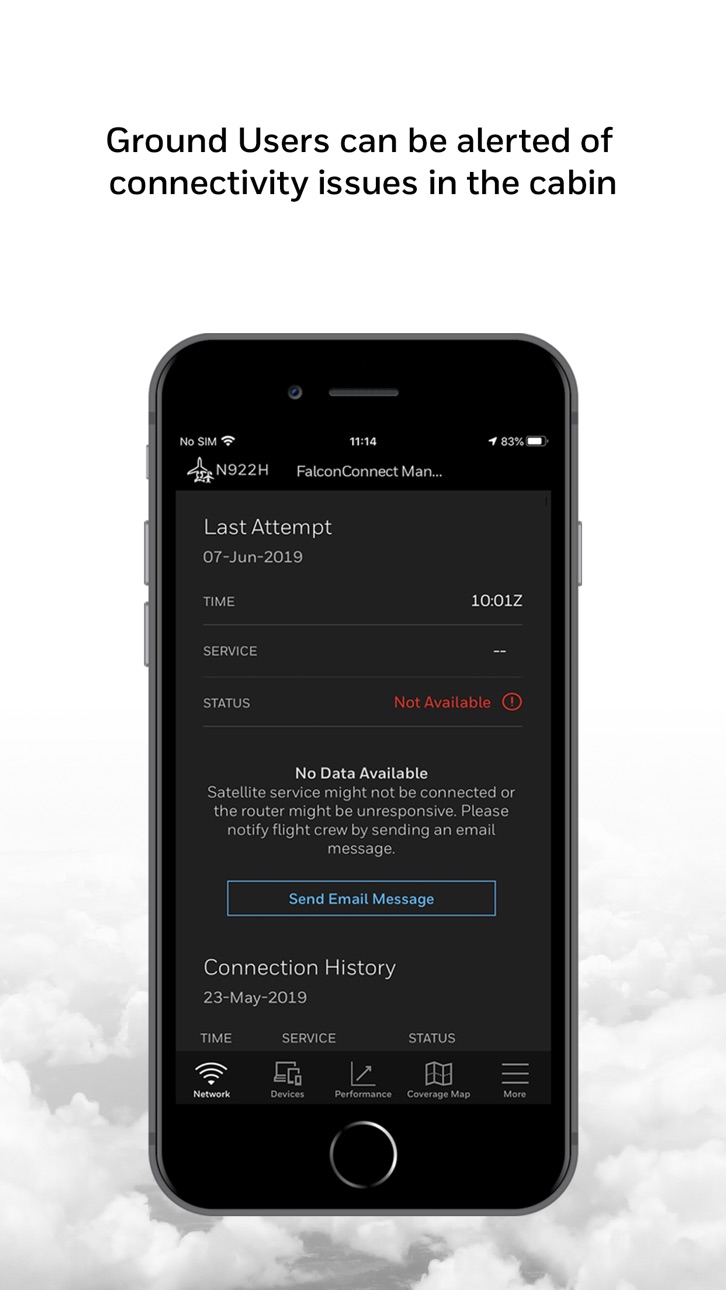
The FalconConnect Manager application allows flight crew and/or passengers on business aviation aircraft to diagnose and troubleshoot in-flight Wi-Fi connectivity.
Once connected to the onboard Wi-Fi network, the application can perform status queries of the various satellite communication hardware. Icons and text messages will indicate the status of each component and whether the end-to-end internet connection is complete. Any issues with the connection will be identified through a visual cue, and potential solutions will be offered.
Status query results can be viewed or emailed to FalconConnect support or your maintenance engineer directly through the application.
Key Features:
• Visual cues of your network status
• Potential solutions to correct connectivity issues
• Displays devices connected to your Wi-Fi network
• Notifications for: internet service changes,number of devices connected and over-temperature warning
Note: Continued use of GPS running in the background can dramatically decrease battery life.
Accessibility
ipadiphonemacrealityDevicetvoswatch
Version history 21 versions
Build 883857474v4.92026-03-30 20:49:57
Added snmp privacy password new screen in settings
Bug fixes: router infinite spinning icon issue, crash of the app in the Connectivity and Device Notifications, app stalls on WAP
Build 879182060v4.82025-12-09 15:46:50
1. Maintenance Persona Removed: The Maintenance persona has been removed.
2. Crew Persona Updates: Tabs for Speed Test, Performance, and Coverage Maps have been removed from the Crew persona.
3. Bug Fixes.
Build 870737485v4.7.22024-12-05 04:46:47
Bug fixes only
Build 869101187v4.7.12024-09-20 05:12:41
Bug fixes only
Build 867853766v4.72024-08-02 04:41:04
Bug fixes.
Build 861919438v4.62023-12-14 16:15:31
Bug fixes
Build 859058231v4.5.12023-08-10 05:51:05
No Changes
Build 856718169v4.52023-04-28 05:04:13
Bug fixes
Build 854935892v4.42023-02-14 08:52:09
Bug fixes and Performance improvements.
Build 849503179v4.32022-06-23 05:39:31
Bug fixes and Performance improvements.
Build 844971198v4.22021-10-28 23:20:18
Bug fixes only
Build 842324661v4.1.12021-06-07 17:11:36
1) Filter out IP addresses from ICS
2) Custom IP address for WAP configuration
3) Bug Fixes
Build 835623906v4.02020-05-14 16:22:07
1. Detection of WAP-4000 and WAP-A100
2. Repositioning of Coverage Map & Speed Test
3. Support for Viasat Ku
4. Support for per device billing
5. Password Authentication of Manage Devices
6. Enhanced Network Visibility
7. Display only active devices on network
9. Support for Jetwave BL v7.2
10. Bug Fixes and enhancements
Build 834088229v3.2.12019-12-24 02:11:02
Bug Fix
Build 833771474v3.22019-12-11 20:11:18
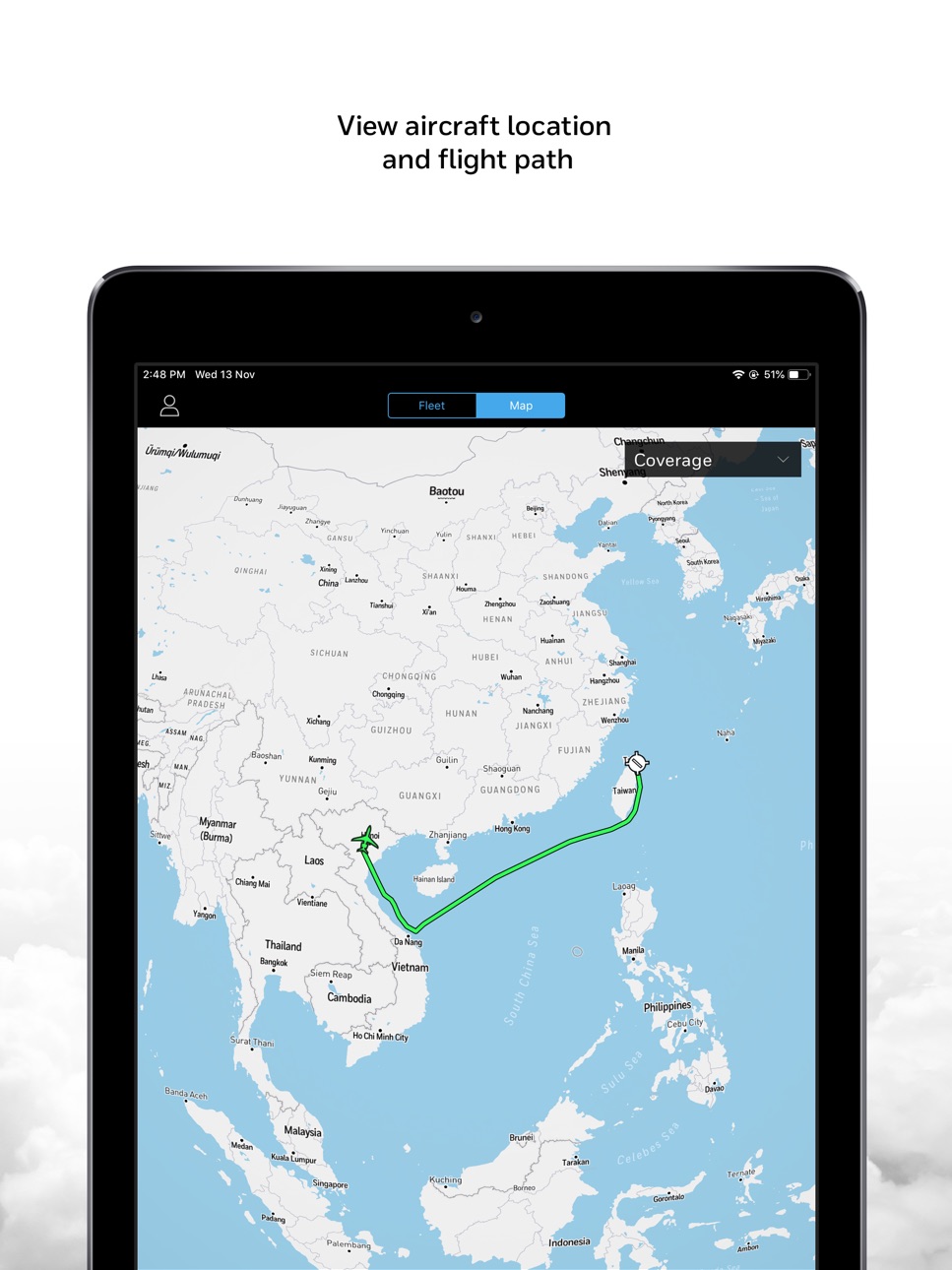
1. Display of Flight Path (ADS-B data) in Map View
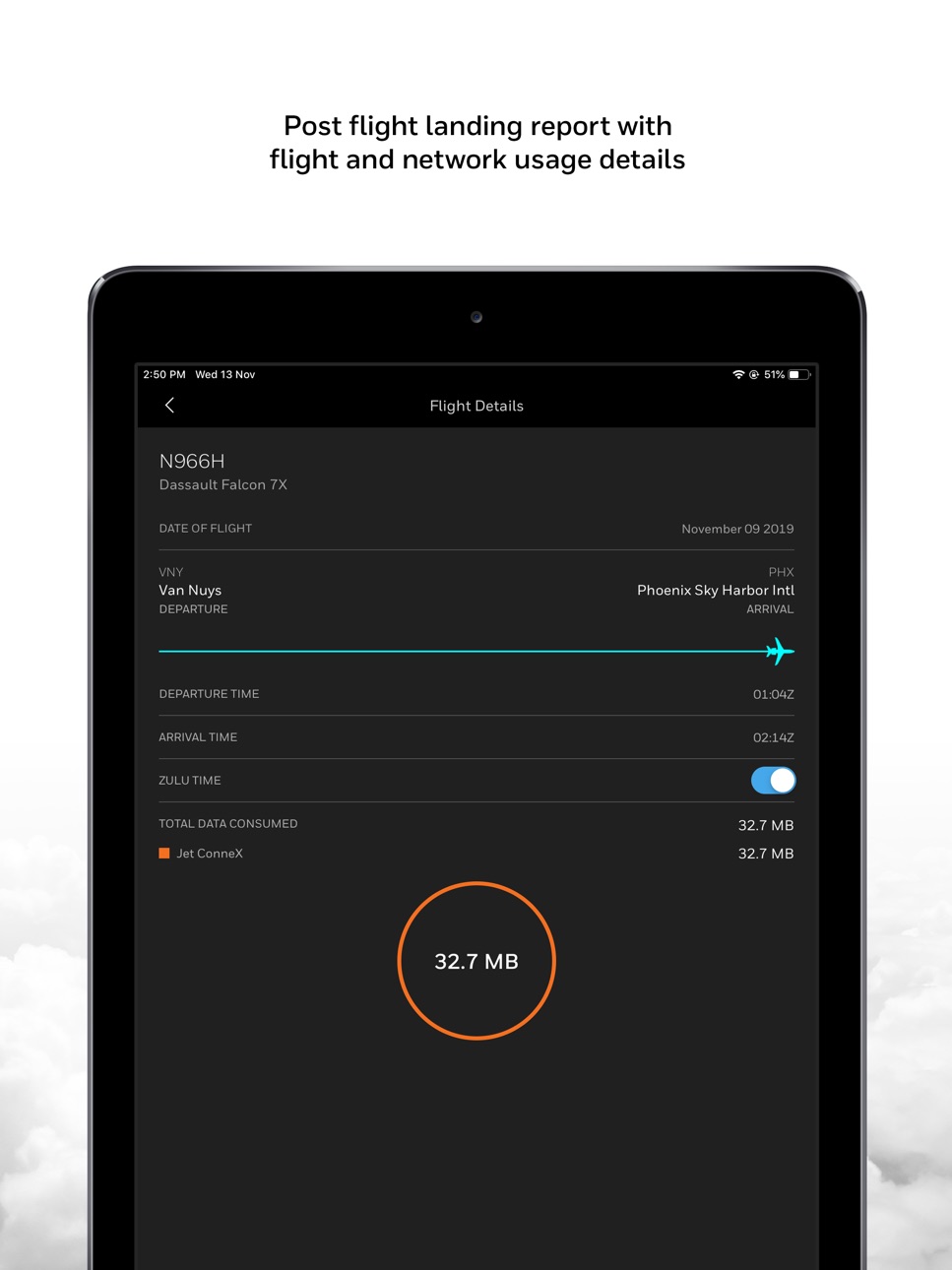
2. Landing Report for Flight
3. Data Usage Analytics Enhancement
4. Support for FCA (per tail) On/Off
5. FalconStreaming
6. Support for iOS 13
7. Bug Fixes and Improvements
Build 833167642v3.12019-10-17 19:22:46
1. Support for GDR with GDR SW R8.1
2. Display of Coverage Overlay Beam Numbers
3. Display of Data Usage Analytics
4. Support for Airflow
5. Bug Fixes and Improvements
Build 832008051v3.02019-07-16 15:15:29
1. Support for Axxess II wifi
2. DOM Persona Workflows
3. Router Authentication Updates
4. Bug Fixes and Improvements
Build 831147390v2.92019-05-02 21:59:37
1. Support for GDR SW v7.0 installed on CNX-900
2. Router Password Authentication
3. Hangar Wi-Fi Management
4. User Guide
5. Bug Fixes and Improvements
Build 830509149v2.82019-03-12 15:09:49
• New Visual cues of your network status
• Potential solutions to correct connectivity issues
• Displays devices connected to your Wi-Fi network
• Performance improvement for Ground Network Status Check
• Network Status Check when connected to Hangar Wi-Fi (WLAN) service
• Update the max number of device for the Hangar Wi-Fi to 20
• Bug Fixes and Improvements
Build 829329237v2.72018-11-22 11:38:28
1. Performance improvement for Ground Network Status Check
2. Network Status Check when connected to Hangar Wi-Fi (WLAN) service
3. Update the max number of device for the Hangar Wi-Fi to 20
4. Display all devices across SSID
5. Bug Fixes
Build 828702390v2.62018-09-28 18:06:32
No pricing data captured yet — comparisons appear once the app has paid storefronts or in-app purchases.
Availability 1 of 1 storefronts
| Region | Language | Price | Ratings | Avg | Version |
|---|---|---|---|---|---|
| US | en-US | Free | 1 | 5.0 | 4.9 |
Change log 24 changes · US
✎
releaseNotes updated
Added snmp privacy password new screen in settings
Bug fixes: router infinite spinning icon issue, crash of the app in the Connectivity and Device Notifications
✎
description updated
The FalconConnect Manager application allows flight crew and/or passengers on business aviation aircraft to diagnose and troubleshoot in-flight Wi-Fi connectivi
✎
name updated
FalconConnect Manager
◆
Version 4.9 released
Added snmp privacy password new screen in settings
Bug fixes: router infinite spinning icon issue, crash of the app in the Connectivity and Device Notifications, app stalls on WAP
◆
Version 4.8 released
1. Maintenance Persona Removed: The Maintenance persona has been removed.
2. Crew Persona Updates: Tabs for Speed Test, Performance, and Coverage Maps have been removed from the Crew persona.
3. Bug Fixes.
◆
Version 4.7.2 released
Bug fixes only
◆
Version 4.7.1 released
Bug fixes only
◆
Version 4.7 released
Bug fixes.
◆
Version 4.6 released
Bug fixes
◆
Version 4.5.1 released
No Changes
◆
Version 4.5 released
Bug fixes
◆
Version 4.4 released
Bug fixes and Performance improvements.
◆
Version 4.3 released
Bug fixes and Performance improvements.
◆
Version 4.2 released
Bug fixes only
◆
Version 4.1.1 released
1) Filter out IP addresses from ICS
2) Custom IP address for WAP configuration
3) Bug Fixes
◆
Version 4.0 released
1. Detection of WAP-4000 and WAP-A100
2. Repositioning of Coverage Map & Speed Test
3. Support for Viasat Ku
4. Support for per device billing
5. Password Authentication of Manage Devices
6. Enhanced Network Visibility
7. Display only ac
◆
Version 3.2.1 released
Bug Fix
◆
Version 3.2 released
1. Display of Flight Path (ADS-B data) in Map View
2. Landing Report for Flight
3. Data Usage Analytics Enhancement
4. Support for FCA (per tail) On/Off
5. FalconStreaming
6. Support for iOS 13
7. Bug Fixes and Improvements
◆
Version 3.1 released
1. Support for GDR with GDR SW R8.1
2. Display of Coverage Overlay Beam Numbers
3. Display of Data Usage Analytics
4. Support for Airflow
5. Bug Fixes and Improvements
◆
Version 3.0 released
1. Support for Axxess II wifi
2. DOM Persona Workflows
3. Router Authentication Updates
4. Bug Fixes and Improvements
◆
Version 2.9 released
1. Support for GDR SW v7.0 installed on CNX-900
2. Router Password Authentication
3. Hangar Wi-Fi Management
4. User Guide
5. Bug Fixes and Improvements
◆
Version 2.8 released
• New Visual cues of your network status
• Potential solutions to correct connectivity issues
• Displays devices connected to your Wi-Fi network
• Performance improvement for Ground Network Status Check
• Network Status Check when connected
◆
Version 2.7 released
1. Performance improvement for Ground Network Status Check
2. Network Status Check when connected to Hangar Wi-Fi (WLAN) service
3. Update the max number of device for the Hangar Wi-Fi to 20
4. Display all devices across SSID
5. Bug Fixes
◆
Version 2.6 released