Home › News

 US
US
 DEde-DEUSen-US
 INen-GB
 NOen-GB
 DKen-GB
 GBen-GB
 JPja
JPja CAen-CA
 FIen-GB
 FRfr-FR
 OMen-GB
 SKen-GB
 VNen-GB
 AEen-GB
 AFen-GB
 AMen-GB
 AUen-AU
 AZen-GB
 BGen-GB
 BHen-GB
 BMen-GB
 BNen-GB
 BTen-GB
 BYen-GB
 CNzh-Hans-CN
 CYen-GB
 CZen-GB
 EEen-GB
 EGen-GB
 FJen-GB
 FMen-GB
 GEen-GB
 GRen-GB
 HKzh-Hant-HK
 HRen-GB
 HUen-GB
 IDen-GB
 IEen-GB
 ILen-GB
 IQen-GB
 ISen-GB
 JOen-GB
 KGen-GB
 KHen-GB
 KRko
KRko KWen-GB
 KZen-GB
 LAen-GB
 LBen-GB
 LKen-GB
 LTen-GB
 LUen-GB
 LVen-GB
 MEen-GB
 MMen-GB
 MNen-GB
 MOzh-Hant-HK
 MRen-GB
 MTen-GB
 MVen-GB
 MYen-GB
 NPen-GB
 NRen-GB
 NZen-AU
 PGen-GB
 PKen-GB
 PLen-GB
 PWen-GB
 QAen-GB
 ROen-GB
 RSen-GB
 RUru
RUru SAen-GB
 SBen-GB
 SGen-GB
 SIen-GB
 THen-GB
 TJen-GB
 TMen-GB
 TOen-GB
 TRen-GB
 TWzh-Hant-TW
 UAen-GB
 UZen-GB
 VUen-GB
 XKen-GB
 YEen-GB
 ZAen-GB
88 of 88 storefronts
Content in en-US
Content in en-US
Information
Preview 3 platforms

iPhone 10 images
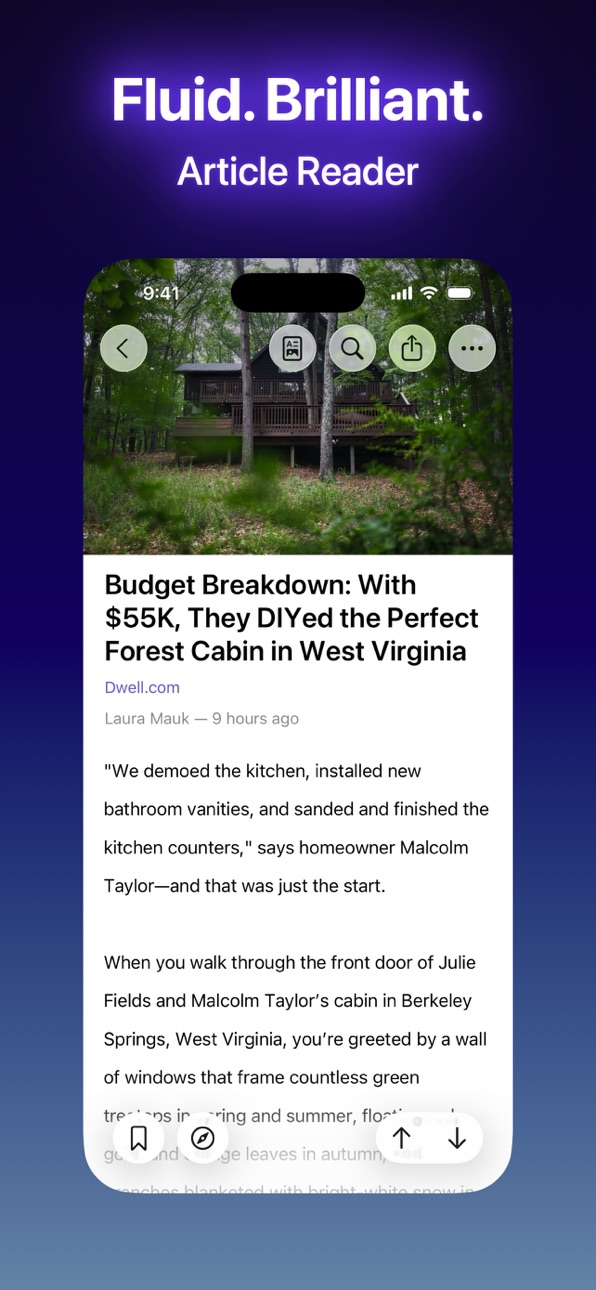


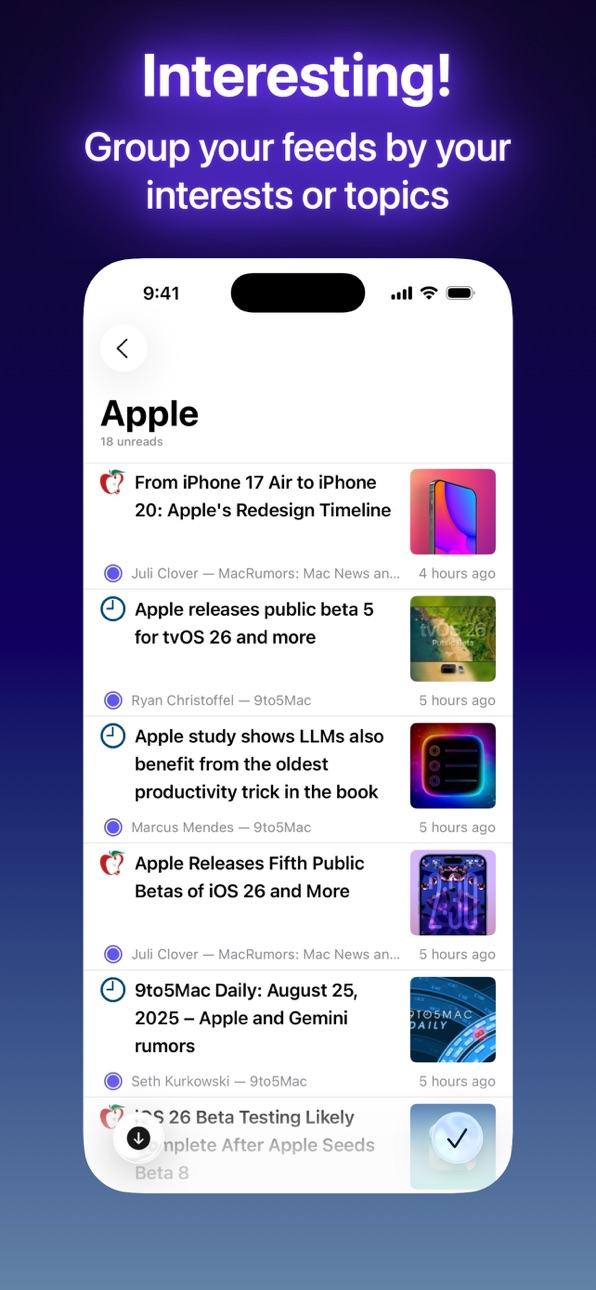

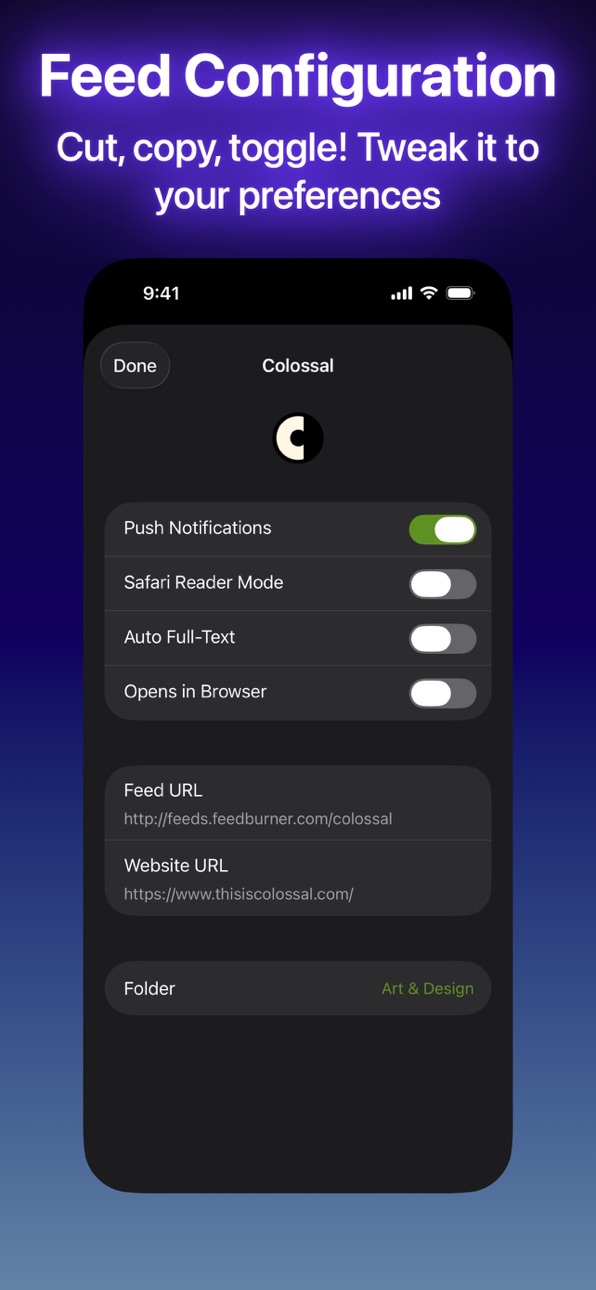


iPad 10 images


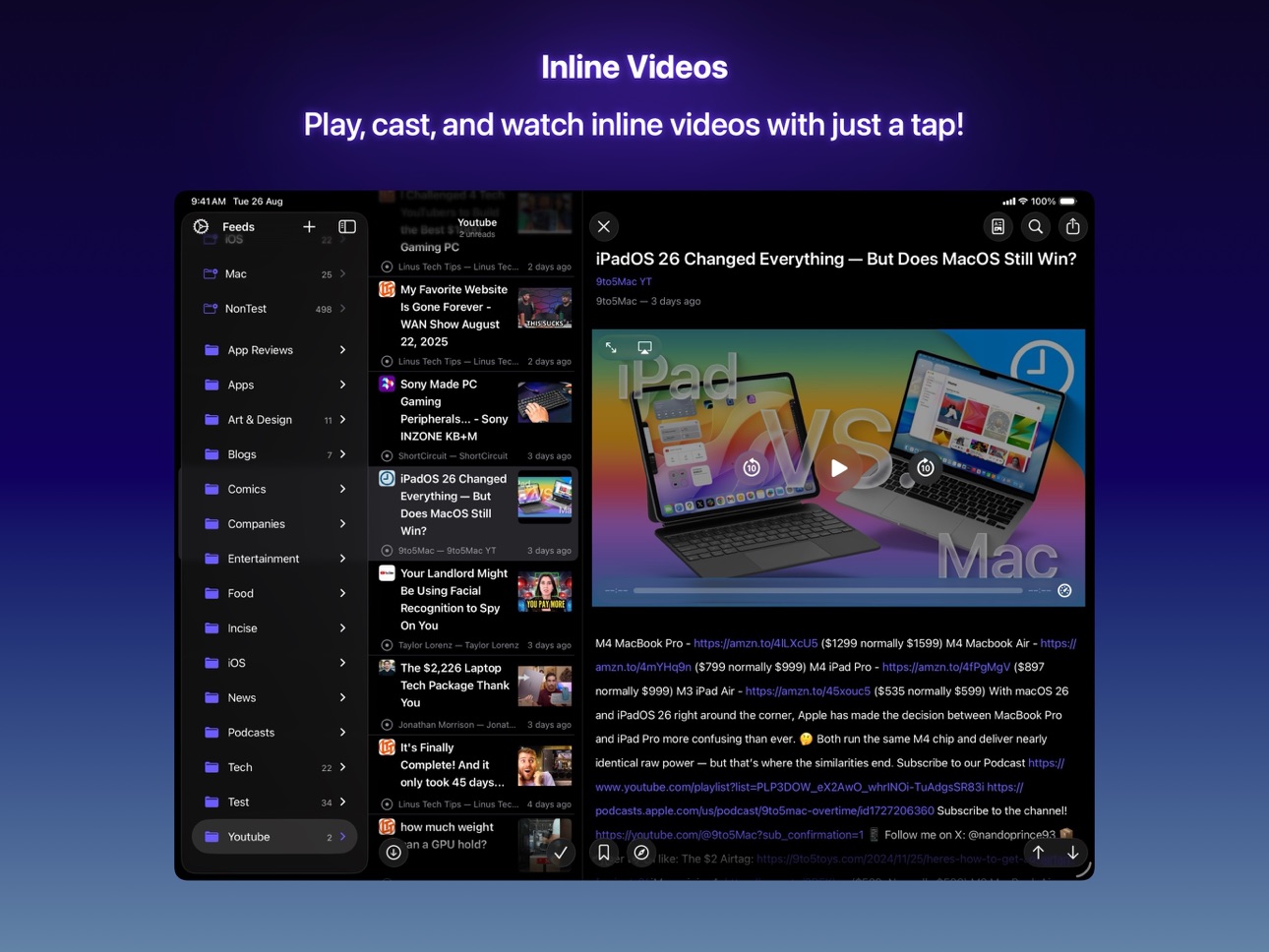

Mac 6 images



What’s New Version 2026.7.0
New
- Text in article paragraphs can now be selected across multiple paragraphs.
- Code blocks now display in a dedicated horizontally-scrollable cell with syntax highlighting, a monospace font, and a rounded background, matching the experience on macOS.
- Code block text is now selectable.
- Tapping the cover image now opens it in Quick Look.
- Tapping an image in a gallery now opens it in Quick Look.
Improvements
- The article reader now uses TextKit 2 throughout on both iOS and macOS, improving text layout correctness and performance for complex scripts.
- Code blocks in the article reader now use the same modern text engine as body paragraphs on iOS.
- The macOS article reader no longer manually manages the text layout stack; paragraph sizing is now driven by live layout geometry instead of a string-measurement approximation.
- Cover images now appear behind the navigation bar on iOS 26, matching the transparent glass look. Scrolling up to the cover works as expected with no anchoring or jumping.
- Code blocks in articles can now scroll horizontally as expected.
- Article list cells are now properly reused as you scroll, reducing memory use in long articles.
- Cover images in articles now share the image cell pool with inline images, reducing memory use when browsing long articles.
- Code blocks in articles now appear fully highlighted immediately when scrolled into view, with no rendering delay.
- Improved app launch speed by fixing CoreData model validation issues that were slowing startup.
- Improved reliability of deep link and URL scheme handling, including links opened from notifications, Spotlight search results, and third-party apps.
- Article images now span edge-to-edge on iPhone, while text content stays within comfortable reading margins (respecting the readable content guide on iPad).
- Cover images for articles load at the top of the article view, above the title and author, and the view automatically scrolls to position the cover just below the navigation bar.
Fixes
- Fixed code blocks in articles blocking vertical scrolling when a touch started on them.
- Fixed GIF images not loading or displaying in the article reader on iOS.
- Fixed image cells retaining the previous image's height when scrolled and reused.
- Fixed scrolling to headings and footnotes targeting the wrong row when an article has a cover image.
- Moving a feed to a different folder now rolls back correctly if the network request fails.
- Fixed a bug where footnote and link highlight positioning in the article reader could silently revert to the legacy text engine, causing mis-positioned popovers on iOS.
- Tapping the status bar to scroll to the top of an article now works correctly on all article layouts.
- Fixed a potential crash when tapping on images in articles where the image URL needed to be resolved against the article's base URL.
- Fixed a potential crash in the article header when the selected font preference was not recognised.
- GIF images now load correctly when the cell is scrolled off-screen and back during the download.
- YouTube and video cells no longer accumulate hidden thumbnail images across reuses, preventing a gradual increase in memory use.
- Fixed a potential crash when quickly switching between articles while a full-text fetch was still in progress.
- Fixed blockquote text rendering at the correct reduced opacity.
- Fixed rare crash when image dimensions were not yet available during initial layout.
- Fixed an issue where tapping a YouTube video link with extra URL parameters (timestamps, share tracking) could fail to play the video.
- Tapping an image in the article reader now opens it correctly in Quick Look, instead of showing a blank preview with an unrecognised file type.
- Images that are not currently visible on screen now load correctly when browsing through them in Quick Look.
Description
Elytra is a privacy focused RSS Feed reader.
Elytra is the first Feed Reader on iOS & macOS to bring native text & image rendering to the Article Reader. It’s fully featured, customizable and ever evolving.
An active subscription is required to use the app (14-days free trial)
PRIVATE: Your account is automatically setup and is completely private. No passwords to remember. Elytra does not collect any personal information from you.
PRIVACY: Elytra strips out all tracking scripts and tracking pixels from articles to ensure your reading habits are always kept private.
MODERN FEED FORMATS: Elytra supports both XML and JSON feed formats.
PUSH NOTIFICATIONS: Get real-time updates from your favorite blogs which support the WebSub protocol.
LOCAL NOTIFICATIONS: Get near real-time updates from blogs which do not support push notifications.
LOCAL BOOKMARKS: All your bookmarks are locally available to read and refer even when you’re offline.
NATIVE RENDERING: Elytra renders articles using native features of iOS to bring inclusive features like Dynamic Type, Voice Over for Accessibility and reduce usage of tracking scripts.
IMAGE LOADING: Elytra provides various image loading options so you can save on mobile bandwidth and load images you deem necessary.
SYNC: Elytra supports cross-device sync using its API. Access your feeds on your iOS Devices, Mac devices as well as in the browser.
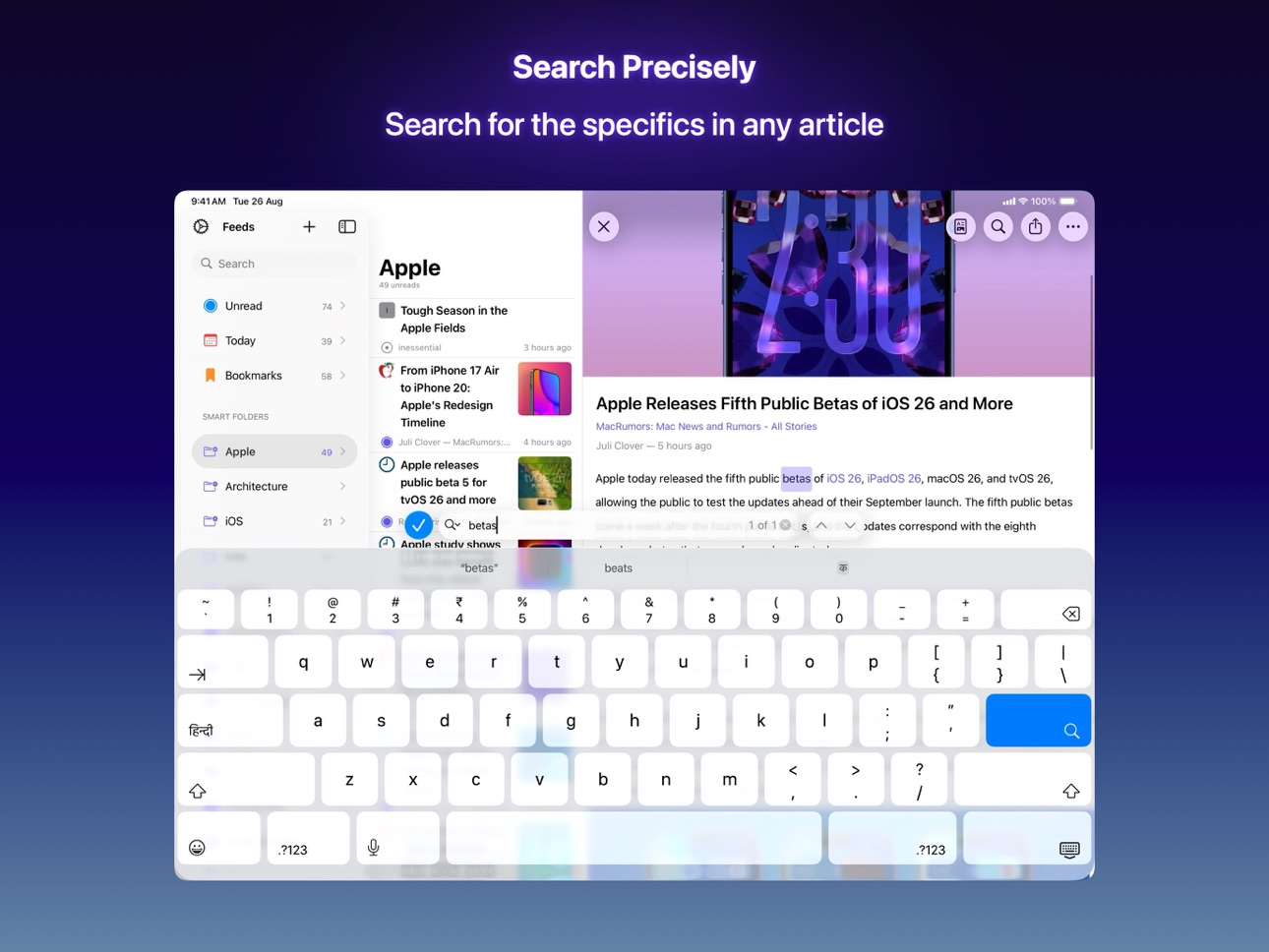
SEARCH: Search for a feed, then an article and then snippets within the article. Elytra is the first RSS Reader to support search within articles.
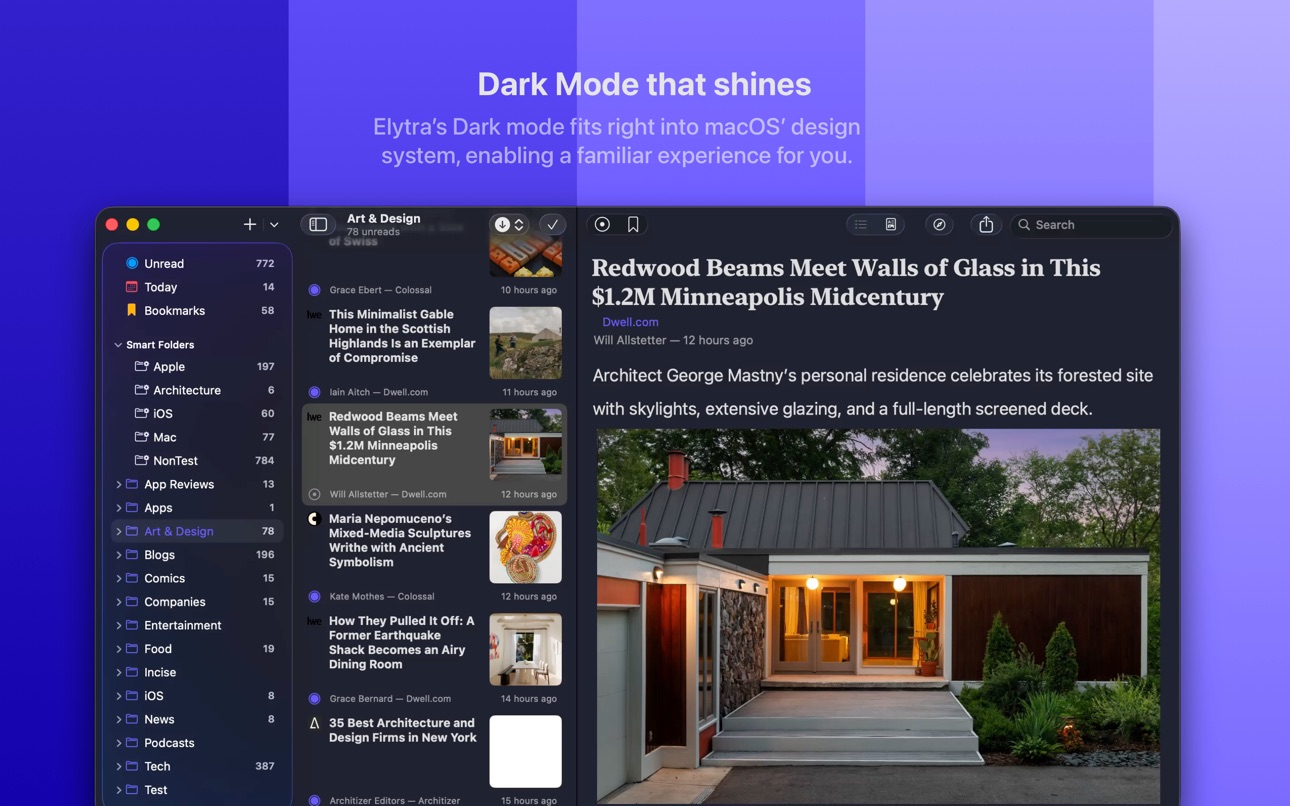
APPEARANCE: Elytra supports both Light and Dark themes. You can choose between various Serif and Sans-Serif fonts or even custom fonts you have installed on your device.
LINKED HEADERS: When the Article Author goes through the trouble of linking headers with IDs, it only makes sense that Elytra enables you to share direct sections with your friends & family.
MUTE FILTERS: Clean up your feeds from unwanted topics, spoilers, and noise.
WIDGETS: Elytra supports four unique widgets across all platforms to bring your favourite feeds and updates to your homescreen.
———
Elytra cannot connect to or sync with other RSS Syncing or Aggregation services.
———
Terms: https://elytra.app/terms/
Privacy Policy: https://elytra.app/privacy/
The Mac App is also available on the Mac App Store.
In-App Purchases US pricing
1 Month Subscription Subscription
Subscription$0.99
3 Months Subscription Subscription
Subscription$2.99
1 Year Subscription Subscription
Subscription$12.99
Elytra Subscription
Monthly Subscription · Monthly 7-day free trial$0.99
Yearly Subscription · Yearly 7-day free trial$10.49
Elytra - Pro Subscription
Pro - Monthly · Monthly 7-day free trial$1.99
Pro - Yearly · Yearly 7-day free trial$20.00
One-Time Purchases
Free Trial$0.00
Lifetime Subscription$54.99
Capabilities
In-App PurchasesSafari extension
Accessibility
ipadiphonemacrealityDevicetvoswatch
Version history 25 versions
Build 887822119v2026.7.02026-07-05 17:43:50
New
- Text in article paragraphs can now be selected across multiple paragraphs.
- Code blocks now display in a dedicated horizontally-scrollable cell with syntax highlighting, a monospace font, and a rounded background, matching the experience on macOS.
- Code block text is now selectable.
- Tapping the cover image now opens it in Quick Look.
- Tapping an image in a gallery now opens it in Quick Look.
Improvements
- The article reader now uses TextKit 2 throughout on both iOS and macOS, improving text layout correctness and performance for complex scripts.
- Code blocks in the article reader now use the same modern text engine as body paragraphs on iOS.
- The macOS article reader no longer manually manages the text layout stack; paragraph sizing is now driven by live layout geometry instead of a string-measurement approximation.
- Cover images now appear behind the navigation bar on iOS 26, matching the transparent glass look. Scrolling up to the cover works as expected with no anchoring or jumping.
- Code blocks in articles can now scroll horizontally as expected.
- Article list cells are now properly reused as you scroll, reducing memory use in long articles.
- Cover images in articles now share the image cell pool with inline images, reducing memory use when browsing long articles.
- Code blocks in articles now appear fully highlighted immediately when scrolled into view, with no rendering delay.
- Improved app launch speed by fixing CoreData model validation issues that were slowing startup.
- Improved reliability of deep link and URL scheme handling, including links opened from notifications, Spotlight search results, and third-party apps.
- Article images now span edge-to-edge on iPhone, while text content stays within comfortable reading margins (respecting the readable content guide on iPad).
- Cover images for articles load at the top of the article view, above the title and author, and the view automatically scrolls to position the cover just below the navigation bar.
Fixes
- Fixed code blocks in articles blocking vertical scrolling when a touch started on them.
- Fixed GIF images not loading or displaying in the article reader on iOS.
- Fixed image cells retaining the previous image's height when scrolled and reused.
- Fixed scrolling to headings and footnotes targeting the wrong row when an article has a cover image.
- Moving a feed to a different folder now rolls back correctly if the network request fails.
- Fixed a bug where footnote and link highlight positioning in the article reader could silently revert to the legacy text engine, causing mis-positioned popovers on iOS.
- Tapping the status bar to scroll to the top of an article now works correctly on all article layouts.
- Fixed a potential crash when tapping on images in articles where the image URL needed to be resolved against the article's base URL.
- Fixed a potential crash in the article header when the selected font preference was not recognised.
- GIF images now load correctly when the cell is scrolled off-screen and back during the download.
- YouTube and video cells no longer accumulate hidden thumbnail images across reuses, preventing a gradual increase in memory use.
- Fixed a potential crash when quickly switching between articles while a full-text fetch was still in progress.
- Fixed blockquote text rendering at the correct reduced opacity.
- Fixed rare crash when image dimensions were not yet available during initial layout.
- Fixed an issue where tapping a YouTube video link with extra URL parameters (timestamps, share tracking) could fail to play the video.
- Tapping an image in the article reader now opens it correctly in Quick Look, instead of showing a blank preview with an unrecognised file type.
- Images that are not currently visible on screen now load correctly when browsing through them in Quick Look.
Build 886063800v2026.5.02026-06-10 16:54:31
- Fixed a crash that could occur on first launch after installing the app
- Improved stability when adding, moving, or removing feeds and folders
- Fixed a crash that could occur when removing a feed from a folder
- Fixed a crash that could occur when unread counts were being updated
Build 884923754v2026.4.32026-04-26 17:18:51
- Fixed sidebar unread counters not updating after recent migration
- Fixed memory leaks pertaining to the sidebar cells
- Fixed streaming for certain media services
- Fixed Unread Articles widget displaying articles in wrong order instead of newest first
- Fixed widgets not updating when articles are marked read or unread due to a race between saving CoreData and reloading widget timelines
- Fixed widgets showing stale articles after a sync by ensuring all data is written to disk before WidgetKit reloads timelines
- Fixed widgets not refreshing after background syncs
- Fixed Spotlight search results not reflecting feed metadata changes (custom titles, etc.) when no new articles were synced
- Fixed a potential race condition in the sync task that could have allowed two concurrent syncs to start
Build 884416836v2026.4.22026-04-12 20:20:48
- Fixed a rare crash that sometimes occurred when syncing new feeds
- Fixed a crash in the Sidebar when feed or folder lookups failed by adding a database fallback and removing unsafe initializations
- Fixed an issue where marking articles as unread would incorrectly decrease unread counts instead of increasing them
- Updated data models to use Swift 6 Observation for efficient state updates
Build 884210494v2026.4.12026-04-08 05:17:38
Fixed a rare crash that sometimes occurred when syncing new feeds
Build 884166756v2026.4.02026-04-06 02:16:13
### Improved
- OPML import is now faster and more reliable. Feeds appear in the list immediately and update in real-time as they are imported, with no waiting between each feed. (H/T Krishna P)
- Improved re-sync experience after OPML import completes, no more jitters.
- Improved articles list rendering performance
- HTML tags removed from summary tags (H/T Krishna P)
### Fixes
- Fixes a Core Data crash when merging background context updates on the main thread due to relationship set corruption.
- Stop Spotlight indexing when resetting account
Build 882484769v2026.2.02026-02-18 15:38:45
The 2026.2.0 release brings Liquid Glass design, underlying improvements, and more…
### New
- Footnotes now can be displayed inline. New preference has been added under the Misc. settings to enable this behaviour. Disabled by default.
- Uses the common rendering framework, which is now mostly shared by the iOS & Mac app.
### Improved
- Massively improved performance for loading images in articles
- Improved support for videos
- especially those which list multiple sources and formats
- and videos which use unsupported attributes like `data-src` and `data-poster`
- Improved handling of overlapping text style ranges for CJK scripts
### Fixes
- Fixed opening URLs in the app
- Fixed a bug where clearing a notification from the Notification Center would bring the app to the foreground
- Fixed a bug extracting image URLs from srcSets leading to forming an incorrect URL
Build 882050208v2026.1.12026-02-04 02:56:59
### Fixes
- Fixed a bug when the app would run cleanup in the background and would leave around stale data
- Fixed a bug where sync in the background would sometimes not update the UI correctly
- Fixed a bug where sync data would sometimes gets lost after a successful sync.
Build 881741835v2026.1.02026-01-23 21:52:18
The 2026.1.0 release brings Liquid Glass design, underlying improvements, and more…
### Fixes
- Fixed a bug where an expired subscription would not be displayed leaving the app in an uncertain state during syncing.
- Fixed a bug where downloading full-text for an article would complete successfully but cause a memory leak.
Build 878973432v2025.10.12025-10-16 13:59:09
The 2025.10.1 release brings Liquid Glass design, underlying improvements, and more…
### Improved
- Massively improved code rendering and supported list of languages for code rendering
- Improved detection of code languages when mentioned in the header
### Fixes
- Fixed a bug causing bookmarked articles to never appear in the bookmarks list.
- Fixed a crash that would sometimes occur when tasks were running in the background.
From the v2025.10.0 release:
### New
- The "Previous Article" and "Next Article" implementations were missing in the "Go" app menu. These are now available once again, with the keyboard shortcuts `J` and `K` respectively.
- The app uses new APIs for importing and exporting OPML files. These are faster, and include better compatibility for handling invalid or malformed outline markups.
- Improved parsing of feed icons from feed metadata
### Technical
- The app now uses a newer DNS system to connect to the API. In most cases, this should be completely transparent to you. However, if you're having trouble using the app after updating, I'd recommend you switch to an older version of the app, and immediately notify me at support@elytra.app
Build 878363535v2025.10.02025-10-01 02:04:25
The 2025.10.0 release brings Liquid Glass design, underlying improvements, and more…
### New
- The "Previous Article" and "Next Article" implementations were missing in the "Go" app menu. These are now available once again, with the keyboard shortcuts `J` and `K` respectively.
- The app uses new APIs for importing and exporting OPML files. These are faster, and include better compatibility for handling invalid or malformed outline markups.
- Improved parsing of feed icons from feed metadata
### Technical
- The app now uses a newer DNS system to connect to the API. In most cases, this should be completely transparent to you. However, if you're having trouble using the app after updating, I'd recommend you switch to an older version of the app, and immediately notify me at support@elytra.app
Build 877581611v2025.9.02025-09-12 10:36:06
Elytra 2025.9.0 delivers a fresh Liquid Glass look, performance improvements, and deeper customization for iOS 26 and iPadOS 26.
### New
- All-new app icon featuring the Liquid Glass design aesthetic for a modern, vibrant look.
- Enhanced menu integration on iPadOS for smoother usage with external keyboards and input devices.
- Revamped onboarding experience for iOS 26 and iPadOS 26 newcomers.
### Improvements
- Major engine overhaul with new APIs—enjoy faster responses, smoother caching, and greater stability.
- Cover images now smartly display only if defined by articles, matching iOS 26’s cover art style.
- Cover images are now showcased above article titles by default on iOS 26, with flexible preferences in Settings.
- Find interaction and image loading are more responsive and efficient.
- Smoother switching between full-text and original source views for articles.
- Custom feed accent colours and improved appearance customisation, including glass effect on iOS 26.
- Liquid Glass toolbars now animate and respond with greater accuracy.
### Fixes
- Numerous crash fixes and stability updates, especially for expanding windows on iPadOS.
- Sidebar and navigation bar layout tweaks for better alignment and visual consistency.
- Bookmarks, feeds, and folder management are more reliable, with enhanced syncing and assignment.
- Resolved issues with notifications, search crashes, text decoding, dark mode, feed indentations, favicon display, localisation, article rendering, and more - ensuring the smoothest Elytra experience yet.
Build 875334293v2025.5.02025-06-05 10:36:18
v2025.5.0 is a LTM (Long Term Maintenance) release which fixes bugs and crashes. This is the precursor the the new release pipeline which will be initiate after WWDC25.
This release contains the following fixes:
- Fixes a rare crash where custom tints would sometimes crash the app on launch.
- Fixes a bug where the app would incorrectly check folder - feed mappings on launch or after OPML import.
- Fixes a bug where the app would hang/crash when changing folders for a feed from the feed inspector UI.
- Fixed a sync UI bug where it would sometimes displays completed (100%) and then start from the beginning as expected.
- Fixed a bug when deleting a feed inside a folder would not correctly update it on other devices leaving Elytra on the other device in an inconsistent state.
Build 871957749v2025.1.12025-01-23 14:51:48
The 2025.1.1 release fixes some bugs:
- Fixed a bug where expanding a folder would do an incorrect lookup and crash the app.
- Fixed a bug where saving changes to a feed would sometimes crash the app.
------
The 2025.1.0 release contains on-going bug fixes and stability improvements.
- Massively improved speed, stability, and error reporting in the app.
- Fixed a bug where feeds inside folders would sometimes not appear.
- Massively reduced memory usage.
Build 871714421v2025.1.02025-01-15 01:44:40
The 2025.1.0 release contains on-going bug fixes and stability improvements.
- Massively improved speed, stability, and error reporting in the app.
- Fixed a bug where feeds inside folders would sometimes not appear.
- Massively reduced memory usage.
Build 870753960v2024.10.22024-11-28 13:26:53
The 2024.10.2 release contains on-going bug fixes and stability improvements.
- Fixed a crash when generating feed icons for single letter feed names.
- Fixed an app hang when exporting feed settings for archiving.
Build 870608416v2024.10.12024-11-22 16:28:04
The 2024.10.1 release contains on-going bug fixes and stability improvements.
- Fixed a crash when generating feed icons for single letter feed names.
- Fixed an app hang when exporting feed settings for archiving.
Build 870105792v2024.10.02024-11-05 15:39:11
The 2024.10.0 release contains on-going bug fixes and stability improvements.
- New UI for the bottom floating bar with buttons. The buttons are now larger, animate nicer, and take up less space, obscuring less of the UI when reading articles.
- The Settings UI has been redone using a common framework for all my apps. This should be more reliable, and faster.
- Added missing localisation strings for all supported languages.
- Feeds with no icons now show a generated icon using letters from the feed name.
- Fixed an issue in iOS 18 where Airplay mirroring would not reliably work for viewing articles.
- Fixed a bug where the app would sometimes hang loading a remote video (only when streaming over HLS).
- Fixed a bug where the app would sometimes hang loading a remote video subtitles track (only supported over HLS).
Build 869288438v2024.9.42024-09-27 09:18:44
The 2024.9.4 release contains some critical on-going fixes and stability improvements.
- Fixed logging in using the Auth URI scheme from support
- Fixed a bug where the app would crash in the background when syncing and indexing with Spotlight.
- Fixed a bug where background notification for new articles would sometimes crash the app after it finished syncing.
- Fixed a bug where the app would not sync in the background in response to new articles becoming available.
Build 869056244v2024.9.22024-09-18 00:33:26
Major improvements to the app, multiple bug fixes, and more coming soon...
### New
- The apps now use the new Spotlight Search Query to provide semantic search results, which is faster, and more context aware than the previous implementation!
- Light/Dark/Tinted icon assets!
- Article reader now shows a "Headings" button in the bottom bar to quickly scroll to headings in long articles.
- New Swift 6.0 foundation for the app
### Improvements
- Major performance improvements to widgets. Images are now loaded more reliably.
- Improved syncing performance, with no more UI lags
- Improved background syncing
- Improved article rendering performance
### Fixes
- Fixed Folders widget article sorting
- Fixed crash when selecting a sidebar item to view articles list
- Fixed selection state appearance on iPadOS
- Fixed a bug with Spotlight indexing
- Fixed margins for the articles list
- Fixed redownloading of articles
- Fixed rendering links in the article reader
- Fixed a bug with sync where the app would stop syncing completely due to an incorrectly encoded sync token.
- Shows browser icon for articles that open in the browser
- Fixed filtered articles appearing in some timelines
Build 869078010v2024.9.32024-09-18 13:37:02
Major improvements to the app, multiple bug fixes, and more coming soon...
### New
- The apps now use the new Spotlight Search Query to provide semantic search results, which is faster, and more context aware than the previous implementation!
- Light/Dark/Tinted icon assets!
- Article reader now shows a "Headings" button in the bottom bar to quickly scroll to headings in long articles.
- New Swift 6.0 foundation for the app
### Improvements
- Major performance improvements to widgets. Images are now loaded more reliably.
- Improved syncing performance, with no more UI lags
- Improved background syncing
- Improved article rendering performance
### Fixes
- Fixed Folders widget article sorting
- Fixed crash when selecting a sidebar item to view articles list
- Fixed selection state appearance on iPadOS
- Fixed a bug with Spotlight indexing
- Fixed margins for the articles list
- Fixed redownloading of articles
- Fixed rendering links in the article reader
- Fixed a bug with sync where the app would stop syncing completely due to an incorrectly encoded sync token.
- Shows browser icon for articles that open in the browser
- Fixed filtered articles appearing in some timelines
Build 869020246v2024.9.12024-09-17 01:12:45
Major improvements to the app, multiple bug fixes, and more coming soon...
### New
- The apps now use the new Spotlight Search Query to provide semantic search results, which is faster, and more context aware than the previous implementation!
- Light/Dark/Tinted icon assets!
- Article reader now shows a "Headings" button in the bottom bar to quickly scroll to headings in long articles.
- New Swift 6.0 foundation for the app
### Improvements
- Major performance improvements to widgets. Images are now loaded more reliably.
- Improved syncing performance, with no more UI lags
- Improved background syncing
- Improved article rendering performance
### Fixes
- Fixed Folders widget article sorting
- Fixed crash when selecting a sidebar item to view articles list
- Fixed selection state appearance on iPadOS
- Fixed a bug with Spotlight indexing
- Fixed margins for the articles list
- Fixed redownloading of articles
- Fixed rendering links in the article reader
- Fixed a bug with sync where the app would stop syncing completely due to an incorrectly encoded sync token.
- Shows browser icon for articles that open in the browser
- Fixed filtered articles appearing in some timelines
Build 868889363v2024.9.02024-09-15 02:59:51
Major improvements to the app, multiple bug fixes, and more coming soon...
### New
- The apps now use the new Spotlight Search Query to provide semantic search results, which is faster, and more context aware than the previous implementation!
- Light/Dark/Tinted icon assets!
- Article reader now shows a "Headings" button in the bottom bar to quickly scroll to headings in long articles.
- New Swift 6.0 foundation for the app
### Improvements
- Major performance improvements to widgets. Images are now loaded more reliably.
- Improved syncing performance, with no more UI lags
- Improved background syncing
- Improved article rendering performance
### Fixes
- Fixed Folders widget article sorting
- Fixed crash when selecting a sidebar item to view articles list
- Fixed selection state appearance on iPadOS
- Fixed a bug with Spotlight indexing
- Fixed margins for the articles list
- Fixed redownloading of articles
- Fixed rendering links in the article reader
- Fixed a bug with sync where the app would stop syncing completely due to an incorrectly encoded sync token.
- Shows browser icon for articles that open in the browser
- Fixed filtered articles appearing in some timelines
Build 866234297v2024.4.22024-05-30 10:49:25
Major improvements to the app, multiple bug fixes, and more coming soon...
- Fixed a crash that would occur when the view hadn't fully completed setting up.
- The app now fetches, and renders description list containers.
- Fixed bug with filtering articles. Past articles which have not been filtered will be passed through the sieve as well.
- Fixed several bugs with Widgets sorting articles incorrectly
- Fixed a bug parsing mixed article formats for rendering in the app
Build 865359275v2024.4.12024-04-23 02:58:21
Major improvements to the app, multiple bug fixes, and more coming soon...
- Fixed bug where local feed preferences were sometimes overwritten during sync.
- Fixed a bug where the app would sometimes crash when syncing the background.
- Fixed a bug where the sync progress bar would immediately dismiss after sync completed. It now shows the completed state for a second before resetting its state.
- Fixed opening article in standalone window on iPadOS
Price history by region
Currency
Show
Columns
Search
Availability 88 of 88 storefronts
| Region | Language | Price | Ratings | Avg | Version |
|---|---|---|---|---|---|
| DE | de-DE | Free | 21 | 4.6 | 2026.7.0 |
| US | en-US | Free | 8 | 3.5 | 2026.7.0 |
| IN | en-GB | Free | 7 | 5.0 | 2026.7.0 |
| NO | en-GB | Free | 3 | 3.7 | 2026.7.0 |
| DK | en-GB | Free | 2 | 4.5 | 2026.7.0 |
| GB | en-GB | Free | 2 | 1.5 | 2026.7.0 |
| JP | ja | Free | 2 | 3.0 | 2026.7.0 |
| CA | en-CA | Free | 1 | 5.0 | 2026.7.0 |
| FI | en-GB | Free | 1 | 4.0 | 2026.7.0 |
| FR | fr-FR | Free | 1 | 1.0 | 2026.7.0 |
| OM | en-GB | Free | 1 | 5.0 | 2026.7.0 |
| SK | en-GB | Free | 1 | 1.0 | 2026.7.0 |
| VN | en-GB | Free | 1 | 1.0 | 2026.7.0 |
| AE | en-GB | Free | 0 | — | 2026.7.0 |
| AF | en-GB | Free | 0 | — | 2026.7.0 |
| AM | en-GB | Free | 0 | — | 2026.7.0 |
| AU | en-AU | Free | 0 | — | 2026.7.0 |
| AZ | en-GB | Free | 0 | — | 2026.7.0 |
| BG | en-GB | Free | 0 | — | 2026.7.0 |
| BH | en-GB | Free | 0 | — | 2026.7.0 |
| BM | en-GB | Free | 0 | — | 2026.7.0 |
| BN | en-GB | Free | 0 | — | 2026.7.0 |
| BT | en-GB | Free | 0 | — | 2026.7.0 |
| BY | en-GB | Free | 0 | — | 2026.7.0 |
| CN | zh-Hans-CN | Free | 0 | — | 2026.7.0 |
| CY | en-GB | Free | 0 | — | 2026.7.0 |
| CZ | en-GB | Free | 0 | — | 2026.7.0 |
| EE | en-GB | Free | 0 | — | 2026.7.0 |
| EG | en-GB | Free | 0 | — | 2026.7.0 |
| FJ | en-GB | Free | 0 | — | 2026.7.0 |
| FM | en-GB | Free | 0 | — | 2026.7.0 |
| GE | en-GB | Free | 0 | — | 2026.7.0 |
| GR | en-GB | Free | 0 | — | 2026.7.0 |
| HK | zh-Hant-HK | Free | 0 | — | 2026.7.0 |
| HR | en-GB | Free | 0 | — | 2026.7.0 |
| HU | en-GB | Free | 0 | — | 2026.7.0 |
| ID | en-GB | Free | 0 | — | 2026.7.0 |
| IE | en-GB | Free | 0 | — | 2026.7.0 |
| IL | en-GB | Free | 0 | — | 2026.7.0 |
| IQ | en-GB | Free | 0 | — | 2026.7.0 |
| IS | en-GB | Free | 0 | — | 2026.7.0 |
| JO | en-GB | Free | 0 | — | 2026.7.0 |
| KG | en-GB | Free | 0 | — | 2026.7.0 |
| KH | en-GB | Free | 0 | — | 2026.7.0 |
| KR | ko | Free | 0 | — | 2026.7.0 |
| KW | en-GB | Free | 0 | — | 2026.7.0 |
| KZ | en-GB | Free | 0 | — | 2026.7.0 |
| LA | en-GB | Free | 0 | — | 2026.7.0 |
| LB | en-GB | Free | 0 | — | 2026.7.0 |
| LK | en-GB | Free | 0 | — | 2026.7.0 |
| LT | en-GB | Free | 0 | — | 2026.7.0 |
| LU | en-GB | Free | 0 | — | 2026.7.0 |
| LV | en-GB | Free | 0 | — | 2026.7.0 |
| ME | en-GB | Free | 0 | — | 2026.7.0 |
| MM | en-GB | Free | 0 | — | 2026.7.0 |
| MN | en-GB | Free | 0 | — | 2026.7.0 |
| MO | zh-Hant-HK | Free | 0 | — | 2026.7.0 |
| MR | en-GB | Free | 0 | — | 2026.7.0 |
| MT | en-GB | Free | 0 | — | 2026.7.0 |
| MV | en-GB | Free | 0 | — | 2026.7.0 |
| MY | en-GB | Free | 0 | — | 2026.7.0 |
| NP | en-GB | Free | 0 | — | 2026.7.0 |
| NR | en-GB | Free | 0 | — | 2026.7.0 |
| NZ | en-AU | Free | 0 | — | 2026.7.0 |
| PG | en-GB | Free | 0 | — | 2026.7.0 |
| PK | en-GB | Free | 0 | — | 2026.7.0 |
| PL | en-GB | Free | 0 | — | 2026.7.0 |
| PW | en-GB | Free | 0 | — | 2026.7.0 |
| QA | en-GB | Free | 0 | — | 2026.7.0 |
| RO | en-GB | Free | 0 | — | 2026.7.0 |
| RS | en-GB | Free | 0 | — | 2026.7.0 |
| RU | ru | Free | 0 | — | 2026.7.0 |
| SA | en-GB | Free | 0 | — | 2026.7.0 |
| SB | en-GB | Free | 0 | — | 2026.7.0 |
| SG | en-GB | Free | 0 | — | 2026.7.0 |
| SI | en-GB | Free | 0 | — | 2026.7.0 |
| TH | en-GB | Free | 0 | — | 2026.7.0 |
| TJ | en-GB | Free | 0 | — | 2026.7.0 |
| TM | en-GB | Free | 0 | — | 2026.7.0 |
| TO | en-GB | Free | 0 | — | 2026.7.0 |
| TR | en-GB | Free | 0 | — | 2026.7.0 |
| TW | zh-Hant-TW | Free | 0 | — | 2026.7.0 |
| UA | en-GB | Free | 0 | — | 2026.7.0 |
| UZ | en-GB | Free | 0 | — | 2026.7.0 |
| VU | en-GB | Free | 0 | — | 2026.7.0 |
| XK | en-GB | Free | 0 | — | 2026.7.0 |
| YE | en-GB | Free | 0 | — | 2026.7.0 |
| ZA | en-GB | Free | 0 | — | 2026.7.0 |
Change log 29 changes · US
✎
releaseNotes updated
New
- Text in article paragraphs can now be selected across multiple paragraphs.
- Code blocks now display in a dedicated horizontally-scrollable cell with synt
✎
description updated
Elytra is a privacy focused RSS Feed reader.
Elytra is the first Feed Reader on iOS & macOS to bring native text & image rendering to the Article Reader. It’s
✎
subtitle updated
Simple & Private RSS Reader
✎
name updated
Elytra
◆
Version 2026.7.0 released
New
- Text in article paragraphs can now be selected across multiple paragraphs.
- Code blocks now display in a dedicated horizontally-scrollable cell with syntax highlighting, a monospace font, and a rounded background, matching the experi
◆
Version 2026.5.0 released
- Fixed a crash that could occur on first launch after installing the app
- Improved stability when adding, moving, or removing feeds and folders
- Fixed a crash that could occur when removing a feed from a folder
- Fixed a crash that could
◆
Version 2026.4.3 released
- Fixed sidebar unread counters not updating after recent migration
- Fixed memory leaks pertaining to the sidebar cells
- Fixed streaming for certain media services
- Fixed Unread Articles widget displaying articles in wrong order instead
◆
Version 2026.4.2 released
- Fixed a rare crash that sometimes occurred when syncing new feeds
- Fixed a crash in the Sidebar when feed or folder lookups failed by adding a database fallback and removing unsafe initializations
- Fixed an issue where marking articles
◆
Version 2026.4.1 released
Fixed a rare crash that sometimes occurred when syncing new feeds
◆
Version 2026.4.0 released
### Improved
- OPML import is now faster and more reliable. Feeds appear in the list immediately and update in real-time as they are imported, with no waiting between each feed. (H/T Krishna P)
- Improved re-sync experience after OPML impo
◆
Version 2026.2.0 released
The 2026.2.0 release brings Liquid Glass design, underlying improvements, and more…
### New
- Footnotes now can be displayed inline. New preference has been added under the Misc. settings to enable this behaviour. Disabled by default.
- U
◆
Version 2026.1.1 released
### Fixes
- Fixed a bug when the app would run cleanup in the background and would leave around stale data
- Fixed a bug where sync in the background would sometimes not update the UI correctly
- Fixed a bug where sync data would sometime
◆
Version 2026.1.0 released
The 2026.1.0 release brings Liquid Glass design, underlying improvements, and more…
### Fixes
- Fixed a bug where an expired subscription would not be displayed leaving the app in an uncertain state during syncing.
- Fixed a bug where dow
◆
Version 2025.10.1 released
The 2025.10.1 release brings Liquid Glass design, underlying improvements, and more…
### Improved
- Massively improved code rendering and supported list of languages for code rendering
- Improved detection of code languages when mentioned
◆
Version 2025.10.0 released
The 2025.10.0 release brings Liquid Glass design, underlying improvements, and more…
### New
- The "Previous Article" and "Next Article" implementations were missing in the "Go" app menu. These are now available once again, with the keybo
◆
Version 2025.9.0 released
Elytra 2025.9.0 delivers a fresh Liquid Glass look, performance improvements, and deeper customization for iOS 26 and iPadOS 26.
### New
- All-new app icon featuring the Liquid Glass design aesthetic for a modern, vibrant look.
- Enhance
◆
Version 2025.5.0 released
v2025.5.0 is a LTM (Long Term Maintenance) release which fixes bugs and crashes. This is the precursor the the new release pipeline which will be initiate after WWDC25.
This release contains the following fixes:
- Fixes a rare crash wher
◆
Version 2025.1.1 released
The 2025.1.1 release fixes some bugs:
- Fixed a bug where expanding a folder would do an incorrect lookup and crash the app.
- Fixed a bug where saving changes to a feed would sometimes crash the app.
------
The 2025.1.0 release contain
◆
Version 2025.1.0 released
The 2025.1.0 release contains on-going bug fixes and stability improvements.
- Massively improved speed, stability, and error reporting in the app.
- Fixed a bug where feeds inside folders would sometimes not appear.
- Massively reduced
◆
Version 2024.10.2 released
The 2024.10.2 release contains on-going bug fixes and stability improvements.
- Fixed a crash when generating feed icons for single letter feed names.
- Fixed an app hang when exporting feed settings for archiving.
◆
Version 2024.10.1 released
The 2024.10.1 release contains on-going bug fixes and stability improvements.
- Fixed a crash when generating feed icons for single letter feed names.
- Fixed an app hang when exporting feed settings for archiving.
◆
Version 2024.10.0 released
The 2024.10.0 release contains on-going bug fixes and stability improvements.
- New UI for the bottom floating bar with buttons. The buttons are now larger, animate nicer, and take up less space, obscuring less of the UI when reading artic
◆
Version 2024.9.4 released
The 2024.9.4 release contains some critical on-going fixes and stability improvements.
- Fixed logging in using the Auth URI scheme from support
- Fixed a bug where the app would crash in the background when syncing and indexing with Spo
◆
Version 2024.9.3 released
Major improvements to the app, multiple bug fixes, and more coming soon...
### New
- The apps now use the new Spotlight Search Query to provide semantic search results, which is faster, and more context aware than the previous implementat
◆
Version 2024.9.2 released
Major improvements to the app, multiple bug fixes, and more coming soon...
### New
- The apps now use the new Spotlight Search Query to provide semantic search results, which is faster, and more context aware than the previous implementat
◆
Version 2024.9.1 released
Major improvements to the app, multiple bug fixes, and more coming soon...
### New
- The apps now use the new Spotlight Search Query to provide semantic search results, which is faster, and more context aware than the previous implementat
◆
Version 2024.9.0 released
Major improvements to the app, multiple bug fixes, and more coming soon...
### New
- The apps now use the new Spotlight Search Query to provide semantic search results, which is faster, and more context aware than the previous implementat
◆
Version 2024.4.2 released
Major improvements to the app, multiple bug fixes, and more coming soon...
- Fixed a crash that would occur when the view hadn't fully completed setting up.
- The app now fetches, and renders description list containers.
- Fixed bug with
◆
Version 2024.4.1 released
Major improvements to the app, multiple bug fixes, and more coming soon...
- Fixed bug where local feed preferences were sometimes overwritten during sync.
- Fixed a bug where the app would sometimes crash when syncing the background.
-