Home › Productivity

 US
US
1 of 1 storefronts
Content in en-US
Content in en-US
Information
Preview 2 platforms
iPhone 6 images



iPad 7 images



What’s New Version 4.7
Support for iOS 26 and iPadOS 26.
Description
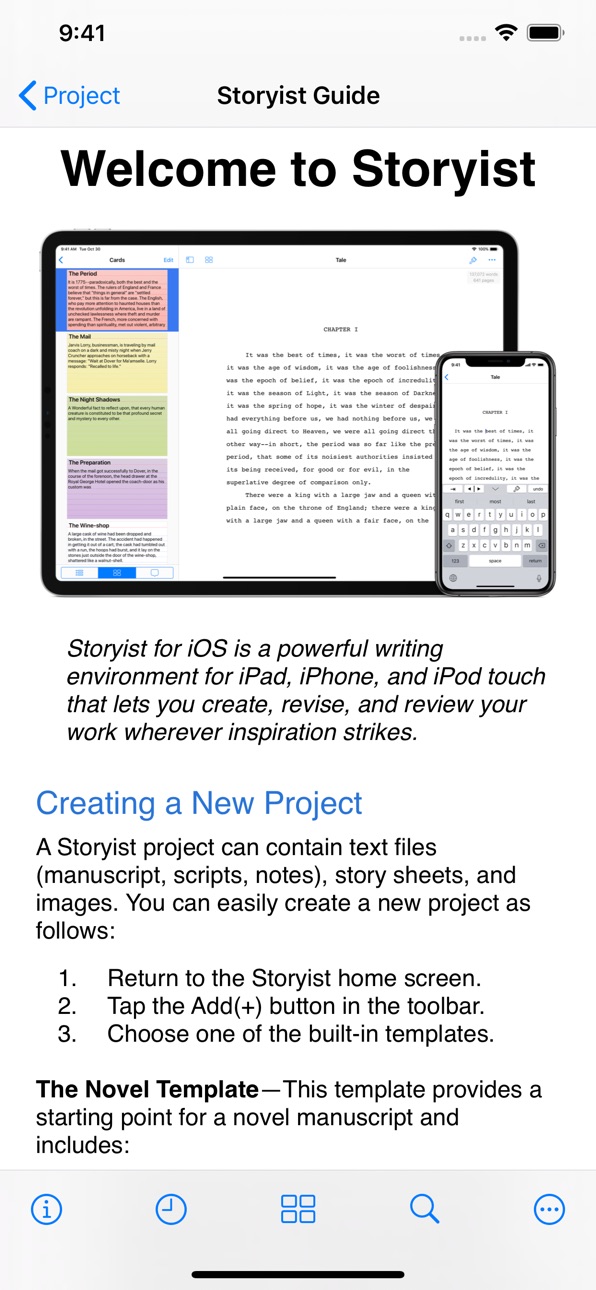
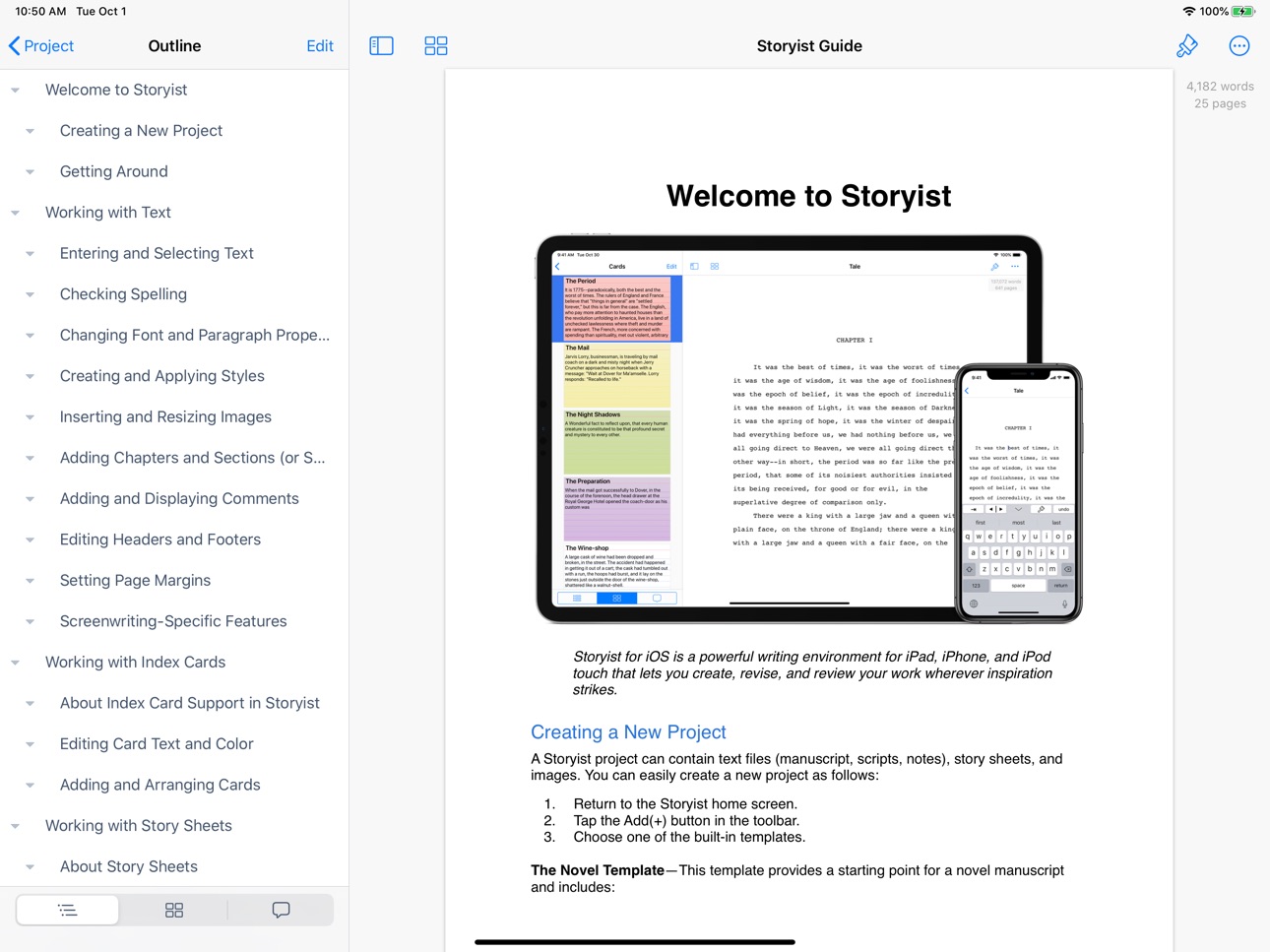
Storyist is a powerful writing environment that lets you create, review, and revise your work wherever inspiration strikes.
“If I could have only one screenwriting app on my iPad, Storyist would be it.” – Taz Goldstein, Hand Held Hollywood.
“I'm currently traveling in Europe and am just now putting the finishing touches on the book that will be published in September. I'm using the Storyist app for my iPad Mini and it's sensational... a real godsend.” – Michael Brandman, Bestselling Author.
With Storyist, you can:
• Produce submission-ready manuscripts and screenplays. Storyist provides a rich text editor with support for comments, images, headers, footers, and style sheets so you can create properly formatted manuscripts and screenplays. And Storyist comes with manuscript and screenplay templates so you can focus on the writing, not the formatting.
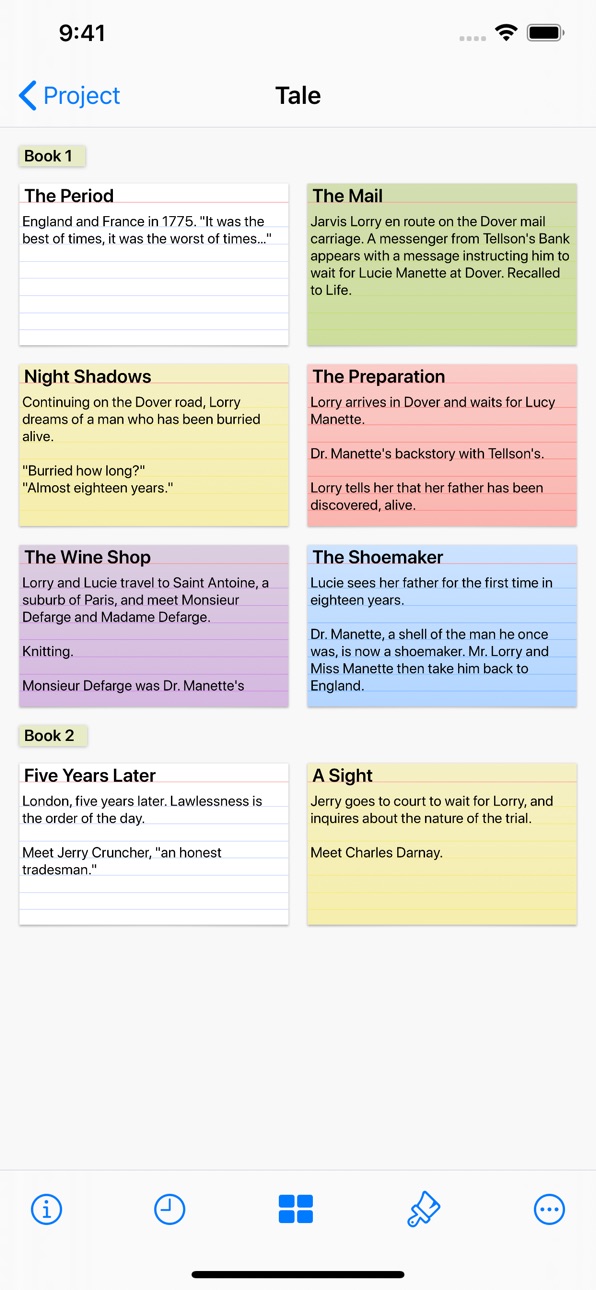
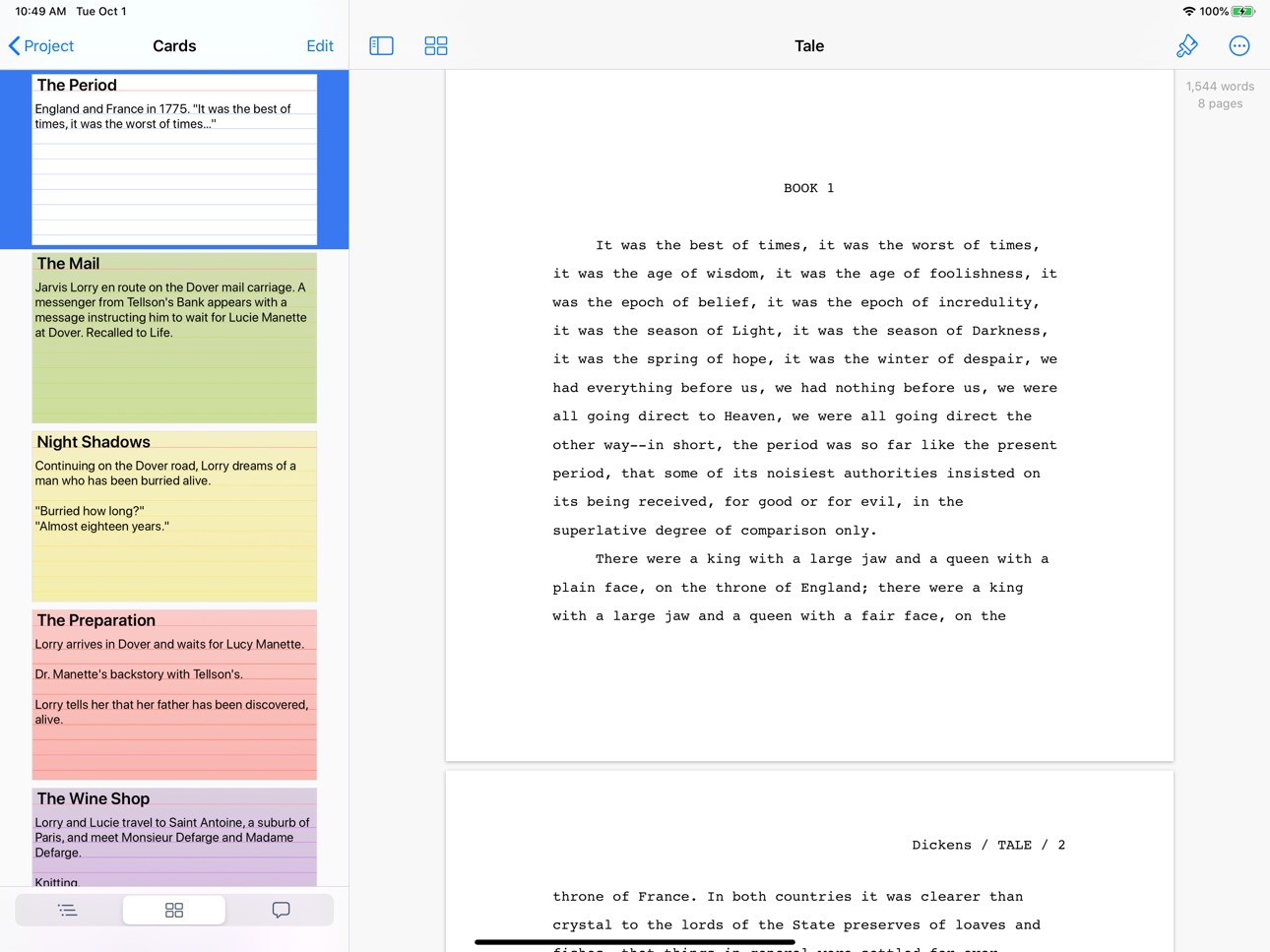
• Work with your story at a high level. Storyist lets you sketch out a story using index cards and then refine it with customizable plot, character, and setting sheets. When you're ready to put words on the page, Storyist can even display your index cards next to your manuscript as you write.
• Review and revise on the go. Have a few minutes? Open Storyist and jot down a note, rewrite a few paragraphs, or annotate your manuscript with ideas for future changes.
• Keep all your writing organized and accessible. Storyist organizes your novel manuscripts, screenplays, notes, and other project-related writing so you can access them with just a few taps. And the Files app support lets you store your projects where you want and edit them in place.
Features at a Glance
• Rich text editor with support for fonts, colors, comments, images, headers, footers, and style sheets.
• Files interface with the ability to collaborate with other writers, browse version history, and sync with your favorite cloud storage service.
• Automatic manuscript and screenplay formatting with familiar tab and return key shortcuts.
• Color-coded index cards.
• Customizable story sheets.
• Easy import and export of text and images.
• Support for Storyist for Mac, RTF, Plain Text, Fountain, and Final Draft FDX files.
• Ability to export text files as PDF.
• Wireless printing with AirPrint.
• Courier Prime font for screenplays.
Try Storyist 4 for free for 14 days. After the trial period ends, you can purchase Storyist 4 to continue using the editing features or use the app in reader mode for free. Upgrade pricing is available for customers who purchased Storyist 3 for iOS. No subscription required.
In-App Purchases US pricing
One-Time Purchases
Free Trial$0.00
Storyist 4 Upgrade$9.99
Storyist 4$19.99
Capabilities
In-App Purchases
Accessibility
ipadiphonemacrealityDevicetvoswatch
Version history 20 versions
Build 878578346v4.72025-10-10 01:25:10
Support for iOS 26 and iPadOS 26.
Build 874477110v4.6.12025-05-02 17:48:53
Minor bug fixes.
Build 873188498v4.62025-03-12 22:23:21
* Introduces a new app launch screen for iOS 18.
* Provides an app icon that automatically adjusts when you change to Dark Mode.
* Fixes an issue causing the cursor to disappear in certain circumstances when typing on a physical keyboard.
* Fixes a display bug in the word count overlay when using large accessibility text sizes.
Build 869831331v4.52024-10-19 13:22:48
* Support for iOS 18.
* Story sheet enhancements.
* General bug fixes and performance enhancements.
Build 857143570v4.4.12023-05-16 23:13:36
Bug fixes.
Build 852977704v4.42022-10-29 16:20:05
Support for iOS 16 features like
* Stage Manager. Edit your documents using multiple resizable overlapping windows.
* Incremental Find and Replace. The new user interface lets you get to what you're looking for faster.
* Editor-style navigation bar. Adopts the new-in-iOS 16 "editor" navigation bar style giving you better access to editing features.
And more
* Context menus in the index card editor for faster storyboarding.
* Performance enhancements and bug fixes.
Build 852574349v4.3.32022-10-14 01:51:55
Bug fixes.
Build 851431092v4.3.22022-09-01 00:40:31
Bug fixes.
Build 848710610v4.3.12022-05-01 04:11:19
* The sidebar now ensures that the current chapter/section is selected when sliding open.
* The style inspector no longer incorrectly reports that a style is overridden if you edit a style to use a Display P3 color instead of an sRGB color.
* You can now use the arrow keys on a physical keyboard to select autocomplete candidates in Fountain and Final Draft files on iOS 15.
* Outlines in Fountain and Final Draft files are now displayed correctly when the sidebar is first shown.
* Storyist no longer unexpectedly quits in certain circumstances when editing Fountain and Final Draft files, and the sidebar is not displayed.
* Storyist no longer unexpectedly quits in certain circumstances when pasting text into a comment.
Build 839763804v4.32021-10-19 17:34:47
* Enhanced comment support. It's now easier to create and review comments both with and without the comment sidebar visible.
* New keyboard shortcuts. When running on iOS 15, you can now tab between the sidebar and the editor, and use the arrow keys to move between elements in outlines and lists.
* Bug fixes and performance improvements.
Build 837911115v4.2.12020-09-23 14:40:19
4.2.1: Additional iOS 14 compatibility enhancements.
4.2: Storyist 4.2 has support for iOS 14 features including the new sidebar design, menus, and the color picker.
* Trackpad support on iOS 13.4 or later. Works great with the new Magic Keyboard.
* Create templates for text files and projects.
* Show invisible characters.
* Set the default formatting for plain text files using the new plain text inspector.
* Pinch to zoom in draft mode as well as page mode.
* Navigate in the template chooser and text editor with additional keyboard shortcuts.
Build 836950748v4.22020-09-18 10:53:33
Storyist 4.2 has support for iOS 14 features including the new sidebar design, menus, and the color picker. Also included:
* Trackpad support on iOS 13.4 or later. Works great with the new Magic Keyboard.
* Create templates for text files and projects.
* Show invisible characters.
* Set the default formatting for plain text files using the new plain text inspector.
* Pinch to zoom in draft mode as well as page mode.
* Navigate in the template chooser and text editor with additional keyboard shortcuts.
Build 835786989v4.1.42020-05-01 21:53:55
* Support for custom fonts on iOS 13.
* Bug fixes.
Build 835012221v4.1.32020-03-07 01:08:18
* Redesigned text inspector.
* Bug fixes.
Build 833307361v4.1.22019-10-26 15:50:13
Bug fixes.
Build 833203419v4.1.12019-10-17 09:29:27
Additional iOS 13 compatibility updates.
Build 832958759v4.12019-10-10 16:04:42
Support for iPadOS and iOS 13! New features include:
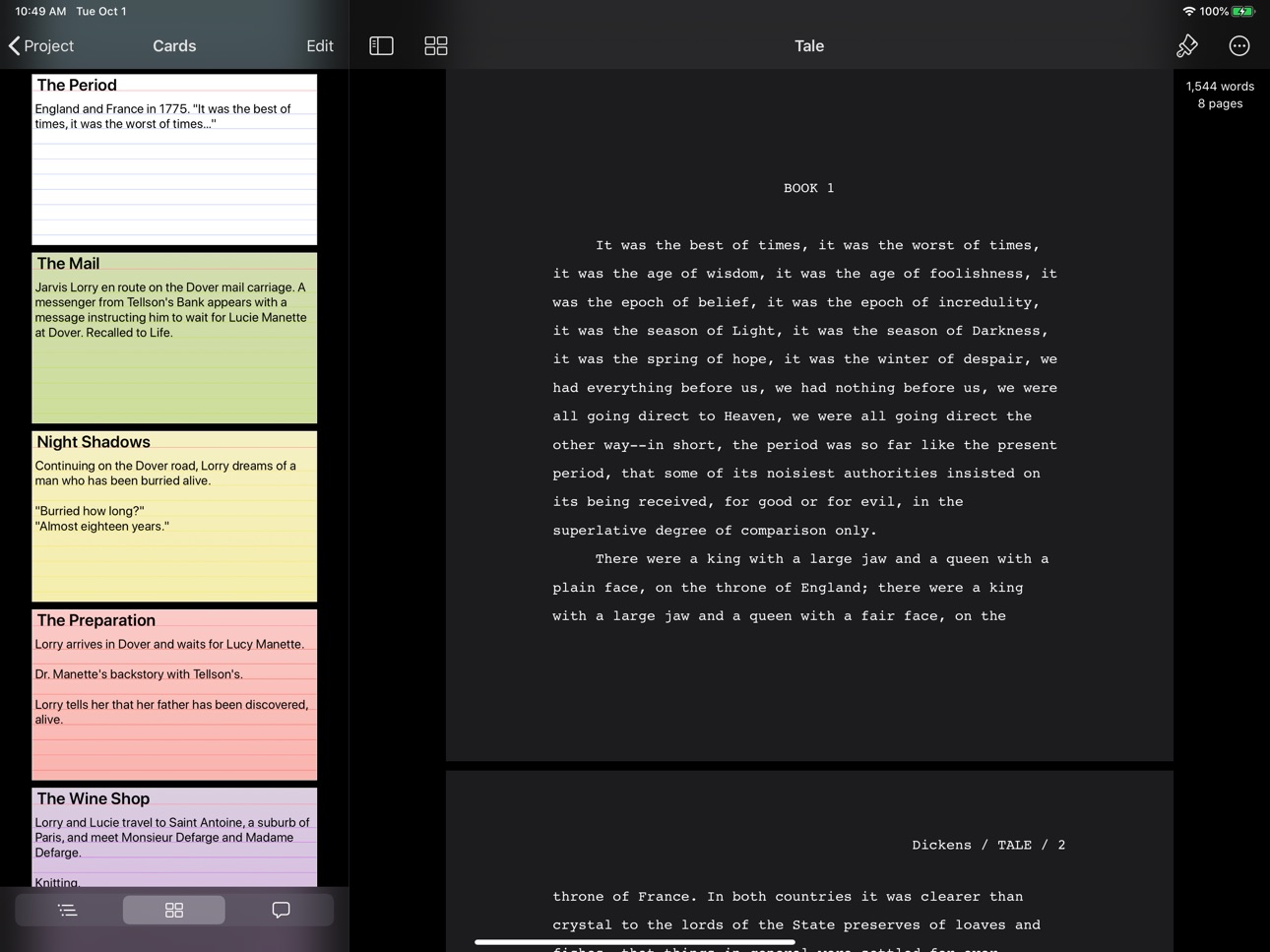
* Dark mode
* Multiple window support
* New icons
* Context menus
Build 831474992v4.0.22019-06-10 16:40:50
* Storyist no longer quits unexpectedly on iPhone in certain circumstances when reverting to a previous version.
* Storyist no longer prompts you to restore your purchase after upgrading. Previously, some users were seeing the in-app purchase window the first time the app was run after an upgrade.
Build 831321854v4.0.12019-05-16 17:59:52
* Improved handling of iCloud sync conflicts.
* Storyist now restores the text selection and zoom when it is relaunched after being quit while in the background.
* Fixed a bug causing recently typed text to be discarded in certain circumstances.
* The Command + Down Arrow keyboard shortcut now works as expected.
* The Command + 0 keyboard shortcut now toggles the navigation sidebar.
* Files no longer close when you invoke page setup using the Command + Shift + P keyboard shortcut.
* The text menu no longer stays on-screen when moving the cursor using the arrow keys on a physical keyboard.
* Text color is now set correctly when editing headers and footers in the dark theme.
* Plain text files with extensions other than .txt, .md, and .fountain now open properly.
* Storyist no longer crashes in certain low memory situations.
* Storyist now provides a notification dialog if it is unable to save when the storage is full.
Build 828167013v4.02019-03-05 16:47:43
Price history by region
Currency
Show
Columns
Search
Availability 1 of 1 storefronts
| Region | Language | Price | Ratings | Avg | Version |
|---|---|---|---|---|---|
| US | en-US | Free | 381 | 4.3 | 4.7 |
Change log 24 changes · US
✎
releaseNotes updated
Support for iOS 26 and iPadOS 26.
✎
description updated
Storyist is a powerful writing environment that lets you create, review, and revise your work wherever inspiration strikes.
“If I could have only one screenwri
✎
subtitle updated
A powerful writing environment
✎
name updated
Storyist 4
◆
Version 4.7 released
Support for iOS 26 and iPadOS 26.
◆
Version 4.6.1 released
Minor bug fixes.
◆
Version 4.6 released
* Introduces a new app launch screen for iOS 18.
* Provides an app icon that automatically adjusts when you change to Dark Mode.
* Fixes an issue causing the cursor to disappear in certain circumstances when typing on a physical keyboard.
*
◆
Version 4.5 released
* Support for iOS 18.
* Story sheet enhancements.
* General bug fixes and performance enhancements.
◆
Version 4.4.1 released
Bug fixes.
◆
Version 4.4 released
Support for iOS 16 features like
* Stage Manager. Edit your documents using multiple resizable overlapping windows.
* Incremental Find and Replace. The new user interface lets you get to what you're looking for faster.
* Editor-style nav
◆
Version 4.3.3 released
Bug fixes.
◆
Version 4.3.2 released
Bug fixes.
◆
Version 4.3.1 released
* The sidebar now ensures that the current chapter/section is selected when sliding open.
* The style inspector no longer incorrectly reports that a style is overridden if you edit a style to use a Display P3 color instead of an sRGB color.
◆
Version 4.3 released
* Enhanced comment support. It's now easier to create and review comments both with and without the comment sidebar visible.
* New keyboard shortcuts. When running on iOS 15, you can now tab between the sidebar and the editor, and use the
◆
Version 4.2.1 released
4.2.1: Additional iOS 14 compatibility enhancements.
4.2: Storyist 4.2 has support for iOS 14 features including the new sidebar design, menus, and the color picker.
* Trackpad support on iOS 13.4 or later. Works great with the new Magic
◆
Version 4.2 released
Storyist 4.2 has support for iOS 14 features including the new sidebar design, menus, and the color picker. Also included:
* Trackpad support on iOS 13.4 or later. Works great with the new Magic Keyboard.
* Create templates for text file
◆
Version 4.1.4 released
* Support for custom fonts on iOS 13.
* Bug fixes.
◆
Version 4.1.3 released
* Redesigned text inspector.
* Bug fixes.
◆
Version 4.1.2 released
Bug fixes.
◆
Version 4.1.1 released
Additional iOS 13 compatibility updates.
◆
Version 4.1 released
Support for iPadOS and iOS 13! New features include:
* Dark mode
* Multiple window support
* New icons
* Context menus
◆
Version 4.0.2 released
* Storyist no longer quits unexpectedly on iPhone in certain circumstances when reverting to a previous version.
* Storyist no longer prompts you to restore your purchase after upgrading. Previously, some users were seeing the in-app purch
◆
Version 4.0.1 released
* Improved handling of iCloud sync conflicts.
* Storyist now restores the text selection and zoom when it is relaunched after being quit while in the background.
* Fixed a bug causing recently typed text to be discarded in certain circums
◆
Version 4.0 released