Home › Navigation

 US
US
1 of 1 storefronts
Content in en-US
Content in en-US
Information
Preview 2 platforms
iPhone 3 images


iPad 3 images


What’s New Version 2.1.7 (2)
Bugfix for offline use of legend.
Description
Planningcharts ia a well-known tool used by thousands of professional long-haul pilots worldwide
- New level of situational awareness and therefore dramatically increased safety
- latest NOTAMs and WX / TAF to display real-time availability of all airports
- EASA Threat and Error management built into every airport symbol
All the Pilot's KnowHow you need is on one single chart, such as:
- NAT crossing procedures
- Common ATC frequencies
- Time frame for ATC initial calls
- Data Link (FANS/CPDLC) codes
- Time frame for Data Link (FANS/CPDLC) log-in
- IFBP (IATA Inflight Broadcasting Procedure) Reminder
- Unique developed airport symbols, containing:
- Airport categorisation
- Approach directions and capability at a single glance
- List of displayed airports, containing:
- RFF (rescue and firefighting) category
- Field elevation
- Variation
- Available runways with related approach and LDA (landing distance available)
- Made by professional pilots for professional pilots.
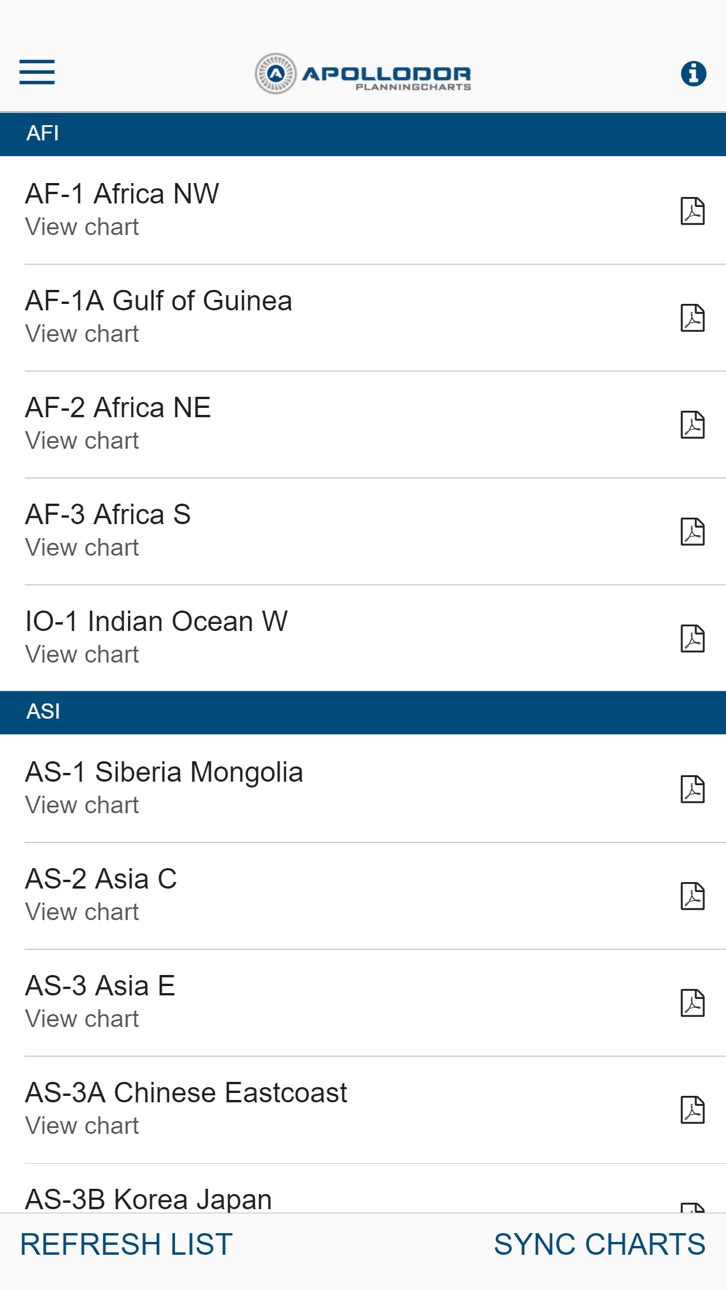
Main purpose of the app is, to download all charts or individual charts, whenever an online connection is available and to store those charts for offline usage.
Key features:
• Swipe from one chart to the next one.
• Only one-time log-in required, until log-out is selected.
• Chart List can be refreshed, in case new charts are offered.
• All at once chart download possible, for most convenient service (high speed WIFI recommended).
• Individual chart downloads possible, if slow WIFI connection is used.
• Automatic news download, when starting the App.
• Link for feedback via your e-mail client.
Without a subscription, you only have limited access to the app's functions. You can only view some charts and cannot save them as favorites.
Our subscriptions give you access to all charts worldwide.
There are different packages for a monthly, half-yearly and yearly subscription. Each package gives you full access to the product for as long as it lasts. Each subscription can be canceled at any time.
The subscriptions follow the standard EULA from Apple https://www.apple.com/legal/internet-services/itunes/dev/stdeula/.
In-App Purchases US pricing
Yearly Membership Subscription
Yearly 3-day free trial$129.99
Half Yearly Membership Subscription
6 months 3-day free trial$80.99
Monthly Membership Subscription
Monthly Membership · Monthly 3-day free trial$16.49
Capabilities
In-App Purchases
Accessibility
ipadiphonemacrealityDevicetvoswatch
Version history 25 versions
Build 886771836v2.1.7 (2)2026-06-11 18:57:46
Bugfix for offline use of legend.
Build 885669836v2.1.6 (6)2026-05-14 20:04:08
Bugfixes.
Optimized download performance.
Build 883841123v2.1.5 (2)2026-03-27 21:06:05
Fix of offline legend view
Build 883789351v2.1.42026-03-26 17:12:52
Bug fix membership overview screen.
Build 883689761v2.1.3 (2)2026-03-25 05:05:35
Bugfixes and Performance improvements.
Build 882827070v 2.1.1 (3)2026-03-05 07:52:17
Legend updated.
Build 882325063v2.0.25 (3)2026-02-13 09:46:12
Bugfixes
Build 881024172v2.0.23 (8)2026-01-23 13:16:26
Improvements for onboard wifis with very slow or blocked connections.
New icon to indicate offline mode.
Pull down chart overview to check for updates.
Download all charts by default. Deselect individual charts for no offline use by clicking on blue icon.
Confirmation popup when deselecting a chart for offline use.
New icon to launch smartOFP app if installed.
Stability improvements.
Build 880739402v2.0.212025-12-22 04:54:21
Bug fixes.
Build 880674904v2.0.20 (1)2025-12-16 14:59:44
Bugfixes and performance improvements.
Build 880264174v2.0.19 (3)2025-12-02 22:28:06
Performance improvements on very slow connections.
Build 879335174v2.0.18 (2)2025-10-31 01:59:37
Bug fixes
Build 878396966v2.0.17(3)2025-09-25 18:56:10
Minor Bug fixes
New button to view Legend on main screen
Build 878034561v2.0.16 (4)2025-09-13 07:49:28
Bugfixes according Apple guideline for Data Collection and Storage.
Build 877935355v 2.0.15 (2)2025-09-10 14:10:26
Bugfixes and performance improvements.
Build 877801804v2.0.14 (1)2025-09-04 10:33:10
Bug fixes
Build 877647102v2.0.13 (2)2025-08-29 08:22:44
Bugfixes
Fix in swiping logic
Build 877151407v2.0.12 (1)2025-08-12 13:39:55
Bugfixes
Build 876559163v2.0.11 (4)2025-07-22 09:44:39
Bug fixes and performance improvements.
Build 875631994v2.0.102025-06-17 06:18:36
Release notes:
- New App-Tutorial (Access via “i” in top right corner)
- Introducing free 3 days trial
- New Help-Section
- Fixed smaller issues
Always happy landings!!
Your Planningcharts team
Build 875442623v2.0.92025-06-11 20:01:31
Release notes:
- New App-Tutorial (Access via “i” in top right corner)
- Introducing free 3 days trial
- New Help-Section
- Fixed smaller issues
Always happy landings!!
Your Planningcharts team
Build 875263171v2.0.82025-06-07 08:09:06
Release notes:
- New App-Tutorial (Access via “i” in top right corner)
- Introducing free 3 days trial
- New Help-Section
Always happy landings!!
Your Planningcharts team
Build 874295791v2.0.72025-04-25 20:32:44
- Fixed an issue with Wi-Fi networks without an Internet connection that caused problems loading and displaying charts.
Always happy landings!!
Your Planningcharts team
Build 873841135v2.0.62025-04-13 11:21:51
- New “Abort-Button” during automatic chart download.
To address very slow internet connections that might “block” the app during automatic download (e.g. aboard of planes) you can now abort this download.
- Removed chart AT-9 (Blue Spruce Routes)
- Fixed a bug where in rare cases the charts overview screen was not displayed correctly.
- Fixes on some other small bugs and improvement of stability.
Always happy landings!!
Your Planningcharts team
Build 872212279v2.0.52025-02-04 20:06:06
Dear pilots,
in this version, we worked on App performance and fixed smaller issues.
Always happy landings!!
Your Planningcharts team
Price history by region
Currency
Show
Columns
Search
Availability 1 of 1 storefronts
| Region | Language | Price | Ratings | Avg | Version |
|---|---|---|---|---|---|
| US | en-US | Free | 4 | 4.3 | 2.1.7 (2) |
Change log 29 changes · US
✎
releaseNotes updated
Bugfix for offline use of legend.
✎
description updated
Planningcharts ia a well-known tool used by thousands of professional long-haul pilots worldwide
- New level of situational awareness and therefore dramatically
✎
subtitle updated
Keep your charts up to date!
✎
name updated
Planningcharts
◆
Version 2.1.7 (2) released
Bugfix for offline use of legend.
◆
Version 2.1.6 (6) released
Bugfixes.
Optimized download performance.
◆
Version 2.1.5 (2) released
Fix of offline legend view
◆
Version 2.1.4 released
Bug fix membership overview screen.
◆
Version 2.1.3 (2) released
Bugfixes and Performance improvements.
◆
Version 2.1.1 (3) released
Legend updated.
◆
Version 2.0.25 (3) released
Bugfixes
◆
Version 2.0.23 (8) released
Improvements for onboard wifis with very slow or blocked connections.
New icon to indicate offline mode.
Pull down chart overview to check for updates.
Download all charts by default. Deselect individual charts for no offline use by clic
◆
Version 2.0.21 released
Bug fixes.
◆
Version 2.0.20 (1) released
Bugfixes and performance improvements.
◆
Version 2.0.19 (3) released
Performance improvements on very slow connections.
◆
Version 2.0.18 (2) released
Bug fixes
◆
Version 2.0.17(3) released
Minor Bug fixes
New button to view Legend on main screen
◆
Version 2.0.16 (4) released
Bugfixes according Apple guideline for Data Collection and Storage.
◆
Version 2.0.15 (2) released
Bugfixes and performance improvements.
◆
Version 2.0.14 (1) released
Bug fixes
◆
Version 2.0.13 (2) released
Bugfixes
Fix in swiping logic
◆
Version 2.0.12 (1) released
Bugfixes
◆
Version 2.0.11 (4) released
Bug fixes and performance improvements.
◆
Version 2.0.10 released
Release notes:
- New App-Tutorial (Access via “i” in top right corner)
- Introducing free 3 days trial
- New Help-Section
- Fixed smaller issues
Always happy landings!!
Your Planningcharts team
◆
Version 2.0.9 released
Release notes:
- New App-Tutorial (Access via “i” in top right corner)
- Introducing free 3 days trial
- New Help-Section
- Fixed smaller issues
Always happy landings!!
Your Planningcharts team
◆
Version 2.0.8 released
Release notes:
- New App-Tutorial (Access via “i” in top right corner)
- Introducing free 3 days trial
- New Help-Section
Always happy landings!!
Your Planningcharts team
◆
Version 2.0.7 released
- Fixed an issue with Wi-Fi networks without an Internet connection that caused problems loading and displaying charts.
Always happy landings!!
Your Planningcharts team
◆
Version 2.0.6 released
- New “Abort-Button” during automatic chart download.
To address very slow internet connections that might “block” the app during automatic download (e.g. aboard of planes) you can now abort this download.
- Removed chart AT-9 (Blue Spruce
◆
Version 2.0.5 released
Dear pilots,
in this version, we worked on App performance and fixed smaller issues.
Always happy landings!!
Your Planningcharts team