Home › Photo & Video

 US
US
1 of 1 storefronts
Content in en-US
Content in en-US
Information
Preview 2 platforms
iPhone 8 images






iPad 8 images




What’s New Version 2.5.0
- A "zoom" control has been added (opposite the toolbar) that lets you zoom into the image to precisely place your crops! Drag anywhere on the image (outside of the crop bar and handles) to move the image.
Description
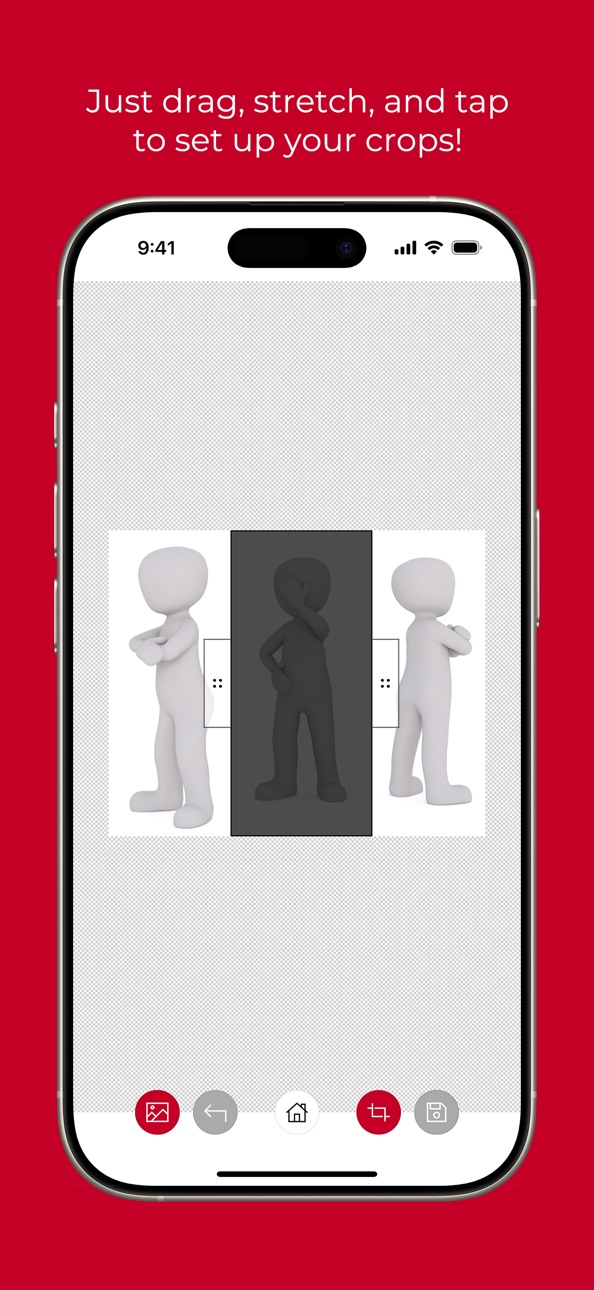
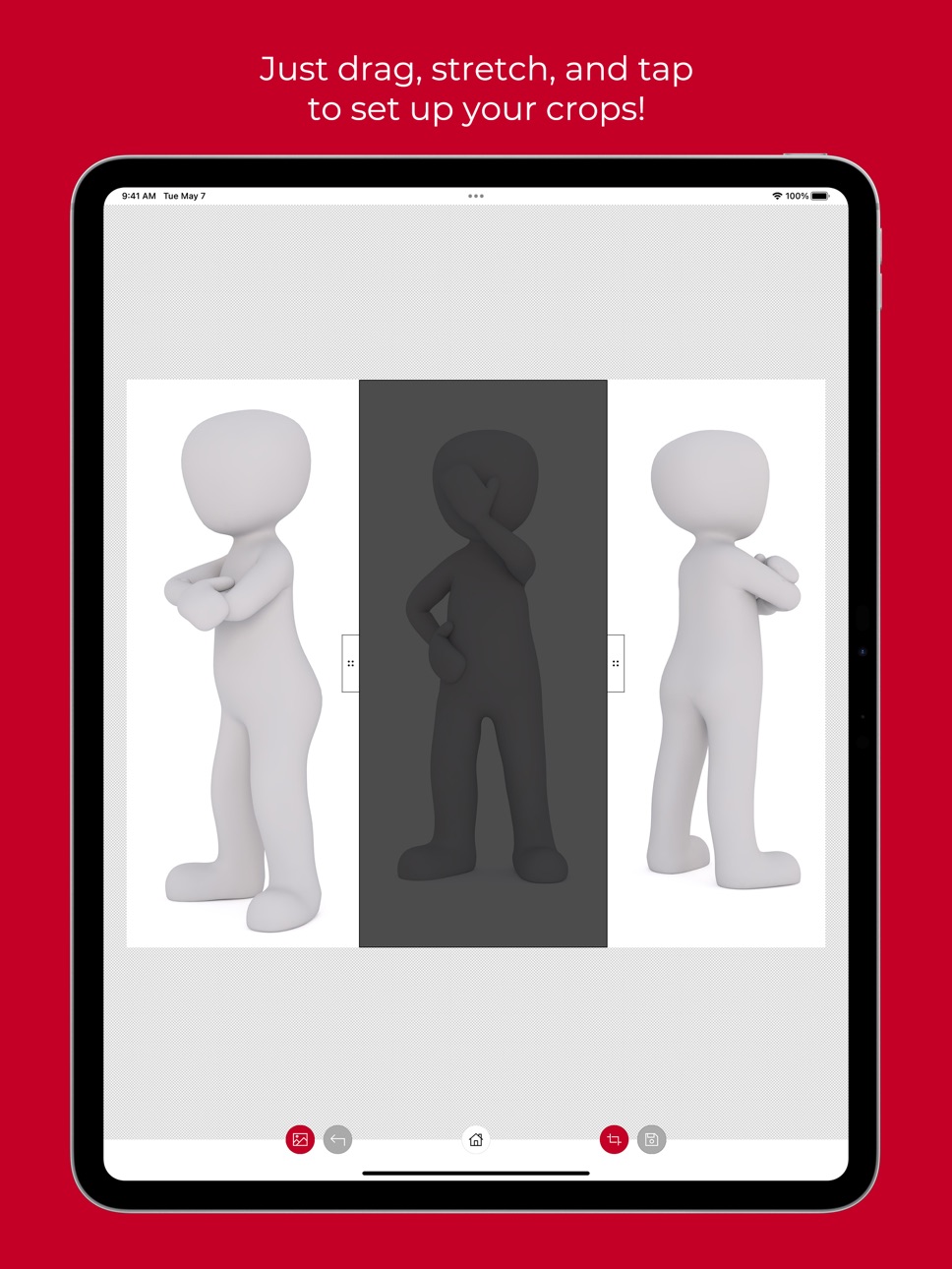
Need to remove sections of an image? Highlight any horizontal or vertical section of an image and crop it out!
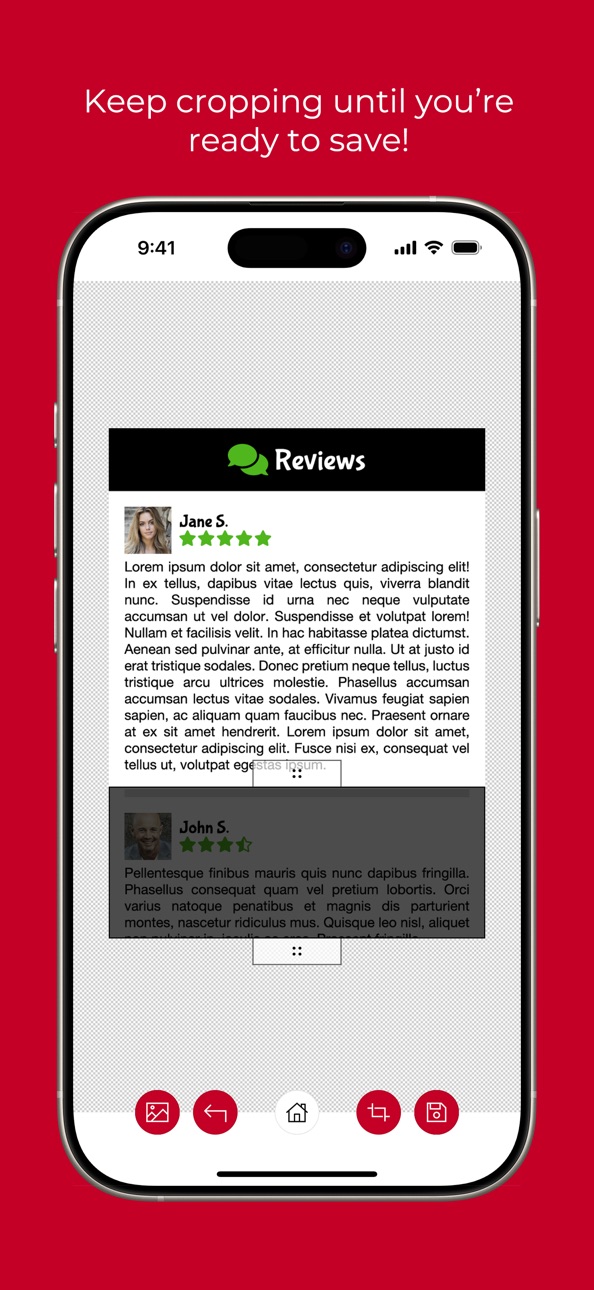
Splice Crop will crop out inner portions of an image, removing the highlighted section and joining the remaining sections together. Keep cropping until you're ready to save!
Just drag the crop area and stretch it to the size you need, or tap the crop area to toggle between a vertical or horizontal crop. It's quick and painless!
It's perfect for cleaning up screenshots before sharing! Get rid of all of the clutter, like advertising, toolbars, menus, site boilerplate text, etc.
In-App Purchases US pricing
One-Time Purchases
Unlock Crop Out$0.99
Capabilities
In-App Purchases
Accessibility
ipadiphonemacrealityDevicetvoswatch
Version history 7 versions
Build 882876594v2.5.02026-03-03 09:45:49
- A "zoom" control has been added (opposite the toolbar) that lets you zoom into the image to precisely place your crops! Drag anywhere on the image (outside of the crop bar and handles) to move the image.
Build 872219095v2.0.02025-02-04 09:42:41
- Load Image now has options to load a file from your phone or paste from clipboard.
- Save Image now has options to save a file, paste to clipboard, or use the device's Share functionality.
- Design updates.
Build 861407989v1.0.42023-11-11 07:55:52
- Updated name from Crop Out to Splice Crop.
- Ads have been removed. Unlocked versions will simply display text about unlocking before being able to save.
Build 861403832v1.0.32023-11-10 23:52:57
- Updated name from Crop Out to Splice Crop.
- Ads have been removed. Unlocked versions will simply display text about unlocking before being able to save.
Build 827902106v1.0.22018-07-17 16:21:48
This update from Apple will improve the functionality of this app. No new features are included.
Minor name change (CropOut to Crop Out).
Build 827854886v1.0.12018-07-13 16:41:14
Bug fix related to uploading images via the camera.
Build 827750119v1.0.02018-07-11 21:23:45
Price history by region
Currency
Show
Columns
Search
Availability 1 of 1 storefronts
| Region | Language | Price | Ratings | Avg | Version |
|---|---|---|---|---|---|
| US | en-US | Free | 18 | 4.9 | 2.5.0 |
Change log 11 changes · US
✎
releaseNotes updated
- A "zoom" control has been added (opposite the toolbar) that lets you zoom into the image to precisely place your crops! Drag anywhere on the image (outside of
✎
description updated
Need to remove sections of an image? Highlight any horizontal or vertical section of an image and crop it out!
Splice Crop will crop out inner portions of an i
✎
subtitle updated
Crop out any part of an image!
✎
name updated
Splice Crop
◆
Version 2.5.0 released
- A "zoom" control has been added (opposite the toolbar) that lets you zoom into the image to precisely place your crops! Drag anywhere on the image (outside of the crop bar and handles) to move the image.
◆
Version 2.0.0 released
- Load Image now has options to load a file from your phone or paste from clipboard.
- Save Image now has options to save a file, paste to clipboard, or use the device's Share functionality.
- Design updates.
◆
Version 1.0.4 released
- Updated name from Crop Out to Splice Crop.
- Ads have been removed. Unlocked versions will simply display text about unlocking before being able to save.
◆
Version 1.0.3 released
- Updated name from Crop Out to Splice Crop.
- Ads have been removed. Unlocked versions will simply display text about unlocking before being able to save.
◆
Version 1.0.2 released
This update from Apple will improve the functionality of this app. No new features are included.
Minor name change (CropOut to Crop Out).
◆
Version 1.0.1 released
Bug fix related to uploading images via the camera.
◆
Version 1.0.0 released