Home › Sports

 US
US
1 of 1 storefronts
Content in en-US
Content in en-US
Information
Apple ID1404272748
Bundle IDkr.co.ulike.tittlex-watch
SellerSeller
Min iOS11.2
Min macOS11.0
Device familieswatch, iphone, ipod
Released2018-07-28
Copyright© 2017 ⓒ Ulike Creative Inc
Privacy policyLink ↗
Preview 2 platforms
iPhone 3 images


Apple Watch 9 images




What’s New Version 1.0.9
This update from Apple will improve the functionality of this app. No new features are included.
Description
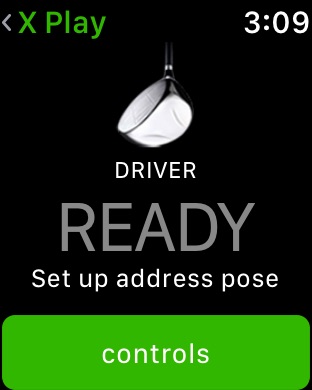
Tittle X Play is a innovative first step towards ultra affordable simulation golf that is accessible to everyone.
If you’re using a Apple Watch, simply install X Play app for Apple Watch and connect the watch to your PC(or iPhone, iPad installed E6 CONNECT). And then set up the tracking system as Tittle X Play. That's all.
And then the automatic shot system of E6 Connect & Tittle X Play will do the rest.
Now you can enjoy the world's best E6 CONNECT anytime, anywhere.
Users who have installed the E6Golf on a PC are also available. But you have to install Tittle X for PC additionally.(For more details, visit the our website.)
[Key Features]
- Access to 5 courses, driving range, and 5 rotating pieces of golf content for basic license!(*Additional payments are required to use more golf courses and content such as "Peer to Peer play".)
- Support easy club selection using bezels.
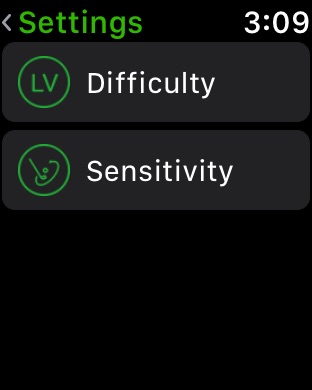
- Control shot aim
- Control mulligan, green grid on/off
[How to work]
Currently, Apple Watch users need an iPhone to use X Play.
1. Install X Play Watch App for iPhone
(If you install the Tittle X Play app on your iPhone, the app for apple watch will be automatically installed.)
2. Install the E6 Connect S/W( Download it on iPad, or PC according to the installation link) and create only the ID.(* E6Goff S/W available)
3. Set up the tracking system as Tittle X Play on E6 CONNECT.
4. For golf play, you must run the X Play app of Apple Watch, app of iPhone and the E6 Connect S/W on PC(or iPad) simultaneously. It will automatically connect.
[Contact Us]
If you have any questions or concerns about the use, please submit a request through email or comments below and we will respond to your request shortly.
cs@ulike.co.kr
Accessibility
ipadiphonemacrealityDevicetvoswatch
Version history 1 versions
Build 827689121v1.0.92018-07-16 01:39:48
This update from Apple will improve the functionality of this app. No new features are included.
No pricing data captured yet — comparisons appear once the app has paid storefronts or in-app purchases.
Availability 1 of 1 storefronts
| Region | Language | Price | Ratings | Avg | Version |
|---|---|---|---|---|---|
| US | en-US | Free | 1 | 1.0 | 1.0.9 |
Change log 5 changes · US
✎
releaseNotes updated
This update from Apple will improve the functionality of this app. No new features are included.
✎
description updated
Tittle X Play is a innovative first step towards ultra affordable simulation golf that is accessible to everyone.
If you’re using a Apple Watch, simply install
✎
subtitle updated
Micro Golf Simulator
✎
name updated
Tittle X Play Watch
◆
Version 1.0.9 released
This update from Apple will improve the functionality of this app. No new features are included.