Home › Utilities

 US
US
1 of 1 storefronts
Content in en-US
Content in en-US
Information
Apple ID1401870455
Bundle IDcom.imuuzi.voiceTest.iOSCKImeSample
SellerSeller
Min iOS13.0
Min macOS11.0
Device familiesiphone, ipad, ipod
Released2018-08-06
Copyright© 北京全知科技有限公司
Privacy policyLink ↗
Preview 2 platforms
iPhone 8 images


iPad 5 images



What’s New Version 5.3.7
-Fixed the issue where clicking 'OK' on the random password setting interface may not close the dialog box
Description
PassKeyboard - secure and convenient password manager
Help you remember, help you fill in~
• Support iOS 12 AutoFill Passwords
• No ads, no push, no privacy permissions
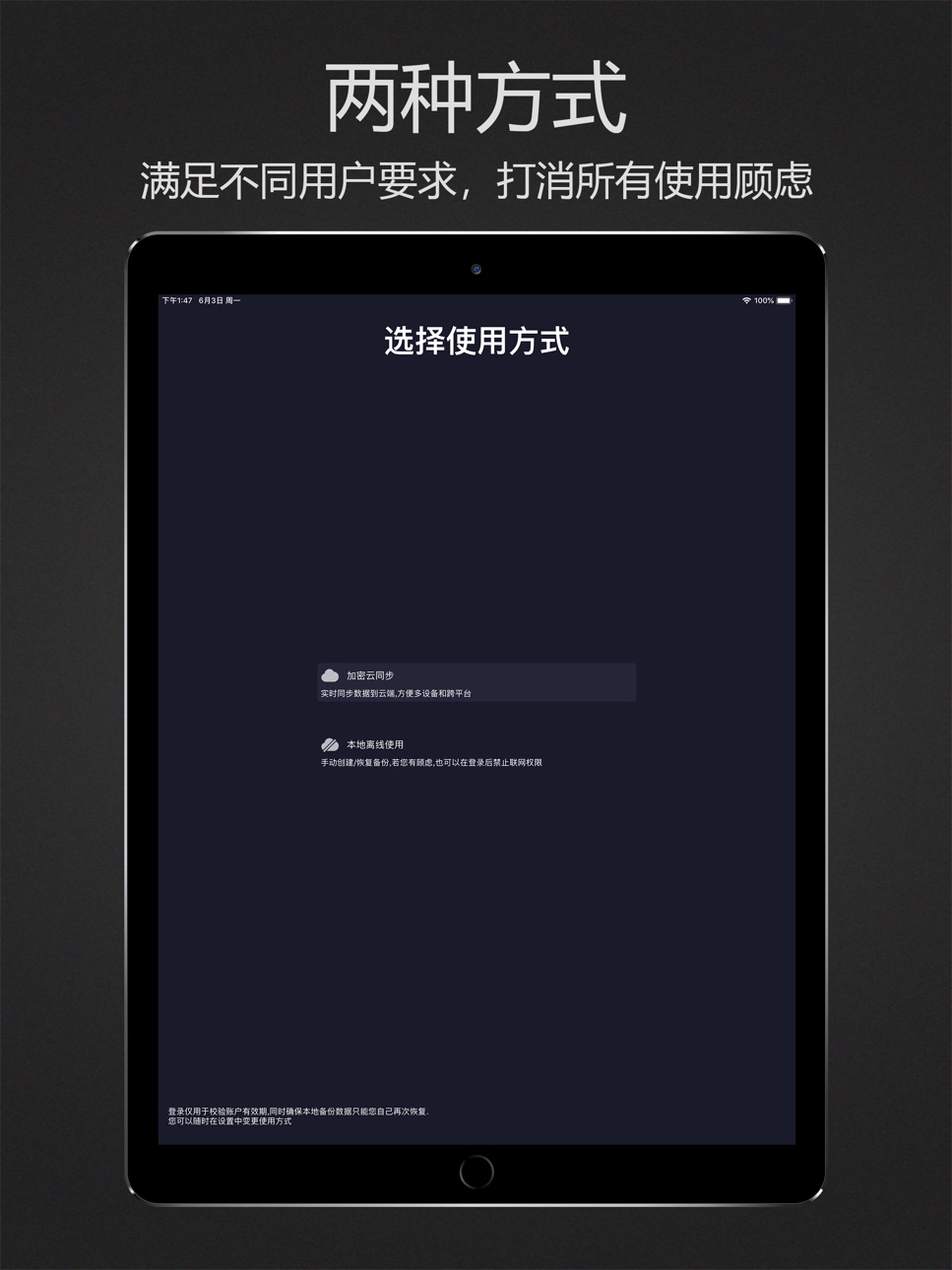
• Encrypted cloud sync and local offline, two ways to meet different requirements and eliminate all concerns
• Help you remembera lot of account password, protected information
• Touch ID and Face ID ensures access security
• Original patented keyboard form, can be used in software and web pages, automatically input after verifying fingerprints
• Military-grade PBKDF2 and AES encryption algorithms. Data is always kept secret, even for us
• Only if you use the master password, can decrypt and access data locally on the device
• Support multiple devices, cross-platform
• Support automatic generation of 6 ~ 30 digit strong password
• Support Simplified Chinese, Traditional Chinese, English
Now, say goodbye to enter the error password several times before remembering the correct password, also don't have to use the same password in order to facilitate memory.
Product reputation is our trust endorsement and quality assurance, and is loved by millions of users.
Capabilities
In-App Purchases
Accessibility
ipadiphonemacrealityDevicetvoswatch
Version history 25 versions
Build 876594403v5.3.72025-07-23 15:25:05
-Fixed the issue where clicking 'OK' on the random password setting interface may not close the dialog box
Build 875871316v5.3.62025-07-01 02:08:21
-Enhance compatibility with iPad devices
-Fix some known issues
-Multiple UI optimizations
Build 874039275v5.3.52025-04-16 00:28:47
-Optimize UI detail display
Build 873567589v5.3.42025-03-27 08:28:00
-Create password with the option to add easily mixed characters
Build 872915420v5.3.32025-03-03 14:18:48
-Fixed the issue of not being able to click to view details after searching for content
Build 870908680v5.3.22024-12-06 01:52:10
v5.3.2
-Fix the issue where adding labels to card packs may fail
-Optimize UI display
-Optimize search logic
Build 869209383v5.3.12024-09-26 06:56:26
- Fixed an issue where the screen touch may become unresponsive after logging in.
Build 866327447v5.3.02024-05-31 02:30:57
-Add a one minute verification free backend (user needs to manually enable it)
-Fix other known issues
Build 865732211v5.2.92024-05-08 02:56:35
-Known issue fixes
-Interface display optimization
Build 865430950v5.2.82024-04-28 14:15:58
-Known issue fixes
-Optimize UI display
Build 861960505v5.2.72023-12-06 06:45:56
-Fix the issue of password auto fill possibly becoming invalid
Build 861818125v5.2.62023-11-30 05:03:25
-Card package supports adding customizable items
-Other interface optimizations
Build 859274227v5.2.52023-08-22 14:11:24
-Optimization of Label Selection and Width Adaptation in Automatic Filling of Floating Windows on iPad Devices
-Optimize the issue of encrypting mask display when starting password keyboards
Build 858059584v5.2.42023-06-26 18:35:27
-Fix the issue of data synchronization between multiple devices that may not be possible
Build 857466717v5.2.32023-06-08 02:11:48
-Fix the issue where new data under the same account may not be synchronized
-Optimizing the issue of payment prices that may be disorderly after the membership time expires
-Optimize data loading logic
Build 850998223v5.2.22022-09-22 01:40:39
v5.2.2
- Fixed the problem that the display of the setting interface list may be cluttered
- Optimize the logout function
- Other interface optimizations
Build 849976476v5.2.12022-06-28 07:55:05
v5.2.1
- Fixed the issue that the account password box "Loading..." was displayed abnormally
Build 849887427v5.2.02022-06-08 15:16:50
v5.2.0
- Added logout function
- Fixed an issue where clicking the address button on the iPad side may crash
- Optimize the data loading method and improve the loading pressure resistance
- Optimized interface display
Build 849057686v5.1.92022-05-14 14:07:13
v5.1.9
- Known issue fixes
Build 848993136v5.1.82022-05-12 16:24:17
v5.1.8
- Optimize the in-app purchase process
Build 847957729v5.1.72022-03-31 01:19:33
v5.1.7
- Fixed an issue where multi-device synchronization might not be successful
-Fixed the problem that data may not be displayed when some models enter the software
- Other details optimization
Build 847444080v5.1.62022-03-15 18:07:29
v5.1.6
- Add highlighting after adding/modifying data
- Add real-time display of password health when adding password
- Optimize two-step verification logic
- Repair the crash problem that may be caused when logging in
- Other details optimization
Build 847411504v5.1.52022-02-28 01:03:29
v5.1.5
- Fixed the problem that the two-step verification key may not be used by scanning the code
- Feedback function optimization
Build 846697241v5.1.42022-01-19 07:46:21
v5.1.4
- Fixed an issue where the camera might not be invoked when adding a bank card number to a photo
Build 843450782v5.1.32021-08-06 03:05:03
v5.1.3
- Fixed the display of account password box customization data
- Optimized generic cipher data refresh logic
No pricing data captured yet — comparisons appear once the app has paid storefronts or in-app purchases.
Availability 1 of 1 storefronts
| Region | Language | Price | Ratings | Avg | Version |
|---|---|---|---|---|---|
| US | en-US | Free | 4 | 4.3 | 5.3.7 |
Change log 29 changes · US
✎
releaseNotes updated
-Fixed the issue where clicking 'OK' on the random password setting interface may not close the dialog box
✎
description updated
PassKeyboard - secure and convenient password manager
Help you remember, help you fill in~
• Support iOS 12 AutoFill Passwords
• No ads, no push, no privacy p
✎
subtitle updated
Help you remember and fill in
✎
name updated
PassKeyboard - password manage
◆
Version 5.3.7 released
-Fixed the issue where clicking 'OK' on the random password setting interface may not close the dialog box
◆
Version 5.3.6 released
-Enhance compatibility with iPad devices
-Fix some known issues
-Multiple UI optimizations
◆
Version 5.3.5 released
-Optimize UI detail display
◆
Version 5.3.4 released
-Create password with the option to add easily mixed characters
◆
Version 5.3.3 released
-Fixed the issue of not being able to click to view details after searching for content
◆
Version 5.3.2 released
v5.3.2
-Fix the issue where adding labels to card packs may fail
-Optimize UI display
-Optimize search logic
◆
Version 5.3.1 released
- Fixed an issue where the screen touch may become unresponsive after logging in.
◆
Version 5.3.0 released
-Add a one minute verification free backend (user needs to manually enable it)
-Fix other known issues
◆
Version 5.2.9 released
-Known issue fixes
-Interface display optimization
◆
Version 5.2.8 released
-Known issue fixes
-Optimize UI display
◆
Version 5.2.7 released
-Fix the issue of password auto fill possibly becoming invalid
◆
Version 5.2.6 released
-Card package supports adding customizable items
-Other interface optimizations
◆
Version 5.2.5 released
-Optimization of Label Selection and Width Adaptation in Automatic Filling of Floating Windows on iPad Devices
-Optimize the issue of encrypting mask display when starting password keyboards
◆
Version 5.2.4 released
-Fix the issue of data synchronization between multiple devices that may not be possible
◆
Version 5.2.3 released
-Fix the issue where new data under the same account may not be synchronized
-Optimizing the issue of payment prices that may be disorderly after the membership time expires
-Optimize data loading logic
◆
Version 5.2.2 released
v5.2.2
- Fixed the problem that the display of the setting interface list may be cluttered
- Optimize the logout function
- Other interface optimizations
◆
Version 5.2.1 released
v5.2.1
- Fixed the issue that the account password box "Loading..." was displayed abnormally
◆
Version 5.2.0 released
v5.2.0
- Added logout function
- Fixed an issue where clicking the address button on the iPad side may crash
- Optimize the data loading method and improve the loading pressure resistance
- Optimized interface display
◆
Version 5.1.9 released
v5.1.9
- Known issue fixes
◆
Version 5.1.8 released
v5.1.8
- Optimize the in-app purchase process
◆
Version 5.1.7 released
v5.1.7
- Fixed an issue where multi-device synchronization might not be successful
-Fixed the problem that data may not be displayed when some models enter the software
- Other details optimization
◆
Version 5.1.6 released
v5.1.6
- Add highlighting after adding/modifying data
- Add real-time display of password health when adding password
- Optimize two-step verification logic
- Repair the crash problem that may be caused when logging in
- Other details optim
◆
Version 5.1.5 released
v5.1.5
- Fixed the problem that the two-step verification key may not be used by scanning the code
- Feedback function optimization
◆
Version 5.1.4 released
v5.1.4
- Fixed an issue where the camera might not be invoked when adding a bank card number to a photo
◆
Version 5.1.3 released
v5.1.3
- Fixed the display of account password box customization data
- Optimized generic cipher data refresh logic