Home › Utilities

 US
US
1 of 1 storefronts
Content in en-US
Content in en-US
Information
Preview 2 platforms
iPhone 5 images


iPad 5 images



What’s New Version 1.0.10
Bug fixed.
Description
This app is a web browser with many features.
Here are some of the key features:
1. You can take a screenshot of a specific part of a web page with two fingers and then move it to that location later (shareable).
2. Multiple pages can be grouped together to open a window at once (secret grouping is possible).
3. Use your finger to move the page and move the window easily.
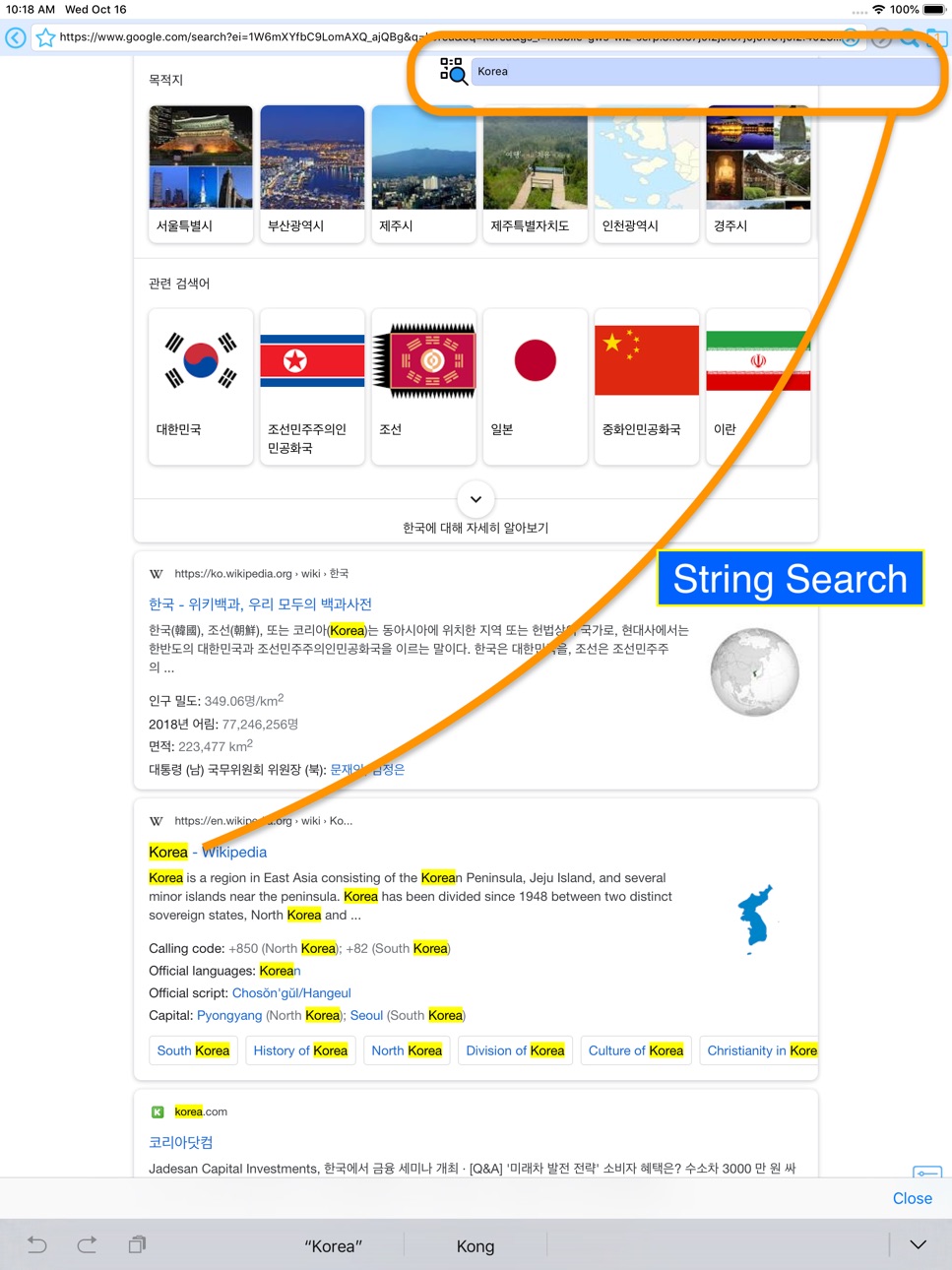
4. You can search for words within a web page.
5. QR code scan can be done.
6. Input data can be saved.
There are many other features.
Please review if you have any inconveniences or additional points.
Have a nice day !
Accessibility
ipadiphonemacrealityDevicetvoswatch
Version history 10 versions
Build 839951291v1.0.102021-01-08 14:07:25
Bug fixed.
Build 838432052v1.0.92020-10-29 23:02:18
Bug fixes and stabilization
Build 833407883v1.0.82020-10-27 15:13:34
Bug fixed.
Build 833275256v1.0.72019-10-30 15:04:07
1.Function change: Url address bar extended gesture
> Before change: long press
> After change: touch 3 times
2.bug fixed
Build 833222733v1.0.62019-10-21 19:40:12
Bug fixed.
Build 833204513v1.0.52019-10-17 17:38:01
Bug fixes
Build 832897389v1.0.42019-10-16 17:50:24
Bug fixes and improvements
Build 830662747v1.0.32019-03-21 21:34:19
Add Features
- Added Html view function (Long press of search button)
Bug fixes
- Fixed scroll bug when changing Mobile / Desktop version
Build 829445768v1.0.22018-11-30 00:09:16
- UI improvements
- Fixed backup and sharing bugs
- Added backup method (Facebook)
Build 827593078v1.0.12018-11-16 02:43:26
No pricing data captured yet — comparisons appear once the app has paid storefronts or in-app purchases.
Availability 1 of 1 storefronts
| Region | Language | Price | Ratings | Avg | Version |
|---|---|---|---|---|---|
| US | en-US | Free | 1 | 5.0 | 1.0.10 |
Change log 14 changes · US
✎
releaseNotes updated
Bug fixed.
✎
description updated
This app is a web browser with many features.
Here are some of the key features:
1. You can take a screenshot of a specific part of a web page with two fingers
✎
subtitle updated
Screenshot Web Browser
✎
name updated
SWeb
◆
Version 1.0.10 released
Bug fixed.
◆
Version 1.0.9 released
Bug fixes and stabilization
◆
Version 1.0.8 released
Bug fixed.
◆
Version 1.0.7 released
1.Function change: Url address bar extended gesture
> Before change: long press
> After change: touch 3 times
2.bug fixed
◆
Version 1.0.6 released
Bug fixed.
◆
Version 1.0.5 released
Bug fixes
◆
Version 1.0.4 released
Bug fixes and improvements
◆
Version 1.0.3 released
Add Features
- Added Html view function (Long press of search button)
Bug fixes
- Fixed scroll bug when changing Mobile / Desktop version
◆
Version 1.0.2 released
- UI improvements
- Fixed backup and sharing bugs
- Added backup method (Facebook)
◆
Version 1.0.1 released