Home › Developer Tools

 US
US
1 of 1 storefronts
Content in en-US
Content in en-US
Information
Preview 2 platforms
iPhone 9 images





iPad 9 images




What’s New Version 2.3
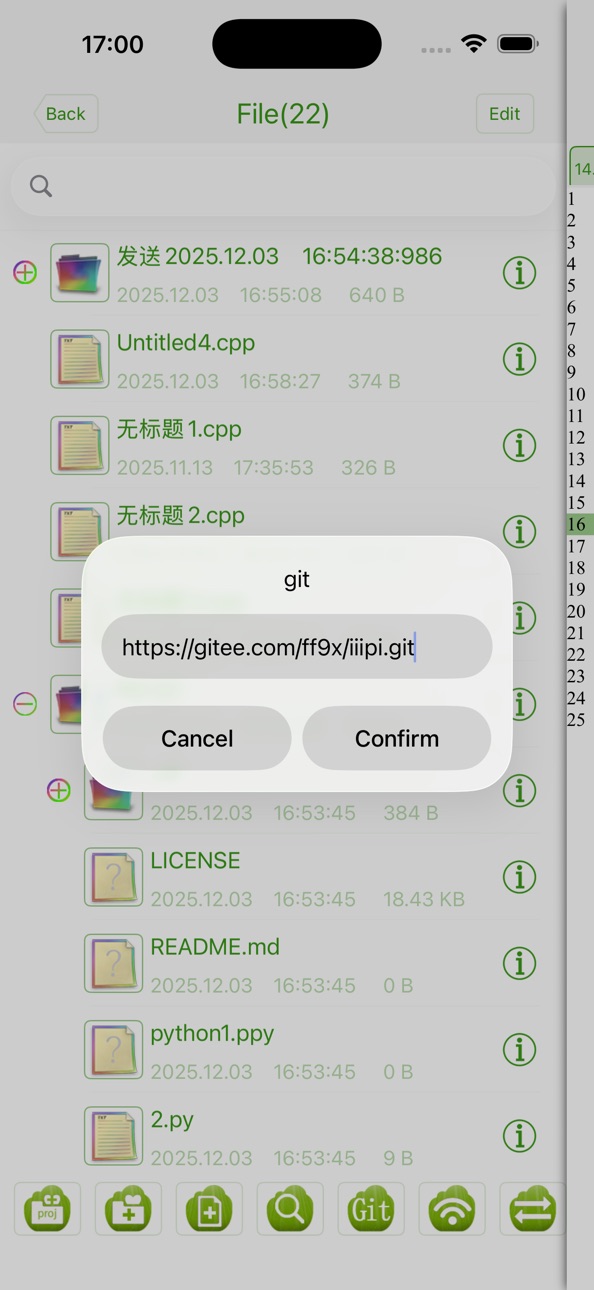
1. Added Git download in the file system, and other Git features will be improved in the future.
2.Add English C learning materials
3.Add folder multi file content search
4.iPad IDE mode supports drag to control the interface size.
5.New code formatting
6. Compatible with iOS 26
Description
* * * * * Grammar highlights the learning materials to make learning easier.
* * * * * Directly run code examples make it easier for you to test.
* * * * * Rich and practical functions make it easier for you to use.
This is our C/C++ learning application. Set learning, coding, compiling, sharing code in one. Efficient learning, happy test, easy operation. Everything is in the mastery...
Come and try it!!!!!!!
In-App Purchases US pricing
One-Time Purchases
Convenient functions$2.99
Capabilities
In-App Purchases
Accessibility
ipadiphonemacrealityDevicetvoswatch
Version history 14 versions
Build 879732357v2.32025-12-04 22:07:25
1. Added Git download in the file system, and other Git features will be improved in the future.
2.Add English C learning materials
3.Add folder multi file content search
4.iPad IDE mode supports drag to control the interface size.
5.New code formatting
6. Compatible with iOS 26
Build 869232230v2.22024-09-25 04:40:50
Fix user feedback issues.
Build 867918714v2.12024-08-25 09:58:02
Fix known bugs.
Build 864627445v2.02024-03-30 16:37:43
Fix known problems.
Build 852001919v1.92022-09-04 02:07:08
Fix known problems
Build 836092722v1.82020-05-25 13:53:36
Improve learning materials
Build 836044972v1.72020-05-23 05:47:22
Improve learning materials
Build 835560321v1.62020-04-17 09:00:43
Support the dark mode. You can choose the black theme to optimize the experience after the dark mode is selected. Because you can customize the theme, so you need to manually change the theme after you choose dark mode.
Build 832585332v1.52019-08-31 10:28:41
Updating Learning Materials
Build 832562137v1.42019-08-29 19:05:56
Perfect interface
Build 828782136v1.32018-10-01 05:49:28
Fix Some Bugs
Build 828768533v1.22018-09-29 11:28:58
Support new phones
Build 827876556v1.12018-07-14 20:31:23
Repair known problems
Setting fast symbol input
Save history and open the file. Open it next time you open it.
Build 827499937v1.02018-06-21 01:51:12
Price history by region
Currency
Show
Columns
Search
Availability 1 of 1 storefronts
| Region | Language | Price | Ratings | Avg | Version |
|---|---|---|---|---|---|
| US | en-US | Free | 61 | 4.5 | 2.3 |
Change log 18 changes · US
✎
releaseNotes updated
1. Added Git download in the file system, and other Git features will be improved in the future.
2.Add English C learning materials
3.Add folder multi file cont
✎
description updated
* * * * * Grammar highlights the learning materials to make learning easier.
* * * * * Directly run code examples make it easier for you to test.
* * * * * Rich
✎
subtitle updated
Everything is in the mastery..
✎
name updated
C++ IDE Fresh Edition
◆
Version 2.3 released
1. Added Git download in the file system, and other Git features will be improved in the future.
2.Add English C learning materials
3.Add folder multi file content search
4.iPad IDE mode supports drag to control the interface size.
5.New co
◆
Version 2.2 released
Fix user feedback issues.
◆
Version 2.1 released
Fix known bugs.
◆
Version 2.0 released
Fix known problems.
◆
Version 1.9 released
Fix known problems
◆
Version 1.8 released
Improve learning materials
◆
Version 1.7 released
Improve learning materials
◆
Version 1.6 released
Support the dark mode. You can choose the black theme to optimize the experience after the dark mode is selected. Because you can customize the theme, so you need to manually change the theme after you choose dark mode.
◆
Version 1.5 released
Updating Learning Materials
◆
Version 1.4 released
Perfect interface
◆
Version 1.3 released
Fix Some Bugs
◆
Version 1.2 released
Support new phones
◆
Version 1.1 released
Repair known problems
Setting fast symbol input
Save history and open the file. Open it next time you open it.
◆
Version 1.0 released