Home › Utilities

 US
US
1 of 1 storefronts
Content in en-US
Content in en-US
Information
Preview 2 platforms
iPhone 9 images


iPad 9 images






What’s New Version 2.0.16
Bug fixes.
BSA-136 Comment field does NOT display when connected to biotime > v1.9
Description
Time. Managed.
Integrating with biotime time and attendance, the bioscan app simplifies employee time tracking and attendance. Installed as an app on your employees phone or tablet bioscan allows the employee to quickly, easily and accurately track their work attendance. Expand the data collection options for your biotime system – fixed clocks, web access and now the bioscan app.
Attendance can be tracked on-site or on-the-road with location information automatically sent with the punch data to biotime for manager review.
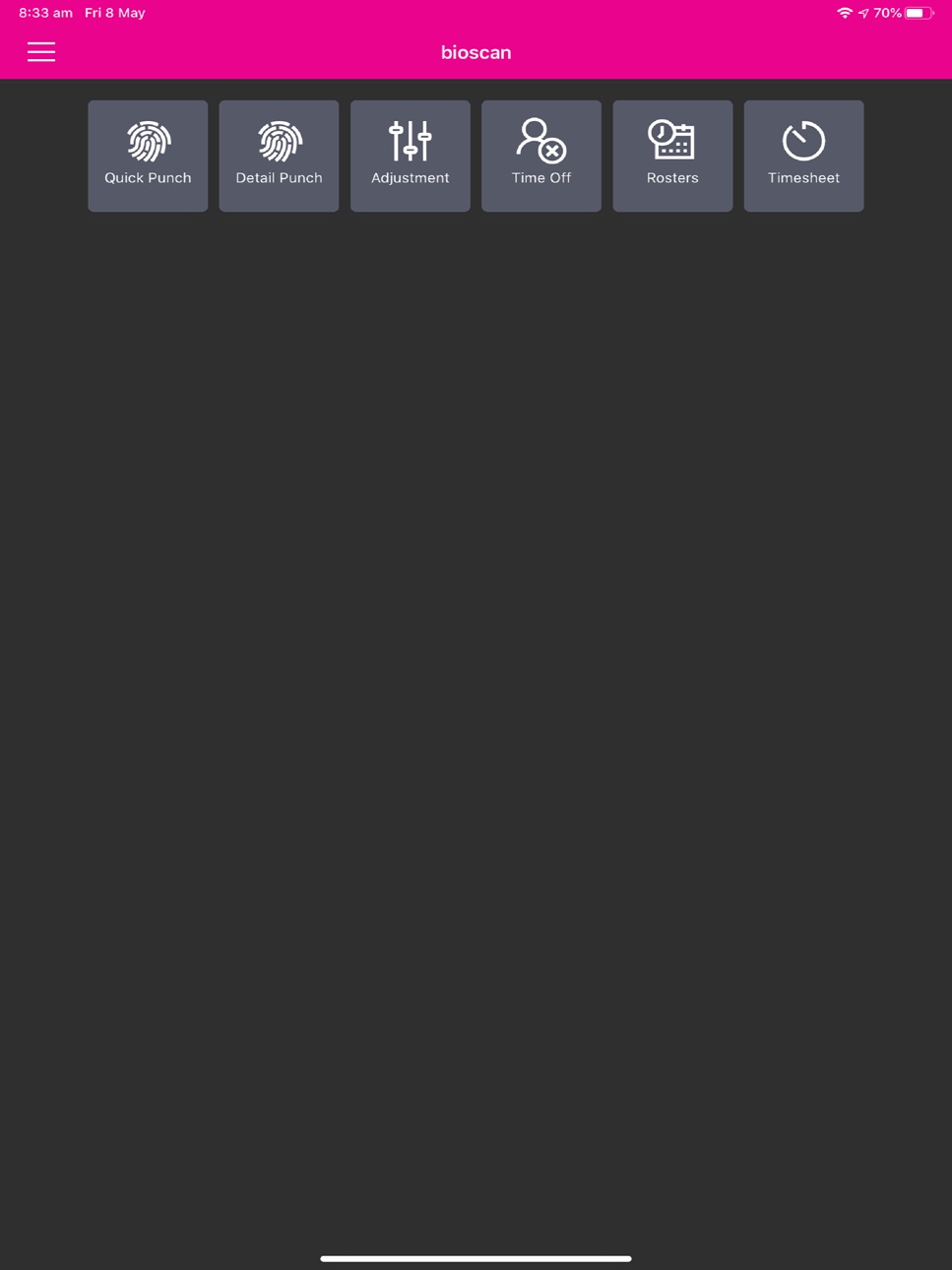
Quick Punch: Quick punch allows the employee to punch in or out with a single press.
Detail Punch: Allows the employee to transfer to a different Cost Center or punch hours against a Job code. Type in the selection or scan a barcode.
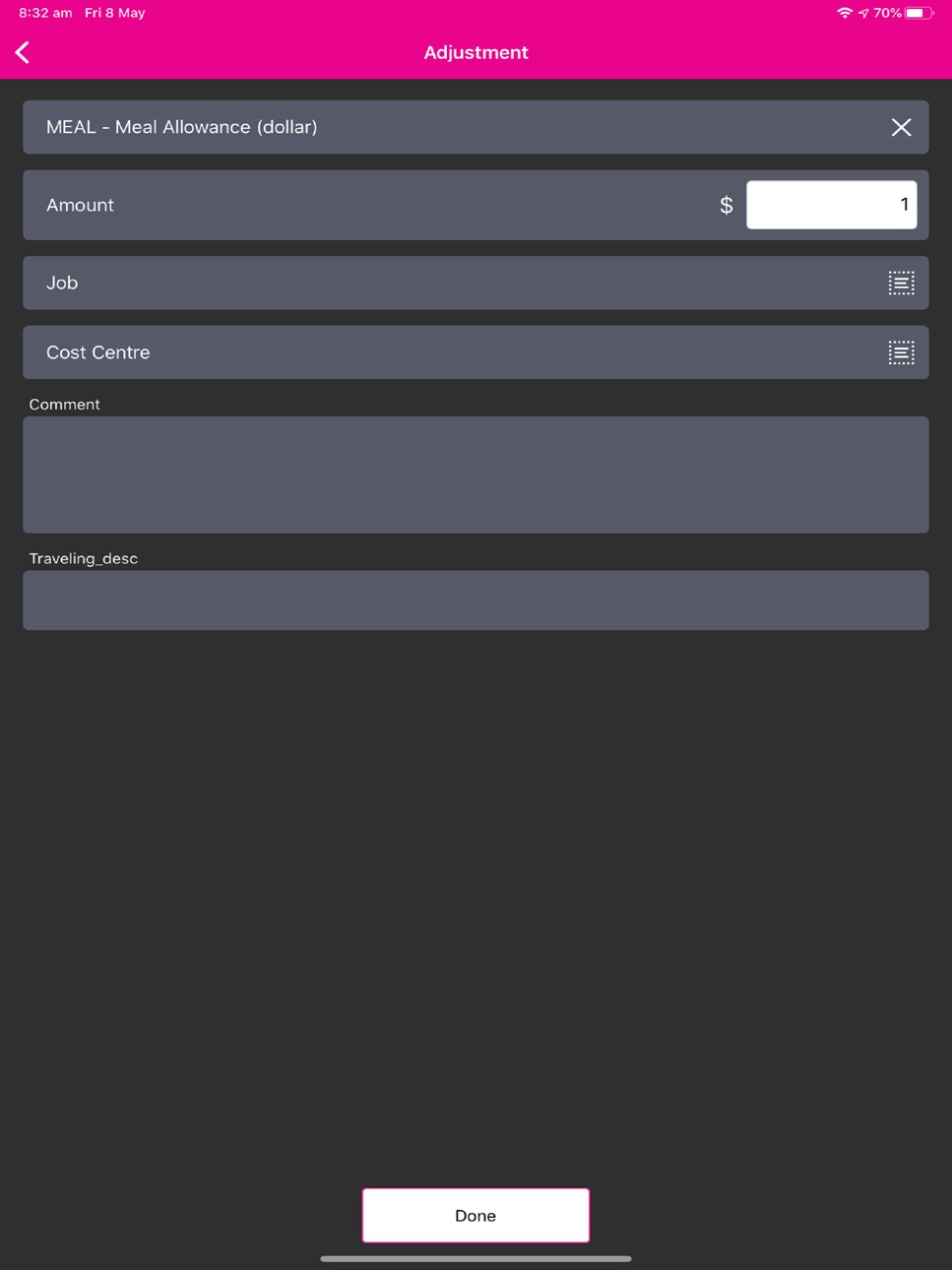
Adjustment: Create a entry for piece rates or millage.
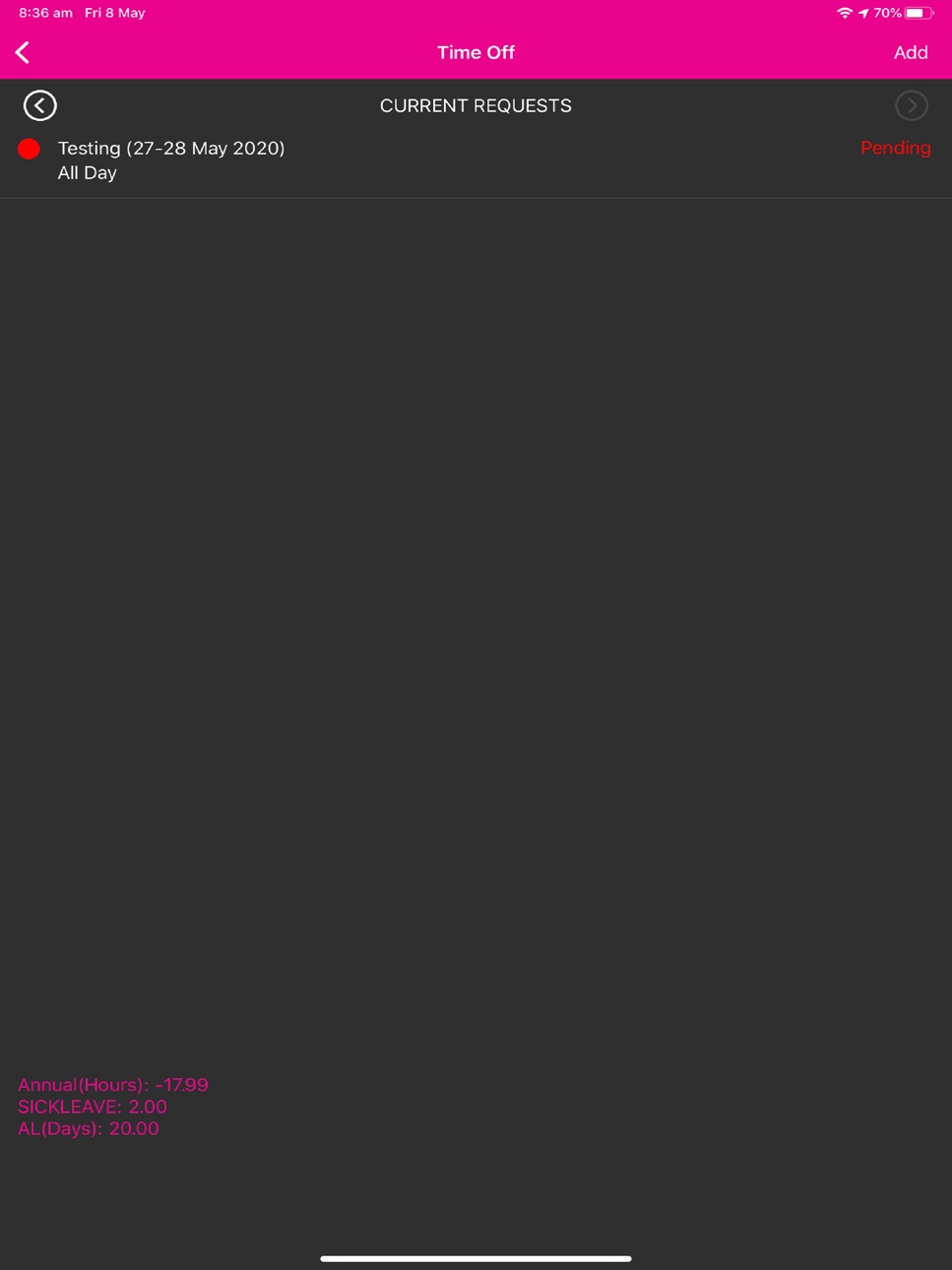
Time Off: Review a current or create a request for time off.
Rosters: View the previous, current and next period roster.
Timecards: View the current hours posted on your time card.
Accessibility
ipadiphonemacrealityDevicetvoswatch
Version history 12 versions
Build 836737882v2.0.162020-07-07 23:11:03
Bug fixes.
BSA-136 Comment field does NOT display when connected to biotime > v1.9
Build 835848385v2.0.152020-05-08 13:27:36
* fix for app crash on iPad and iPad Pro devices
* fix crash when entering time off request in app
Build 835678109v2.0.112020-04-27 05:24:27
v2.0.11.56 (24/04/20)
Bug
After reset to defaults the Website URL is defaulted to “https://dev1.mybiotime.com
A reminder notification is generated for offline punches and a 'SYNC NOW' button will display when you open the app
Adjustment “punch” History displays 'Rome' not punch location
App can be forced to crash
Time sheet screen does not show negative values correctly
Date and Time pickers not working on latest Android 10 phone
Adjustment entry - QTY prompts for time of day - not HH:MM qty
Customer fields data ONLY sent when edited by user
Detail and adjustment punch should send the current date/time of the device if date/time are not manually selected
Improvement
Adjustment Entry - default date is 01/01/1900. Should be current day -1
Display accrual balances in time off screen
Remove "Done" sanity check on Detail and Adjustment screens
Build 831492197v2.0.102019-05-30 09:39:55
v2.0.10.44
Bug
* Changes to comment fields not reflected in Adjustment Punch
Task
* How do I find the application install path?
Improvement
* App does not support SSL TLS V1.2
* Job sync process too slow for sites with many jobs
Build 831165314v2.0.92019-05-23 14:41:44
Bug
- History does not display all punch information
- The map in the history page always displays Rome
- Default currency value should be NULL
- Set QTY selection in Adjustment field
- Adj QTY incorrect after clearing
Improvement
- Use front camera when prompting for photo
- Cannot 'clear' custom field selection in Detail Punch screen
- Do not sync Jobs locally at all if "Unvalidated Jobs" active
- Add server details into About screen
Build 830981030v2.0.82019-04-15 17:48:36
* Adjustment paycodes / entries display as mins on Time Sheet screen
* Rosters display in wrong order after changes or edits in biotime
* Delete photo's or other data saved to phone storage after 60 days.
* Mobile app cannot retrieve pay calendar for certain employees
* Cannot complete a Detail Punch when scanning the Job Number using camera barcode scanner
Build 828499877v2.0.72018-09-07 19:00:11
Bug (4)
* Time sheet screen totals inconsistent, display out of order, daily totals not bordered
* App crashes when trying to punch after turning off Location services
* Config settings 'enablejob' and 'enablecostcentre' are not being applied in the APP
* Time sheet refresh does not work
New Feature (1)
* Support new configuration setting for Shared Mode - 'Force Clock Number'
Build 827931252v2.0.6.162018-07-25 00:30:10
App Name change to bioscan.
Build 827917118v2.0.4.142018-07-18 15:41:10
Add a 'refresh' button for Jobs in Detail and Adjustments screens
Build 827421107v2.0.3.132018-07-03 20:49:05
* Fix jobs and positions list not updating in app
* Change menu label "Timecards" to "Timesheet"
Build 827382634v2.0.2.112018-06-02 16:39:21
* Add support for IOS 9.0 onwards.
Build 827225052v2.0.1.02018-05-23 17:18:00
No pricing data captured yet — comparisons appear once the app has paid storefronts or in-app purchases.
Availability 1 of 1 storefronts
| Region | Language | Price | Ratings | Avg | Version |
|---|---|---|---|---|---|
| US | en-US | Free | 0 | — | 2.0.16 |
Change log 15 changes · US
✎
releaseNotes updated
Bug fixes.
BSA-136 Comment field does NOT display when connected to biotime > v1.9
✎
description updated
Time. Managed.
Integrating with biotime time and attendance, the bioscan app simplifies employee time tracking and attendance. Installed as an app on your empl
✎
name updated
bioscan
◆
Version 2.0.16 released
Bug fixes.
BSA-136 Comment field does NOT display when connected to biotime > v1.9
◆
Version 2.0.15 released
* fix for app crash on iPad and iPad Pro devices
* fix crash when entering time off request in app
◆
Version 2.0.11 released
v2.0.11.56 (24/04/20)
Bug
After reset to defaults the Website URL is defaulted to “https://dev1.mybiotime.com
A reminder notification is generated for offline punches and a 'SYNC NOW' button will display when you open the app
Adjustment “p
◆
Version 2.0.10 released
v2.0.10.44
Bug
* Changes to comment fields not reflected in Adjustment Punch
Task
* How do I find the application install path?
Improvement
* App does not support SSL TLS V1.2
* Job sync process too slow for sites with many jobs
◆
Version 2.0.9 released
Bug
- History does not display all punch information
- The map in the history page always displays Rome
- Default currency value should be NULL
- Set QTY selection in Adjustment field
- Adj QTY incorrect after clearing
Improvement
- Use fr
◆
Version 2.0.8 released
* Adjustment paycodes / entries display as mins on Time Sheet screen
* Rosters display in wrong order after changes or edits in biotime
* Delete photo's or other data saved to phone storage after 60 days.
* Mobile app cannot retrieve pay ca
◆
Version 2.0.7 released
Bug (4)
* Time sheet screen totals inconsistent, display out of order, daily totals not bordered
* App crashes when trying to punch after turning off Location services
* Config settings 'enablejob' and 'enablecostcentre' are not being appli
◆
Version 2.0.6.16 released
App Name change to bioscan.
◆
Version 2.0.4.14 released
Add a 'refresh' button for Jobs in Detail and Adjustments screens
◆
Version 2.0.3.13 released
* Fix jobs and positions list not updating in app
* Change menu label "Timecards" to "Timesheet"
◆
Version 2.0.2.11 released
* Add support for IOS 9.0 onwards.
◆
Version 2.0.1.0 released