Home › Productivity

 US
US
1 of 1 storefronts
Content in en-US
Content in en-US
Information
Preview 2 platforms
iPhone 7 images




iPad 5 images


What’s New Version 1.8
Added directory-less classification and recycle bin.
Description
Too many passwords to remember? Still, use the same password for each site? Locker - the safest and most convenient private information manager, provides a whole new way of protecting your personal information.
— FEATURES —
- Support import and export, easy to manage your passwords.
- Support gesture and fingerprint, login faster.
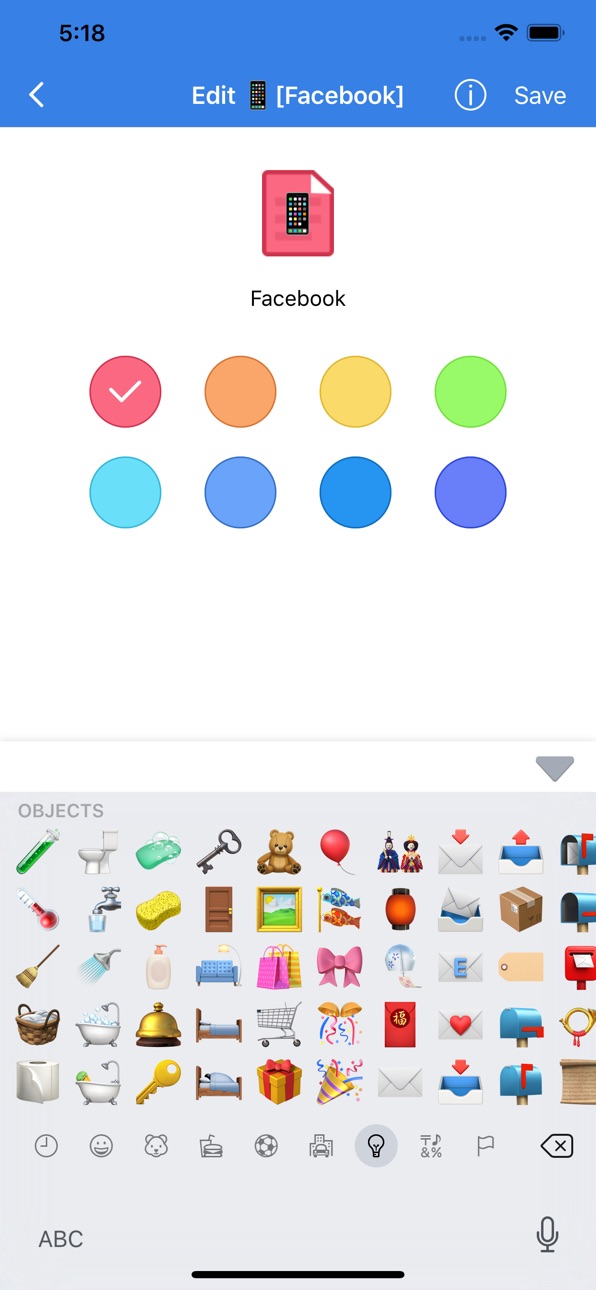
- Customize color and icon for the record.
- High-strength encryption to ensure your data is safe.
- Support text, voice, hand drawing, and photo.
- Powerful association features, allowing you to quickly enter data.
- Support for iCloud backup and iCloud restore. Even for changing phone or the phone had lost, it can quickly recover data.
- Data destruct feature, after the wrong password more than setting times, the data will be destroyed
— SECURITY —
Through Apple's security mechanism scrutinized and iOS security systems, all private data can be only stored in user’s devices or iCloud by encrypted. Nobody, including developers, is able to get private data and master passwords. It can be assured that encrypted private data cannot be hacked.
— LOCKER —
Nowadays, everyone accesses the website with an account and password. It is dangerous when you use the same username and password. Once it had been stolen, other website’s information is at risk of leakage. On the other hand, when you use different and complex passwords, it is very hard to remember all of them. So, YOU NEED LOCKER!
Locker is a safe and convenient password manager.
It is easy to use, fast import and input.
It can manage text, hand-painted pictures, and sound recordings.
It is very safe, even if the developers can not break the user's data.
-- Auto-renewable subscription
1 Subscription service:
Locker continuous monthly package (1 month), Locker continuous quarterly package (3 months), Locker continuous annual package (12 months)
2 subscription prices:
Continuous monthly package is $1.49/month, continuous seasonal package is $2.99/season, and continuous annual package is $9.99/year
3 Payment:
After the user confirms the purchase and makes the payment, it will be credited to their iTunes account
4 Automatic renewal:
The Apple iTunes account will be charged within 24 hours before the expiration date. After successful deduction, the subscription cycle will be extended by one subscription cycle
5 Terms of Use:
https://api.mxcode.com/html/locker/terms/en.html
6 Privacy Agreement:
https://api.mxcode.com/html/locker/privacy/en.html
If any questions and feedback, please contact us by Email. we are looking forward to your feedback which is our greatest driving force to move on.
support@mxcode.com
In-App Purchases US pricing
Locker Pro VIP Subscription
1-Month Plan · Monthly$1.49
1-Quarter Plan · 3 months$2.99
1-Year Plan · Yearly$9.99
Capabilities
In-App Purchases
Accessibility
ipadiphonemacrealityDevicetvoswatch
Version history 9 versions
Build 863776490v1.82025-09-16 23:12:46
Added directory-less classification and recycle bin.
Build 859967179v1.72023-09-18 01:40:30
Show login name in list page.
Be able to choos custom colors.
Build 859460034v1.62023-08-28 12:57:55
Fixed crash bug.
Build 851961997v1.52023-08-16 02:18:37
Fixed Bugs.
Remove version check prompt.
Build 846931734v1.42022-01-31 13:45:42
Fixed crash bug.
Build 844301240v1.32021-09-26 16:03:42
Added Dark Appearance.
Fixed bugs.
Build 832673254v1.22019-09-18 15:59:37
Fixed bugs.
Build 828150125v1.12018-08-08 15:49:50
Fixed bug.
Build 826873071v1.02018-08-06 21:40:12
Price history by region
Currency
Show
Columns
Search
Availability 1 of 1 storefronts
| Region | Language | Price | Ratings | Avg | Version |
|---|---|---|---|---|---|
| US | en-US | Free | 243 | 4.8 | 1.8 |
Change log 13 changes · US
✎
releaseNotes updated
Added directory-less classification and recycle bin.
✎
description updated
Too many passwords to remember? Still, use the same password for each site? Locker - the safest and most convenient private information manager, provides a whol
✎
subtitle updated
Password Photo Drawing Voice
✎
name updated
Locker Pro - Password Manager
◆
Version 1.8 released
Added directory-less classification and recycle bin.
◆
Version 1.7 released
Show login name in list page.
Be able to choos custom colors.
◆
Version 1.6 released
Fixed crash bug.
◆
Version 1.5 released
Fixed Bugs.
Remove version check prompt.
◆
Version 1.4 released
Fixed crash bug.
◆
Version 1.3 released
Added Dark Appearance.
Fixed bugs.
◆
Version 1.2 released
Fixed bugs.
◆
Version 1.1 released
Fixed bug.
◆
Version 1.0 released