Home › Medical

 US
US
1 of 1 storefronts
Content in en-US
Content in en-US
Information
Preview 2 platforms
iPhone 5 images
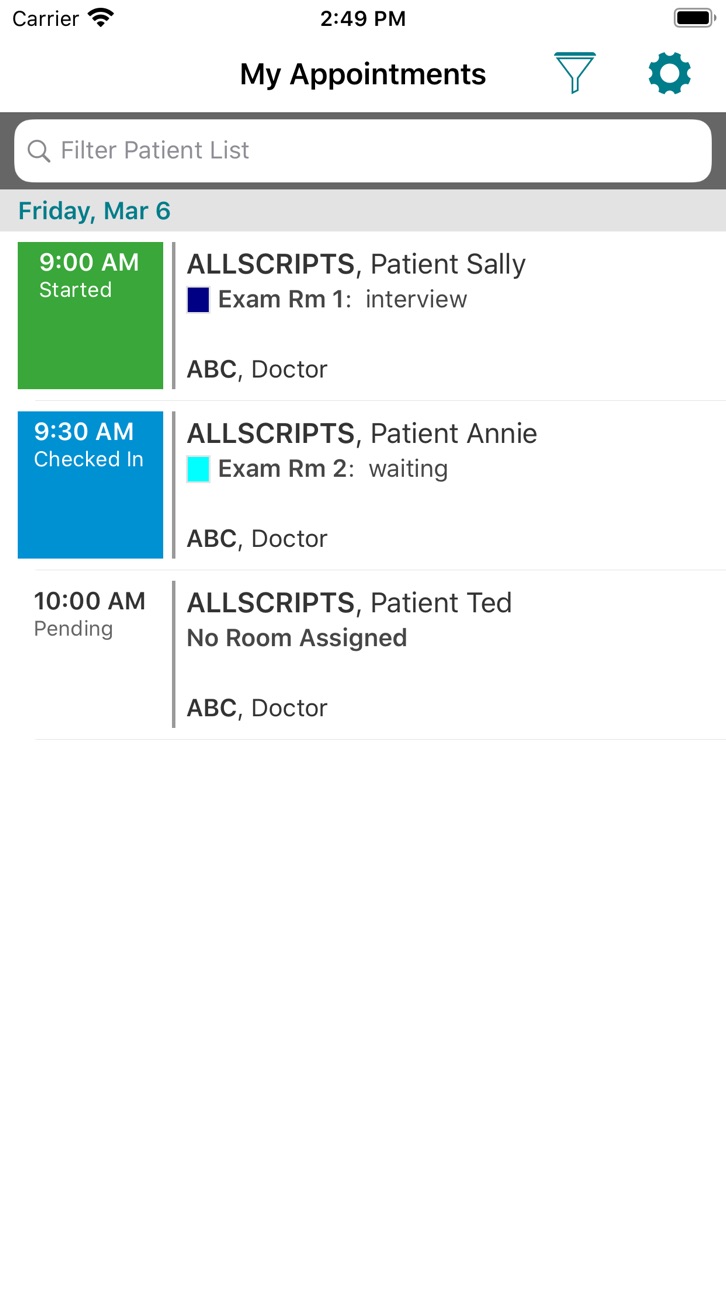

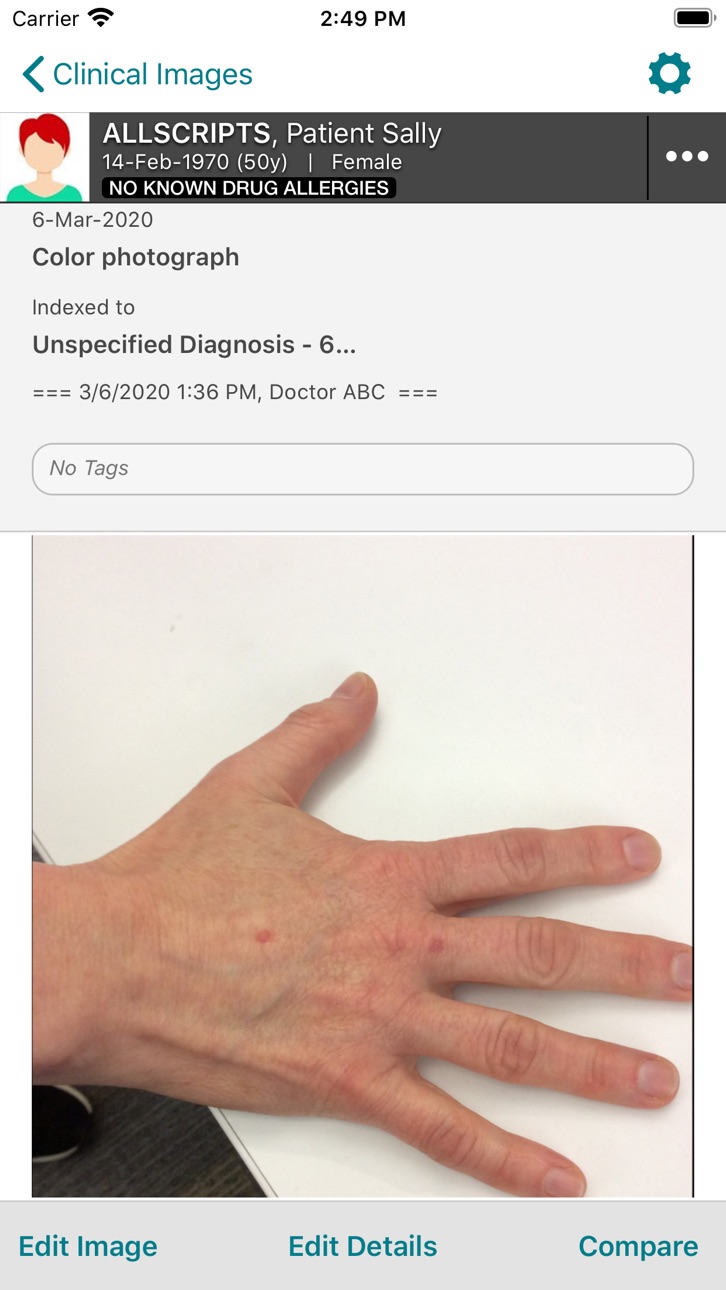
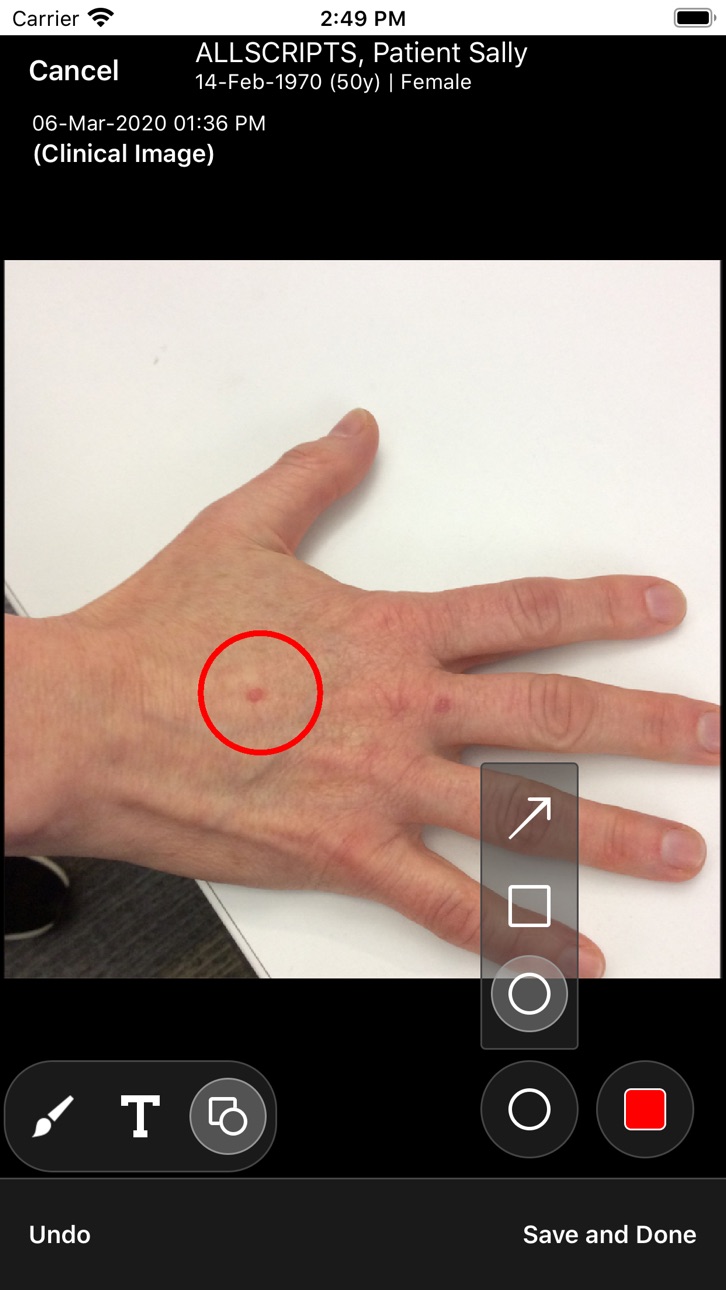
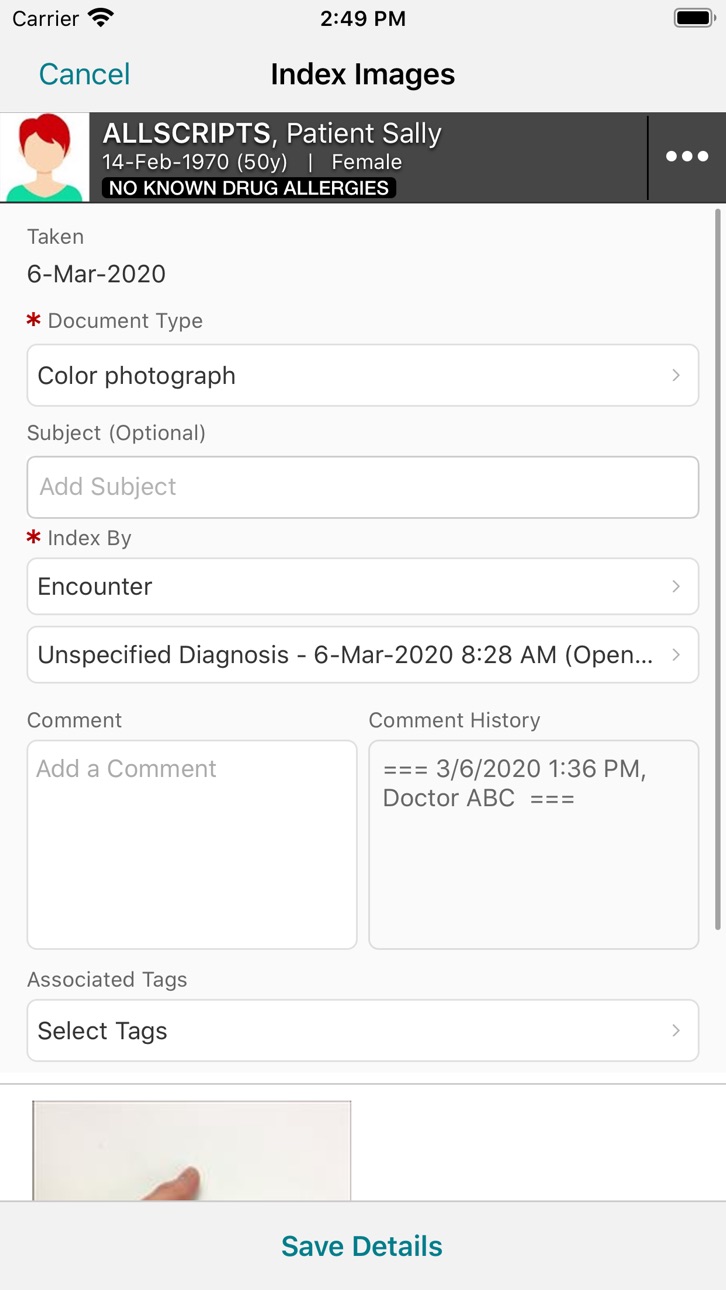
iPad 5 images



What’s New Version 26.0.2
Bug fixes and stability improvements, including a fix for an unexpected close on iPad after sign-in (iPadOS 26).
Description
Veradigm EHR Clinical Images is a companion application for Veradigm EHR.
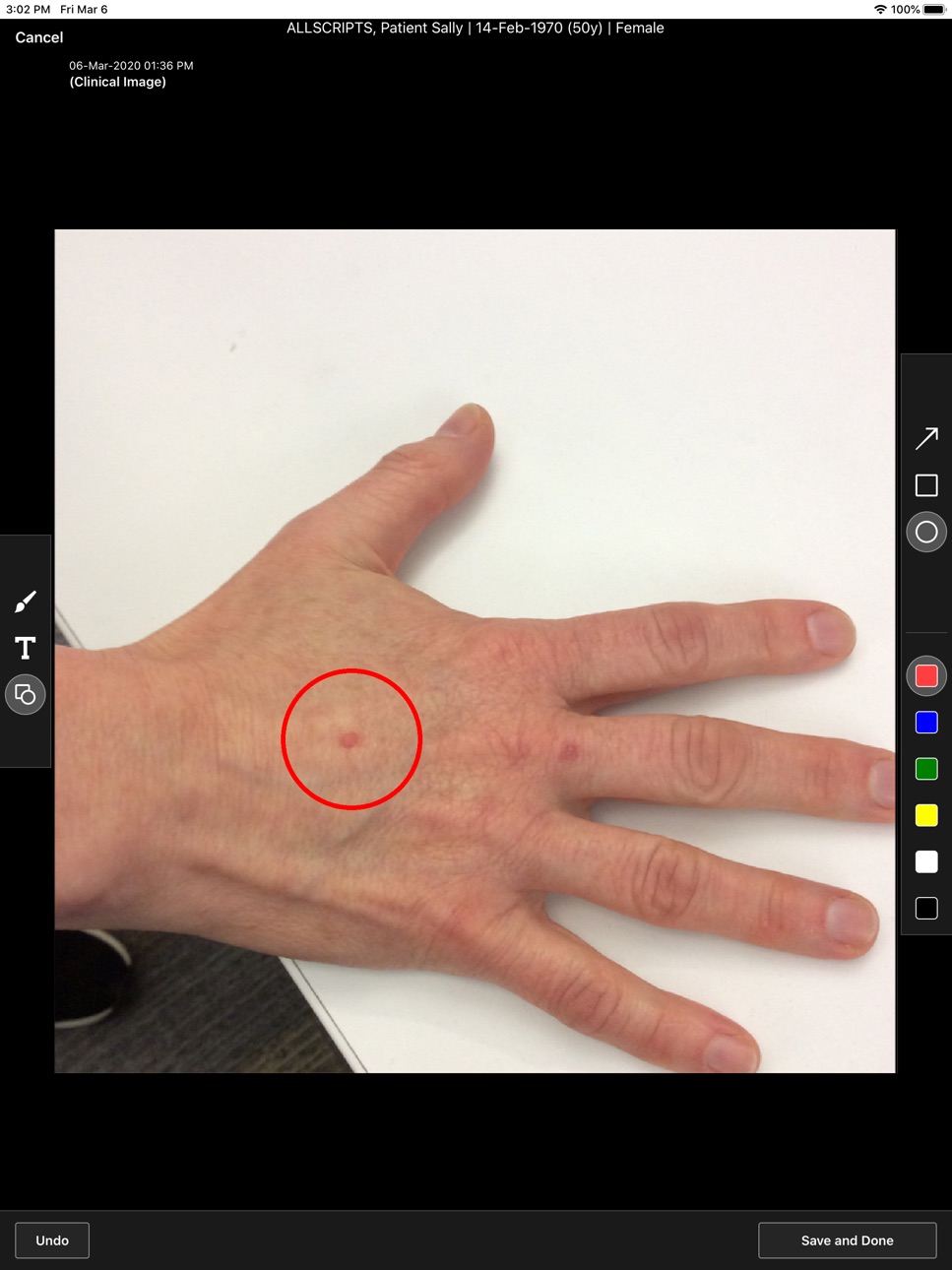
Use Clinical Images on your phone or tablet to take HIPAA-compliant, high-resolution clinical pictures and attach them to patient charts. You can:
- Add categorical data to the images.
- Annotate directly on the images with text and drawing tools.
- Compare images.
- View patient demographics.
Accessibility
ipadiphonemacrealityDevicetvoswatch
Version history 14 versions
Build 887899959v26.0.22026-07-07 05:39:08
Bug fixes and stability improvements, including a fix for an unexpected close on iPad after sign-in (iPadOS 26).
Build 886295910v26.0.12026-06-04 16:21:31
Bug fixes
Build 883805348v26.0.02026-03-27 20:35:31
This update from Apple will improve the functionality of this app. No new features are included.
Bug fixes.
Build 880487766v23.1.32025-12-10 09:49:21
- Compatibility updates for iOS 18:
- Fixes for random app crashes.
- Fixes for image capture and editing functionality.
- Addresses inconsistent login failures.
Build 854937302v22.2.12023-02-15 21:30:34
Allscripts Professional EHR Clinical Images has changed its name to Veradigm EHR Clinical Images.
Build 851528717v22.2.02022-09-07 12:24:47
Bug fixes
Build 846010751v21.4.02022-02-04 21:43:48
- Enlarge your view of a photo immediately after you take it. Click the arrows in the bottom-right corner of the image.
- If you use Pro Mobile or Rooming, you can take photos in those apps and—in a single workflow—open Clinical Images to add information and make annotations.
1. Take a photo, select a document type, and tap “Edit in Images”.
2. Clinical Images opens automatically. You do not need to log in.
3. Use the full range of Clinical Images functionality to make the photo more clinically meaningful.
4. Return to Pro Mobile or Rooming as you would normally switch between apps on the device.
Build 841271639v21.12021-05-14 16:09:14
This is a performance-focused release. It includes:
- Bug fixes
- New “Years Shown on Load” setting in Profile Settings, for controlling how many years of previously taken images to display for patients
Build 840005811v20.42021-01-14 15:22:15
- Users no longer must register themselves to use the app on each device. Now your administrator handles the process. (See the “Device Registration User Guide - Allscripts Professional EHR 20.4 and later”.)
- Performance of the My Appointments list was improved so that you can move from patient to patient more quickly.
- These new features require Allscripts Professional EHR Server 20.4.
Build 836026086v20.1.22020-05-20 12:08:45
- Clinical Images can now be used on phones!
- On tablets, you can change appointment status and patient tracking details directly from Appointments.
- Requires Allscripts Professional EHR Server 19.3 or later.
- Bug fix – see the release notes on Allscripts Central for details
Build 835961927v20.1.12020-05-18 12:07:11
- Clinical Images can now be used on phones!
- On tablets, you can change appointment status and patient tracking details directly from Appointments.
- Requires Allscripts Professional EHR Server 19.3 or later.
- Bug fix – see the release notes on Allscripts Central for details
Build 835006616v20.1.02020-03-13 17:59:11
- Clinical Images can now be used on phones!
- On tablets, you can change appointment status and patient tracking details directly from Appointments.
- Requires Allscripts Professional EHR Server 19.3 or later.
Build 831951364v18.2.12019-07-25 17:31:55
- Extended Appointment List (up to 6 days)
- Allergy Severity now visible in Patient Banner
- Patient Demographics Window (Requires ProEHR Server 19.1 or above)
- Appointment Status, Tracking Status and Room Location (Requires ProEHR Server 19.1 or above)
- General Enhancements
- Bug Fixes
Build 826736424v18.22018-09-12 00:18:13
No pricing data captured yet — comparisons appear once the app has paid storefronts or in-app purchases.
Availability 1 of 1 storefronts
| Region | Language | Price | Ratings | Avg | Version |
|---|---|---|---|---|---|
| US | en-US | Free | 8 | 2.1 | 26.0.2 |
Change log 17 changes · US
✎
releaseNotes updated
Bug fixes and stability improvements, including a fix for an unexpected close on iPad after sign-in (iPadOS 26).
✎
description updated
Veradigm EHR Clinical Images is a companion application for Veradigm EHR.
Use Clinical Images on your phone or tablet to take HIPAA-compliant, high-resolution
✎
name updated
Veradigm EHR Clinical Images
◆
Version 26.0.2 released
Bug fixes and stability improvements, including a fix for an unexpected close on iPad after sign-in (iPadOS 26).
◆
Version 26.0.1 released
Bug fixes
◆
Version 26.0.0 released
This update from Apple will improve the functionality of this app. No new features are included.
Bug fixes.
◆
Version 23.1.3 released
- Compatibility updates for iOS 18:
- Fixes for random app crashes.
- Fixes for image capture and editing functionality.
- Addresses inconsistent login failures.
◆
Version 22.2.1 released
Allscripts Professional EHR Clinical Images has changed its name to Veradigm EHR Clinical Images.
◆
Version 22.2.0 released
Bug fixes
◆
Version 21.4.0 released
- Enlarge your view of a photo immediately after you take it. Click the arrows in the bottom-right corner of the image.
- If you use Pro Mobile or Rooming, you can take photos in those apps and—in a single workflow—open Clinical Images to a
◆
Version 21.1 released
This is a performance-focused release. It includes:
- Bug fixes
- New “Years Shown on Load” setting in Profile Settings, for controlling how many years of previously taken images to display for patients
◆
Version 20.4 released
- Users no longer must register themselves to use the app on each device. Now your administrator handles the process. (See the “Device Registration User Guide - Allscripts Professional EHR 20.4 and later”.)
- Performance of the My Appointme
◆
Version 20.1.2 released
- Clinical Images can now be used on phones!
- On tablets, you can change appointment status and patient tracking details directly from Appointments.
- Requires Allscripts Professional EHR Server 19.3 or later.
- Bug fix – see the release n
◆
Version 20.1.1 released
- Clinical Images can now be used on phones!
- On tablets, you can change appointment status and patient tracking details directly from Appointments.
- Requires Allscripts Professional EHR Server 19.3 or later.
- Bug fix – see the release n
◆
Version 20.1.0 released
- Clinical Images can now be used on phones!
- On tablets, you can change appointment status and patient tracking details directly from Appointments.
- Requires Allscripts Professional EHR Server 19.3 or later.
◆
Version 18.2.1 released
- Extended Appointment List (up to 6 days)
- Allergy Severity now visible in Patient Banner
- Patient Demographics Window (Requires ProEHR Server 19.1 or above)
- Appointment Status, Tracking Status and Room Location (Requires ProEHR Server
◆
Version 18.2 released