Home › Productivity

 US
US
1 of 1 storefronts
Content in en-US
Content in en-US
Information
Preview 2 platforms
iPhone 10 images



iPad 10 images


What’s New Version 5.4.1
- Bug fixes and enhance user experiences.
Description
Lumin for iOS allows you to edit and sync to your Google documents in seconds. Collaborate with colleagues in real-time with a diverse set of editing tools.
Lumin auto-saves your changes and syncs them to all your devices. Connect your Google account and stay on top of your documents. You can effortlessly view and share files with anybody via email or shareable links.
TRUSTED BY MILLIONS
Join over 100 million Lumin users worldwide who use our app to edit, share, and collaborate in the cloud. From note-taking and project management to client onboarding and legal document review, Lumin empowers you across industries.
KEY FEATURES
- Seamless document management: Import from your favorite storage (Dropbox, Google Drive, OneDrive), edit, and share PDFs effortlessly.
- Cloud integration: Automatically save changes and sync across devices.
- Versatile editing tools: Highlight, annotate, draw on PDFs and more.
- Document organization: Organize, extract pages, merge files, convert to/from PDF,...
- Pre-designed templates: Choose from various templates for various purposes and industries, such as real estate, education, job application, etc.
- Collaboration: Share files and receive real-time notifications.
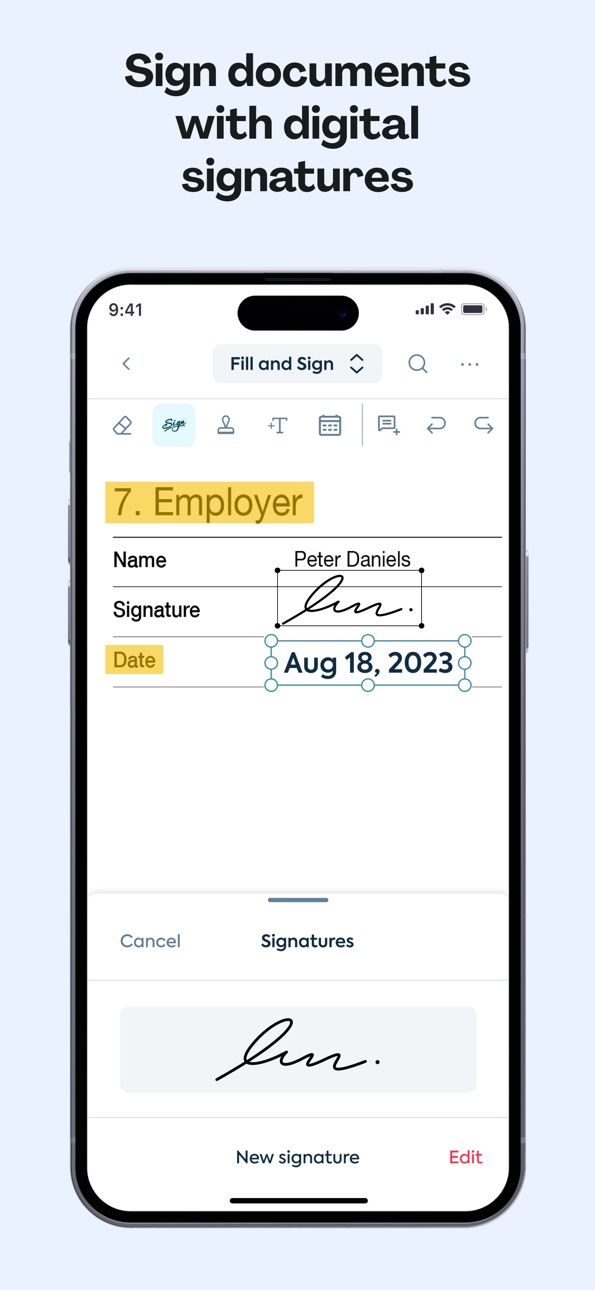
- eSignatures: Sign and fill out forms with ease.
- Scanning: Convert paper documents into portable PDFs.
LUMIN IN THE REVIEWS
“I use Lumin to mark up PDF drawings and send them to my subcontractors. In my role, time is of the essence. Lumin provides me with a tool to make collaboration and feedback easy.” – Construction site manager, US
“We have been using Lumin for a little over two years, and it's been amazing. Using Lumin on-the-go and in-office allows us better turnaround time for our patients' care.” – Director of Services and Operations, US
“It s very useful and handful for studying and I feel like they make good improvements with each upgrade. I use it for studying, it's cool that I can connect my university Google Drive to the Lumin account and I can edit, draw, write, highlight and add comments and they always get saved.” – Individual user
“Too loud. You can open and edit texts from any device, everything is saved automatically, quickly. Access is very fast. The options for editing documents are diverse.” – Individual user
Terms & conditions: https://www.luminpdf.com/terms-of-use/
Accessibility
ipadiphonemacrealityDevicetvoswatch
Version history 25 versions
Build 887367586v5.4.12026-06-25 02:28:08
- Bug fixes and enhance user experiences.
Build 886936067v5.4.02026-06-24 04:01:28
- Support dark mode
- Allow users to create nested folders on mobile
Build 886413129v5.3.52026-06-10 01:53:40
- General improvements and optimizations
- Bug fixes and enhanced app reliability
Build 885902438v5.3.42026-05-22 01:50:59
- General improvements and optimizations
- Bug fixes and enhanced app reliability
Build 885512661v5.3.32026-05-14 07:57:13
- Pick your vibe with the new Custom Color Picker
- Squashed some annoying bugs for a smoother experience
Build 885056600v5.3.22026-04-30 03:00:10
- Improved app stability and reliability across app workflows.
Build 884713091v5.3.12026-04-21 03:30:51
- Improved app stability and reliability across app workflows.
Build 883512351v5.3.02026-04-15 08:29:43
- Enhanced outlines and bookmarks,
- Improved viewer load performance, and various bug fixes.
Build 882934935v5.2.22026-03-05 02:23:15
Bug fixes and enhance user experiences.
Build 882426165v5.2.12026-02-14 02:02:36
Improved app stability and reliability across app workflows.
Build 882180067v5.2.02026-02-11 03:43:45
Improved app stability and reliability across app workflows.
Build 881882584v5.1.02026-01-29 08:02:22
We’ve redesigned how sharing works in 5.1.0 to improve discoverability and make key actions easier to access. We did squash some bugs too!
Build 881515349v5.0.02026-01-16 03:42:43
A few bugs fixed to make things smoother and more reliable. We’ve got your back!
Build 881216027v4.9.12026-01-09 07:31:19
Bug fixes and enhance user experiences.
Build 881170990v4.9.02026-01-05 02:15:41
Reskin viewer and enhance user experiences.
Build 881121855v4.8.12026-01-03 04:03:39
Bug fixes and enhance user experiences.
Build 880897531v4.8.02025-12-24 03:53:58
Minor bug fixes and some enhancements to make your experience more delightful
Build 880679700v4.7.12025-12-17 02:05:30
Bug fixes and enhance user experiences.
Build 880531695v4.7.02025-12-11 10:24:39
Authenticate to Lumin using Xero
Build 880441631v4.6.02025-12-09 12:28:26
- Added Download Permission Configuration
Build 880300538v4.5.42025-12-05 03:05:22
- Add a download file option.
- Christmas App Icon.
Build 880168429v4.5.32025-11-30 01:46:56
Bug fixes and enhance user experiences.
Build 879702152v4.5.22025-11-13 03:24:49
Bug fixes and enhance user experiences.
Build 879482623v4.5.12025-11-05 04:59:53
Bug fixes and app performance optimization
Build 879171429v4.5.02025-10-30 10:56:55
Added Guest mode: allows users to annotate and edit without signing in.
Improved the quick tool interface.
No pricing data captured yet — comparisons appear once the app has paid storefronts or in-app purchases.
Availability 1 of 1 storefronts
| Region | Language | Price | Ratings | Avg | Version |
|---|---|---|---|---|---|
| US | en-US | Free | 879 | 4.5 | 5.4.1 |
Change log 29 changes · US
✎
releaseNotes updated
- Bug fixes and enhance user experiences.
✎
description updated
Lumin for iOS allows you to edit and sync to your Google documents in seconds. Collaborate with colleagues in real-time with a diverse set of editing tools.
Lu
✎
subtitle updated
Edit & share PDFs in the Cloud
✎
name updated
Lumin: View, Edit, Share PDF
◆
Version 5.4.1 released
- Bug fixes and enhance user experiences.
◆
Version 5.4.0 released
- Support dark mode
- Allow users to create nested folders on mobile
◆
Version 5.3.5 released
- General improvements and optimizations
- Bug fixes and enhanced app reliability
◆
Version 5.3.4 released
- General improvements and optimizations
- Bug fixes and enhanced app reliability
◆
Version 5.3.3 released
- Pick your vibe with the new Custom Color Picker
- Squashed some annoying bugs for a smoother experience
◆
Version 5.3.2 released
- Improved app stability and reliability across app workflows.
◆
Version 5.3.1 released
- Improved app stability and reliability across app workflows.
◆
Version 5.3.0 released
- Enhanced outlines and bookmarks,
- Improved viewer load performance, and various bug fixes.
◆
Version 5.2.2 released
Bug fixes and enhance user experiences.
◆
Version 5.2.1 released
Improved app stability and reliability across app workflows.
◆
Version 5.2.0 released
Improved app stability and reliability across app workflows.
◆
Version 5.1.0 released
We’ve redesigned how sharing works in 5.1.0 to improve discoverability and make key actions easier to access. We did squash some bugs too!
◆
Version 5.0.0 released
A few bugs fixed to make things smoother and more reliable. We’ve got your back!
◆
Version 4.9.1 released
Bug fixes and enhance user experiences.
◆
Version 4.9.0 released
Reskin viewer and enhance user experiences.
◆
Version 4.8.1 released
Bug fixes and enhance user experiences.
◆
Version 4.8.0 released
Minor bug fixes and some enhancements to make your experience more delightful
◆
Version 4.7.1 released
Bug fixes and enhance user experiences.
◆
Version 4.7.0 released
Authenticate to Lumin using Xero
◆
Version 4.6.0 released
- Added Download Permission Configuration
◆
Version 4.5.4 released
- Add a download file option.
- Christmas App Icon.
◆
Version 4.5.3 released
Bug fixes and enhance user experiences.
◆
Version 4.5.2 released
Bug fixes and enhance user experiences.
◆
Version 4.5.1 released
Bug fixes and app performance optimization
◆
Version 4.5.0 released
Added Guest mode: allows users to annotate and edit without signing in.
Improved the quick tool interface.