Home › Business

 US
US
1 of 1 storefronts
Content in en-US
Content in en-US
Information
Preview 2 platforms
iPhone 6 images


iPad 1 image
What’s New Version 5.6.1
- Infrastructure upgrades
- Performance improvements
Description
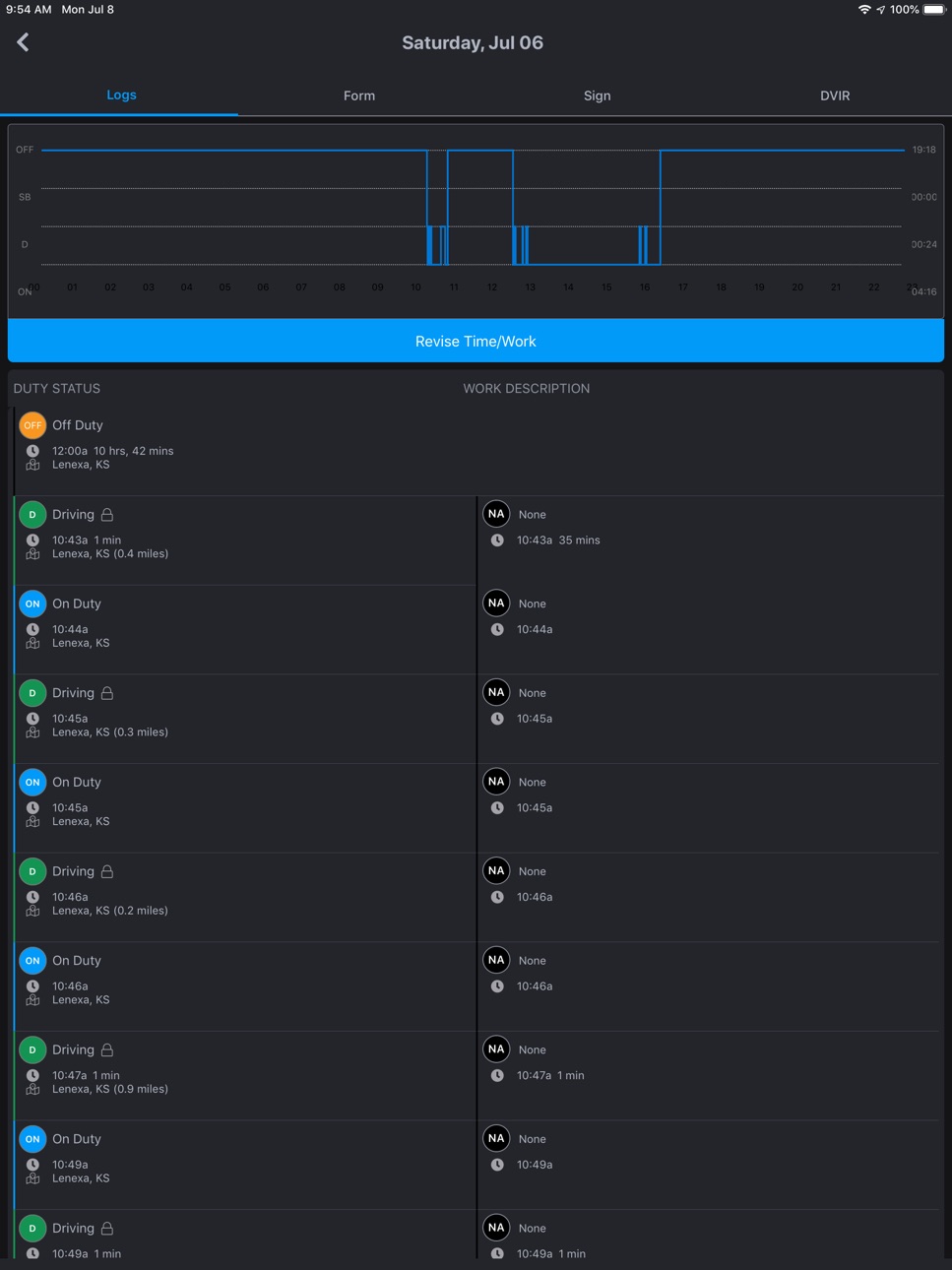
CONTRACTORS ELOGS is an easy to use elogs application for commercial drivers. It allows you to track your hours of service duty changes and automatically generates Elogs. It works as a standalone app but also is compliant with the FMCSA ELD mandate when used in tandem with ES Track.
Continued use of GPS running in the background can dramatically decrease battery life.
Accessibility
ipadiphonemacrealityDevicetvoswatch
Version history 25 versions
Build 880322571v5.6.12025-12-04 15:40:10
- Infrastructure upgrades
- Performance improvements
Build 876425563v5.5.72025-07-16 13:03:03
General bug fixes
Build 875738011v5.4.12025-07-10 13:24:19
Bug-fixes and general improvements in authentication
Build 874525116v5.3.62025-05-06 02:01:38
There are improvements for developer analytics.
Build 872240503v5.3.52025-02-05 02:26:58
Improved developer experience and updated release process
Build 870346020v4.7.22024-11-12 07:45:46
Various performance improvements.
Build 863624768v4.6.22024-02-16 16:00:14
Added photo compression to improve image upload performance for photos on documents, vehicle inspection reports and new trailer submissions.
Build 858305104v4.5.02023-07-11 17:04:18
Updated login method for improved security and consistency with the T3 platform.
Build 857141571v4.4.22023-05-18 20:25:53
Bugfixes and improvements
Build 855367378v4.3.132023-03-08 18:00:36
Bugfixes and improvements
Build 854448937v4.3.112023-01-18 17:00:53
- Improved analytics
Build 848498459v4.2.02022-04-25 14:33:09
Better offline warning notifications. General bug fixes and performance improvements.
Build 845830729v4.1.02021-12-10 16:56:08
General bug fixes and performance improvements.
Build 842980567v3.3.02021-07-08 15:47:58
The existing DVIR feature in the E-Logs browser app and mobile app is improved to provide an easier process for drivers. Some of the newer highlights are:
- Creating DVIRs anytime by type
- Image capture for accurately recording any vehicle defects
- Notes field providing more defects details
- A simpler defect resolution process
Build 841180041v3.2.152021-04-02 16:32:29
- Added asset status information to change status screen when paired to a vehicle
- Disabling certain status changes while vehicle is paired and moving > 5mph.
- Updated styling of change status screen
- Push notifications are now displayed as banner messages within the app temporarily, rather than an alert that has to be dismissed.
- Added better error message when vehicle pairing is unsuccessful
Build 838544186v3.2.142020-11-06 15:55:31
Fixed some issues related to iOS 14.
Build 837045193v3.2.132020-07-29 14:47:07
Fixed a transient issue with permissions selection when the app is backgrounded.
Build 836970083v3.2.122020-07-23 16:29:00
Added a prompt to alert users when geolocation is required for systems that need it to function properly, and removed some left-over geolocation functionality that was causing errors.
Build 836844953v3.2.102020-07-15 12:40:19
This release includes a number of driver-to-vehicle pairing improvements in addition to performance and user interaction improvements.
Build 836163644v3.2.02020-05-27 23:40:51
Updated several underlying systems, including rendering and geolocation, that allowed us to fix some significant issues within the application, and increase performance in some cases.
Build 833749243v3.1.22019-11-25 21:11:43
- Signatures for signing Logs, DVIRs and Defects
- Minor bug fixes
Build 833029260v3.1.12019-10-03 20:44:42
- Help Desk Direct Message communication support
- Support for the Short Haul 16-Hour exemption
- Access of up to 6 months of historical logs
- Added the ability to reclassify tracked drive time to Personal Use or Yard Move
- Improved error reporting
Build 831934731v3.0.392019-07-08 23:40:29
Contractors E-Logs has been completely redesigned to enhance efficiency and improve overall performance.
Build 830432071v2.1.92019-02-27 16:03:39
Bug fixes
Build 830213574v2.1.82019-02-06 23:05:11
Support for integrated time, work and job tracking. Drivers may now specify how they are spending their time through selection of Work Orders, Notes, and/or Jobs.
No pricing data captured yet — comparisons appear once the app has paid storefronts or in-app purchases.
Availability 1 of 1 storefronts
| Region | Language | Price | Ratings | Avg | Version |
|---|---|---|---|---|---|
| US | en-US | Free | 14 | 4.2 | 5.6.1 |
Change log 28 changes · US
✎
releaseNotes updated
- Infrastructure upgrades
- Performance improvements
✎
description updated
CONTRACTORS ELOGS is an easy to use elogs application for commercial drivers. It allows you to track your hours of service duty changes and automatically genera
✎
name updated
Contractors Elogs
◆
Version 5.6.1 released
- Infrastructure upgrades
- Performance improvements
◆
Version 5.5.7 released
General bug fixes
◆
Version 5.4.1 released
Bug-fixes and general improvements in authentication
◆
Version 5.3.6 released
There are improvements for developer analytics.
◆
Version 5.3.5 released
Improved developer experience and updated release process
◆
Version 4.7.2 released
Various performance improvements.
◆
Version 4.6.2 released
Added photo compression to improve image upload performance for photos on documents, vehicle inspection reports and new trailer submissions.
◆
Version 4.5.0 released
Updated login method for improved security and consistency with the T3 platform.
◆
Version 4.4.2 released
Bugfixes and improvements
◆
Version 4.3.13 released
Bugfixes and improvements
◆
Version 4.3.11 released
- Improved analytics
◆
Version 4.2.0 released
Better offline warning notifications. General bug fixes and performance improvements.
◆
Version 4.1.0 released
General bug fixes and performance improvements.
◆
Version 3.3.0 released
The existing DVIR feature in the E-Logs browser app and mobile app is improved to provide an easier process for drivers. Some of the newer highlights are:
- Creating DVIRs anytime by type
- Image capture for accurately recording any vehicle
◆
Version 3.2.15 released
- Added asset status information to change status screen when paired to a vehicle
- Disabling certain status changes while vehicle is paired and moving > 5mph.
- Updated styling of change status screen
- Push notifications are now displayed
◆
Version 3.2.14 released
Fixed some issues related to iOS 14.
◆
Version 3.2.13 released
Fixed a transient issue with permissions selection when the app is backgrounded.
◆
Version 3.2.12 released
Added a prompt to alert users when geolocation is required for systems that need it to function properly, and removed some left-over geolocation functionality that was causing errors.
◆
Version 3.2.10 released
This release includes a number of driver-to-vehicle pairing improvements in addition to performance and user interaction improvements.
◆
Version 3.2.0 released
Updated several underlying systems, including rendering and geolocation, that allowed us to fix some significant issues within the application, and increase performance in some cases.
◆
Version 3.1.2 released
- Signatures for signing Logs, DVIRs and Defects
- Minor bug fixes
◆
Version 3.1.1 released
- Help Desk Direct Message communication support
- Support for the Short Haul 16-Hour exemption
- Access of up to 6 months of historical logs
- Added the ability to reclassify tracked drive time to Personal Use or Yard Move
- Improved error
◆
Version 3.0.39 released
Contractors E-Logs has been completely redesigned to enhance efficiency and improve overall performance.
◆
Version 2.1.9 released
Bug fixes
◆
Version 2.1.8 released
Support for integrated time, work and job tracking. Drivers may now specify how they are spending their time through selection of Work Orders, Notes, and/or Jobs.