Home › Photo & Video

 US
US
1 of 1 storefronts
Content in en-US
Content in en-US
Information
Apple ID1364253288
Bundle IDcom.zsp.lines
SellerSeller
Min iOS9.0
Min macOS11.0
Device familiesiphone, ipad, ipod
Released2018-08-09
Copyright© 2018 ShiPin Zhou
Privacy policyLink ↗
Preview 2 platforms
iPhone 4 images


iPad 4 images



What’s New Version 3.0.0
Big upgrade for video mode
- Video clip editing tools, selectable video clip range
- Replace poster with your favorite video frame
- Import video from Photos
- Automatically remove black edges
- Provide a series of short step-by-step videos
Description
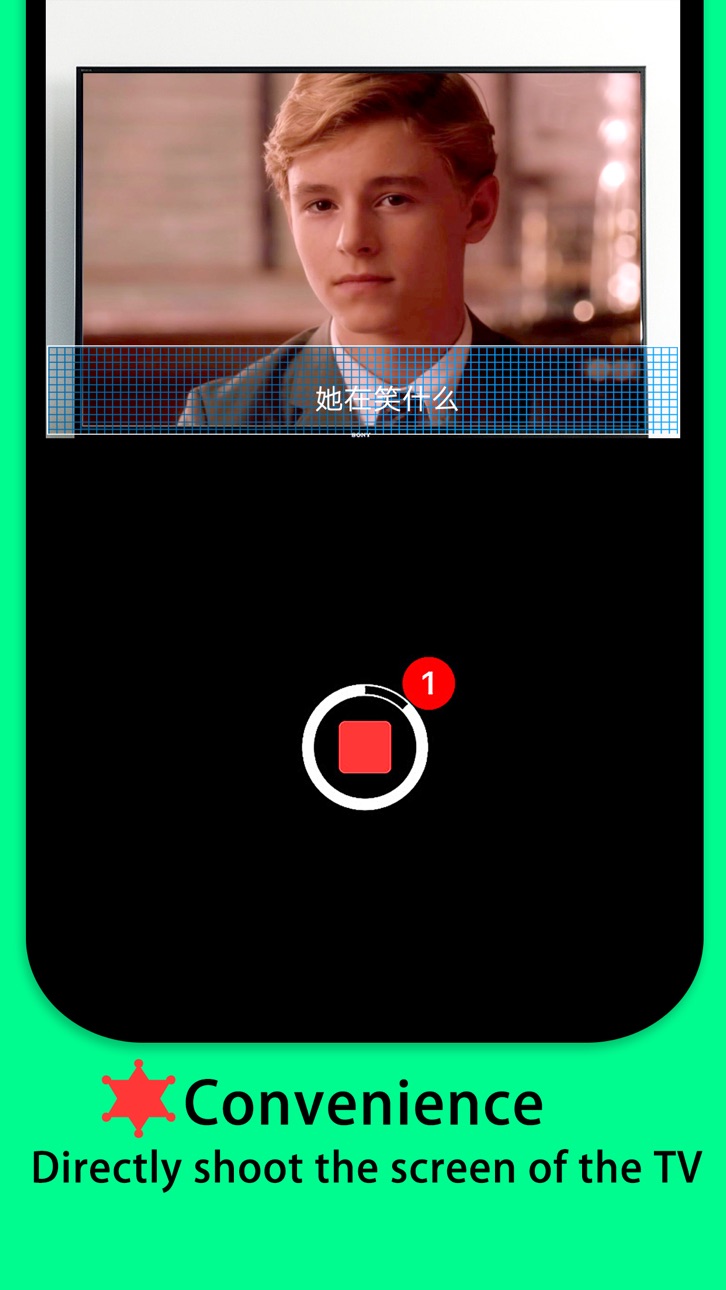
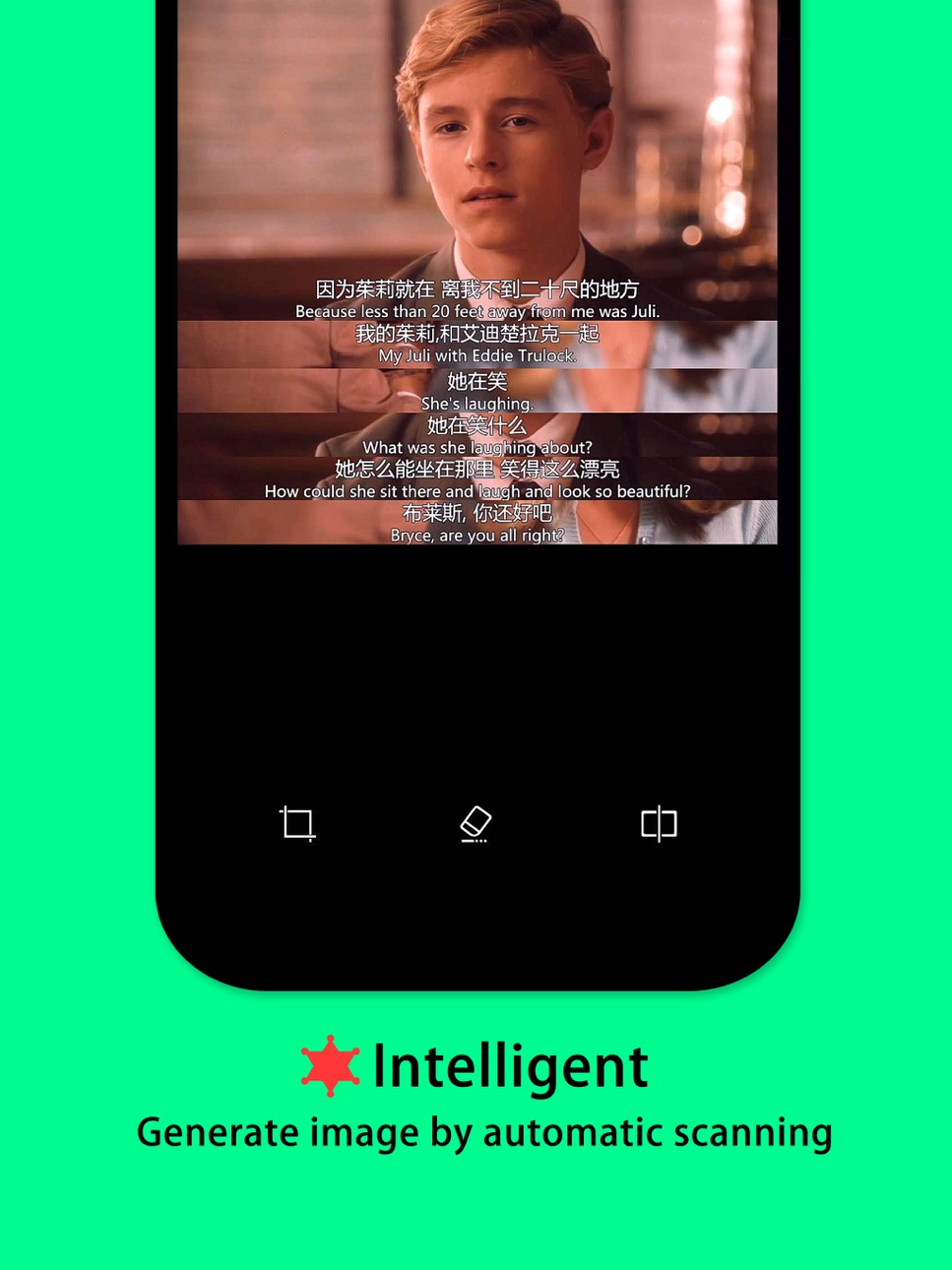
Lines only need the camera to face the screen where the video is played. Press the record button and a few seconds will generate a image with a line of subtitles.
[recording]
The camera is aimed at the screen where the video is played, automatically detecting subtitles and stitching them into a image.
[edit]
Built-in image cropping and subtitle deletion.
[share]
Share lines image to WeChat, TimeLine or Weibo.
In-App Purchases US pricing
One-Time Purchases
专业版$1.99
Capabilities
In-App Purchases
Accessibility
ipadiphonemacrealityDevicetvoswatch
Version history 6 versions
Build 831271651v3.0.02019-05-12 00:56:25
Big upgrade for video mode
- Video clip editing tools, selectable video clip range
- Replace poster with your favorite video frame
- Import video from Photos
- Automatically remove black edges
- Provide a series of short step-by-step videos
Build 829194732v2.1.12018-11-06 23:05:03
Bug fixes:
Some user were hitting a crash when recording.
Build 828841046v2.1.02018-10-06 23:41:03
- Pro edition remove AD
- Fix "Share to More"
- Other improvements
Build 828782838v2.0.02018-10-02 20:25:19
- support local video
- subtitle spacing configuration
Build 828150047v1.0.12018-08-15 23:30:58
- Support iPad
- Fix bug
Build 826454164v1.02018-08-07 02:56:32
Price history by region
Currency
Show
Columns
Search
Availability 1 of 1 storefronts
| Region | Language | Price | Ratings | Avg | Version |
|---|---|---|---|---|---|
| US | en-US | Free | 1 | 1.0 | 3.0.0 |
Change log 10 changes · US
✎
releaseNotes updated
Big upgrade for video mode
- Video clip editing tools, selectable video clip range
- Replace poster with your favorite video frame
- Import video from Photos
-
✎
description updated
Lines only need the camera to face the screen where the video is played. Press the record button and a few seconds will generate a image with a line of subtitle
✎
subtitle updated
easy to stitch subtitles image
✎
name updated
Lines - 对白
◆
Version 3.0.0 released
Big upgrade for video mode
- Video clip editing tools, selectable video clip range
- Replace poster with your favorite video frame
- Import video from Photos
- Automatically remove black edges
- Provide a series of short step-by-step video
◆
Version 2.1.1 released
Bug fixes:
Some user were hitting a crash when recording.
◆
Version 2.1.0 released
- Pro edition remove AD
- Fix "Share to More"
- Other improvements
◆
Version 2.0.0 released
- support local video
- subtitle spacing configuration
◆
Version 1.0.1 released
- Support iPad
- Fix bug
◆
Version 1.0 released