Home › Productivity

 US
US
1 of 1 storefronts
Content in en-US
Content in en-US
Information
Apple ID1363166652
Bundle IDedu.msmary.dmblackwell.GetOffYourPhone
SellerSeller
Min iOS11.0
Min macOS11.0
Device familiesiphone, ipad, ipod
Released2018-04-22
Copyright© Daniel Blackwell
Privacy policyLink ↗
Preview 2 platforms
iPhone 10 images


iPad 10 images




What’s New Version 2.3.1
Added:
- Updated for iOS 14.5
Fixed:
- Occasional crash caused when notifications for the app are turned off
- Restore purchase issues with new themes
Have a suggestion for the next update? Send us an email at GetOffYourPhoneApp@gmail.com
Description
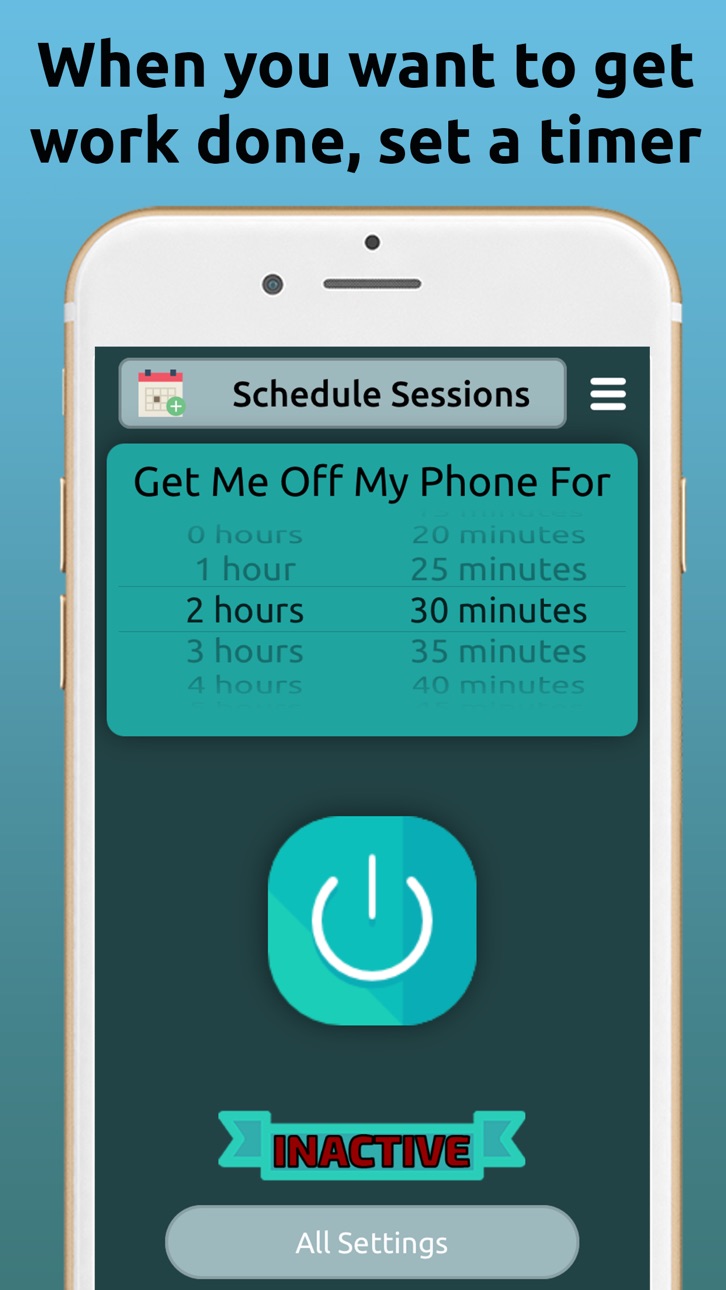
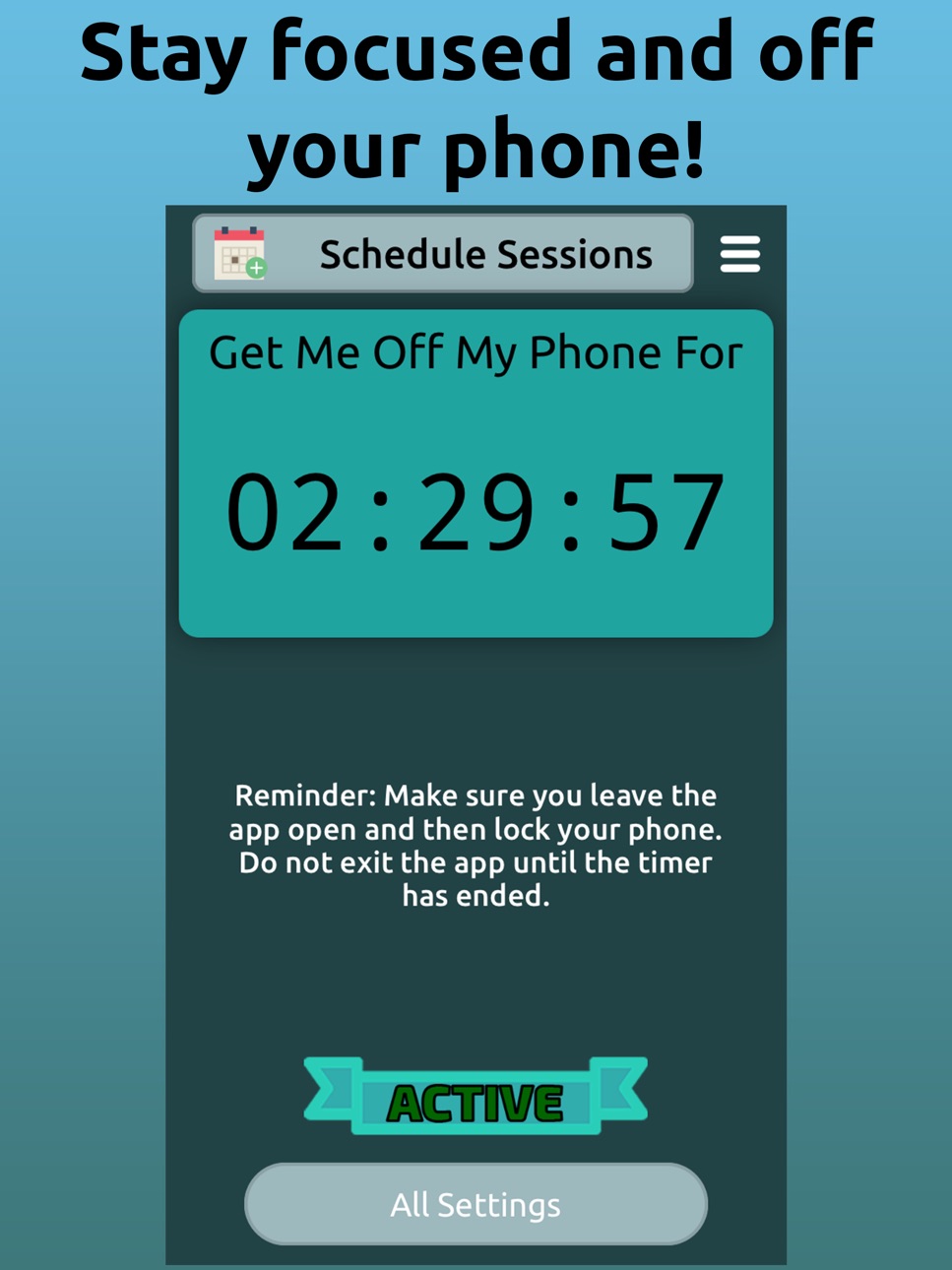
Set a timer length and then push the start button. Now anytime you leave the app while the timer is still active you will be sent funny and inspirational notifications every 2 – 10 seconds. This will happen every time you leave the app until the timer is back to zero.
These notifications help you stay focused by making it harder to use your phone for things like social media and texting as well as reminding you that you shouldn’t be on your phone. Staying off your phone and eliminating distractions has never been this easy.
Limiting your phone usage allows you to focus on important things like homework, studying, reading, or even just being present in your daily life with friends and family.
SCHEDULE SESSIONS – Schedule sessions in advance by setting a time during the day, choosing whether you want them to repeat on certain days of the week, and setting a duration. Want to be off your phone at 8am Monday thru Friday for 4 hours? Done. Easy peasy.
TAGS – Set up to three tags for each session. These tags allow you to keep track of what you worked on during the time you were off your phone. You can then check how often and for how many hours/minutes you have used these tags.
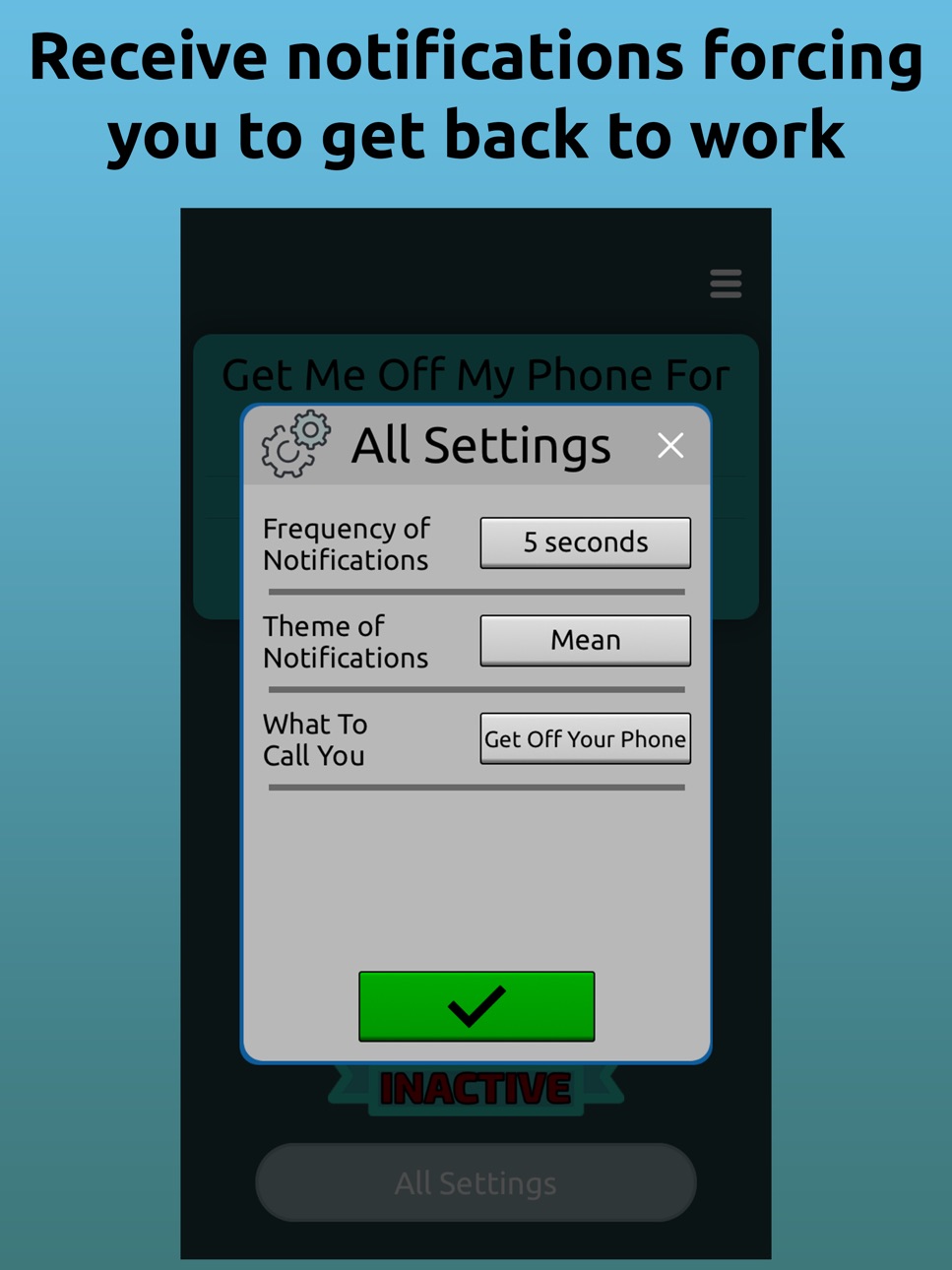
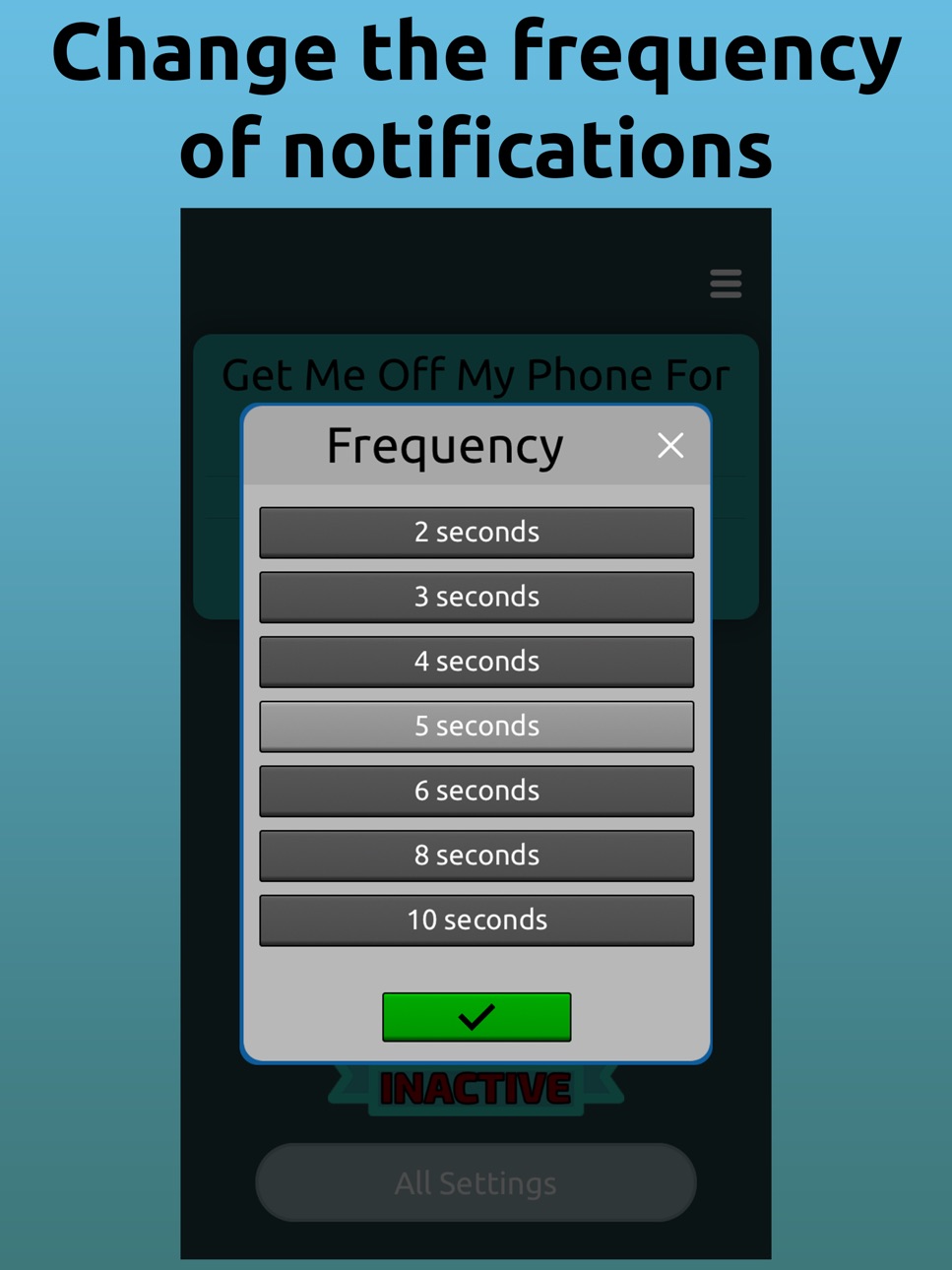
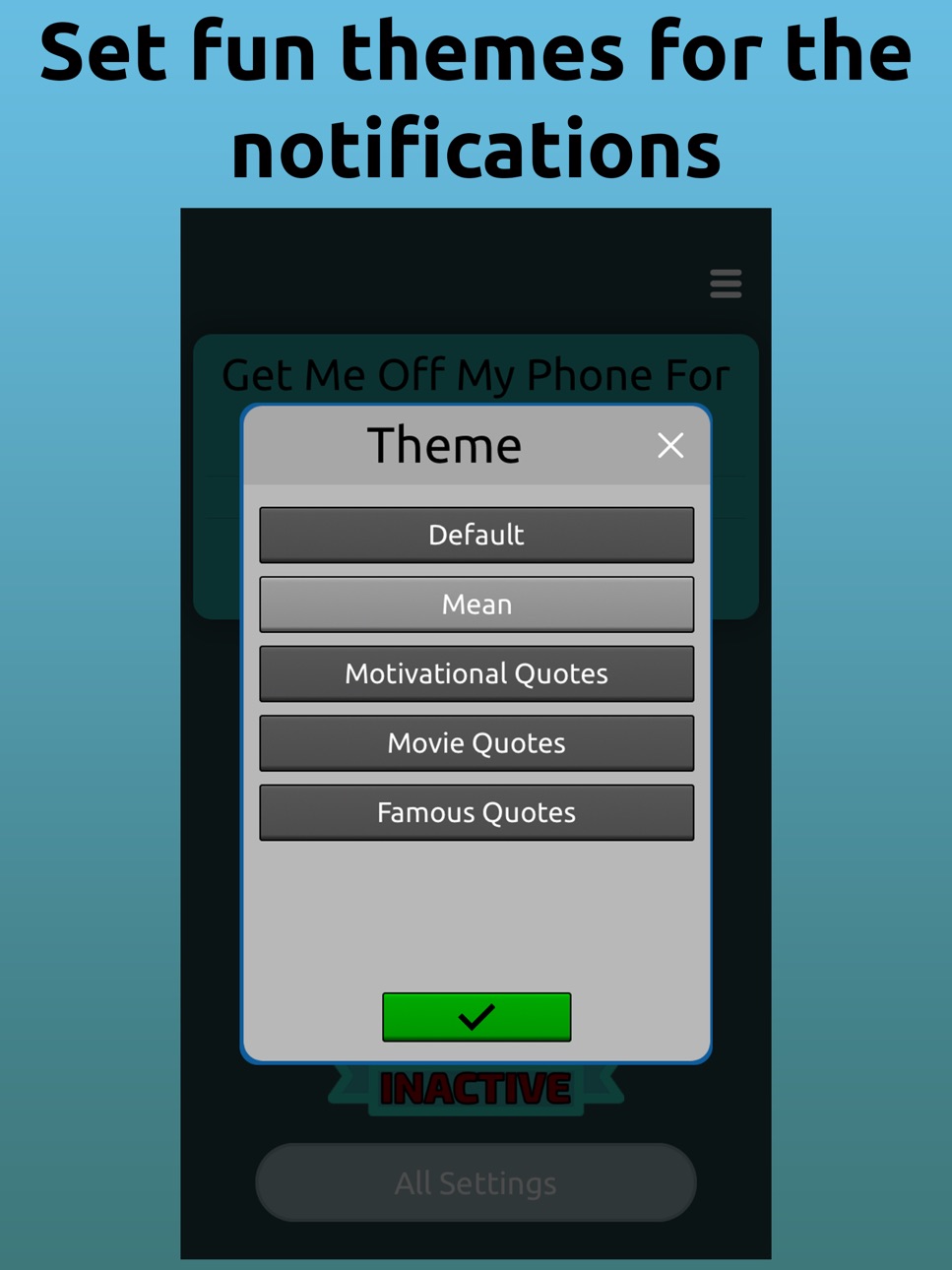
NOTIFICATIONS – The notifications are what keeps you focused and off your phone. You can customize the frequency and theme of them. You can set the frequency anywhere from 2 to 10 seconds. You can also change the text of the notifications to various fun themes such as movie quotes, inspirational quotes, or you can make them mean to give you that extra bit of inspiration to get back to work.
HISTORY – At any time you can check the history of sessions to see what you worked on in the past. You’ll see when you were off your phone and what you did while off of it.
EMERGENCY OFF – Emergencies come up, you probably don’t want to be yelled at by your phone for being on it when an emergency comes up. That’s why we created an emergency off button. This will turn off ALL notifications from the app for 5 minutes.
What are you waiting for? Download the app and become more productive.
Some of the icons in this app were made by Freepik, Roundicons, Smashicons, and Prosymbols from flaticon.com
In-App Purchases US pricing
One-Time Purchases
Mean Theme$0.99
Movie Theme$0.99
Famous Quotes Theme$0.99
Motivational Theme$0.99
Funny Theme$0.99
Motivational Sayings Theme$0.99
Unlock Premium$1.99
Unlock Premium and All Themes$2.99
Capabilities
In-App Purchases
Accessibility
ipadiphonemacrealityDevicetvoswatch
Version history 8 versions
Build 841969803v2.3.12021-04-27 23:51:19
Added:
- Updated for iOS 14.5
Fixed:
- Occasional crash caused when notifications for the app are turned off
- Restore purchase issues with new themes
Have a suggestion for the next update? Send us an email at GetOffYourPhoneApp@gmail.com
Build 841291508v2.3.02021-04-11 17:29:08
Added:
- Two new themes! 'Funny' and 'Motivational Sayings'
- New setting: You can now set a maximum amount of emergency offs (breaks) you can take per session
- You can now set scheduled sessions to start automatically when tapping on the notification (the app must still be opened)
- You can now name your scheduled sessions to keep track/remind you of what they are for
- While adding tags after completing a session, the amount of time allocated to each tag is now shown next to the percent picker
- Also while adding tags after completing a session, the combined total percent of all tags added is shown in the bottom right corner
Changed:
- Adding tags UI after completing a session has been updated to be more clear
- New app icon and launch screen
Fixed:
- Can no longer tap on lock screen notifications while session is active to bypass session restrictions
- When adding/editing a session, the time picker scroll wheels have been fixed for iOS 14 devices
- Now correctly shows session completed pop up if session is completed while app is open and another screen is up
- Fixed crashes when opening ‘Get Premium’ page
Have a suggestion for the next update? Send us an email at GetOffYourPhoneApp@gmail.com
Build 840567435v2.2.02021-02-26 21:00:16
Added:
- Notifications will now be paused while on a phone call
Changed:
- When adding tags the percent picker will default to percent needed to get 100%
- New app icon and launch screen
- Ad network changes
- Updated engine
Fixed:
- Close button for frequency of notifications not working
Have a suggestion for the next update? Send us an email at GetOffYourPhoneApp@gmail.com
Build 829593525v2.1.02018-12-23 01:03:08
Added:
- Scheduled Sessions! You can now schedule sessions for future times. You can choose the time, whether you want them to repeat on certain days of the week, and the duration of the session. When you schedule a session you’ll be sent a notification to remind you to open the app and then get off your phone
- New FAQs
Changed:
- Look of home page
- Visual improvements throughout app
- App store screenshots and video
- Lots of behind the scenes changes in this update
Fixed:
- Bug where after typing, the keyboard would hide the title of a tag when adding a new tag
Have a suggestion for the next update? Send us an email at GetOffYourPhoneApp@gmail.com
Build 828456259v2.0.02018-09-06 17:58:27
Added:
- Session history charts. View them in the session history page. Choose between daily, weekly, and monthly charts
- Tag usage pie chart. View this chart in the tag usage page. Choose between viewing your tag usage in a list or in a pie chart
- Helpful text once you start a timer
Changed:
- Look of home page when timer is active
- App store screenshots
Fixed:
- Contact Us button now works correctly in FAQs page
Have a suggestion for the next update? Send us an email at GetOffYourPhone@gmail.com
Build 827286863v1.0.22018-05-25 16:28:40
Changed
- Minor graphical improvements
Fixed
- Problems with purchases not going through
Have a suggestion for the next update? Send us an email at GetOffYourPhoneApp@gmail.com
Build 826825390v1.0.12018-05-03 15:05:37
Added
- Walkthrough when app is first launched
- App preview video for iPhone App Store
- Helpful text when you check tag usage/session history when you haven't completed any sessions yet
- More questions and answers in FAQ section
Changed
- How we determine whether you exited the app or just locked your phone screen
Have a suggestion for the next update? Send us an email at GetOffYourPhoneApp@gmail.com
Build 826423749v1.0.02018-04-12 22:37:37
Price history by region
Currency
Show
Columns
Search
Availability 1 of 1 storefronts
| Region | Language | Price | Ratings | Avg | Version |
|---|---|---|---|---|---|
| US | en-US | Free | 238 | 4.4 | 2.3.1 |
Change log 12 changes · US
✎
releaseNotes updated
Added:
- Updated for iOS 14.5
Fixed:
- Occasional crash caused when notifications for the app are turned off
- Restore purchase issues with new themes
Have a
✎
description updated
Set a timer length and then push the start button. Now anytime you leave the app while the timer is still active you will be sent funny and inspirational notifi
✎
subtitle updated
Stay focused and on task!
✎
name updated
Get Off Your Phone
◆
Version 2.3.1 released
Added:
- Updated for iOS 14.5
Fixed:
- Occasional crash caused when notifications for the app are turned off
- Restore purchase issues with new themes
Have a suggestion for the next update? Send us an email at GetOffYourPhoneApp@gmail.co
◆
Version 2.3.0 released
Added:
- Two new themes! 'Funny' and 'Motivational Sayings'
- New setting: You can now set a maximum amount of emergency offs (breaks) you can take per session
- You can now set scheduled sessions to start automatically when tapping on the
◆
Version 2.2.0 released
Added:
- Notifications will now be paused while on a phone call
Changed:
- When adding tags the percent picker will default to percent needed to get 100%
- New app icon and launch screen
- Ad network changes
- Updated engine
Fixed:
- Clos
◆
Version 2.1.0 released
Added:
- Scheduled Sessions! You can now schedule sessions for future times. You can choose the time, whether you want them to repeat on certain days of the week, and the duration of the session. When you schedule a session you’ll be sent a
◆
Version 2.0.0 released
Added:
- Session history charts. View them in the session history page. Choose between daily, weekly, and monthly charts
- Tag usage pie chart. View this chart in the tag usage page. Choose between viewing your tag usage in a list or in a p
◆
Version 1.0.2 released
Changed
- Minor graphical improvements
Fixed
- Problems with purchases not going through
Have a suggestion for the next update? Send us an email at GetOffYourPhoneApp@gmail.com
◆
Version 1.0.1 released
Added
- Walkthrough when app is first launched
- App preview video for iPhone App Store
- Helpful text when you check tag usage/session history when you haven't completed any sessions yet
- More questions and answers in FAQ section
Changed
◆
Version 1.0.0 released