Home › Business

 US
US
USen-US AEen-GB
 ALen-GB
 AMen-GB
 ATde-DE
 AUen-AU
 AZen-GB
 BAen-GB
 BGen-GB
 BHen-GB
 BYen-GB
 CAen-CA
 CHde-CH
 CNzh-Hans-CN
 CYen-GB
 CZen-GB
 DEde-DE
 DKen-GB
 EEen-GB
 EGen-GB
 ESes-ES
 FIen-GB
 FRfr-FR
 GBen-GB
 GEen-GB
 GRen-GB
 HKzh-Hant-HK
 HRen-GB
 HUen-GB
 IDen-GB
 IEen-GB
 ILen-GB
 IQen-GB
 ISen-GB
 ITit
ITit JOen-GB
 JPja
JPja KRko
KRko KWen-GB
 LBen-GB
 LTen-GB
 LUen-GB
 LVen-GB
 MDen-GB
 MEen-GB
 MKen-GB
 MOzh-Hant-HK
 MTen-GB
 MYen-GB
 NOen-GB
 NZen-AU
 OMen-GB
 PHen-GB
 PLen-GB
 PTpt-PT
 QAen-GB
 ROen-GB
 RSen-GB
 RUru
RUru SAen-GB
 SEsv
SEsv SGen-GB
 SIen-GB
 SKen-GB
 THen-GB
 TRen-GB
 TWzh-Hant-TW
 UAen-GB
 VNen-GB
 XKen-GB
 YEen-GB
71 of 71 storefronts
Content in en-US
Content in en-US
Information
Apple ID1361331650
Bundle IDcom.domebuilds.buildsafely
SellerSeller
Min iOS13.0
Min macOS11.0
Device familiesiphone, ipad, ipod
Released2018-04-22
CopyrightCopyright © 2022 eMOD Safety, Inc. All rights reserved
Privacy policyLink ↗
Preview 2 platforms
iPhone 6 images




iPad 7 images


What’s New Version 55.000
This release includes various bug fixes and performance enhancements to improve the overall stability and usability of the app.
Description
A good construction site is always focused on SAFETY FIRST. With an ever-changing construction market, it is crucial to ensure that crews in the field are thinking safety and that the proper documentation is in place at all times. eMod has set out to solve this issue with our new cloud-based safety platform. What makes eMod special, is that we are contractors, and are truly a platform “build by the field, for the field.”
Our current platform is focused on preventative safety measures to minimize the safety risks on a job site. Current modules include:
• Pre-Task Planning: Submit daily pre-task plans to be reviewed by the job site superintendent. Our new streamline plan improves job site efficiency while promoting critical thinking. At the end of the day, close out your task and track that your entire crew went home safely.
• Job Hazard Analysis: Every job should start with an overall safety plan from all parties. Our plan allows the governing contractor to review and accept contract safety plans prior to mobilization.
• Toolbox Talk: Get access to our library of toolbox talks and log your weekly safety meetings.
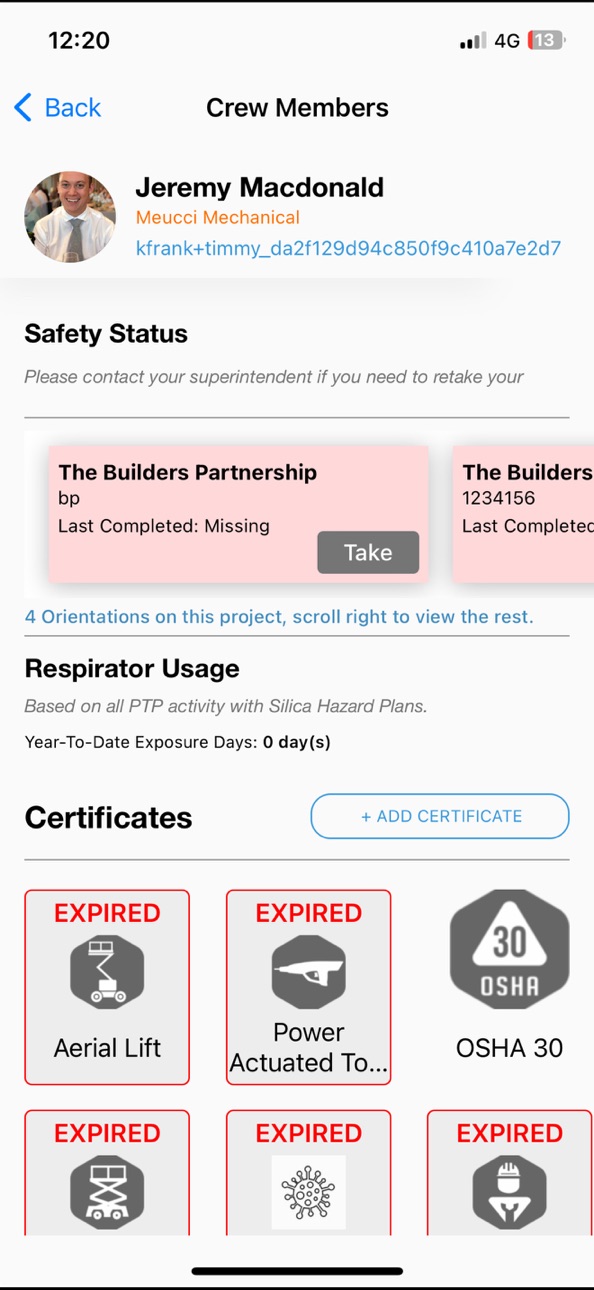
• User Training and Certificates: Keep track of your crew’s training and certifications.
We are continuously improving out application! Please contact us through eMOD Support with any feedback!
Stay Safe!
Accessibility
ipadiphonemacrealityDevicetvoswatch
Version history 25 versions
Build 887650917v55.0002026-07-02 07:42:30
This release includes various bug fixes and performance enhancements to improve the overall stability and usability of the app.
Build 886463166v54.0002026-06-05 08:31:30
This release includes various bug fixes and performance enhancements to improve the overall stability and usability of the app.
Build 885850609v53.0002026-05-22 06:18:30
This release includes various bug fixes and performance enhancements to improve the overall stability and usability of the app.
Build 885293028v52.0002026-05-06 06:15:22
New Features & Improvements
Push Notifications V2:
You can now see which project have new action items and easily close them out.
Observation distribution list:
You will now be able access an extended list of project members.
General Updates:
This release includes various bug fixes and performance enhancements to improve the overall stability and usability of the app.
Build 884862399v51.0002026-04-27 07:52:32
This release includes various bug fixes and performance enhancements to improve the overall stability and usability of the app.
Build 884709651v50.9002026-04-21 05:47:54
This release includes various bug fixes and performance enhancements to improve the overall stability and usability of the app.
Build 883265225v50.8002026-04-02 06:25:29
This update from Apple will improve the functionality of this app. No new features are included.
New Features & Improvements
Smart PDF Support:
You can now upload Smart PDFs to your form templates and seamlessly use them on your mobile device.
General Updates:
This release includes various bug fixes and performance enhancements to improve the overall stability and usability of the app.
Build 882929894v50.5002026-03-04 06:54:55
New Features and Improvements:
Ability to add signature fields to custom forms.
General Updates:
This release includes various bug fixes and performance enhancements to improve the overall stability and usability of the app.
Build 882078114v50.402026-02-04 05:20:35
General Updates:
This release includes various bug fixes and performance enhancements to improve the overall stability and usability of the app.
Build 881744379v50.302026-01-23 10:40:43
This release includes various bug fixes and performance enhancements to improve the overall stability and usability of the app.
Build 880867954v50.202025-12-23 07:31:01
We’re excited to introduce new features and improvements in this release to enhance your experience with the application:
• Dashboard / Compliance on iOS
Access compliance features directly from the dashboard for better visibility and control.
• iOS App Push Notifications
Stay informed with real-time push notifications for important updates and alerts.
• General Improvements
This release also includes various bug fixes and performance enhancements to improve overall stability and usability.
Build 880343610v50.1912025-12-05 11:24:25
We’re excited to introduce new features and improvements in this release to enhance your experience with the application:
Custom Forms - Table
• You can now add tables with configurable columns and rows to your forms.
Compliance Dashboard
• See your projects overall compliance and take action on your pending items.
JHA Reminder
• You can now send reminders directly from the JHA overview on iOS.
General Improvements
• This release also includes various bug fixes and performance enhancements to improve the overall stability and usability of the app.
Build 880304543v50.192025-12-04 06:42:16
We’re excited to introduce new features and improvements in this release to enhance your experience with the application:
Custom Forms - Table
• You can now add tables with configurable columns and rows to your forms.
Compliance Dashboard
• See your projects overall compliance and take action on your pending items.
JHA Reminder
• You can now send reminders directly from the JHA overview on iOS.
General Improvements
• This release also includes various bug fixes and performance enhancements to improve the overall stability and usability of the app.
Build 879356750v50.182025-10-31 05:29:52
New Features and Improvments:
Improved QR Code Clarity
We've enhanced the visibility of our Project QR Codes to assist with the onboarding process
General Updates
This release includes various bug fixes and performance enhancements to improve the overall stability and usability of the app.
Build 878385346v50.172025-10-16 06:24:19
We’re excited to introduce new features and improvements in this release to enhance your experience with the application:
• Custom Forms - Specific Duration
Configure a custom form to be used only over a set duration.
• File Upload to Safety Binder
Upload PDFs and photos from your iOS device directly into the Safety Binder for easier documentation.
• PTP Progress Bar
A new progress bar shows which step you're currently on in a PTP (Pre-Task Plan), helping you track completion more clearly.
• PTP Rejection Reason
If a PTP is rejected, the reason will now be displayed, providing clarity and guidance for corrections.
• General Improvements
This release also includes various bug fixes and performance enhancements to improve the overall stability and usability of the app.
Build 877337038v50.162025-08-21 04:59:37
What's New
• Magic Link Login: Secure, password-free login via a one-time link sent by email or SMS.
• Form Expiration Display: Expiration dates now visible on forms in iOS.
• iOS File Uploads: Upload files directly from iOS to Safety Folders.
• General Improvements: Bug fixes and performance enhancements for a smoother experience.
Build 876865900v50.152025-08-04 07:02:28
This update includes:
• Bug fixes and performance improvements
• Resolved an issue with the PTP approval
Build 876369215v50.142025-07-16 07:28:18
This update includes:
• Bug fixes and performance improvements
• Resolved an issue with the PTP tool search function
Build 876197423v50.132025-07-09 08:59:23
We’re excited to introduce the latest updates to the iOS app, designed to enhance your experience and give you more control and flexibility:
Editable PTPs
You can now edit a PTP (Pre-Task Plan) even after it has been submitted, making it easier to keep your plans up to date. PTP’s which are revised will require the same review process to be re-approved.
Project Address Display
Each project now clearly displays its associated address, helping you quickly identify and navigate to job sites.
Improved iPhone Functionality
Improved iOS User Interface, bringing full functionality to your device.
Customizable Library Tools
You now have the ability to turn off the standard tool library & utilize your customized company tool list, allowing for a more tailored and streamlined experience.
General Improvements
This release also includes various bug fixes and performance enhancements to improve the overall stability and usability of the app.
Build 875428734v50.122025-06-10 10:46:26
New Features and Improvements:
• Account Status Warning (iOS): Users on iOS will now see a clear warning if their account is in a warning or suspended state, helping ensure transparency and prompt resolution.
• Dark Mode Enhancements: Visual inconsistencies in Dark Mode have been addressed for a more seamless and visually appealing experience.
• General Updates: This release includes various bug fixes and performance enhancements to improve the overall stability and usability of the app.
Build 875066606v50.112025-05-26 09:39:33
This release includes general performance enhancements and fixes to ensure a smoother, more reliable experience in the field.
• Bug fixes and performance improvements
Build 874590101v50.102025-05-08 06:08:08
New Features and Improvements:
• User Transfer from Sign-Up Page: We've streamlined the user experience by enabling the transfer of users directly from the sign-up page.
• Autodesk BUILD Integration: Reviewed Pre Task Plans, Tool Box Talks and Job Hazard Analysis now automatically sync with Autodesk Build Projects.
• QR Code for Project Sign-Up: Each project now features a unique QR code, improving contractor onboarding in the field
• Improved iOS Navigation
• Crew Profiles: Users can now update contact information directly from the app.
• General Updates: We've implemented various bug fixes and performance enhancements to improve the stability and usability of the app.
Build 874545055v50.092025-05-07 08:58:20
New Features and Improvements:
• User Transfer from Sign-Up Page: We've streamlined the user experience by enabling the transfer of users directly from the sign-up page.
• Autodesk BUILD Integration: Reviewed Pre Task Plans, Tool Box Talks and Job Hazard Analysis now automatically sync with Autodesk Build Projects.
• QR Code for Project Sign-Up: Each project now features a unique QR code, improving contractor onboarding in the field
• Improved iOS Navigation
• Crew Profiles: Users can now update contact information directly from the app.
• General Updates: We've implemented various bug fixes and performance enhancements to improve the stability and usability of the app.
Build 873675060v50.082025-04-02 08:00:11
User Transfer Feature:
• Added the ability to transfer users to a different company when they get hired at a different company that also uses eMOD. The user can request to be transferred to the new company, and a notification email will be sent to the new company letting them know that a transfer has been requested by the new employee.
Approve/Reject JHA from iOS:
• Added the ability to approve or reject Job Hazard Analysis (JHA) directly from the iOS app. This streamlines the process and allows for quicker decision-making on-site.
General Updates:
• Bug fixes and performance enhancements for improved stability and usability.
Build 873017495v50.072025-03-08 06:16:18
This update brings powerful new integrations, performance enhancements, and key fixes to improve your experience with eMOD Safety.
What's New
• Autodesk Build Integration: Pre-Task Plans, Toolbox Talks, and Job Hazard Analyses will now sync seamlessly with Autodesk Build, streamlining safety documentation across platforms.
• Dark Mode for Custom Forms: Custom Forms now support Dark Mode for a better viewing experience.
• Faster Performance: Optimized speed across the iOS platform for a smoother and more responsive app experience.
Fixes & Improvements
• Project List Display Issue: Resolved an issue where the project list was not appearing correctly for some users.
• General Updates: Various bug fixes and performance improvements to enhance stability and usability.
No pricing data captured yet — comparisons appear once the app has paid storefronts or in-app purchases.
Availability 71 of 71 storefronts
| Region | Language | Price | Ratings | Avg | Version |
|---|---|---|---|---|---|
| US | en-US | Free | 25 | 4.5 | 55.000 |
| AE | en-GB | Free | 0 | — | 55.000 |
| AL | en-GB | Free | 0 | — | 55.000 |
| AM | en-GB | Free | 0 | — | 55.000 |
| AT | de-DE | Free | 0 | — | 55.000 |
| AU | en-AU | Free | 0 | — | 55.000 |
| AZ | en-GB | Free | 0 | — | 55.000 |
| BA | en-GB | Free | 0 | — | 55.000 |
| BG | en-GB | Free | 0 | — | 55.000 |
| BH | en-GB | Free | 0 | — | 55.000 |
| BY | en-GB | Free | 0 | — | 55.000 |
| CA | en-CA | Free | 0 | — | 55.000 |
| CH | de-CH | Free | 0 | — | 55.000 |
| CN | zh-Hans-CN | Free | 0 | — | 55.000 |
| CY | en-GB | Free | 0 | — | 55.000 |
| CZ | en-GB | Free | 0 | — | 55.000 |
| DE | de-DE | Free | 0 | — | 55.000 |
| DK | en-GB | Free | 0 | — | 55.000 |
| EE | en-GB | Free | 0 | — | 55.000 |
| EG | en-GB | Free | 0 | — | 55.000 |
| ES | es-ES | Free | 0 | — | 55.000 |
| FI | en-GB | Free | 0 | — | 55.000 |
| FR | fr-FR | Free | 0 | — | 55.000 |
| GB | en-GB | Free | 0 | — | 55.000 |
| GE | en-GB | Free | 0 | — | 55.000 |
| GR | en-GB | Free | 0 | — | 55.000 |
| HK | zh-Hant-HK | Free | 0 | — | 55.000 |
| HR | en-GB | Free | 0 | — | 55.000 |
| HU | en-GB | Free | 0 | — | 55.000 |
| ID | en-GB | Free | 0 | — | 55.000 |
| IE | en-GB | Free | 0 | — | 55.000 |
| IL | en-GB | Free | 0 | — | 55.000 |
| IQ | en-GB | Free | 0 | — | 55.000 |
| IS | en-GB | Free | 0 | — | 55.000 |
| IT | it | Free | 0 | — | 55.000 |
| JO | en-GB | Free | 0 | — | 55.000 |
| JP | ja | Free | 0 | — | 55.000 |
| KR | ko | Free | 0 | — | 55.000 |
| KW | en-GB | Free | 0 | — | 55.000 |
| LB | en-GB | Free | 0 | — | 55.000 |
| LT | en-GB | Free | 0 | — | 55.000 |
| LU | en-GB | Free | 0 | — | 55.000 |
| LV | en-GB | Free | 0 | — | 55.000 |
| MD | en-GB | Free | 0 | — | 55.000 |
| ME | en-GB | Free | 0 | — | 55.000 |
| MK | en-GB | Free | 0 | — | 55.000 |
| MO | zh-Hant-HK | Free | 0 | — | 55.000 |
| MT | en-GB | Free | 0 | — | 55.000 |
| MY | en-GB | Free | 0 | — | 55.000 |
| NO | en-GB | Free | 0 | — | 55.000 |
| NZ | en-AU | Free | 0 | — | 55.000 |
| OM | en-GB | Free | 0 | — | 55.000 |
| PH | en-GB | Free | 0 | — | 55.000 |
| PL | en-GB | Free | 0 | — | 55.000 |
| PT | pt-PT | Free | 0 | — | 55.000 |
| QA | en-GB | Free | 0 | — | 55.000 |
| RO | en-GB | Free | 0 | — | 55.000 |
| RS | en-GB | Free | 0 | — | 55.000 |
| RU | ru | Free | 0 | — | 55.000 |
| SA | en-GB | Free | 0 | — | 55.000 |
| SE | sv | Free | 0 | — | 55.000 |
| SG | en-GB | Free | 0 | — | 55.000 |
| SI | en-GB | Free | 0 | — | 55.000 |
| SK | en-GB | Free | 0 | — | 55.000 |
| TH | en-GB | Free | 0 | — | 55.000 |
| TR | en-GB | Free | 0 | — | 55.000 |
| TW | zh-Hant-TW | Free | 0 | — | 55.000 |
| UA | en-GB | Free | 0 | — | 55.000 |
| VN | en-GB | Free | 0 | — | 55.000 |
| XK | en-GB | Free | 0 | — | 55.000 |
| YE | en-GB | Free | 0 | — | 55.000 |
Change log 28 changes · US
✎
releaseNotes updated
This release includes various bug fixes and performance enhancements to improve the overall stability and usability of the app.
✎
description updated
A good construction site is always focused on SAFETY FIRST. With an ever-changing construction market, it is crucial to ensure that crews in the field are thin
✎
name updated
eMOD
◆
Version 55.000 released
This release includes various bug fixes and performance enhancements to improve the overall stability and usability of the app.
◆
Version 54.000 released
This release includes various bug fixes and performance enhancements to improve the overall stability and usability of the app.
◆
Version 53.000 released
This release includes various bug fixes and performance enhancements to improve the overall stability and usability of the app.
◆
Version 52.000 released
New Features & Improvements
Push Notifications V2:
You can now see which project have new action items and easily close them out.
Observation distribution list:
You will now be able access an extended list of project members.
General Up
◆
Version 51.000 released
This release includes various bug fixes and performance enhancements to improve the overall stability and usability of the app.
◆
Version 50.900 released
This release includes various bug fixes and performance enhancements to improve the overall stability and usability of the app.
◆
Version 50.800 released
This update from Apple will improve the functionality of this app. No new features are included.
New Features & Improvements
Smart PDF Support:
You can now upload Smart PDFs to your form templates and seamlessly use them on your mobile de
◆
Version 50.500 released
New Features and Improvements:
Ability to add signature fields to custom forms.
General Updates:
This release includes various bug fixes and performance enhancements to improve the overall stability and usability of the app.
◆
Version 50.40 released
General Updates:
This release includes various bug fixes and performance enhancements to improve the overall stability and usability of the app.
◆
Version 50.30 released
This release includes various bug fixes and performance enhancements to improve the overall stability and usability of the app.
◆
Version 50.20 released
We’re excited to introduce new features and improvements in this release to enhance your experience with the application:
• Dashboard / Compliance on iOS
Access compliance features directly from the dashboard for better visibility and cont
◆
Version 50.191 released
We’re excited to introduce new features and improvements in this release to enhance your experience with the application:
Custom Forms - Table
• You can now add tables with configurable columns and rows to your forms.
Compliance Dashboar
◆
Version 50.19 released
We’re excited to introduce new features and improvements in this release to enhance your experience with the application:
Custom Forms - Table
• You can now add tables with configurable columns and rows to your forms.
Compliance Dashboar
◆
Version 50.18 released
New Features and Improvments:
Improved QR Code Clarity
We've enhanced the visibility of our Project QR Codes to assist with the onboarding process
General Updates
This release includes various bug fixes and performance enhancements to impr
◆
Version 50.17 released
We’re excited to introduce new features and improvements in this release to enhance your experience with the application:
• Custom Forms - Specific Duration
Configure a custom form to be used only over a set duration.
• File Upload
◆
Version 50.16 released
What's New
• Magic Link Login: Secure, password-free login via a one-time link sent by email or SMS.
• Form Expiration Display: Expiration dates now visible on forms in iOS.
• iOS File Uploads: Upload files directly from iOS to Safety Fo
◆
Version 50.15 released
This update includes:
• Bug fixes and performance improvements
• Resolved an issue with the PTP approval
◆
Version 50.14 released
This update includes:
• Bug fixes and performance improvements
• Resolved an issue with the PTP tool search function
◆
Version 50.13 released
We’re excited to introduce the latest updates to the iOS app, designed to enhance your experience and give you more control and flexibility:
Editable PTPs
You can now edit a PTP (Pre-Task Plan) even after it has been submitted, making it
◆
Version 50.12 released
New Features and Improvements:
• Account Status Warning (iOS): Users on iOS will now see a clear warning if their account is in a warning or suspended state, helping ensure transparency and prompt resolution.
• Dark Mode Enhancements
◆
Version 50.11 released
This release includes general performance enhancements and fixes to ensure a smoother, more reliable experience in the field.
• Bug fixes and performance improvements
◆
Version 50.10 released
New Features and Improvements:
• User Transfer from Sign-Up Page: We've streamlined the user experience by enabling the transfer of users directly from the sign-up page.
• Autodesk BUILD Integration: Reviewed Pre Task Plans, Tool Box
◆
Version 50.09 released
New Features and Improvements:
• User Transfer from Sign-Up Page: We've streamlined the user experience by enabling the transfer of users directly from the sign-up page.
• Autodesk BUILD Integration: Reviewed Pre Task Plans, Tool Box
◆
Version 50.08 released
User Transfer Feature:
• Added the ability to transfer users to a different company when they get hired at a different company that also uses eMOD. The user can request to be transferred to the new company, and a notification email will be
◆
Version 50.07 released
This update brings powerful new integrations, performance enhancements, and key fixes to improve your experience with eMOD Safety.
What's New
• Autodesk Build Integration: Pre-Task Plans, Toolbox Talks, and Job Hazard Analyses will now syn