Home › Productivity

 US
US
1 of 1 storefronts
Content in en-US
Content in en-US
Information
Preview 3 platforms
iPhone 10 images




iPad 10 images


Mac 8 images




What’s New Version 5.0.0
A fresh look, top to bottom.
This version is a complete redesign of Documents, rebuilt with a cleaner, more modern interface across iPhone, iPad, and Mac. It's the same single-document workbench you know — just more refined.
What's improved:
• A new design across all five tabs — Preview, Edit, Scan, Export, and Account
• Smoother, clearer Merge, Structure, Extract, Compress, and Resize
• A more polished scanning and export experience
• Refinements and fixes throughout for better performance and reliability
Still a one-time purchase, with no subscriptions and no clutter — just the Documents you rely on, looking and working better than ever.
Description
Documents turns your iPhone, iPad, or Mac into a simple PDF workbench. Open or scan a PDF, reshape it, then send it on its way — no subscription, no account, no clutter.
Work on one document at a time. Give it pages, edit them, and share the result. Your edits are non-destructive within a session, and Undo and Redo let you step back and forth through your changes.
FIVE WAYS TO EDIT
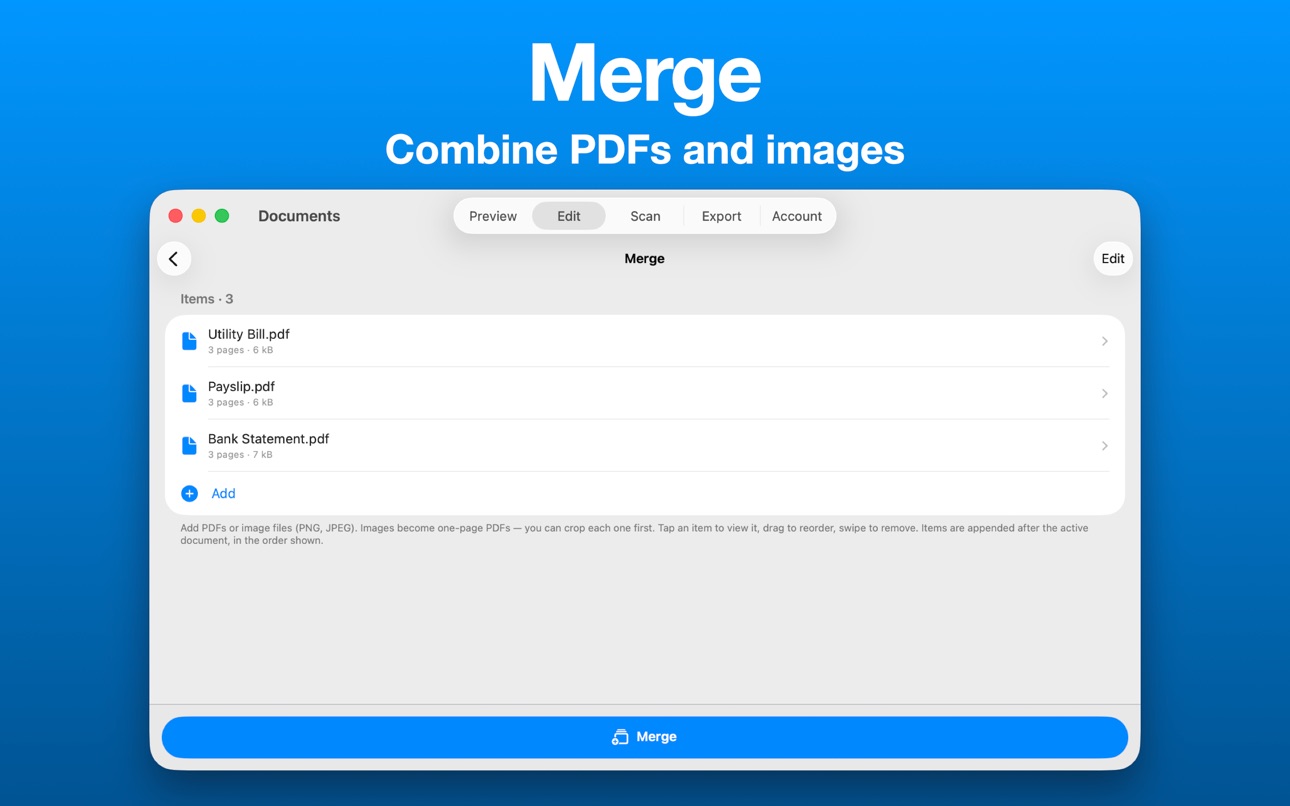
• Merge — Append other PDFs or images to your document. Reorder, preview, and crop photos of pages before they're added.
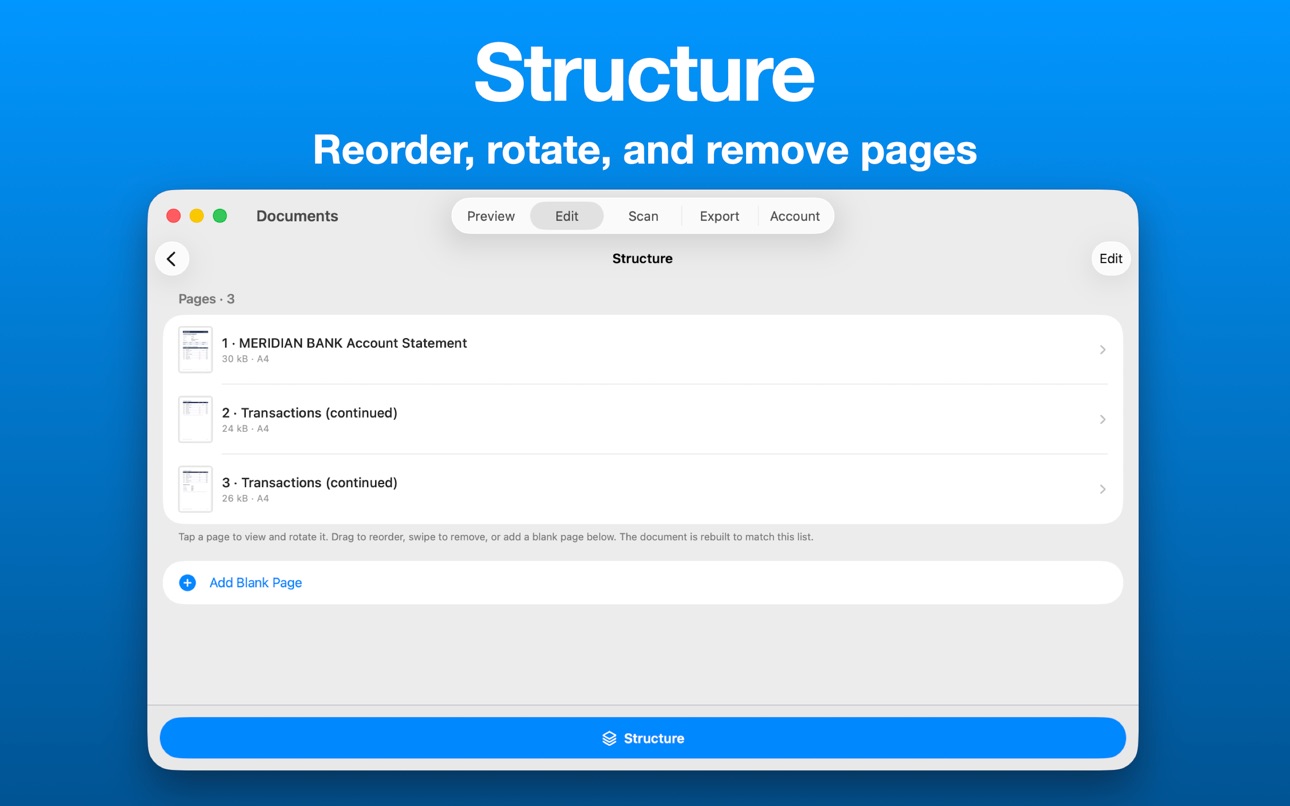
• Structure — Reorder pages by dragging, remove pages, add blank pages, and rotate individual pages.
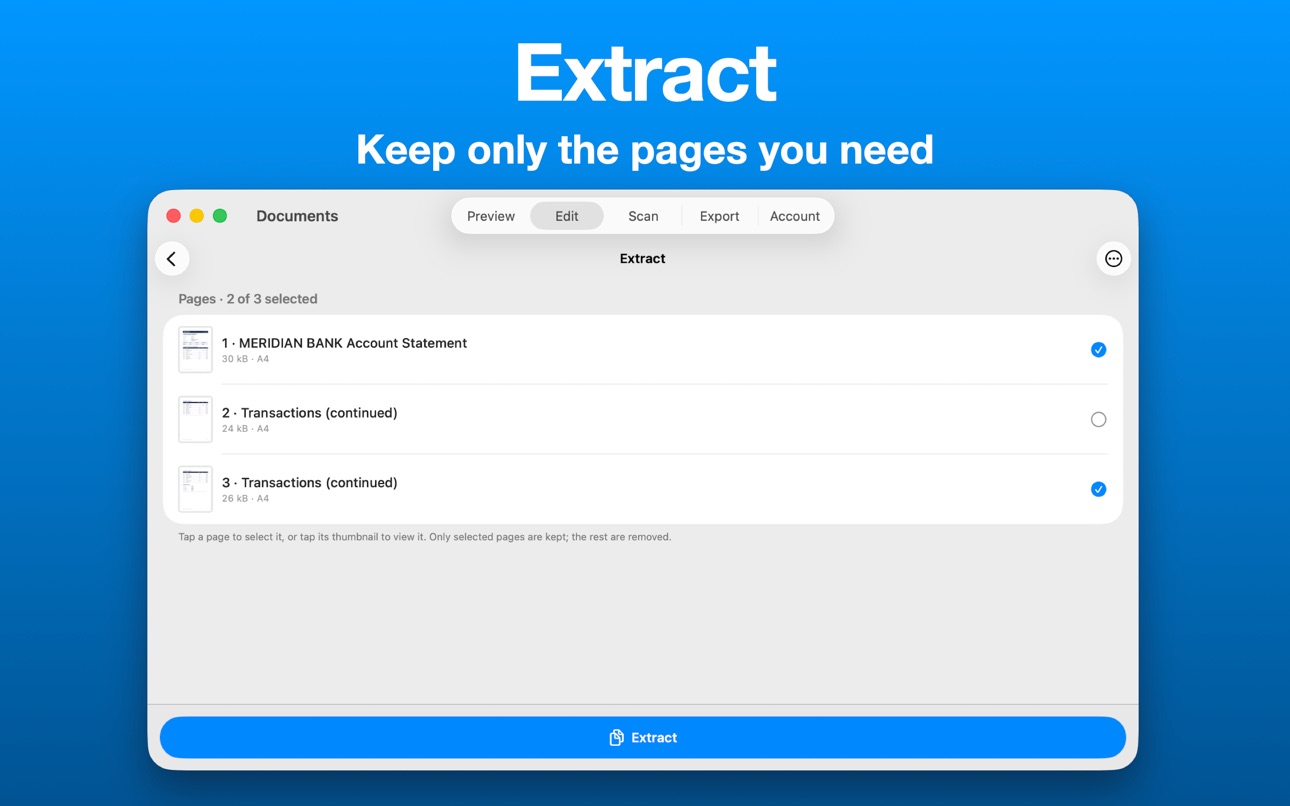
• Extract — Keep only the pages you choose and discard the rest.
• Compress — Shrink file size with Low, Medium, or High compression, and see exactly how much space you saved.
• Resize — Reshape pages to A4, Letter, Legal, or a custom size, in portrait or landscape.
SCAN PAPER
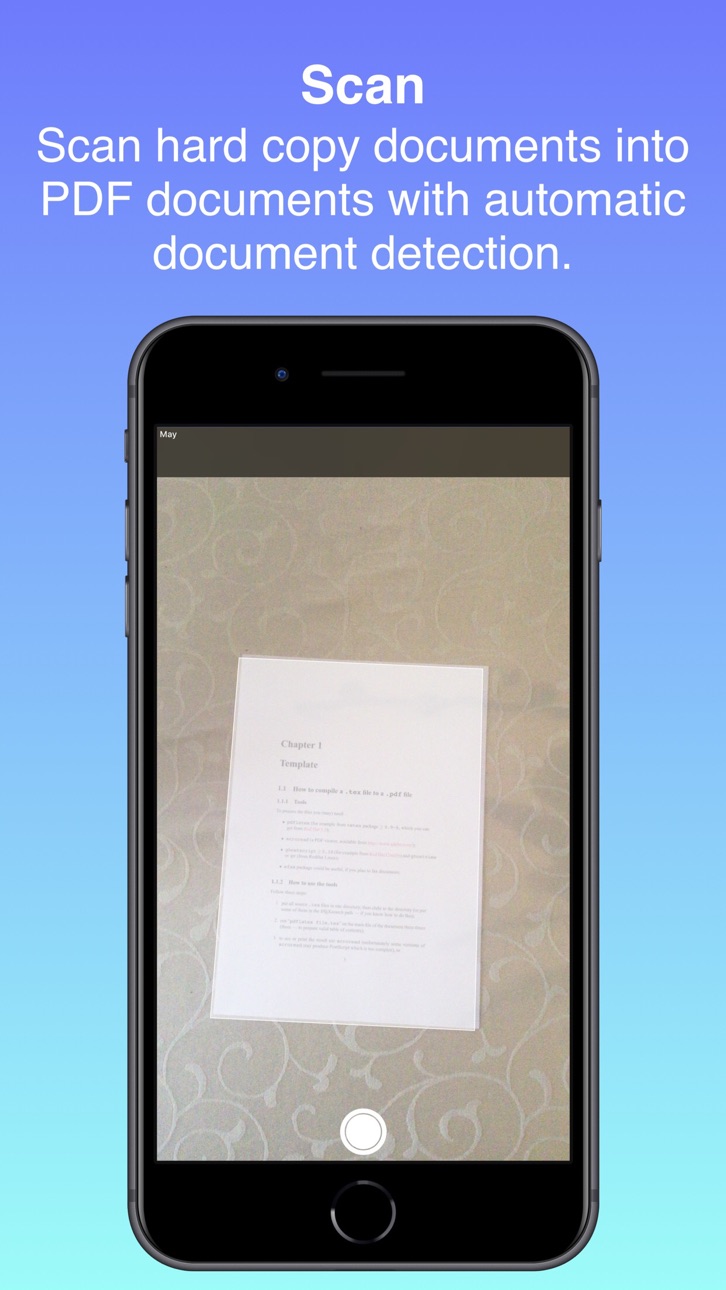
Use your device camera and Apple's built-in document scanner to capture pages straight into your document.
EXPORT YOUR WAY
Optionally password-protect your PDF, then Share it via AirDrop, Messages, and Mail — or Save to Files.
PRIVATE BY DESIGN
Nothing leaves your device unless you send it. No cloud sync, no accounts. Your files stay on your device while you work.
ONE-TIME PURCHASE
Try every feature free for 30 days. When you're ready, a single purchase unlocks the app for good — tied to your Apple ID, so it restores automatically across all your devices. No subscriptions, ever.
In-App Purchases US pricing
One-Time Purchases
License$14.99
Capabilities
In-App Purchases
Accessibility
ipadiphonemacrealityDevicetvoswatch
Version history 10 versions
Build 886946451v5.0.02026-06-22 04:56:59
A fresh look, top to bottom.
This version is a complete redesign of Documents, rebuilt with a cleaner, more modern interface across iPhone, iPad, and Mac. It's the same single-document workbench you know — just more refined.
What's improved:
• A new design across all five tabs — Preview, Edit, Scan, Export, and Account
• Smoother, clearer Merge, Structure, Extract, Compress, and Resize
• A more polished scanning and export experience
• Refinements and fixes throughout for better performance and reliability
Still a one-time purchase, with no subscriptions and no clutter — just the Documents you rely on, looking and working better than ever.
Build 834102025v4.0.02019-12-22 11:39:37
Internal rework, performance and user interface improvements and bug fixes.
Build 833768748v3.1.12019-12-02 08:24:43
- We added multi-window support for iPadOS and macOS.
- You can now enter custom filenames for new, extracted and resized and compressed PDF documents instead of the generic document names.
- The icons in the PDF Options Table View Controller are now black in light mode and white in dark mode.
Build 833554483v3.02019-11-12 14:28:02
MACOS
- Documents is now available on macOS which supports all the features except scanning and will be available for download on the Mac App Store soon.
DARK MODE
- Dark mode is now supported on iOS, iPadOS and macOS.
DOCUMENTS LICENSE
- You can no longer extend your free month trial but you rather have to purchase the Documents License, non-consumable one time purchase, for $14.99 (USD) after your trial has ended to permanently gain access to the app. Current extended trial periods were taken into account.
OTHER
- Minor bug fixes.
Build 833579202v3.0.12019-11-12 19:07:25
MACOS
- Documents is now available on macOS which supports all the features except scanning and will be available for download on the Mac App Store soon.
DARK MODE
- Dark mode is now supported on iOS, iPadOS and macOS.
DOCUMENTS LICENSE
- You can no longer extend your free month trial but you rather have to purchase the Documents License, non-consumable one time purchase, for $14.99 (USD) after your trial has ended to permanently gain access to the app. Current extended trial periods were taken into account.
OTHER
- UI icon updates.
- Minor bug fixes.
Build 831854111v2.0.12019-07-07 11:12:03
Made some changes to the Information and Introductory View Controllers.
Build 831243684v2.02019-06-03 09:28:18
USER-INTERFACE REWORK AND IMPROVEMENTS
- We have added a welcoming screen for new Documents members which informs them of the features in the current version of the app.
- The PDF Options Table View Controller has been completely redesigned which has a much better appearance and includes icons.
- The membership extending view controller has a total new look. Users are now first informed about the details of the Document Membership to prevent any confusion and is then presented by the Documents Membership Shop View Controller which shows your current active membership and the options to extend it. Instead of instantly extending your membership based on your selection we first take you to the Document Membership Shop Item View Controller which contains all the details of the selected Shop Item before you continue with the extending process.
- We have added multiple icons on most of the view controllers in the app, showcasing their functionality and improving appearance.
ADDED FEATURES
- Appended pages from the PDF Structure Table View Controller is now resized based on your Resize and Compression Settings.
MEMBERSHIP
- The free trial has now been reduced from 3 months to 1 month.
Build 830446429v1.22019-03-05 08:21:20
Documents has improved the Resize and Compression functionality and includes the following changes:
- You now specify the real hard copy page dimensions which we provide in terms of A2, A3, A4 and A5 pages
- After setting the page dimension you specify the Pixels Per Inch (PPI) which will effect resolution of the resized document and the minimum and maximum values is set to 10 and 300 respectively
- The resulting page pixel dimensions will be the product of page dimensions and PPI
- You can still specify the compression quality which adjusts the JPEG compression
- There is a new setting which allows you automatically resize and compress scanned and imported documents or to leave them as originals in the merging process
Build 830345098v1.12019-02-25 08:28:24
We have updated the following features of Documents:
* Major improvements to Document Scanning
- Document scanning is now a live process in which a rectangular frame assists you and automatically detects and scans the hard copy document.
- After scanning the document you will be able to adjust the four corners of the rectangle to best fit the hard copy document if it was not already scanned perfectly.
* Contact Us
- We have inserted a Contact Us feature into the PDF Options View Controller to allow clients to contact us via our new website or via Mail within the app.
* Our new website
- We have developed a new website which has updated all our previous URLs located within the app and on the App Store such as our Privacy Policy.
- Links to our Website, Privacy Policy and Contact Us form has all been implemented within the app.
* Other
- We have removed some redundant PDF features such as "Permissions".
Build 826126989v1.02018-11-08 08:49:05
Price history by region
Currency
Show
Columns
Search
Availability 1 of 1 storefronts
| Region | Language | Price | Ratings | Avg | Version |
|---|---|---|---|---|---|
| US | en-US | Free | 0 | — | 5.0.0 |
Change log 14 changes · US
✎
releaseNotes updated
A fresh look, top to bottom.
This version is a complete redesign of Documents, rebuilt with a cleaner, more modern interface across iPhone, iPad, and Mac. It's
✎
description updated
Documents turns your iPhone, iPad, or Mac into a simple PDF workbench. Open or scan a PDF, reshape it, then send it on its way — no subscription, no account, no
✎
subtitle updated
Scan, reshape & share PDFs
✎
name updated
Alpha Neuron - Documents
◆
Version 5.0.0 released
A fresh look, top to bottom.
This version is a complete redesign of Documents, rebuilt with a cleaner, more modern interface across iPhone, iPad, and Mac. It's the same single-document workbench you know — just more refined.
What's improv
◆
Version 4.0.0 released
Internal rework, performance and user interface improvements and bug fixes.
◆
Version 3.1.1 released
- We added multi-window support for iPadOS and macOS.
- You can now enter custom filenames for new, extracted and resized and compressed PDF documents instead of the generic document names.
- The icons in the PDF Options Table View Controll
◆
Version 3.0.1 released
MACOS
- Documents is now available on macOS which supports all the features except scanning and will be available for download on the Mac App Store soon.
DARK MODE
- Dark mode is now supported on iOS, iPadOS and macOS.
DOCUMENTS LICENSE
-
◆
Version 3.0 released
MACOS
- Documents is now available on macOS which supports all the features except scanning and will be available for download on the Mac App Store soon.
DARK MODE
- Dark mode is now supported on iOS, iPadOS and macOS.
DOCUMENTS LICENSE
-
◆
Version 2.0.1 released
Made some changes to the Information and Introductory View Controllers.
◆
Version 2.0 released
USER-INTERFACE REWORK AND IMPROVEMENTS
- We have added a welcoming screen for new Documents members which informs them of the features in the current version of the app.
- The PDF Options Table View Controller has been completely redesigned
◆
Version 1.2 released
Documents has improved the Resize and Compression functionality and includes the following changes:
- You now specify the real hard copy page dimensions which we provide in terms of A2, A3, A4 and A5 pages
- After setting the page dimensio
◆
Version 1.1 released
We have updated the following features of Documents:
* Major improvements to Document Scanning
- Document scanning is now a live process in which a rectangular frame assists you and automatically detects and scans the hard copy document.
◆
Version 1.0 released