Home › Productivity

 US
US
 DEde-DE
 CNzh-Hans-CN
 SKen-GB
 AEen-GB
 AFen-GB
 ALen-GB
 AMen-GB
 AOen-GB
 ARes-MX
 ATde-DE
 AUen-AU
 AZen-GB
 BAen-GB
 BEen-GB
 BFen-GB
 BGen-GB
 BHen-GB
 BJen-GB
 BMen-GB
 BNen-GB
 BRpt-BR
 BSen-GB
 BTen-GB
 BWen-GB
 BYen-GB
 BZen-GB
 CAen-CA
 CDen-GB
 CGen-GB
 CHde-CH
 CIfr-FR
 CMfr-FR
 COes-MX
 CRes-MX
 CVen-GB
 CYen-GB
 CZen-GB
 DKen-GB
 DOes-MX
 DZen-GB
 EEen-GB
 EGen-GB
 ESes-ES
 FIen-GB
 FJen-GB
 FMen-GB
 FRfr-FR
 GAfr-FR
 GBen-GB
 GEen-GB
 GHen-GB
 GMen-GB
 GRen-GB
 GTes-MX
 GWen-GB
 HKzh-Hant-HK
 HNes-MX
 HRen-GB
 HUen-GB
 IDen-GB
 IEen-GB
 ILen-GB
 INen-GB
 IQen-GB
 ISen-GB
 ITit
ITit JMen-GB
 JOen-GB
 JPja
JPja KEen-GB
 KGen-GB
 KHen-GB
 KRko
KRko KWen-GB
 KZen-GB
 LAen-GB
 LBen-GB
 LKen-GB
 LRen-GB
 LTen-GB
 LUen-GB
 LVen-GB
 LYen-GB
 MAen-GB
 MDen-GB
 MEen-GB
 MGen-GB
 MKen-GB
 MLen-GB
 MMen-GB
 MNen-GB
 MOzh-Hant-HK
 MRen-GB
 MTen-GB
 MUen-GB
 MVen-GB
 MWen-GB
 MXes-MX
 MYen-GB
 MZen-GB
 NAen-GB
 NEen-GB
 NGen-GB
 NIes-MX
 NLnl
NLnl NOen-GB
 NPen-GB
 NRen-GB
 NZen-AU
 OMen-GB
 PAes-MX
 PEes-MX
 PGen-GB
 PHen-GB
 PKen-GB
 PLen-GB
 PTpt-PT
 PWen-GB
 QAen-GB
 ROen-GB
 RSen-GB
 RUru
RUru RWen-GB
 SAen-GB
 SBen-GB
 SCen-GB
 SEsv
SEsv SGen-GB
 SIen-GB
 SLen-GB
 SNen-GB
 STen-GB
 SVes-MX
 SZen-GB
 TDen-GB
 THen-GB
 TJen-GB
 TMen-GB
 TNen-GB
 TOen-GB
 TRen-GB
 TTen-GB
 TWzh-Hant-TW
 TZen-GB
 UAen-GB
 UGen-GBUSen-US
 UZen-GB
 VNen-GB
 VUen-GB
 XKen-GB
 YEen-GB
 ZAen-GB
 ZMen-GB
 ZWen-GB
155 of 155 storefronts
Content in en-US
Content in en-US
Information
Preview 2 platforms
iPhone 7 images




iPad 7 images



What’s New Version 22.0.0
- Maintenance Plan: Launched a system to create and manage recurring preventive plans.
- Plan Management: New web overview for planners to edit attributes and manage participants.
- Automated Scheduling: Enabled automated ticket generation with lead times for mobile execution.
- General Improvements: Added voice-to-text rich text support, included task descriptions in PDF reports, and expanded API editing for ticket custom fields and assets.
Description
Maintastic is the AI-driven CMMS (Computerized Maintenance Management System) designed for collaborative asset care.
The system is the go-to choice for mobile-first teams and transforms how maintenance work is organized, executed, and documented. It puts everything maintenance professionals need right at their fingertips. With its intuitive mobile app for day-to-day operations, Maintastic enables teams to ensure machine availability and stay productive.
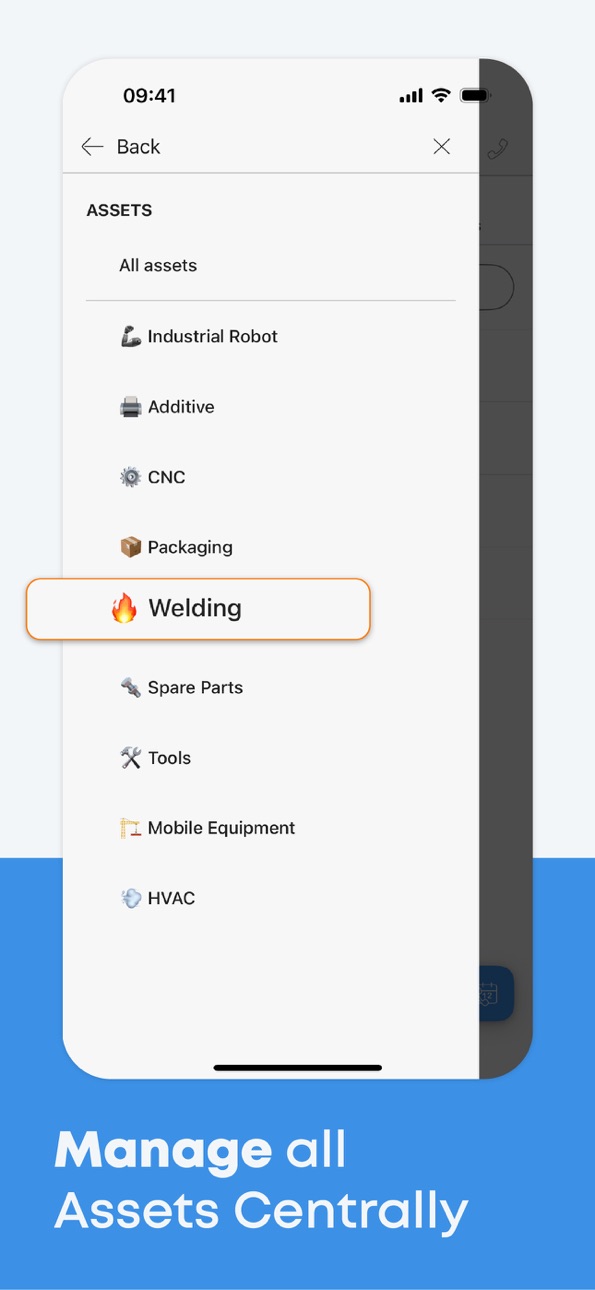
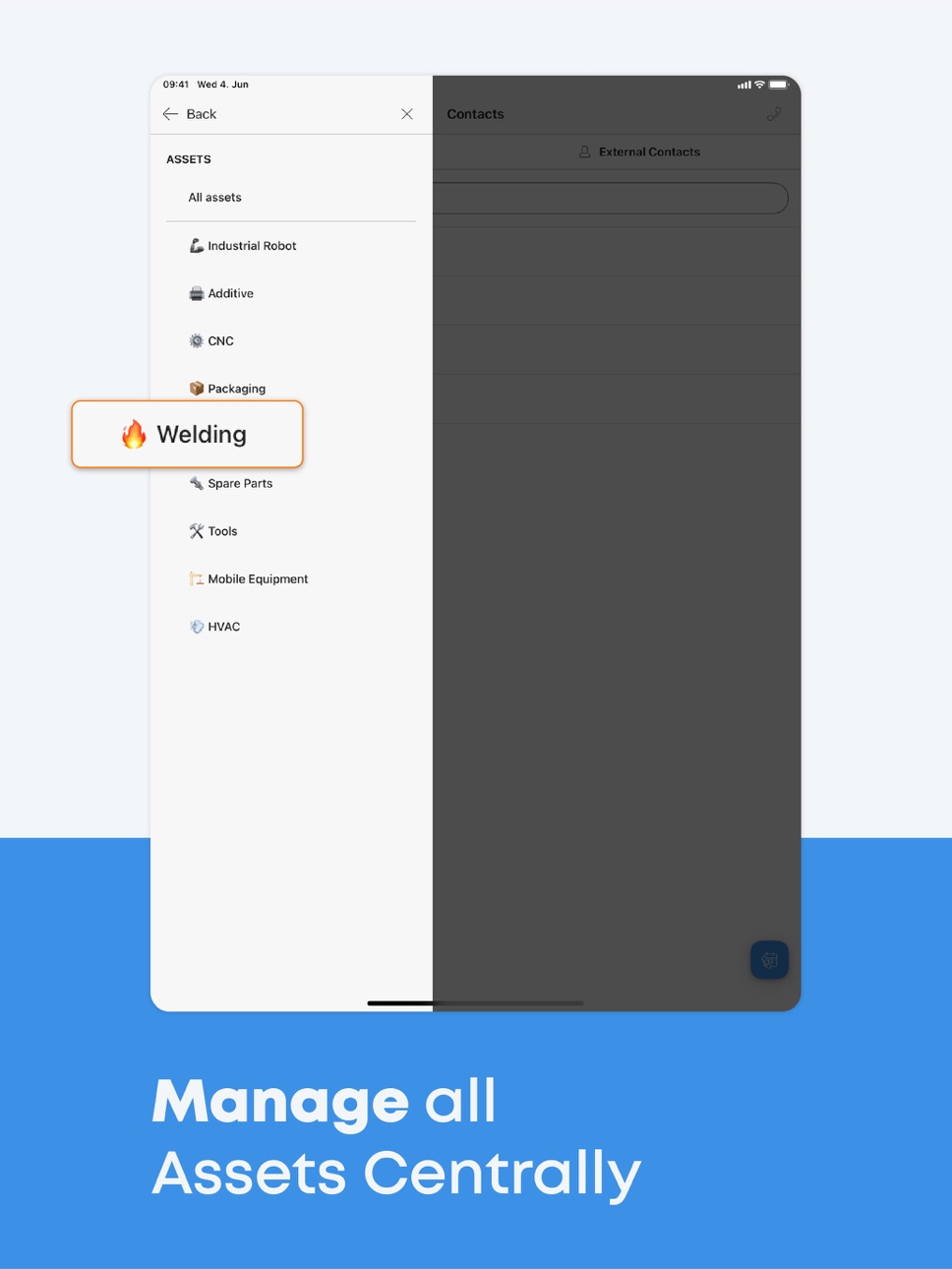
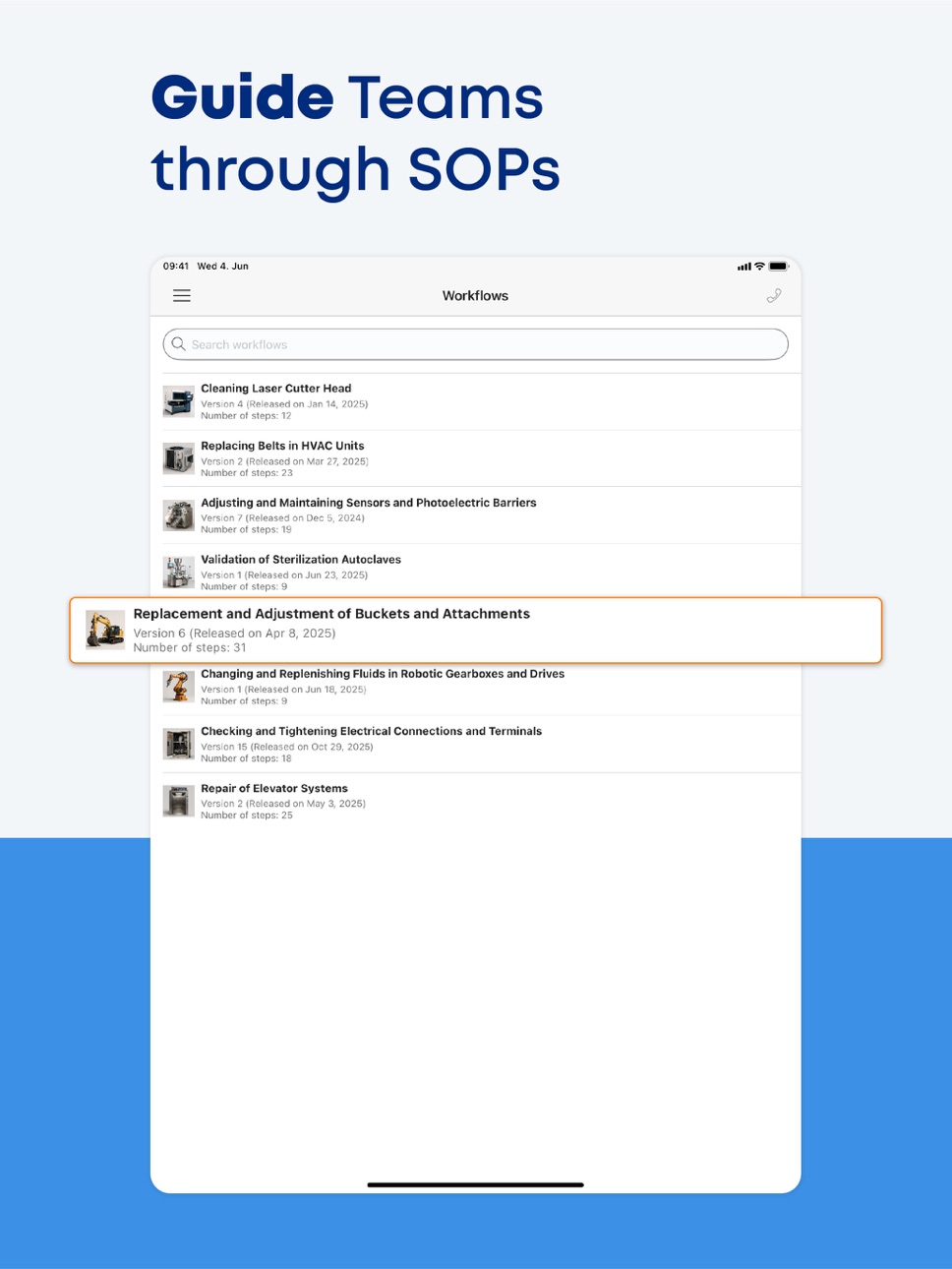
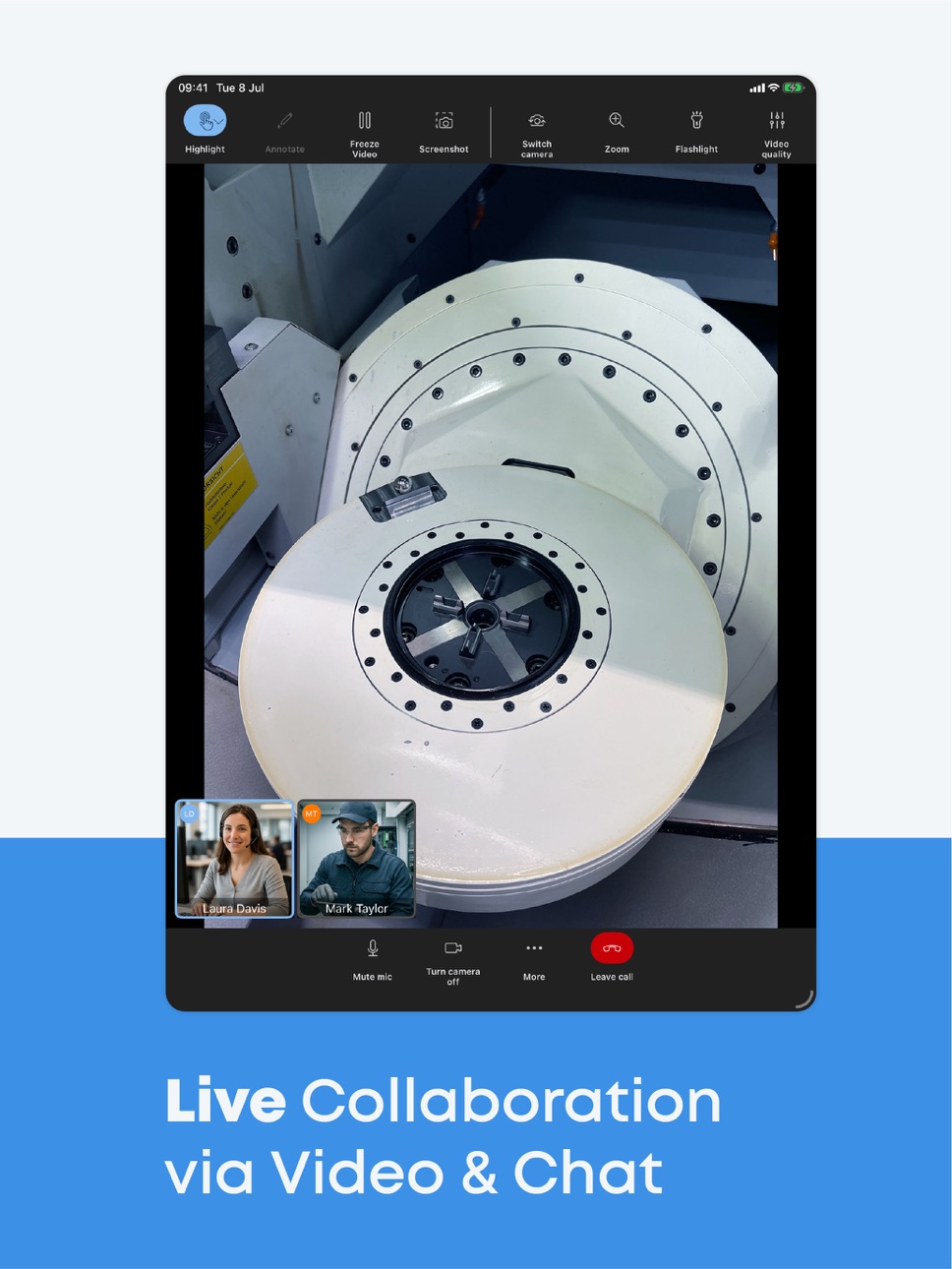
Whether capturing issues, managing assets and tickets, creating work orders, providing checklists and instructions for standard operating procedures (SOPs), or collaborating with machine suppliers via video and chat – Maintastic brings clarity, consistency, and efficiency to every task.
The CMMS unlocks the full potential of both reactive and preventive maintenance. Technicians can report and resolve problems quickly thanks to AI-powered ticketing, while teams gain visibility into recurring activities and inspection routines to ensure nothing falls through the cracks. This dual approach helps organizations maintain control, reduce costly downtime, and keep operations running smoothly.
By combining artificial intelligence with human expertise, Maintastic empowers maintenance teams to work smarter, collaborate better, and stay ready for the challenges of tomorrow.
Accessibility
ipadiphonemacrealityDevicetvoswatch
Version history 25 versions
Build 887438521v22.0.02026-07-08 16:25:45
- Maintenance Plan: Launched a system to create and manage recurring preventive plans.
- Plan Management: New web overview for planners to edit attributes and manage participants.
- Automated Scheduling: Enabled automated ticket generation with lead times for mobile execution.
- General Improvements: Added voice-to-text rich text support, included task descriptions in PDF reports, and expanded API editing for ticket custom fields and assets.
Build 885920891v21.0.12026-06-03 16:17:14
- Create tickets on iOS using AI-powered voice input (rolling out in phases)
- Automatically fill ticket fields from spoken message
- Review and adjust AI input before submitting (human-in-the-loop)
- Faster ticket creation with a simplified flow and fewer steps
- Configure relevant ticket fields for ticket creation
- Set mandatory fields to improve data quality
Build 883697156v20.1.12026-05-06 16:14:40
- Create and manage custom task types, including billable (productive) and non-billable (non-productive) categories
- Track task time on mobile: start, pause, resume, finish, edit, and delete entries
- Admins can enable or disable time tracking for compliance reasons
- View productivity with new metric cards: total, billable, non-billable task times, and productivity
- Task list now includes columns for 'task time', 'assignee's team' filter and column, and a 'created on' filter and column
Build 882744001v19.0.02026-03-04 17:22:16
- Workflow List View Improvements: Delete workflow reports, see version numbers at a glance, and benefit from a "new workflow" badge. Mobile users get a new overall “My Executions & Reports” view with improved filters.
- Basic Ticket Scheduling: Use standardized Start Date and Due Date fields with flexible configuration per ticket type. Sorting and filters like “Due this week” make planning easier than ever.
- Enhanced Mobile Task Filters: Quickly narrow down tasks by due date, status, assigned user, ticket type, functional location, or simply show “My open tasks.”
- Ticket Duplication: Duplicate tickets instantly or duplicate tickets automatically when duplicating an asset to save setup time.
- Global QR Code Scanner: The Asset module scanner is now upgraded to the new Global QR Code Scanner, which is also available in Workflows for consistent and faster access.
Build 881670736v18.2.02026-01-28 17:32:04
- New Home View: Faster access to tickets, tasks, assets, chats, and workflows designed for machine operators and maintenance technicians.
- External Ticket Collaboration: Invite external users to view and communicate on tickets safely.
- Enhanced Comments & Attachments: Add photos, PDFs, and documents to ticket comments with inline display and full-screen preview.
- Improved Usability & UI: Refreshed ticket layout, clearer asset visibility, and smoother overall experience.
- Functional Location Filters on Mobile: Filter and search by functional location, asset name, serial number or by uncategorized assets.
- Web Improvements: Easily move folders and assets within the functional location tree.
Build 875907783v17.0.32025-07-21 07:11:19
- From oculavis to Maintastic: Rebranding with a new interface tailored for maintenance and service.
- Upgraded tickets: “Cases” are now “Tickets” with rich text descriptions and multiple workflow executions.
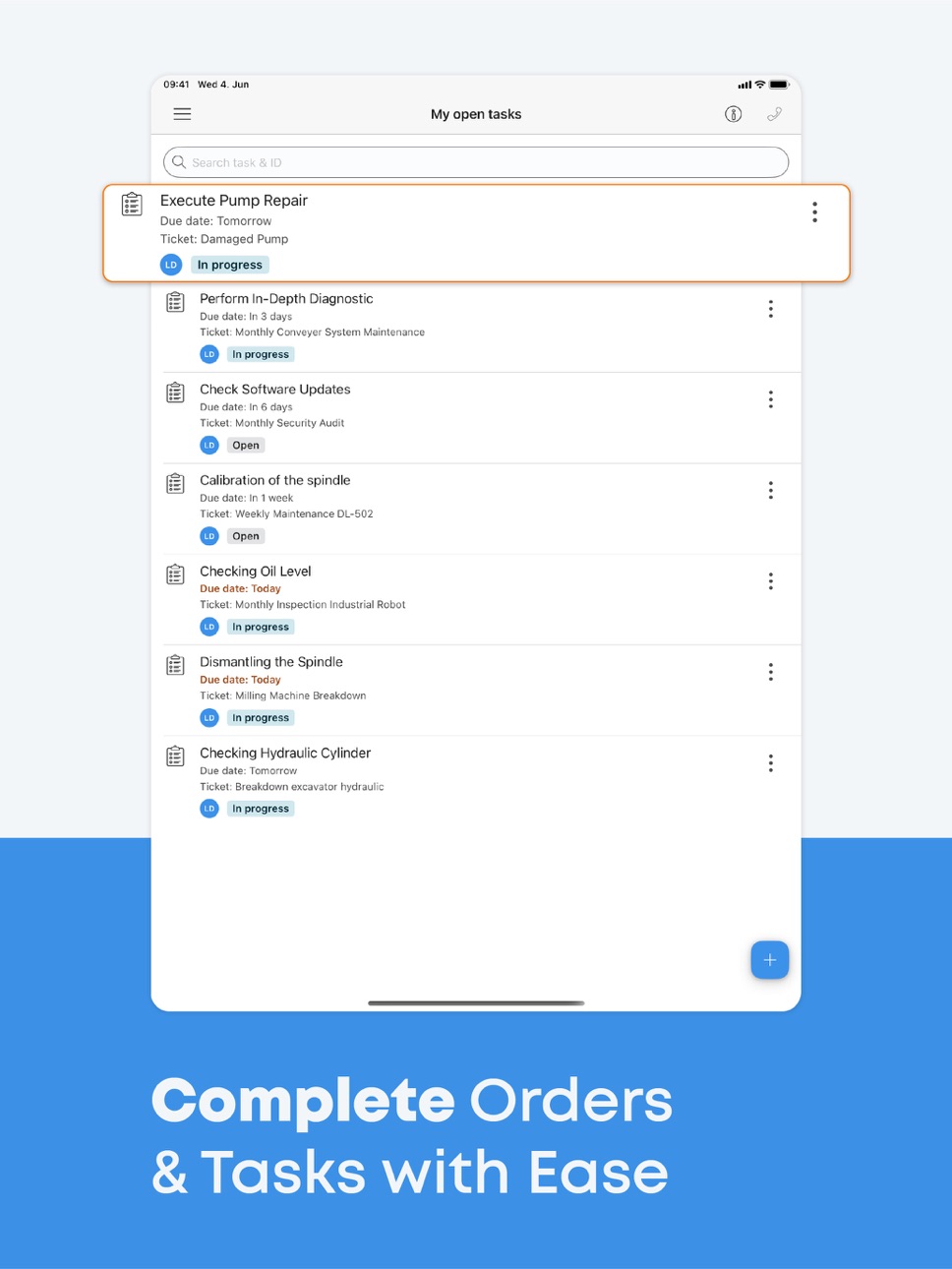
- Simplified task management: Manage all tasks across tickets in one place, now with due dates.
- Faster navigation: View asset (former product) and ticket types directly in the main menu.
- Enhanced communication: Search chat messages & upload multiple files.
Build 875807437v17.0.12025-06-26 09:04:52
- From oculavis to Maintastic: Rebranding with a new interface tailored for maintenance and service.
- Upgraded tickets: “Cases” are now “Tickets” with rich text descriptions and multiple workflow executions.
- Simplified task management: Manage all tasks across tickets in one place, now with due dates.
- Faster navigation: View asset (former product) and ticket types directly in the main menu.
- Enhanced communication: Search chat messages & upload multiple files.
Build 875345302v17.0.02025-06-22 12:56:12
- From oculavis to Maintastic: Rebranding with a new interface tailored for maintenance and service.
- Upgraded tickets: “Cases” are now “Tickets” with rich text descriptions and multiple workflow executions.
- Simplified task management: Manage all tasks across tickets in one place, now with due dates.
- Faster navigation: View asset (former product) and ticket types directly in the main menu.
- Enhanced communication: Search chat messages & upload multiple files.
Build 873591168v16.0.22025-03-31 16:40:08
Minor bugfixes and improvements
Build 870676550v16.0.02024-12-01 11:17:53
- Next-Gen Communication: Our new call interface makes mobile communication via smartphones and tablets better than ever before.
- Enhanced Case Creation: External users, such as customers, can now create cases with photos and videos.
- Digital Handwritten Signatures: Maintenance, inspections, and service tasks can now be completed with a digital handwritten signature.
- Optimized Chats: The new chat features offer improved organization and a practical search function.
Build 867745910v15.0.22024-07-29 16:30:29
Bugfixes
Build 865476189v15.0.02024-05-05 10:51:58
- Next Gen Cases as an Extensive Ticketing System: Filter, organize, and save views to structure your tasks and organization.
- Simplified call joining flow, especially for first-time users.
- Mixed small improvements
Build 865028138v14.0.22024-04-09 16:21:00
Bugfix for QR code login in iOS 17.3 and newer versions
Build 864200586v14.0.12024-03-06 07:55:33
Small fix for videos in workflows
Build 861874980v14.0.02023-12-10 15:23:15
- Flexible Case details: Use case types with predefined or custom case details to structure use case related metadata.
- Case filters: Streamlined case list view and first-level filters to efficiently manage and assign cases within your organization.
- Face Anonymization: Anonymize faces during a video call.
- Several security and performances improvements, bugfixes.
Build 859525305v13.0.22023-08-30 14:15:09
• Screensharing: Share your entire Screen during a video call
• Speaking Detection: Identifying and actively showing who is talking during the video call
• Video call settings: Set the video call quality individually depending on the circumstances during the video call
• Several security and performance improvements, bugfixes
Build 858006427v13.0.02023-07-01 09:34:13
• Screensharing: Share your entire Screen during a video call
• Speaking Detection: Identifying and actively showing who is talking during the video call
• Video call settings: Set the video call quality individually depending on the circumstances during the video call
• Several security and performance improvements
Build 857001698v12.0.12023-05-11 10:05:31
Visual Assistance Call:
o Multi-Session Call
- Reopening calls for regular and recurring appointments
- Display missed calls
- Display all sessions
o Call Module Improvements
- Out-of-Call navigation via picture-in-picture
- Chat-Overlay Redesign
- Call-Chat for externals
3,710
Build 856534036v12.0.02023-04-29 13:37:10
Visual Assistance Call:
o Multi-Session Call
- Reopening calls for regular and recurring appointments
- Display missed calls
- Display all sessions
o Call Module Improvements
- Out-of-Call navigation via picture-in-picture
- Chat-Overlay Redesign
- Call-Chat for externals
Build 853147426v11.0.02022-11-13 14:50:11
• Videocall improvements:
- Feature to mute other participants
- Improved automatic rejoin
- Pre-Call UI
• Pre-fill username for guests: add guest user information to autofill within call invitation link
• Mixed small improvements
Build 851987070v10.0.22022-10-17 15:42:51
Small bug fixes for iOS 16
Build 850505404v10.0.02022-07-09 10:53:46
• Chat for externals: chat functionality is now available for external users
• Hyperlinks: links you store in chats, cases, products, etc. are now clickable and redirect to the dedicated webpage
• Revised client navigation
• Copy chat messages on mobile applications
• Change password function for externals
• Pre-fill username for guests: provided user information of guest user, who already had used your solution, are pre-filled when using your system again
• Multiple small improvements
Build 847836658v9.1.02022-03-24 20:56:54
Multi-User Call
· Remote support video calls with up to 20 participants
· Improved handling of video and audio streams (bandwidth requirements)
1. Reduced and constant upload rate (regardless of the number of participants in the call)
2. Reduced download rate for smaller videos in side menu (dynamic improvement of video quality after switching main view)
3. Increased video quality for screen sharing (screensharing)
4. Increased video quality for live stream in web application
· Customized UI / UX design in video call
1. Activity based arrangement of participants
2. Highlighted audio status of participants
3. Changed appearance of participants (based on video/audio status and in video call or not in video call)
· Various stability improvements
AR Viewer
· Viewing 3D models of your machines in our mobile applications
· Zooming, rotating and panning in the 3D viewer with simple touch gestures
Workflows
· Export of workflow reports
Build 847111919v9.0.02022-02-19 13:22:53
Multi-User Call
· Remote support video calls with up to 20 participants
· Improved handling of video and audio streams (bandwidth requirements)
1. Reduced and constant upload rate (regardless of the number of participants in the call)
2. Reduced download rate for smaller videos in side menu (dynamic improvement of video quality after switching main view)
3. Increased video quality for screen sharing (screensharing)
4. Increased video quality for live stream in web application
· Customized UI / UX design in video call
1. Activity based arrangement of participants
2. Highlighted audio status of participants
3. Changed appearance of participants (based on video/audio status and in video call or not in video call)
· Various stability improvements
AR Viewer
· Viewing 3D models of your machines in our mobile applications
· Zooming, rotating and panning in the 3D viewer with simple touch gestures
Workflows
· Export of workflow reports
Build 844667336v8.0.02021-10-23 11:53:04
Workflows module
- The Workflows module can now be accessed and used on all devices.
- The Workflows module now offers you the option of mapping training courses or work steps in detail, for example.
- You have the possibility to precisely document various use cases step-by-step and to map the ideal use case using different types of "instructions".
- Link specific workflows to products using QR codes.
Design overhaul
- Benefit from the redesign of the main menu, which now groups individual sections in oculavis SHARE by topic.
Calendar invitations
- Take advantage of the ability to schedule, reschedule, or cancel remote assistance video calls in oculavis SHARE, always keeping all participants informed of the current status via email.
Simplification of file import into cases
- Easily copy entire folder structures and files contained therein into a case on your remote support platform using a "drag and drop" function.
Various bug fixes and improvements
No pricing data captured yet — comparisons appear once the app has paid storefronts or in-app purchases.
Availability 155 of 155 storefronts
| Region | Language | Price | Ratings | Avg | Version |
|---|---|---|---|---|---|
| DE | de-DE | Free | 25 | 4.5 | 22.0.0 |
| CN | zh-Hans-CN | Free | 1 | 4.0 | 22.0.0 |
| SK | en-GB | Free | 1 | 1.0 | 22.0.0 |
| AE | en-GB | Free | 0 | — | 22.0.0 |
| AF | en-GB | Free | 0 | — | 22.0.0 |
| AL | en-GB | Free | 0 | — | 22.0.0 |
| AM | en-GB | Free | 0 | — | 22.0.0 |
| AO | en-GB | Free | 0 | — | 22.0.0 |
| AR | es-MX | Free | 0 | — | 22.0.0 |
| AT | de-DE | Free | 0 | — | 22.0.0 |
| AU | en-AU | Free | 0 | — | 22.0.0 |
| AZ | en-GB | Free | 0 | — | 22.0.0 |
| BA | en-GB | Free | 0 | — | 22.0.0 |
| BE | en-GB | Free | 0 | — | 22.0.0 |
| BF | en-GB | Free | 0 | — | 22.0.0 |
| BG | en-GB | Free | 0 | — | 22.0.0 |
| BH | en-GB | Free | 0 | — | 22.0.0 |
| BJ | en-GB | Free | 0 | — | 22.0.0 |
| BM | en-GB | Free | 0 | — | 22.0.0 |
| BN | en-GB | Free | 0 | — | 22.0.0 |
| BR | pt-BR | Free | 0 | — | 22.0.0 |
| BS | en-GB | Free | 0 | — | 22.0.0 |
| BT | en-GB | Free | 0 | — | 22.0.0 |
| BW | en-GB | Free | 0 | — | 22.0.0 |
| BY | en-GB | Free | 0 | — | 22.0.0 |
| BZ | en-GB | Free | 0 | — | 22.0.0 |
| CA | en-CA | Free | 0 | — | 22.0.0 |
| CD | en-GB | Free | 0 | — | 22.0.0 |
| CG | en-GB | Free | 0 | — | 22.0.0 |
| CH | de-CH | Free | 0 | — | 22.0.0 |
| CI | fr-FR | Free | 0 | — | 22.0.0 |
| CM | fr-FR | Free | 0 | — | 22.0.0 |
| CO | es-MX | Free | 0 | — | 22.0.0 |
| CR | es-MX | Free | 0 | — | 22.0.0 |
| CV | en-GB | Free | 0 | — | 22.0.0 |
| CY | en-GB | Free | 0 | — | 22.0.0 |
| CZ | en-GB | Free | 0 | — | 22.0.0 |
| DK | en-GB | Free | 0 | — | 22.0.0 |
| DO | es-MX | Free | 0 | — | 22.0.0 |
| DZ | en-GB | Free | 0 | — | 22.0.0 |
| EE | en-GB | Free | 0 | — | 22.0.0 |
| EG | en-GB | Free | 0 | — | 22.0.0 |
| ES | es-ES | Free | 0 | — | 22.0.0 |
| FI | en-GB | Free | 0 | — | 22.0.0 |
| FJ | en-GB | Free | 0 | — | 22.0.0 |
| FM | en-GB | Free | 0 | — | 22.0.0 |
| FR | fr-FR | Free | 0 | — | 22.0.0 |
| GA | fr-FR | Free | 0 | — | 22.0.0 |
| GB | en-GB | Free | 0 | — | 22.0.0 |
| GE | en-GB | Free | 0 | — | 22.0.0 |
| GH | en-GB | Free | 0 | — | 22.0.0 |
| GM | en-GB | Free | 0 | — | 22.0.0 |
| GR | en-GB | Free | 0 | — | 22.0.0 |
| GT | es-MX | Free | 0 | — | 22.0.0 |
| GW | en-GB | Free | 0 | — | 22.0.0 |
| HK | zh-Hant-HK | Free | 0 | — | 22.0.0 |
| HN | es-MX | Free | 0 | — | 22.0.0 |
| HR | en-GB | Free | 0 | — | 22.0.0 |
| HU | en-GB | Free | 0 | — | 22.0.0 |
| ID | en-GB | Free | 0 | — | 22.0.0 |
| IE | en-GB | Free | 0 | — | 22.0.0 |
| IL | en-GB | Free | 0 | — | 22.0.0 |
| IN | en-GB | Free | 0 | — | 22.0.0 |
| IQ | en-GB | Free | 0 | — | 22.0.0 |
| IS | en-GB | Free | 0 | — | 22.0.0 |
| IT | it | Free | 0 | — | 22.0.0 |
| JM | en-GB | Free | 0 | — | 22.0.0 |
| JO | en-GB | Free | 0 | — | 22.0.0 |
| JP | ja | Free | 0 | — | 22.0.0 |
| KE | en-GB | Free | 0 | — | 22.0.0 |
| KG | en-GB | Free | 0 | — | 22.0.0 |
| KH | en-GB | Free | 0 | — | 22.0.0 |
| KR | ko | Free | 0 | — | 22.0.0 |
| KW | en-GB | Free | 0 | — | 22.0.0 |
| KZ | en-GB | Free | 0 | — | 22.0.0 |
| LA | en-GB | Free | 0 | — | 22.0.0 |
| LB | en-GB | Free | 0 | — | 22.0.0 |
| LK | en-GB | Free | 0 | — | 22.0.0 |
| LR | en-GB | Free | 0 | — | 22.0.0 |
| LT | en-GB | Free | 0 | — | 22.0.0 |
| LU | en-GB | Free | 0 | — | 22.0.0 |
| LV | en-GB | Free | 0 | — | 22.0.0 |
| LY | en-GB | Free | 0 | — | 22.0.0 |
| MA | en-GB | Free | 0 | — | 22.0.0 |
| MD | en-GB | Free | 0 | — | 22.0.0 |
| ME | en-GB | Free | 0 | — | 22.0.0 |
| MG | en-GB | Free | 0 | — | 22.0.0 |
| MK | en-GB | Free | 0 | — | 22.0.0 |
| ML | en-GB | Free | 0 | — | 22.0.0 |
| MM | en-GB | Free | 0 | — | 22.0.0 |
| MN | en-GB | Free | 0 | — | 22.0.0 |
| MO | zh-Hant-HK | Free | 0 | — | 22.0.0 |
| MR | en-GB | Free | 0 | — | 22.0.0 |
| MT | en-GB | Free | 0 | — | 22.0.0 |
| MU | en-GB | Free | 0 | — | 22.0.0 |
| MV | en-GB | Free | 0 | — | 22.0.0 |
| MW | en-GB | Free | 0 | — | 22.0.0 |
| MX | es-MX | Free | 0 | — | 22.0.0 |
| MY | en-GB | Free | 0 | — | 22.0.0 |
| MZ | en-GB | Free | 0 | — | 22.0.0 |
| NA | en-GB | Free | 0 | — | 22.0.0 |
| NE | en-GB | Free | 0 | — | 22.0.0 |
| NG | en-GB | Free | 0 | — | 22.0.0 |
| NI | es-MX | Free | 0 | — | 22.0.0 |
| NL | nl | Free | 0 | — | 22.0.0 |
| NO | en-GB | Free | 0 | — | 22.0.0 |
| NP | en-GB | Free | 0 | — | 22.0.0 |
| NR | en-GB | Free | 0 | — | 22.0.0 |
| NZ | en-AU | Free | 0 | — | 22.0.0 |
| OM | en-GB | Free | 0 | — | 22.0.0 |
| PA | es-MX | Free | 0 | — | 22.0.0 |
| PE | es-MX | Free | 0 | — | 22.0.0 |
| PG | en-GB | Free | 0 | — | 22.0.0 |
| PH | en-GB | Free | 0 | — | 22.0.0 |
| PK | en-GB | Free | 0 | — | 22.0.0 |
| PL | en-GB | Free | 0 | — | 22.0.0 |
| PT | pt-PT | Free | 0 | — | 22.0.0 |
| PW | en-GB | Free | 0 | — | 22.0.0 |
| QA | en-GB | Free | 0 | — | 22.0.0 |
| RO | en-GB | Free | 0 | — | 22.0.0 |
| RS | en-GB | Free | 0 | — | 22.0.0 |
| RU | ru | Free | 0 | — | 22.0.0 |
| RW | en-GB | Free | 0 | — | 22.0.0 |
| SA | en-GB | Free | 0 | — | 22.0.0 |
| SB | en-GB | Free | 0 | — | 22.0.0 |
| SC | en-GB | Free | 0 | — | 22.0.0 |
| SE | sv | Free | 0 | — | 22.0.0 |
| SG | en-GB | Free | 0 | — | 22.0.0 |
| SI | en-GB | Free | 0 | — | 22.0.0 |
| SL | en-GB | Free | 0 | — | 22.0.0 |
| SN | en-GB | Free | 0 | — | 22.0.0 |
| ST | en-GB | Free | 0 | — | 22.0.0 |
| SV | es-MX | Free | 0 | — | 22.0.0 |
| SZ | en-GB | Free | 0 | — | 22.0.0 |
| TD | en-GB | Free | 0 | — | 22.0.0 |
| TH | en-GB | Free | 0 | — | 22.0.0 |
| TJ | en-GB | Free | 0 | — | 22.0.0 |
| TM | en-GB | Free | 0 | — | 22.0.0 |
| TN | en-GB | Free | 0 | — | 22.0.0 |
| TO | en-GB | Free | 0 | — | 22.0.0 |
| TR | en-GB | Free | 0 | — | 22.0.0 |
| TT | en-GB | Free | 0 | — | 22.0.0 |
| TW | zh-Hant-TW | Free | 0 | — | 22.0.0 |
| TZ | en-GB | Free | 0 | — | 22.0.0 |
| UA | en-GB | Free | 0 | — | 22.0.0 |
| UG | en-GB | Free | 0 | — | 22.0.0 |
| US | en-US | Free | 0 | — | 22.0.0 |
| UZ | en-GB | Free | 0 | — | 22.0.0 |
| VN | en-GB | Free | 0 | — | 22.0.0 |
| VU | en-GB | Free | 0 | — | 22.0.0 |
| XK | en-GB | Free | 0 | — | 22.0.0 |
| YE | en-GB | Free | 0 | — | 22.0.0 |
| ZA | en-GB | Free | 0 | — | 22.0.0 |
| ZM | en-GB | Free | 0 | — | 22.0.0 |
| ZW | en-GB | Free | 0 | — | 22.0.0 |
Change log 29 changes · US
✎
releaseNotes updated
- Maintenance Plan: Launched a system to create and manage recurring preventive plans.
- Plan Management: New web overview for planners to edit attributes and m
✎
description updated
Maintastic is the AI-driven CMMS (Computerized Maintenance Management System) designed for collaborative asset care.
The system is the go-to choice for mobile-
✎
subtitle updated
Maintenance Management CMMS
✎
name updated
Maintastic
◆
Version 22.0.0 released
- Maintenance Plan: Launched a system to create and manage recurring preventive plans.
- Plan Management: New web overview for planners to edit attributes and manage participants.
- Automated Scheduling: Enabled automated ticket generation
◆
Version 21.0.1 released
- Create tickets on iOS using AI-powered voice input (rolling out in phases)
- Automatically fill ticket fields from spoken message
- Review and adjust AI input before submitting (human-in-the-loop)
- Faster ticket creation with a simplifie
◆
Version 20.1.1 released
- Create and manage custom task types, including billable (productive) and non-billable (non-productive) categories
- Track task time on mobile: start, pause, resume, finish, edit, and delete entries
- Admins can enable or disable time trac
◆
Version 19.0.0 released
- Workflow List View Improvements: Delete workflow reports, see version numbers at a glance, and benefit from a "new workflow" badge. Mobile users get a new overall “My Executions & Reports” view with improved filters.
- Basic Ticket Schedu
◆
Version 18.2.0 released
- New Home View: Faster access to tickets, tasks, assets, chats, and workflows designed for machine operators and maintenance technicians.
- External Ticket Collaboration: Invite external users to view and communicate on tickets safely.
- E
◆
Version 17.0.3 released
- From oculavis to Maintastic: Rebranding with a new interface tailored for maintenance and service.
- Upgraded tickets: “Cases” are now “Tickets” with rich text descriptions and multiple workflow executions.
- Simplified task management: M
◆
Version 17.0.1 released
- From oculavis to Maintastic: Rebranding with a new interface tailored for maintenance and service.
- Upgraded tickets: “Cases” are now “Tickets” with rich text descriptions and multiple workflow executions.
- Simplified task management: M
◆
Version 17.0.0 released
- From oculavis to Maintastic: Rebranding with a new interface tailored for maintenance and service.
- Upgraded tickets: “Cases” are now “Tickets” with rich text descriptions and multiple workflow executions.
- Simplified task management: M
◆
Version 16.0.2 released
Minor bugfixes and improvements
◆
Version 16.0.0 released
- Next-Gen Communication: Our new call interface makes mobile communication via smartphones and tablets better than ever before.
- Enhanced Case Creation: External users, such as customers, can now create cases with photos and videos.
- Di
◆
Version 15.0.2 released
Bugfixes
◆
Version 15.0.0 released
- Next Gen Cases as an Extensive Ticketing System: Filter, organize, and save views to structure your tasks and organization.
- Simplified call joining flow, especially for first-time users.
- Mixed small improvements
◆
Version 14.0.2 released
Bugfix for QR code login in iOS 17.3 and newer versions
◆
Version 14.0.1 released
Small fix for videos in workflows
◆
Version 14.0.0 released
- Flexible Case details: Use case types with predefined or custom case details to structure use case related metadata.
- Case filters: Streamlined case list view and first-level filters to efficiently manage and assign cases within your or
◆
Version 13.0.2 released
• Screensharing: Share your entire Screen during a video call
• Speaking Detection: Identifying and actively showing who is talking during the video call
• Video call settings: Set the video call quality individually depending on the circum
◆
Version 13.0.0 released
• Screensharing: Share your entire Screen during a video call
• Speaking Detection: Identifying and actively showing who is talking during the video call
• Video call settings: Set the video call quality individually depending on the circum
◆
Version 12.0.1 released
Visual Assistance Call:
o Multi-Session Call
- Reopening calls for regular and recurring appointments
- Display missed calls
- Display all sessions
o Call Module Improvements
- Out-of-Call navigation via picture-in-picture
-
◆
Version 12.0.0 released
Visual Assistance Call:
o Multi-Session Call
- Reopening calls for regular and recurring appointments
- Display missed calls
- Display all sessions
o Call Module Improvements
- Out-of-Call navigation via picture-in-picture
-
◆
Version 11.0.0 released
• Videocall improvements:
- Feature to mute other participants
- Improved automatic rejoin
- Pre-Call UI
• Pre-fill username for guests: add guest user information to autofill within call invitation link
• Mixed small improvements
◆
Version 10.0.2 released
Small bug fixes for iOS 16
◆
Version 10.0.0 released
• Chat for externals: chat functionality is now available for external users
• Hyperlinks: links you store in chats, cases, products, etc. are now clickable and redirect to the dedicated webpage
• Revised client navigation
• Copy chat messa
◆
Version 9.1.0 released
Multi-User Call
· Remote support video calls with up to 20 participants
· Improved handling of video and audio streams (bandwidth requirements)
1. Reduced and constant upload rate (regardless of the number of participants in the ca
◆
Version 9.0.0 released
Multi-User Call
· Remote support video calls with up to 20 participants
· Improved handling of video and audio streams (bandwidth requirements)
1. Reduced and constant upload rate (regardless of the number of participants in the ca
◆
Version 8.0.0 released
Workflows module
- The Workflows module can now be accessed and used on all devices.
- The Workflows module now offers you the option of mapping training courses or work steps in detail, for example.
- You have the possibility to precisely