Home › Sports

 US
US
1 of 1 storefronts
Content in en-US
Content in en-US
Information
Apple ID1338036815
Bundle IDcom.tbird.8BallShotTimer
SellerSeller
Min iOS12.0
Min macOS11.0
Device familieswatch, iphone, ipod
Released2018-01-23
Copyright© Thomas Bird 2026
Privacy policyLink ↗
Preview 2 platforms
iPhone 10 images




Apple Watch 7 images




What’s New Version 2.3
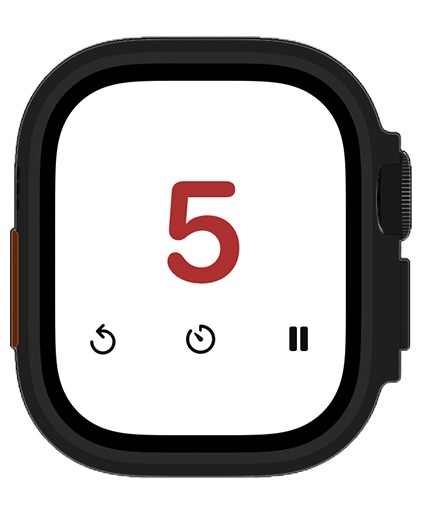
Apple Watch support is here. Run the shot timer from your wrist with the same quick controls - tap to start/pause, swipe to reset, and instantly switch 40, 60 or a custom time duration. Includes haptic ticks for the final countdown and sync with iPhone when connected.
Description
A clean, simple design packed with features and swipe gestures that make officiating effortless.
This fully customisable 8 Ball Shot Timer app lets you stay focused on the game, not the clock. Choose built-in sound, vibration, and colour alerts to suit your style while keeping distractions to a minimum.
Apple Watch support adds a companion timer on your wrist - quick taps and swipes for start/pause and reset, optional duration presets (including custom times when not locked to your iPhone), haptics for the final countdown, and sync with your iPhone when it’s connected.
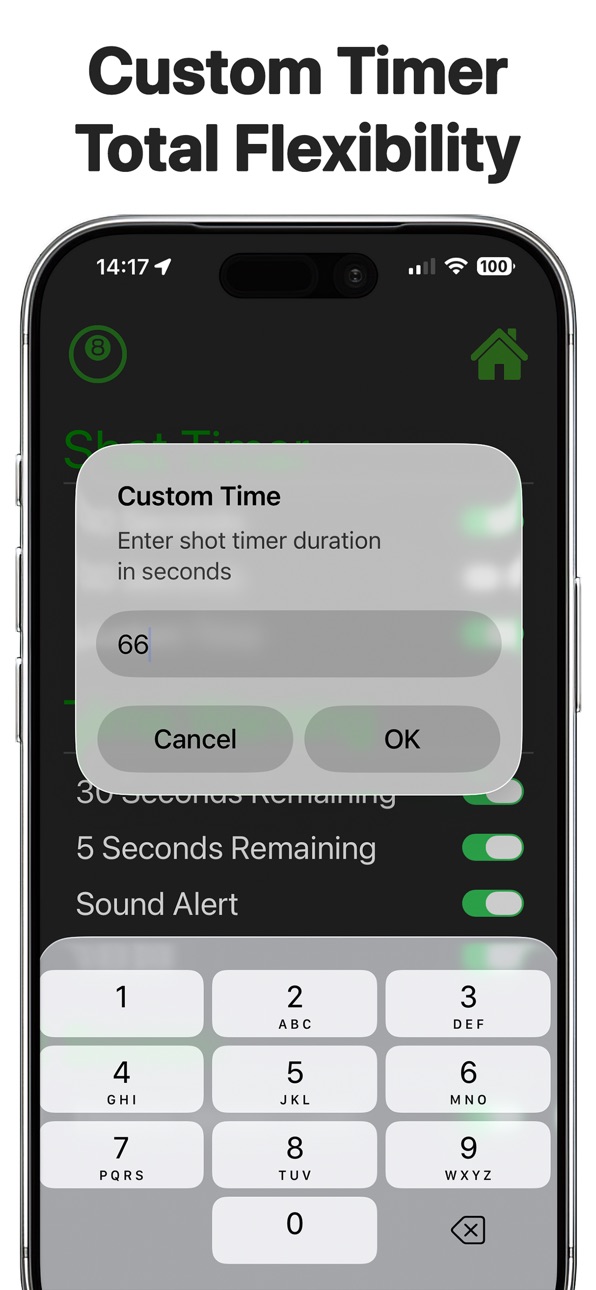
Set the timer for 40 seconds, 60 seconds, or your own custom time - perfect for both standard and tournament play. Optional audio, vibration, and screen colour changes notify you at the halfway point, so you’re always aware of the countdown.
Need an extra warning? Enable alerts at 5 seconds remaining, using sound, vibration, colour changes - or any combination you prefer.
All timer controls are quick and intuitive, activated with simple taps or swipe gestures.
For added confidence, the app also includes the full World Eight Ball Pool rules, as published by the Australian Eight-Ball Federation, giving you instant access whenever you need it during a game.
Accessibility
ipadiphonemacrealityDevicetvoswatch
Version history 7 versions
Build 884781699v2.32026-04-22 16:27:40
Apple Watch support is here. Run the shot timer from your wrist with the same quick controls - tap to start/pause, swipe to reset, and instantly switch 40, 60 or a custom time duration. Includes haptic ticks for the final countdown and sync with iPhone when connected.
Build 883443427v2.22026-03-17 17:26:45
Updated app information to be more informative and highlight the new updates.
Build 882654754v2.12026-02-21 17:53:19
This update introduces support for using the timer with the Dynamic Island, allowing you to easily view and manage your active timer directly from the top of your screen and the lock screen.
Please note: Dynamic Island functionality is only available on supported devices running iOS 16.1 or later, and is limited to compatible iPhone models (iPhone 14 Pro and newer).
Build 882286571v22026-02-11 13:24:43
Added a Custom Timer so you can enter the exact time you want.
Updated the screen layout to better support the new features.
The current timer setting is now displayed right on the home screen for quicker access.
Build 825779949v1.22018-01-26 16:23:09
This update from Apple will improve the functionality of this app. No new features are included.
Minor bug fix.
Build 825737231v1.12018-01-23 22:23:25
Subtitle updated to be more descriptive.
Build 825713223v1.02018-01-22 13:39:17
No pricing data captured yet — comparisons appear once the app has paid storefronts or in-app purchases.
Availability 1 of 1 storefronts
| Region | Language | Price | Ratings | Avg | Version |
|---|---|---|---|---|---|
| US | en-US | Free | 1 | 5.0 | 2.3 |
Change log 11 changes · US
✎
releaseNotes updated
Apple Watch support is here. Run the shot timer from your wrist with the same quick controls - tap to start/pause, swipe to reset, and instantly switch 40, 60 o
✎
description updated
A clean, simple design packed with features and swipe gestures that make officiating effortless.
This fully customisable 8 Ball Shot Timer app lets you stay fo
✎
subtitle updated
Tournament Shot Clock + Watch
✎
name updated
8 Ball Shot Timer
◆
Version 2.3 released
Apple Watch support is here. Run the shot timer from your wrist with the same quick controls - tap to start/pause, swipe to reset, and instantly switch 40, 60 or a custom time duration. Includes haptic ticks for the final countdown and sync
◆
Version 2.2 released
Updated app information to be more informative and highlight the new updates.
◆
Version 2.1 released
This update introduces support for using the timer with the Dynamic Island, allowing you to easily view and manage your active timer directly from the top of your screen and the lock screen.
Please note: Dynamic Island functionality is onl
◆
Version 2 released
Added a Custom Timer so you can enter the exact time you want.
Updated the screen layout to better support the new features.
The current timer setting is now displayed right on the home screen for quicker access.
◆
Version 1.2 released
This update from Apple will improve the functionality of this app. No new features are included.
Minor bug fix.
◆
Version 1.1 released
Subtitle updated to be more descriptive.
◆
Version 1.0 released