Home › Utilities

 US
US
1 of 1 storefronts
Content in en-US
Content in en-US
Information
Apple ID1332826052
Bundle IDcom.specotech.secureguard02
SellerSeller
Min iOS12.0
Min macOS11.0
Device familiestvos, iphone, ipad, ipod
Released2018-01-31
Copyright© Speco Technologies Copyright @ 2018-2025
Privacy policyLink ↗
Preview 3 platforms
iPhone 10 images


iPad 10 images


Apple TV 5 images



What’s New Version 1.12.0
Minor UI improvements
Description
SecureGuard Client is Speco Technologies' solution for viewing live or recorded video directly from NVRs, DVRs and IP cameras or coming into one or more SecureGuard servers.
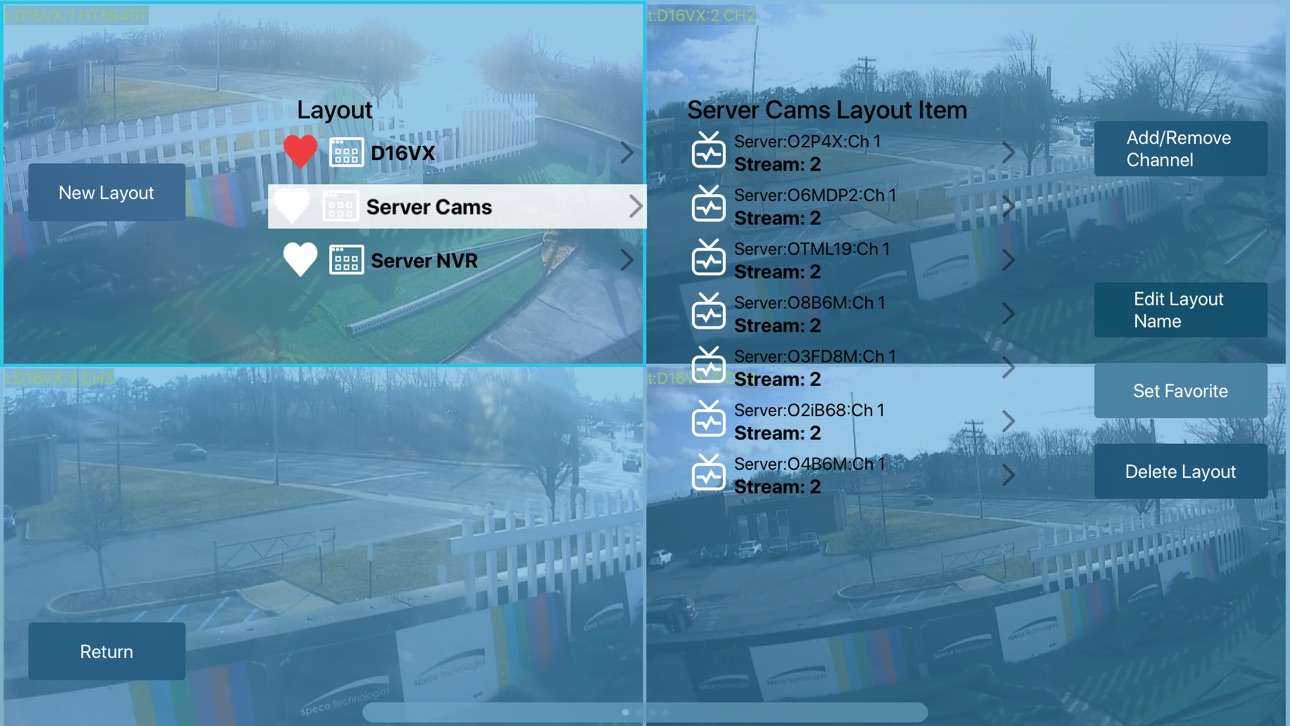
Create your own layouts to select which cameras to view from any site. Swipe right or left to view different groups of cameras. Double tap to place one particular camera in full screen. Pinch to pan and zoom when viewing a single stream.
Also supports 2-way audio with cameras or recorders equipped with a speaker.
Accessibility
ipadiphonemacrealityDevicetvoswatch
Version history 17 versions
Build 877626918v1.12.02025-08-28 07:22:21
Minor UI improvements
Build 876975293v1.10.02025-08-06 07:25:21
Fixed an issue with site deletion.
Build 857358904v1.9.22025-07-25 07:08:24
Minor bug fixes and UI improvements
Build 857275475v1.9.02023-05-25 16:40:16
- New updated interface
- Background theme selection
Build 853348862v1.8.12022-11-14 22:55:39
Fixed issue with MJPEG streams.
Build 850374347v1.8.02022-07-19 21:50:17
New playback features:
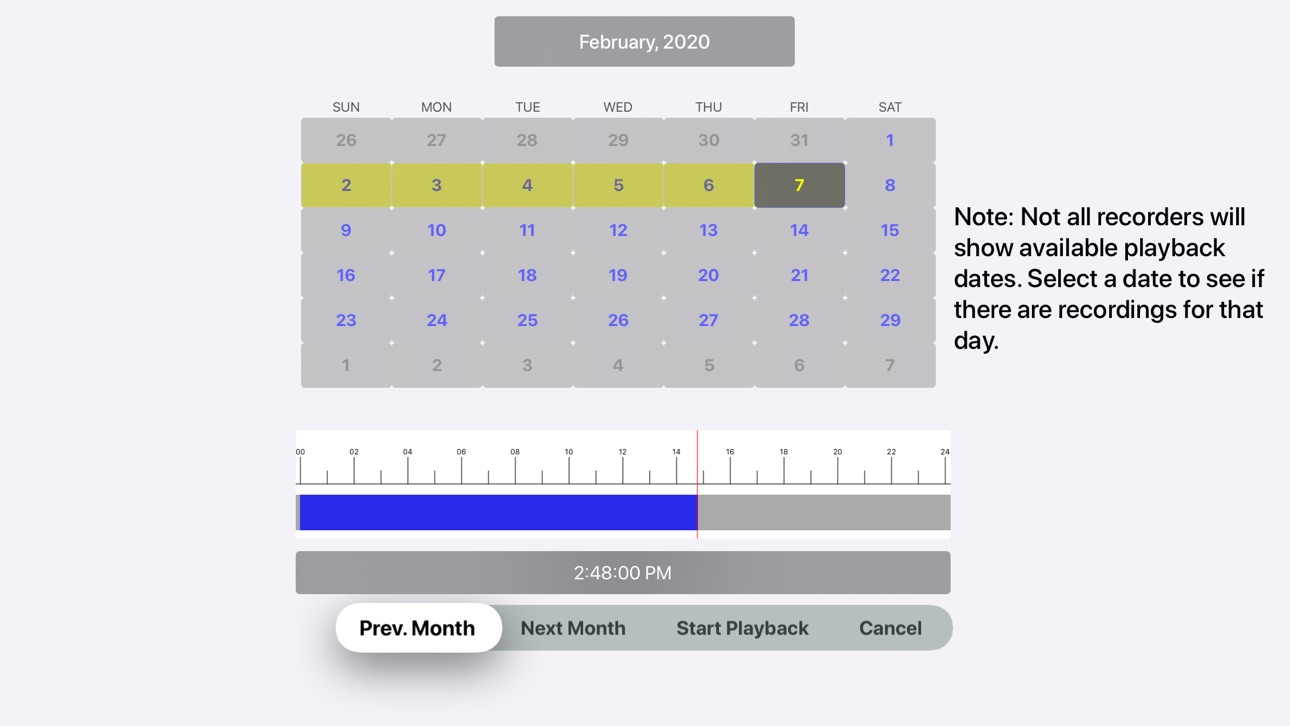
Initial playback start time can now be selected by swiping the time bar below the calendar.
During playback you can swipe the time bar to select a new playback time.
The time bar can now be zoomed in from 24 hours to 12, 6, 3, 2 or 1 hour.
During playback you can jump back or forward one week or jump to an individual date within the current week.
Build 848419053v1.7.42022-04-18 23:04:01
Connect to NR and HR series recorders via QR code.
Build 843903688v1.7.12021-09-01 21:44:45
Fixed issues with streaming from certain cameras connected to a SecureGuard server.
Build 843080622v1.7.02021-07-14 17:39:26
Connect to NR and HR recorders using a QR Code.
PTZ controls including pan, tilt, zoom focus and go to preset.
2-way audio.
Build 834665064v1.6.72020-02-11 14:02:29
Added support for Motion JPEG streams.
Fixed issues with dark mode.
Build 833219212v1.6.52019-10-17 21:51:17
- Fixed automatic layout creation for recorders with more than 16 channels.
- Fixed stream display of certain resolution streams when running on iOS 13.
- Added support for VideoToolbox hardware acceleration.
Build 831661754v1.6.32019-06-14 01:21:11
- Ability to connect to NR series recorders with non-admin credentials.
- Swipe left or right while viewing all channels of a layout to switch to the next or previous layout in the layout list.
- Minor bug fixes.
Build 831434106v1.6.22019-05-25 16:57:40
- Support for live view from Speco Technologies DVRs and NVRs.
- Support for playback from Speco Technologies DVRs and NVRs except the NX series.
- Recording time bar that shows available recordings during search and playback.
Build 828792682v1.5.12018-10-02 22:01:49
- Support for direct connection to Speco IP cameras in addition to SecureGuard servers.
- Five different grid layouts for viewing up to 16 cameras at a time.
- Simple user navigation tools: Pinch to zoom with panning when in 1x1 mode, and Double-tap on a stream view to switch to 1x1 mode and back again.
- Playback of SecureGuard Server recordings with fast-forward up to 16x and jump forward or back by 30 seconds (requires SecureGuard server 2.5.0 or later).
- Page indicator to show the current page and number of pages in the current layout.
- When adding a server, one layout is automatically created for each recorder and cameras are grouped into layouts with up to 16 cameras each.
- Now able to change the order of channels in a layout.
- DDNS name is now persisted and resolved each time the application is launched.
Build 828625530v1.5.02018-09-19 20:47:26
- Now 5 different grid layouts available to view up to 16 cameras at one time
- Fix to zoom while panning camera while in 1x1 mode
or later)
- Bug fix for DDNS name persistence
- Page indicator for selected layout to view
- Layout is created when new server is added
- Playback of server recordings now available (requires SecureGuard Server to be at version 2.5.0
Build 827580844v1.3.132018-06-19 14:55:32
- Audio is now disabled by default. Audio can only be enabled for one channel at a time.
- Streams that are no longer visible due to swiping to a new page are paused to reduce bandwidth usage.
Build 825570829v1.3.122018-01-29 14:26:26
No pricing data captured yet — comparisons appear once the app has paid storefronts or in-app purchases.
Availability 1 of 1 storefronts
| Region | Language | Price | Ratings | Avg | Version |
|---|---|---|---|---|---|
| US | en-US | Free | 16 | 3.4 | 1.12.0 |
Change log 20 changes · US
✎
releaseNotes updated
Minor UI improvements
✎
description updated
SecureGuard Client is Speco Technologies' solution for viewing live or recorded video directly from NVRs, DVRs and IP cameras or coming into one or more SecureG
✎
name updated
SecureGuard Client
◆
Version 1.12.0 released
Minor UI improvements
◆
Version 1.10.0 released
Fixed an issue with site deletion.
◆
Version 1.9.2 released
Minor bug fixes and UI improvements
◆
Version 1.9.0 released
- New updated interface
- Background theme selection
◆
Version 1.8.1 released
Fixed issue with MJPEG streams.
◆
Version 1.8.0 released
New playback features:
Initial playback start time can now be selected by swiping the time bar below the calendar.
During playback you can swipe the time bar to select a new playback time.
The time bar can now be zoomed in from 24 hours to
◆
Version 1.7.4 released
Connect to NR and HR series recorders via QR code.
◆
Version 1.7.1 released
Fixed issues with streaming from certain cameras connected to a SecureGuard server.
◆
Version 1.7.0 released
Connect to NR and HR recorders using a QR Code.
PTZ controls including pan, tilt, zoom focus and go to preset.
2-way audio.
◆
Version 1.6.7 released
Added support for Motion JPEG streams.
Fixed issues with dark mode.
◆
Version 1.6.5 released
- Fixed automatic layout creation for recorders with more than 16 channels.
- Fixed stream display of certain resolution streams when running on iOS 13.
- Added support for VideoToolbox hardware acceleration.
◆
Version 1.6.3 released
- Ability to connect to NR series recorders with non-admin credentials.
- Swipe left or right while viewing all channels of a layout to switch to the next or previous layout in the layout list.
- Minor bug fixes.
◆
Version 1.6.2 released
- Support for live view from Speco Technologies DVRs and NVRs.
- Support for playback from Speco Technologies DVRs and NVRs except the NX series.
- Recording time bar that shows available recordings during search and playback.
◆
Version 1.5.1 released
- Support for direct connection to Speco IP cameras in addition to SecureGuard servers.
- Five different grid layouts for viewing up to 16 cameras at a time.
- Simple user navigation tools: Pinch to zoom with panning when in 1x1 mode, and D
◆
Version 1.5.0 released
- Now 5 different grid layouts available to view up to 16 cameras at one time
- Fix to zoom while panning camera while in 1x1 mode
or later)
- Bug fix for DDNS name persistence
- Page indicator for selected layout to view
- Layout is creat
◆
Version 1.3.13 released
- Audio is now disabled by default. Audio can only be enabled for one channel at a time.
- Streams that are no longer visible due to swiping to a new page are paused to reduce bandwidth usage.
◆
Version 1.3.12 released