Home › Productivity

 US
US
1 of 1 storefronts
Content in en-US
Content in en-US
Information
Preview 2 platforms
iPhone 8 images


iPad 8 images




What’s New Version 4.1.2
bug fixes and performance improvements.
Description
Drawing Pad – Sketch, Paint & Create with AI
Drawing Pad is a powerful yet easy-to-use drawing and design app built for artists, designers, students, and creators of all skill levels. Whether you want to sketch ideas, paint digitally, or transform images using AI, Drawing Pad gives you everything in one creative workspace.
Advanced Drawing Canvas:
Create freely with a smooth, responsive drawing canvas designed for precision and performance.
• Unlimited drawing canvas
• Duplicate, delete, and merge canvases
• Select and manage multiple canvases at once
• Powerful Undo & Redo system for full control
Organize your artwork effortlessly and focus on creativity instead of limitations.
Professional Brush Collection:
Choose from a rich collection of brushes designed for different art styles.
• Pencil, pen, marker, paint, and creative brushes
• Fully customizable brush size, opacity, and flow
• Smooth strokes with realistic feel
Perfect for sketching, painting, calligraphy, and digital illustration.
AI-Powered Creative Tools:
Take your artwork to the next level with smart AI features:
• Remove Background – Instantly erase backgrounds from images
• AI Text to Image – Turn your ideas into stunning visuals
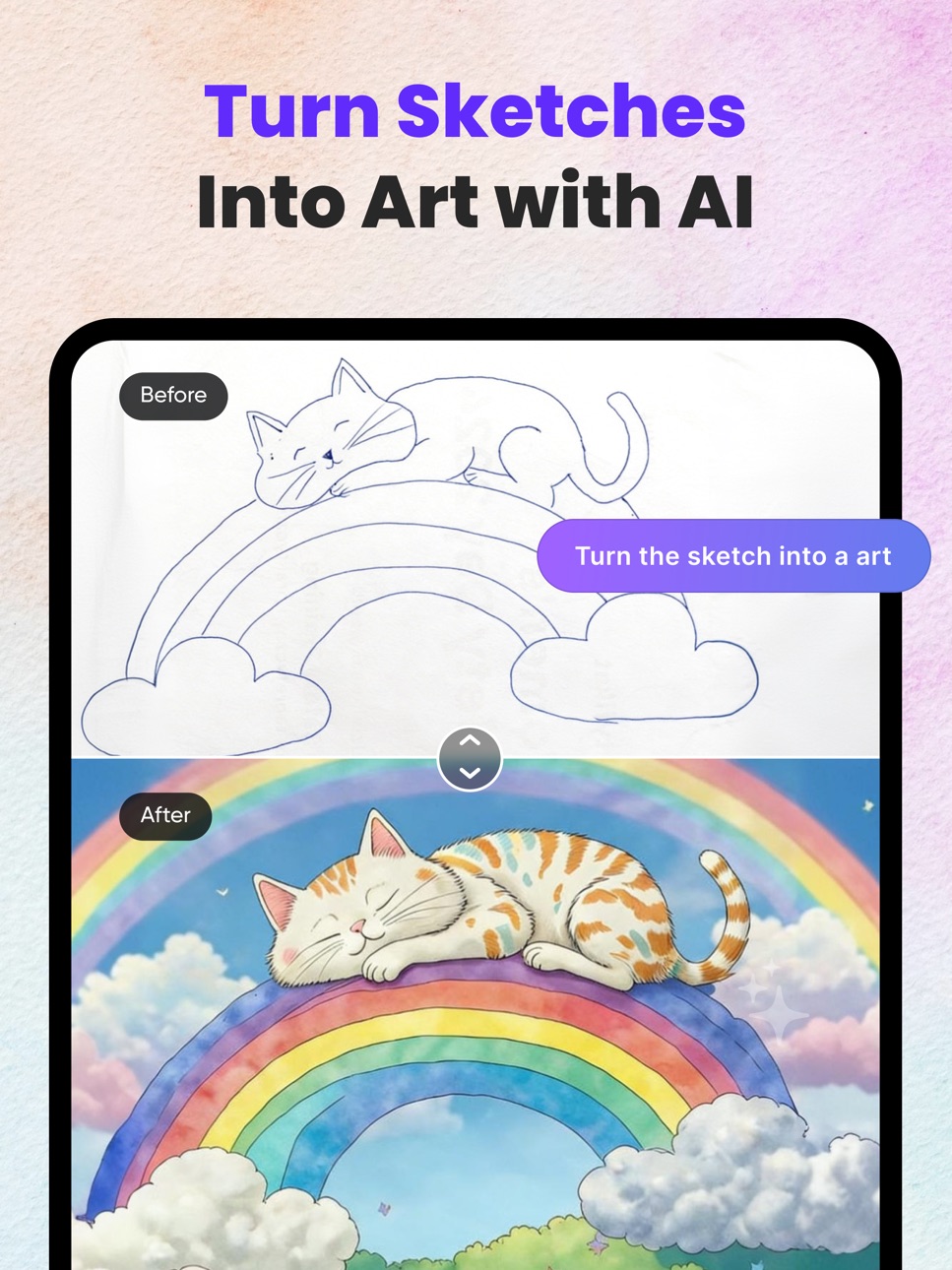
• AI Drawing to Image – Convert sketches into realistic images
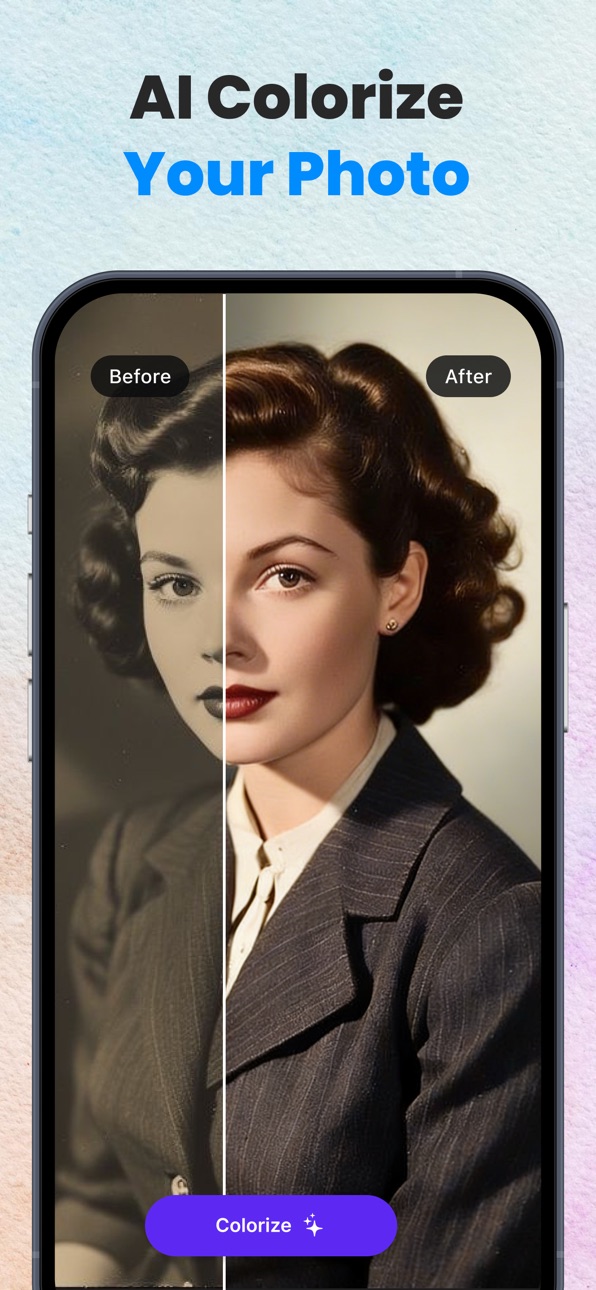
• Colorize Photo – Bring black & white photos to life
• Remove Object – Cleanly remove unwanted objects
• Replace Image – Swap image elements seamlessly
• Expand Image – Extend image boundaries intelligently
Professional results with just a few taps.
Get Drawing Pad Premium:
Unlimited access to all the premium features and daily content updates during the subscription period. The subscriptions are $4.99 per week with 1 week trial period, $9.99 Monthly and $29.99 yearly or equal to the same price tier as Apple App Store Matrix, determined as the equivalent of subscription price in $USD.
You may cancel a subscription or free-trial anytime via the subscription setting through your iTunes account. This must be done 24 hours before the end of the free trial or subscription period to avoid being charged. The subscription will automatically renew unless auto-renew is turned off at least 24 hours before the end of the current period. No cancellation of the current subscription is allowed during the active subscription period. Any unused portion of a free trial period will be forfeited when the user purchases a Drawing Pad Unlimited subscription.
Terms & Conditions : http://mubassher.me/DrawingDesk/terms.html
Privacy Policy : http://mubassher.me/DrawingDesk/privacy.html
We are always working on bringing new experiences to the app. Thanks to all our users for your love and support.
With Love!!!
Drawing Pad Team.
Capabilities
In-App Purchases
Accessibility
ipadiphonemacrealityDevicetvoswatch
Version history 20 versions
Build 887282470v4.1.22026-06-24 16:56:45
bug fixes and performance improvements.
Build 880476848v4.1.12026-06-19 18:30:34
Big Update!
• Improved drawing tools and workflow
• Faster performance and stability improvements
• New AI-powered image editing features
• AI Background Removal
• AI Object Removal
• AI Image Expansion
• Bug fixes and enhancements
We're excited to bring the app back with even more creative possibilities!
Build 842048150v3.7.12021-05-17 20:13:34
Added New Category
SketchBook
--------------------------------------
->Glowing Lines
->Force based Adjustment for stroke size
->Pencil supported
->3D Touch supported
->Undo & Redo
->Zoom & Scale
->Export to image
->Save image
Drawing Desk
--------------------------------------
->Image stress and blur issue fixed.
->Updated Colour Picker
Colouring Desk
--------------------------------------
->Added New Colour Plate
->Remove Static Colouring pages
->Added New Dynamic Colouring Pages
Photo Desk
--------------------------------------
->Image selection Crash Issue Fixed
We are always working on bringing new experiences to the app. Please send us your feedback and write a review for Drawing Pad after each update on App Store. Thanks to all our users for your love and support.
With Love!!!
Drawing Pad Team.
Build 841090065v3.6.42021-03-27 21:38:52
->Bug Fixes
->Performance improved.
Build 838418589v3.6.32020-10-29 14:49:03
-> Compatible with iOS 14
-> Fixed issues.
-> Update Performance.
We are always working on bringing new experiences to the app. Please send us your feedback and write a review for SketchBook after each update on App Store. Thanks to all our users for your love and support.
With Love!!!
SketchBook Team.
Build 836375432v3.6.22020-08-17 22:15:26
Drawing Desk
--------------------------
-> Added New Pencil Tool (Pencil 1 & Pencil 2)
-> Added New Fill Bucket Tool
-> Added New Text Writing Tool (User Can Write Text on Drawing)
-> Update Writing Brush Tool,Marker Pen Tool & Water Color Tool
-> Update Performance and Remove Drawing Pixelated Issue
Coloring Desk
--------------------------
->Added New Effects
->Added New Filter options such as
i. Line Color
ii. Vignette
iii. Saturation
iv. Contrase
v. Brightness
vi. Noise Reduction
-> Update Performance
-> Reduce Crash Issue
Photo Desk
--------------------------
-> Fixed Text blur issue
-> Update Performance
-> Reduce Crash Issue
We are always working on bringing new experiences to the app. Please send us your feedback and write a review for Drawing Desk after each update on App Store. Thanks to all our users for your love and support.
With Love!!!
SketchBook Team.
Build 836290007v3.6.12020-06-05 18:16:27
->Minor bug fixes.
Build 836231695v3.62020-06-04 15:59:51
Drawing Desk
--------------------------
->Added Different Realistic Drawing Tools( Pencil, Writing Brush , Ball Pen, Dense Wool, Rough Wool, Marker Pen , Watercolor, Chalk, Spray, Blur, Smudge etc)
->Fixed Image Blur Issue
->Added Different Art Board .
Coloring Desk
--------------------------
->Fixed Coloring Slow Issue
->Added Sound on Coloring Desk
->Added Different Color Plate (26)
->Update Performance
Photo Desk
--------------------------
->Added New Image Cropper
->Fixed Image Save Issue
->Fixed Crash Issue
Mandalas Desk
--------------------------
->Added New Category
->Now you can create Different Mandalas.
We are always working on bringing new experiences to the app. Please send us your feedback and write a review for SketchBook after each update on App Store. Thanks to all our users for your love and support.
With Love!!!
SketchBook Team.
Build 835427869v3.5.32020-04-07 20:21:26
->Fixed Crash Issue
->Fixed Zoom issue
->Smooth Drawing
->Super Fast Undo and Redo Feature.
We are always working on bringing new experiences to the app. Please send us your feedback and write a review for Sketch Book after each update on App Store. Thanks to all our users for your love and support.
With Love!!!
Sketch Book Team.
Build 835215187v3.5.22020-03-24 16:06:51
->Fixed In App Purchase Issue.
->Fixed Crash Issue.
Build 833735663v3.5.12020-03-10 03:37:45
Drawing Desk
----------------------------------------------------------
->Added New HD Stickers
->Added different Art Board(Lines,Canvas,Watercolor,Square,Dot,School etc)
->Fixed iPhone x Animation issue.
->Update Performance.
Photo Desk
----------------------------------------------------------
->Added new Image Resizer. Now you can crop the image.
->Added New Snowfall stickers.
->Update Performance
Tap To Color
----------------------------------------------------------
->Added New Category Tap To Color Stickers.
->Update Color Picker
->Update Performance
We have updated our database for better performance and reduced crash issue.So, those who updated your app please delete the app and reinstall the app again.Hope this this fixed the issue.
Build 832622318v3.52019-09-10 01:19:53
Photo Edit
----------------------------
->Improve Performance
->Fixed Photo select issue
We have updated our database for better performance and reduced crash issue.So, those who updated your app please delete the app and reinstall the app again.Hope this this fixed the issue.
We are always working on bringing new experiences to the app. Please send us your feedback and write a review for Drawing Desk after each update on App Store. Thanks to all our users for your love and support.
With Love!!!
Drawing Desk Team.
Build 832339466v3.42019-08-11 21:18:49
If you have already installed the previous version in your device please delete the app and reinstall the app.To reduce the crash issue We have updated the database.
->Changed app icon
->Update Database.
->Improve performance
->Reduce Crash issue.
Build 830583139v3.32019-08-07 14:54:43
Doodle Desk
---------------------------------------------
---------------------------------------------
->Brand New Design
->Fixed Undo & Redo Slow Issue
->Saved Last state of artwork
->User can save their artwork.
Tap To Color
---------------------------------------------
---------------------------------------------
->Brand New Design
->Added Gradient Color.
->Fixed some Issues
Photo Desk
---------------------------------------------
---------------------------------------------
->Brand New Design.
->Fixed Some Issues.
Build 828520591v3.12018-10-11 17:50:43
->Reduced annoying ads.
DOODLE DESK
================================
->Added a Color plate on Doodle Desk.User can select Different color from the color plate easily.
TAP TO COLOR
================================
->Added More 5 categories (Food,Cats,Robots,School,Girls).
PHOTO DESK FOR CREATIVES
================================
-Are you Creative in drawing beautiful effects on photos? Yes! Try our amazing filters
-Import photo from gallery or by capturing a new photo.
-Blur Your Photo
-Add Text on your Photo,Rotate and Zoom text, change your text color
-Add Different Snowflake on your Photo
-Save your photo
-Share your Photo
Build 828373008v2.22018-08-27 22:23:06
->Remove Annoying Ads
->Fixed issues
Build 828236592v2.12018-08-16 17:46:58
->Added New Drawing Images on Tap to Color Part
->Undated Interface
->Fixed Issues
->Undated Performance
Build 827269139v1.22018-07-11 14:57:34
->New Design
-> Removed Banner Ads as it is annoying for user
-> Added New 200 Cool Stickers
->Added New Drawing Tools
->Computable with iOS 11
->Fixed some crash issue on iOS 11
->Improve performance
Let us know what features you want in the next update by reviewing in App Store.
Build 825598454v1.12018-01-10 21:27:59
Minor bug fixed.
Build 825262535v1.02017-12-29 22:16:25
No pricing data captured yet — comparisons appear once the app has paid storefronts or in-app purchases.
Availability 1 of 1 storefronts
| Region | Language | Price | Ratings | Avg | Version |
|---|---|---|---|---|---|
| US | en-US | Free | 440 | 4.3 | 4.1.2 |
Change log 24 changes · US
✎
releaseNotes updated
bug fixes and performance improvements.
✎
description updated
Drawing Pad – Sketch, Paint & Create with AI
Drawing Pad is a powerful yet easy-to-use drawing and design app built for artists, designers, students, and creat
✎
subtitle updated
Draw, Paint & Digital Canvas
✎
name updated
Drawing Pad: AI Art Sketch
◆
Version 4.1.2 released
bug fixes and performance improvements.
◆
Version 4.1.1 released
Big Update!
• Improved drawing tools and workflow
• Faster performance and stability improvements
• New AI-powered image editing features
• AI Background Removal
• AI Object Removal
• AI Image Expansion
• Bug fixes and enhancements
We're
◆
Version 3.7.1 released
Added New Category
SketchBook
--------------------------------------
->Glowing Lines
->Force based Adjustment for stroke size
->Pencil supported
->3D Touch supported
->Undo & Redo
->Zoom & Scale
->Export to image
->Save image
Drawing Desk
◆
Version 3.6.4 released
->Bug Fixes
->Performance improved.
◆
Version 3.6.3 released
-> Compatible with iOS 14
-> Fixed issues.
-> Update Performance.
We are always working on bringing new experiences to the app. Please send us your feedback and write a review for SketchBook after each update on App Store. Thanks to all o
◆
Version 3.6.2 released
Drawing Desk
--------------------------
-> Added New Pencil Tool (Pencil 1 & Pencil 2)
-> Added New Fill Bucket Tool
-> Added New Text Writing Tool (User Can Write Text on Drawing)
-> Update Writing Brush Tool,Marker Pen Tool & Water Color
◆
Version 3.6.1 released
->Minor bug fixes.
◆
Version 3.6 released
Drawing Desk
--------------------------
->Added Different Realistic Drawing Tools( Pencil, Writing Brush , Ball Pen, Dense Wool, Rough Wool, Marker Pen , Watercolor, Chalk, Spray, Blur, Smudge etc)
->Fixed Image Blur Issue
->Added Different
◆
Version 3.5.3 released
->Fixed Crash Issue
->Fixed Zoom issue
->Smooth Drawing
->Super Fast Undo and Redo Feature.
We are always working on bringing new experiences to the app. Please send us your feedback and write a review for Sketch Book after each update on
◆
Version 3.5.2 released
->Fixed In App Purchase Issue.
->Fixed Crash Issue.
◆
Version 3.5.1 released
Drawing Desk
----------------------------------------------------------
->Added New HD Stickers
->Added different Art Board(Lines,Canvas,Watercolor,Square,Dot,School etc)
->Fixed iPhone x Animation issue.
->Update Performance.
Photo Desk
-
◆
Version 3.5 released
Photo Edit
----------------------------
->Improve Performance
->Fixed Photo select issue
We have updated our database for better performance and reduced crash issue.So, those who updated your app please delete the app and reinstall the ap
◆
Version 3.4 released
If you have already installed the previous version in your device please delete the app and reinstall the app.To reduce the crash issue We have updated the database.
->Changed app icon
->Update Database.
->Improve performance
->Reduce Cras
◆
Version 3.3 released
Doodle Desk
---------------------------------------------
---------------------------------------------
->Brand New Design
->Fixed Undo & Redo Slow Issue
->Saved Last state of artwork
->User can save their artwork.
Tap To Color
-----------
◆
Version 3.1 released
->Reduced annoying ads.
DOODLE DESK
================================
->Added a Color plate on Doodle Desk.User can select Different color from the color plate easily.
TAP TO COLOR
================================
->Added More 5 categories
◆
Version 2.2 released
->Remove Annoying Ads
->Fixed issues
◆
Version 2.1 released
->Added New Drawing Images on Tap to Color Part
->Undated Interface
->Fixed Issues
->Undated Performance
◆
Version 1.2 released
->New Design
-> Removed Banner Ads as it is annoying for user
-> Added New 200 Cool Stickers
->Added New Drawing Tools
->Computable with iOS 11
->Fixed some crash issue on iOS 11
->Improve performance
Let us know what features you want in t
◆
Version 1.1 released
Minor bug fixed.
◆
Version 1.0 released