Home › Finance

 US
US
1 of 1 storefronts
Content in en-US
Content in en-US
Information
Apple ID1321484237
Bundle IDau.com.BOS.mobileBanking
SellerSeller
Min iOS13.0
Min macOS11.0
Device familiesiphone, ipad, ipod
Released2018-01-31
CopyrightBank of Sydney 2017 ©
Privacy policyLink ↗
Preview 2 platforms
iPhone 3 images


iPad 4 images


What’s New Version 1.29.14
We’ve made performance improvements and fixed minor bugs to enhance your overall experience.
Description
Bank of Sydney Mobile Banking App
Introducing the Bank of Sydney Mobile Banking App
A smarter way to manage your banking with Bank of Sydney.
The Bank of Sydney Mobile Banking App gives you convenient access to your accounts anytime, anywhere so you can manage your money with confidence.
Whether you are checking balances, making payments or managing your cards, everything you need is right at your fingertips.
Key Features
Manage your accounts
• View balances and transaction history
• See both personal and eligible business accounts in one place
• Access statements and account details
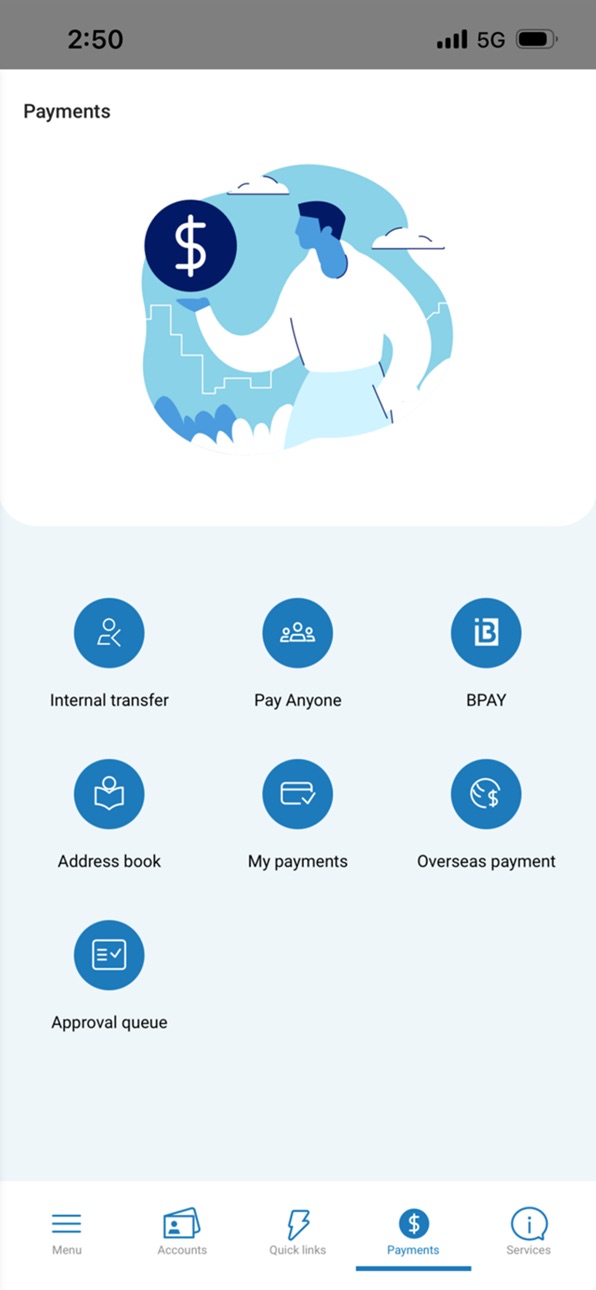
Make payments and transfers
• Transfer between your Bank of Sydney accounts
• Pay anyone using BSB and account number
• Schedule future payments
• Set up and manage payees
Cards and controls
• View your Visa Debit card details
• Activate your card
• Temporarily lock or unlock your card
• Manage PIN and card settings
Getting started
To use the app, you must first be a Bank of Sydney customer.
If you are new to Online Banking, you will need to complete a quick registration process using your Customer Reference Number. To register, download and open the Bank of Sydney Mobile Banking App and click ‘Register’.
If you are an existing customer and have already registered for Online Banking, simply log in using your Customer Reference Number and password.
Your security matters
Bank of Sydney will never send you a link via email or SMS asking for your passwords, Customer Reference Number, or other sensitive banking information. Always log in directly through the official Bank of Sydney website or Bank of Sydney Mobile Banking App.
Terms and conditions
Use of the Bank of Sydney Mobile Banking App is subject to the Bank of Sydney Online Banking Terms and Conditions and applicable Product Disclosure Statements and Terms and Conditions. Normal data charges may apply. Features may vary depending on your account type and device.
For full terms, eligibility and important information, visit banksyd.com.au/important-product-information.
Capabilities
Wallet
Accessibility
ipadiphonemacrealityDevicetvoswatch
Version history 25 versions
Build 886407667v1.29.142026-06-25 06:48:24
We’ve made performance improvements and fixed minor bugs to enhance your overall experience.
Build 884962894v1.29.102026-05-18 02:52:49
We’ve made performance improvements and fixed minor bugs to enhance your overall experience.
Build 883955491v1.26.62026-04-09 04:45:18
We have done a few minor enhancements and fixed minor bugs
Build 883747098v1.26.42026-03-29 22:44:18
We've made performance improvements and fixed minor bugs to enhance overall experience.
Build 883077218v1.26.32026-03-22 21:48:44
Introducing the Bank of Sydney Mobile Banking App
A smarter way to manage your banking with Bank of Sydney.
The Bank of Sydney Mobile Banking App gives you convenient access to your accounts anytime, anywhere so you can manage your money with confidence.
Build 878401688v1.25.02025-10-10 07:49:17
Bug fixes and improvements
Build 866822763v1.24.02024-07-10 23:42:56
The new version contains bug fixes and improvements.
Build 861440414v1.23.02023-11-14 11:03:10
The new version contains bug fixes and improvements.
Build 859526586v1.22.02023-09-06 12:36:04
The new version contains bug fixes and improvements.
Build 852509838v1.12.12022-09-29 16:51:11
The new version contains bug fixes and improvements.
Build 850300517v1.12.02022-06-21 07:36:23
The new version contains bug fixes and improvements.
Build 843162571v1.11.22021-07-19 12:42:24
Push notification authorization problems under conditions.
Verification code keyboard hiding bug.
Security and stability optimizations.
Build 842783760v1.11.12021-06-24 11:46:49
iOS 14.1 buttons disappearing fixed.
Security, stability and performance improvements.
Build 842117646v1.10.12021-05-11 09:03:02
Fix for issue when trying to register a new device
Other improvements for iOS 14
Build 839346194v1.9.32020-11-25 11:12:26
This version contains bug fixes and improvements.
Build 836390996v1.9.02020-06-15 07:36:05
This version contains bug fixes and improvements.
Build 835747920v1.7.112020-05-04 07:26:25
This version contains bug fixes and improvements.
Build 833339934v1.7.102019-10-30 15:02:07
You can now see your Pending Debits & Pending Transactions when navigating to account details.
Build 832914319v1.7.92019-09-25 15:43:06
iOS 13 compatibility fixes.
Build 832481821v1.7.82019-08-22 23:03:11
Minor improvements in transactions authorisation using biometrics.
Build 831868030v1.7.72019-07-03 10:50:43
Connectivity improvements of the Mobile Banking app.
Build 831028072v1.7.52019-05-03 08:30:58
Fixes in multiple owner account chooser for iOS 12
Performance improvements in Portfolio screen
Fixes in Push Notifications
Build 830528989v1.7.42019-03-07 18:37:08
iOS 12 compatibility in "self unblock" functionality
Build 830332375v1.7.32019-02-19 09:35:05
Release includes minor resource changes along with enhancements in “Edit Account” functionality.
Build 829920425v1.7.22019-01-12 02:02:05
Version includes a fix in device registration flow and push notifications activation.
No pricing data captured yet — comparisons appear once the app has paid storefronts or in-app purchases.
Availability 1 of 1 storefronts
| Region | Language | Price | Ratings | Avg | Version |
|---|---|---|---|---|---|
| US | en-US | Free | 0 | — | 1.29.14 |
Change log 28 changes · US
✎
releaseNotes updated
We’ve made performance improvements and fixed minor bugs to enhance your overall experience.
✎
description updated
Bank of Sydney Mobile Banking App
Introducing the Bank of Sydney Mobile Banking App
A smarter way to manage your banking with Bank of Sydney.
The Bank of Syd
✎
name updated
Bank of Sydney Mobile Banking
◆
Version 1.29.14 released
We’ve made performance improvements and fixed minor bugs to enhance your overall experience.
◆
Version 1.29.10 released
We’ve made performance improvements and fixed minor bugs to enhance your overall experience.
◆
Version 1.26.6 released
We have done a few minor enhancements and fixed minor bugs
◆
Version 1.26.4 released
We've made performance improvements and fixed minor bugs to enhance overall experience.
◆
Version 1.26.3 released
Introducing the Bank of Sydney Mobile Banking App
A smarter way to manage your banking with Bank of Sydney.
The Bank of Sydney Mobile Banking App gives you convenient access to your accounts anytime, anywhere so you can manage your money w
◆
Version 1.25.0 released
Bug fixes and improvements
◆
Version 1.24.0 released
The new version contains bug fixes and improvements.
◆
Version 1.23.0 released
The new version contains bug fixes and improvements.
◆
Version 1.22.0 released
The new version contains bug fixes and improvements.
◆
Version 1.12.1 released
The new version contains bug fixes and improvements.
◆
Version 1.12.0 released
The new version contains bug fixes and improvements.
◆
Version 1.11.2 released
Push notification authorization problems under conditions.
Verification code keyboard hiding bug.
Security and stability optimizations.
◆
Version 1.11.1 released
iOS 14.1 buttons disappearing fixed.
Security, stability and performance improvements.
◆
Version 1.10.1 released
Fix for issue when trying to register a new device
Other improvements for iOS 14
◆
Version 1.9.3 released
This version contains bug fixes and improvements.
◆
Version 1.9.0 released
This version contains bug fixes and improvements.
◆
Version 1.7.11 released
This version contains bug fixes and improvements.
◆
Version 1.7.10 released
You can now see your Pending Debits & Pending Transactions when navigating to account details.
◆
Version 1.7.9 released
iOS 13 compatibility fixes.
◆
Version 1.7.8 released
Minor improvements in transactions authorisation using biometrics.
◆
Version 1.7.7 released
Connectivity improvements of the Mobile Banking app.
◆
Version 1.7.5 released
Fixes in multiple owner account chooser for iOS 12
Performance improvements in Portfolio screen
Fixes in Push Notifications
◆
Version 1.7.4 released
iOS 12 compatibility in "self unblock" functionality
◆
Version 1.7.3 released
Release includes minor resource changes along with enhancements in “Edit Account” functionality.
◆
Version 1.7.2 released
Version includes a fix in device registration flow and push notifications activation.