Home › Navigation

 US
US
1 of 1 storefronts
Content in en-US
Content in en-US
Information
Preview 2 platforms
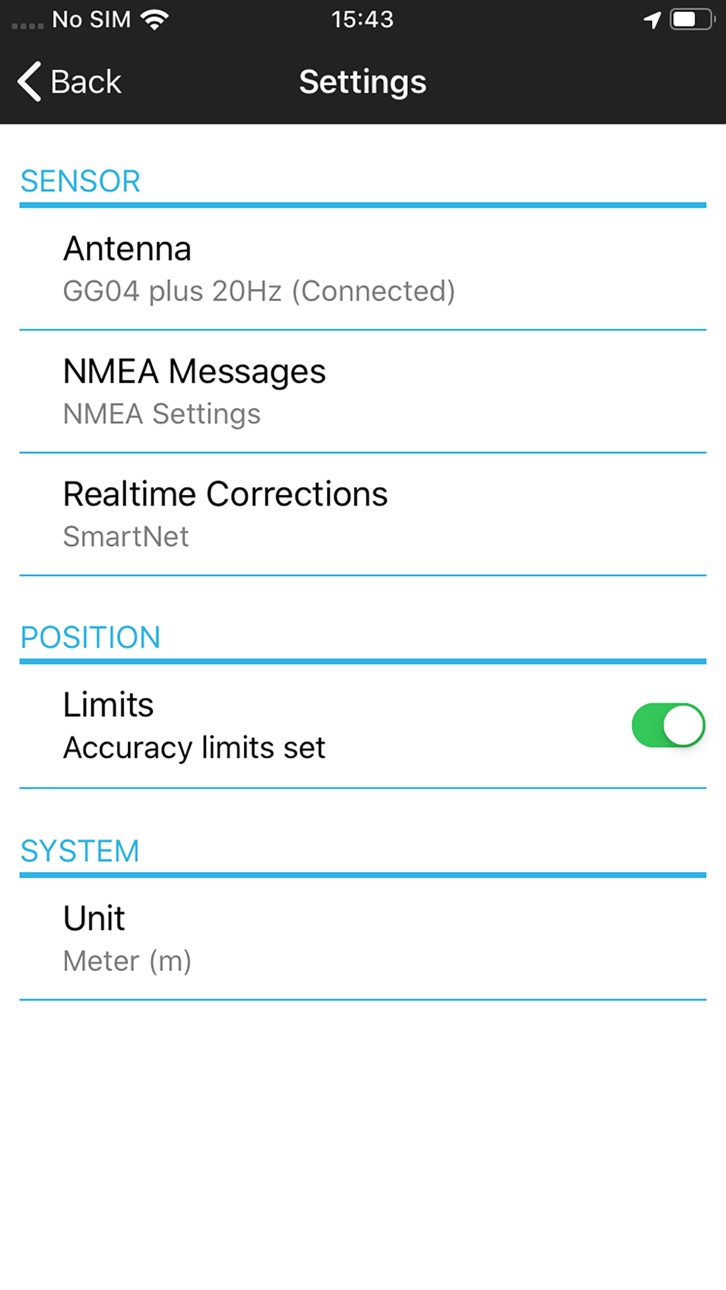
iPhone 6 images




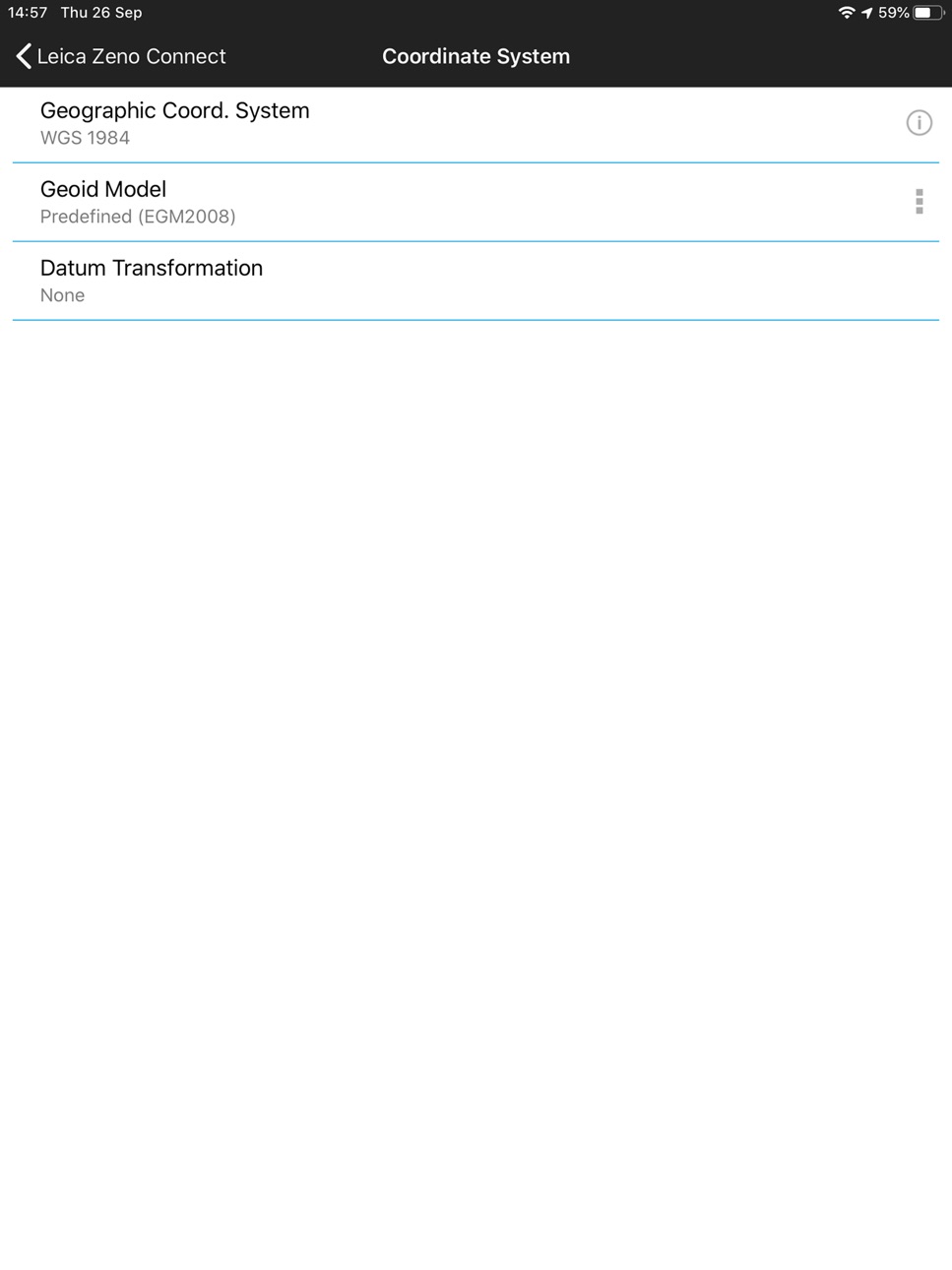
iPad 6 images




What’s New Version 4.3
- WebSocket API minor bug fixes
Description
Zeno Connect for iOS brings the power of Leica GNSS smart antennas to your iPhone/iPad. Simply connect and configure your antenna via Bluetooth and start using your favorite data capture app. Collecting high accuracy geospatial data on your smartphone or tablet has never been easier.
EASY SETUP
Zeno Connect automatically streams the GNSS position from your Leica smart antenna into your iOS device.
• Simply connect your antenna via Bluetooth in the iOS settings menu.
• After opening a location aware app, the position will automatically stream from the antenna when a GNSS fix is available.
EVERYTHING AT YOUR FINGERTIPS
Zeno Connect has a clean and simple to use interface.
• View current GNSS accuracy and satellite status.
• Manage the NMEA messages according to your needs.
• Connect or disconnect from GNSS correction services.
ENABLING HIGH ACCURACY
Zeno Connect supports GNSS correction services to achieve accuracies in the field of up to a centimeter.
• Create and manage RTK profiles.
• Connect to built-in SBAS and PPP correction services.
• Auto connect to RTK for ease of use.
• Wide range of real-time protocols supported.
SUPPORT OF ORTHOMETRIC HEIGHT THROUGH GEOID FILES
• In addition to ellipsoidal height, Zeno Connect outputs orthometric height.
• Select a suitable Geoid directly from the cloud or add a local Geoid file stored on your mobile device.
• Utilise orthometric heights in your data collection software.
Don’t have a GNSS antenna? Read more about Leica Geosystem’s range of GNSS smart antennas here: http://leica-geosystems.com/products/gis-collectors/smart-antennas
Accessibility
ipadiphonemacrealityDevicetvoswatch
Version history 13 versions
Build 882712621v4.32026-03-03 08:11:17
- WebSocket API minor bug fixes
Build 880553355v4.22025-12-16 08:02:15
- Improved battery life and performance.
- WebSocket version 2.0.
Build 876320832v4.12025-07-23 15:22:44
- FLX100 plus tilt support.
- Antenna height setting.
Build 870827991v4.02024-12-16 07:39:16
• High accuracy GNSS for your app.
• New and improved user interface.
• Configure NMEA messages and active satellite systems.
Build 855122658v3.5.12023-02-22 20:54:47
- Improvements and bug fixes
Fixed critical issues with languages that use comma as a decimal separator (German,
Dutch, Spanish, Italian etc.)
Build 851175363v3.52022-08-10 06:05:41
FLX100 plus Support
- The new Leica Zeno FLX100 plus smart antenna is now supported.
Import CSCS Files from Server
-CSCS files can now be downloaded from an online repository and used in the same way as Geoid models.
More Options to Increase NMEA Message Rates
- In addition to the GGA message, the following NMEA messages can now be set to 1, 5, 10 or 20 times per second (20 times per second option is only available with GG04 plus), GLL, GGQ, GST, LLQ, LLK.
Build 846027533v3.4.22021-12-17 20:40:44
TRFSET.DAT import
- You can now import coordinate systems via TRFSET.DAT files.
- If your TRFSET.DAT files contain CSC or GEM files these must be placed inside a .ZIP file alongside the TRFSET.DAT and the .ZIP selected for import.
Build 843922571v3.42021-09-02 16:31:23
Save Settings
- You can now save your Zeno Connect settings (RTK profiles, NMEA messages, accuracy limits and units etc) to import again later.
Leica LLK Message
- The Leica LLK NMEA message provides GDOP information when using a projected coordinate system.
Build 839015033v3.32020-12-02 16:37:08
More NMEA messages supported:
-The Leica LLQ message is now available. Stream real-time position and coordinate quality information when using a projected coordinate system
-The GGQ message is also available to stream real-time position and coordinate quality information in latitude and longitude
Build 832936670v3.22019-10-01 05:32:03
Support of orthometric height through Geoid files
-Many Geoid files are readily available on our new free of charge cloud service, accessed directly from within Zeno Connect.
-You can now utilise orthometric heights in your data collection software on Android and iOS.
-Please note that the Leica LLQ message is still only available on the Windows version.
Build 829306997v3.12018-11-19 08:11:05
- New position limits setting
- Stability improvement
- GUI improvement
- New languages supported
Build 825857089v3.0.12018-02-05 06:42:29
Improved GNSS position stability when connected to RTK correction services.
Build 824344661v3.02018-01-17 09:38:52
No pricing data captured yet — comparisons appear once the app has paid storefronts or in-app purchases.
Availability 1 of 1 storefronts
| Region | Language | Price | Ratings | Avg | Version |
|---|---|---|---|---|---|
| US | en-US | Free | 4 | 4.5 | 4.3 |
Change log 17 changes · US
✎
releaseNotes updated
- WebSocket API minor bug fixes
✎
description updated
Zeno Connect for iOS brings the power of Leica GNSS smart antennas to your iPhone/iPad. Simply connect and configure your antenna via Bluetooth and start using
✎
subtitle updated
Leica Zeno Connect
✎
name updated
Zeno Connect
◆
Version 4.3 released
- WebSocket API minor bug fixes
◆
Version 4.2 released
- Improved battery life and performance.
- WebSocket version 2.0.
◆
Version 4.1 released
- FLX100 plus tilt support.
- Antenna height setting.
◆
Version 4.0 released
• High accuracy GNSS for your app.
• New and improved user interface.
• Configure NMEA messages and active satellite systems.
◆
Version 3.5.1 released
- Improvements and bug fixes
Fixed critical issues with languages that use comma as a decimal separator (German,
Dutch, Spanish, Italian etc.)
◆
Version 3.5 released
FLX100 plus Support
- The new Leica Zeno FLX100 plus smart antenna is now supported.
Import CSCS Files from Server
-CSCS files can now be downloaded from an online repository and used in the same way as Geoid models.
More Options to Incre
◆
Version 3.4.2 released
TRFSET.DAT import
- You can now import coordinate systems via TRFSET.DAT files.
- If your TRFSET.DAT files contain CSC or GEM files these must be placed inside a .ZIP file alongside the TRFSET.DAT and the .ZIP selected for import.
◆
Version 3.4 released
Save Settings
- You can now save your Zeno Connect settings (RTK profiles, NMEA messages, accuracy limits and units etc) to import again later.
Leica LLK Message
- The Leica LLK NMEA message provides GDOP information when using a project
◆
Version 3.3 released
More NMEA messages supported:
-The Leica LLQ message is now available. Stream real-time position and coordinate quality information when using a projected coordinate system
-The GGQ message is also available to stream real-time position and
◆
Version 3.2 released
Support of orthometric height through Geoid files
-Many Geoid files are readily available on our new free of charge cloud service, accessed directly from within Zeno Connect.
-You can now utilise orthometric heights in your data collectio
◆
Version 3.1 released
- New position limits setting
- Stability improvement
- GUI improvement
- New languages supported
◆
Version 3.0.1 released
Improved GNSS position stability when connected to RTK correction services.
◆
Version 3.0 released