Home › Books

 US
US
1 of 1 storefronts
Content in en-US
Content in en-US
Information
Preview 2 platforms
iPhone 7 images


iPad 9 images




What’s New Version 1.377
- Fixed reported crashes
Description
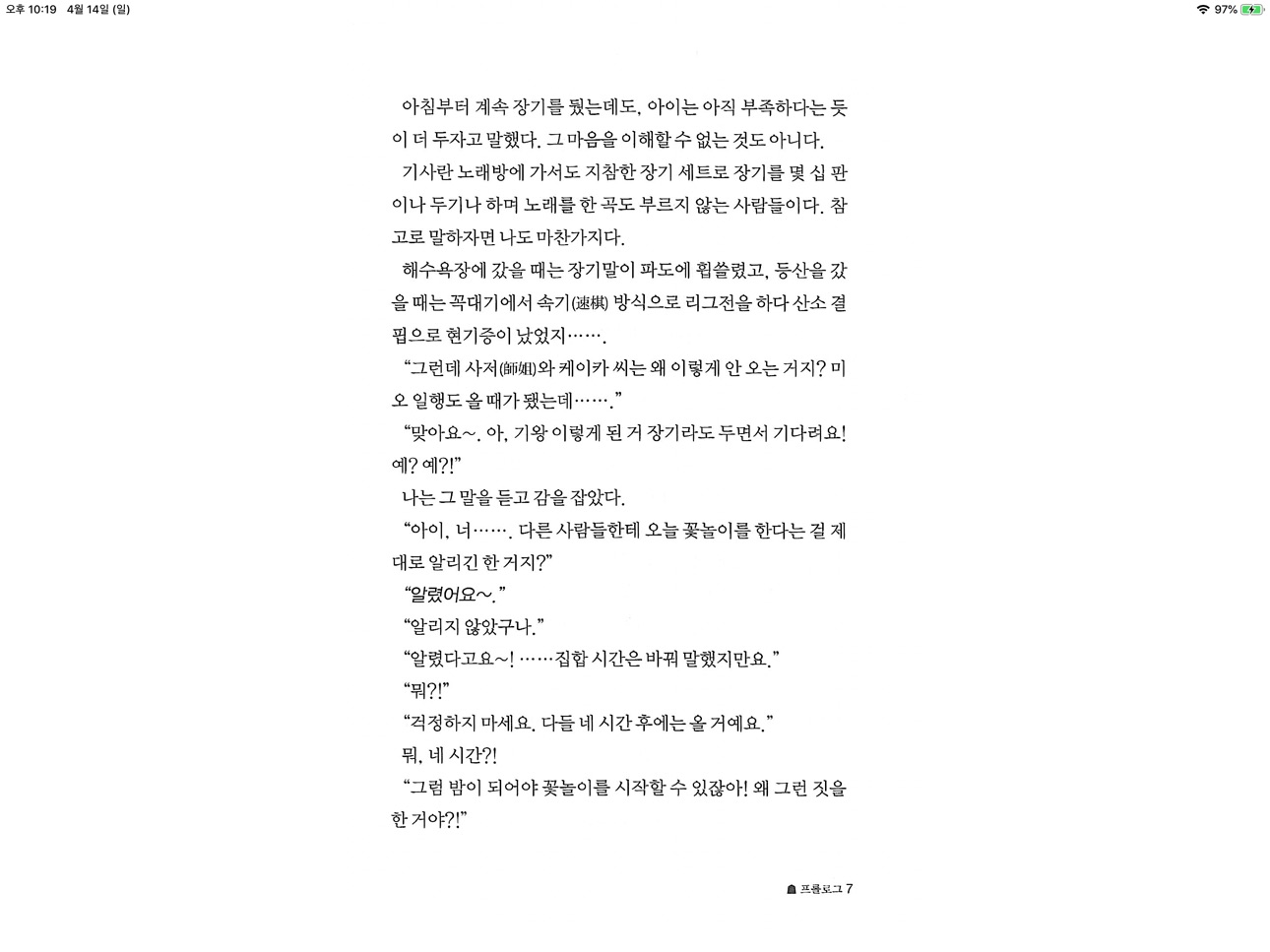
The simplest viewer app for viewing comic, fictional image archives
Such as a cartoon or a novel, on a smartphone
You can see it anywhere.
Now that you've installed the app
Try transferring files on your PC with WiFi
* Some functions may not be supported on Mac(Apple Silicon)
** Characteristic **
- zip, rar, 7z, cbz, cbr, cb7 compressed files are supported (png, jpeg, jpg, gif, bmp, tif, tiff extension images are included, webp format is supported from iOS14)
- PDF file support
- TIF/TIFF file support (like PDF file, change in settings)
- Upload via PC web browser (WIFI)
- Import files from cloud apps such as iCloud, dropbox, circle drive, and Box
- FTP support: browse, download
- SSHFTP support
- Secure FTP not supported
- Cloud apps support file copy from mail attachments
- one page view, two page view
- Sharpen image filter
- IPhone, iPad, Mac(Apple Silicon) support
- Rotate the screen both horizontally and vertically
- Image next page Zoom-in keep-alive function: Apply the previous book's zoom-in status in the following book. Please change your settings.
- Screen off option: When set to ON, the screen automatically turns off at the time the device turns off.
- Last file view, On / Off in setting
- Next book auto-switching options: If you automatically change the next book switching option in Settings, tabs on the last page will automatically switch to the next book. (Default manual)
- iCloud Sync : Synchronize the information (read location) of the read file and open the same file on another device (signed in with the same iCloud account) so that you can see it again.
- Two pages in landscape mode: Two pages in landscape rotation, one page in vertical rotation, iPad only
-Vertical scroll mode (= webtoon mode): scrolls vertically like webtoons, one-page mode is fixed, and some options are fixed and not applied.
- Image / PDF Night mode: Invert color / Image brightness (1 to 3 steps), in-app purchase required
- Night Mode - Invert Color: Invert the white background to black (gray) and black to white. This mode is suitable for viewing novels.
- Night Mode - Image Brightness: You can change the brightness of the image in three steps without changing the screen brightness of the device.
- Bluetooth keyboard: Supports page switching and screen closing function, direction key (asdw) page switch, ESC key viewer screen close (in-app purchase required)
- A function that changes to the next page when the volume is changed. (The sound size will change as well. Please be careful. ON / OFF in setting. Need an in-app purchase or reward view.)
- Blink: Recognizes eye blinks to switch pages (iPhone only, iOS 18+, in-app purchase required)
- Automatic Image Crop: Automatically crops the empty space on all four sides of images with a white background. (iOS 16+, in-app purchase required)
- Content Color: You can change and unify the content (pictures or text) within the image to a single color. A background color is applied to the image background excluding the content (In-app purchase required)
- Select text: Long-click to select text within a page and copy, search, translate, or share (iOS 18+, in-app purchase required)
Please send bugs or suggestions to junhuloveapple@gmail.com at the top right of the setting screen.
In-App Purchases US pricing
One-Time Purchases
Sponsor 1$0.99
Remove app ads$1.99
Sponsor 2$1.99
Sponsor 3$3.99
Sponsor 4$7.99
Capabilities
In-App Purchases
Accessibility
ipadiphonemacrealityDevicetvoswatch
Version history 25 versions
Build 887663374v1.3772026-07-04 03:11:53
- Fixed reported crashes
Build 887330929v1.3762026-06-25 23:40:19
- Fixed reported crashes and errors
Build 887022369v1.3752026-06-19 00:41:02
- iPad rotation lock support: Supports the function to lock the current rotation state on the content screen, iPadOS 26+
- Fixed reported crashes
Build 886940111v1.3742026-06-15 05:48:05
- Fixed an issue where control of some functions would be lost after returning from the Home screen.
Build 886866615v1.3732026-06-14 03:44:34
- Fixed an issue where the app would not launch on iOS 15 devices
- Fixed reported crashes
Build 886380385v1.3722026-06-11 04:05:01
- Added Dark Mode app icon
Build 886193795v1.3712026-05-30 02:29:55
- Added option to select WebDAV authentication method (Digest/Basic)
- Fixed reported crashes
Build 885869632v1.3702026-05-20 04:02:03
- Fixed reported crashes
Build 885381027v1.3692026-05-14 04:56:32
- Fixed an issue where a gap occurred between two pages in two-page mode
Build 884937131v1.3672026-05-05 01:57:18
- Improved KomiBooks (iCloud Drive) downloads
- Improved text selection and added a translation button
- Fixed page switching via tabs in Webtoon mode
- Modified Keyboard & BookRemote scrolling to allow switching to the next file or displaying the last page
- Fixed reported crashes
Build 885270525v1.3682026-05-05 23:38:01
- Fixed an issue where the app crashed when attempting to extract a rar file placed in the app via the Apple device app.
Build 884235244v1.3662026-04-25 21:04:27
- Official support for selecting text in images/PDFs: Long-click to select text within a page and copy, search, translate, or share (iOS 18+, in-app purchase required)
- iCloud Drive: A KomiBooks folder is created in iCloud Drive and can be browsed and downloaded (iOS 18+)
Build 883874216v1.3652026-04-06 14:36:30
- Content Color: You can change and unify the content (pictures or text) within the image to a single color. A background color is applied to the image background excluding the content (In-app purchase required)
- Auto-crop Images: Adds a small margin to the center of two pages (for files where the original image consists of a single page)
- Labs: Select text in images/PDFs; long-press text within a page to select, copy, search, translate, and share (iOS 26+; in-app purchase required)
Build 883707863v1.3642026-03-27 04:53:12
- Official Blink Support: Recognizes eye blinks to switch pages (iPhone only, iOS 26+, in-app purchase required)
- Official Automatic Image Crop Support: Automatically crops the empty space on all four sides of images with a white background. Suitable for novel formats. (iOS 16+, in-app purchase required)
- Supports Webdav, Synology NAS, FTP, and SMB file and folder deletion (Delete button displayed by dragging left)
- SMB bug fixes
Build 883407043v1.3632026-03-20 00:37:54
- Labs: Supports automatic image cropping. Automatically crops the blank space on all four sides of images with a white background. Suitable for novel formats. (iOS 16+, requires in-app purchase)
- Modified the method of applying auto-lock to non-touch page switching features.
- Changed Tilt/Blink features to support only on iPhone. (Labs)
Build 883286167v1.3622026-03-14 03:46:10
- Fixed FTP connection information saving error
- Fixed reported crashes and bugs
Build 882857132v1.3612026-03-10 04:14:04
- Tilt & Blink: The menu icon color is green during operation.
- Blink: Starts immediately after granting permissions.
- Tilt: Added a cooldown (waiting time) option.
- Added an FTP error message.
- Fixed a WebDAV connection issue.
Build 882816805v1.3602026-02-27 00:26:21
- Lab: Added tilt feature (iOS 16+, requires watching rewards or in-app purchase), tilt your device left or right to turn pages.
- Lab: Added blink feature (iOS 26+, requires in-app purchase), blink to turn pages.
- Fixed two-finger/three-finger tap support for iOS 16 and later devices.
Build 882623698v1.3592026-02-21 03:26:48
- Removed faint home bar feature (since iOS 26): We've removed the faint home bar feature due to improvements in bottom home bar behavior.
- Fixed the behavior for toggling dynamic island content between always visible and hidden.
- Removed the always-visible home bar option (since iOS 26).
- Added file size option to server and cloud file lists.
Build 882296558v1.3582026-02-13 01:51:54
- Added ability to assign specific actions with two-finger/three-finger taps (iOS 26+, requires in-app purchase or rewards)
- Reported crashes and bug fixes
Build 882175929v1.3572026-02-06 03:27:58
- Reported crashes and bug fixes
Build 881459789v1.3562026-01-30 02:47:11
- Added reverse-lock option and features
- Implemented Box V10 SDK
- Fixed reported crashes and bugs
Build 878630674v1.3552025-10-14 07:35:26
- Fixed an issue related to the iOS 26 update.
Build 878585767v1.3542025-10-02 10:37:39
- Added SynologyNAS OTP device registration.
- Changed the Instant View file cache.
Build 878148759v1.3532025-09-29 07:40:56
- iOS 26 update applied and fixed
Price history by region
Currency
Show
Columns
Search
Availability 1 of 1 storefronts
| Region | Language | Price | Ratings | Avg | Version |
|---|---|---|---|---|---|
| US | en-US | Free | 341 | 4.8 | 1.377 |
Change log 29 changes · US
✎
releaseNotes updated
- Fixed reported crashes
✎
description updated
The simplest viewer app for viewing comic, fictional image archives
Such as a cartoon or a novel, on a smartphone
You can see it anywhere.
Now that you've ins
✎
subtitle updated
All Manga & Comic Files Reader
✎
name updated
Manga Viewer - CBZ(CBR) Reader
◆
Version 1.377 released
- Fixed reported crashes
◆
Version 1.376 released
- Fixed reported crashes and errors
◆
Version 1.375 released
- iPad rotation lock support: Supports the function to lock the current rotation state on the content screen, iPadOS 26+
- Fixed reported crashes
◆
Version 1.374 released
- Fixed an issue where control of some functions would be lost after returning from the Home screen.
◆
Version 1.373 released
- Fixed an issue where the app would not launch on iOS 15 devices
- Fixed reported crashes
◆
Version 1.372 released
- Added Dark Mode app icon
◆
Version 1.371 released
- Added option to select WebDAV authentication method (Digest/Basic)
- Fixed reported crashes
◆
Version 1.370 released
- Fixed reported crashes
◆
Version 1.369 released
- Fixed an issue where a gap occurred between two pages in two-page mode
◆
Version 1.368 released
- Fixed an issue where the app crashed when attempting to extract a rar file placed in the app via the Apple device app.
◆
Version 1.367 released
- Improved KomiBooks (iCloud Drive) downloads
- Improved text selection and added a translation button
- Fixed page switching via tabs in Webtoon mode
- Modified Keyboard & BookRemote scrolling to allow switching to the next file or display
◆
Version 1.366 released
- Official support for selecting text in images/PDFs: Long-click to select text within a page and copy, search, translate, or share (iOS 18+, in-app purchase required)
- iCloud Drive: A KomiBooks folder is created in iCloud Drive and can be
◆
Version 1.365 released
- Content Color: You can change and unify the content (pictures or text) within the image to a single color. A background color is applied to the image background excluding the content (In-app purchase required)
- Auto-crop Images: Adds a s
◆
Version 1.364 released
- Official Blink Support: Recognizes eye blinks to switch pages (iPhone only, iOS 26+, in-app purchase required)
- Official Automatic Image Crop Support: Automatically crops the empty space on all four sides of images with a white backgroun
◆
Version 1.363 released
- Labs: Supports automatic image cropping. Automatically crops the blank space on all four sides of images with a white background. Suitable for novel formats. (iOS 16+, requires in-app purchase)
- Modified the method of applying auto-lock
◆
Version 1.362 released
- Fixed FTP connection information saving error
- Fixed reported crashes and bugs
◆
Version 1.361 released
- Tilt & Blink: The menu icon color is green during operation.
- Blink: Starts immediately after granting permissions.
- Tilt: Added a cooldown (waiting time) option.
- Added an FTP error message.
- Fixed a WebDAV connection issue.
◆
Version 1.360 released
- Lab: Added tilt feature (iOS 16+, requires watching rewards or in-app purchase), tilt your device left or right to turn pages.
- Lab: Added blink feature (iOS 26+, requires in-app purchase), blink to turn pages.
- Fixed two-finger/three-f
◆
Version 1.359 released
- Removed faint home bar feature (since iOS 26): We've removed the faint home bar feature due to improvements in bottom home bar behavior.
- Fixed the behavior for toggling dynamic island content between always visible and hidden.
- Removed
◆
Version 1.358 released
- Added ability to assign specific actions with two-finger/three-finger taps (iOS 26+, requires in-app purchase or rewards)
- Reported crashes and bug fixes
◆
Version 1.357 released
- Reported crashes and bug fixes
◆
Version 1.356 released
- Added reverse-lock option and features
- Implemented Box V10 SDK
- Fixed reported crashes and bugs
◆
Version 1.355 released
- Fixed an issue related to the iOS 26 update.
◆
Version 1.354 released
- Added SynologyNAS OTP device registration.
- Changed the Instant View file cache.
◆
Version 1.353 released
- iOS 26 update applied and fixed