Home › Finance

 US
US
1 of 1 storefronts
Content in en-US
Content in en-US
Information
Preview 3 platforms
iPhone 4 images


iPad 4 images


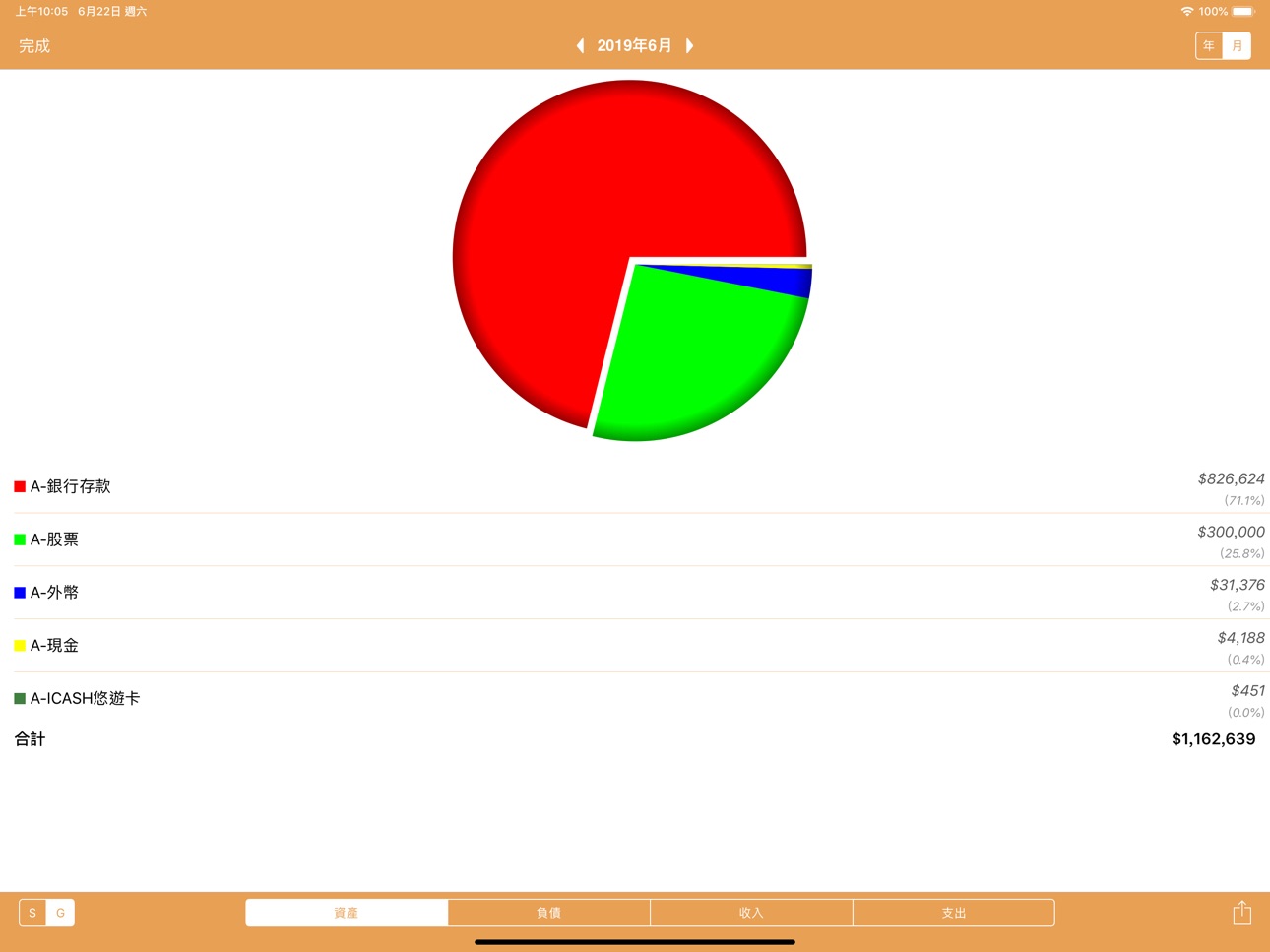
Apple Watch 6 images


What’s New Version 3.9.8
- Added a "Same as Trade Date" button next to the Settlement Date field when adding or editing records, allowing you to quickly set the settlement date to match the trade date.
- Added support for copying records across account books.
- After enabling "Show Assets/Liabilities with Zero Balance", hidden categories with a zero balance will no longer be displayed; categories with a non-zero balance will still be shown normally.
Description
MyAsset - My Accounting Book is a simple but useful accounting app;
you can manage individual finance easily
You can also check your daily or monthly income-expense anytime and anywhere;in addition, you can control your personal asset and liabilities.
Subjects a clear distinction between the accounts of assets, liabilities, income and expenditure, the full account of all the money flows, understand exactly what all of your personal assets and liabilities
A single screen showing the full monthly payments, assets, liabilities and net assets.
【HIGHLIGHTS】
√ Daily income and expenditure records
√ Wisdom to select common subjects
√ Multi-currency account management
√ Checked statement
√ Assets, liabilities, income, expenditure management。
√ Stocks, funds, foreign currency, virtual currencies, credit card management
√ Account group (setting Multi-level sub-accounts)。
√ Summary of management, keyword and Advanced Search。
√ View daily details, weekly expense, monthly expense, total assets。
√ Budget control
√ Scheduled records。
√ passcode Touch ID protect。
√ Backup&Restore。 (Dropbox & iCloud supported)
√ Financial chart。 (export PDF)
√ Simple Calculator。
√ data export。
√ Multiple Accounting books
√ Month Start day setup
√ Data export to csv file
√ Support Traditional Chinese/Simplified Chinese/English/Japanese
√ UI Styles select
√ Function continues to increase...
【How to record】
* Cash Pay *
Paid:E-Meal
From:A-Cash
Money:50
* Credit card Pay *
Paid:E-Clothes
From:L-Credit Card
Money:500
* Money to pay credit card *
Transfer:L-Credit Card
From:A-Cash
Money:500
* Salary *
Transfer:A-Bank
From:I-Salary
Money:20,000
* withdraw *
Transfer:A-Cash
From:A-Bank
Money:2,000
* Lend money to friend *
Transfer:A-Receivable
From:A-Cash
Money:2,000
* Friend to pay back the money *
From:A-Cash
Transfer:A-Receivable
Money:2,000
* exchange exchange *
To: A-Foreign .JPY
From: A-Cash
Import Money: ¥29,800
Export Money: 1,000
Accessibility
ipadiphonemacrealityDevicetvoswatch
Version history 25 versions
Build 885700920v3.9.82026-05-19 02:21:04
- Added a "Same as Trade Date" button next to the Settlement Date field when adding or editing records, allowing you to quickly set the settlement date to match the trade date.
- Added support for copying records across account books.
- After enabling "Show Assets/Liabilities with Zero Balance", hidden categories with a zero balance will no longer be displayed; categories with a non-zero balance will still be shown normally.
Build 883686749v3.9.72026-03-26 03:01:12
- Fixed the issue where the copy menu would not appear when long-pressing the parent subject list to expand details.
- Supports customizing the subjects and summaries displayed on your Apple Watch.
Apple Watch Summary adds custom input options
Build 882728011v3.9.62026-02-24 23:12:21
bug fixed.
Build 882071125v3.9.52026-02-10 00:54:08
- The total assets page allows you to directly scroll down to update the latest asset values.
- Fixed the issue of batch price updates for OTC and Emerging Stock Market stocks.
- Optimized Apple Watch input experience
- Other bug fixes
Build 881451215v3.9.42026-01-19 01:57:40
- Fixed the issue where line breaks in the exported account list notes caused import failures!
- UI tweaks
Build 880372608v3.9.32025-12-05 23:15:03
1. Annual Budget Chart: Listing Items Excluding Hidden Items
2. Annual Budget Chart: Fixed an issue where selecting a sub-item would cause the budget to display as 0 when switching group displays.
Build 880056532v3.9.22025-12-03 00:24:43
1. Added annual budget setting function and annual budget chart.
2. Optimize the subject management page and improve the editing and display experience.
3. Local backup has been changed to "Backup & Export", allowing you to freely choose the export destination.
4. Supports exporting existing backup files and importing external backup files.
5. A new "Abbreviated Representative Text" display switch has been added to the statistics column.
6. The subject list accepts import and export from external files.
7. Fixes for other known issues.
Build 879316437v3.9.12025-11-03 06:26:46
Removed the search button at the top right of the simple query page.
Fixed the issue where the memo field would be cleared when editing a category.
Changed the copy-and-add menu window to a vertical layout.
When copying to add a new record, you can now choose to copy only the category.
Optimized Apple Watch connection and resolved connection failure issues.
Build 878908322v3.9.02025-10-14 23:19:03
1. The home page switch button will automatically display icons or text according to the screen size
2. Added a "Force Icon Display" option to the settings page, which can be adjusted according to personal preferences
3. Bug Fixes
Build 878831194v3.8.92025-10-13 00:47:25
1. Optimize the interface display after screen zooming
2. Restore the "Single/Group" toggle button for the financial trend chart
3. Restore the "Switch Ledger" button
Build 878757182v3.8.82025-10-08 12:34:18
- 介面優化
- 錯誤修正
Build 878671034v3.8.72025-10-06 02:22:04
1. iOS 26 compatibility update
2. Optimize button icons
3. Fixed display issues with custom dark mode on the desktop
Build 875159789v3.8.62025-05-31 13:45:31
bug fixed.
Build 873719642v3.8.52025-04-02 11:38:51
bug fixed.
Build 869811644v3.8.42024-10-21 00:56:56
-bug fixed
Build 869402168v3.8.32024-10-03 13:06:12
- iOS 18 optimization
Build 868396832v3.8.22024-08-22 22:28:10
bug fixed.
Build 868220903v3.8.12024-08-15 11:49:44
bug fixed.
Build 867649161v3.8.02024-07-29 00:10:45
- For account records with a set settlement date, you can enter an additional settlement date (enabled by default and can be hidden from the settings)
- Dropbox automatic logout issue fixed
- An amount field is added to multi-currency accounts when exporting csv files
- Other bugfixes
Build 863431818v3.7.92024-02-07 22:40:19
- bug fixed
Build 862934734v3.7.82024-01-17 02:46:16
- bug fixed
Build 860760222v3.7.72023-11-08 01:35:22
- iOS17 optimization
- Added 30-day option in regular setting
- bug fixed.
Build 859295152v3.7.62023-08-22 05:53:51
bug fixed
Build 858888343v3.7.52023-08-04 02:23:39
bug fixed.
Build 858690921v3.7.42023-07-27 01:04:41
Daily record copy to regular function
Periodic record search function
Interval revenue and expenditure can be switched before and after the date
Price history by region
Currency
Show
Columns
Search
Availability 1 of 1 storefronts
| Region | Language | Price | Ratings | Avg | Version |
|---|---|---|---|---|---|
| US | en-US | USD 9.99 | 4 | 4.8 | 3.9.8 |
Change log 29 changes · US
✎
releaseNotes updated
- Added a "Same as Trade Date" button next to the Settlement Date field when adding or editing records, allowing you to quickly set the settlement date to match
✎
description updated
MyAsset - My Accounting Book is a simple but useful accounting app;
you can manage individual finance easily
You can also check your daily or monthly income-
✎
subtitle updated
double entry accounting system
✎
name updated
Accounting Book - MyAsset V2
◆
Version 3.9.8 released
- Added a "Same as Trade Date" button next to the Settlement Date field when adding or editing records, allowing you to quickly set the settlement date to match the trade date.
- Added support for copying records across account books.
- Aft
◆
Version 3.9.7 released
- Fixed the issue where the copy menu would not appear when long-pressing the parent subject list to expand details.
- Supports customizing the subjects and summaries displayed on your Apple Watch.
Apple Watch Summary adds custom input opti
◆
Version 3.9.6 released
bug fixed.
◆
Version 3.9.5 released
- The total assets page allows you to directly scroll down to update the latest asset values.
- Fixed the issue of batch price updates for OTC and Emerging Stock Market stocks.
- Optimized Apple Watch input experience
- Other bug fixes
◆
Version 3.9.4 released
- Fixed the issue where line breaks in the exported account list notes caused import failures!
- UI tweaks
◆
Version 3.9.3 released
1. Annual Budget Chart: Listing Items Excluding Hidden Items
2. Annual Budget Chart: Fixed an issue where selecting a sub-item would cause the budget to display as 0 when switching group displays.
◆
Version 3.9.2 released
1. Added annual budget setting function and annual budget chart.
2. Optimize the subject management page and improve the editing and display experience.
3. Local backup has been changed to "Backup & Export", allowing you to freely choose th
◆
Version 3.9.1 released
Removed the search button at the top right of the simple query page.
Fixed the issue where the memo field would be cleared when editing a category.
Changed the copy-and-add menu window to a vertical layout.
When copying to add a new record,
◆
Version 3.9.0 released
1. The home page switch button will automatically display icons or text according to the screen size
2. Added a "Force Icon Display" option to the settings page, which can be adjusted according to personal preferences
3. Bug Fixes
◆
Version 3.8.9 released
1. Optimize the interface display after screen zooming
2. Restore the "Single/Group" toggle button for the financial trend chart
3. Restore the "Switch Ledger" button
◆
Version 3.8.8 released
- 介面優化
- 錯誤修正
◆
Version 3.8.7 released
1. iOS 26 compatibility update
2. Optimize button icons
3. Fixed display issues with custom dark mode on the desktop
◆
Version 3.8.6 released
bug fixed.
◆
Version 3.8.5 released
bug fixed.
◆
Version 3.8.4 released
-bug fixed
◆
Version 3.8.3 released
- iOS 18 optimization
◆
Version 3.8.2 released
bug fixed.
◆
Version 3.8.1 released
bug fixed.
◆
Version 3.8.0 released
- For account records with a set settlement date, you can enter an additional settlement date (enabled by default and can be hidden from the settings)
- Dropbox automatic logout issue fixed
- An amount field is added to multi-currency accou
◆
Version 3.7.9 released
- bug fixed
◆
Version 3.7.8 released
- bug fixed
◆
Version 3.7.7 released
- iOS17 optimization
- Added 30-day option in regular setting
- bug fixed.
◆
Version 3.7.6 released
bug fixed
◆
Version 3.7.5 released
bug fixed.
◆
Version 3.7.4 released
Daily record copy to regular function
Periodic record search function
Interval revenue and expenditure can be switched before and after the date