Home › Photo & Video

 US
US
1 of 1 storefronts
Content in en-US
Content in en-US
Information
Apple ID1305640297
Bundle IDcom.yuheng.AccsoonOne
SellerSeller
Min iOS12.1
Min macOS11.0
Device familiesiphone, ipad, ipod
Released2017-11-03
Copyright©2017 Yunheng Technologies,Inc
Privacy policyLink ↗
Preview 2 platforms
iPhone 6 images


iPad 6 images


What’s New Version 1.6.9
Fix a forced upgrade issue on the CineEye2 series of products.
Description
Accsoon Go is an App for Accsoon gimbal and wireless video transmitter products.
With the gimbal, the App can be used to tuning the settings of the gimbal, camera control, gimbal remote control, gimbal calibrating and firmware upgrade.
1. Easy motor tuning
With the auto tuning, Accsoon Go can adjust motor parameters automatically based off the camera setup. Also, users can further adjust the Motor Power, Speed, Follow Speed, Follow Deadband, Rudder Speed, and Focus control speed of the gimbal.
2. Creative Photography
Accsoon gimbals supports panoramic photography, timelapse, motion control and ultra-wide angle photography, users can easily create high quality creative videos and photos by use the App.
3. Update the firmware
When future firmware versions are released, users can update the gimbal firmware by the App.
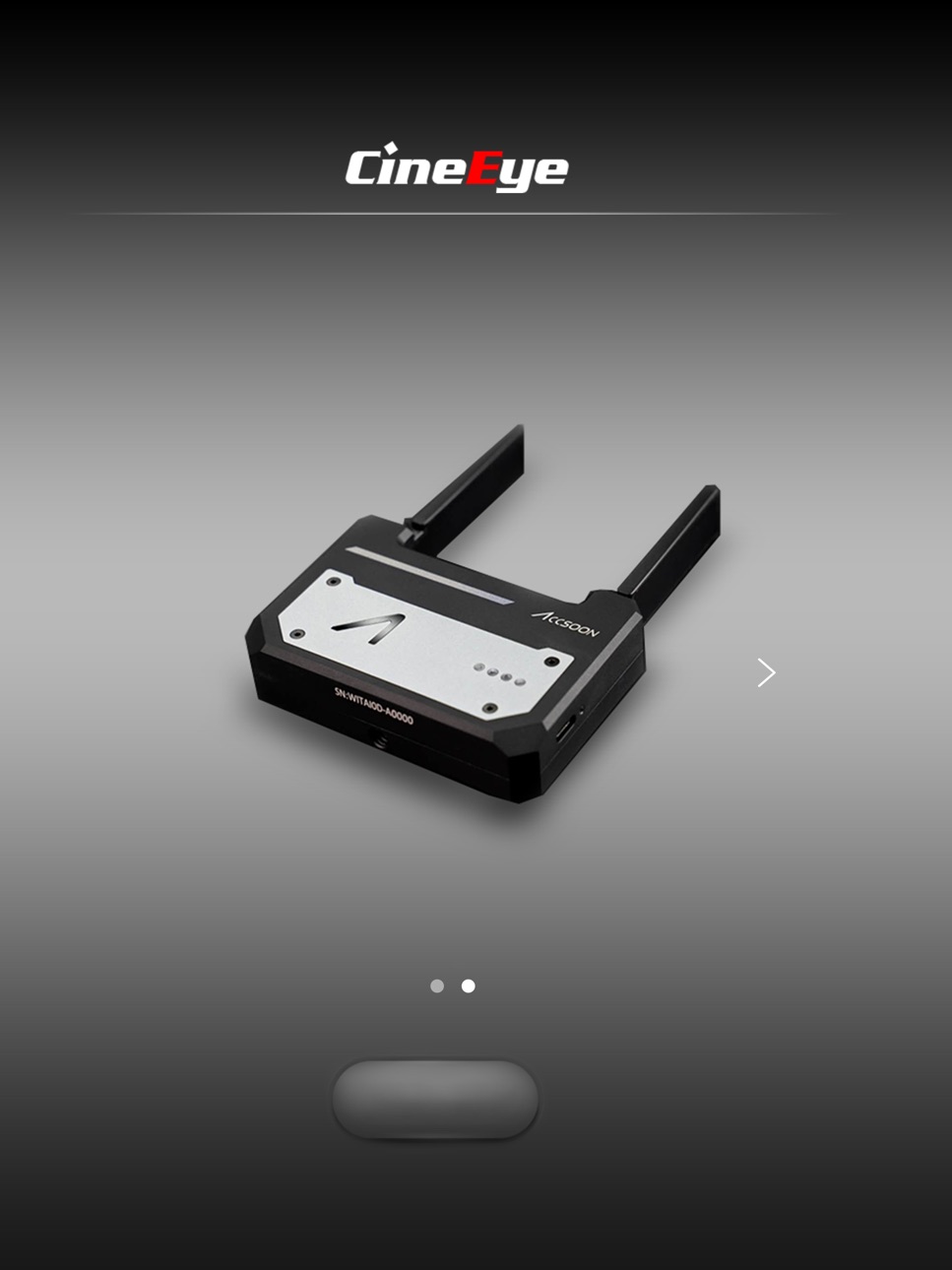
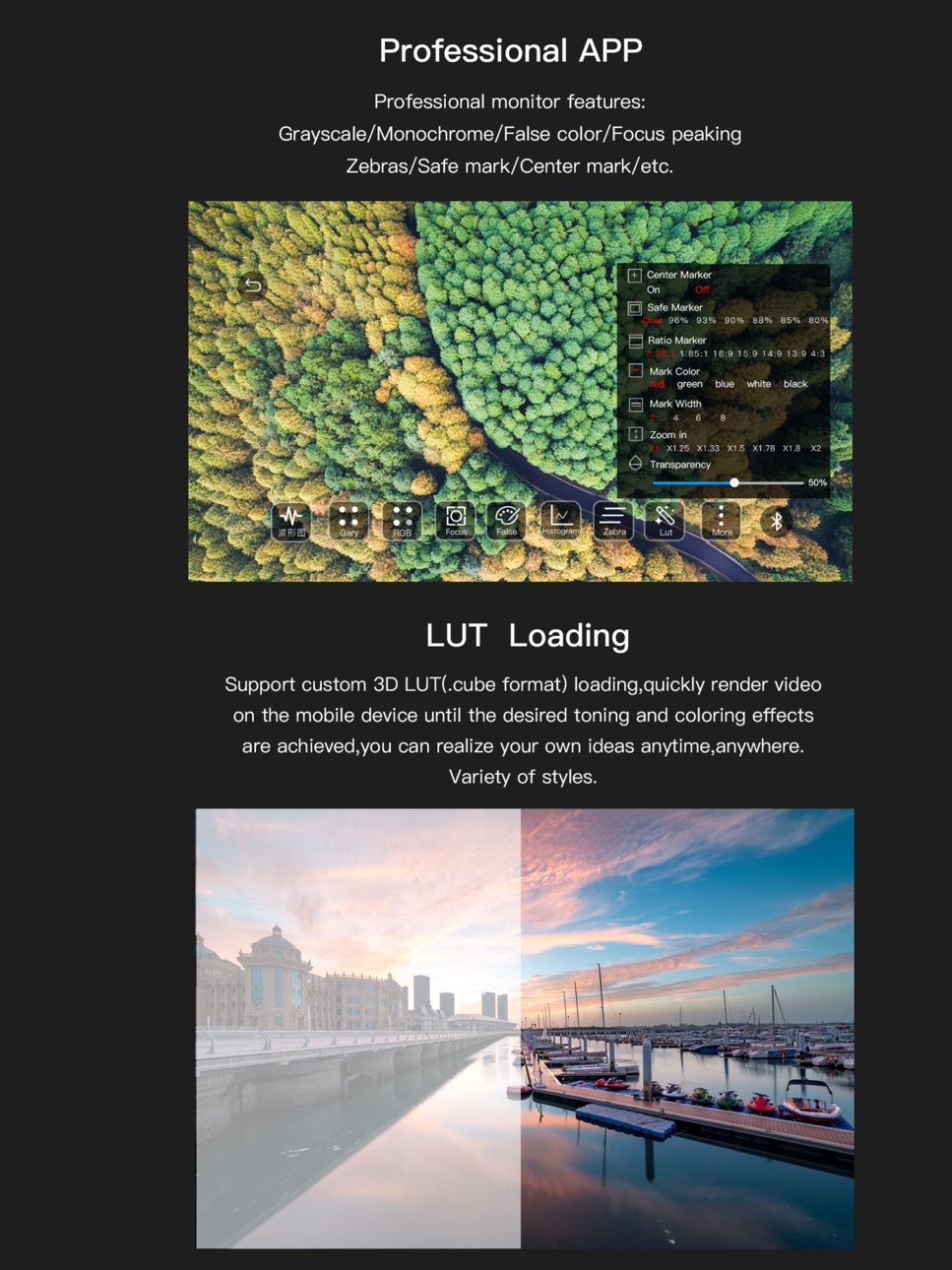
With the CineEye Wireless Video Transmitter, the App can turn phones and tablets into professional monitor. The functions of the App are:
1. Gray scale/RGB
2. Focus Assistant
3. False color
4. Histogram
5. Zebra
6. 3D LUT
7. Waveform
8. Video Range/Limited Range
9. Center Marker/Scale Marker/Safe Marker/Marker Color/Marker Width
10. Zoom In/Out with Pinch
11. Anamorphic De-squeeze
12. Wi-Fi Settings
Accessibility
ipadiphonemacrealityDevicetvoswatch
Version history 25 versions
Build 869854785v1.6.92026-03-11 20:40:15
Fix a forced upgrade issue on the CineEye2 series of products.
Build 861845389v1.6.82023-11-29 10:50:42
1. Re-list CineView
Build 860503952v1.6.72023-10-13 10:05:04
When users access the Seemo3 monitoring page, guide them to download the new app (AccsoonSEE).
Build 859321588v1.6.62023-08-22 09:36:22
1.Added frame rate switching functionality to CineEye2.
2.Allowed input of decimal fractions for custom ratios.
3.Fixed some bugs.
Build 858798641v1.6.52023-07-28 16:20:55
1. Audio column UI optimization
2. Fixed a bug: When the audio frequency changes, the sound is not played properly
Build 854477684v1.6.42023-01-19 17:43:56
1. Histogram axes added for better monitoring
2. Automatic video saving when HDMI signal dropped out during recording
3. Audio column UI design improved
Build 854372637v1.6.32023-01-13 18:55:14
1. Histogram axes added for better monitoring
2. Automatic video saving when HDMI signal dropped out during recording
3. Audio column UI design improved
Build 852322239v1.6.22022-10-28 17:59:57
Fixed recording bugs on some iOS models
Build 851955771v1.6.12022-09-02 16:51:17
1. Optimize the effect of sound playback
2. For CineView: 720p input support
3. New function added: Sharpening
Build 850221159v1.6.02022-06-17 13:38:11
1. fix the English translation problem
2. fix bugs
Build 849597022v1.5.92022-05-30 12:47:19
1. Add new product CineView;
2. Solve the display bug of CineEye 2 series products when switching between landscape and portrait screens on iPad;
3. Optimize performance.
Build 849289390v1.5.82022-05-27 19:06:32
1. Add new product CineView;
2. Solve the display bug of CineEye 2 series products when switching between landscape and portrait screens on iPad.
Build 846026322v1.5.72021-12-17 22:28:55
Fix MacBook (M1 chip) no display problem
Build 845225211v1.5.62021-11-10 02:49:27
Fix the display bug of iPad
Build 845128630v1.5.52021-11-04 05:07:43
Support monitor connection and some functions on MacOS M1 computer
Build 845061446v1.5.42021-11-01 18:25:00
Support monitor connection and some functions on MacOS M1 computer
Build 843891244v1.5.32021-09-01 15:38:36
1.Fix network error when updating firmware.
2.Fix that video files cannot be saved on some models.
Build 843469057v1.5.22021-08-06 09:51:43
1. Fix bugs of focusing function
2. Fix UI bugs
Build 843049738v1.5.12021-07-12 15:06:18
1. Support iPad split-screen operation.
2. Functions added: left-right mirror image, overlay background image, and screenshot.
Build 841997291v1.5.02021-04-29 22:04:56
1. Add waveform graph axis and audio axis.
2. Optimize the audio latency.
3. Please update CineEye 2 series firmware to the latest.
Build 840972269v1.4.92021-03-19 16:35:06
1. Fix the problem that the stream cannot be pushed to the YouTube live room.
2. Release the transmission firmware version 1.19, the transmission stability improved.
Build 840383651v1.4.82021-02-07 00:48:28
1. Support Cube file name suffix case
2. Fix the sound problem of mp4 files
Build 840367199v1.4.72021-02-05 21:25:20
1. Support Cube file name suffix case
2. Fix the sound problem of mp4 files
Build 840066797v1.4.62021-01-17 19:17:27
1. New feature: support rtmp live streaming
2. Modify some bugs
Build 839792681v1.4.52020-12-27 22:36:38
1. Add iOS Special mode to fix some iOS devices video choppy issue
2. Fixed CDL file load issue
3. Optimize video decoder performance
No pricing data captured yet — comparisons appear once the app has paid storefronts or in-app purchases.
Availability 1 of 1 storefronts
| Region | Language | Price | Ratings | Avg | Version |
|---|---|---|---|---|---|
| US | en-US | Free | 26 | 3.3 | 1.6.9 |
Change log 28 changes · US
✎
releaseNotes updated
Fix a forced upgrade issue on the CineEye2 series of products.
✎
description updated
Accsoon Go is an App for Accsoon gimbal and wireless video transmitter products.
With the gimbal, the App can be used to tuning the settings of the gimbal, cam
✎
name updated
Accsoon
◆
Version 1.6.9 released
Fix a forced upgrade issue on the CineEye2 series of products.
◆
Version 1.6.8 released
1. Re-list CineView
◆
Version 1.6.7 released
When users access the Seemo3 monitoring page, guide them to download the new app (AccsoonSEE).
◆
Version 1.6.6 released
1.Added frame rate switching functionality to CineEye2.
2.Allowed input of decimal fractions for custom ratios.
3.Fixed some bugs.
◆
Version 1.6.5 released
1. Audio column UI optimization
2. Fixed a bug: When the audio frequency changes, the sound is not played properly
◆
Version 1.6.4 released
1. Histogram axes added for better monitoring
2. Automatic video saving when HDMI signal dropped out during recording
3. Audio column UI design improved
◆
Version 1.6.3 released
1. Histogram axes added for better monitoring
2. Automatic video saving when HDMI signal dropped out during recording
3. Audio column UI design improved
◆
Version 1.6.2 released
Fixed recording bugs on some iOS models
◆
Version 1.6.1 released
1. Optimize the effect of sound playback
2. For CineView: 720p input support
3. New function added: Sharpening
◆
Version 1.6.0 released
1. fix the English translation problem
2. fix bugs
◆
Version 1.5.9 released
1. Add new product CineView;
2. Solve the display bug of CineEye 2 series products when switching between landscape and portrait screens on iPad;
3. Optimize performance.
◆
Version 1.5.8 released
1. Add new product CineView;
2. Solve the display bug of CineEye 2 series products when switching between landscape and portrait screens on iPad.
◆
Version 1.5.7 released
Fix MacBook (M1 chip) no display problem
◆
Version 1.5.6 released
Fix the display bug of iPad
◆
Version 1.5.5 released
Support monitor connection and some functions on MacOS M1 computer
◆
Version 1.5.4 released
Support monitor connection and some functions on MacOS M1 computer
◆
Version 1.5.3 released
1.Fix network error when updating firmware.
2.Fix that video files cannot be saved on some models.
◆
Version 1.5.2 released
1. Fix bugs of focusing function
2. Fix UI bugs
◆
Version 1.5.1 released
1. Support iPad split-screen operation.
2. Functions added: left-right mirror image, overlay background image, and screenshot.
◆
Version 1.5.0 released
1. Add waveform graph axis and audio axis.
2. Optimize the audio latency.
3. Please update CineEye 2 series firmware to the latest.
◆
Version 1.4.9 released
1. Fix the problem that the stream cannot be pushed to the YouTube live room.
2. Release the transmission firmware version 1.19, the transmission stability improved.
◆
Version 1.4.8 released
1. Support Cube file name suffix case
2. Fix the sound problem of mp4 files
◆
Version 1.4.7 released
1. Support Cube file name suffix case
2. Fix the sound problem of mp4 files
◆
Version 1.4.6 released
1. New feature: support rtmp live streaming
2. Modify some bugs
◆
Version 1.4.5 released
1. Add iOS Special mode to fix some iOS devices video choppy issue
2. Fixed CDL file load issue
3. Optimize video decoder performance