Home › Productivity

 US
US
1 of 1 storefronts
Content in en-US
Content in en-US
Information
Preview 2 platforms
iPhone 7 images



iPad 4 images


What’s New Version 25.12.0
-Introducing Photo Comments as Stickers
Now you can send photo comments as stickers in WhatsApp and other chat applications
Description
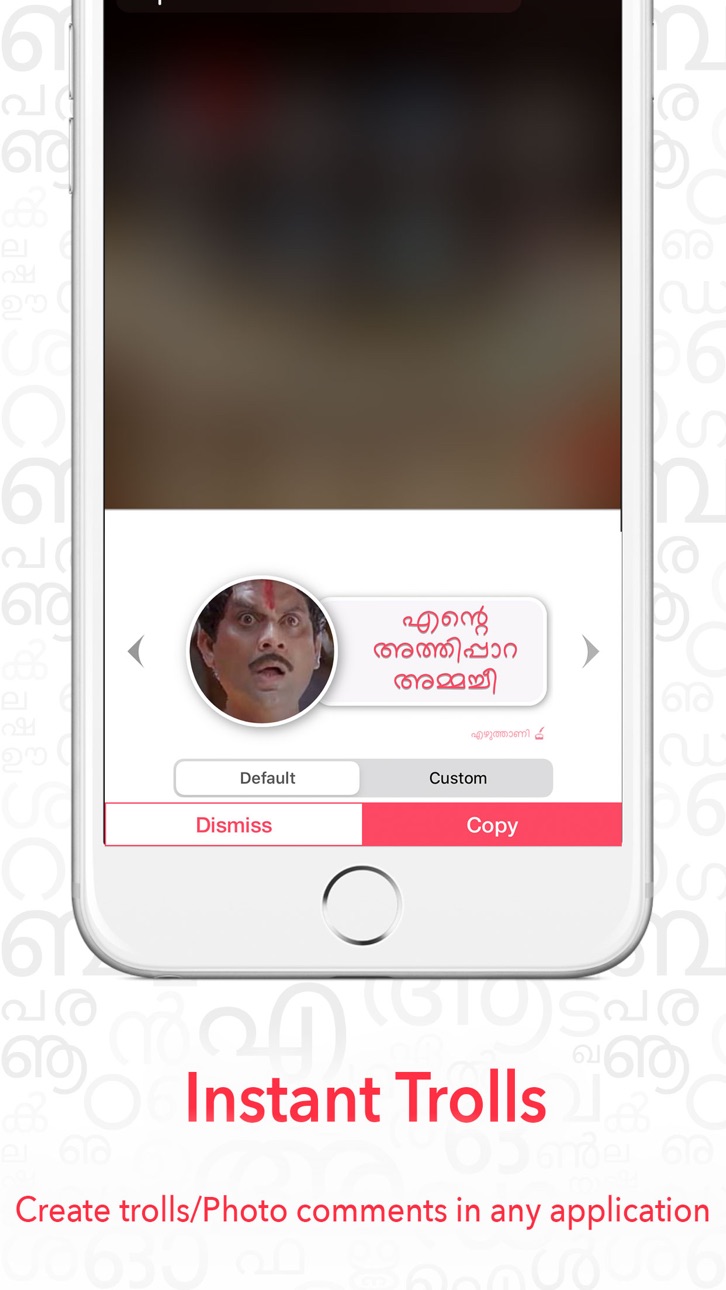
Ezhuthaani - The first Malayalam, Manglish & Handwriting keyboard (in a single app) with word suggestion which can be accessed through out the device. The keyboard is also integrated with instant Trolls, with a wide rage of images in it.
∙∙∙ Manglish with google suggestion
∙∙∙ Handwriting keyboard with English, Malayalam & Special character support
∙∙∙ Malayalam with 4 different layouts
∙∙∙ Make Stickers within the app
∙∙∙ Stylish fonts
∙∙∙ NO INTERNET REQUIRED for Manglish keyboard.
• Manglish keyboard shows English alphabets in the keyboard and convert what you type to Malayalam.
• Malayalam script keyboard shows Malayalam layout. 4 different layouts to choose. Even a beginner can easily keep track of the keys.
• Handwriting keyboard lets you to write/draw the letters and convert it to the word automatically.
• Keyboard with prediction/suggestions enabled. Normal suggestion works with out internet. If internet detected, automatically loads google suggestion.
• Easy to switch between all available keyboards in the device by clicking the globe icon.
• Uses default iOS theme.
• Make custom trolls or Photo Comments
______________________________
This is a free app which lets user to use all the keyboards as device's normal keyboard. Ezhuthaani can be accessed everywhere in the device, across every applications, and NOT just for a particular application.
______________________________
Note : To enable tap sound and predictions, enable "Allow full access" in the device's settings.
Copyrights:
All copyright, trade marks, design rights, patents and other intellectual property rights (registered and unregistered) in and on this app may be extracted from different sources.
Privacy Policy:
This app is not collecting any of the user information with out their prior knowledge. The app doesn't share or misuse any of the information collected from the user. The software, materials and assistance provided by this app have the only purpose of helping its users.
Accessibility
ipadiphonemacrealityDevicetvoswatch
Version history 24 versions
Build 880358829v25.12.02025-12-05 13:19:06
-Introducing Photo Comments as Stickers
Now you can send photo comments as stickers in WhatsApp and other chat applications
Build 869996202v11.12024-10-29 12:18:36
Performance Improvements: Enjoy faster load times and smoother interactions across the app.
Bug Fixes: We’ve squashed some pesky bugs to improve stability and make everything run just right.
UI Enhancements: Fresh updates to the look and feel of the app for a cleaner, more intuitive experience.
Build 854636978v112023-01-31 10:44:05
- UI improvements
- Now the app is lighter and faster.
Build 843665056v102021-08-18 18:23:15
- Performance improvements
- Minor bug fixes on the keyboard
Build 840364270v9.32021-03-17 16:12:31
- Fixed issue with push notification
- Minor UI improvements
Build 837899310v9.22020-09-29 22:14:35
- iOS 14 copy/paste issue fixed
Build 837840475v9.12020-09-20 13:08:22
- iOS 14 compatibility
Build 837646148v9.02020-09-06 13:32:39
∙ Improved typing experience.
∙ Added new fonts
Build 835626025v8.42020-04-21 20:37:06
• Minor improvements
Build 835610784v8.32020-04-20 16:21:24
• Improved real time typing
Build 835567917v8.22020-04-18 01:29:09
• Real time conversion is back.
• Turn ON/OFF Haptic feedback
• New Fonts added.
* Now user can Enable/Disable stylish font along with the suggestion.
Build 835514204v8.12020-04-13 23:49:56
• Bug fixes: offline support, Handwriting keyboard
• Automatic Offline support with out turning 'prioritise google' OFF
Build 835457170v8.02020-04-11 01:34:51
• Ezhuthaani is back with exiting features
• Easy access of Photo Comments
Build 827711234v7.3.12018-06-30 14:24:16
• Minor Improvements
Build 827445359v7.32018-06-07 19:31:57
• Minor Improvements
• Bug fixes
Build 826654779v7.22018-04-13 01:34:26
• Improved interface for Photo Comments
• Option to use the keyboard as device's default English keyboard.
- Now there is no need to switch between keyboards. You can type in English as well with a single click. Just remove the English keyboard from the device settings and set Ezhuthaani as the default keyboard. (Optional)
Build 826163412v7.12018-03-28 03:32:14
∙ All new way of selecting the Troll images
Build 826107202v7.02018-02-27 05:02:48
Whats new?
• Added Handwriting Keyboard.
Build 825535627v6.2.12018-01-08 19:25:12
- UI improvements
Build 825419177v6.22017-12-30 18:51:54
• Added 2 photo comment styles
• Multiple lines for troll images
Build 825292379v6.12017-12-13 18:07:03
• Troll maker & Photo comments
• UI improvements
Build 824225711v6.02017-12-09 15:32:48
• Introducing Troll Maker, within the keyboard.
• Option to type and add the comments, apart from the default comments.
• Also, make custom trolls with any photo.
• Option to auto select the first google suggested word as you type. You can switch the option from the settings.
Build 824053833v5.12017-10-18 02:29:26
- New neat & clean screen.
- New Intro video
- More clear suggestions
Build 823682263v5.02017-09-25 22:26:52
No pricing data captured yet — comparisons appear once the app has paid storefronts or in-app purchases.
Availability 1 of 1 storefronts
| Region | Language | Price | Ratings | Avg | Version |
|---|---|---|---|---|---|
| US | en-US | Free | 297 | 4.3 | 25.12.0 |
Change log 28 changes · US
✎
releaseNotes updated
-Introducing Photo Comments as Stickers
Now you can send photo comments as stickers in WhatsApp and other chat applications
✎
description updated
Ezhuthaani - The first Malayalam, Manglish & Handwriting keyboard (in a single app) with word suggestion which can be accessed through out the device. The keyb
✎
subtitle updated
Manglish,Handwriting,Malayalam
✎
name updated
Ezhuthaani Keyboard : Official
◆
Version 25.12.0 released
-Introducing Photo Comments as Stickers
Now you can send photo comments as stickers in WhatsApp and other chat applications
◆
Version 11.1 released
Performance Improvements: Enjoy faster load times and smoother interactions across the app.
Bug Fixes: We’ve squashed some pesky bugs to improve stability and make everything run just right.
UI Enhancements: Fresh updates to the look and fe
◆
Version 11 released
- UI improvements
- Now the app is lighter and faster.
◆
Version 10 released
- Performance improvements
- Minor bug fixes on the keyboard
◆
Version 9.3 released
- Fixed issue with push notification
- Minor UI improvements
◆
Version 9.2 released
- iOS 14 copy/paste issue fixed
◆
Version 9.1 released
- iOS 14 compatibility
◆
Version 9.0 released
∙ Improved typing experience.
∙ Added new fonts
◆
Version 8.4 released
• Minor improvements
◆
Version 8.3 released
• Improved real time typing
◆
Version 8.2 released
• Real time conversion is back.
• Turn ON/OFF Haptic feedback
• New Fonts added.
* Now user can Enable/Disable stylish font along with the suggestion.
◆
Version 8.1 released
• Bug fixes: offline support, Handwriting keyboard
• Automatic Offline support with out turning 'prioritise google' OFF
◆
Version 8.0 released
• Ezhuthaani is back with exiting features
• Easy access of Photo Comments
◆
Version 7.3.1 released
• Minor Improvements
◆
Version 7.3 released
• Minor Improvements
• Bug fixes
◆
Version 7.2 released
• Improved interface for Photo Comments
• Option to use the keyboard as device's default English keyboard.
- Now there is no need to switch between keyboards. You can type in English as well with a single click. Just remove the Eng
◆
Version 7.1 released
∙ All new way of selecting the Troll images
◆
Version 7.0 released
Whats new?
• Added Handwriting Keyboard.
◆
Version 6.2.1 released
- UI improvements
◆
Version 6.2 released
• Added 2 photo comment styles
• Multiple lines for troll images
◆
Version 6.1 released
• Troll maker & Photo comments
• UI improvements
◆
Version 6.0 released
• Introducing Troll Maker, within the keyboard.
• Option to type and add the comments, apart from the default comments.
• Also, make custom trolls with any photo.
• Option to auto select the first google suggested word as you type. You can
◆
Version 5.1 released
- New neat & clean screen.
- New Intro video
- More clear suggestions
◆
Version 5.0 released