Home › Productivity

 US
US
1 of 1 storefronts
Content in en-US
Content in en-US
Information
Preview 3 platforms
iPhone 10 images




iPad 10 images


Mac 9 images





What’s New Version 2.8
Snippeta 2.8 is here, featuring feature updates to help you get more out of Snippeta! Here is what's new:
- Increase snippet content max length from 1000 to 5000 characters
- Fix issue with not being able to move snippets into sibling groups
Description
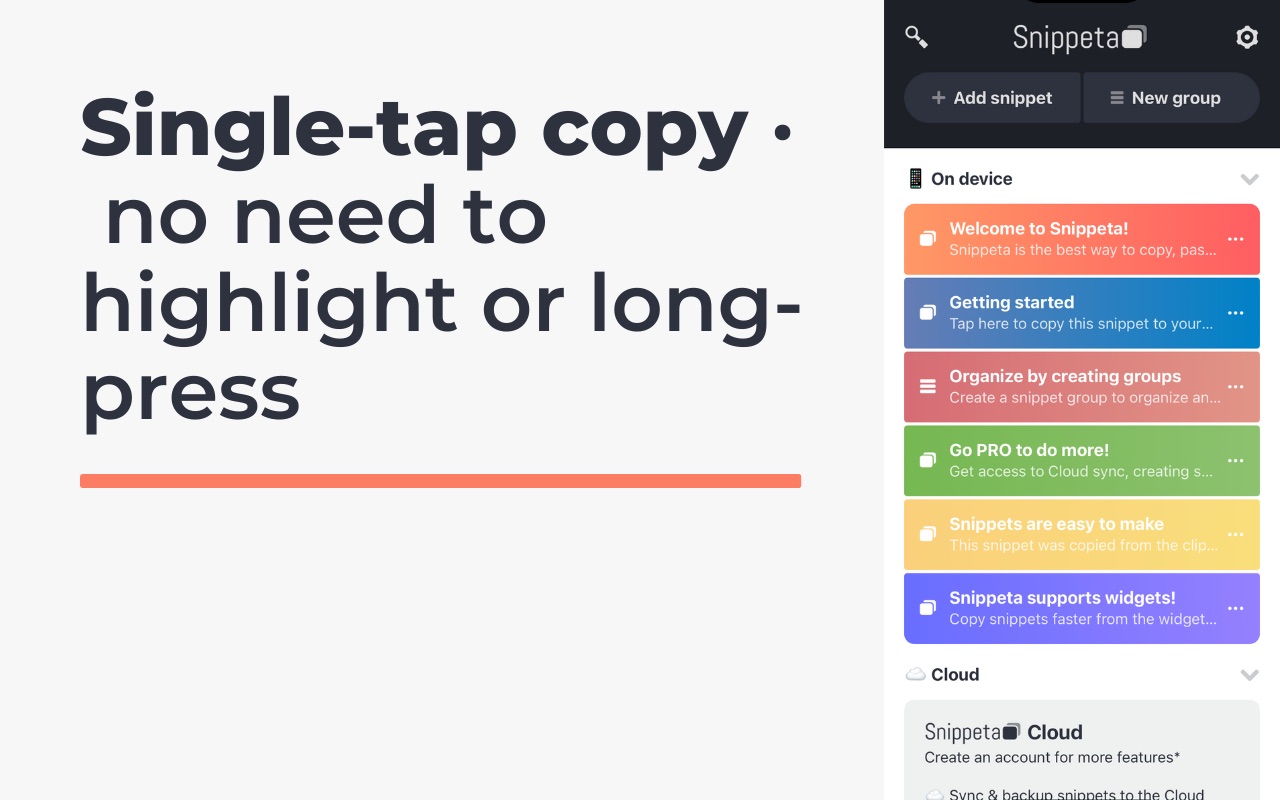
The Snippeta app is the best way to copy, paste, and manage snippets of text! Copy snippet text to your clipboard with a single tap; no highlighting or long-tapping! Snippeta is the clipboard manager to rule them all!
COPY
- Easily copy text from a snippet with a single tap
- No need for highlighting and long-pressing
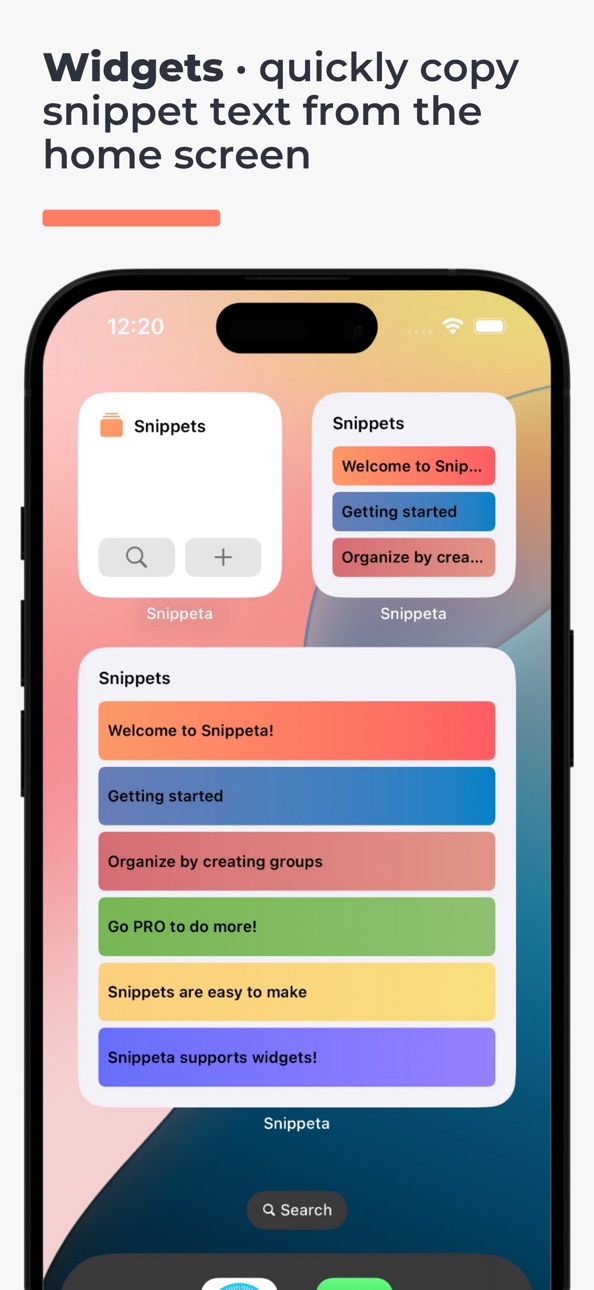
- Quickly copy snippet text from the device home screen with widgets
- Find your snippets fast by searching via keyword(s)
PASTE
- Snippeta makes finding, copying, and pasting text into your other apps easy
- Quickly paste text from your clipboard into a new snippet
- Format your snippet text as numbered, dashed, and bullet-point lists
- Quickly paste snippets into any other app with the keyboard extension
MANAGE
- Store snippets directly on your device, or sync/backup with Snippeta Cloud*
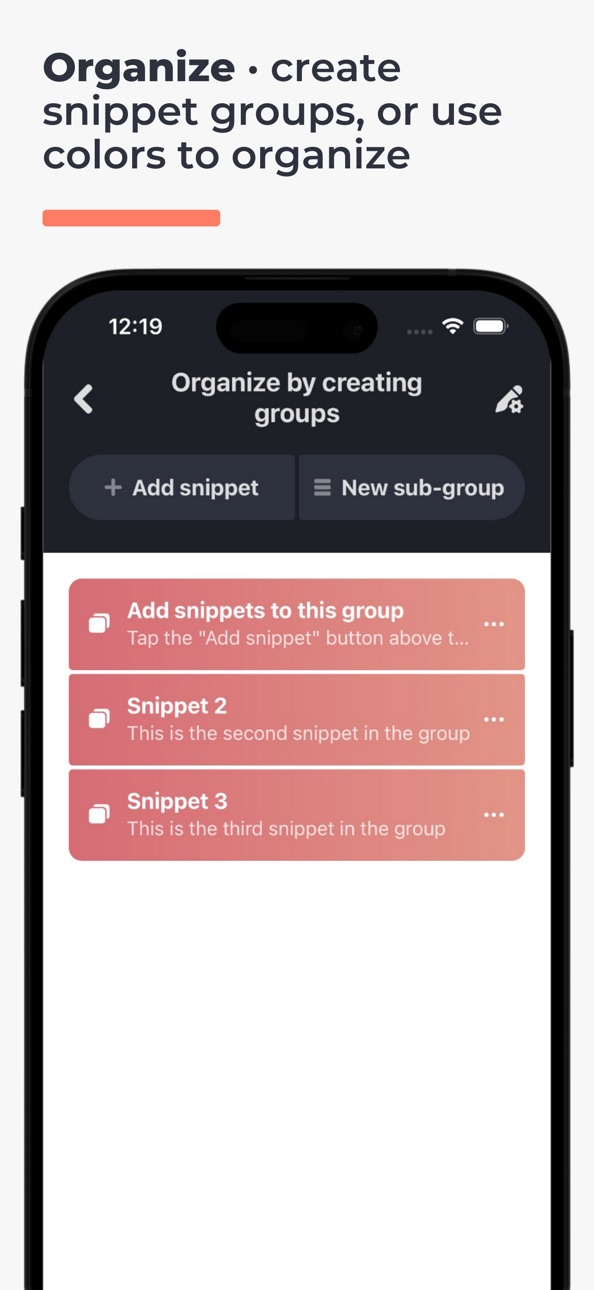
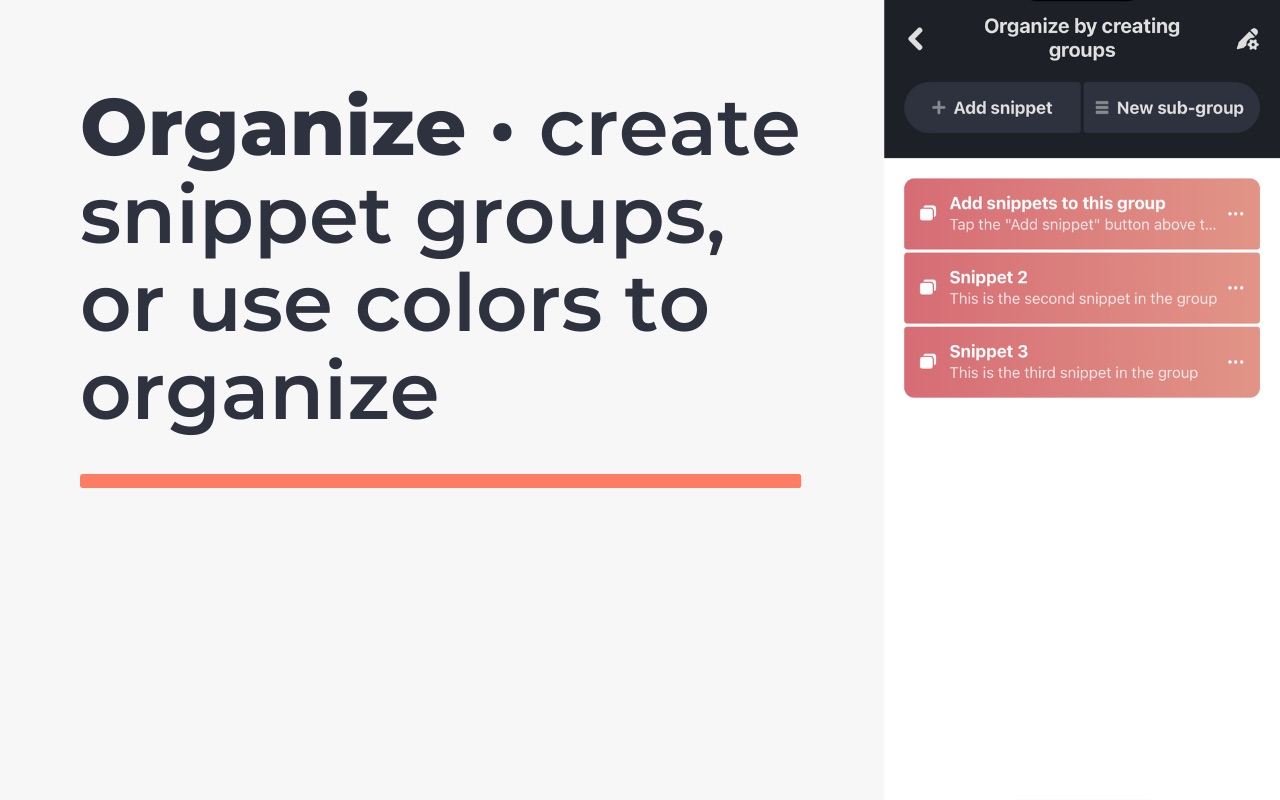
- Create groups to organize your snippets logically, and nested sub-groups to create a hierarchy*
- Reorder, edit, and delete snippets
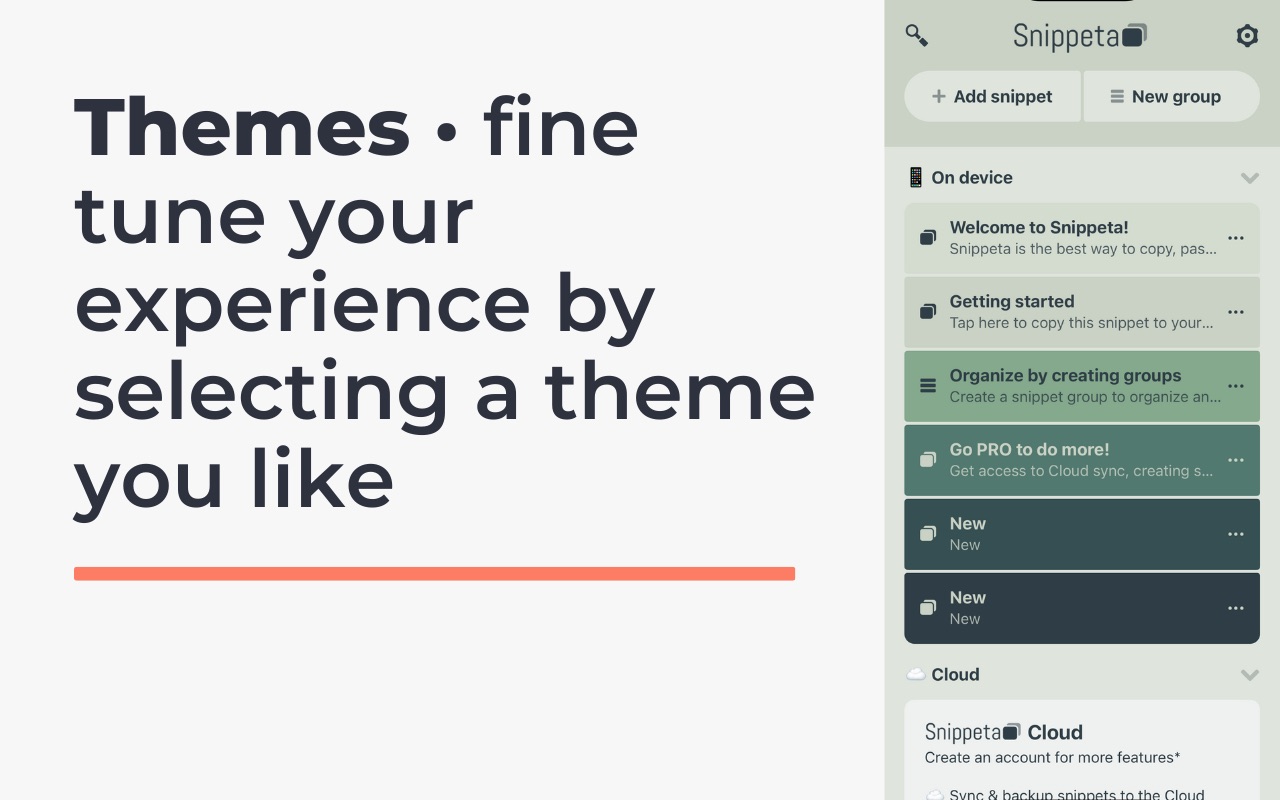
- Fine-tune your experience by selecting a theme you like
- Light and dark mode support (based on theme)
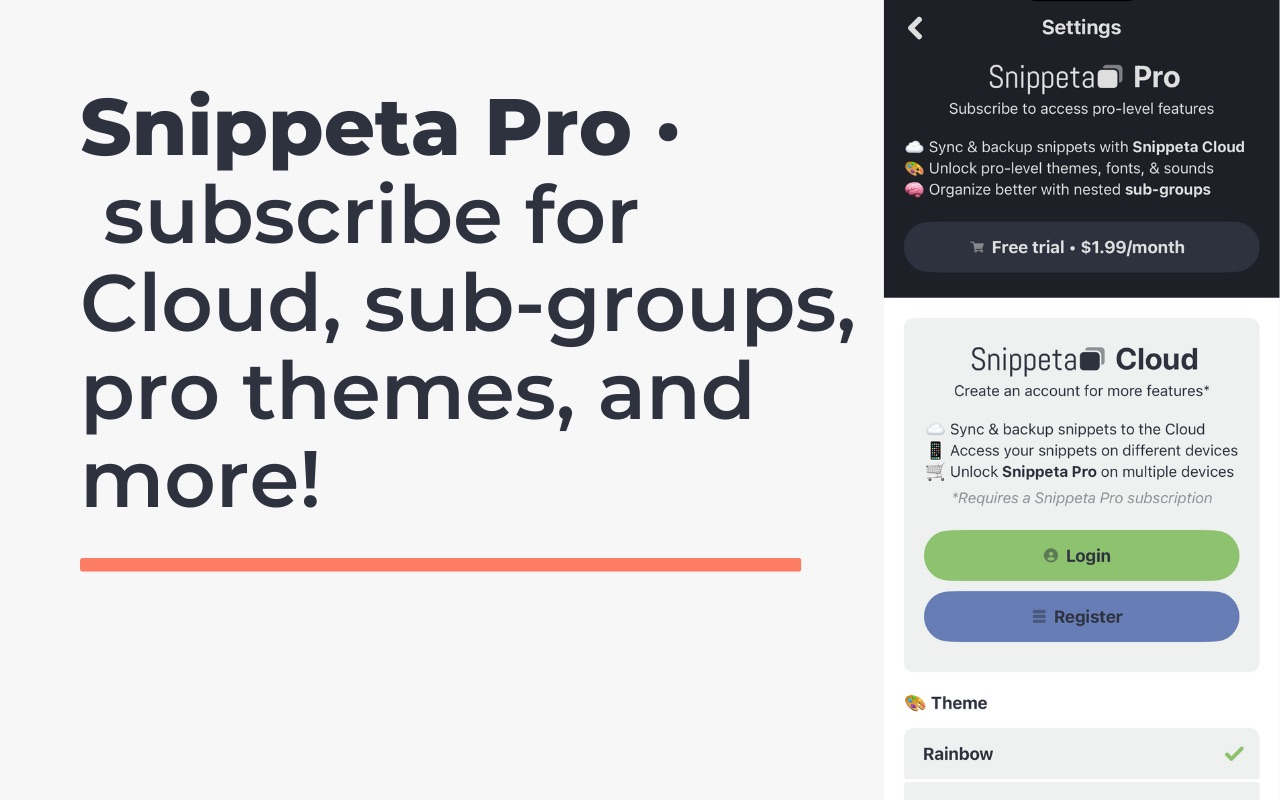
SNIPPETA PRO*
- Sync and backup snippets with Snippeta Cloud
- Unlock pro-level themes (fonts and sounds coming soon)
- Organize better with nested sub-groups
SNIPPETA CLOUD*
- Sync and backup snippets to the Cloud
- Access your snippets on different devices
- Unlock Snippeta Pro on multiple devices
*requires Snippeta Pro subscription
In-App Purchases US pricing
Snippeta Pro Subscription
(1 month) · Monthly 7-day free trial$1.99
(1 year) · Yearly 7-day free trial$17.99
One-Time Purchases
Theme - Beach Sunset$0.99
Theme - Emerald$0.99
Theme - Flame$0.99
Snippeta Pro$1.99
Capabilities
In-App Purchases
Accessibility
ipadiphonemacrealityDevicetvoswatch
Version history 12 versions
Build 883449595v2.82026-03-17 18:39:37
Snippeta 2.8 is here, featuring feature updates to help you get more out of Snippeta! Here is what's new:
- Increase snippet content max length from 1000 to 5000 characters
- Fix issue with not being able to move snippets into sibling groups
Build 882690040v2.72026-02-23 18:12:06
Snippeta 2.7 is here, featuring an update to a Liquid Glass app icon
Build 881625392v2.62026-01-26 03:30:58
- Ability to move snippets to another group or sub-group
- New language support for Japanese (in addition to English, Spanish, Portuguese, French, and German)
Build 880415343v2.52025-12-11 21:11:18
Snippeta 2.5 is here, featuring localization and feature updates to help you get more out of Snippeta! Here is what's new:
- Ability to share single snippet text through the OS share sheet
- New language support for Spanish, Portuguese, French, and German (in addition to English)
- By default, the default language of the device will be selected if available, and default to English if not
- Bug fix: Login from keychain not working
Build 878643701v2.32025-10-04 21:35:16
Snippeta 2.3 is here, featuring push notifications to help you get more out of Snippeta! Here is what's new:
- Push notifications for important updates about Snippeta
- Added generic analytics to help make Snippeta better
- Bug fix: Feature alerts don’t show when no on-device snippets or cloud snippets
- (iPad) Bug fix: Fixed inability to switch away from Snippeta keyboard
- (iPad) Bug fix: Fixed UI/UX issues with pop up modals
Build 877905055v2.22025-09-11 15:37:33
Snippeta 2.2 is here, featuring in-app feature alerts to help you get more out of Snippeta! Here is what's new:
v2.2
- In-app feature alert to install the Snippeta keyboard if you haven't already in order to access snippets in any other app.
- In-app feature alert to install a Snippeta Home Screen widget in order to quickly access snippets from the device Home Screen.
Notices
- Users that previously purchased a one-time pro subscription will be grandfathered into the monthly pro subscription (thanks for supporting Snippeta over the years!).
Build 874486568v2.12025-05-19 13:44:43
Snippeta 2.1 is here featuring the brand-new keyboard extension! Here is what's new:
v2.1
- Brand-new keyboard extension (set up in app settings)
- Quickly paste snippets into any other app with the keyboard extension
- Keyboard extension shows all snippets and allows you to navigate your groups
- Keyboard extension has space and backspace buttons
- Fixed launch screen missing logo icon
Notices
- After updating the app, you may need to re-sign in to your account under the Snippeta Cloud "sign-in" option in Settings.
- Users that previously purchased a one-time pro subscription will be grandfathered into the monthly pro subscription (thanks for supporting Snippeta over the years!).
Build 872327917v2.0.12025-02-16 07:31:12
Snippeta 2.0 is here! The app has been rebuilt from the ground up! Here is what's new:
v2.0
- Brand new app design, user interface, and user experience.
- Quickly copy snippet text from the device home screen with widgets.
- Find your snippets fast by searching via keyword(s).
- Format your snippet text as numbered, dashed, and bullet-point lists.
- Store snippets directly on your device, or sync/backup with Snippeta Cloud*.
- Create groups to organize your snippets logically, and nested sub-groups to create a hierarchy*.
- Move snippets up, down, to top, and to bottom.
- Fine-tune your experience by selecting a theme you like.
- Light and dark mode support (based on theme).
- Sync and backup snippets with Snippeta Cloud.
- Supportability options to get help or give feedback.
*requires Snippeta Pro subscription.
Notices
- After updating the app, you may need to re-sign-in to your account under the Snippeta Cloud "sign-in" option in Settings.
- Users that previously purchased a one-time pro subscription will be grandfathered into the monthly pro subscription (thanks for supporting Snippeta over the years!).
Build 871897527v2.02025-02-02 00:12:34
Snippeta 2.0 is here! The app has been rebuilt from the ground up! Here is what's new:
v2.0
- Brand new app design, user interface, and user experience.
- Quickly copy snippet text from the device home screen with widgets.
- Find your snippets fast by searching via keyword(s).
- Format your snippet text as numbered, dashed, and bullet-point lists.
- Store snippets directly on your device, or sync/backup with Snippeta Cloud*.
- Create groups to organize your snippets logically, and nested sub-groups to create a hierarchy*.
- Move snippets up, down, to top, and to bottom.
- Fine-tune your experience by selecting a theme you like.
- Light and dark mode support (based on theme).
- Sync and backup snippets with Snippeta Cloud.
- Supportability options to get help or give feedback.
*requires Snippeta Pro subscription.
Notices
- After updating the app, you may need to re-sign-in to your account under the Snippeta Cloud "sign-in" option in Settings.
- Users that previously purchased a one-time pro subscription will be grandfathered into the monthly pro subscription (thanks for supporting Snippeta over the years!).
Build 844032924v1.1.12021-09-09 17:39:50
- slight name tweak
- visual optimizations for newer iOS devices
Build 825370677v1.12017-12-19 16:34:44
This update from Apple will improve the functionality of this app. No new features are included.
- support for iPhone X
- security updates
Build 823654410v1.02017-09-25 20:18:55
Price history by region
Currency
Show
Columns
Search
Availability 1 of 1 storefronts
| Region | Language | Price | Ratings | Avg | Version |
|---|---|---|---|---|---|
| US | en-US | Free | 1 | 5.0 | 2.8 |
Change log 16 changes · US
✎
releaseNotes updated
Snippeta 2.8 is here, featuring feature updates to help you get more out of Snippeta! Here is what's new:
- Increase snippet content max length from 1000 to 500
✎
description updated
The Snippeta app is the best way to copy, paste, and manage snippets of text! Copy snippet text to your clipboard with a single tap; no highlighting or long-tap
✎
subtitle updated
Text manager & paste keyboard
✎
name updated
Snippeta - copy, manage, paste
◆
Version 2.8 released
Snippeta 2.8 is here, featuring feature updates to help you get more out of Snippeta! Here is what's new:
- Increase snippet content max length from 1000 to 5000 characters
- Fix issue with not being able to move snippets into sibling group
◆
Version 2.7 released
Snippeta 2.7 is here, featuring an update to a Liquid Glass app icon
◆
Version 2.6 released
- Ability to move snippets to another group or sub-group
- New language support for Japanese (in addition to English, Spanish, Portuguese, French, and German)
◆
Version 2.5 released
Snippeta 2.5 is here, featuring localization and feature updates to help you get more out of Snippeta! Here is what's new:
- Ability to share single snippet text through the OS share sheet
- New language support for Spanish, Portuguese, Fr
◆
Version 2.3 released
Snippeta 2.3 is here, featuring push notifications to help you get more out of Snippeta! Here is what's new:
- Push notifications for important updates about Snippeta
- Added generic analytics to help make Snippeta better
- Bug fix: Feature
◆
Version 2.2 released
Snippeta 2.2 is here, featuring in-app feature alerts to help you get more out of Snippeta! Here is what's new:
v2.2
- In-app feature alert to install the Snippeta keyboard if you haven't already in order to access snippets in any other ap
◆
Version 2.1 released
Snippeta 2.1 is here featuring the brand-new keyboard extension! Here is what's new:
v2.1
- Brand-new keyboard extension (set up in app settings)
- Quickly paste snippets into any other app with the keyboard extension
- Keyboard extension
◆
Version 2.0.1 released
Snippeta 2.0 is here! The app has been rebuilt from the ground up! Here is what's new:
v2.0
- Brand new app design, user interface, and user experience.
- Quickly copy snippet text from the device home screen with widgets.
- Find your sni
◆
Version 2.0 released
Snippeta 2.0 is here! The app has been rebuilt from the ground up! Here is what's new:
v2.0
- Brand new app design, user interface, and user experience.
- Quickly copy snippet text from the device home screen with widgets.
- Find your sni
◆
Version 1.1.1 released
- slight name tweak
- visual optimizations for newer iOS devices
◆
Version 1.1 released
This update from Apple will improve the functionality of this app. No new features are included.
- support for iPhone X
- security updates
◆
Version 1.0 released