Home › Utilities

 US
US
1 of 1 storefronts
Content in en-US
Content in en-US
Information
Preview 2 platforms
iPhone 7 images



iPad 7 images


What’s New Version 1.37
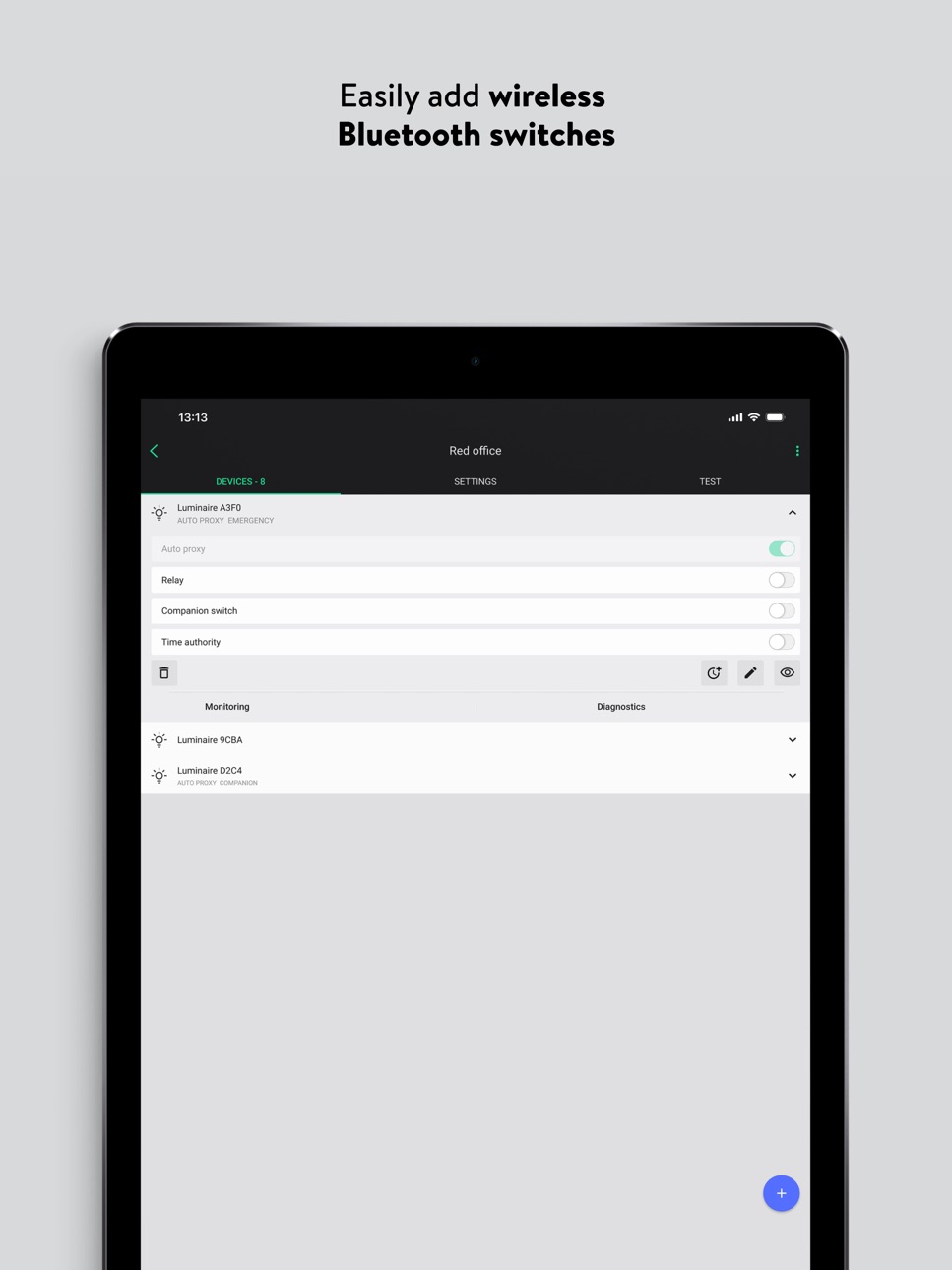
• The “EnOcean switch” label has been replaced with the neutral and more accurate term “Companion switch”. This change is reflected across several areas, including the devices view and the QR code scanner used when adding a new switch. The update improves clarity, ensures brand consistency, and simplifies product identification.
• Creating new zones has been redesigned for a smoother experience. They are now positioned next to existing ones, improving visibility and making editing easier.
• Multiple bug fixes and minor performance improvements.
Description
Silvair is a powerful tool for commissioning Bluetooth Networked Lighting Control (NLC) systems in commercial spaces. It streamlines and accelerates the commissioning process while enabling flexible customization of all operational parameters.
The Silvair app is designed to work in tandem with a cloud-based web app that allows for performing initial commissioning activities before visiting the site. Design your project from the comfort of your desk and use the mobile app on-site to simply add devices to the network and complete the commissioning process. To access the web app, visit https://platform.silvair.com
With the Silvair app, you can:
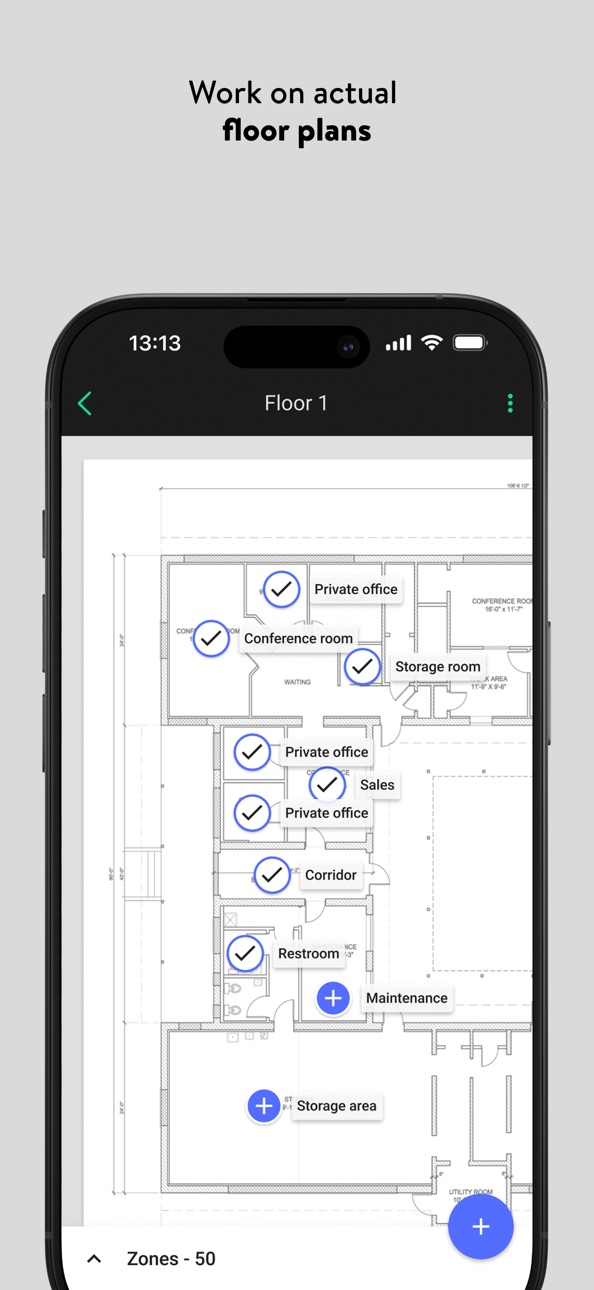
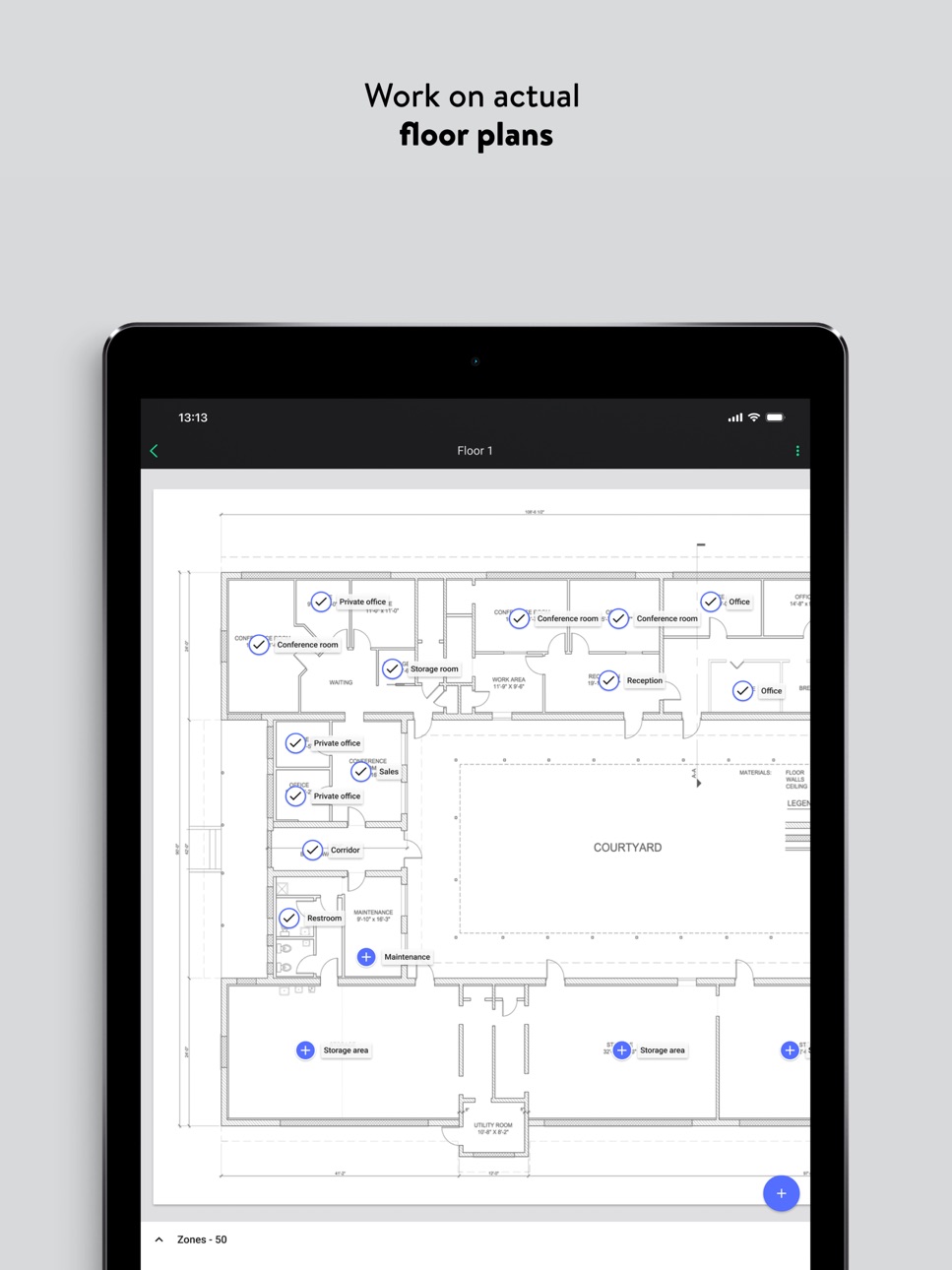
• commission professional lighting installations using actual floor plans
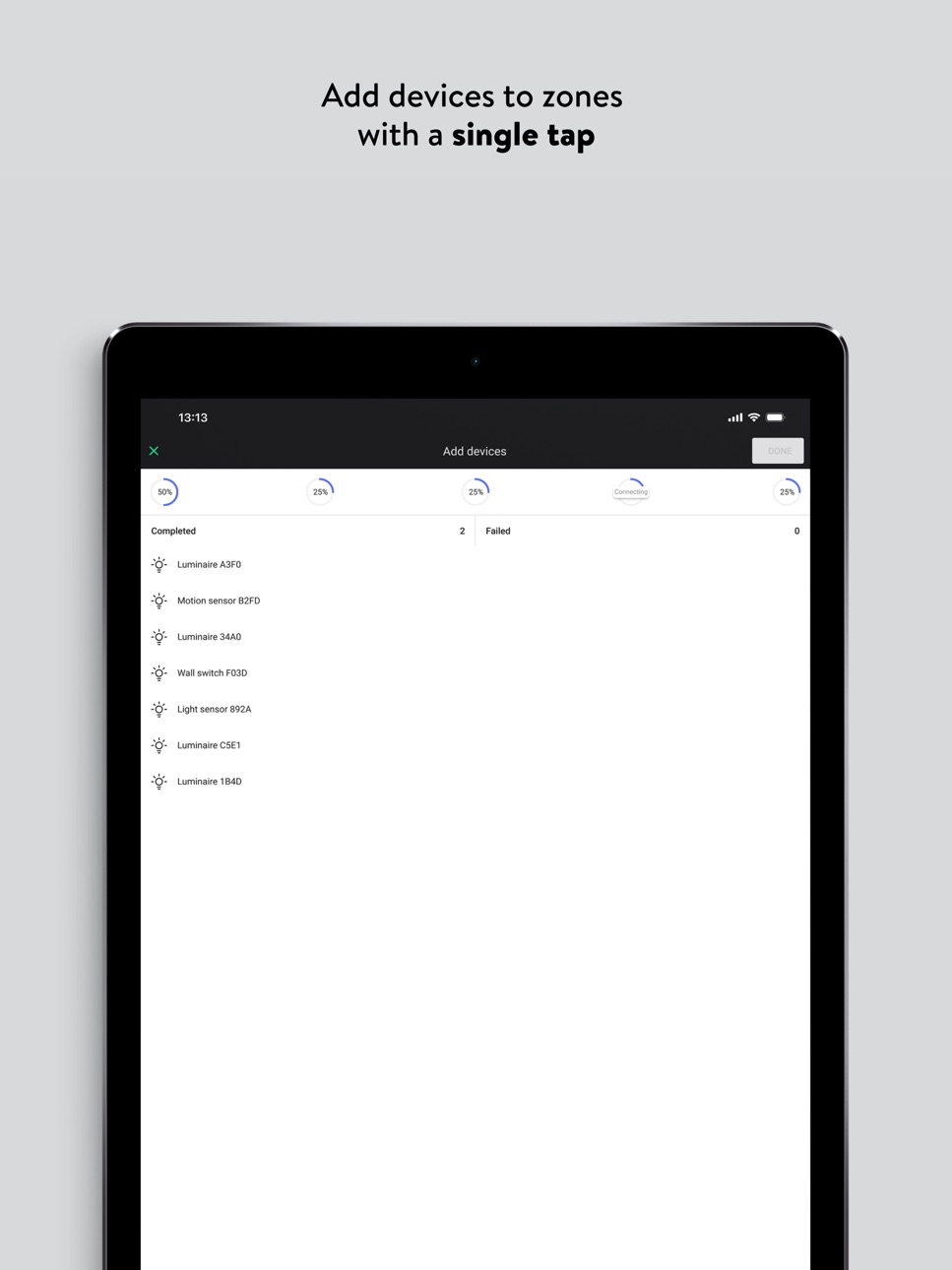
• add devices to desired zones with a single tap
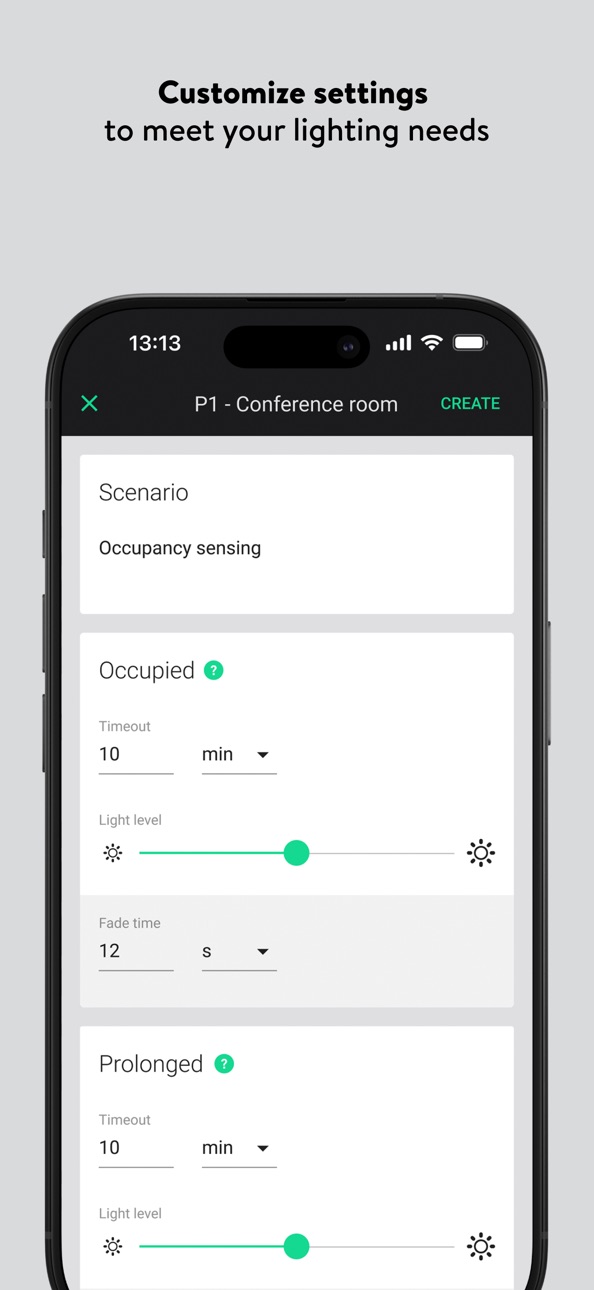
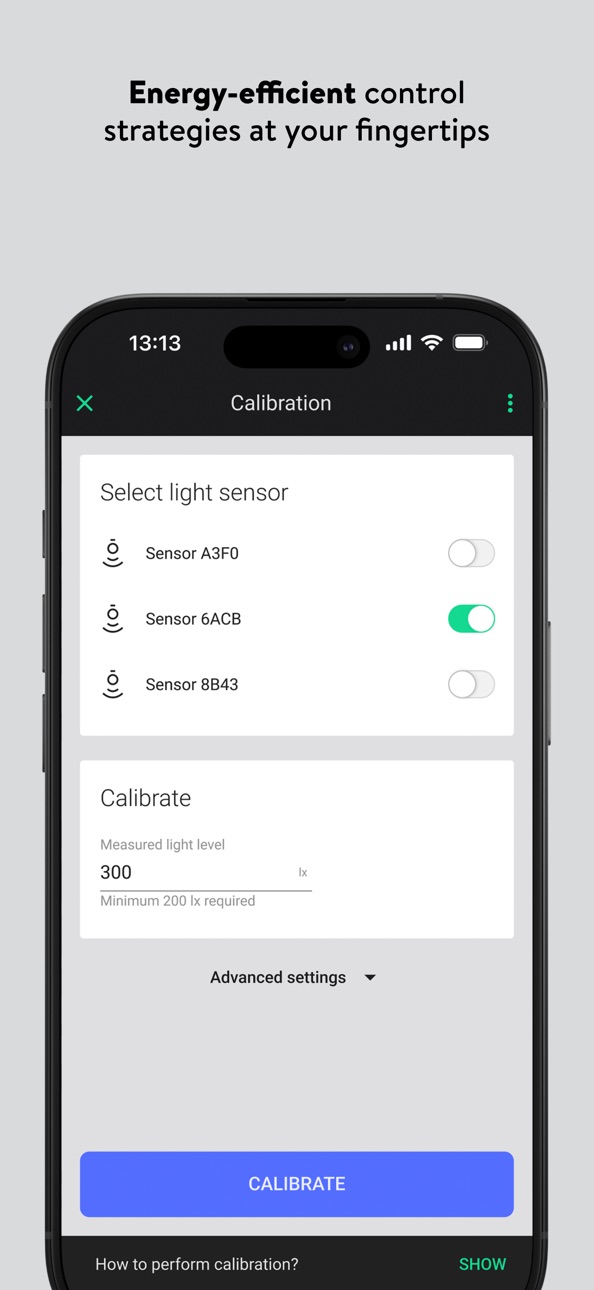
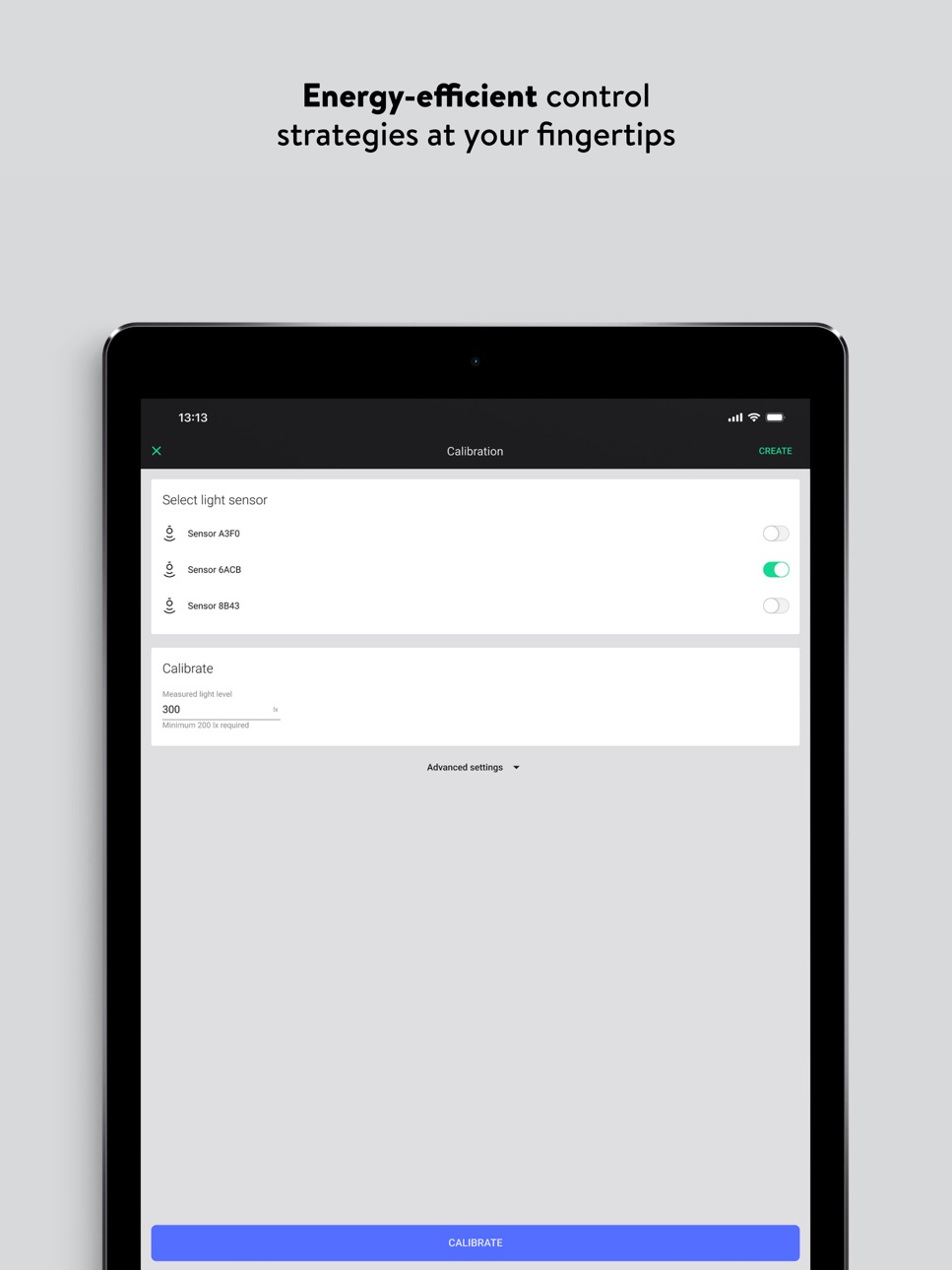
• easily deploy advanced control strategies, including occupancy sensing and daylight harvesting
• share your project with other collaborators to speed up the commissioning process
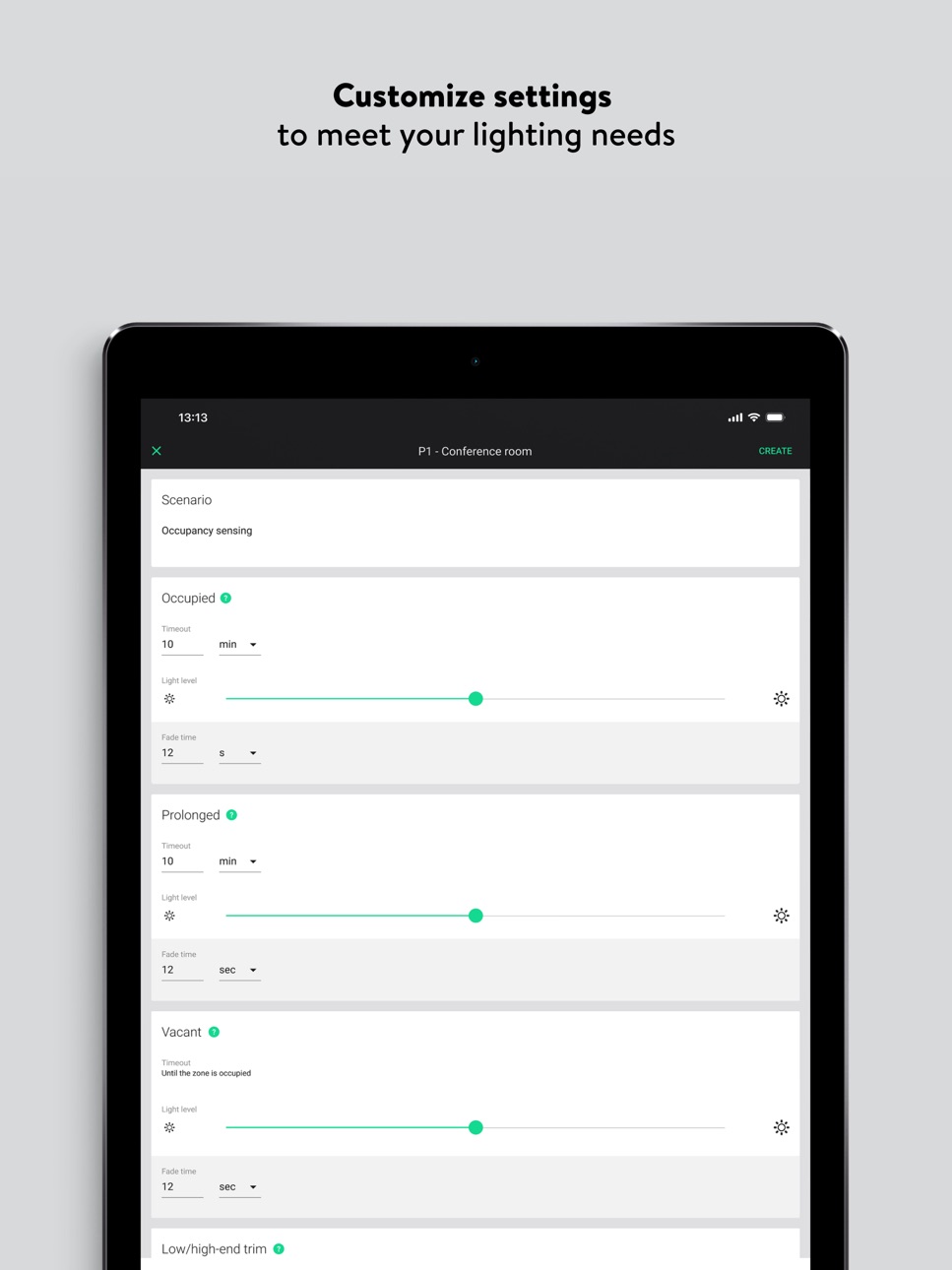
• customize any settings to meet specific lighting needs or energy code requirements
• perform functional tests of the commissioned system
• forget about typical networking processes since they are all carried out automatically
For more information about Silvair and our commissioning process, visit https://www.silvair.com
Accessibility
ipadiphonemacrealityDevicetvoswatch
Version history 25 versions
Build 878006033v1.372025-09-25 10:20:52
• The “EnOcean switch” label has been replaced with the neutral and more accurate term “Companion switch”. This change is reflected across several areas, including the devices view and the QR code scanner used when adding a new switch. The update improves clarity, ensures brand consistency, and simplifies product identification.
• Creating new zones has been redesigned for a smoother experience. They are now positioned next to existing ones, improving visibility and making editing easier.
• Multiple bug fixes and minor performance improvements.
Build 875202394v1.362025-06-05 07:49:34
• We have introduced mechanisms that enable more efficient network synchronization — an important milestone toward enhancing system performance in projects with isolated areas.
• Multiple bug fixes and minor performance improvements.
Build 872965424v1.35.22025-03-04 19:16:44
• We have adjusted how the mobile app handles the Emergency Lighting Testing process to prevent false error messages that occurred when testing DALI-powered emergency devices. This addresses the misleading ‘Test could not start’ message that used to show up despite successful test initiation.
• We have fixed multiple bugs and introduced minor performance improvements.
Build 872816132v1.35.12025-02-27 09:22:16
• We have adjusted how the mobile app handles the Emergency Lighting Testing process to prevent false error messages that occurred when testing DALI-powered emergency devices. This addresses the misleading ‘Test could not start’ message that used to show up despite successful test initiation.
• We have fixed multiple bugs and introduced minor performance improvements.
Build 867684095v1.352024-07-31 07:27:57
• The sorting and searching/filtering options known from the web app are now available in the iOS app. The project list is also more responsive with projects showing up visibly faster. The overall project navigation experience is smoother and more intuitive, allowing end users to get their job done even quicker.
• Motion sensors that support sensitivity adjustments can now be managed using a convenient sensitivity slider in the mobile app. This allows users to easily address the issue of false sensor triggers. The bottom line is better overall accuracy of sensor-based control strategies.
• We are adjusting the way unprovisioned devices broadcast their messages. The goal of solicitation is to further reduce noise in Bluetooth control networks, which contributes to improved reliability and reduced interference in particularly challenging wireless environments.
• Bugfixes and minor performance improvements.
Build 866164363v1.342024-06-19 07:19:54
• The app is now ready to support our transition to a new configuration engine. The bottom line is better performance and reliability for our users.
• We have fixed a number of bugs and introduced minor performance improvements.
Build 860407535v1.33.42023-10-25 10:53:14
• Added support for McWong Kinetic Switch (primarily N.A. market)
Build 858395975v1.33.32023-07-13 07:34:22
• Added support for EnOcean PTM-216B Switch
Build 857658120v1.33.22023-06-09 06:49:34
• Bugfixes and performance improvements
Build 855309270v1.33.12023-03-06 08:26:06
• ELT improvements
We have introduced changes to how emergency lighting test results are gathered and presented in the app.
• Bugfixes and stability improvements
We have fixed a number of minor bugs and performance issues.
Build 854596697v1.332023-02-09 11:42:05
• ELT improvements
We have introduced changes to how emergency lighting test results are gathered and presented in the app.
• Bugfixes and stability improvements
We have fixed a number of minor bugs and performance issues.
Build 850386912v1.322022-06-30 08:18:12
• Account removal
We are introducing an in-app account deletion option to provide users with greater control over their personal data.
• Simplified user name field
We are replacing the “First name” and “Last name” fields with a single “Full name” field to better support our users from different countries and cultures.
• Editable user account data
Users can now edit their basic account information (full name & company name) that they provided when they created their account.
Build 849518435v1.312022-06-02 10:30:27
• Manual selection of Time Authority
We are adding the possibility of manual selection of Time Authority. Users will now be able to choose which device should perform this function.
Build 848479720v1.30.32022-04-22 07:35:20
• Bugfixes and performance improvements.
Build 847856562v1.30.22022-03-24 09:39:51
• Bugfixes and performance improvements.
Build 845401980v1.30.12021-11-18 11:32:06
• Configurable attention sequence
The app now supports the alternative attention sequence that was introduced for non-standard luminaires (high-bay LEDs, high-power luminaires, etc.)
Build 844290902v1.302021-10-07 09:37:31
• In-node scheduling
We are introducing the in-node scheduling service to enable cost-efficient scheduling in installations without the Internet connection.
• Occupancy events history for detection of false triggering
We are adding a sensor troubleshooting tool that will enable users to view the occupancy events history in order to easily detect false sensor triggering.
Build 843348966v1.292021-08-12 07:27:15
• Device-level mesh quality tests
We are improving the granularity of mesh quality tests so that test results are now provided individually for each device within the tested zone.
Build 842922969v1.28.12021-07-05 06:49:06
• Support for Finnish language
As a follow-up to the recent web app update, we are now adding Finnish language support also to the mobile app.
• Vibration and sound notifications
We are introducing vibration and sound notifications that will be triggered whenever the mobile app successfully completes a longer process as well as in the event of failure/warning messages.
Build 842210182v1.282021-05-27 07:24:29
• Improved mesh quality test algorithms
Redesigned mesh quality test procedures will enable more granular and effective testing of communication between devices. From now on, the testing covers all devices within an area while installers are provided with more transparent and accurate test results.
• Convenient testing of zones with multiple scenes and scheduling
When commissioning zones with multiple scenes or scheduling profiles, the app will now display custom scene buttons in the test tab to enable convenient zone testing.
Build 840002710v1.27.12021-02-18 12:34:39
Bugfixes
Build 839571075v1.272020-12-22 09:28:00
• Faster and more transparent calibration
The “parallel connections” feature introduced in the previous release has now been applied also to the calibration process, reducing the calibration time by up to 50% and providing users with clear progress information.
• Support for Spanish and traditional Chinese
Our mobile app now supports two additional languages: Spanish and traditional Chinese.
Build 838333407v1.262020-11-05 09:47:37
• Faster configuration with parallel connections
Devices can now be configured via multiple parallel connections. In certain configuration scenarios, this can reduce the total configuration time by even up to 5x.
• Light levels for scenes A and B configurable in the profile
Light levels for scenes A and B can now be defined directly on the profile screen during the remote planning/pre-commissioning stage.
• Simplified over-the-air update process
The OTAU screen now displays each device’s firmware version number and informs how many devices within each zone require an update.
• Improved sensor calibration in projects with zone linking
Once the calibration process is completed within a given zone, it will no longer restore automatic control in the zones that are linked to that zone.
• Current light sensor lux level reading
Whenever you open the sensor panel, the app will now ask the sensor about its current lux level reading and display that information on the screen.
Build 837732239v1.252020-09-24 09:51:57
• More profile customization options
You no longer have to switch to the web app to customize the manual override timeout or low/high end trim settings.
• Faster configuration
We’ve accelerated the configuration process, reducing the time required to configure individual nodes by up to 50%.
• Screen lock prevention
For as long as it remains in use, the mobile app will now disable your smartphone’s automatic screen locking functionality.
• Support for Chinese and Korean
The mobile app is now available in two more languages - Chinese and Korean.
Build 837254467v1.242020-08-20 11:02:02
• Help center
The app provides direct access to essential support documents, including user manuals, application notes, and tutorials.
• Hidden devices management
Users can now easily restore hidden devices without having to perform a hardware reset.
• Mesh quality test improvements
We’ve improved the mesh quality test procedure so that test results are more meaningful and reliable.
• Micro-gateway configuration
The mobile app now enables users to configure and commission a micro-gateway device.
No pricing data captured yet — comparisons appear once the app has paid storefronts or in-app purchases.
Availability 1 of 1 storefronts
| Region | Language | Price | Ratings | Avg | Version |
|---|---|---|---|---|---|
| US | en-US | Free | 2 | 4.0 | 1.37 |
Change log 29 changes · US
✎
releaseNotes updated
• The “EnOcean switch” label has been replaced with the neutral and more accurate term “Companion switch”. This change is reflected across several areas, includ
✎
description updated
Silvair is a powerful tool for commissioning Bluetooth Networked Lighting Control (NLC) systems in commercial spaces. It streamlines and accelerates the commiss
✎
subtitle updated
Bluetooth NLC lighting control
✎
name updated
Silvair Commissioning
◆
Version 1.37 released
• The “EnOcean switch” label has been replaced with the neutral and more accurate term “Companion switch”. This change is reflected across several areas, including the devices view and the QR code scanner used when adding a new switch. The
◆
Version 1.36 released
• We have introduced mechanisms that enable more efficient network synchronization — an important milestone toward enhancing system performance in projects with isolated areas.
• Multiple bug fixes and minor performance improvements.
◆
Version 1.35.2 released
• We have adjusted how the mobile app handles the Emergency Lighting Testing process to prevent false error messages that occurred when testing DALI-powered emergency devices. This addresses the misleading ‘Test could not start’ message tha
◆
Version 1.35.1 released
• We have adjusted how the mobile app handles the Emergency Lighting Testing process to prevent false error messages that occurred when testing DALI-powered emergency devices. This addresses the misleading ‘Test could not start’ message tha
◆
Version 1.35 released
• The sorting and searching/filtering options known from the web app are now available in the iOS app. The project list is also more responsive with projects showing up visibly faster. The overall project navigation experience is smoother a
◆
Version 1.34 released
• The app is now ready to support our transition to a new configuration engine. The bottom line is better performance and reliability for our users.
• We have fixed a number of bugs and introduced minor performance improvements.
◆
Version 1.33.4 released
• Added support for McWong Kinetic Switch (primarily N.A. market)
◆
Version 1.33.3 released
• Added support for EnOcean PTM-216B Switch
◆
Version 1.33.2 released
• Bugfixes and performance improvements
◆
Version 1.33.1 released
• ELT improvements
We have introduced changes to how emergency lighting test results are gathered and presented in the app.
• Bugfixes and stability improvements
We have fixed a number of minor bugs and performance issues.
◆
Version 1.33 released
• ELT improvements
We have introduced changes to how emergency lighting test results are gathered and presented in the app.
• Bugfixes and stability improvements
We have fixed a number of minor bugs and performance issues.
◆
Version 1.32 released
• Account removal
We are introducing an in-app account deletion option to provide users with greater control over their personal data.
• Simplified user name field
We are replacing the “First name” and “Last name” fields with a single “Ful
◆
Version 1.31 released
• Manual selection of Time Authority
We are adding the possibility of manual selection of Time Authority. Users will now be able to choose which device should perform this function.
◆
Version 1.30.3 released
• Bugfixes and performance improvements.
◆
Version 1.30.2 released
• Bugfixes and performance improvements.
◆
Version 1.30.1 released
• Configurable attention sequence
The app now supports the alternative attention sequence that was introduced for non-standard luminaires (high-bay LEDs, high-power luminaires, etc.)
◆
Version 1.30 released
• In-node scheduling
We are introducing the in-node scheduling service to enable cost-efficient scheduling in installations without the Internet connection.
• Occupancy events history for detection of false triggering
We are adding a senso
◆
Version 1.29 released
• Device-level mesh quality tests
We are improving the granularity of mesh quality tests so that test results are now provided individually for each device within the tested zone.
◆
Version 1.28.1 released
• Support for Finnish language
As a follow-up to the recent web app update, we are now adding Finnish language support also to the mobile app.
• Vibration and sound notifications
We are introducing vibration and sound notifications that wi
◆
Version 1.28 released
• Improved mesh quality test algorithms
Redesigned mesh quality test procedures will enable more granular and effective testing of communication between devices. From now on, the testing covers all devices within an area while installers ar
◆
Version 1.27.1 released
Bugfixes
◆
Version 1.27 released
• Faster and more transparent calibration
The “parallel connections” feature introduced in the previous release has now been applied also to the calibration process, reducing the calibration time by up to 50% and providing users with clear
◆
Version 1.26 released
• Faster configuration with parallel connections
Devices can now be configured via multiple parallel connections. In certain configuration scenarios, this can reduce the total configuration time by even up to 5x.
• Light levels for scenes
◆
Version 1.25 released
• More profile customization options
You no longer have to switch to the web app to customize the manual override timeout or low/high end trim settings.
• Faster configuration
We’ve accelerated the configuration process, reducing the time
◆
Version 1.24 released
• Help center
The app provides direct access to essential support documents, including user manuals, application notes, and tutorials.
• Hidden devices management
Users can now easily restore hidden devices without having to perform a hard