Home › Productivity

 US
US
1 of 1 storefronts
Content in en-US
Content in en-US
Information
Preview 2 platforms
iPhone 7 images




iPad 5 images


What’s New Version 5.15
Bug fixes and enhanced ebook browsing experience.
Description
Unzip is a powerful zip file opener and extractor. Easily extracts ZIP, RAR, 7Z, TAR, GZIP, and other archive formats. Supports creating encrypted ZIP files and extracting multi-volume archives.
◆ Create password-protected ZIP files.
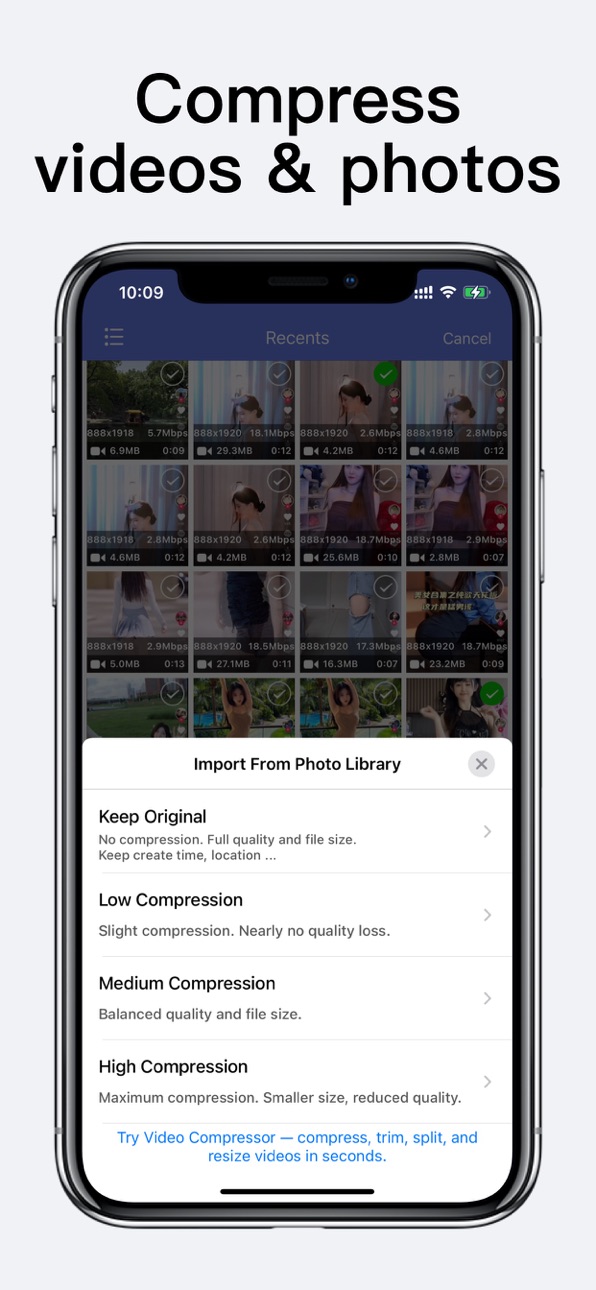
◆ Batch compress videos and photos from the photo library
◆ Compress photos and videos from the album into ZIP files.
◆ To extract multi-volume archives: 1) Make sure all parts are in the same folder; 2) Select the first (main) volume to begin extraction.
◆ Supported archive file formats for decompression: ZIP, RAR, 7Z, TAR, GZIP, GZ, BZIP2, LHA, CAB, LZX, BZ2, BIN, LZMA, ZIPX, ISO, ACE, AES, MSI, CBZ, CBR, and more.
◆ Open and View many document types: DOC, Excel, PPT, PDF, TXT, RTF, CHM, EPUB, JPG, GIF, PNG ...
◆ Play videos and audios: mp4,avi,mkv,wma,flv,mov,3gp,m4a,wav,wmv,rmvb
◆ Convert JPG and PNG images to PDF files.
◆ File backup and transfer:
- USB transfer via iTunes File Sharing (upload/download files).
- WiFi transfer between phone and computer.
- Import files and folders from other apps.
- Upload to cloud storage:iCloud Drive, Google Drive, Dropbox, OneDrive
#Permanent professional version:
* Make a one-time purchase and resume purchases anytime, anywhere.
#Annual professional version:
* Annual auto-renewable subscription, automatic renewal upon expiration.
* Payment will be charged to iTunes Account at confirmation of purchase.
* Your subscription will automatically renew unless auto-renew is turned off at least 24 hours before the end of the current period.
* Subscriptions may be managed by the user and auto-renewal may be turned off by going to the user's iTunes Account Settings after purchase.
Privacy Policy: https://shuyongapp.web.app/privacypolicy.html
Terms of Use: https://shuyongapp.web.app/terms.html
Contact us: meensa_tech@163.com
In-App Purchases US pricing
Professional Version Subscription
Annual professional version · Yearly$4.99
One-Time Purchases
Remove Ads$0.99
Universal video player$0.99
Passcode Lock$0.99
Pro Version$7.99
Capabilities
In-App Purchases
Accessibility
ipadiphonemacrealityDevicetvoswatch
Version history 25 versions
Build 885942481v5.152026-05-21 17:58:39
Bug fixes and enhanced ebook browsing experience.
Build 885071450v5.142026-04-29 20:34:10
Fixed issues with in-app purchases in some previous versions.
Build 877337811v5.132025-08-18 20:13:18
Optimized iCloud Drive backup interactions.
Added support for backing up to subfolders in iCloud Drive.
Build 877092955v5.122025-08-14 18:08:16
Added support for viewing and opening files backed up to iCloud Drive.
Improved file backup interaction for a smoother experience.
Build 877054419v5.112025-08-08 00:34:10
New: Import compressed photos and videos.
Convert images to PDF files.
Build 876897523v5.102025-08-01 21:01:04
Bug fixes and performance improvements.
Build 872777219v5.92025-02-26 09:46:36
Optimize functionality and user experience.
Build 872193911v5.82025-02-08 03:23:11
Optimize functionality and user experience.
Build 871731660v5.72025-01-14 17:04:40
Fixed the issue where garbled characters may appear in file names on Windows platform.
Support importing photos and videos from photo library.
Build 871579377v5.62025-01-09 04:04:33
Fixed the issue where garbled characters may appear in file names on Windows platform.
Build 871091429v5.52024-12-12 20:26:43
Optimize functionality and user experience.
Build 871050215v5.42024-12-11 11:27:56
Bug fixes and performance improvements.
Build 870991603v5.32024-12-09 06:54:32
Bug fixes and performance improvements.
Build 870951002v5.22024-12-06 22:15:15
Optimize functionality and user experience.
Build 870879509v5.12024-12-05 03:31:22
Optimize functionality and user experience.
Build 869252539v5.02024-09-26 10:42:23
Added file recycling bin and optimized file hiding
Build 865319862v4.172024-04-19 12:56:46
Bug fixes and performance improvements.
Build 864577568v4.162024-03-21 04:06:17
Optimize functionality and user experience
Build 864188360v4.152024-03-12 01:28:40
Optimize functionality and user experience
Build 862353979v4.142023-12-20 11:28:45
Bug fixes and performance improvements.
Build 861119176v4.132023-10-31 17:27:23
Bug fixes and performance improvements.
Build 857487419v4.122023-06-01 01:05:43
Bug fixes and performance improvements.
Build 857371645v4.112023-05-27 10:58:37
Bug fixes and performance improvements.
Build 857204033v4.102023-05-20 00:30:49
Bug fixes and performance improvements.
Build 847901331v4.92022-03-24 18:56:44
Bug fixes and performance improvements.
Price history by region
Currency
Show
Columns
Search
Availability 1 of 1 storefronts
| Region | Language | Price | Ratings | Avg | Version |
|---|---|---|---|---|---|
| US | en-US | Free | 53.9k | 4.6 | 5.15 |
Change log 29 changes · US
✎
releaseNotes updated
Bug fixes and enhanced ebook browsing experience.
✎
description updated
Unzip is a powerful zip file opener and extractor. Easily extracts ZIP, RAR, 7Z, TAR, GZIP, and other archive formats. Supports creating encrypted ZIP files and
✎
subtitle updated
files extractor, compressor
✎
name updated
Unzip - zip,rar,7z file opener
◆
Version 5.15 released
Bug fixes and enhanced ebook browsing experience.
◆
Version 5.14 released
Fixed issues with in-app purchases in some previous versions.
◆
Version 5.13 released
Optimized iCloud Drive backup interactions.
Added support for backing up to subfolders in iCloud Drive.
◆
Version 5.12 released
Added support for viewing and opening files backed up to iCloud Drive.
Improved file backup interaction for a smoother experience.
◆
Version 5.11 released
New: Import compressed photos and videos.
Convert images to PDF files.
◆
Version 5.10 released
Bug fixes and performance improvements.
◆
Version 5.9 released
Optimize functionality and user experience.
◆
Version 5.8 released
Optimize functionality and user experience.
◆
Version 5.7 released
Fixed the issue where garbled characters may appear in file names on Windows platform.
Support importing photos and videos from photo library.
◆
Version 5.6 released
Fixed the issue where garbled characters may appear in file names on Windows platform.
◆
Version 5.5 released
Optimize functionality and user experience.
◆
Version 5.4 released
Bug fixes and performance improvements.
◆
Version 5.3 released
Bug fixes and performance improvements.
◆
Version 5.2 released
Optimize functionality and user experience.
◆
Version 5.1 released
Optimize functionality and user experience.
◆
Version 5.0 released
Added file recycling bin and optimized file hiding
◆
Version 4.17 released
Bug fixes and performance improvements.
◆
Version 4.16 released
Optimize functionality and user experience
◆
Version 4.15 released
Optimize functionality and user experience
◆
Version 4.14 released
Bug fixes and performance improvements.
◆
Version 4.13 released
Bug fixes and performance improvements.
◆
Version 4.12 released
Bug fixes and performance improvements.
◆
Version 4.11 released
Bug fixes and performance improvements.
◆
Version 4.10 released
Bug fixes and performance improvements.
◆
Version 4.9 released
Bug fixes and performance improvements.