Home › Travel

 US
US
USen-US AGNot Available
 AINot Available
 AONot Available
 ARNot Available
 BBNot Available
 BFNot Available
 BJNot Available
 BONot Available
 BRNot Available
 BSNot Available
 BWNot Available
 BZNot Available
 CDNot Available
 CGNot Available
 CINot Available
 CLNot Available
 CMNot Available
 CONot Available
 CRNot Available
 CVNot Available
 DMNot Available
 DONot Available
 DZNot Available
 ECNot Available
 GANot Available
 GDNot Available
 GHNot Available
 GMNot Available
 GTNot Available
 GWNot Available
 GYNot Available
 HNNot Available
 JMNot Available
 KENot Available
 KNNot Available
 KYNot Available
 LCNot Available
 LRNot Available
 LYNot Available
 MANot Available
 MGNot Available
 MLNot Available
 MSNot Available
 MUNot Available
 MWNot Available
 MXNot Available
 MZNot Available
 NANot Available
 NENot Available
 NGNot Available
 NINot Available
 PANot Available
 PENot Available
 PYNot Available
 RWNot Available
 SCNot Available
 SLNot Available
 SNNot Available
 SRNot Available
 STNot Available
 SVNot Available
 SZNot Available
 TCNot Available
 TDNot Available
 TNNot Available
 TTNot Available
 TZNot Available
 UGNot Available
 UYNot Available
 VCNot Available
 VENot Available
 VGNot Available
 ZMNot Available
 ZWNot Available
1 of 75 storefronts
Content in en-US
Content in en-US
Information
Apple ID1281279107
Bundle IDro.ette.taxipresident.client
SellerSeller
Min iOS11.0
Min macOS11.0
Device familiesiphone, ipad, ipod
Released2017-09-11
Copyright© ETTE
Privacy policyLink ↗
Preview 2 platforms
iPhone 4 images


iPad 4 images



What’s New Version 4.2.3
Small corrections.
Description
App Usage:
- Open the "TAXI Europ" app.
- On the first use, you need to enter a name and phone number.
- The terminal's location is determined automatically. For accurate localization, please enable the location service and WiFi connection.
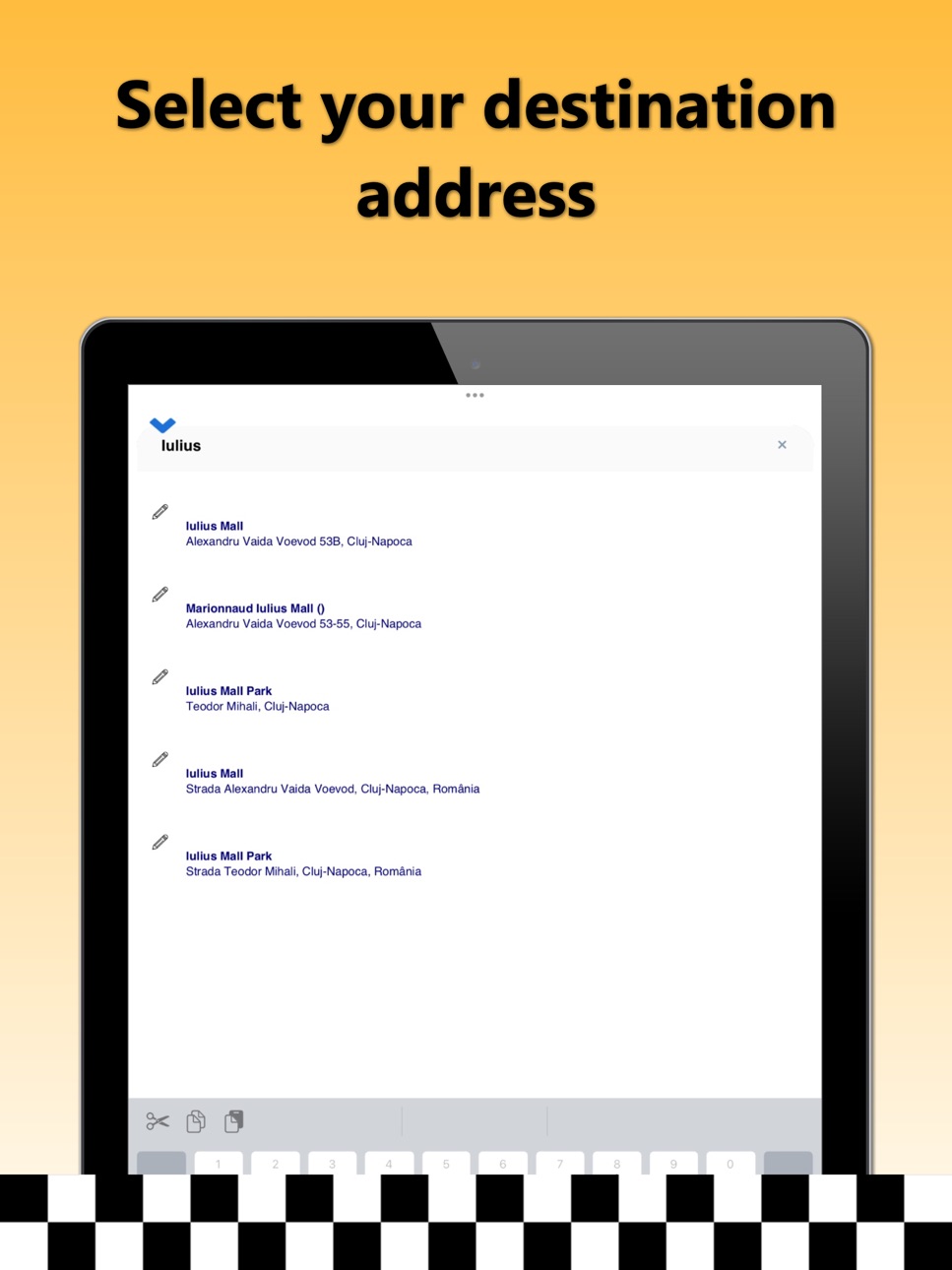
- Enter the destination address in the field "Where would you like to go?" and select a destination address from the displayed options. To choose the precise address, please fill in all details: street, number, block, location name, or landmark.
- If you do not wish to enter the destination address, press the "I want a TAXI here!" button.
- Press the "Next step" button, check all the order details, and place the taxi order by pressing the "START order" button.
- Wait for the first driver’s confirmation and view the driver's route in real-time as they travel to the requested address.
Thank you and have a pleasant journey!
TAXI Europ
Accessibility
ipadiphonemacrealityDevicetvoswatch
Version history 5 versions
Build 877016736v4.2.32025-08-06 12:38:43
Small corrections.
Build 874206854v4.2.02025-04-22 18:54:46
New user interface.
Build 836310446v3.5.82020-06-07 19:16:04
New interface.
Build 830483447v2.132019-03-04 16:51:21
New Logo.
Build 823616952v2.92017-09-11 22:57:40
No pricing data captured yet — comparisons appear once the app has paid storefronts or in-app purchases.
Availability 1 of 75 storefronts
| Region | Language | Price | Ratings | Avg | Version |
|---|---|---|---|---|---|
| US | en-US | Free | 0 | — | 4.2.3 |
Not available in: AG, AI, AO, AR, BB, BF, BJ, BO, BR, BS, BW, BZ, CD, CG, CI, CL, CM, CO, CR, CV, DM, DO, DZ, EC, GA, GD, GH, GM, GT, GW, GY, HN, JM, KE, KN, KY, LC, LR, LY, MA, MG, ML, MS, MU, MW, MX, MZ, NA, NE, NG, NI, PA, PE, PY, RW, SC, SL, SN, SR, ST, SV, SZ, TC, TD, TN, TT, TZ, UG, UY, VC, VE, VG, ZM, ZW
Change log 8 changes · US
✎
releaseNotes updated
Small corrections.
✎
description updated
App Usage:
- Open the "TAXI Europ" app.
- On the first use, you need to enter a name and phone number.
- The terminal's location is determined automati
✎
name updated
TAXI Europ
◆
Version 4.2.3 released
Small corrections.
◆
Version 4.2.0 released
New user interface.
◆
Version 3.5.8 released
New interface.
◆
Version 2.13 released
New Logo.
◆
Version 2.9 released