Home › Navigation

 US
US
1 of 1 storefronts
Content in en-US
Content in en-US
Information
Preview 2 platforms
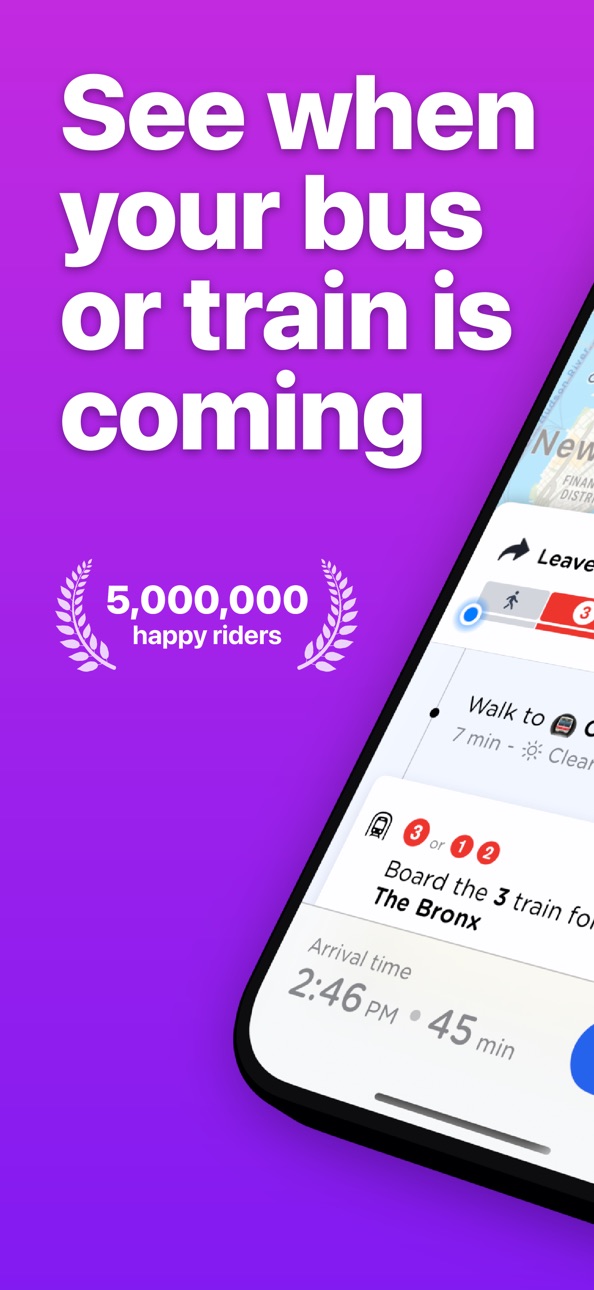
iPhone 9 images


Apple Watch 3 images


What’s New Version 2026.8
A big improvement for Live Departure Widgets in this release: you can now pin a station inside a widget. This means that you can now have multiple Live Departure Widgets on your Home Screen, one for each station.
We've been busy during 2026. Here's some of the additions to the app we've made since the start of the year in case you've missed any:
• New custom fonts, including dyslexia-friendly options, available in Settings
• Destination Filters: show only services that stop at your chosen destination from stations and bus stops
• Sort saved stops and stations by distance from your current location
• Service Alert Summaries: quick, easy-to-read disruption overviews
• Improved battery efficiency when using live directions and location features
• Smarter Live Activities with automatic trip completion and journey summaries
• Home & Work locations can now be edited or removed
• Saved places and stations now sync automatically across devices with iCloud
• New Shortcuts and Siri support to start live directions instantly as a Live Activity
• The app now remembers your preferred route choices for regular journeys
• Clearer train departure boards in both the app and widgets
Enjoying the app? A quick rating or review helps a lot. Have feedback or ideas? Send us a message from the Help section in the app.
Description
Momego — Transit Made Effortless
Get where you need to go faster with live buses, trains, and subways — all in one smart app built for real commuters.
'I’ve tried every transit app out there — Momego is the only one that’s actually accurate and easy to use. It’s like having a personal travel assistant for my daily commute.'
Why millions love Momego:
• Live bus, train, and subway tracking
• Stop & schedule alerts
• Smart trip planning
• Live + offline route maps
• One-tap “Get Me Home”
• Customizable widgets for quick access
Never miss your stop again — Momego’s Get Off Alerts notify you when it’s time to hop off. See exactly where your ride is in real time, check crowding levels before boarding, and get notified about delays or detours before they happen.
With coverage in 150+ cities, Momego makes getting around effortless whether you’re in New York, Chicago, DC, Boston, LA, San Francisco, Seattle, or beyond. Explore full seven-day schedules, save your favorite stops, and navigate confidently even offline.
Transit Coverage Highlights:
Amtrak • MTA • DC Metro • NJ Transit • WMATA • LA Metro • BART • CTA • MBTA • Sound Transit • MARTA • TriMet • UTA • RIPTA • King County Metro — and hundreds more.
Whether you’re catching a train to work or a late-night bus home, Momego helps you travel smarter, faster, and stress-free.
--------
What is Momego?
Momego is a live transit app showing real-time bus, train, and subway times in over 150 U.S. and global cities. It helps you plan routes, track rides, and get alerts for service changes.
Does Momego work in New York City?
Yes! Momego includes full MTA coverage — real-time NYC Subway trains, MTA buses, LIRR, and Metro-North schedules, plus detailed subway maps and service alerts.
Does Momego support Chicago’s CTA and Metra?
Absolutely. Track CTA buses and trains live, and check Metra commuter rail times for your daily commute.
Can I use Momego in Los Angeles?
Yes. Momego supports LA Metro buses and trains, giving you live tracking and route maps across the entire city.
How about Washington DC?
Momego covers WMATA’s Metro trains and Metrobus routes in real time, including service alerts and next-train predictions.
Does Momego support Amtrak?
Yes. You can view Amtrak schedules, track trains in real time, and stay updated on service changes across the U.S.
What about Boston and San Francisco?
In Boston, Momego shows live MBTA bus and subway times. In San Francisco, it includes BART and Muni coverage with real-time arrivals.
Can I use Momego offline?
Yes — Momego includes offline route maps and full schedules so you can navigate without signal.
Will it alert me when to get off?
Yes. “Get Off Alerts” use GPS to notify you when your stop is coming up — perfect if you tend to lose track while scrolling or reading.
Is Momego free?
Yes, Momego is free to download and use, with optional premium features and widgets available via in-app subscription.
How do I contact support?
Email talk@travelwhiz.app or reach us on Twitter (X) at @trymomego.
--------
Travel smarter with Momego — the app built for real riders.
Download now and make every journey smoother, from your local bus to your next Amtrak adventure.
Privacy Policy: travelwhiz.app/privacy
Terms of Use: www.apple.com/legal/internet-services/itunes/dev/stdeula/
Capabilities
In-App Purchases
Accessibility
ipadiphonemacrealityDevicetvoswatch
Version history 25 versions
Build 886570663v2026.82026-06-06 16:52:54
A big improvement for Live Departure Widgets in this release: you can now pin a station inside a widget. This means that you can now have multiple Live Departure Widgets on your Home Screen, one for each station.
We've been busy during 2026. Here's some of the additions to the app we've made since the start of the year in case you've missed any:
• New custom fonts, including dyslexia-friendly options, available in Settings
• Destination Filters: show only services that stop at your chosen destination from stations and bus stops
• Sort saved stops and stations by distance from your current location
• Service Alert Summaries: quick, easy-to-read disruption overviews
• Improved battery efficiency when using live directions and location features
• Smarter Live Activities with automatic trip completion and journey summaries
• Home & Work locations can now be edited or removed
• Saved places and stations now sync automatically across devices with iCloud
• New Shortcuts and Siri support to start live directions instantly as a Live Activity
• The app now remembers your preferred route choices for regular journeys
• Clearer train departure boards in both the app and widgets
Enjoying the app? A quick rating or review helps a lot. Have feedback or ideas? Send us a message from the Help section in the app.
Build 885851812v2026.7.52026-05-24 06:48:38
To celebrate World Awareness Day this month, we've added an extra accessibility feature - custom fonts. From the Settings screen, you can now choose from several easy-to-read fonts that will be used throughout the app, including dyslexic-friendly typefaces.
New: Destination Filters
Just open up a station board, tap on Destination and choose the station you want to get to. You'll only see the services that stop there. Great for busy stations where you want to cut out the noise and focus on the lines that you care about.
Best of all, it works for bus stops as well: tap on Destination and choose the place you're going to, and we'll work out which bus lines from that stop go there.
Previously...
Saved Stops by Distance
Now just tap the toggle on the Saved tab to re-order your saved stops and stations by how close they are to you.
Service Alert Summaries
No more scrolling through long lists of alerts. The app now creates a short summary highlighting the most recent and important disruptions affecting your journey.
Better for your battery
We’ve made major optimisations to how the app uses location and background activity while you’re travelling. You can now tap GO with confidence that it won’t drain your battery.
Smarter Live Activities
Live Activities now end cleanly when you reach your destination. You’ll also see a quick summary of your trip when a Live Activity begins.
Home & Work improvements
You can now edit or remove your Home and Work locations again. Saved places and stations also sync automatically through iCloud, keeping all your devices up to date.
Powerful new Shortcuts support
You can now start live directions directly from Shortcuts or Siri. Instead of opening the app, directions begin instantly as a Live Activity - perfect for routines like starting your commute each morning.
The app also remembers your preferred routes. If a familiar journey is available, it will be selected automatically. Otherwise, just choose a route once and we’ll remember it for next time.
Clearer train departure boards
Train times are now easier to read in both the app and widgets, so you can find what you need at a glance.
If you’re enjoying the app, a quick rating or review really helps.
Have feedback or ideas? Send us a message from the Help section in the app.
Build 885722911v2026.7.32026-05-19 00:27:29
To celebrate World Accessibility Awareness Day this month, we've added an extra accessibility feature - custom fonts. From the Settings screen, you can now choose from several easy-to-read fonts that will be used throughout the app, including dyslexic-friendly typefaces.
New: Destination Filters
Just open up a station board, tap on Destination and choose the station you want to get to. You'll only see the services that stop there. Great for busy stations where you want to cut out the noise and focus on the lines that you care about.
Best of all, it works for bus stops as well: tap on Destination and choose the place you're going to, and we'll work out which bus lines from that stop go there.
Previously...
Saved Stops by Distance
Now just tap the toggle on the Saved tab to re-order your saved stops and stations by how close they are to you.
Service Alert Summaries
No more scrolling through long lists of alerts. The app now creates a short summary highlighting the most recent and important disruptions affecting your journey.
Better for your battery
We’ve made major optimisations to how the app uses location and background activity while you’re travelling. You can now tap GO with confidence that it won’t drain your battery.
Smarter Live Activities
Live Activities now end cleanly when you reach your destination. You’ll also see a quick summary of your trip when a Live Activity begins.
Home & Work improvements
You can now edit or remove your Home and Work locations again. Saved places and stations also sync automatically through iCloud, keeping all your devices up to date.
Powerful new Shortcuts support
You can now start live directions directly from Shortcuts or Siri. Instead of opening the app, directions begin instantly as a Live Activity - perfect for routines like starting your commute each morning.
The app also remembers your preferred routes. If a familiar journey is available, it will be selected automatically. Otherwise, just choose a route once and we’ll remember it for next time.
Clearer train departure boards
Train times are now easier to read in both the app and widgets, so you can find what you need at a glance.
If you’re enjoying the app, a quick rating or review really helps.
Have feedback or ideas? Send us a message from the Help section in the app.
Build 885571631v2026.7.12026-05-13 02:29:08
To celebrate World Awareness Day this month, we've added an extra accessibility feature - custom fonts. From the Settings screen, you can now choose from several easy-to-read fonts that will be used throughout the app, including dyslexic-friendly typefaces.
New: Destination Filters
Just open up a station board, tap on Destination and choose the station you want to get to. You'll only see the services that stop there. Great for busy stations where you want to cut out the noise and focus on the lines that you care about.
Best of all, it works for bus stops as well: tap on Destination and choose the place you're going to, and we'll work out which bus lines from that stop go there.
Previously...
Saved Stops by Distance
Now just tap the toggle on the Saved tab to re-order your saved stops and stations by how close they are to you.
Service Alert Summaries
No more scrolling through long lists of alerts. The app now creates a short summary highlighting the most recent and important disruptions affecting your journey.
Better for your battery
We’ve made major optimisations to how the app uses location and background activity while you’re travelling. You can now tap GO with confidence that it won’t drain your battery.
Smarter Live Activities
Live Activities now end cleanly when you reach your destination. You’ll also see a quick summary of your trip when a Live Activity begins.
Home & Work improvements
You can now edit or remove your Home and Work locations again. Saved places and stations also sync automatically through iCloud, keeping all your devices up to date.
Powerful new Shortcuts support
You can now start live directions directly from Shortcuts or Siri. Instead of opening the app, directions begin instantly as a Live Activity - perfect for routines like starting your commute each morning.
The app also remembers your preferred routes. If a familiar journey is available, it will be selected automatically. Otherwise, just choose a route once and we’ll remember it for next time.
Clearer train departure boards
Train times are now easier to read in both the app and widgets, so you can find what you need at a glance.
If you’re enjoying the app, a quick rating or review really helps.
Have feedback or ideas? Send us a message from the Help section in the app.
Build 885609483v2026.7.22026-05-13 18:18:04
To celebrate World Awareness Day this month, we've added an extra accessibility feature - custom fonts. From the Settings screen, you can now choose from several easy-to-read fonts that will be used throughout the app, including dyslexic-friendly typefaces.
New: Destination Filters
Just open up a station board, tap on Destination and choose the station you want to get to. You'll only see the services that stop there. Great for busy stations where you want to cut out the noise and focus on the lines that you care about.
Best of all, it works for bus stops as well: tap on Destination and choose the place you're going to, and we'll work out which bus lines from that stop go there.
Previously...
Saved Stops by Distance
Now just tap the toggle on the Saved tab to re-order your saved stops and stations by how close they are to you.
Service Alert Summaries
No more scrolling through long lists of alerts. The app now creates a short summary highlighting the most recent and important disruptions affecting your journey.
Better for your battery
We’ve made major optimisations to how the app uses location and background activity while you’re travelling. You can now tap GO with confidence that it won’t drain your battery.
Smarter Live Activities
Live Activities now end cleanly when you reach your destination. You’ll also see a quick summary of your trip when a Live Activity begins.
Home & Work improvements
You can now edit or remove your Home and Work locations again. Saved places and stations also sync automatically through iCloud, keeping all your devices up to date.
Powerful new Shortcuts support
You can now start live directions directly from Shortcuts or Siri. Instead of opening the app, directions begin instantly as a Live Activity - perfect for routines like starting your commute each morning.
The app also remembers your preferred routes. If a familiar journey is available, it will be selected automatically. Otherwise, just choose a route once and we’ll remember it for next time.
Clearer train departure boards
Train times are now easier to read in both the app and widgets, so you can find what you need at a glance.
If you’re enjoying the app, a quick rating or review really helps.
Have feedback or ideas? Send us a message from the Help section in the app.
Build 885536466v2026.72026-05-12 02:57:36
To celebrate World Awareness Day this month, we've added an extra accessibility feature - custom fonts. From the Settings screen, you can now choose from several easy-to-read fonts that will be used throughout the app, including dyslexic-friendly typefaces.
New: Destination Filters
Just open up a station board, tap on Destination and choose the station you want to get to. You'll only see the services that stop there. Great for busy stations where you want to cut out the noise and focus on the lines that you care about.
Best of all, it works for bus stops as well: tap on Destination and choose the place you're going to, and we'll work out which bus lines from that stop go there.
Previously...
Saved Stops by Distance
Now just tap the toggle on the Saved tab to re-order your saved stops and stations by how close they are to you.
Service Alert Summaries
No more scrolling through long lists of alerts. The app now creates a short summary highlighting the most recent and important disruptions affecting your journey.
Better for your battery
We’ve made major optimisations to how the app uses location and background activity while you’re travelling. You can now tap GO with confidence that it won’t drain your battery.
Smarter Live Activities
Live Activities now end cleanly when you reach your destination. You’ll also see a quick summary of your trip when a Live Activity begins.
Home & Work improvements
You can now edit or remove your Home and Work locations again. Saved places and stations also sync automatically through iCloud, keeping all your devices up to date.
Powerful new Shortcuts support
You can now start live directions directly from Shortcuts or Siri. Instead of opening the app, directions begin instantly as a Live Activity - perfect for routines like starting your commute each morning.
The app also remembers your preferred routes. If a familiar journey is available, it will be selected automatically. Otherwise, just choose a route once and we’ll remember it for next time.
Clearer train departure boards
Train times are now easier to read in both the app and widgets, so you can find what you need at a glance.
If you’re enjoying the app, a quick rating or review really helps.
Have feedback or ideas? Send us a message from the Help section in the app.
Build 885203190v2026.6.12026-05-04 20:10:42
A great new addition to our departure boards today - Destination Filters.
Just open up a station board, tap on Destination and choose the station you want to get to. You'll only see the services that stop there. Great for busy stations where you want to cut out the noise and focus on the lines that you care about.
Best of all, it works for bus stops as well: tap on Destination and choose the place you're going to, and we'll work out which bus lines from that stop go there.
Lots more to come over the summer - see you next time!
Previously...
Saved Stops by Distance
Now just tap the toggle on the Saved tab to re-order your saved stops and stations by how close they are to you.
Service Alert Summaries
No more scrolling through long lists of alerts. The app now creates a short summary highlighting the most recent and important disruptions affecting your journey.
Better for your battery
We’ve made major optimisations to how the app uses location and background activity while you’re travelling. You can now tap GO with confidence that it won’t drain your battery.
Smarter Live Activities
Live Activities now end cleanly when you reach your destination. You’ll also see a quick summary of your trip when a Live Activity begins.
Home & Work improvements
You can now edit or remove your Home and Work locations again. Saved places and stations also sync automatically through iCloud, keeping all your devices up to date.
Powerful new Shortcuts support
You can now start live directions directly from Shortcuts or Siri. Instead of opening the app, directions begin instantly as a Live Activity — perfect for routines like starting your commute each morning.
The app also remembers your preferred routes. If a familiar journey is available, it will be selected automatically. Otherwise, just choose a route once and we’ll remember it for next time.
Clearer train departure boards
Train times are now easier to read in both the app and widgets, so you can find what you need at a glance.
If you’re enjoying the app, a quick rating or review really helps.
Have feedback or ideas? Send us a message from the Help section in the app.
Build 885154459v2026.62026-05-02 02:24:17
A great new addition to our departure boards today - Destination Filters.
Just open up a station board, tap on Destination and choose the station you want to get to. You'll only see the services that stop there. Great for busy stations where you want to cut out the noise and focus on the lines that you care about.
Best of all, it works for bus stops as well: tap on Destination and choose the place you're going to, and we'll work out which bus lines from that stop go there.
Lots more to come over the summer - see you next time!
Previously...
Saved Stops by Distance
Now just tap the toggle on the Saved tab to re-order your saved stops and stations by how close they are to you.
Service Alert Summaries
No more scrolling through long lists of alerts. The app now creates a short summary highlighting the most recent and important disruptions affecting your journey.
Better for your battery
We’ve made major optimisations to how the app uses location and background activity while you’re travelling. You can now tap GO with confidence that it won’t drain your battery.
Smarter Live Activities
Live Activities now end cleanly when you reach your destination. You’ll also see a quick summary of your trip when a Live Activity begins.
Home & Work improvements
You can now edit or remove your Home and Work locations again. Saved places and stations also sync automatically through iCloud, keeping all your devices up to date.
Powerful new Shortcuts support
You can now start live directions directly from Shortcuts or Siri. Instead of opening the app, directions begin instantly as a Live Activity — perfect for routines like starting your commute each morning.
The app also remembers your preferred routes. If a familiar journey is available, it will be selected automatically. Otherwise, just choose a route once and we’ll remember it for next time.
Clearer train departure boards
Train times are now easier to read in both the app and widgets, so you can find what you need at a glance.
If you’re enjoying the app, a quick rating or review really helps.
Have feedback or ideas? Send us a message from the Help section in the app.
Build 884367257v2026.52026-04-13 15:44:23
In this release, we've added a toggle to the Saved screen which re-orders your saved stop list based on your location.
In our previous release (2024.4) we added:
Service Alert Summaries
No more scrolling through long lists of alerts. The app now creates a short summary highlighting the most recent and important disruptions affecting your journey.
Better for your battery
We’ve made major optimisations to how the app uses location and background activity while you’re travelling. You can now tap GO with confidence that it won’t drain your battery.
Smarter Live Activities
Live Activities now end cleanly when you reach your destination. You’ll also see a quick summary of your trip when a Live Activity begins.
Home & Work improvements
You can now edit or remove your Home and Work locations again. Saved places and stations also sync automatically through iCloud, keeping all your devices up to date.
Powerful new Shortcuts support
You can now start live directions directly from Shortcuts or Siri. Instead of opening the app, directions begin instantly as a Live Activity — perfect for routines like starting your commute each morning.
The app also remembers your preferred routes. If a familiar journey is available, it will be selected automatically. Otherwise, just choose a route once and we’ll remember it for next time.
Clearer train departure boards
Train times are now easier to read in both the app and widgets, so you can find what you need at a glance.
---
If you’re enjoying the app, a quick rating or review really helps.
Have feedback or ideas? Send us a message from the Help section in the app.
Build 884193096v2026.4.22026-04-07 02:51:25
A small update for everyone today, with the following bug fixes:
• Once you complete a trip, the app makes sure it stops tracking your location in the background.
• Sometimes, the Lock Screen Next Departures Widget would stop refreshing. This has been fixed.
In our previous release (2024.4) we added:
Service Alert Summaries
No more scrolling through long lists of alerts. The app now creates a short summary highlighting the most recent and important disruptions affecting your journey.
Better for your battery
We’ve made major optimisations to how the app uses location and background activity while you’re travelling. You can now tap GO with confidence that it won’t drain your battery.
Smarter Live Activities
Live Activities now end cleanly when you reach your destination. You’ll also see a quick summary of your trip when a Live Activity begins.
Home & Work improvements
You can now edit or remove your Home and Work locations again. Saved places and stations also sync automatically through iCloud, keeping all your devices up to date.
Powerful new Shortcuts support
You can now start live directions directly from Shortcuts or Siri. Instead of opening the app, directions begin instantly as a Live Activity — perfect for routines like starting your commute each morning.
The app also remembers your preferred routes. If a familiar journey is available, it will be selected automatically. Otherwise, just choose a route once and we’ll remember it for next time.
Clearer train departure boards
Train times are now easier to read in both the app and widgets, so you can find what you need at a glance.
---
If you’re enjoying the app, a quick rating or review really helps.
Have feedback or ideas? Send us a message from the Help section in the app.
Build 883931940v2026.4.12026-04-02 21:16:35
A small update for everyone today, with the following bug fixes:
• Once you complete a trip, the app makes sure it stops tracking your location in the background.
• Sometimes, the Lock Screen Next Departures Widget would stop refreshing. This has been fixed.
In our previous release (2024.4) we added:
Service Alert Summaries
No more scrolling through long lists of alerts. The app now creates a short summary highlighting the most recent and important disruptions affecting your journey.
Better for your battery
We’ve made major optimisations to how the app uses location and background activity while you’re travelling. You can now tap GO with confidence that it won’t drain your battery.
Smarter Live Activities
Live Activities now end cleanly when you reach your destination. You’ll also see a quick summary of your trip when a Live Activity begins.
Home & Work improvements
You can now edit or remove your Home and Work locations again. Saved places and stations also sync automatically through iCloud, keeping all your devices up to date.
Powerful new Shortcuts support
You can now start live directions directly from Shortcuts or Siri. Instead of opening the app, directions begin instantly as a Live Activity — perfect for routines like starting your commute each morning.
The app also remembers your preferred routes. If a familiar journey is available, it will be selected automatically. Otherwise, just choose a route once and we’ll remember it for next time.
Clearer train departure boards
Train times are now easier to read in both the app and widgets, so you can find what you need at a glance.
---
If you’re enjoying the app, a quick rating or review really helps.
Have feedback or ideas? Send us a message from the Help section in the app.
Build 883116595v2026.42026-03-09 16:28:15
This is a big update with new features and plenty of improvements behind the scenes.
Service Alert Summaries
No more scrolling through long lists of alerts. The app now creates a short summary highlighting the most recent and important disruptions affecting your journey.
Better for your battery
We’ve made major optimisations to how the app uses location and background activity while you’re travelling. You can now tap GO with confidence that it won’t drain your battery.
Smarter Live Activities
Live Activities now end cleanly when you reach your destination. You’ll also see a quick summary of your trip when a Live Activity begins.
Home & Work improvements
You can now edit or remove your Home and Work locations again. Saved places and stations also sync automatically through iCloud, keeping all your devices up to date.
Powerful new Shortcuts support
You can now start live directions directly from Shortcuts or Siri. Instead of opening the app, directions begin instantly as a Live Activity — perfect for routines like starting your commute each morning.
The app also remembers your preferred routes. If a familiar journey is available, it will be selected automatically. Otherwise, just choose a route once and we’ll remember it for next time.
Clearer train departure boards
Train times are now easier to read in both the app and widgets, so you can find what you need at a glance.
---
If you’re enjoying the app, a quick rating or review really helps.
Have feedback or ideas? Send us a message from the Help section in the app.
Build 882869556v2026.32026-03-05 21:17:03
Major improvements for Shortcuts users
You can now launch live directions straight from a Shortcut or Siri request. Instead of opening the app, directions start instantly as a Live Activity - perfect for automated routines like getting directions to work every morning.
The app now remembers your preferred routes too. If a familiar journey is available, it will be selected automatically. Otherwise, you can pick from available routes and the app will remember your choice for future trips.
---
If you’re enjoying the app, a quick rating or review really helps us out. Got feedback or ideas? We’re always listening — just drop us a message from the Help section in the app. Thanks for riding with us!
Build 882389891v2026.22026-02-18 06:57:39
We've made some improvements to how train times are shown in the app and in widgets. You should find it's easier to see if your train is delayed. More train updates to come in the next release - soon you'll be able to choose your destination stations and only the trains going there will show up in your widgets.
---
If you’re enjoying the app, a quick rating or review really helps us out. Got feedback or ideas? We’re always listening — just drop us a message from the Help section in the app. Thanks for riding with us!
Build 881944698v2026.1.32026-01-30 01:45:20
Our first release of 2026 comes with a brand new Live Departures widget for your Lock Screen, where you can see live updates for your saved stops and stations. Once added, just tap on the widget to cycle through all of your saved stops.
Also, this will be the last release to support iOS 17. The next release will only be available for iOS 18 and above.
---
If you’re enjoying the app, a quick rating or review really helps us out. Got feedback or ideas? We’re always listening — just drop us a message from the Help section in the app. Thanks for riding with us!
Build 881745413v2026.1.22026-01-25 23:55:45
Our first release of 2026 comes with a brand new Live Departures widget for your Lock Screen, where you can see live updates for your saved stops and stations. Once added, just tap on the widget to cycle through all of your saved stops.
Also, this will be the last release to support iOS 17. The next release will only be available for iOS 18 and above.
---
If you’re enjoying the app, a quick rating or review really helps us out. Got feedback or ideas? We’re always listening — just drop us a message from the Help section in the app. Thanks for riding with us!
Build 880571690v2025.6.12026-01-10 00:26:04
Our first release of 2026 comes with a brand new Live Departures widget for your Lock Screen, where you can see live updates for your saved stops and stations. Once added, just tap on the widget to cycle through all of your saved stops.
---
If you’re enjoying the app, a quick rating or review really helps us out. Got feedback or ideas? We’re always listening — just drop us a message from the Help section in the app. Thanks for riding with us!
Build 879557127v2025.5.62025-11-09 11:39:46
This release fixes several issues:
• On iOS 26.1 maps now scroll and zoom correctly
• Widgets (including Widgets in Carplay) now show train departures with destinations
• The number keys above the keyboard when searching now have a solid background
• A small fix for Live Activities
---
If you’re enjoying the app, a quick rating or review really helps us out. Got feedback or ideas? We’re always listening — just drop us a message from the Help section in the app. Thanks for riding with us!
Build 879490025v2025.5.52025-11-05 13:52:48
This release fixes several issues:
• On iOS 26.1 maps now scroll and zoom correctly
• Widgets (including Widgets in Carplay) now show train departures with destinations
• The number keys above the keyboard when searching now have a solid background
• A small fix for Live Activities
---
If you’re enjoying the app, a quick rating or review really helps us out. Got feedback or ideas? We’re always listening — just drop us a message from the Help section in the app. Thanks for riding with us!
Build 879036110v2025.5.32025-10-20 10:19:39
This release fixes an issue where the map wasn't scrolling properly.
Previously...
We've made a few tweaks to how the app looks, to make it easier to find what you're looking for. We've also added a touch of the new Liquid Glass design for everyone using iOS 26.
Also, bug fixes! We've fixed an issue where widgets wouldn't display correctly on devices with Clear or Tinted home screens, as well as a bug where the line search bar would appear when you tapped on a stop on a route map, obscuring the back button.
---
If you’re enjoying the app, a quick rating or review really helps us out. Got feedback or ideas? We’re always listening — just drop us a message from the Help section in the app. Thanks for riding with us!
Build 878241924v2025.5.22025-09-20 04:28:42
We've made a few tweaks to how the app looks, to make it easier to find what you're looking for. We've also added a touch of the new Liquid Glass design for everyone using iOS 26.
Also, bug fixes! We've fixed an issue where widgets wouldn't display correctly on devices with Clear or Tinted home screens, as well as a bug where the line search bar would appear when you tapped on a stop on a route map, obscuring the back button.
---
If you’re enjoying the app, a quick rating or review really helps us out. Got feedback or ideas? We’re always listening — just drop us a message from the Help section in the app. Thanks for riding with us!
Build 878042803v2025.52025-09-15 08:50:34
We've made a few tweaks to how the app looks, to make it easier to find what you're looking for. We've also added a touch of the new Liquid Glass design for everyone using iOS 26.
---
If you’re enjoying the app, a quick rating or review really helps us out. Got feedback or ideas? We’re always listening — just drop us a message from the Help section in the app. Thanks for riding with us!
Build 877909297v2025.4.32025-09-07 13:02:13
You asked, and we delivered. The most requested feature request we've had in the last five years is here: live departure times on your Home Screen with our brand-new Saved Stops Widgets.
These great new Home Screen Widgets show all of your saved stops, with live bus and train times for each stop. If you've spent time making your Home Screen unique to you, just tap and hold on any widget and then tap 'Edit' to choose from dozens of themes.
---
If you’re enjoying the app, a quick rating or review really helps us out. Got feedback or ideas? We’re always listening — just drop us a message from the Help section in the app. Thanks for riding with us!
Build 877838211v2025.4.22025-09-05 18:24:25
You asked, and we delivered. The most requested feature request we've had in the last five years is here: live departure times on your Home Screen with our brand-new Saved Stops Widgets.
These great new Home Screen Widgets show all of your saved stops, with live bus and train times for each stop. If you've spent time making your Home Screen unique to you, just tap and hold on any widget and then tap 'Edit' to choose from dozens of themes.
---
If you’re enjoying the app, a quick rating or review really helps us out. Got feedback or ideas? We’re always listening — just drop us a message from the Help section in the app. Thanks for riding with us!
Build 877694827v2025.4.12025-09-01 14:48:57
You asked, and we delivered. The most requested feature request we've had in the last five years is here: live departure times on your Home Screen with our brand-new Saved Stops Widgets.
These great new Home Screen Widgets show all of your saved stops, with live bus and train times for each stop. If you've spent time making your Home Screen unique to you, just tap and hold on any widget and then tap 'Edit' to choose from dozens of themes.
---
If you’re enjoying the app, a quick rating or review really helps us out. Got feedback or ideas? We’re always listening — just drop us a message from the Help section in the app. Thanks for riding with us!
No pricing data captured yet — comparisons appear once the app has paid storefronts or in-app purchases.
Availability 1 of 1 storefronts
| Region | Language | Price | Ratings | Avg | Version |
|---|---|---|---|---|---|
| US | en-US | Free | 5.3k | 4.6 | 2026.8 |
Change log 29 changes · US
✎
releaseNotes updated
A big improvement for Live Departure Widgets in this release: you can now pin a station inside a widget. This means that you can now have multiple Live Departur
✎
description updated
Momego — Transit Made Effortless
Get where you need to go faster with live buses, trains, and subways — all in one smart app built for real commuters.
'I’ve t
✎
subtitle updated
Live Subway, Train, Rail Times
✎
name updated
Momego: Bus & Transit Tracker
◆
Version 2026.8 released
A big improvement for Live Departure Widgets in this release: you can now pin a station inside a widget. This means that you can now have multiple Live Departure Widgets on your Home Screen, one for each station.
We've been busy during 202
◆
Version 2026.7.5 released
To celebrate World Awareness Day this month, we've added an extra accessibility feature - custom fonts. From the Settings screen, you can now choose from several easy-to-read fonts that will be used throughout the app, including dyslexic-fr
◆
Version 2026.7.3 released
To celebrate World Accessibility Awareness Day this month, we've added an extra accessibility feature - custom fonts. From the Settings screen, you can now choose from several easy-to-read fonts that will be used throughout the app, includi
◆
Version 2026.7.2 released
To celebrate World Awareness Day this month, we've added an extra accessibility feature - custom fonts. From the Settings screen, you can now choose from several easy-to-read fonts that will be used throughout the app, including dyslexic-fr
◆
Version 2026.7.1 released
To celebrate World Awareness Day this month, we've added an extra accessibility feature - custom fonts. From the Settings screen, you can now choose from several easy-to-read fonts that will be used throughout the app, including dyslexic-fr
◆
Version 2026.7 released
To celebrate World Awareness Day this month, we've added an extra accessibility feature - custom fonts. From the Settings screen, you can now choose from several easy-to-read fonts that will be used throughout the app, including dyslexic-fr
◆
Version 2026.6.1 released
A great new addition to our departure boards today - Destination Filters.
Just open up a station board, tap on Destination and choose the station you want to get to. You'll only see the services that stop there. Great for busy stations whe
◆
Version 2026.6 released
A great new addition to our departure boards today - Destination Filters.
Just open up a station board, tap on Destination and choose the station you want to get to. You'll only see the services that stop there. Great for busy stations whe
◆
Version 2026.5 released
In this release, we've added a toggle to the Saved screen which re-orders your saved stop list based on your location.
In our previous release (2024.4) we added:
Service Alert Summaries
No more scrolling through long lists of alerts. The
◆
Version 2026.4.2 released
A small update for everyone today, with the following bug fixes:
• Once you complete a trip, the app makes sure it stops tracking your location in the background.
• Sometimes, the Lock Screen Next Departures Widget would stop refreshing. T
◆
Version 2026.4.1 released
A small update for everyone today, with the following bug fixes:
• Once you complete a trip, the app makes sure it stops tracking your location in the background.
• Sometimes, the Lock Screen Next Departures Widget would stop refreshing. T
◆
Version 2026.4 released
This is a big update with new features and plenty of improvements behind the scenes.
Service Alert Summaries
No more scrolling through long lists of alerts. The app now creates a short summary highlighting the most recent and important dis
◆
Version 2026.3 released
Major improvements for Shortcuts users
You can now launch live directions straight from a Shortcut or Siri request. Instead of opening the app, directions start instantly as a Live Activity - perfect for automated routines like getting dir
◆
Version 2026.2 released
We've made some improvements to how train times are shown in the app and in widgets. You should find it's easier to see if your train is delayed. More train updates to come in the next release - soon you'll be able to choose your destinatio
◆
Version 2026.1.3 released
Our first release of 2026 comes with a brand new Live Departures widget for your Lock Screen, where you can see live updates for your saved stops and stations. Once added, just tap on the widget to cycle through all of your saved stops.
Al
◆
Version 2026.1.2 released
Our first release of 2026 comes with a brand new Live Departures widget for your Lock Screen, where you can see live updates for your saved stops and stations. Once added, just tap on the widget to cycle through all of your saved stops.
Al
◆
Version 2025.6.1 released
Our first release of 2026 comes with a brand new Live Departures widget for your Lock Screen, where you can see live updates for your saved stops and stations. Once added, just tap on the widget to cycle through all of your saved stops.
--
◆
Version 2025.5.6 released
This release fixes several issues:
• On iOS 26.1 maps now scroll and zoom correctly
• Widgets (including Widgets in Carplay) now show train departures with destinations
• The number keys above the keyboard when searching now have a solid b
◆
Version 2025.5.5 released
This release fixes several issues:
• On iOS 26.1 maps now scroll and zoom correctly
• Widgets (including Widgets in Carplay) now show train departures with destinations
• The number keys above the keyboard when searching now have a solid b
◆
Version 2025.5.3 released
This release fixes an issue where the map wasn't scrolling properly.
Previously...
We've made a few tweaks to how the app looks, to make it easier to find what you're looking for. We've also added a touch of the new Liquid Glass design fo
◆
Version 2025.5.2 released
We've made a few tweaks to how the app looks, to make it easier to find what you're looking for. We've also added a touch of the new Liquid Glass design for everyone using iOS 26.
Also, bug fixes! We've fixed an issue where widgets wouldn'
◆
Version 2025.5 released
We've made a few tweaks to how the app looks, to make it easier to find what you're looking for. We've also added a touch of the new Liquid Glass design for everyone using iOS 26.
---
If you’re enjoying the app, a quick rating or review r
◆
Version 2025.4.3 released
You asked, and we delivered. The most requested feature request we've had in the last five years is here: live departure times on your Home Screen with our brand-new Saved Stops Widgets.
These great new Home Screen Widgets show all of you
◆
Version 2025.4.2 released
You asked, and we delivered. The most requested feature request we've had in the last five years is here: live departure times on your Home Screen with our brand-new Saved Stops Widgets.
These great new Home Screen Widgets show all of you
◆
Version 2025.4.1 released
You asked, and we delivered. The most requested feature request we've had in the last five years is here: live departure times on your Home Screen with our brand-new Saved Stops Widgets.
These great new Home Screen Widgets show all of you