Home › Productivity

PUB Reader - for MS Publisher
Viewer for Microsoft Publisher
Information
Preview 2 platforms
iPhone 5 images


iPad 5 images



What’s New Version 3.0
- Bug fixes and UI improvements to streamline with latest iOS.
We are thankful to all users for their valuable feedback :)
Description
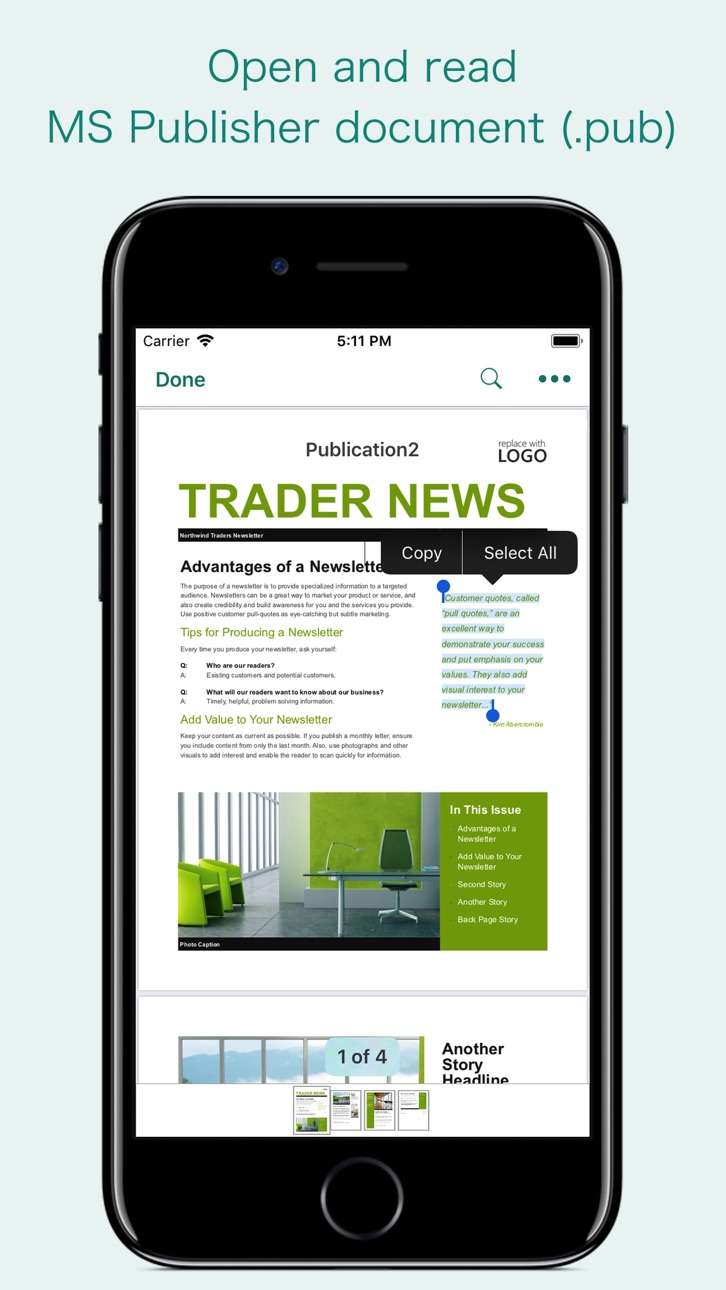
“PUB Reader” allows you to open and read Microsoft Publisher documents (PUB file) on iOS device. It offers you fantastic reading experience using document outlines, page thumbnails and text search features.
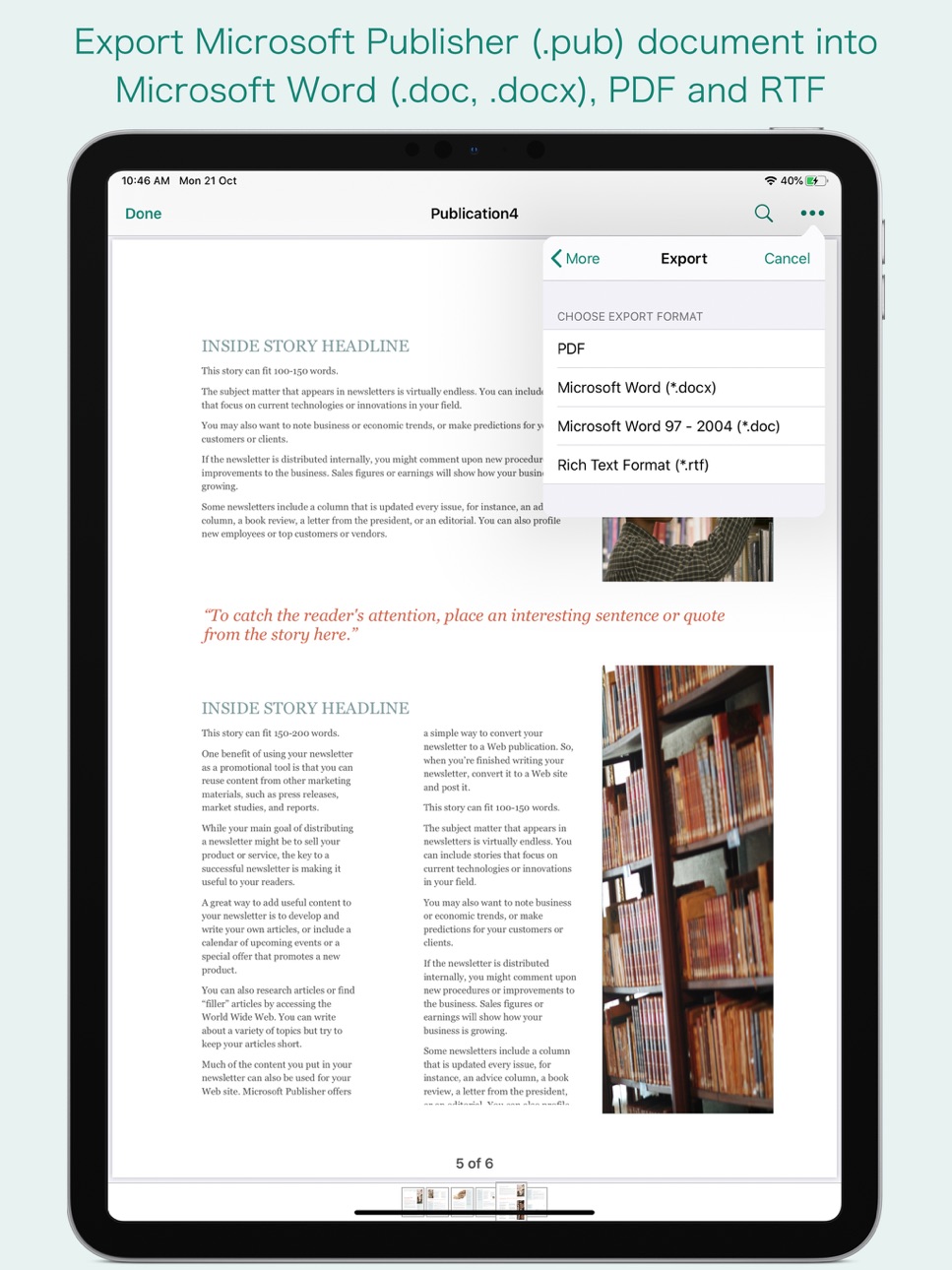
In addition, “PUB Reader” allows you to export PUB file into Microsoft Word(.docx, .doc) and RTF to make it available for editing in other Word processing software.
Do you receive Microsoft Publisher documents (.pub) as email attachments on you iPhone and iPad? Are you having plenty of Microsoft Publisher files that no decent viewer available to open on your iPhone and iPad? The easiest way to circumvent these problems is PUB Reader.
- It converts the text, text characteristics, paragraphs, text frames linking, text frame columns, tables, graphics and other Publisher objects and properties to the matching Microsoft Word format objects and properties by preserving layout.
- It also allows to convert PUB file into PDF.
- Standard document interaction interface to share, send and save exported documents.
READING FEATURES:
- Fully selectable and searchable text contents. Select and copy text to clipboard for further use.
- Pinch out and Pinch in to ZoomIn and ZoomOut view.
- Navigate through topics by document outlines, if exist.
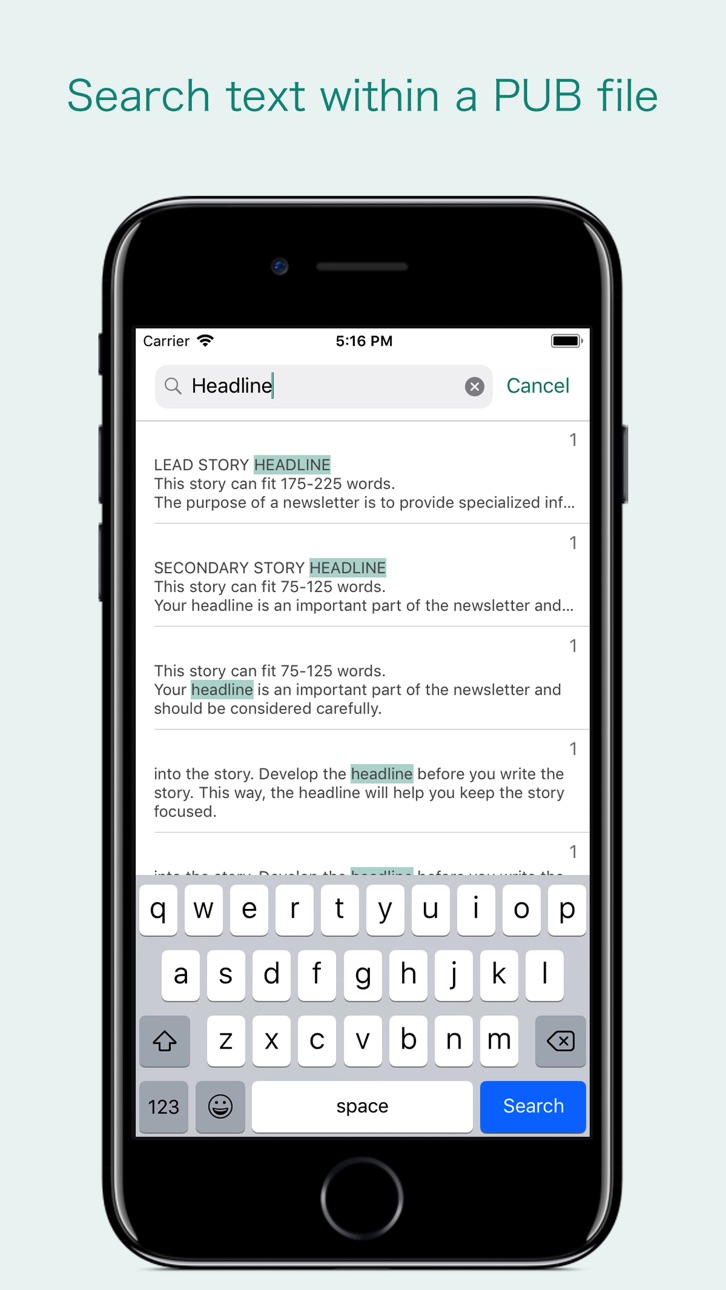
- Search text feature to find a character, word or sentence any where in a document.
- Scroll through your document by Page Thumbnails or Go to page feature.
DOCUMENT MANAGEMENT
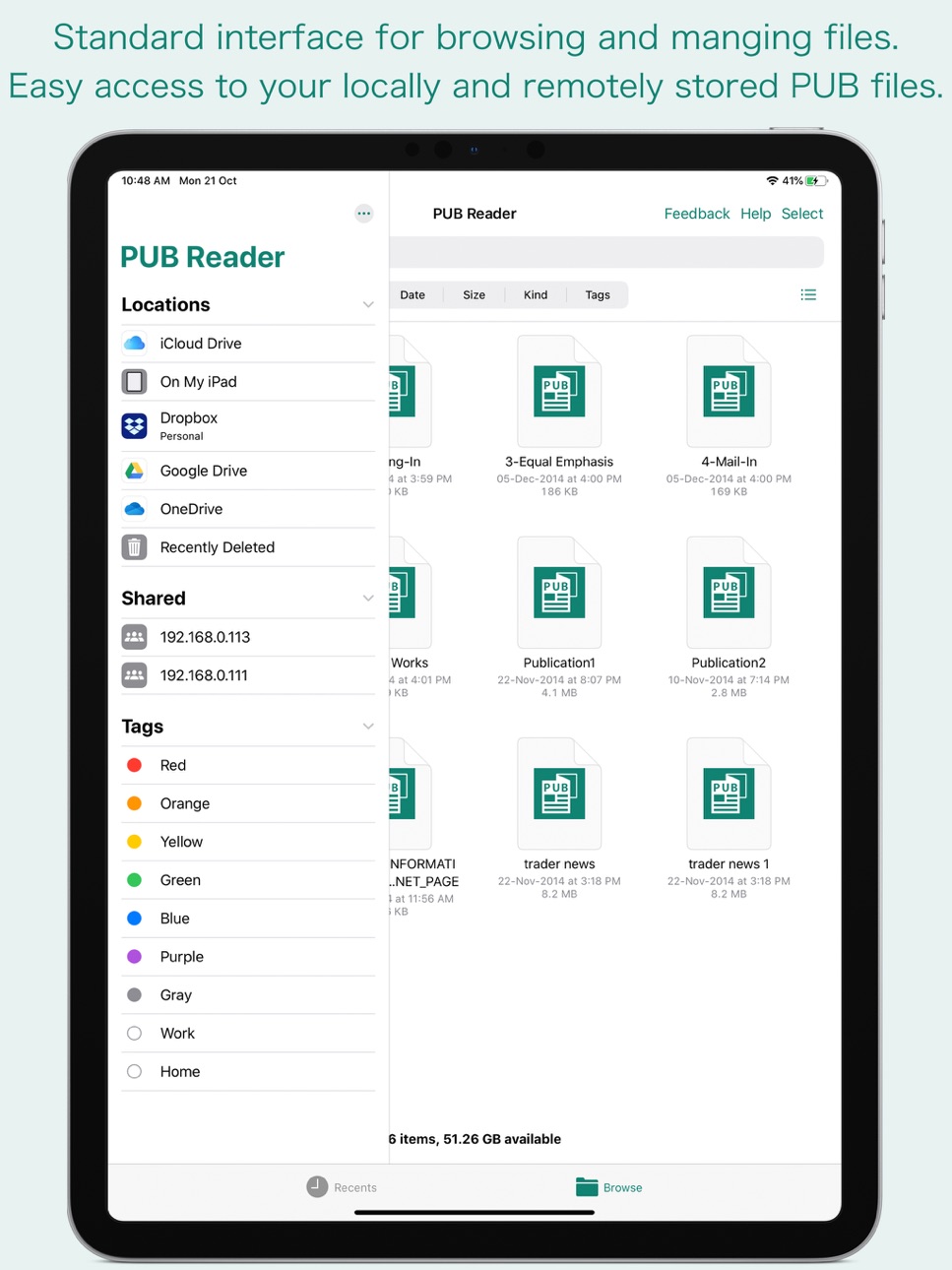
- The inbuilt document browse view automatically gives you the option to share documents using the Share button or a drag-and-drop action. It also provides a standard interface for browsing and managing documents.
- Automatically handles access to iCloud for you within the app. It also provides access to documents managed by third-party storage service extensions installed on your device.
- Browse, find and sort documents to help you locate the document you want. Tap the PUB file that you want to open.
- You can move, delete, duplicate and rename a document with document manager in browser view.
- In the document manager, you can group related documents into folders so they’re easy to find.
Note: “PUB Reader” is standalone application running natively to open and convert Microsoft Publisher documents (.pub) securely right on your iOS device.
You can refer User Manual for any assistance Or Contact Support.
Accessibility
ipadiphonemacrealityDevicetvoswatch
Version history 9 versions
Build 881623656v3.02026-01-20 21:17:21
- Bug fixes and UI improvements to streamline with latest iOS.
We are thankful to all users for their valuable feedback :)
Build 857574812v2.12023-06-03 16:05:42
- [FIXED] Printer action sheet failed to appear on some devices.
- [FIXED] Zoom scale failed to reset when document open in landscape and switch to portrait mode.
Build 837836060v2.02020-09-18 10:17:25
- Fully compatible for iOS 14.
- Addressed compatibility issue of Publisher to DOCX converted file with latest Microsoft Word. Now conversion into Microsoft Word (*.docx) will create fully compatible document for latest version of Microsoft Word across all platform. No more opening of converted DOCX file in Compatible Mode. You can now directly edit converted DOCX files without saving a copy from Microsoft Word.
- More WordArt types supported.
- Addressed missing shape issue.
- [FIXED] Complex compound path graphics shapes issue.
- Other minor bug fixes and improvements. Thank you all users for your feedback :)
Build 836680653v1.42020-07-02 23:41:09
- WordArt will appear beautifully. No more missing WordArt text.
- Addressed page ordering issue in older Publisher 2000 file format.
- Addressed header/footer, drop cap, text color, character styles and font issues.
- Improved font substitution using best match styles for unavailable fonts on device. This will improve look and flow of the publication. However, it is highly recommended to install missing fonts for correct layout and appearance.
- [FIXED] extra master and blank pages at end of the document.
- [FIXED] default fill and stroke color issue.
- [FIXED] missing and or twisted polygon shapes having formula and complex compound path.
- Improvements in conversion into MS Word(.doc, .docx), RTF and PDF with above resolved issue. Export conversion is now better and faster.
- Other minor bug fixes and improvements. Thank you all users for your feedback :)
Build 833244991v1.32019-10-21 17:28:11
- Added support for iOS 13 with System Dark appearance compatibility.
- Added iOS 13 External drive support - Access files on a USB drive, SD card or hard drive.
- Added iOS 13 File servers support - Connect to a file server at work or a home PC using SMB.
- Bug fixes.
- Other improvements. Thank you all users for your feedback :)
Build 830027472v1.22019-01-22 02:25:04
- Fixed issue related to unexpected quit of the app. Thanks to users for reporting the problem. It wouldn't be possible without your feedback.
Your feedback is valuable to us. It help us create a better product for you. Reach us at support@rootrisetech.com.
Build 828208164v1.12018-08-13 18:55:40
- Addressed app crash issue while exporting some Publisher files to Word (.doc, .docx)
- Other improvements.
Build 826332683v1.0.12018-03-20 16:35:16
- [Fixed] When opening PUB file from another app into "PUB Reader".
Build 823355189v1.02018-02-11 21:24:03
Price history by region
Currency
Show
Columns
Search
Availability 28 of 28 storefronts
| Region | Language | Price | Ratings | Avg | Version |
|---|---|---|---|---|---|
 US US | en-US | USD 14.99 | 48 | 3.9 | 3.0 |
 AI AI | en-GB | USD 14.99 | 0 | — | 3.0 |
 AO AO | en-GB | USD 14.99 | 0 | — | 3.0 |
 AR AR | es-MX | USD 14.99 | 0 | — | 3.0 |
 BH BH | en-GB | USD 14.99 | 0 | — | 3.0 |
 BN BN | en-GB | USD 14.99 | 0 | — | 3.0 |
 BR BR | pt-BR | BRL 99.9 | 0 | — | 3.0 |
 CL CL | es-MX | CLP 17990 | 0 | — | 3.0 |
 HR HR | en-GB | EUR 17.99 | 0 | — | 3.0 |
 JO JO | en-GB | USD 14.99 | 0 | — | 3.0 |
 KR KR | ko | KRW 25000 | 0 | — | 3.0 |
 KW KW | en-GB | USD 14.99 | 0 | — | 3.0 |
 KY KY | en-GB | USD 14.99 | 0 | — | 3.0 |
 LB LB | en-GB | USD 14.99 | 0 | — | 3.0 |
 LT LT | en-GB | EUR 17.99 | 0 | — | 3.0 |
 MD MD | en-GB | USD 17.99 | 0 | — | 3.0 |
 MO MO | zh-Hant-HK | USD 14.99 | 0 | — | 3.0 |
 MS MS | en-GB | USD 14.99 | 0 | — | 3.0 |
 MU MU | en-GB | USD 17.99 | 0 | — | 3.0 |
 MZ MZ | en-GB | USD 14.99 | 0 | — | 3.0 |
 NA NA | en-GB | USD 14.99 | 0 | — | 3.0 |
 OM OM | en-GB | USD 14.99 | 0 | — | 3.0 |
 SI SI | en-GB | EUR 17.99 | 0 | — | 3.0 |
 TC TC | en-GB | USD 14.99 | 0 | — | 3.0 |
 TJ TJ | en-GB | USD 14.99 | 0 | — | 3.0 |
 TM TM | en-GB | USD 14.99 | 0 | — | 3.0 |
 UZ UZ | en-GB | USD 14.99 | 0 | — | 3.0 |
 VC VC | en-GB | USD 14.99 | 0 | — | 3.0 |
Change log 13 changes · US
✎
releaseNotes updated
- Bug fixes and UI improvements to streamline with latest iOS.
We are thankful to all users for their valuable feedback :)
✎
description updated
“PUB Reader” allows you to open and read Microsoft Publisher documents (PUB file) on iOS device. It offers you fantastic reading experience using document outli
✎
subtitle updated
Viewer for Microsoft Publisher
✎
name updated
PUB Reader - for MS Publisher
◆
Version 3.0 released
- Bug fixes and UI improvements to streamline with latest iOS.
We are thankful to all users for their valuable feedback :)
◆
Version 2.1 released
- [FIXED] Printer action sheet failed to appear on some devices.
- [FIXED] Zoom scale failed to reset when document open in landscape and switch to portrait mode.
◆
Version 2.0 released
- Fully compatible for iOS 14.
- Addressed compatibility issue of Publisher to DOCX converted file with latest Microsoft Word. Now conversion into Microsoft Word (*.docx) will create fully compatible document for latest version of Microsof
◆
Version 1.4 released
- WordArt will appear beautifully. No more missing WordArt text.
- Addressed page ordering issue in older Publisher 2000 file format.
- Addressed header/footer, drop cap, text color, character styles and font issues.
- Improved font substit
◆
Version 1.3 released
- Added support for iOS 13 with System Dark appearance compatibility.
- Added iOS 13 External drive support - Access files on a USB drive, SD card or hard drive.
- Added iOS 13 File servers support - Connect to a file server at work or a ho
◆
Version 1.2 released
- Fixed issue related to unexpected quit of the app. Thanks to users for reporting the problem. It wouldn't be possible without your feedback.
Your feedback is valuable to us. It help us create a better product for you. Reach us at support
◆
Version 1.1 released
- Addressed app crash issue while exporting some Publisher files to Word (.doc, .docx)
- Other improvements.
◆
Version 1.0.1 released
- [Fixed] When opening PUB file from another app into "PUB Reader".
◆
Version 1.0 released