Home › Photo & Video

 US
US
 AGen-GB
 AIen-GB
 AOen-GB
 ARes-MX
 BBen-GB
 BOes-MX
 BRpt-BR
 BSen-GB
 BWen-GB
 BZen-GB
 CDen-GB
 CGen-GB
 CIfr-FR
 CLes-MX
 CMfr-FR
 CRes-MX
 CVen-GB
 DMen-GB
 DOes-MX
 DZen-GB
 GAfr-FR
 GDen-GB
 GMen-GB
 GTes-MX
 GWen-GB
 GYen-GB
 HNes-MX
 JMen-GB
 LRen-GB
 LYen-GB
 MAen-GB
 MGen-GB
 MSen-GB
 MUen-GB
 MWen-GB
 MXes-MX
 MZen-GB
 NAen-GB
 NEen-GB
 NGen-GB
 NIes-MX
 PAes-MX
 PYes-MX
 RWen-GB
 SCen-GB
 SLen-GB
 SNen-GB
 SRen-GB
 STen-GB
 SVes-MX
 SZen-GB
 TCen-GB
 TDen-GB
 TNen-GB
 TTen-GB
 UGen-GBUSen-US
 UYen-GB
 ZMen-GB
 ZWen-GB
60 of 60 storefronts
Content in en-US
Content in en-US
Information
Apple ID1271636214
Bundle IDcom.appjud.fixel
SellerSeller
Min iOS12.0
Min macOS11.0
Device familiesiphone, ipad, ipod
Released2017-09-16
Copyright© 2020 Appjud Inc.
Privacy policyLink ↗
Preview 2 platforms
iPhone 6 images


iPad 1 image

What’s New Version 4.1.0
Bug fixes, UI, performance improvements
Long press to quick look
Whites slider,
Saturation, and vibrance have greater range
Improved navigation
Description
Fixel Photo Editor is built for simplicity. With essential tools to give truly effective and natural results. Edit tone, sharpness, clarity, and color. And with our built in Photo Manager, preview, share, and delete your albums easier
Why Fixel 4.0.
1. Tone panel
With our tone panel, easily edit brightness, shadows and highlights with one panel. No need for multiple steps to give effective results.
2. Adjust color with Coloraturas Panel
Fixel includes 3 ways to adjust color: cast, vibrance, and saturation.
3. Get more detailed and Crispy Image
Mobile phone photos can be soft due to camera shake, poor sensors, or poor lighting. Fixel provides both a clarity tool and sharpening tool to improve soft photos. You can even zoom, greatly useful on smaller mobile screens.
4. Inspect, manage and share With Photo Previewer.
With the built-in photo previewer you can:
- Browse photos in full view
- Switch between photos intuitively with pan navigation
- Select multiple photos
- View exif date
- Share
- Manage photos: Add, delete, copy to an album
6. Zoom while editing.
A mobile screen is too small to see details of adjustments made. Unlike other apps, Fixel supports zoom while editing— critical in operations such as sharpening to see fine-tuned adjustments
Capabilities
In-App Purchases
Accessibility
ipadiphonemacrealityDevicetvoswatch
Version history 21 versions
Build 837694311v4.1.02020-09-08 21:41:09
Bug fixes, UI, performance improvements
Long press to quick look
Whites slider,
Saturation, and vibrance have greater range
Improved navigation
Build 836984565v4.0.42020-07-24 13:46:36
Interface improvements, bug fixes, and performance enhancements
Build 836387975v4.0.32020-06-21 12:13:14
Bug fixes
Build 835518869v4.0.22020-04-20 10:51:16
4.0.2 Bug fixes
4.0
1. Improved interface, simpler navigation, faster response
2. Better tone adjustment: enhanced processing gives much better results
3. New clarity slider makes for sharper, crisper images
4. Performance enhancements and bug fixes for the latest iOS
Build 835490595v4.0.12020-04-10 14:03:22
4.0.1 Minor bug fixes
4.0
1. Improved interface, simpler navigation, faster response
2. Better tone adjustment: enhanced processing gives much better results
3. New clarity slider makes for sharper, crisper images
4. Performance enhancements and bug fixes for the latest iOS
Build 835480584v4.02020-04-09 21:38:30
All improved interface--now much faster, better looking and fmore luid
New clarity slider brings out the crispiness in every image
Performance enhancements
Bug fixes for the new version of iOS
Build 828783576v3.0.32018-10-02 21:58:09
3.0.3
Fixes an issue of crashing in iOS 12 when a photo is opened
3.0.0
Fixel 3 is a huge update which improves the interface, navigation, speed, performance, and functionality. We believe the new Fixel will make your photos better at lest effort and time!
10 new features:
1. All new design.
We’ve made adjustments to every aspect of Fixel to make it more reliable, intuitive and functional.
2. Panel views.
We’ve now organized multiple sliders into a single view panels. Multiple adjustments can now be made simpler and faster.
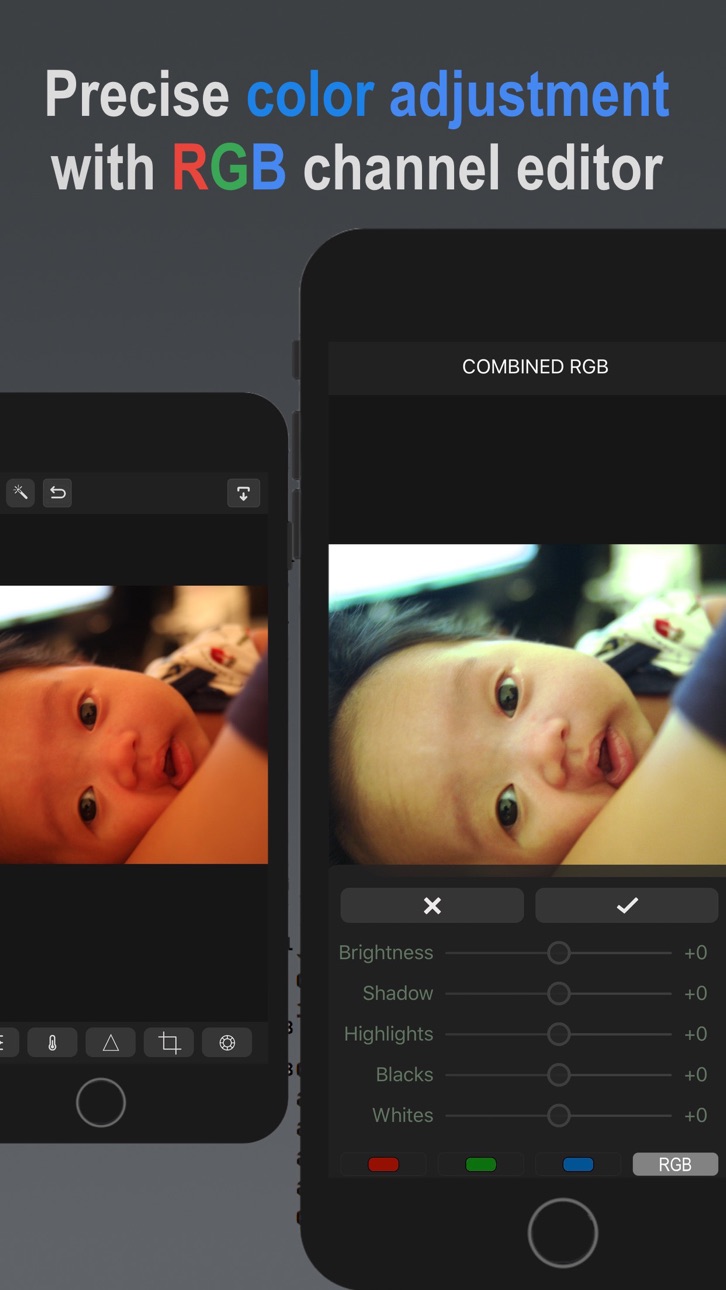
3. RGB Channel Editor.
Color catches the eye and conveys emotion. With Fixel you can adjust each individual RGB channel with five tone sliders per channel for more fine-tuned results. Adjust the proportions of red, green , and blue in an image to correct color imbalances, remove ugly casts, or to create artistic effects.
4. Create beatiful black & white images with channels.
Black&white photos give a timeless look with heightened emotion. With Fixel each RGB channel is ready-made black & white image which can be saved or further adjusted with five tone sliders per channel to create your b&w image.
5. Upgraded photo previewer.
Photo previewer is now easier and more intuitive with pan navigation to switch between photos. We’ve added new functions such as add to album, delete from album and more.
6. New clarity tool.
Augmenting the sharpening tool, Fixel now allows a second way to bring out details in a photo by adjusting local contrast with a threshold and radius sliders
7. Upgraded crop and straighten and new rotate tool.
This essential tools are now combined in one panel for easier use and power.
8. New filters tool.
Select from 9 useful filters and apply instantly
9. All new tone curves
We’ve reworked ALL our tone algorithms: brightness, shadows, highlights, and blacks to make it more effective. We think you will love the results it gives.
10. Zoom while editing.
A mobile screen is too small to see adjustment results. We’ve built Fixel to allow zooming a photo while you edit— critical in operations such as sharpening
Build 828701288v3.0.22018-09-25 15:41:48
3.0.2
Fixes an issue of crashing in iOS 12 when a photo is opened
3.0.0
Fixel 3 is a huge update which improves the interface, navigation, speed, performance, and functionality. We believe the new Fixel will make your photos better at lest effort and time!
10 new features:
1. All new design.
We’ve made adjustments to every aspect of Fixel to make it more reliable, intuitive and functional.
2. Panel views.
We’ve now organized multiple sliders into a single view panels. Multiple adjustments can now be made simpler and faster.
3. RGB Channel Editor.
Color catches the eye and conveys emotion. With Fixel you can adjust each individual RGB channel with five tone sliders per channel for more fine-tuned results. Adjust the proportions of red, green , and blue in an image to correct color imbalances, remove ugly casts, or to create artistic effects.
4. Create beatiful black & white images with channels.
Black&white photos give a timeless look with heightened emotion. With Fixel each RGB channel is ready-made black & white image which can be saved or further adjusted with five tone sliders per channel to create your b&w image.
5. Upgraded photo previewer.
Photo previewer is now easier and more intuitive with pan navigation to switch between photos. We’ve added new functions such as add to album, delete from album and more.
6. New clarity tool.
Augmenting the sharpening tool, Fixel now allows a second way to bring out details in a photo by adjusting local contrast with a threshold and radius sliders
7. Upgraded crop and straighten and new rotate tool.
This essential tools are now combined in one panel for easier use and power.
8. New filters tool.
Select from 9 useful filters and apply instantly
9. All new tone curves
We’ve reworked ALL our tone algorithms: brightness, shadows, highlights, and blacks to make it more effective. We think you will love the results it gives.
10. Zoom while editing.
A mobile screen is too small to see adjustment results. We’ve built Fixel to allow zooming a photo while you edit— critical in operations such as sharpening
Build 828687409v3.0.12018-09-23 18:04:45
3.0.1
Fixed the tonal curves for even better performance
Some minor bug fixes
3.0.0
Fixel 3 is a huge update which improves the interface, navigation, speed, performance, and functionality. We believe the new Fixel will make your photos better at lest effort and time!
10 new features:
1. All new design.
We’ve made adjustments to every aspect of Fixel to make it more reliable, intuitive and functional.
2. Panel views.
We’ve now organized multiple sliders into a single view panels. Multiple adjustments can now be made simpler and faster.
3. RGB Channel Editor.
Color catches the eye and conveys emotion. With Fixel you can adjust each individual RGB channel with five tone sliders per channel for more fine-tuned results. Adjust the proportions of red, green , and blue in an image to correct color imbalances, remove ugly casts, or to create artistic effects.
4. Create beatiful black & white images with channels.
Black&white photos give a timeless look with heightened emotion. With Fixel each RGB channel is ready-made black & white image which can be saved or further adjusted with five tone sliders per channel to create your b&w image.
5. Upgraded photo previewer.
Photo previewer is now easier and more intuitive with pan navigation to switch between photos. We’ve added new functions such as add to album, delete from album and more.
6. New clarity tool.
Augmenting the sharpening tool, Fixel now allows a second way to bring out details in a photo by adjusting local contrast with a threshold and radius sliders
7. Upgraded crop and straighten and new rotate tool.
This essential tools are now combined in one panel for easier use and power.
8. New filters tool.
Select from 9 useful filters and apply instantly
9. All new tone curves
We’ve reworked ALL our tone algorithms: brightness, shadows, highlights, and blacks to make it more effective. We think you will love the results it gives.
10. Zoom while editing.
A mobile screen is too small to see adjustment results. We’ve built Fixel to allow zooming a photo while you edit— critical in operations such as sharpening
Build 828559718v3.0.02018-09-21 20:55:07
Fixel 3 is a huge update which improves the interface, navigation, speed, performance, and function
10 new features:
1. All new design.
We’ve made adjustments to every aspect of Fixel to make it more reliable, intuitive and functional.
2. Panel views.
We’ve now organized multiple sliders into a single view panels. Multiple adjustments can now be made simpler and faster.
3. RGB Channel Editor.
Color catches the eye and conveys emotion. With Fixel you can adjust each individual RGB channel with five tone sliders per channel for more fine-tuned results. Adjust the proportions of red, green , and blue in an image to correct color imbalances, remove ugly casts, or to create artistic effects.
4. Create beatiful black & white images with channels.
Black&white photos give a timeless look with heightened emotion. With Fixel each RGB channel is ready-made black & white image which can be saved or further adjusted with five tone sliders per channel to create your b&w image.
5. Upgraded photo previewer.
Photo previewer is now easier and more intuitive with pan navigation to switch between photos. We’ve added new functions such as add to album, delete from album and more.
6. New clarity tool.
Augmenting the sharpening tool, Fixel now allows a second way to bring out details in a photo by adjusting local contrast with a threshold and radius sliders
7. Upgraded crop and straighten and new rotate tool.
This essential tools are now combined in one panel for easier use and power.
8. New filters tool.
Select from 9 useful filters and apply instantly
9. All new tone algorithms.
We’ve reworked ALL our tone algorithms: brightness, shadows, highlights, and blacks to make it more effective
10. Zoom while editing.
A mobile screen is too small to see adjustment results. We’ve built Fixel to allow zooming a photo while you edit— critical in operations such as sharpening
Build 824440111v2.0.92017-11-17 03:16:11
1. Fast Photo Viewer with Batch Tools
Now you can quickly preview a photo, select, and batch delete and share with one tap
2. Better Image Handling
Fixel processes and saves large photos more efficiently
3. Faster and More Intuitive Navigation
Fixel has been improved to allow smoother zooming and editing
Photo Viewer now shows the position in your gallery
Photo Viewer now requires only one tap to view Exif data
4. Better Help
We've redesigned a much simpler help interface to learn Fixel's main features
5. Interface improvements
We've improved the interface through out the app for simplicity and coherence
Build 824122683v2.0.82017-10-23 23:03:23
Our latest update just made Fixel more powerful and precise with the choice of two modes in our Wand Tool:
Normal Edit and Dark Foreground. Normal Edit should work for most photos. Use Dark Foreground when photos have badly underexposed foregrounds and bright backgrounds. \n And because Fixel now applies the correction after the photo is taken, you don't need to do anything (zero steps) to get the best out of your photos. It's super simple to use. As usual, Fixel's Wand applies multiple editing steps automatically to balance the image, bring out detail yet preserving the image's natural look.
Build 824106942v2.0.72017-10-22 19:07:00
Take a photo and Fixel applies Wand correction instantly. No buttons to press. The original is automatically saved to the library. Its super convenient!
Build 824081896v2.0.62017-10-19 22:34:22
2.0.6
More stability and speed improvements
v2.0.0
Now Fixel includes a lightweight photo manager and viewer, an all new navigation system, and multiple updates to improve the user experience, speed and stability.
Build 824056046v2.0.52017-10-18 22:26:10
2.0.5
Multiple bug fixes
v2.0.0
Now Fixel includes a lightweight photo manager and viewer, an all new navigation system, and multiple updates to improve the user experience, speed and stability.
Build 824038201v2.0.42017-10-17 00:03:32
2.0.4
Camera now saves photos automatically
Multiple stability improvements
v2.0.0
Now Fixel includes a lightweight photo manager and viewer, an all new navigation system, and multiple updates to improve the user experience, speed and stability.
Build 824010753v2.0.32017-10-15 17:54:53
v2.0.3
Bug fixes related to iOS 11
Improved help video
v2.0.0
Now Fixel includes a lightweight photo manager and viewer, an all new navigation system, and multiple updates to improve the user experience, speed and stability.
10 new features:
1. Supports delete of multiple photos from a library or album
2. Supports creation of new albums
3. Add photos to an album
4. Delete an album
5. Sharpen tool now includes a radius slider for more accurate adjustments
6. Swipe left and right is now supported to move to the next or previous photo.
Photo viewing is super fast and fluid.
7. Better integration of gestures
8. All new tutorial video to improve the learning experience of the app.
9. Multiple animations and general interface improvements.
10. Multiple stability improvements makes this version the most stable ever.
Build 823979323v2.0.22017-10-11 17:43:10
v2.0.2
Minor bug fixes related to iOS 11 update
v2.0.0
Now Fixel includes a lightweight photo manager and viewer, an all new navigation system, and multiple updates to improve the user experience, speed and stability.
10 new features:
1. Supports delete of multiple photos from a library or album
2. Supports creation of new albums
3. Add photos to an album
4. Delete an album
5. Sharpen tool now includes a radius slider for more accurate adjustments
6. Swipe left and right is now supported to move to the next or previous photo.
Photo viewing is super fast and fluid.
7. Better integration of gestures
8. All new tutorial video to improve the learning experience of the app.
9. Multiple animations and general interface improvements.
10. Multiple stability improvements makes this version the most stable ever.
Build 823938292v2.02017-10-09 13:49:38
We are happy to launch v2.0 with a host of major improvements.
Now Fixel includes a lightweight photo manager and viewer, an all new navigation system, and multiple updates to improve the user experience, speed and stability.
10 new features:
1. Supports delete of multiple photos from a library or album
2. Supports creation of new albums
3. Add photos to an album
4. Delete an album
5. Sharpen tool now includes a radius slider for more accurate adjustments
6. Swipe left and right is now supported to move to the next or previous photo.
Photo viewing is super fast and fluid.
7. Better integration of gestures
8. All new tutorial video to improve the learning experience of the app.
9. Multiple animations and general interface improvements.
10. Multiple stability improvements makes this version the most stable ever.
Build 823952640v2.0.12017-10-09 22:39:07
v2.0.1
Minor bug fixes
v2.0.0
We are happy to launch v2.0 with a host of major improvements.
Now Fixel includes a lightweight photo manager and viewer, an all new navigation system, and multiple updates to improve the user experience, speed and stability.
10 new features:
1. Supports delete of multiple photos from a library or album
2. Supports creation of new albums
3. Add photos to an album
4. Delete an album
5. Sharpen tool now includes a radius slider for more accurate adjustments
6. Swipe left and right is now supported to move to the next or previous photo.
Photo viewing is super fast and fluid.
7. Better integration of gestures
8. All new tutorial video to improve the learning experience of the app.
9. Multiple animations and general interface improvements.
10. Multiple stability improvements makes this version the most stable ever.
Build 823305083v1.02017-09-16 21:18:23
No pricing data captured yet — comparisons appear once the app has paid storefronts or in-app purchases.
Availability 60 of 60 storefronts
| Region | Language | Price | Ratings | Avg | Version |
|---|---|---|---|---|---|
| AG | en-GB | Free | 0 | — | 4.1.0 |
| AI | en-GB | Free | 0 | — | 4.1.0 |
| AO | en-GB | Free | 0 | — | 4.1.0 |
| AR | es-MX | Free | 0 | — | 4.1.0 |
| BB | en-GB | Free | 0 | — | 4.1.0 |
| BO | es-MX | Free | 0 | — | 4.1.0 |
| BR | pt-BR | Free | 0 | — | 4.1.0 |
| BS | en-GB | Free | 0 | — | 4.1.0 |
| BW | en-GB | Free | 0 | — | 4.1.0 |
| BZ | en-GB | Free | 0 | — | 4.1.0 |
| CD | en-GB | Free | 0 | — | 4.1.0 |
| CG | en-GB | Free | 0 | — | 4.1.0 |
| CI | fr-FR | Free | 0 | — | 4.1.0 |
| CL | es-MX | Free | 0 | — | 4.1.0 |
| CM | fr-FR | Free | 0 | — | 4.1.0 |
| CR | es-MX | Free | 0 | — | 4.1.0 |
| CV | en-GB | Free | 0 | — | 4.1.0 |
| DM | en-GB | Free | 0 | — | 4.1.0 |
| DO | es-MX | Free | 0 | — | 4.1.0 |
| DZ | en-GB | Free | 0 | — | 4.1.0 |
| GA | fr-FR | Free | 0 | — | 4.1.0 |
| GD | en-GB | Free | 0 | — | 4.1.0 |
| GM | en-GB | Free | 0 | — | 4.1.0 |
| GT | es-MX | Free | 0 | — | 4.1.0 |
| GW | en-GB | Free | 0 | — | 4.1.0 |
| GY | en-GB | Free | 0 | — | 4.1.0 |
| HN | es-MX | Free | 0 | — | 4.1.0 |
| JM | en-GB | Free | 0 | — | 4.1.0 |
| LR | en-GB | Free | 0 | — | 4.1.0 |
| LY | en-GB | Free | 0 | — | 4.1.0 |
| MA | en-GB | Free | 0 | — | 4.1.0 |
| MG | en-GB | Free | 0 | — | 4.1.0 |
| MS | en-GB | Free | 0 | — | 4.1.0 |
| MU | en-GB | Free | 0 | — | 4.1.0 |
| MW | en-GB | Free | 0 | — | 4.1.0 |
| MX | es-MX | Free | 0 | — | 4.1.0 |
| MZ | en-GB | Free | 0 | — | 4.1.0 |
| NA | en-GB | Free | 0 | — | 4.1.0 |
| NE | en-GB | Free | 0 | — | 4.1.0 |
| NG | en-GB | Free | 0 | — | 4.1.0 |
| NI | es-MX | Free | 0 | — | 4.1.0 |
| PA | es-MX | Free | 0 | — | 4.1.0 |
| PY | es-MX | Free | 0 | — | 4.1.0 |
| RW | en-GB | Free | 0 | — | 4.1.0 |
| SC | en-GB | Free | 0 | — | 4.1.0 |
| SL | en-GB | Free | 0 | — | 4.1.0 |
| SN | en-GB | Free | 0 | — | 4.1.0 |
| SR | en-GB | Free | 0 | — | 4.1.0 |
| ST | en-GB | Free | 0 | — | 4.1.0 |
| SV | es-MX | Free | 0 | — | 4.1.0 |
| SZ | en-GB | Free | 0 | — | 4.1.0 |
| TC | en-GB | Free | 0 | — | 4.1.0 |
| TD | en-GB | Free | 0 | — | 4.1.0 |
| TN | en-GB | Free | 0 | — | 4.1.0 |
| TT | en-GB | Free | 0 | — | 4.1.0 |
| UG | en-GB | Free | 0 | — | 4.1.0 |
| US | en-US | Free | 0 | — | 4.1.0 |
| UY | en-GB | Free | 0 | — | 4.1.0 |
| ZM | en-GB | Free | 0 | — | 4.1.0 |
| ZW | en-GB | Free | 0 | — | 4.1.0 |
Change log 25 changes · US
✎
releaseNotes updated
Bug fixes, UI, performance improvements
Long press to quick look
Whites slider,
Saturation, and vibrance have greater range
Improved navigation
✎
description updated
Fixel Photo Editor is built for simplicity. With essential tools to give truly effective and natural results. Edit tone, sharpness, clarity, and color. And wit
✎
subtitle updated
Simplest photo editor
✎
name updated
Fixel Photo Editor
◆
Version 4.1.0 released
Bug fixes, UI, performance improvements
Long press to quick look
Whites slider,
Saturation, and vibrance have greater range
Improved navigation
◆
Version 4.0.4 released
Interface improvements, bug fixes, and performance enhancements
◆
Version 4.0.3 released
Bug fixes
◆
Version 4.0.2 released
4.0.2 Bug fixes
4.0
1. Improved interface, simpler navigation, faster response
2. Better tone adjustment: enhanced processing gives much better results
3. New clarity slider makes for sharper, crisper images
4. Performance enhancements and
◆
Version 4.0.1 released
4.0.1 Minor bug fixes
4.0
1. Improved interface, simpler navigation, faster response
2. Better tone adjustment: enhanced processing gives much better results
3. New clarity slider makes for sharper, crisper images
4. Performance enhancement
◆
Version 4.0 released
All improved interface--now much faster, better looking and fmore luid
New clarity slider brings out the crispiness in every image
Performance enhancements
Bug fixes for the new version of iOS
◆
Version 3.0.3 released
3.0.3
Fixes an issue of crashing in iOS 12 when a photo is opened
3.0.0
Fixel 3 is a huge update which improves the interface, navigation, speed, performance, and functionality. We believe the new Fixel will make your photos better at lest
◆
Version 3.0.2 released
3.0.2
Fixes an issue of crashing in iOS 12 when a photo is opened
3.0.0
Fixel 3 is a huge update which improves the interface, navigation, speed, performance, and functionality. We believe the new Fixel will make your photos better at lest
◆
Version 3.0.1 released
3.0.1
Fixed the tonal curves for even better performance
Some minor bug fixes
3.0.0
Fixel 3 is a huge update which improves the interface, navigation, speed, performance, and functionality. We believe the new Fixel will make your photos b
◆
Version 3.0.0 released
Fixel 3 is a huge update which improves the interface, navigation, speed, performance, and function
10 new features:
1. All new design.
We’ve made adjustments to every aspect of Fixel to make it more reliable, intuitive and functional.
◆
Version 2.0.9 released
1. Fast Photo Viewer with Batch Tools
Now you can quickly preview a photo, select, and batch delete and share with one tap
2. Better Image Handling
Fixel processes and saves large photos more efficiently
3. Faster and More Intuitive Navi
◆
Version 2.0.8 released
Our latest update just made Fixel more powerful and precise with the choice of two modes in our Wand Tool:
Normal Edit and Dark Foreground. Normal Edit should work for most photos. Use Dark Foreground when photos have badly underexposed for
◆
Version 2.0.7 released
Take a photo and Fixel applies Wand correction instantly. No buttons to press. The original is automatically saved to the library. Its super convenient!
◆
Version 2.0.6 released
2.0.6
More stability and speed improvements
v2.0.0
Now Fixel includes a lightweight photo manager and viewer, an all new navigation system, and multiple updates to improve the user experience, speed and stability.
◆
Version 2.0.5 released
2.0.5
Multiple bug fixes
v2.0.0
Now Fixel includes a lightweight photo manager and viewer, an all new navigation system, and multiple updates to improve the user experience, speed and stability.
◆
Version 2.0.4 released
2.0.4
Camera now saves photos automatically
Multiple stability improvements
v2.0.0
Now Fixel includes a lightweight photo manager and viewer, an all new navigation system, and multiple updates to improve the user experience, speed and s
◆
Version 2.0.3 released
v2.0.3
Bug fixes related to iOS 11
Improved help video
v2.0.0
Now Fixel includes a lightweight photo manager and viewer, an all new navigation system, and multiple updates to improve the user experience, speed and stability.
10 new feat
◆
Version 2.0.2 released
v2.0.2
Minor bug fixes related to iOS 11 update
v2.0.0
Now Fixel includes a lightweight photo manager and viewer, an all new navigation system, and multiple updates to improve the user experience, speed and stability.
10 new features:
1
◆
Version 2.0.1 released
v2.0.1
Minor bug fixes
v2.0.0
We are happy to launch v2.0 with a host of major improvements.
Now Fixel includes a lightweight photo manager and viewer, an all new navigation system, and multiple updates to improve the user experience, s
◆
Version 2.0 released
We are happy to launch v2.0 with a host of major improvements.
Now Fixel includes a lightweight photo manager and viewer, an all new navigation system, and multiple updates to improve the user experience, speed and stability.
10 new feat
◆
Version 1.0 released