Home › Entertainment

 US
US
1 of 1 storefronts
Content in en-US
Content in en-US
Information
Preview 2 platforms
iPhone 6 images


iPad 6 images


What’s New Version 3.0
- You have been asking for it: removing unnecessary nodes! This can be done by copying and pasting onto an empty canvas. This way, all references are still in the old CP but the new CP is clean as a whistle.
- Mirror fold: Entry order has been reversed: first select the fold to reflect, then the mirror. If you land on a point with multiple possibilities, the latest fold remains selected and you can choose a new mirror to continue the propagation.
- Undo / Redo now works across sessions. When the app is relaunched, Undo is locked but can be unlocked with a long press.
- Continuous angle mode: for those working in a fixed angle system (22.5, 30, or 15 degrees), a long press allows repeated entry of angle-constrained folds.
Description
For advanced origami folders, OrigamiDraw brings an unparalleled level of comfort to Crease Pattern (CP) design. On your couch —or anywhere inspiration strikes you— draw your CP as you would fold your paper, intuitively, easily, fast.
With OrigamiDraw, you can:
- Perform all folds possible with the 7 Huzita-Hatori/Justin axioms
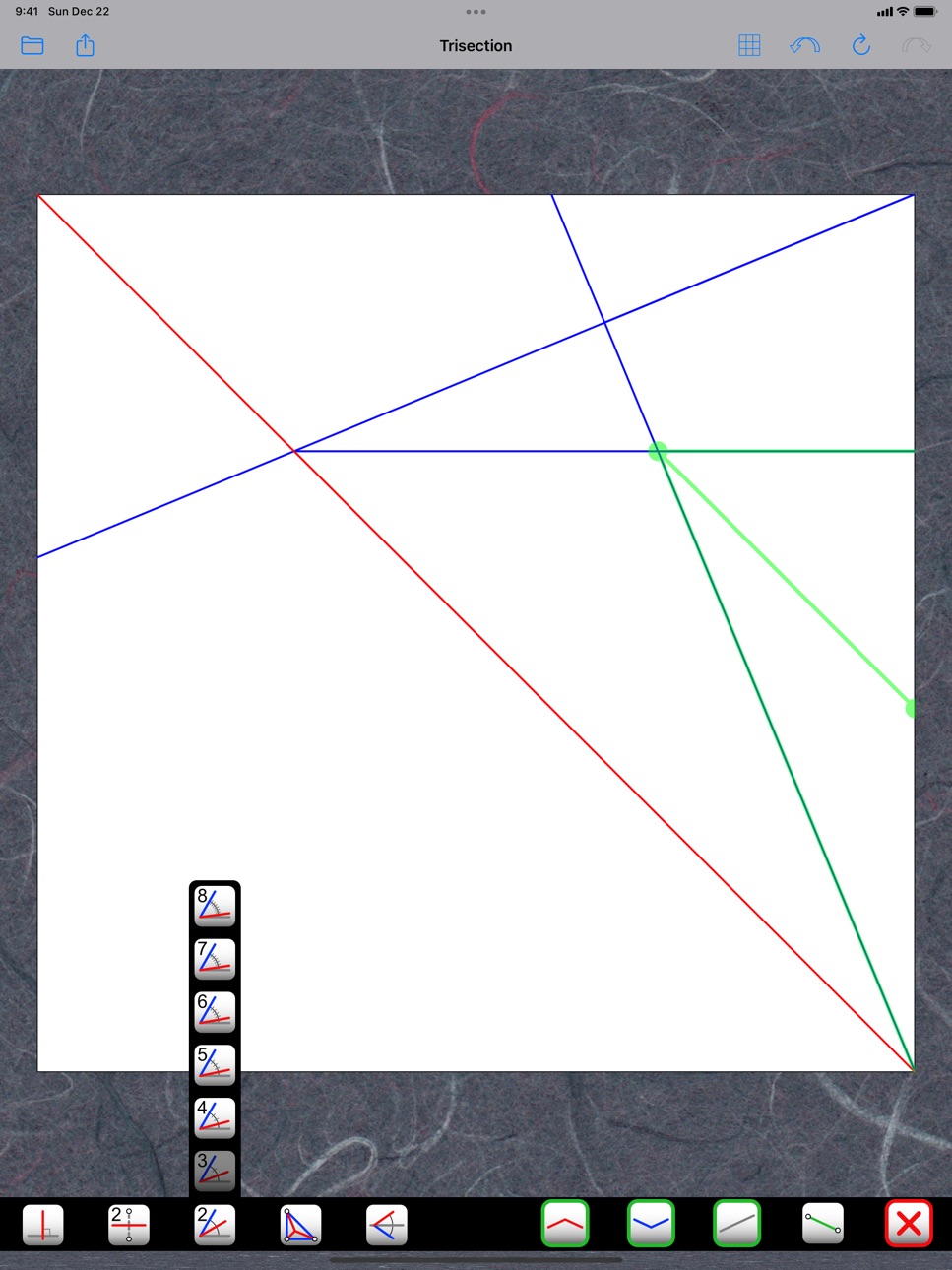
- Divide segments and angles in any number between 2 and 8
- Compose with building blocks from rabbit ear to frog base, or even your own patterns
- Propagate new folds across existing ones, alternating mountain and valley folds (or not)
- Instantly find the missing fold to flatten the paper around a node
- Find and retain all references needed to replicate your model exactly
- Verify the flat-foldability of your base, with clear indications if anything is missing
- See an X-ray image of your folded model
- Keep all your CPs in one place
- Create different versions as your design evolves or to show a folding sequence
- E-mail your CP to your desktop computer as an Oripa, Orihime, Oriedita, Flat-Folder, PNG, JPG, and/or SVG file
Accessibility
ipadiphonemacrealityDevicetvoswatch
Version history 9 versions
Build 871299374v3.02025-01-15 21:14:39
- You have been asking for it: removing unnecessary nodes! This can be done by copying and pasting onto an empty canvas. This way, all references are still in the old CP but the new CP is clean as a whistle.
- Mirror fold: Entry order has been reversed: first select the fold to reflect, then the mirror. If you land on a point with multiple possibilities, the latest fold remains selected and you can choose a new mirror to continue the propagation.
- Undo / Redo now works across sessions. When the app is relaunched, Undo is locked but can be unlocked with a long press.
- Continuous angle mode: for those working in a fixed angle system (22.5, 30, or 15 degrees), a long press allows repeated entry of angle-constrained folds.
Build 845456599v2.32021-11-21 22:04:27
Copy, Paste, and Mirror-Paste, within a CP or from one CP to another. This allows all kinds of manipulations, like re-using part of a design, completing a symmetrical CP or a tiling, or designing a tilted-grid model.
Build 839240124v2.22020-11-19 03:07:10
- Long-press replaces press-and-drag as it is the new standard across all iOS and iPadOS devices.
- New functions to draw folds at multiples of 22.5, 30, or 15 degrees (see in the “perpendicular” submenu).
- Export to CP format (for import into Orihime).
- Improved zooming, increased grid sizes (256 on iPad, 128 on iPhone).
- Big-Little-Big Lemma of flat-foldability.
- X-ray image included in JPEG, PNG, and SVG exports.
- Refreshed button designs.
Build 834767235v2.12020-02-20 22:59:57
- Search in the CP Catalog.
- Virtual folding!
If flat-foldability theorems are satisfied, an X-ray view of your model can be shown on top of your CP, with one face shared between them. You can move this shared face anywhere on your CP. You can revert to normal drawing mode leaving the X-ray view in place as a reference, or dismiss it.
If some theorems are not satisfied, symbols will show as before where the problems are. If only Maekawa's 2nd theorem (color assignment) is not satisfied, you can still get the X-ray view, meaning you can get the folded view of a non-oriented CP.
- Parallel and Axioms 5, 6, and 7 work in more edge cases.
Build 834639290v2.02020-02-13 20:57:01
Virtual folding!
If flat-foldability theorems are satisfied, an X-ray view of your model can be shown on top of your CP, with one face shared between them. You can move this shared face anywhere on your CP. You can revert to normal drawing mode leaving the X-ray view in place as a reference, or dismiss it.
If some theorems are not satisfied, symbols will show as before where the problems are. If only Maekawa's 2nd theorem (color assignment) is not satisfied, you can still get the X-ray view, meaning you can get the folded view of a non-oriented CP.
Build 832021506v1.82019-09-13 13:56:09
Extension of some features to make them more intuitive and powerful:
- The order of entry for the Mirror function has been changed from Fold-Mirror to Mirror-Fold. Sorry to make you change your habits but it opens up new possibilities!
- Angle Bisection and Mirror Fold now work with parallel folds.
- More export options have been added: PNG, JPG, and SVG (with different color schemes).
- Links to an online Tutorial and a Privacy Policy (see Settings).
Build 828309925v1.72018-08-23 17:30:38
Origami Draw is now more powerful and easier to use than ever. It has become the first app that implements all 7 axioms of origami folding! (i.e., Huzita-Hatori/Justin axioms.) You can draw the most complex geometries without any calculation. Moreover, with the new Grid menu, you can vary the display according to your needs: with or without the grid, reference lines, or vertices, so you can keep your focus on the structure of your origami, with nothing to distract you.
Build 826709669v1.52018-04-19 21:14:19
Fixed a bug in function "Fold a Point Onto a Line, Around a Pivot" that was giving the wrong fold in some particular situations. In the process, the entry mode was changed from point-line-pivot to pivot-point-line. This allows selection of the desired fold when two possibilities exist. When the fold is entered, the landing point of the first point onto the line is also entered. It is invisible but can be selected for further constructions. This function is seldom used, except at the beginning of very technical designs. It is the Huzita-Hatori/Justin axiom #5.
Build 823197384v1.42018-04-09 18:07:22
No pricing data captured yet — comparisons appear once the app has paid storefronts or in-app purchases.
Availability 1 of 1 storefronts
| Region | Language | Price | Ratings | Avg | Version |
|---|---|---|---|---|---|
| US | en-US | Free | 11 | 4.5 | 3.0 |
Change log 13 changes · US
✎
releaseNotes updated
- You have been asking for it: removing unnecessary nodes! This can be done by copying and pasting onto an empty canvas. This way, all references are still in t
✎
description updated
For advanced origami folders, OrigamiDraw brings an unparalleled level of comfort to Crease Pattern (CP) design. On your couch —or anywhere inspiration strikes
✎
subtitle updated
Crease Patterns with Ease
✎
name updated
OrigamiDraw
◆
Version 3.0 released
- You have been asking for it: removing unnecessary nodes! This can be done by copying and pasting onto an empty canvas. This way, all references are still in the old CP but the new CP is clean as a whistle.
- Mirror fold: Entry order has b
◆
Version 2.3 released
Copy, Paste, and Mirror-Paste, within a CP or from one CP to another. This allows all kinds of manipulations, like re-using part of a design, completing a symmetrical CP or a tiling, or designing a tilted-grid model.
◆
Version 2.2 released
- Long-press replaces press-and-drag as it is the new standard across all iOS and iPadOS devices.
- New functions to draw folds at multiples of 22.5, 30, or 15 degrees (see in the “perpendicular” submenu).
- Export to CP format (for import
◆
Version 2.1 released
- Search in the CP Catalog.
- Virtual folding!
If flat-foldability theorems are satisfied, an X-ray view of your model can be shown on top of your CP, with one face shared between them. You can move this shared face anywhere on your CP. You
◆
Version 2.0 released
Virtual folding!
If flat-foldability theorems are satisfied, an X-ray view of your model can be shown on top of your CP, with one face shared between them. You can move this shared face anywhere on your CP. You can revert to normal drawing
◆
Version 1.8 released
Extension of some features to make them more intuitive and powerful:
- The order of entry for the Mirror function has been changed from Fold-Mirror to Mirror-Fold. Sorry to make you change your habits but it opens up new possibilities!
- An
◆
Version 1.7 released
Origami Draw is now more powerful and easier to use than ever. It has become the first app that implements all 7 axioms of origami folding! (i.e., Huzita-Hatori/Justin axioms.) You can draw the most complex geometries without any calculatio
◆
Version 1.5 released
Fixed a bug in function "Fold a Point Onto a Line, Around a Pivot" that was giving the wrong fold in some particular situations. In the process, the entry mode was changed from point-line-pivot to pivot-point-line. This allows selection of
◆
Version 1.4 released