Home › Education

 US
US
1 of 1 storefronts
Content in en-US
Content in en-US
Information
Preview 2 platforms
iPhone 4 images

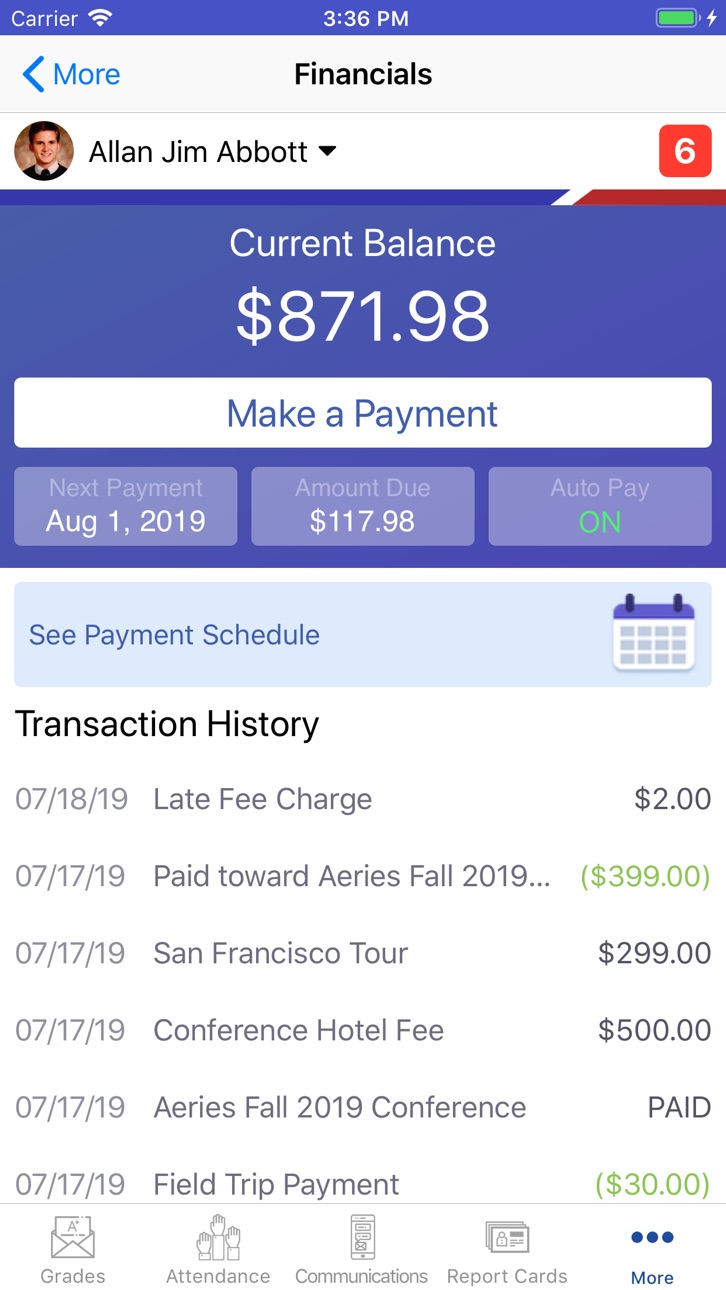


iPad 4 images


What’s New Version 2.4.31
This update improves accessibility for VoiceOver users.
Accessibility Improvements
• Added proper heading structure across Login, Home, Grades, Notifications, and Settings
• Added missing button, dialog, and form roles in What-if edit mode, Grade Filter, and account screens
• Added labels and value announcements for form fields, pickers, and the What-if score editor
• Improved color contrast for text on the Home, Grades, and Notifications screens
• Improved focus order and announcements across the app
Description
Now parents and students can take their student information with them on-the-go, with the first version of the Aeries Mobile Portal app for parents and students!
Put your Aeries student data in your pocket with Aeries Mobile Portal. Check gradebook details, review attendance, and access Aeries Communications - right from the palm of your hand!
• Gradebook summary and gradebook details
• Attendance including tardies and absences
• Student contact information
• QR code Supplemental Attendance check-in scanner
• In-app access to your Aeries Communications portal (if enabled at your district)
Important - please note you can only utilize this app if your school district is using the Aeries Student Information System. Contact your school for more information regarding compatibility with the Aeries Mobile Portal app.
Accessibility
ipadiphonemacrealityDevicetvoswatch
Version history 25 versions
Build 887671139v2.4.312026-07-01 16:26:40
This update improves accessibility for VoiceOver users.
Accessibility Improvements
• Added proper heading structure across Login, Home, Grades, Notifications, and Settings
• Added missing button, dialog, and form roles in What-if edit mode, Grade Filter, and account screens
• Added labels and value announcements for form fields, pickers, and the What-if score editor
• Improved color contrast for text on the Home, Grades, and Notifications screens
• Improved focus order and announcements across the app
Build 885149713v2.4.302026-05-01 16:16:31
This update improves accessibility for VoiceOver users.
Accessibility Improvements
• Added missing button roles in What-if edit mode, Attendance, and Contacts
• Added labels and value announcements for the What-if score slider
• Improved focus order and announcements across the app
Build 883959808v2.4.292026-04-06 17:10:40
This update improves accessibility and enhances overall app stability.
Accessibility Improvements
• Improved screen reader navigation
• Better button labeling and UI descriptions
Stability Improvements
• General bug fixes and performance enhancements
Build 880836290v2.4.282025-12-19 20:22:43
This update improves app stability by resolving critical crashes during login and general navigation. We’ve also fixed the "Something went wrong" error and database issues occurring after app updates, ensuring a smoother transition between versions and better performance for multi-student accounts.
Build 878761988v2.4.272025-12-15 22:28:59
Enhanced stability on iOS 26 with important fixes for crashes and general performance.
Build 878557685v2.4.262025-10-01 06:02:08
Stability and performance improvements.
Build 875083483v2.4.252025-09-10 11:32:39
As part of the Follett LivingTree Rebranding Project, renamed Aeries Financials to be Aeries Payments
Build 874078922v2.4.242025-05-21 18:53:16
Resolved several crash issues. The app is now more stable and reliable.
Fixed issues affecting key screens such as Messages, Grades, Demographics, Contacts, and Home. These screens now load and function as expected.
Build 873837145v2.4.232025-04-11 22:20:44
Resolved tab bar controller issues that were causing application crashes, leading to improved stability and a better user experience.
Build 873151249v2.4.222025-03-27 17:43:14
Resolved issues of notification and its count related issues to enhance the user experience.
Build 872620512v2.4.212025-03-05 23:43:51
Enhanced the app’s reliability by integrating Crashlytics, enabling efficient tracking, prioritizations, and resolution of stability issue and fixing particular issues of report card functionality—ensuring a smoother and more seamless user experience.
Build 844541779v2.4.202024-10-25 16:19:51
Improved Stability: We’ve made several under-the-hood improvements to boost the app’s stability and reliability.
Build 844254737v2.4.182021-09-28 22:16:07
Enhancements were made on the Grades screen. Also the N/A mark has been replaced with blank in certain cases.
Build 843398746v2.4.172021-08-03 15:31:09
In some circumstances, the What If feature was improperly disabled for students that attend two or more schools, fixed.
Build 842036211v2.4.162021-05-01 17:54:32
A new survey is available for users to provide feedback for new features in the new Aeries Student App. The survey will be available until June 15, 2021.
Build 841279816v2.4.152021-04-09 07:41:39
Fixed some bugs.
Build 841010854v2.4.142021-03-23 00:22:19
- For iOS 13 and higher, a new option was added to the Settings screen to allow users to enable and disable dark mode.
Build 840560875v2.4.132021-02-20 11:32:35
- An offline banner will be displayed when the device is not connected to the internet.
- Fixed minor bugs.
Build 840281980v2.4.112021-01-31 12:11:21
- The colors on the grades screen can now be disabled from the Settings.
- Dark mode is now supported.
Build 839731657v2.4.102020-12-19 18:54:01
- Tapping on a link in the assignment details screen will open the content in the browser.
- Fixed minor bugs.
Build 838584008v2.4.82020-11-10 10:12:32
Resolved screen issues that some phones were experiencing.
Build 838383877v2.4.72020-10-27 18:26:21
1. Fixed an issue where the school message was not properly displaying when the students check in by room or scan the barcode.
2. Fixed an issue where the app would crash for certain users when going to the State Test Score screen.
3. Fixed an issue where the Contact was not visible to users with an iPad.
4. The Attendance screen now displays non-absence in green.
5. Fixed bugs.
Build 838032853v2.4.52020-10-01 18:03:10
- The app has been modified to support the new Flex Scheduling type schools
- A new attendance screen was added to support Flex Scheduling type schools
- Fixed bugs
Build 837644262v2.4.42020-09-11 16:23:29
- The Attendance screen has been modified to support Flex Scheduling.
- Full Portal link has been added to the app to allow users to open the web portal from the app.
- Locker information has been added to the Demographics screen.
- Parents can now do data confirmation within the app.
- System enhancement
Build 835661283v2.4.22020-04-24 02:00:17
- Users can view school and district messages and teacher meeting notes on the App's home screen.
No pricing data captured yet — comparisons appear once the app has paid storefronts or in-app purchases.
Availability 1 of 1 storefronts
| Region | Language | Price | Ratings | Avg | Version |
|---|---|---|---|---|---|
| US | en-US | Free | 24.4k | 1.5 | 2.4.31 |
Change log 29 changes · US
✎
releaseNotes updated
This update improves accessibility for VoiceOver users.
Accessibility Improvements
• Added proper heading structure across Login, Home, Grades, Notifications, a
✎
description updated
Now parents and students can take their student information with them on-the-go, with the first version of the Aeries Mobile Portal app for parents and students
✎
subtitle updated
For Parents and Students
✎
name updated
Aeries Mobile Portal
◆
Version 2.4.31 released
This update improves accessibility for VoiceOver users.
Accessibility Improvements
• Added proper heading structure across Login, Home, Grades, Notifications, and Settings
• Added missing button, dialog, and form roles in What-if edit mode,
◆
Version 2.4.30 released
This update improves accessibility for VoiceOver users.
Accessibility Improvements
• Added missing button roles in What-if edit mode, Attendance, and Contacts
• Added labels and value announcements for the What-if score slider
• Improved f
◆
Version 2.4.29 released
This update improves accessibility and enhances overall app stability.
Accessibility Improvements
• Improved screen reader navigation
• Better button labeling and UI descriptions
Stability Improvements
• General bug fixes and performance
◆
Version 2.4.28 released
This update improves app stability by resolving critical crashes during login and general navigation. We’ve also fixed the "Something went wrong" error and database issues occurring after app updates, ensuring a smoother transition between
◆
Version 2.4.27 released
Enhanced stability on iOS 26 with important fixes for crashes and general performance.
◆
Version 2.4.26 released
Stability and performance improvements.
◆
Version 2.4.25 released
As part of the Follett LivingTree Rebranding Project, renamed Aeries Financials to be Aeries Payments
◆
Version 2.4.24 released
Resolved several crash issues. The app is now more stable and reliable.
Fixed issues affecting key screens such as Messages, Grades, Demographics, Contacts, and Home. These screens now load and function as expected.
◆
Version 2.4.23 released
Resolved tab bar controller issues that were causing application crashes, leading to improved stability and a better user experience.
◆
Version 2.4.22 released
Resolved issues of notification and its count related issues to enhance the user experience.
◆
Version 2.4.21 released
Enhanced the app’s reliability by integrating Crashlytics, enabling efficient tracking, prioritizations, and resolution of stability issue and fixing particular issues of report card functionality—ensuring a smoother and more seamless user
◆
Version 2.4.20 released
Improved Stability: We’ve made several under-the-hood improvements to boost the app’s stability and reliability.
◆
Version 2.4.18 released
Enhancements were made on the Grades screen. Also the N/A mark has been replaced with blank in certain cases.
◆
Version 2.4.17 released
In some circumstances, the What If feature was improperly disabled for students that attend two or more schools, fixed.
◆
Version 2.4.16 released
A new survey is available for users to provide feedback for new features in the new Aeries Student App. The survey will be available until June 15, 2021.
◆
Version 2.4.15 released
Fixed some bugs.
◆
Version 2.4.14 released
- For iOS 13 and higher, a new option was added to the Settings screen to allow users to enable and disable dark mode.
◆
Version 2.4.13 released
- An offline banner will be displayed when the device is not connected to the internet.
- Fixed minor bugs.
◆
Version 2.4.11 released
- The colors on the grades screen can now be disabled from the Settings.
- Dark mode is now supported.
◆
Version 2.4.10 released
- Tapping on a link in the assignment details screen will open the content in the browser.
- Fixed minor bugs.
◆
Version 2.4.8 released
Resolved screen issues that some phones were experiencing.
◆
Version 2.4.7 released
1. Fixed an issue where the school message was not properly displaying when the students check in by room or scan the barcode.
2. Fixed an issue where the app would crash for certain users when going to the State Test Score screen.
3. Fixed
◆
Version 2.4.5 released
- The app has been modified to support the new Flex Scheduling type schools
- A new attendance screen was added to support Flex Scheduling type schools
- Fixed bugs
◆
Version 2.4.4 released
- The Attendance screen has been modified to support Flex Scheduling.
- Full Portal link has been added to the app to allow users to open the web portal from the app.
- Locker information has been added to the Demographics screen.
- Parents
◆
Version 2.4.2 released
- Users can view school and district messages and teacher meeting notes on the App's home screen.