Home › Navigation

 US
US
1 of 1 storefronts
Content in en-US
Content in en-US
Information
Preview 1 platform
iPhone 8 images




What’s New Version 1.2.11
— Casting over screen recording has become faster and more reliable
— The whole process of checking for firmware updates and uploading them to HUDWAY Cast now works all correct.
Description
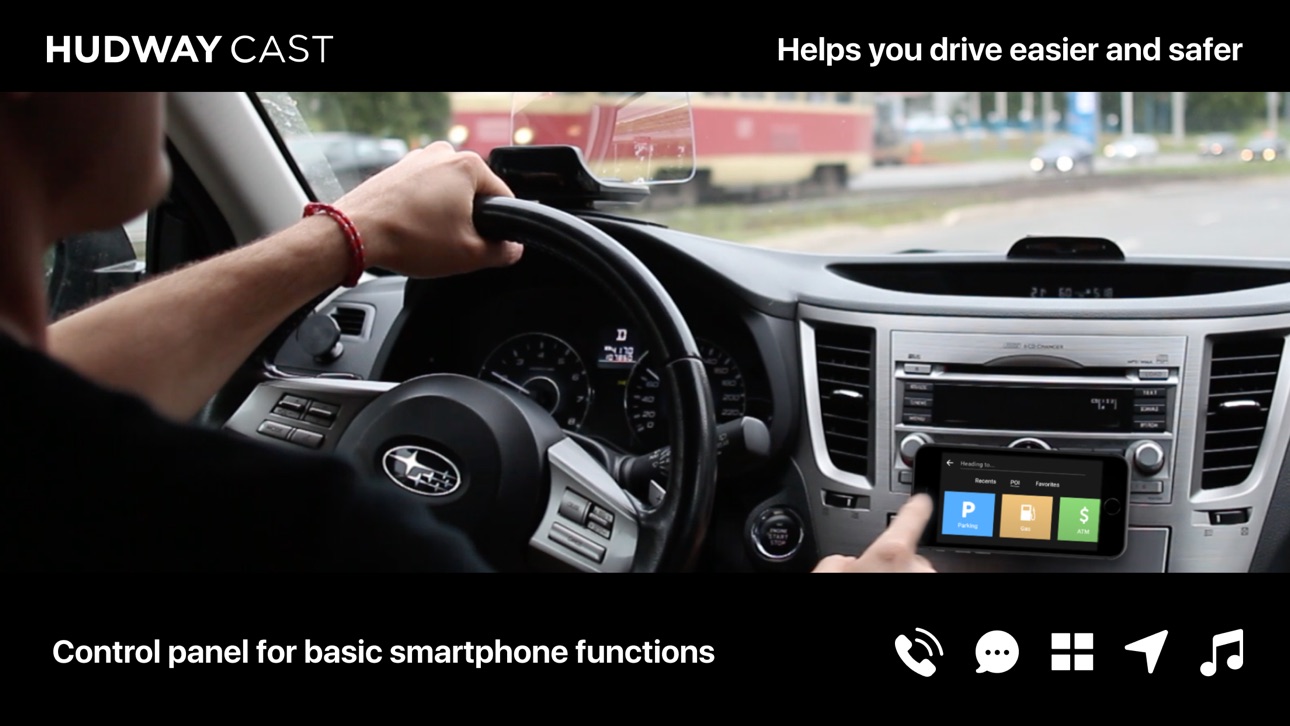
HUDWAY Cast app is designed to make using smartphone behind the wheel safer and less distracting.
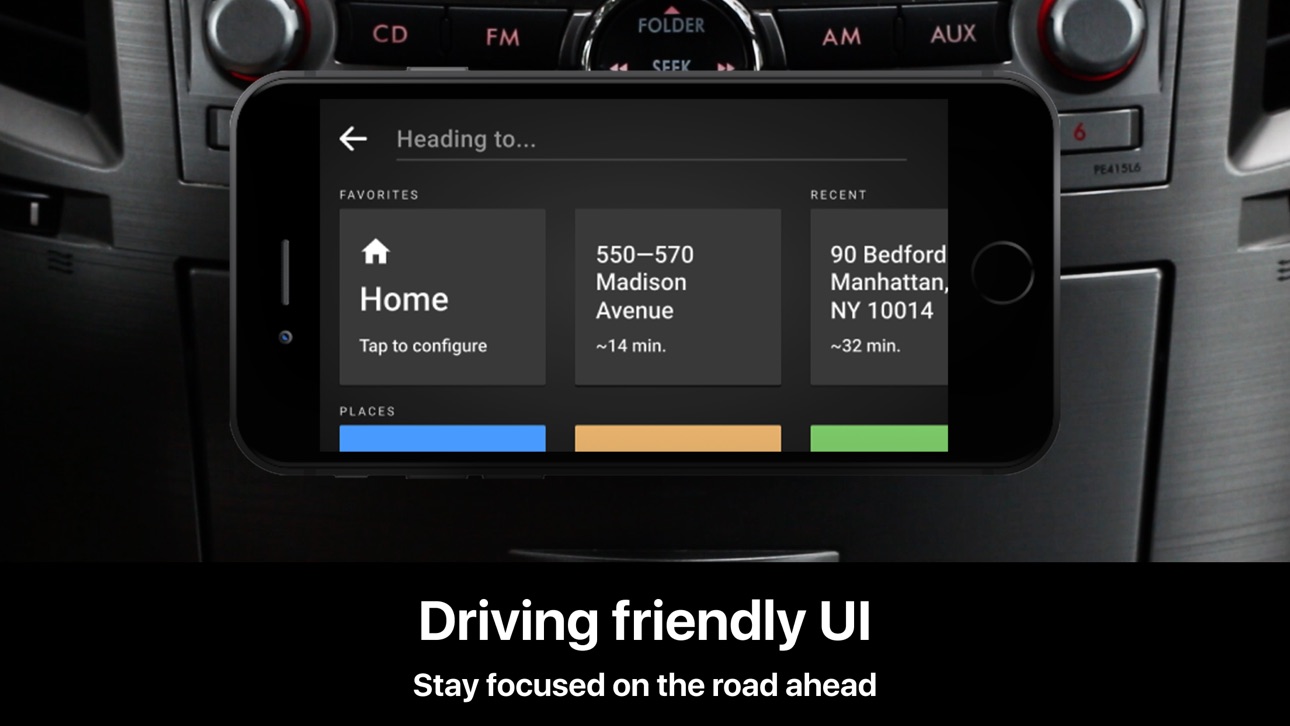
HUDWAY Cast app lets you manage basic smartphone functions behind the wheel in a quick, less-distracting way. It offers direct access to navigation, calls, messages, and music through its smart, driving-purposed interface. It’s designed to keep you focused on what really matters — on the road ahead.
Navigation:
Enter your destination or search for a POI — HUDWAY will create the best route to commute and give you turn-by-turn directions. The live 3D view of the road is easy to grasp, and you won’t get lost even at the most complicated junctions. And you won’t need Internet for that — the app will download offline maps for you to drive offline — globally!
Calls:
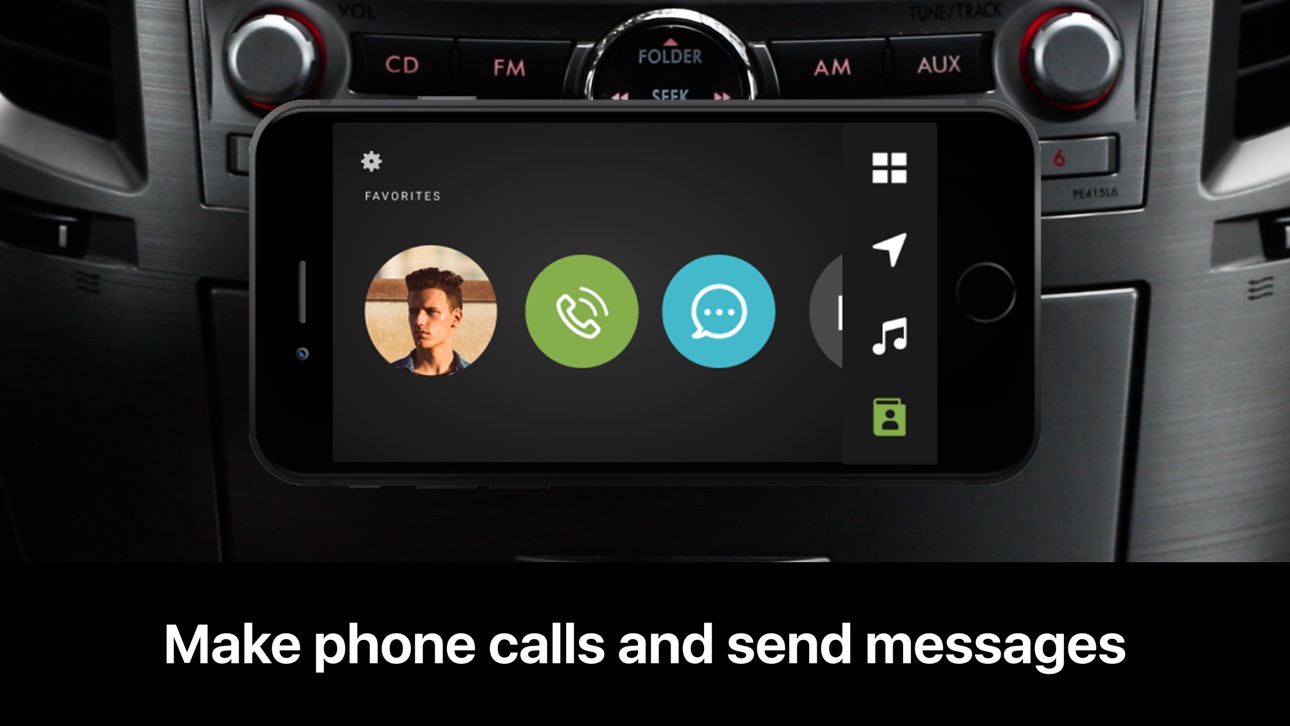
Keep your eyes on the road when receiving an incoming call — and use a swipe to accept or dismiss it. Add contacts to favorites and call them with one tap.
Music:
Connect your Spotify account or music library — and manage tracks with quick swipes and taps. You can also listen to hundreds of radio stations from all over the world (please note that you’ll need Internet for streaming online audio).
Widgets:
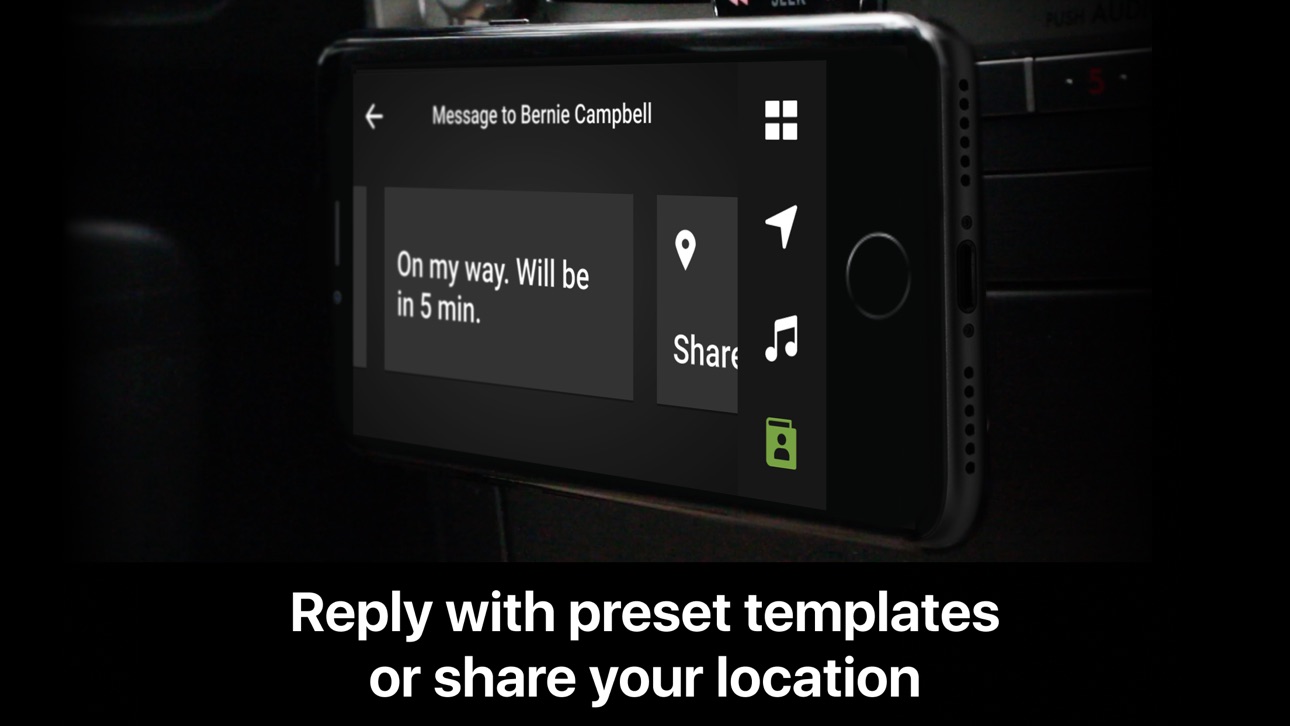
Quickly view your speed, ETA, trip statistics and driving score — and share your location with just one tap.
Recommendations on app use:
Mount your phone anywhere in your car where it’s convenient for you to quickly reach it — for example, above the airvent. The app can be used as is, but together with our HUDWAY Cast device it will give you an unparalleled experience of driving with a real heads-up display: you’ll still be able to manage your calls, messages, and music on your smartphone, whereas navigation will be streamed wirelessly onto a transparent lens right in your line of sight.
Learn more and get HUDWAY Cast device at hudwaycast.com
Accessibility
ipadiphonemacrealityDevicetvoswatch
Version history 16 versions
Build 834452945v1.2.112020-02-01 16:34:23
— Casting over screen recording has become faster and more reliable
— The whole process of checking for firmware updates and uploading them to HUDWAY Cast now works all correct.
Build 833985098v1.2.102019-12-13 04:59:45
— Casting over screen recording has become faster and more reliable
— The whole process of checking for firmware updates and uploading them to HUDWAY Cast now works all correct.
Build 833011291v1.2.92019-10-04 06:27:54
— The image quality is now much better when using Screen Recording
— Device update process has been improved.
Build 830833369v1.2.82019-04-03 16:32:09
Major update: you don't need to use AirPlay to mirror your screen contents to HUDWAY Cast.
Three simple steps to connect your iPhone to HUDWAY Cast:
1. Go to Settings > Wi-Fi and connect to HUDWAY-XXXXX
2. To use HUDWAY Cast app, simply launch it.
3. To launch any other app, pull out Control Center, long tap Screen Recording and select HUDWAY Cast extension.
Build 830779985v1.2.72019-03-30 19:46:18
Major update: you don't need to use AirPlay to mirror your screen contents to HUDWAY Cast.
Three simple steps to connect your iPhone to HUDWAY Cast:
1. Go to Settings > Wi-Fi and connect to HUDWAY-XXXXX
2. To use HUDWAY Cast app, simply launch it.
3. To launch any other app, pull out Control Center, long tap Screen Recording and select HUDWAY Cast extension.
Build 830023215v1.2.62019-01-22 06:47:41
— 3D map view now works faster and more stable and can now be used without HUDWAY Cast device
— Voice hints have been addded
— Landmeter and notifications widgets have been added — and can now be viewed on the HUDWAY Cast screen
— Searching for address has become more convenient
— Made some internal improvements for overall app performance.
Contact us at support@hudway.co if you face any problems or just want to share your feedback.
Build 829361514v1.2.52018-11-25 11:12:05
— 3D map view now works faster and more stable and can now be used without HUDWAY Cast device
— Voice hints have been addded
— Landmeter and notifications widgets have been added — and can now be viewed on the HUDWAY Cast screen
— Searching for address has become more convenient
— Made some internal improvements for overall app performance.
Contact us at support@hudway.co if you face any problems or just want to share your feedback.
Build 829279008v1.2.42018-11-14 13:21:29
— 3D map view now works faster and more stable and can now be used without HUDWAY Cast device
— Voice hints have been addded
— Landmeter and notifications widgets have been added — and can now be viewed on the HUDWAY Cast screen
— Searching for address has become more convenient
— Made some internal improvements for overall app performance.
Contact us at support@hudway.co if you face any problems or just want to share your feedback.
Build 829192079v1.2.32018-11-07 14:30:00
— 3D map view now works faster and more stable and can now be used without HUDWAY Cast device
— Voice hints have been addded
— Landmeter and notifications widgets have been added — and can now be viewed on the HUDWAY Cast screen
— Searching for address has become more convenient
— Made some internal improvements for overall app performance.
Contact us at support@hudway.co if you face any problems or just want to share your feedback.
Build 828854185v1.2.22018-10-11 05:25:02
— 3D map view now works faster and more stable and can now be used without HUDWAY Cast device
— Voice hints have been addded
— Landmeter and notifications widgets have been added — and can now be viewed on the HUDWAY Cast screen
— Searching for address has become more convenient
— Made some internal improvements for overall app performance.
Contact us at support@hudway.co if you face any problems or just want to share your feedback.
Build 828431847v1.2.12018-09-11 14:21:21
— 3D map view now works faster and more stable and can now be used without HUDWAY Cast device
— Voice hints have been addded
— Landmeter and notifications widgets have been added — and can now be viewed on the HUDWAY Cast screen
— Searching for address has become more convenient
— Made some internal improvements for overall app performance.
Contact us at support@hudway.co if you face any problems or just want to share your feedback.
Build 827740461v1.22018-07-06 11:32:03
— 3D map view now works faster and more stable and can now be used without HUDWAY Cast device
— Voice hints have been addded
— Landmeter and notifications widgets have been added — and can now be viewed on the HUDWAY Cast screen
— Searching for address has become more convenient
— Made some internal improvements for overall app performance.
Contact us at support@hudway.co if you face any problems or just want to share your feedback.
Build 826732440v1.1.22018-04-20 05:06:18
— Fixed crashes on iOS 11.3
— Fixed bugs with 12/24 time format on iOS 11.3
Build 826551014v1.1.12018-04-04 05:26:14
— The app now works in Japanese;
— Connection with external screen (HUDWAY Cast) is now more stable and straightforward;
— A few interface updates have been made to perfect the look;
— The app will no longer crash when playing music. If it does, please let us know at support@hudway.co
Build 826017117v1.12018-03-27 15:30:13
— Playlists are now available for Spotify and Apple Music;
— The music is now correctly transmitted to the car media when the app is used with HUDWAY Cast device;
— When a track is played or switched, you'll see an indication on the HUDWAY Cast lens
— German, Italian, Spanish, French, Chinese, and Russian languages are now supported.
— You can now create routes using Yandex. Navi app.
Build 822884109v1.02018-02-09 08:25:36
No pricing data captured yet — comparisons appear once the app has paid storefronts or in-app purchases.
Availability 1 of 1 storefronts
| Region | Language | Price | Ratings | Avg | Version |
|---|---|---|---|---|---|
| US | en-US | Free | 39 | 2.9 | 1.2.11 |
Change log 20 changes · US
✎
releaseNotes updated
— Casting over screen recording has become faster and more reliable
— The whole process of checking for firmware updates and uploading them to HUDWAY Cast now w
✎
description updated
HUDWAY Cast app is designed to make using smartphone behind the wheel safer and less distracting.
HUDWAY Cast app lets you manage basic smartphone functions b
✎
subtitle updated
Distraction-free driving
✎
name updated
HUDWAY Cast — Safe Driving
◆
Version 1.2.11 released
— Casting over screen recording has become faster and more reliable
— The whole process of checking for firmware updates and uploading them to HUDWAY Cast now works all correct.
◆
Version 1.2.10 released
— Casting over screen recording has become faster and more reliable
— The whole process of checking for firmware updates and uploading them to HUDWAY Cast now works all correct.
◆
Version 1.2.9 released
— The image quality is now much better when using Screen Recording
— Device update process has been improved.
◆
Version 1.2.8 released
Major update: you don't need to use AirPlay to mirror your screen contents to HUDWAY Cast.
Three simple steps to connect your iPhone to HUDWAY Cast:
1. Go to Settings > Wi-Fi and connect to HUDWAY-XXXXX
2. To use HUDWAY Cast app, simply la
◆
Version 1.2.7 released
Major update: you don't need to use AirPlay to mirror your screen contents to HUDWAY Cast.
Three simple steps to connect your iPhone to HUDWAY Cast:
1. Go to Settings > Wi-Fi and connect to HUDWAY-XXXXX
2. To use HUDWAY Cast app, simply la
◆
Version 1.2.6 released
— 3D map view now works faster and more stable and can now be used without HUDWAY Cast device
— Voice hints have been addded
— Landmeter and notifications widgets have been added — and can now be viewed on the HUDWAY Cast screen
— Searching
◆
Version 1.2.5 released
— 3D map view now works faster and more stable and can now be used without HUDWAY Cast device
— Voice hints have been addded
— Landmeter and notifications widgets have been added — and can now be viewed on the HUDWAY Cast screen
— Searching
◆
Version 1.2.4 released
— 3D map view now works faster and more stable and can now be used without HUDWAY Cast device
— Voice hints have been addded
— Landmeter and notifications widgets have been added — and can now be viewed on the HUDWAY Cast screen
— Searching
◆
Version 1.2.3 released
— 3D map view now works faster and more stable and can now be used without HUDWAY Cast device
— Voice hints have been addded
— Landmeter and notifications widgets have been added — and can now be viewed on the HUDWAY Cast screen
— Searching
◆
Version 1.2.2 released
— 3D map view now works faster and more stable and can now be used without HUDWAY Cast device
— Voice hints have been addded
— Landmeter and notifications widgets have been added — and can now be viewed on the HUDWAY Cast screen
— Searching
◆
Version 1.2.1 released
— 3D map view now works faster and more stable and can now be used without HUDWAY Cast device
— Voice hints have been addded
— Landmeter and notifications widgets have been added — and can now be viewed on the HUDWAY Cast screen
— Searching
◆
Version 1.2 released
— 3D map view now works faster and more stable and can now be used without HUDWAY Cast device
— Voice hints have been addded
— Landmeter and notifications widgets have been added — and can now be viewed on the HUDWAY Cast screen
— Searching
◆
Version 1.1.2 released
— Fixed crashes on iOS 11.3
— Fixed bugs with 12/24 time format on iOS 11.3
◆
Version 1.1.1 released
— The app now works in Japanese;
— Connection with external screen (HUDWAY Cast) is now more stable and straightforward;
— A few interface updates have been made to perfect the look;
— The app will no longer crash when playing music. If it
◆
Version 1.1 released
— Playlists are now available for Spotify and Apple Music;
— The music is now correctly transmitted to the car media when the app is used with HUDWAY Cast device;
— When a track is played or switched, you'll see an indication on the HUDWAY
◆
Version 1.0 released