Home › Education

 US
US
1 of 1 storefronts
Content in en-US
Content in en-US
Information
Preview 3 platforms
iPhone 3 images


iPad 3 images


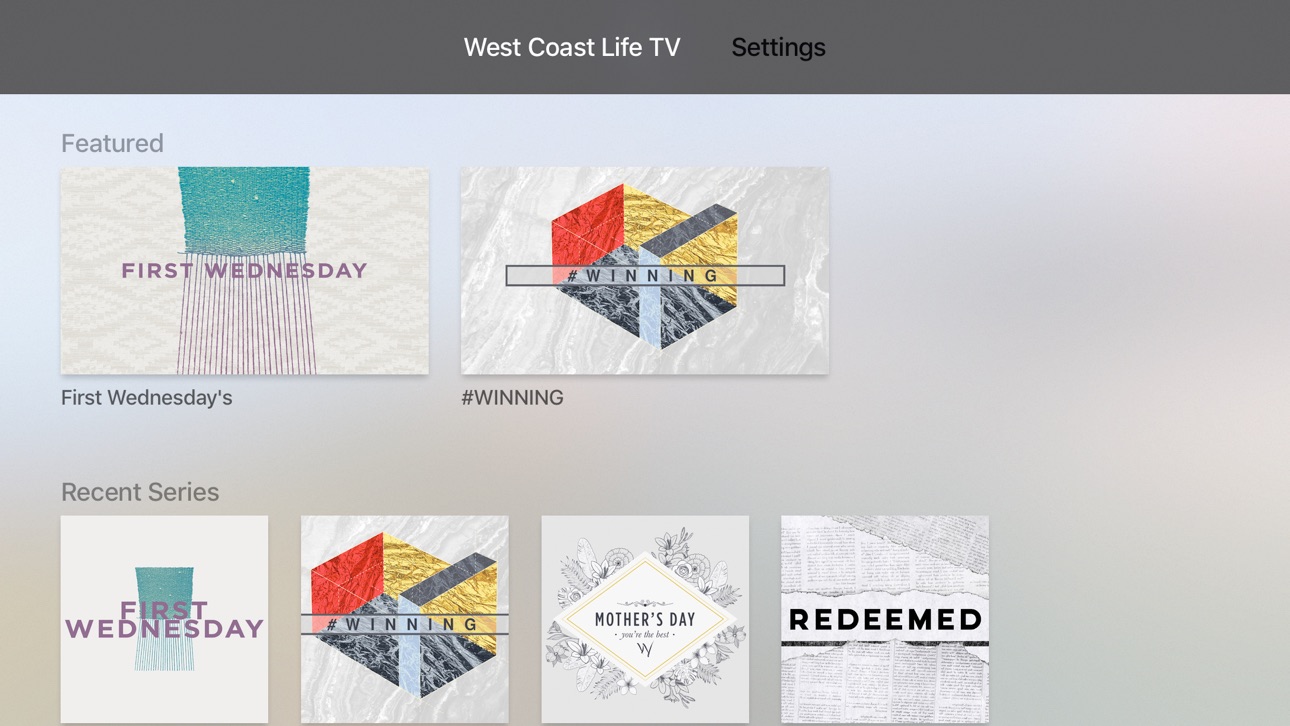
Apple TV 3 images


What’s New Version 6.10.11
Misc media improvements
Description
This app is packed with powerful content and resources to help you grow and stay connected. With this app you can:
- Watch or listen to past messages
- Sign up for events
- Stay up to date with push notifications
- Share your favorite messages via Twitter, Facebook, or email
- Download messages for offline listening
For more information about West Coast Life Church please visit http://www.westcoastlife.tv/church/
Accessibility
ipadiphonemacrealityDevicetvoswatch
Version history 5 versions
Build 866351212v6.10.112024-06-01 21:11:22
Misc media improvements
Build 826393945v4.9.52018-03-22 18:32:08
This update from Apple will improve the functionality of this app. No new features are included.
* Looking for messages on a specific topic? Introducing media search!
* Optimized for iPhone X
* A new and improved experience for reconnecting if the app is offline
* Fresh new layout for the Inbox
Build 825197128v4.8.12017-12-08 00:17:40
New in 4.8.1
- UI improvements
New in 4.7.0
Note-taking is here! Jot down your thoughts on-the-go, directly in the app. You can create a note via the app menu, or by tapping the “Take a Note” button on media in the app. Your notes will sync across devices, so you never have to worry about losing your notes when you get a new phone or tablet.
You can easily browse previous notes you’ve taken from the app menu, and you can also share your notes with a friend!
We hope you love the new note feature. Try it out today!
New in 4.6.0
- Playing audio and video is now a combined experience!
- Seamlessly switch between audio and video by tapping the action menu (3 vertical dots icon)
- Continue listening to a video while navigating through the app
- Quickly access downloads from the app menu
- Track the remaining time for your downloads
Build 823399397v4.7.02017-08-27 22:18:00
New in 4.7.0
Note-taking is here! Jot down your thoughts on-the-go, directly in the app. You can create a note via the app menu, or by tapping the “Take a Note” button on media in the app. Your notes will sync across devices, so you never have to worry about losing your notes when you get a new phone or tablet.
You can easily browse previous notes you’ve taken from the app menu, and you can also share your notes with a friend!
We hope you love the new note feature. Try it out today!
New in 4.6.0
- Playing audio and video is now a combined experience!
- Seamlessly switch between audio and video by tapping the action menu (3 vertical dots icon)
- Continue listening to a video while navigating through the app
- Quickly access downloads from the app menu
- Track the remaining time for your downloads
Build 822779984v4.6.12017-07-12 23:28:08
No pricing data captured yet — comparisons appear once the app has paid storefronts or in-app purchases.
Availability 1 of 1 storefronts
| Region | Language | Price | Ratings | Avg | Version |
|---|---|---|---|---|---|
| US | en-US | Free | 7 | 5.0 | 6.10.11 |
Change log 8 changes · US
✎
releaseNotes updated
Misc media improvements
✎
description updated
This app is packed with powerful content and resources to help you grow and stay connected. With this app you can:
- Watch or listen to past messages
- Sign up
✎
name updated
West Coast Life TV
◆
Version 6.10.11 released
Misc media improvements
◆
Version 4.9.5 released
This update from Apple will improve the functionality of this app. No new features are included.
* Looking for messages on a specific topic? Introducing media search!
* Optimized for iPhone X
* A new and improved experience for reconnectin
◆
Version 4.8.1 released
New in 4.8.1
- UI improvements
New in 4.7.0
Note-taking is here! Jot down your thoughts on-the-go, directly in the app. You can create a note via the app menu, or by tapping the “Take a Note” button on media in the app. Your notes will syn
◆
Version 4.7.0 released
New in 4.7.0
Note-taking is here! Jot down your thoughts on-the-go, directly in the app. You can create a note via the app menu, or by tapping the “Take a Note” button on media in the app. Your notes will sync across devices, so you never
◆
Version 4.6.1 released