Home › Family

 US
US
1 of 1 storefronts
Content in en-US
Content in en-US
Information
Preview 2 platforms
iPhone 7 images



iPad 7 images




What’s New Version 1.0.11
User names, initials and player numbers fit better into the available space when displaying painting signatures.
Includes various other minor improvements.
Description
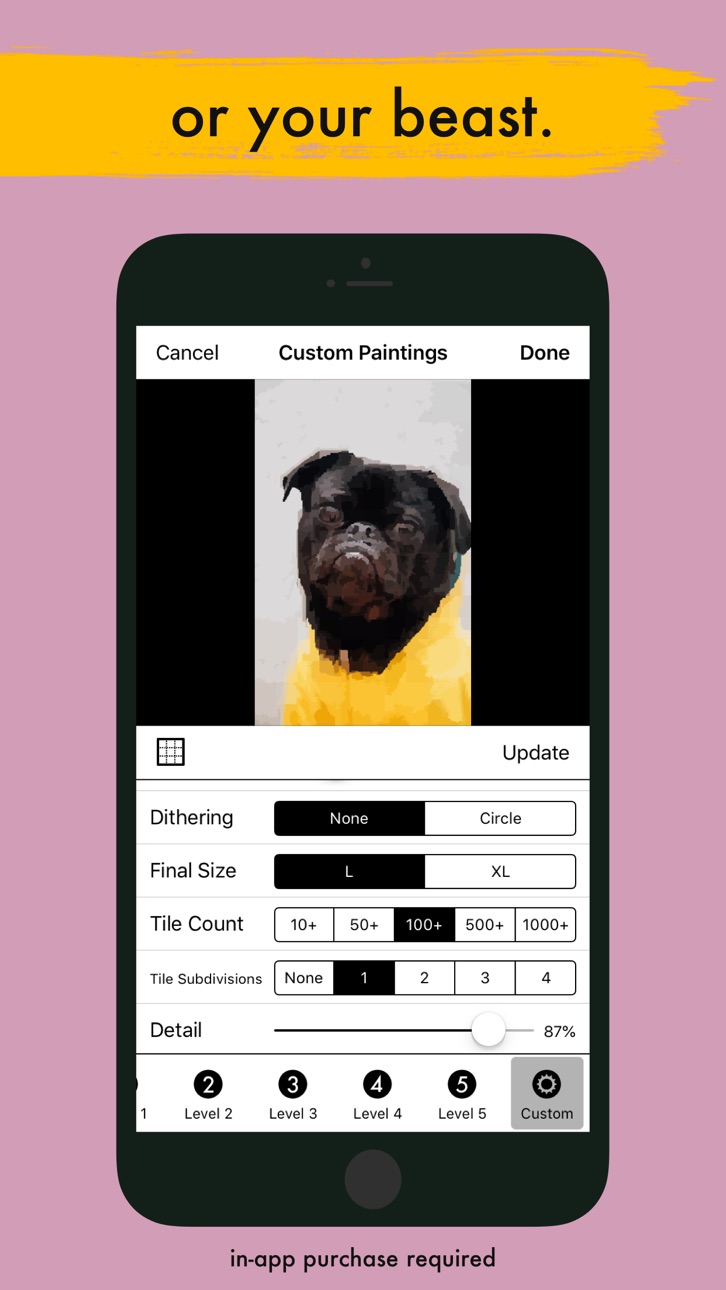
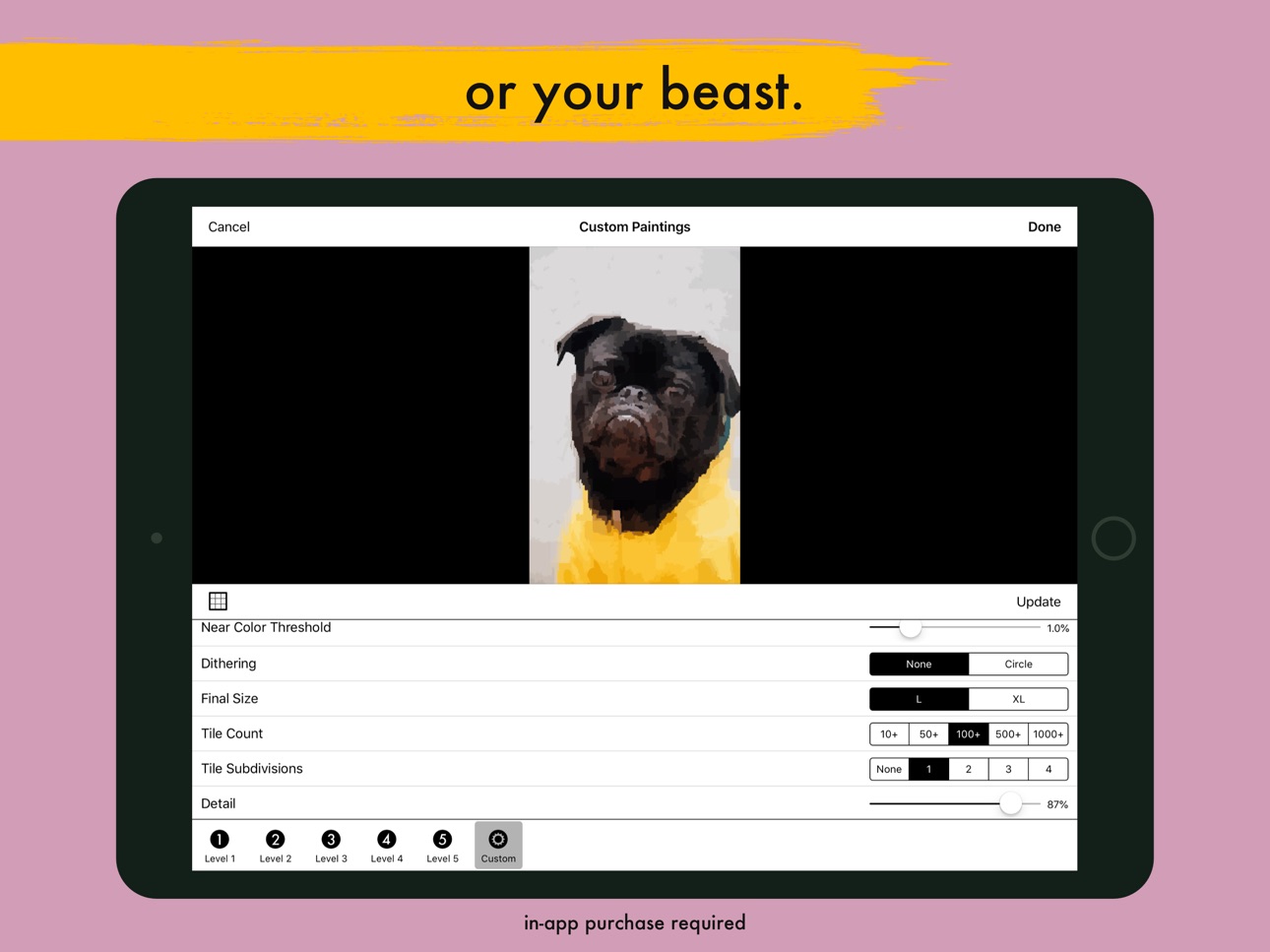
With Simile's patent-pending process you can paint like a master. By applying the best painting techniques like the “Grid Method” and “Right Brain Drawing” with the benefits of gamification, a killer toolset, and advanced image processing, Simile turns painting a masterpiece into child’s play. Choose from the many built-in paintings covering still lifes, portraits, landscapes and more. Even better, you can paint your own photos and make them as simple or as complex as you want. Simile also makes painting a social activity. You, your family and your friends can collaborate on paintings. When you’re done you can share these masterpieces online, order high-quality prints and canvases right from within the app, or if a t-shirt is more your style, you can wear your art on your sleeve.
Grid Method:
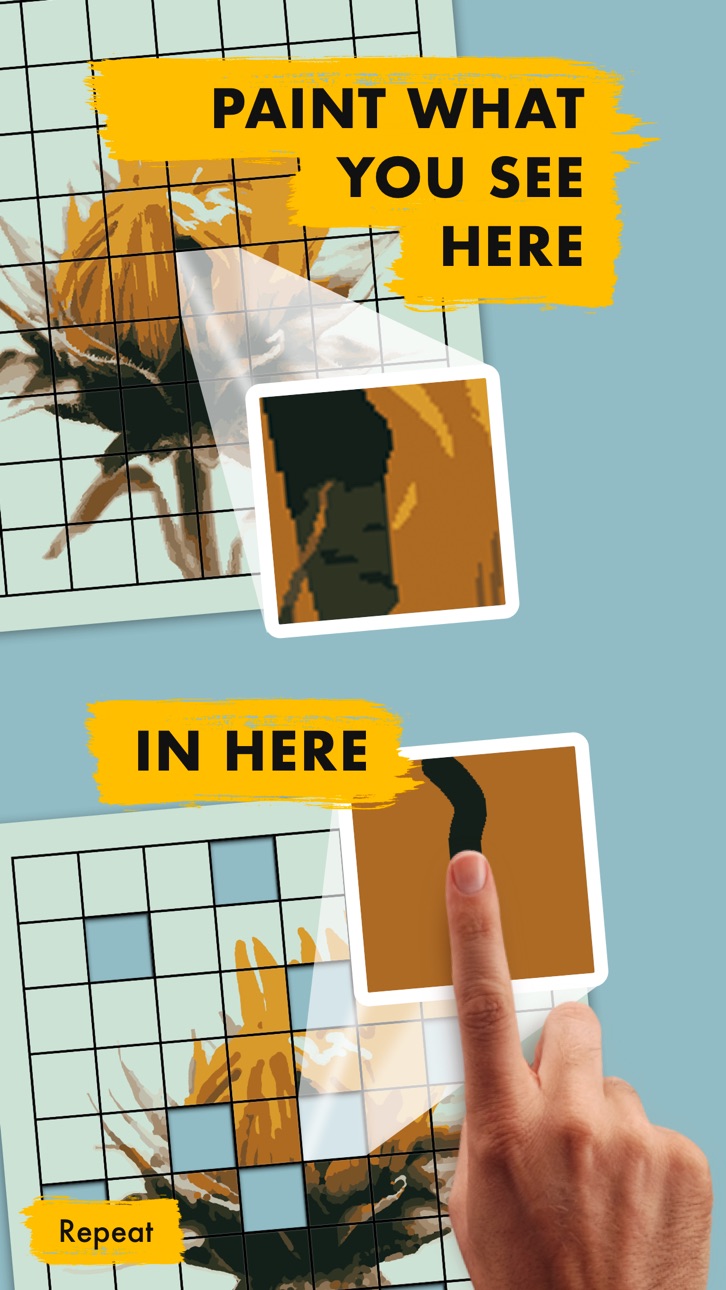
Borrowing a technique first used in ancient Egypt and mastered by Leonardo Da Vinci, M. C. Escher, and Vincent van Gogh, Simile uses the Grid Method. It divides the painting into a grid and, as a result, changes a challenging painting into a series of smaller, easier paintings. The technique ensures that results are accurate and have proper proportions.
Right Brain Drawing:
A challenge for anyone learning to draw is to turn off the symbolic part of their brain, that part that tries to interpret the world around it. This makes it difficult to draw what is seen and not draw the “meaning” of what is seen. For example, when trying to draw a person, most beginners will draw something that resembles a stick figure. Simile only presents one small part of the entire image at a time, hiding the rest. The intent here is to make it unclear what part of the image you are drawing, which in turn, switches off the brain’s symbolic processing so that it won’t get in the way.
Gamification:
People often do better at a task when it’s made into a game. So why not apply that to painting. Simile scores your painting in real time as you work. By trying to maximize your score, you’ll be improving your painting. Simile’s arcade mode also adds timing to the mix; not only do you have to paint well, but you also have to do it fast. This challenge is surprisingly fun, and the results are far better than you might think. I’ve gotten much better the more I’ve played. I bet you will too.
Killer Tools:
Simile has the standard tools, like paintbrushes, a paint bucket, undo, and supports the Apple Pencil (types 1 and 2) on the iPad. It also has a False Color tool which makes it much easier to distinguish between two shades of the same color (with extra options for color blind people). Simile's Grid tool further extends the Grid Method to each tile, and if you’re really stuck, you can turn on outlines which shows you the boundaries of each color. Simile rounds out the toolset with a pipette to help pick the right color.
Advanced Image Processing:
Another challenge for beginning artists is to represent the real-world (which has an infinite variety of colors) with a finite set of paint colors. Simile’s advanced image processing simplifies images to keep things looking real, without being too hard.
Multiplayer:
Simile’s masterpiece mode supports up to 100 people collaborating on one painting. This feature is great for making a grandmother’s day present from her grandkids or for a group of friends that want to complete a painting together. No In-app purchases are required to use this feature, so the sky’s the limit on who you invite to join you. Also, because Simile uses iCloud for collaboration, there is no sign-in needed.
High-Quality Prints:
Simile has partnered with Kite.ly to help turn your virtual art into real-world art. You can order canvas prints, framed prints, posters, t-shirts, mugs, magnets, and phone cases of your artwork.
Music:
We’ve included background music made exclusively for Simile by Leonty Music. It's designed to subtly change as you touch the screen when painting. We also recommend painting to your favorite songs, books or podcasts.
Capabilities
In-App Purchases
Accessibility
ipadiphonemacrealityDevicetvoswatch
Version history 12 versions
Build 830488664v1.0.112019-03-05 00:02:03
User names, initials and player numbers fit better into the available space when displaying painting signatures.
Includes various other minor improvements.
Build 830444967v1.0.102019-02-28 18:41:09
Various stability improvements. These are particularly important for users who collaborate with others on paintings.
Build 830337987v1.0.92019-02-19 17:49:24
Fixed an occasional issue with automatically saving changes downloaded from the cloud.
Changed the descriptions of the "Launch Collection" and "Courthouse Towers" in-app purchase items.
Build 830262290v1.0.82019-02-12 22:27:29
Improved multiplayer setup
Improved stability
Miscellaneous minor improvements
Build 830240788v1.0.72019-02-10 01:06:14
Improved the color of new custom photos with high detail. They no longer have dark spots.
Improved the color for the following built-in paintings: Big Ben, Forest Path, Hiker, Kitten, Machu Picchu, Shades, and Surf's Up. These changes only apply to new paintings, not existing ones.
Improved the look of new Level 1 and Level 2 custom paintings.
Build 830172338v1.0.62019-02-02 01:59:29
Improved the "Orange" painting by removing unwanted artifacts in the periphery of the reference image.
Includes various other minor improvements.
Build 830019322v1.0.52019-01-21 19:46:34
Now asks for your painter name when you join a shared painting (if needed).
Improved the wording for the alert that appears if your tile score is lower than the previous high score for that tile.
Fixed a problem in which the icon notification badges would not clear as needed.
Simile now acknowledges when you join shared paintings.
Updated the descriptions and fixed layout issues of the Game Mode screen.
Updated the FAQ with more information about multi-player mode.
Build 829952987v1.0.42019-01-16 18:21:38
Added an in-app mechanism for reporting feedback.
Updated the FAQ.
Improved the process of buying physical items (prints, t-shirts, magnets etc.).
Fixed a problem with collaborating on paintings in version 1.0.3
Improved various minor cosmetic and functional issues.
Build 829930667v1.0.32019-01-12 20:27:44
Improved notifications.
Fixed a few crashing bugs.
Fixed cosmetic bugs related to using extra large system font sizes.
Build 829853800v1.0.22019-01-07 13:25:03
Improved results for old family photos that were scanned on a flatbed scanner. These paintings will now have a white border and letterbox region. This change also improves any painting of an object isolated on a solid color.
Includes other minor cosmetic improvements.
Build 829794559v1.0.12018-12-31 03:08:44
Added support for left-handed painting. After launch tap "New", then tap the gear icon in the upper right corner. Now tap "Paint Screen Layout" and then tap "Left-Handed."
Build 822629303v1.02018-12-21 13:00:38
No pricing data captured yet — comparisons appear once the app has paid storefronts or in-app purchases.
Availability 1 of 1 storefronts
| Region | Language | Price | Ratings | Avg | Version |
|---|---|---|---|---|---|
| US | en-US | Free | 91 | 3.9 | 1.0.11 |
Change log 16 changes · US
✎
releaseNotes updated
User names, initials and player numbers fit better into the available space when displaying painting signatures.
Includes various other minor improvements.
✎
description updated
With Simile's patent-pending process you can paint like a master. By applying the best painting techniques like the “Grid Method” and “Right Brain Drawing” with
✎
subtitle updated
Painting Game with Grid Method
✎
name updated
Simile - Paint Like a Master
◆
Version 1.0.11 released
User names, initials and player numbers fit better into the available space when displaying painting signatures.
Includes various other minor improvements.
◆
Version 1.0.10 released
Various stability improvements. These are particularly important for users who collaborate with others on paintings.
◆
Version 1.0.9 released
Fixed an occasional issue with automatically saving changes downloaded from the cloud.
Changed the descriptions of the "Launch Collection" and "Courthouse Towers" in-app purchase items.
◆
Version 1.0.8 released
Improved multiplayer setup
Improved stability
Miscellaneous minor improvements
◆
Version 1.0.7 released
Improved the color of new custom photos with high detail. They no longer have dark spots.
Improved the color for the following built-in paintings: Big Ben, Forest Path, Hiker, Kitten, Machu Picchu, Shades, and Surf's Up. These changes only
◆
Version 1.0.6 released
Improved the "Orange" painting by removing unwanted artifacts in the periphery of the reference image.
Includes various other minor improvements.
◆
Version 1.0.5 released
Now asks for your painter name when you join a shared painting (if needed).
Improved the wording for the alert that appears if your tile score is lower than the previous high score for that tile.
Fixed a problem in which the icon notificati
◆
Version 1.0.4 released
Added an in-app mechanism for reporting feedback.
Updated the FAQ.
Improved the process of buying physical items (prints, t-shirts, magnets etc.).
Fixed a problem with collaborating on paintings in version 1.0.3
Improved various minor cosme
◆
Version 1.0.3 released
Improved notifications.
Fixed a few crashing bugs.
Fixed cosmetic bugs related to using extra large system font sizes.
◆
Version 1.0.2 released
Improved results for old family photos that were scanned on a flatbed scanner. These paintings will now have a white border and letterbox region. This change also improves any painting of an object isolated on a solid color.
Includes other
◆
Version 1.0.1 released
Added support for left-handed painting. After launch tap "New", then tap the gear icon in the upper right corner. Now tap "Paint Screen Layout" and then tap "Left-Handed."
◆
Version 1.0 released